


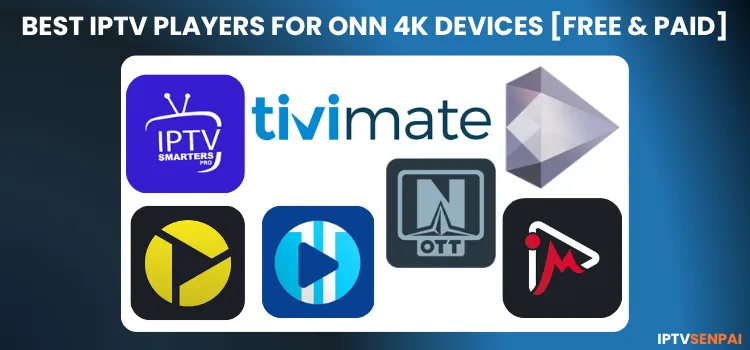
The ONN Stream is a budget-friendly Android TV dongle by Walmart, running on the Google TV ecosystem with full support for high-performance IPTV players, M3U playlists, and EPG data.
This article covers the 7 best IPTV players for ONN Stream:
- TiviMate – The best overall IPTV player for Android TV and Google TV
- IPTV Smarters Pro – free, beginner-friendly option for hassle-free setup
- XCIPTV Player – lightweight, free player with premium-like features
- OTT Navigator – Best for power users who want deep customization and control
- Sparkle TV Player – Best for DVR and live TV recording on Onn devices
- iMPlayer – Best for multi-device users with cloud-based playlist sync
- Televizo – Best for fast-loading heavy playlists
All players are available on the Google Play Store or can be sideloaded (unlike FireStick 4K Select), ONN Stream also doesn’t block any third-party apps.
ONN Stream vs FireStick – See Full Comparison →
However, these players have no content of their own. An active IPTV subscription is required for live TV, VOD, and sports. Since many IPTV services operate in a legal gray area, always protect your privacy with a trusted VPN like Surfshark.
Recommended VPN for IPTV - Surfshark

Using IPTV without a VPN can put you at Big Risk! Your ISP, government and even IPTV providers can monitor your activity, throttle your speed, or block access altogether.
Plus, without encryption, your data is exposed to hackers and third parties. Take back your privacy with Surfshark!
Features:
✅ SAVE 87% + GET 3 EXTRA MONTHS FREE! ($0.06/day)
✅ Kill Switch Feature to protect you if VPN drops
✅ Lightweight app ensuring smooth performance on All IPTV Boxes
✅ Unlimited simultaneous connections (install on all household devices)
✅ 30-day risk-free money-back guarantee
✅ Strict no-logs policy, Secure & Untraceable
Best IPTV Players for Onn 4K Devices
Here is a detailed overview of the best IPTV Players for Onn stream devices across performance, EPG support, UI, and pricing.
1. TiviMate
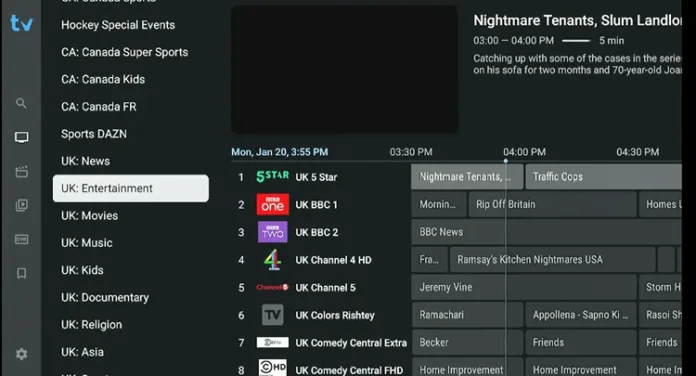
TiviMate remains the gold standard for Android TV and Google TV, built for big screens with smooth, intuitive navigation on devices like the Onn 4K. The premium version handles live TV, sports, and VOD, offering one of the cleanest, cable-like interfaces available.
TiviMate downloader Code: 5546232 (Find under ‘IPTV Apps’ section)
Supported Formats: M3U, Xtream Codes, Stalker Portal
Compatibility: all Onn 4K devices, Android TV, Firestick, Google TV
Price: Free & Premium plan ($10.99/year or $34.99 lifetime)
Standout Features of Tivimate Player
- Clean, customizable EPG-style TV guide
- Record live TV and schedule weekly recordings
- Multi-screen support (with more than one subscription)
- Catch-up playback for missed shows (depends on provider)
- Add multiple IPTV playlists.
- External player support (VLC, MX Player)
- Parental controls
- Picture-in-picture (PiP)
- Favorite channels and channel sorting
- Time-shift for EPG and channel groups
2. IPTV Smarters Pro
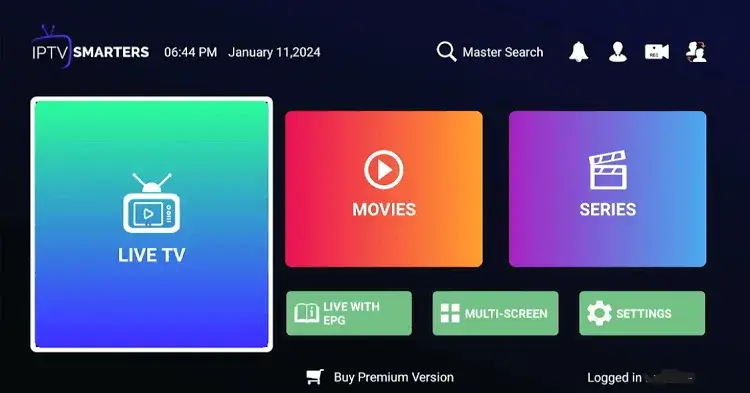
If you want a completely free option, IPTV Smarters Pro is a reliable choice, offering smooth compatibility with the Onn 4K remote and a simple, no-subscription experience. Its tile-based interface is beginner-friendly and includes live TV, movies, and series icons.
IPTV Smarters Downloader Code: 5546232 (Find under ‘IPTV Apps’ section)
Supported Formats: M3U, Xtream Codes API
Compatibility: Onn 4K, Android Phones, Firestick, iOS
Price: Free
Standout Features of IPTV Smarters Pro:
- Search tool to find content across all your playlists.
- Supports external players like VLC or MX Player.
- Built-in multi-screen (multi-view) support
- Parental control with PIN protection
- Supports multiple IPTV accounts in one app
- Catch-up TV support (depends on provider
- User-friendly TV-like interface for beginners
3. XCIPTV Player
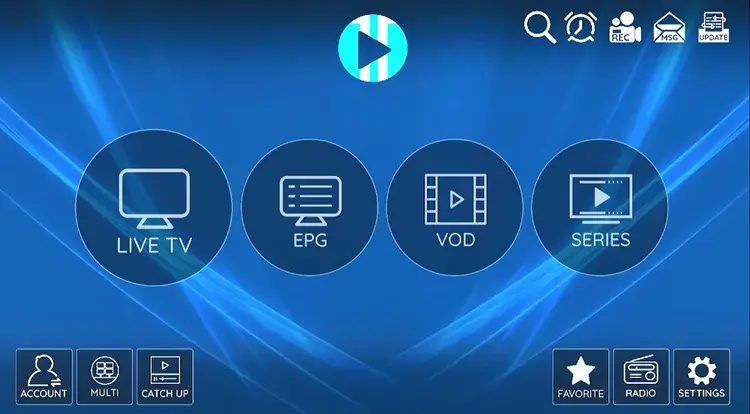
XCIPTV is a lightweight player for the standard Onn 4K box with limited RAM. It’s fast and ad-free, delivering smooth live sports playback. For the best experience, sideload it through Downloader, as app store versions may not stay updated.
XCIPTV Downloader Code: 5546232 (Find under ‘IPTV Apps’ section)
Supported Formats: M3U, EZ Server, FastoCloud, X Codes
Compatibility: Onn 4K, Android TV, Firestick, Smart TVs
Price: Free
Standout Features of XCIPTV Player
- Minimal resource usage for entry-level Onn hardware
- Full support for VOD, live TV, and catch-up
- Clean, grid-based EPG
- Simple playlist and favorites curation
- Built-in subtitle integration
- Uses ExoPlayer and VLC engines natively
-
No account creation or ads
4. OTT Navigator

OTT Navigator is built for power users, offering advanced customization and efficient performance on devices like the Onn 4K Plus. It handles massive channel lists smoothly and stands out with deep UI controls and powerful filtering.
OTT Navigator Downloader Code: 5546232 (Find under ‘IPTV Apps’ section)
Supported Formats: Mac Portal, Stalker, Xtream Codes
Compatibility: Onn (Google TV), Fire TV, Android TV
Price: Free (Plus upgrade available)
Standout Features of OTT Navigator
- Lightning-fast EPG population
- Flawless external player routing
- Granular control over providers and playlists
- Live channel previews in the menu
- Auto-resume playback feature
- Advanced filtering and search tools
-
Zero ads for uninterrupted viewing
5. Sparkle TV Player
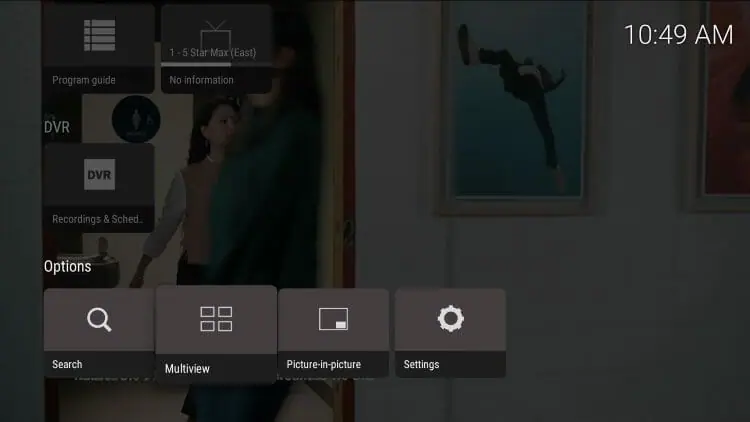
Sparkle TV is built for Android TV and Google TV, delivering smooth navigation with the Onn 4K remote. Its Timeshift feature lets you pause and rewind live TV. The sleek, transparent UI improves viewing and excels at recording with external storage.
Sparkle TV Downloader Code: 5546232 (Find under ‘IPTV Apps’ section)
Supported Formats: Xtream Codes, M3U, Stalker, HDHomeRun
Compatibility: Onn (Google TV), Fire TV, Android TV
Price: Free (Sparkle Plus starts at $1.49/month)
Standout Features of Sparkle TV
- Excellent VOD and live TV playback
- Unrivaled DVR tools for recording to Onn’s storage
- Live TV pausing and timeshifting
- Multi-view streaming
- Custom channel creation
- High-quality EPG and channel logos
- Navigation designed for Google TV remotes
6. iMPlayer
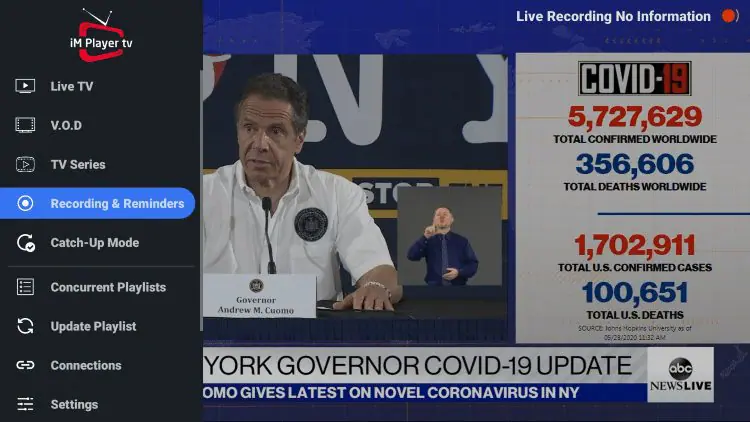
iMPlayer is a feature-rich IPTV player for power users, featuring a standout cloud system that syncs playlists, EPG, and settings across multiple Onn 4K devices. Its cable-like interface helps new cord-cutters navigate easily.
iMPlayer Downloader Code: 5546232 (Find under ‘IPTV Apps’ section)
Supported Formats: XC API, M3U, Stalker
Compatibility: Onn 4K, FireStick, Android TV, Smart TVs
Price: Free (Premium starts at $25/lifetime) (24-hour trial)
Standout Features of iMPlayer
- Authentic cable-style user interface
- Risk-free 24-hour Premium trial
- Robust playlist and favorites manager
- Integrated, easy-to-read TV guide
- Multiple user profiles
- Device-to-device playback resuming
-
Toggle between light and dark visual themes
7. Televizo
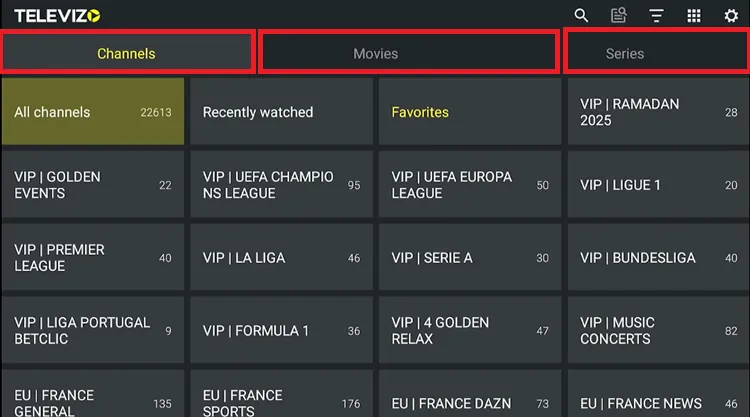
Televizo is an IPTV player focused on speed and simplicity, offering a perfect balance between advanced and beginner-friendly options. Its low memory usage makes it one of the fastest apps on the Onn 4K, handling large playlists smoothly without lag.
Televizo Downloader Code: 5546232 (Find under ‘IPTV Apps’ section)
Supported Formats: Xtream Codes, M3U
Compatibility: Onn (Google TV), FireStick, Android TV
Price: Free (Optional $10 lifetime premium)
Standout Features of Televizo
- Clean list or grid viewing options
- Extremely fast VOD and channel search
- Support for unlimited playlists
- Native TV guide (EPG) functionality
- Advanced subtitle and audio track selection
- Built-in sleep timer
-
Boot-on-startup capability for dedicated boxes
FAQ’s
1. Are IPTV players legal to use on Onn 4K devices?
Yes, the IPTV players themselves are 100% legal software applications available on the Google Play Store. They are simply media players. However, using a provider that streams copyrighted material without a license is illegal.
2. Why should I use the “Downloader” app if these players are in the Play Store?
Many IPTV players on the Google Play Store are limited or missing features, so people often install the latest premium APKs for better performance, newer features, and full protocol support.
3. Can I record Live TV on an Onn 4K Streaming Box?
The standard Onn box has limited 8GB storage, so it’s better to use a player like Sparkle TV or TiviMate and record to a USB drive or NAS.
4. How do I update my IPTV player after sideloading?
Sideloaded apps do not update automatically through the Google Play Store. To update, simply enter the same Downloader Code and install the newer version over the existing one. Your settings and playlists will usually remain intact.
My Recs
If I were to recommend a single player to every Onn 4K user, the lifetime premium version of TiviMate wins hands down. The intuitive interface and streamlined playlist management simply cannot be beaten.
If you want something strictly free that works perfectly right out of the box, you cannot go wrong with IPTV Smarters Pro.

