


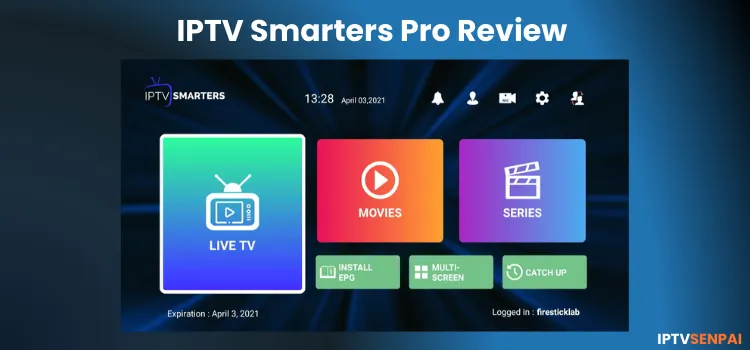
Quick Answer: IPTV Smarters Pro is the best free IPTV player available. You can install it using the IPTV Smarters Pro Downloader code ‘5546232’.
However, IPTV Smarters Pro does not have any built-in content; you will need an IPTV subscription (such as Strong 8K or trex) or a free M3U playlist URL to start streaming. It works on Firestick, Android, and onn devices, and it even has a web version too.
Now, to be clear, the app is 100% safe and legal. The only risk comes from the IPTV service you connect to, as not all providers are verified. That’s why using a VPN is important.
Recommended VPN for IPTV - Surfshark

Using IPTV without a VPN can put you at Big Risk! Your ISP, government and even IPTV providers can monitor your activity, throttle your speed, or block access altogether.
Plus, without encryption, your data is exposed to hackers and third parties. Take back your privacy with Surfshark!
Features:
✅ SAVE 87% + GET 3 EXTRA MONTHS FREE! ($0.06/day)
✅ Kill Switch Feature to protect you if VPN drops
✅ Lightweight app ensuring smooth performance on All IPTV Boxes
✅ Unlimited simultaneous connections (install on all household devices)
✅ 30-day risk-free money-back guarantee
✅ Strict no-logs policy, Secure & Untraceable
Watch: Video Tutorial of IPTV Smarters Pro Setup👇
IPTV Smarters Pro Features
Here’s what you get with IPTV Smarters Pro.
- Price: Free (Except for iOS users)
- User Interface: Easy to navigate.
- Compatible Devices: Supports Firestick, Android Phones, TV, iOS, Windows, and more.
- Supported Format: M3U File/Link & Xtream Codes API
- Multi-screen support: Yes (up to 4 screens)
- Recording: Yes
- Catch-Up TV: Yes
- EPG Integration: Yes
- Parental Controls: Yes
- Subtitles: Yes
How to Install IPTV Smarters Pro Using Downloader Code

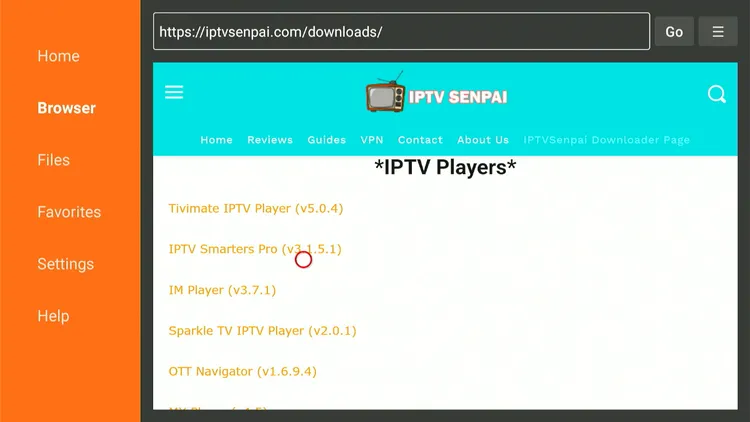
Step 3: Scroll down to the IPTV Players section, find the IPTV Smarters Pro app, and tap on it to proceed.
Step 4: The IPTV Smarters Pro APK will start downloading.

Step 5: You will now see a prompt asking you to install Unknown Apps for Downloader. Select Settings to proceed.
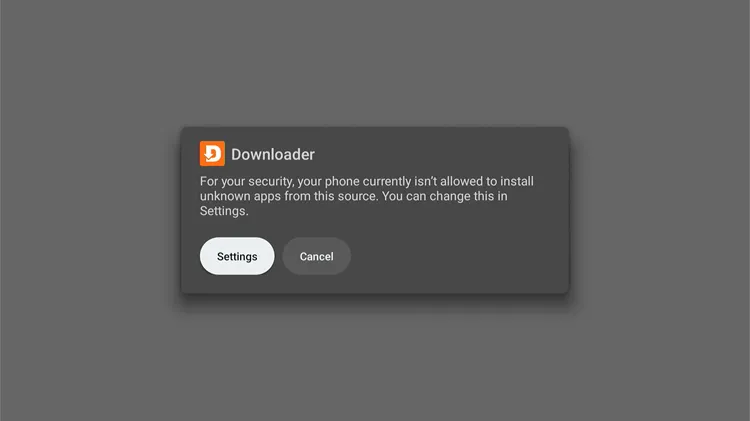
Step 6: Turn on the toggle to allow Installing Unknown Apps using the Downloader app.

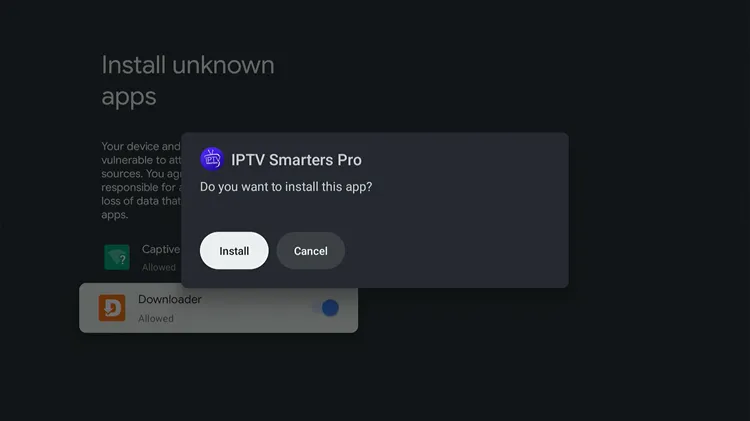
Step 7: Click Install
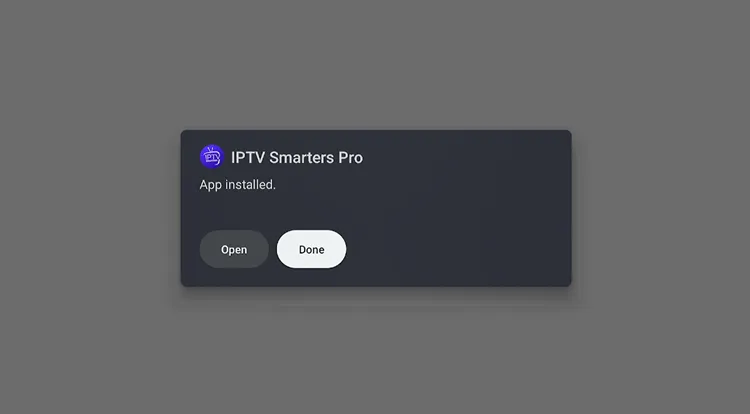
Step 8: Click Done.
Step 9: Click Delete.

Step 10: Click Delete again. Installation is completed!

How to Watch IPTV on IPTV Smarters Pro
To stream IPTV on IPTV Smarters Pro, add the M3U or Xtreme Code given by your provider. Since the content legality may vary; therefore, make sure you are connected to a VPN before streaming anything. Here is how it is done:
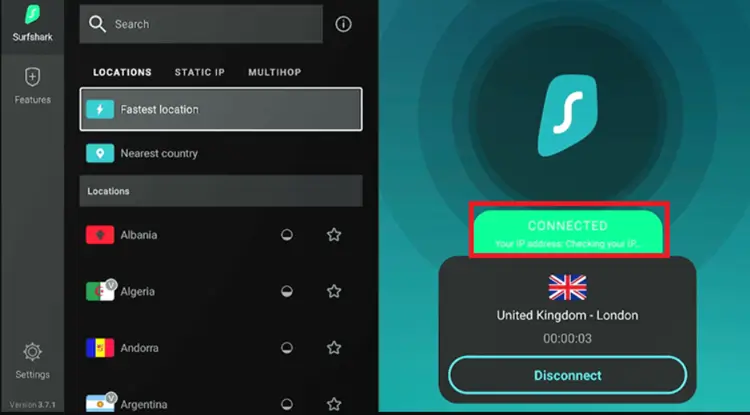
Step 1: Open the Surfshark app and connect to any Server.
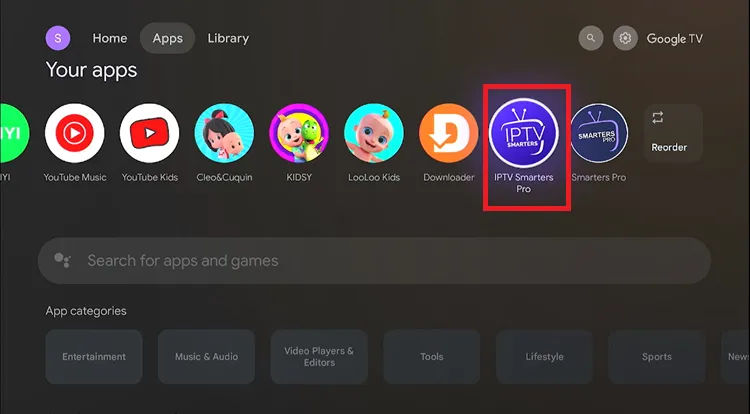
Step 2: Go to the Home screen, navigate to Apps, then search and select IPTV Smarters Pro to launch it.
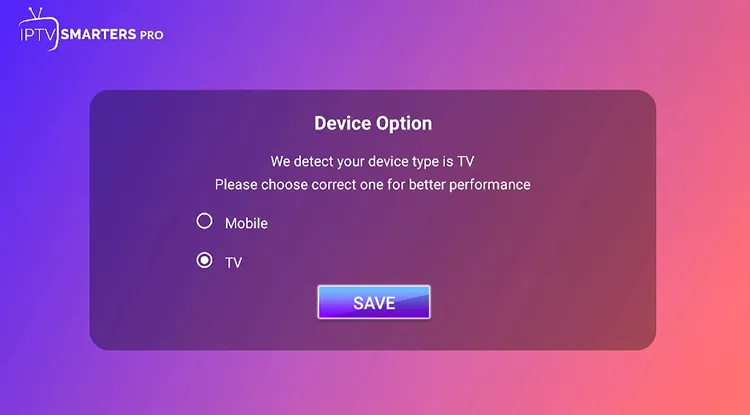
Step 3: The IPTV Smarters app will be launched. Choose your device and click Save. (I selected TV since I’m using the Onn 4K box)
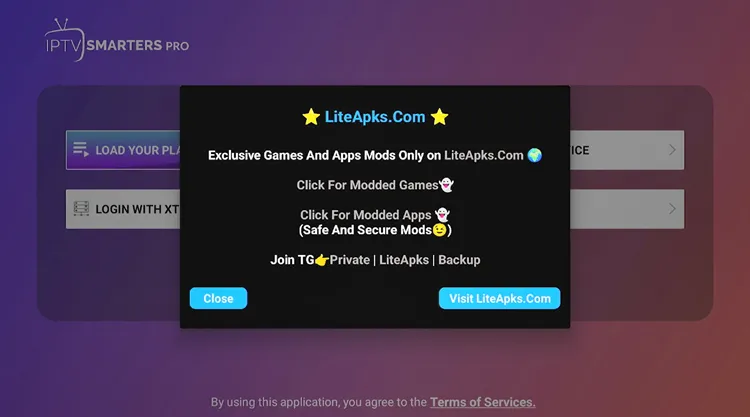
Step 4: Close the pop-up.
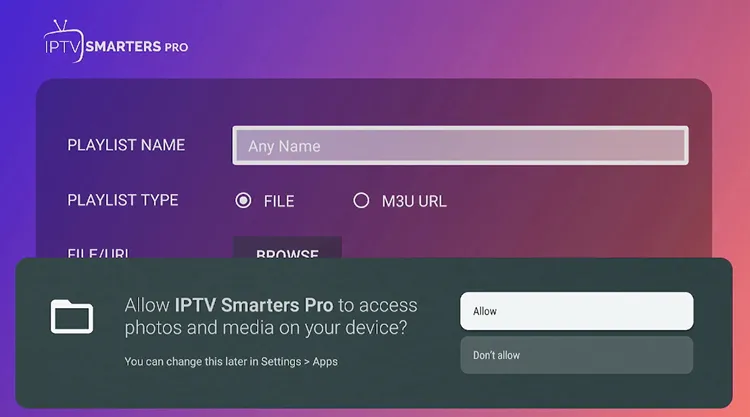
Step 5: Click Allow.
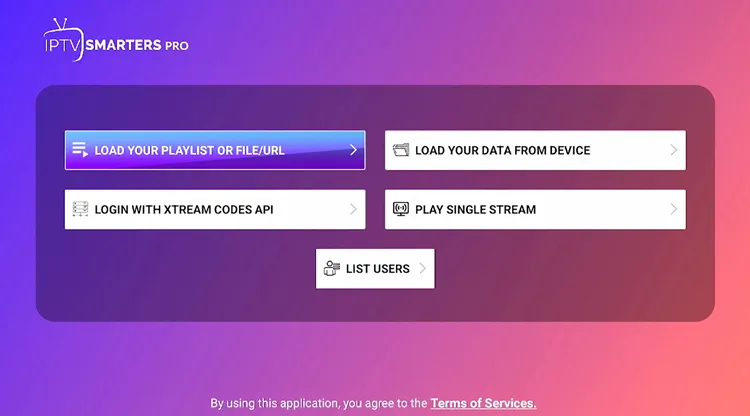
Step 6: You can either choose ‘Load Your Playlist File/URL or Xtreme Code API’
[Note: Service Providers usually provide you with M3U Link/XTREME CODES API or both]
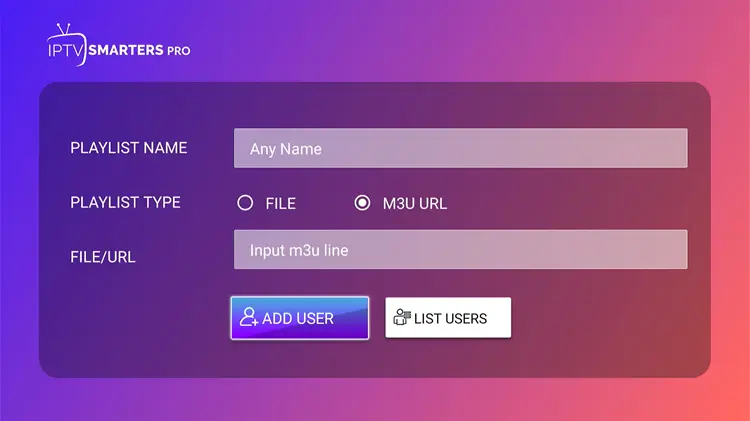
Step 7: Enter the Playlist Name, M3U URL Link, and click ADD USER.
Step 8: Alternatively, you can opt for the XTREAM CODES API.
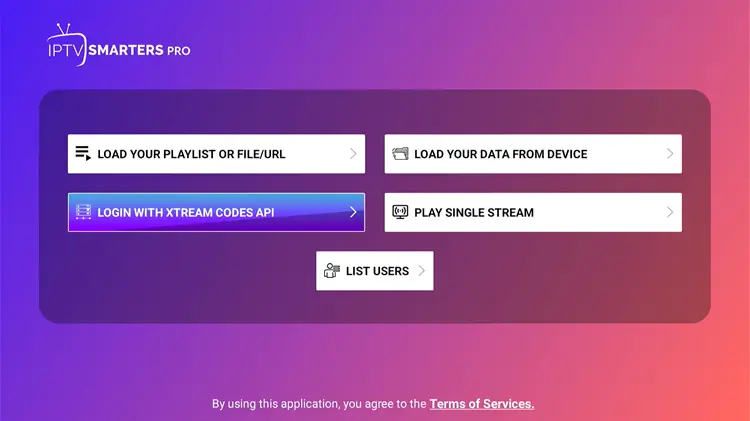
Step 9: Here, you have to enter Name, Username, Password, and the URL provided by your IPTV provider, then click Add User and start streaming.

Step 10: Click Live TV.
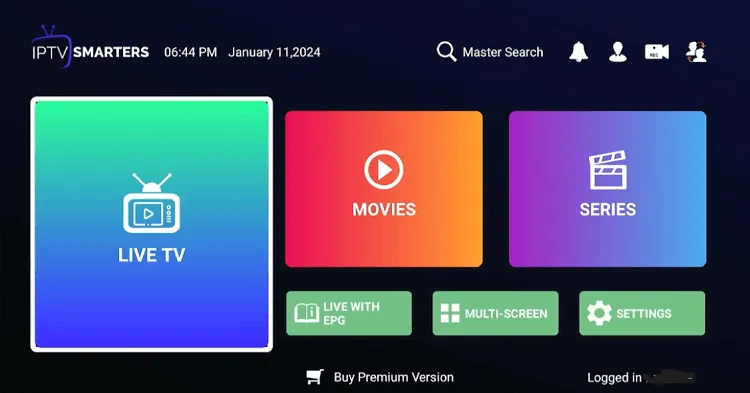
Step 11: Choose the Channel you want to stream.
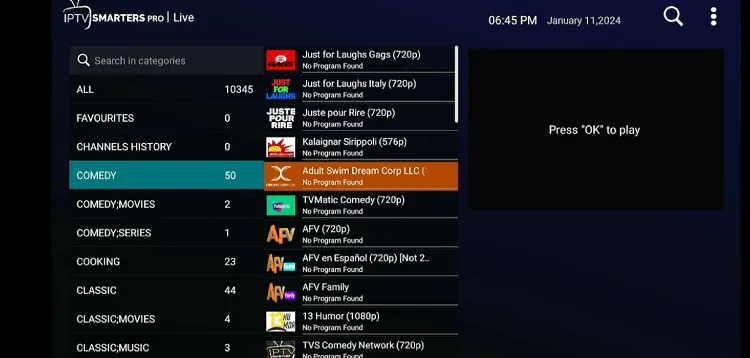
Step 12: Start Streaming.

IPTV Smarters Pros & Cons
| Pros | Cons |
|---|---|
| Free to use | Performance issues on some devices |
| User-friendly interface | Google Play version lacks crashes |
| Supports multiple devices | Recording requires USB storage |
| Multi-screen, EPG, and external video player support | |
| Parental controls and recording feature | |
| Supports VPN integration | |
| Web player available | |
| Backup and restore feature |
Is IPTV Smarters Pro Free?
Yes, IPTV Smarters Pro is 100% free for Android/Google device users. You get almost all features without paying anything. However, iOS users need to unlock the premium version through an in-app purchase.
The premium version includes features like:
- Master search
- Picture-in-picture
- Chromecast support
- External EPG sources
IPTV Smarters Pro Official Web Player
IPTV Smarters Pro is one of the top players for Windows/PC and is completely free to use; you just need an IPTV Subscription. You can access the IPTV Smarters Pro web player with the official link: webtv.iptvsmarters.com
It supports Xtream Codes, 1 Stream Panel, or M3U URLs. Once your service is integrated, you can easily browse and access all your channel options, just like on any other device. However, the app has a better experience than the web version.
How to Install IPTV Smarters Pro on iPhone
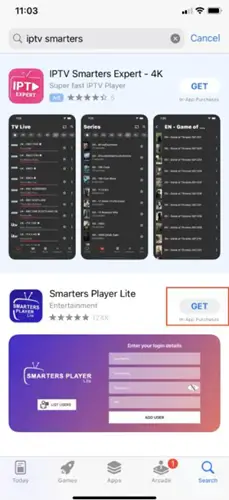
Smarters Player Lite app, is available for download on the Apple App Store.
Step 1: Go to the Apple App Store, search for IPTV Smarters, and find Smarters Player Lite. Click Get.
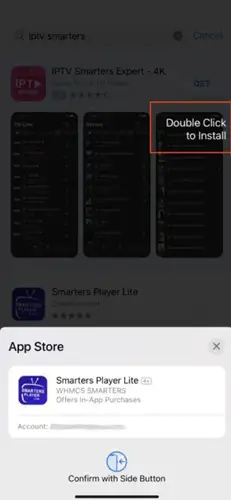
Step 2: Click to Install.
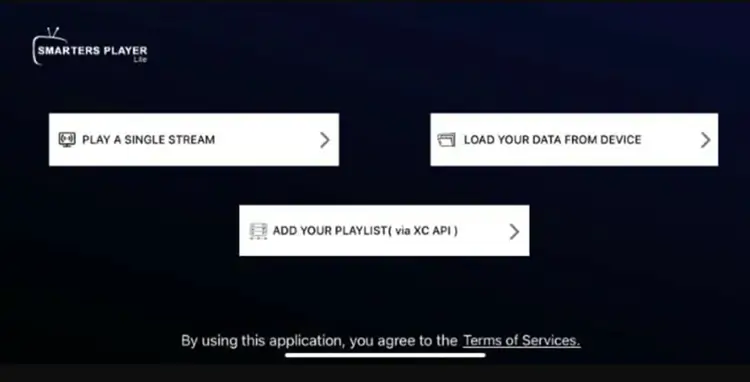
Step 3: Open the app, and the login screen will appear.
IPTV Smarters on Android Phone/Tablet
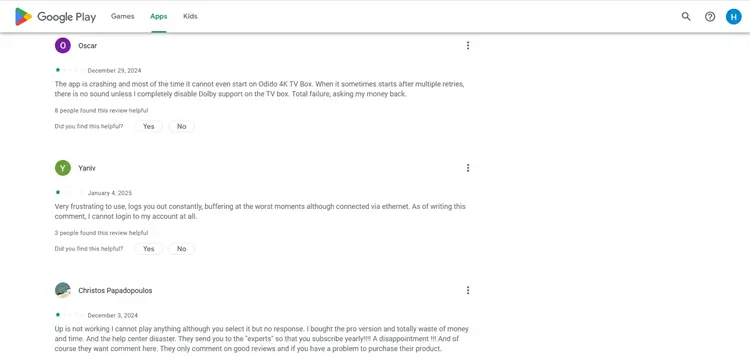
Although a version of the app is available on the Google Play Store. but this version crashes & buffers. Install the APK directly.
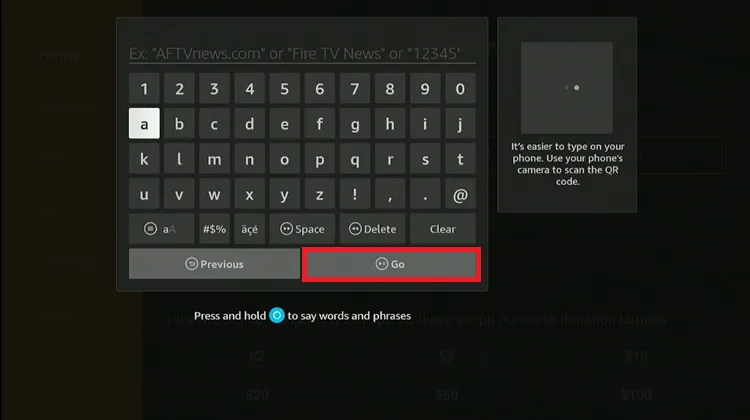
Make sure you are using this link for the APK using the IPTV Smarters Pro downloader code/link: 5546232 in the search bar OR enter this URL bit.ly/43pEVWO and click Go.
IPTV Smarters Pro Premium Features (FREE)
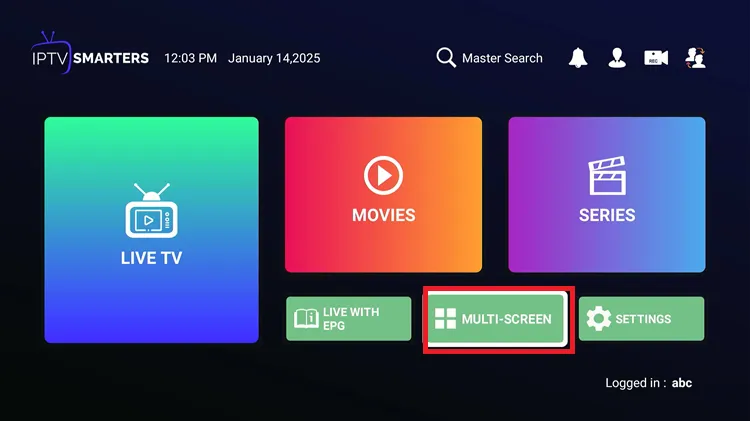
1. Multiple Screens
It offers streaming on up to 4 screens simultaneously, which Tivimate and other players offer with a paid subscription.
Step 1: Go to Settings on the Home Screen.
Step 2: Choose the Layout.
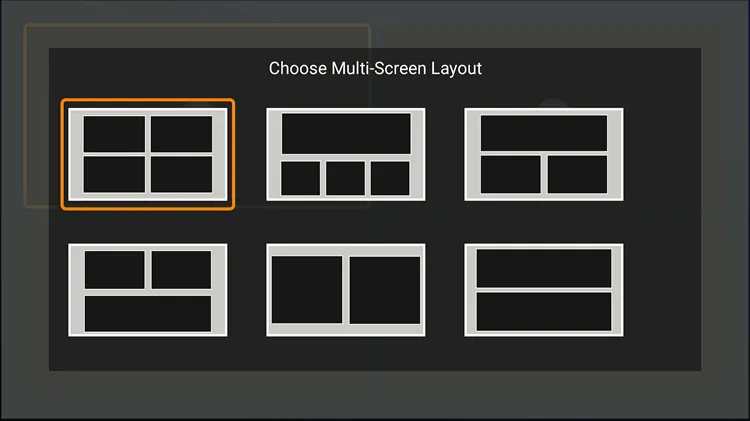
Step 3: Add the Channels in the tabs and start watching.

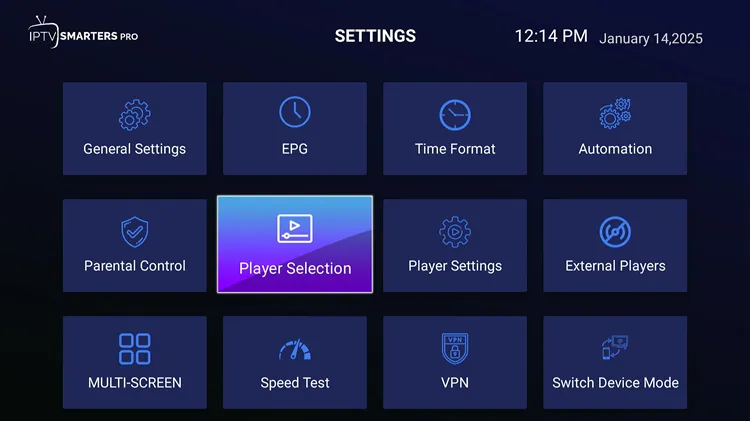
2. External Players Integration
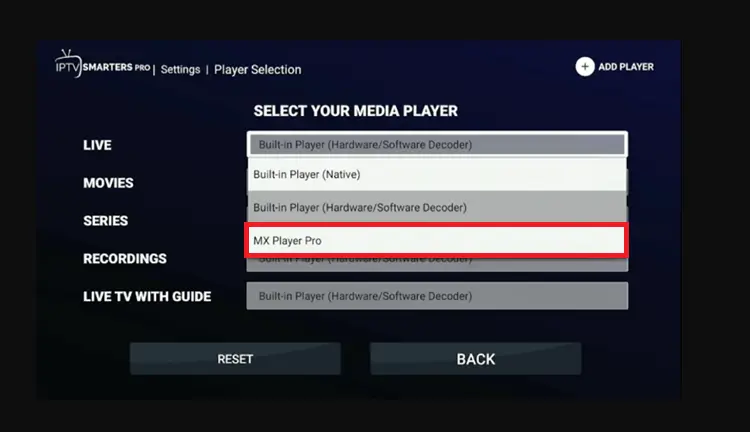
IPTV Smarters allows external video players like MX Player, which works well for movies and TV series. For other options, the built-in player is recommended.
First, install the external Player on your device, then enable it in the app settings by following the steps below.
Step 1: Open the Settings and click ‘Player Selection’
Step 2: Click Add Player.
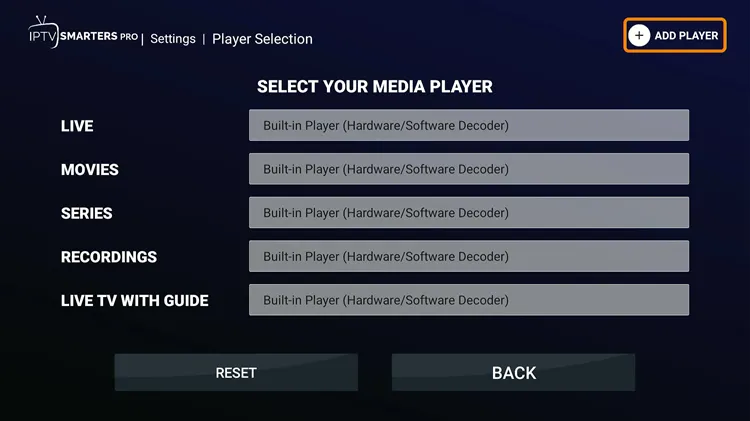
Step 3: Choose Mx Player.
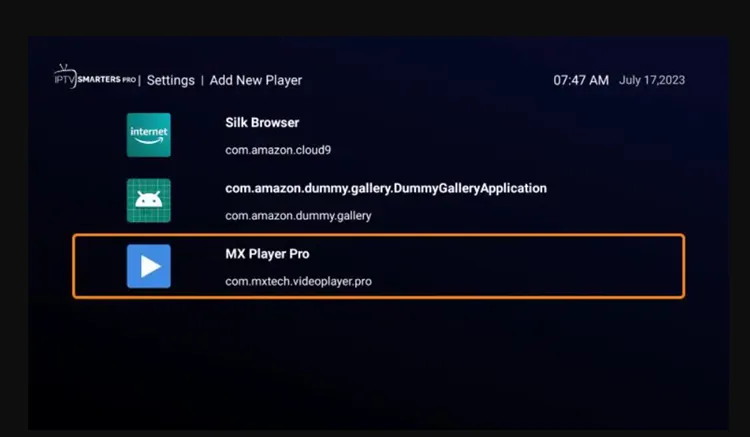
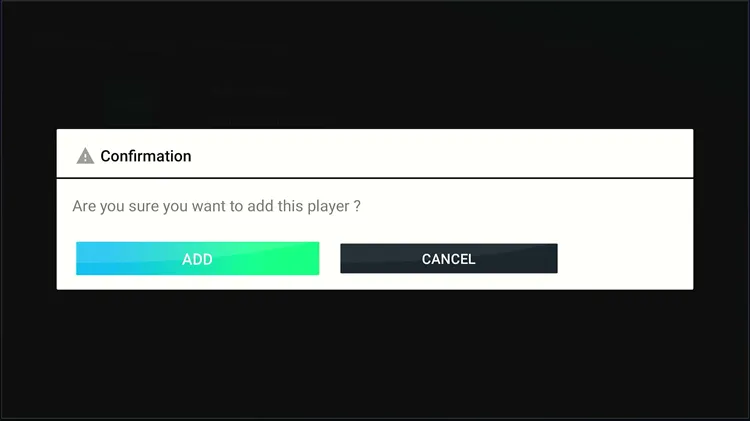
Step 4: Click Add.
Step 5: Choose the category where you want to integrate the player and select Mx Player. and your External Player will be successfully integrated.
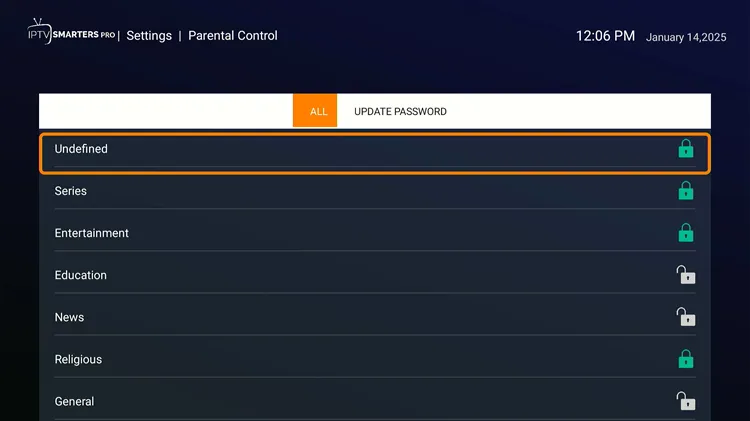
3. Parental Controls
IPTV Smarters Pro gives the option to enable Parental Control. Follow the steps to enable it.
Step 1: Open the Settings and click ‘Parental Control’
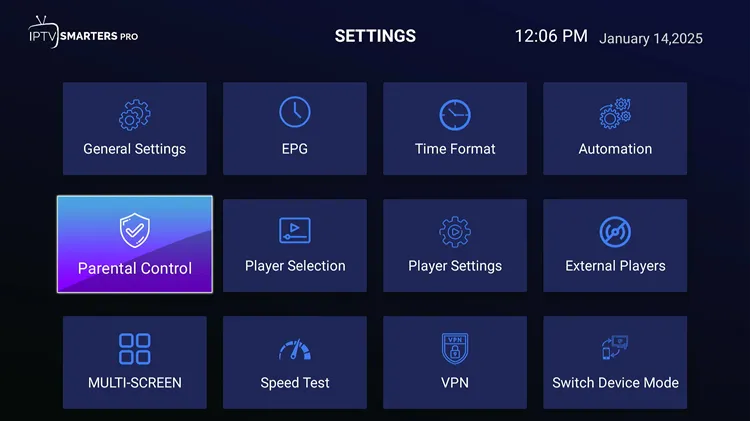
Step 2: Set the Passward.
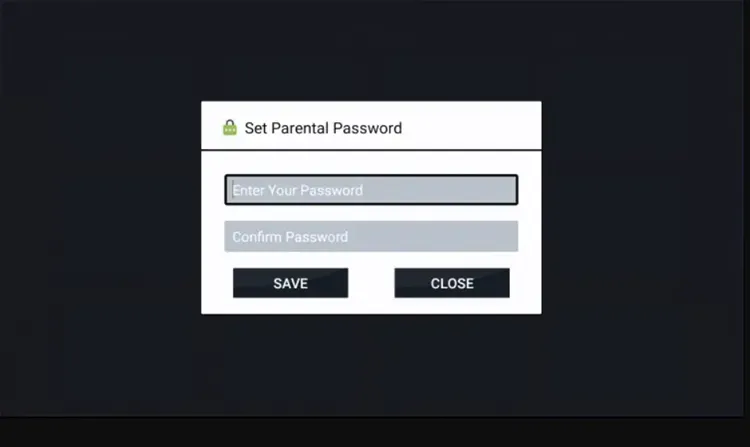
Step 4: Lock and unlock the channels as per your requirement. You will then be shown only limited channels.
FAQs
1. Is IPTV Smarters Pro legal to use?
Yes, IPTV Smarters Pro is a legal application designed to play IPTV content. However, the content you stream might be unverified, so always use a VPN.
2. Why is IPTV buffering on IPTV Smarters Pro?
Make sure you have a stable internet connection, close background apps, clear cache, and use a wired connection. If issues persist, contact your provider.
3. Do I need an IPTV subscription to use IPTV Smarters Pro?
Yes, IPTV Smarters Pro is a player and does not provide any content. You need to have an active IPTV subscription from a service provider to access content through the app.
4. Can I use IPTV on Smarters Pro on multiple devices simultaneously?
Conclusion
If you’re looking for a free IPTV player with solid features, IPTV Smarters Pro is worth it. It’s easy to set up, works with most IPTV services, and brings features like multi-screen support, EPG, etc.
That said, if you’re on a FireStick/Android box/Onn Stream and looking for the best player, pick TiviMate over it. Just one thing: if you’re streaming unverified content, keep your connection encrypted by Surfshark.

