

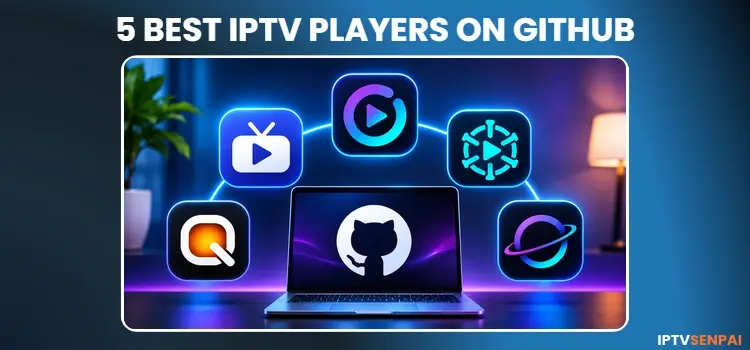
Looking for IPTV players on GitHub that aren’t available on Google Play? Several independent developers offer free IPTV player APKs with live TV guides, playlist management, and advanced playback features.
After reviewing their official GitHub repositories, StreamVault IPTV stands out for its broad playlist compatibility and advanced features, while OpenTV is another strong option for recording. The other players on this list offer different features depending on your streaming needs.
These IPTV players do not provide channels or subscriptions. You must connect your own M3U playlist or Xtream Codes account, depending on the player’s supported formats.
For additional streaming privacy, I recommend Surfshark. It encrypts your internet connection and helps protect your activity from ISP monitoring. However, a trusted VPN does not make unauthorized streaming legal.
Using IPTV without a VPN can put you at Big Risk! Your ISP, government and even IPTV providers can monitor your activity, throttle your speed, or block access altogether. Plus, without encryption, your data is exposed to hackers and third parties. Take back your privacy with Surfshark! ✅ SAVE 87% + GET 3 EXTRA MONTHS FREE! ($0.06/day)Recommended VPN for IPTV - Surfshark
Features:
✅ Kill Switch Feature to protect you if VPN drops
✅ Lightweight app ensuring smooth performance on All IPTV Boxes
✅ Unlimited simultaneous connections (install on all household devices)
✅ 30-day risk-free money-back guarantee
✅ Strict no-logs policy, Secure & Untraceable
📊 Quick Comparison
Here is a quick comparison of the best GitHub IPTV players in 2026, including supported devices, playlist formats, and pricing.
| IPTV Player | Supported OS | Playlist Formats |
|---|---|---|
| StreamVault IPTV | Android TV, Google TV, Android | M3U, Xtream Codes, Stalker, Jellyfin |
| OpenTV | Fire TV, Android TV, Google TV, Android | M3U, Xtream Codes |
| OpenIPTV | Fire TV, Android TV, Android | M3U, Xtream Codes |
| Orbital IPTV | Fire TV, Android TV, Google TV, Android | Xtream Codes |
| Quiblo | Android TV, Google TV, Android 11+ | M3U, Xtream Codes |
📺 5 Best IPTV Players on GitHub in 2026
Here are 5 free GitHub IPTV players available through their developers’ official repositories. No matching official Google Play listings were found for these specific projects during my research.
1. StreamVault IPTV
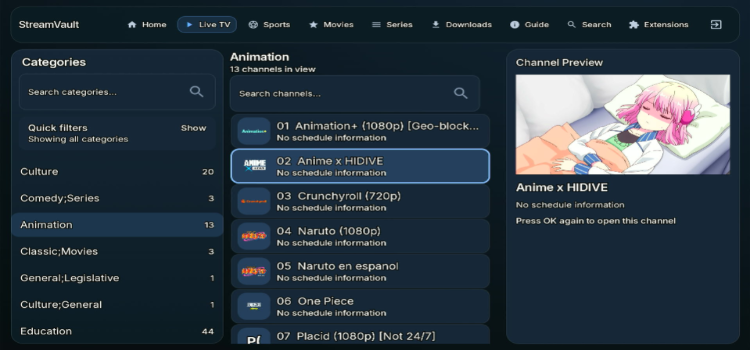
StreamVault IPTV offers a TV-friendly interface with quick channel switching, customizable groups, and favorites. Its flexible navigation makes it a practical choice for users managing large channel libraries.
- Key Specs: Split-screen viewing, EPG overlays, recording, VOD downloads, and playlist backups.
- Playlist Formats: M3U, Xtream Codes, Stalker, Jellyfin.
- Best OS: Android TV, Google TV, Android phones and tablets.
StreamVault APK GitHub Download Link
2. OpenTV
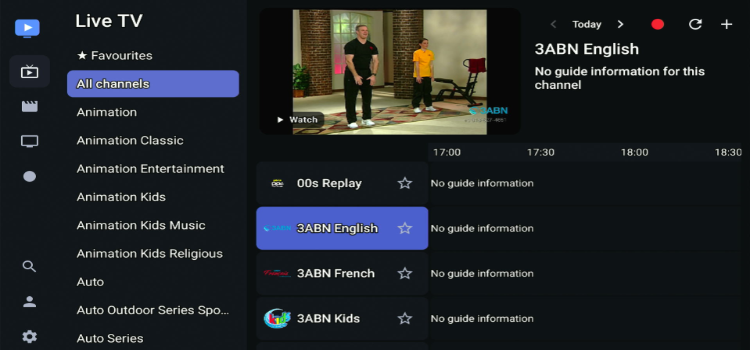
OpenTV is a free IPTV player with dedicated sections for live TV, movies, and TV series. Its simple interface works with both remote controls and touchscreens across different devices. To load a playlist, enter the M3U link and the code displayed on the screen into your phone. Then the playlist will be loaded.
- Key Specs: DVR recording to local or network storage, XMLTV EPG, catch-up TV, user profiles, and LAN synchronization.
- Playlist Formats: M3U, M3U8, Xtream Codes.
- Best OS: Fire TV, Android TV, Google TV, Android phones and tablets.
OpenTV APK GitHub Download Link
3. OpenIPTV
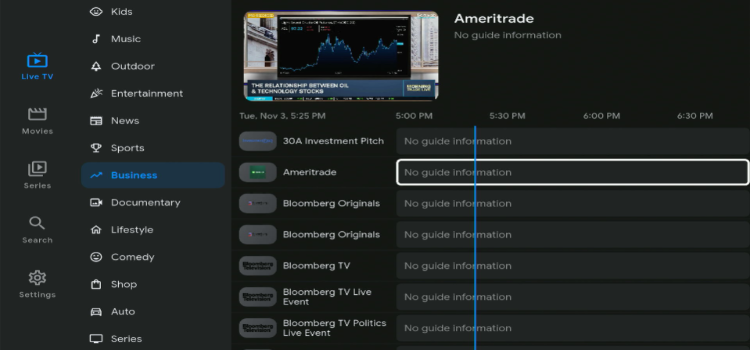
OpenIPTV focuses on simple navigation and an ad-free streaming experience. Its interface separates live channels, movies, and series into dedicated sections, making content easier to browse without unnecessary clutter.
- Key Specs: Multiple playlists, encrypted local credentials, automatic XMLTV EPG refreshes, search, and in-app updates.
- Playlist Formats: M3U URL/file, Xtream Codes.
- Best OS: Fire TV, Android TV, Android phones and tablets.
OpenIPTV APK GitHub Download Link.
4. Orbital IPTV
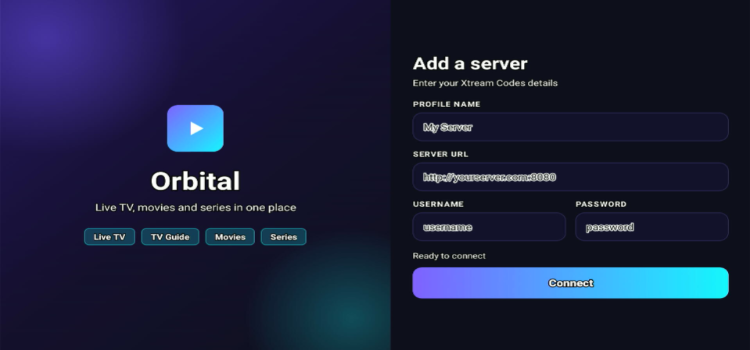
Orbital IPTV features a clean, channel-focused interface with organized categories and quick navigation. It particularly appeals to sports viewers, offering live scores and a news ticker alongside regular streaming.
- Key Specs: EPG, catch-up TV, scheduled recording, reminders, and Plex/Emby integration.
- Playlist Formats: Xtream Codes.
- Best OS: Fire TV Stick, Android TV, Google TV, Android phones and tablets.
Orbital IPTV APK GitHub Download Link.
5. Quiblo IPTV Player
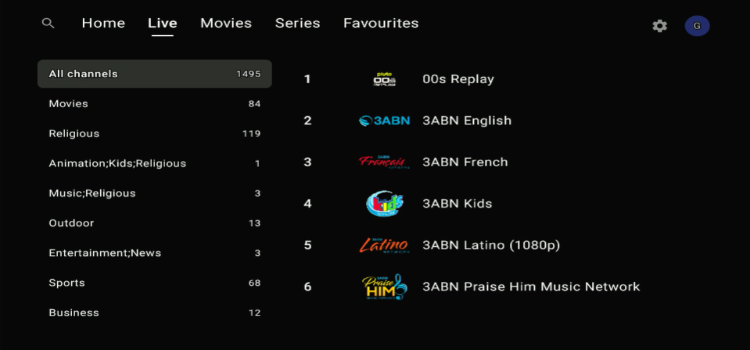
Quiblo is a privacy-focused IPTV player with no ads, analytics, or mandatory accounts. It stores your playlists and viewing data locally, giving you greater control over your privacy. However, the app is still in its alpha stage, so some advanced features are under development.
- 2026 Pricing: Free (Alpha).
- Key Features: Local user profiles, favorites, now/next EPG, backup export, and VOD browsing.
- Playlist Formats: M3U, M3U8, and Xtream Codes.
- Compatibility: Android TV, Google TV, and Android 11+ phones and tablets.
- APK Versions: Separate builds for TV and mobile devices.
Quiblo APK GitHub Download Link.
🛠️ How to Install IPTV Players From GitHub on FireStick/Android TV
Most GitHub IPTV players provide APK files for Android-based devices. You can install compatible APKs on FireStick 4K Max, Android TV, and Google TV using the Downloader app.
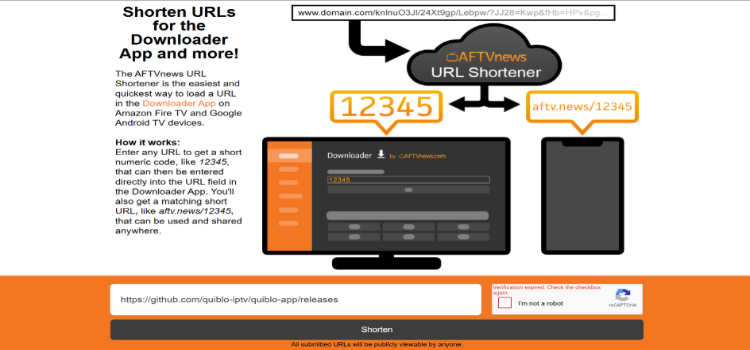
Step 1: Copy the GitHub link of your preferred player from the list above and paste it into aftvnews.com.
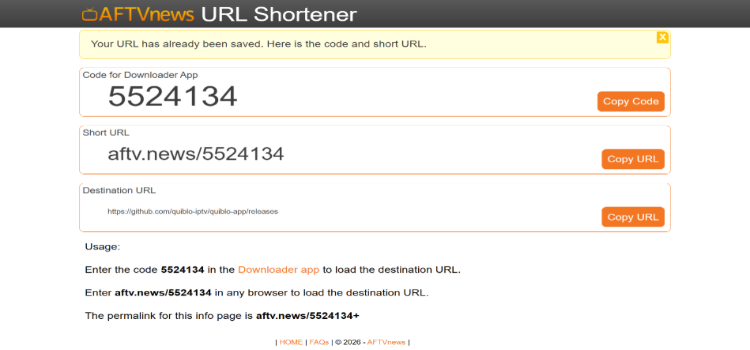
Step 2: Your Downloader code will be displayed.
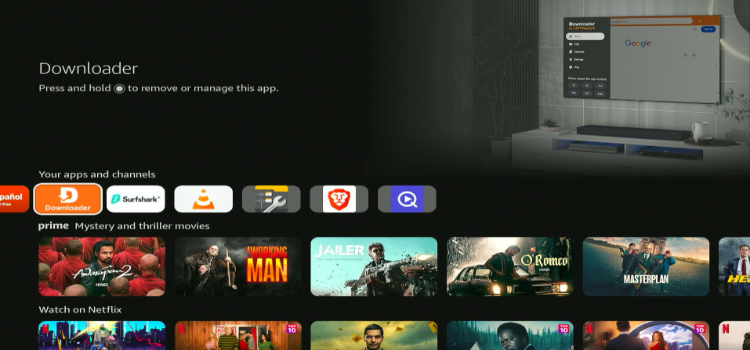
Step 3: Press the Home button and click on the Downloader app.
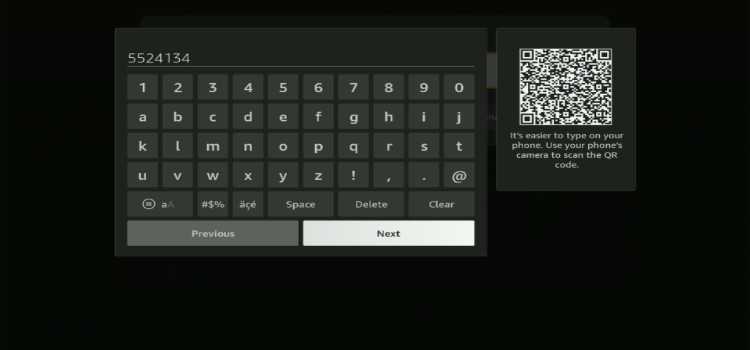
Step 4: Enter the Downloader Code.
Step 5: Your GitHub page will be displayed. Under the drop-down menu, click on the APK file.
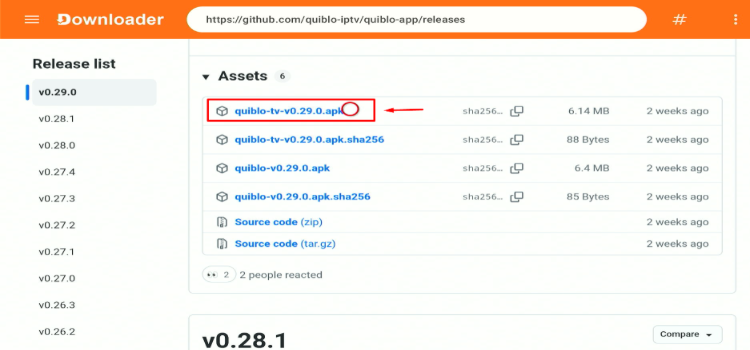
Step 6: Your APK file will start downloading.
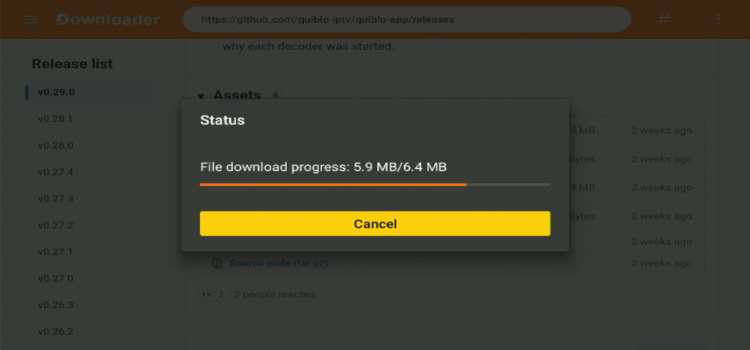
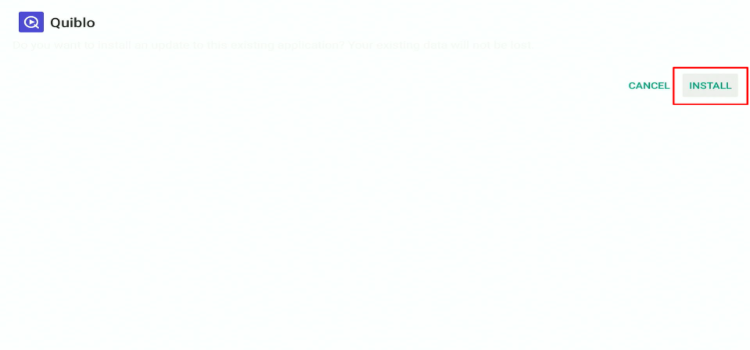
Step 7: Click Install.
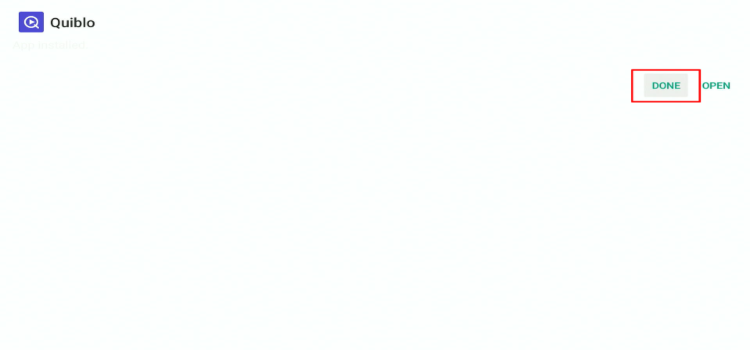
Step 8: Click Done.
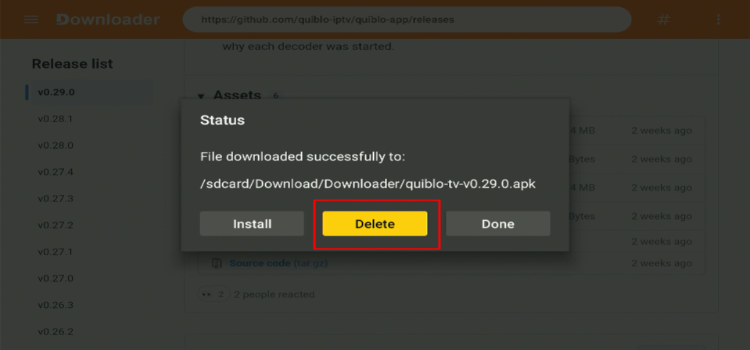
Step 9: Click Delete.
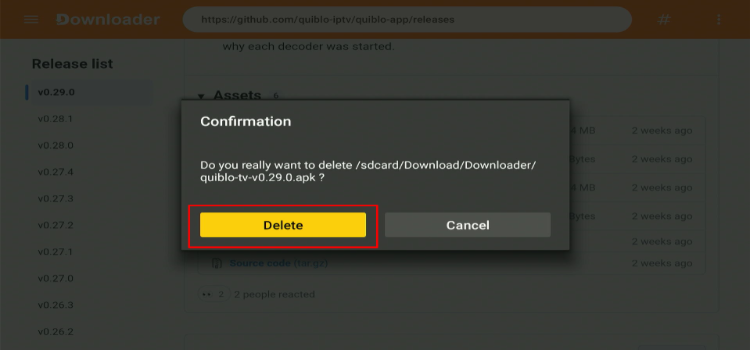
Step 10: A confirmation window will open. Click Delete again.
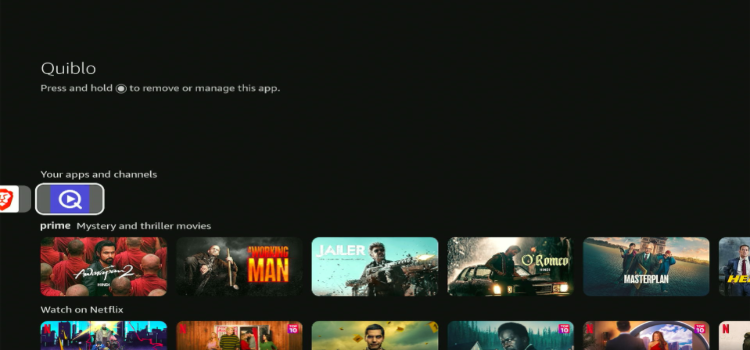
Step 11: Press the Home button. Go to Apps and launch your preferred player.
Installation Process: Enter M3U links or Xtreme Codes provided by the service provider. Remember that some GitHub players only support specific playlist formats.
⚙️ Installation Process
Enter M3U links or Xtreme Codes provided by the service provider. Remember that some GitHub players only support specific playlist formats.
🛡️ Are GitHub IPTV Players Safe and Legal?
GitHub IPTV players are not automatically safe just because they’re hosted on GitHub. Always download APKs from official repositories and scan them using VirusTotal to check for malware and security threats.
IPTV players are generally legal, but streaming legality depends on whether your provider has the rights to distribute its content. A trusted VPN like Surfshark encrypts your connection and helps protect your privacy, but it does not make unauthorized streaming legal.
❓ FAQs
1. What is the best GitHub IPTV player in 2026?
OwnTV is a strong overall option for Android TV because of its EPG, recording, multiview, and playlist support. OpenTV and StreamVault are good alternatives for DVR and customization.
2. Are these GitHub IPTV players available on Google Play?
No matching official Google Play listings were found for these specific GitHub projects in November 2026. Some unrelated apps may share similar names.
3. Can I install GitHub IPTV players on FireStick?
Yes. Compatible Android APKs can be sideloaded on many Fire TV devices. Check each project’s supported Android version and Fire TV compatibility before installing.
4. Which GitHub IPTV player supports M3U playlists?
OwnTV, StreamVault, OpenTV, OpenIPTV, telly, and Quiblo support M3U playlists. Orbital and XtreamlyTV primarily use Xtream-compatible credentials.
5. Are GitHub IPTV players completely free?
The eight players listed here offer free downloads through their GitHub repositories. Some are still in alpha or beta development, so available features and stability may vary.
🎯 Conclusion: Which GitHub IPTV Player Should You Choose?
The best GitHub IPTV player depends on your streaming needs. StreamVault IPTV stands out for its broad playlist support, split-screen viewing, and recording features. OpenTV is another strong option for users interested in DVR and catch-up TV.
Orbital IPTV is worth considering for Xtream Codes users, while OpenIPTV offers a simple, ad-free experience. If privacy is your priority, Quiblo is a promising alternative, although it’s still in its alpha stage. All five players require your own playlist or subscription and do not provide streaming content.
For additional streaming privacy, I recommend a trusted VPN like Surfshark. It encrypts your internet connection, helps protect your streaming activity from ISP monitoring, and adds an extra layer of security when using IPTV players. However, this does not make unauthorized streaming legal.

