If you’re streaming IPTV, you know how frustrating geo-restrictions, buffering, and ISP throttling can be. A good VPN is a must, but not everyone wants to pay a hefty price for one. That’s where Surfshark stands out!
It competes head-to-head with premium-priced VPNs in the market like ExpressVPN and NordVPN, offering premium security and performance at an absolutely unbeatable price.
There’s a lot to like about Surfshark VPN, like unlimited device connections, top-notch security features, and a huge server network, but its higher price on the monthly plan and occasional slower speeds may give some users pause.
That said, I’ve put Surfshark to the test, evaluating its speed, privacy policy, and unblocking capabilities to determine whether its low price is just a marketing gimmick or genuinely great value.
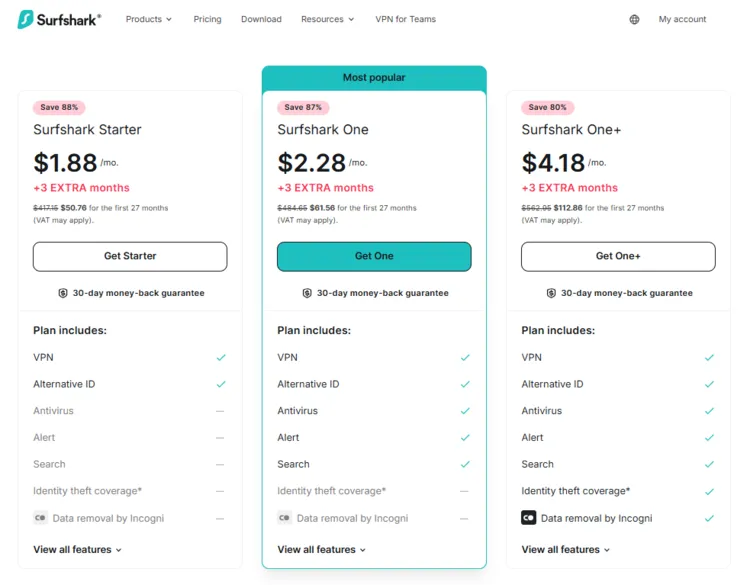
Important Update: Surfshark just dropped the prices to the lowest ever in 2026 for a limited time.
Recommended VPN for IPTV - Surfshark

Using IPTV without a VPN can put you at Big Risk! Your ISP, government and even IPTV providers can monitor your activity, throttle your speed, or block access altogether.
Plus, without encryption, your data is exposed to hackers and third parties. Take back your privacy with Surfshark!
Features:
✅ SAVE 87% + GET 3 EXTRA MONTHS FREE! ($0.06/day)
✅ Kill Switch Feature to protect you if VPN drops
✅ Lightweight app ensuring smooth performance on All IPTV Boxes
✅ Unlimited simultaneous connections (install on all household devices)
✅ 30-day risk-free money-back guarantee
✅ Strict no-logs policy, Secure & Untraceable
Quick Overview of Surfshark
- Price: Starts at US$1.88/month
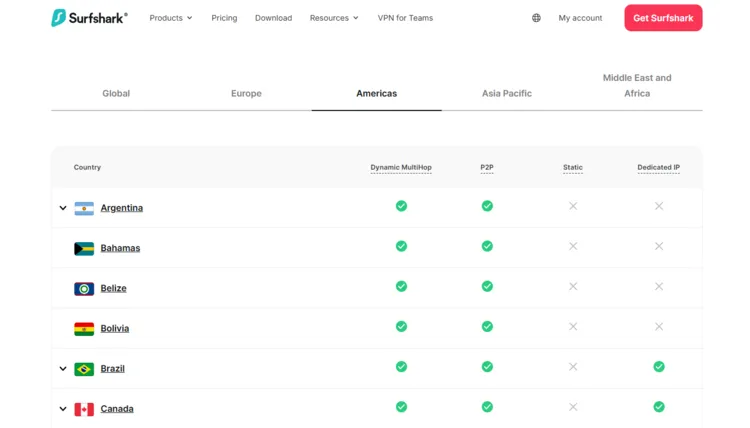
- Server Network: 4,500+ servers in 100+ countries
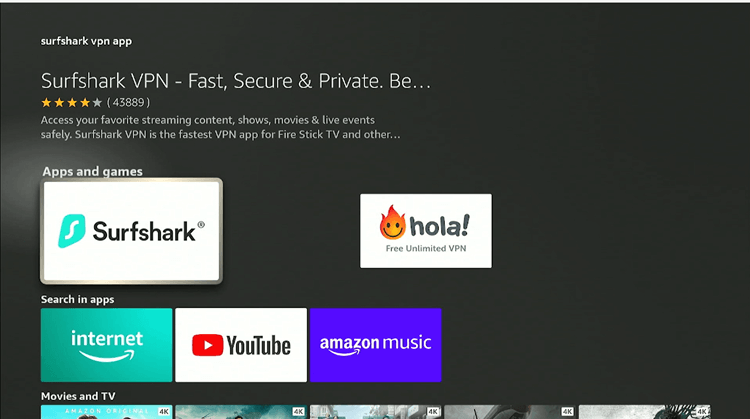
- Compatible Devices: Windows, macOS, iOS, Android, Linux, routers, smart TVs, FireStick, browsers
- Simultaneous Connections: Unlimited
- Customer Support: 24/7 live chat & Email support
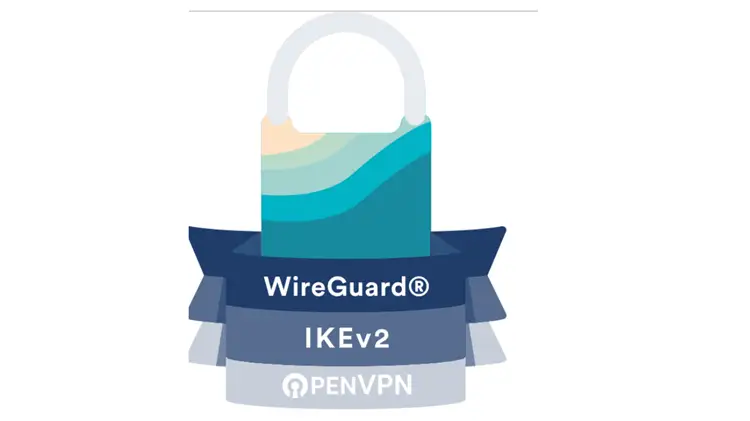
- Protocols Supported: WireGuard, OpenVPN, IKEv2/IPsec
- Security & Privacy Features: AES-256 encryption, no-logs policy, kill switch, split tunneling, CleanWeb ad blocker
- Streaming Features: Unblocks Netflix, Disney+, Hulu, HBO Max, Prime Video, FuboTV, Philo and more.
Surfshark Pros & Cons
Like any top-tier VPN, Surfshark comes with powerful features that make it a great choice for IPTV, but it’s not without a few trade-offs.
| Pros | Cons |
|---|---|
| Unlimited Devices – Connect all your devices with one subscription. | Expensive for Monthly Users – The 1-month plan costs more than competitors. |
| Large Server Network – 3,200+ servers in 100+ countries. | Occasional Speed Drops – Can slow down when switching servers. |
| User-Friendly Apps – Well-designed and easy to use on mobile & desktop. | |
| Affordable Long-Term Plans – Cheapest when buying 1 or 2-year subscriptions. |
Surfshark Security Features Overview:
1. Surfshark Everlink
Surfshark Everlink keeps VPN connections stable and secure by instantly restoring dropped connections. This causes uninterrupted connectivity, reduces IP leak risk, and enhances user privacy.
2. Auto-connect & Quick-connect
Surfshark automatically connects to VPN when your device connects to the internet, securing your data every second online. It instantly connects you to the fastest or your preferred VPN location.
3. Rotating IP
This changes your IP address every few minutes without dropping the VPN connection. It makes it harder to track your activity by enhancing privacy.
4. GPS Override
GPS Override enables Android users to align their device’s location with the VPN server, making apps recognize the selected region and enhancing privacy for location-based services.
5. Reverse Bypasser
Reverse Bypasser allows users to select apps/websites to route through the VPN while leaving the rest of their traffic VPN-free. It offers more control over your VPN use.
6. Pause VPN
This temporarily pauses your VPN connection for a set period (5 minutes, 30 minutes, 2 hours). It conveniently stops VPN use without disconnecting it entirely.
How to Install the Surfshark App on Your Devices
Advanced Security & Privacy
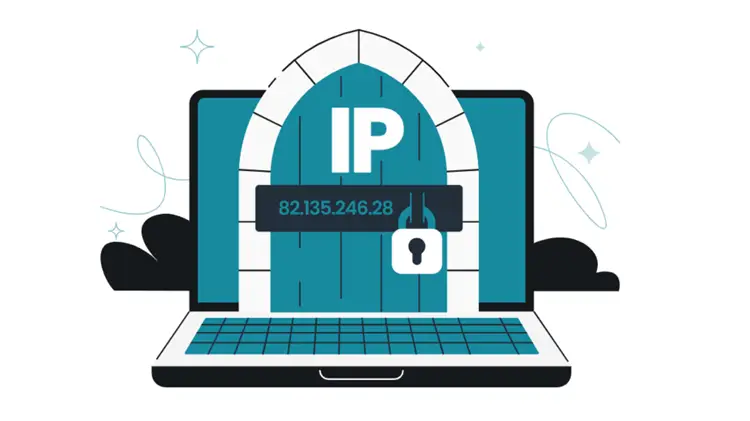
Surfshark ensures top-notch security and privacy for IPTV users with advanced encryption and protective features.
1. AES-256 & ChaCha20 encryption
Surfshark secures your IPTV streaming and online activity with AES-256 encryption which is the gold standard in cybersecurity. It operates as a block cipher that encrypts data in chunks, making it virtually impossible to crack.
For devices without AES hardware acceleration, Surfshark uses ChaCha20 encryption, a fast and secure stream cipher that encrypts data bit by bit with a 256-bit key, ensuring both speed and strong protection.
2. No Log Policy
Surfshark follows a strict no-logs policy, meaning it never tracks, stores, or records your online activities. Since it’s based in the Netherlands, a country with no data retention laws, Surfshark isn’t required to keep user logs.
Unlike some VPNs that collect connection data, Surfshark ensures complete privacy, with RAM-only servers that wipe all data on reboot. Even Deloitte has independently audited and verified its no-logs claim, adding an extra layer of trust.
2. Double VPN (Dynamic MultiHop)
For an extra layer of protection, Double VPN routes your traffic through two VPN servers, making it even harder for anyone to track your IPTV streaming habits. This feature is perfect for users in highly restrictive regions.
3. Camouflage Mode
Camouflage Mode ensures that even your ISP can’t tell you’re using a VPN, preventing bandwidth throttling while streaming IPTV. This is especially useful in countries where VPN use is restricted or ISPs slow down VPN traffic.
4. Kill Switch
The Kill Switch automatically disconnects your internet if the VPN connection drops, preventing IP leaks that could expose your real location while streaming IPTV. This ensures continuous privacy protection at all times.
5. CleanWeb
Surfshark’s CleanWeb blocks ads, trackers, and malware, keeping IPTV streaming fast, secure, and ad-free.
Also, by preventing ads from loading, it also saves bandwidth for a smoother experience, especially on slower connections.
6. Dedicated IP
For a stable and personalized connection, Dedicated IP provides a fixed, private IP address, reducing the chances of VPN-related CAPTCHAs and stream buffering. This is great for accessing IPTV services that flag shared VPN IPs.
7. Split Tunneling (Bypasser)
Split Tunneling (Bypasser) feature lets users decide which apps or websites use VPN and which don’t, allowing IPTV streaming to stay protected while keeping banking and local services on a regular connection.
8. Obfuscated Servers
Obfuscated servers hide the fact that a user is using a VPN altogether, not just the data. This helps bypass strict network restrictions and certifies that IPTV works even in regions where VPN traffic is blocked or detected.
9. NoBorders Mode
NoBorders Mode automatically detects restricted networks and suggests the best servers to use. This is especially helpful in schools, offices, or countries with heavy internet censorship where IPTV access is limited.
10. Static IP
Static IP gives users a consistent IP address from a shared pool every time they connect. This helps reduce login verifications and improves compatibility with IPTV services that dislike frequent IP changes.
11. Cookie Pop-up Blocker
Surfshark can automatically block cookie pop-ups across browsers like Chrome, Firefox, and Edge. This improves browsing speed and removes interruptions when accessing IPTV-related websites or dashboards.
Intuitive Interface
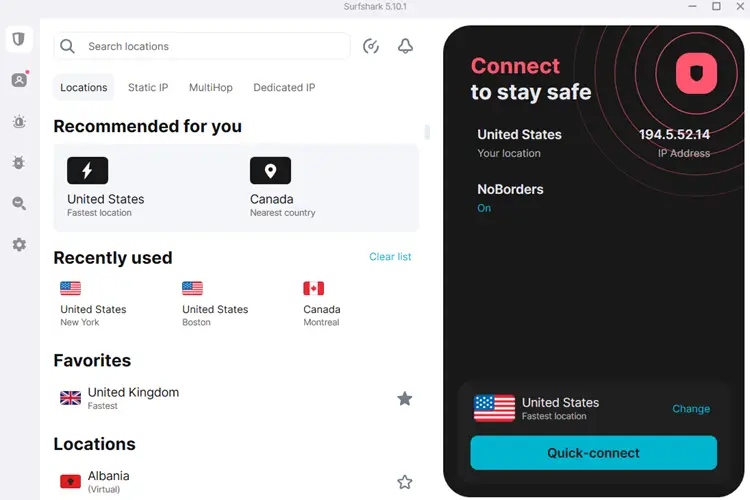
Surfshark’s interface is user-friendly across all platforms, including Windows, macOS, iOS, Android, FireStick, and Smart TVs for seamless navigation and quick access to servers.
The Quick Connect button allows instant connection to the fastest server, while an organized server list helps find specific locations. Features like MultiHop, CleanWeb, and Split Tunneling are easily accessible in the settings for a customizable VPN experience.
24/7 Live Customer Support