

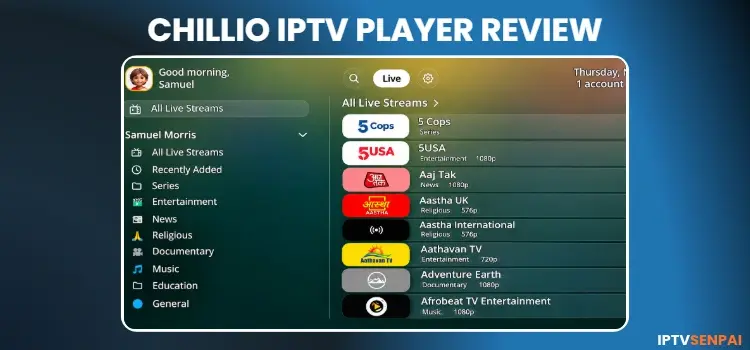
Chillio IPTV Player is an IPTV Player from Lumos Labs LLC. It offers formats such as Xtream Codes and M3U/M3U8 playlists for streaming live TV, movies, and TV series. It runs on Amazon FireStick, Android TV, Google TV, and Apple devices.
The app offers various features such as EPG, multiview, multiple languages, various interface themes, etc. It offers a 7-day free trial, then requires Premium activation starting at $4.99/month.
However, users may face a few issues, which I discuss below.
For unverified IPTV services, a trusted VPN encrypts your connection, reduces ISP throttling, and protects your streaming privacy. No VPN beats Surfshark.
Recommended VPN for IPTV - Surfshark
Using IPTV without a VPN can put you at Big Risk! Your ISP, government and even IPTV providers can monitor your activity, throttle your speed, or block access altogether.
Plus, without encryption, your data is exposed to hackers and third parties. Take back your privacy with Surfshark!
Features:
✅ SAVE 87% + GET 3 EXTRA MONTHS FREE! ($0.06/day)
✅ Kill Switch Feature to protect you if VPN drops
✅ Lightweight app ensuring smooth performance on All IPTV Boxes
✅ Unlimited simultaneous connections (install on all household devices)
✅ 30-day risk-free money-back guarantee
✅ Strict no-logs policy, Secure & Untraceable
📦 Is Chillio IPTV Player Free?
Yes, Chillio IPTV Player is free to download and use, with optional Personal and Family Premium plans. However, FireStick users must sideload the app using the Downloader app.
You can get a 7-day free trial, after which a Premium subscription is required to continue using it.
| Plan | Personal | Family |
|---|---|---|
| Free | Free | Free |
| Pay-As-You-Go | $4.99/month | $9.99/month |
| Unlimited Annual | $29.99/year | $59.99/year |
| Lifetime | $99.99 (one-time) | – |
| Single Device | $19.99 (one-time) | – |
🌟 Key Features
Below are the main features and specifications of Chillio IPTV Player:
- Playlist Support: Xtream Codes API & M3U/M3U8
- EPG: Yes
- Catch-Up TV: Yes
- Recording: No
- Multi-Screen: Yes, up to 4 screens.
- Profiles: Custom profiles are a Premium feature
- Parental Controls: No
- Subtitles: Yes
- External Players: Yes
- Compatible Devices: Android TV, FireStick, Apple TV, iPhone, iPad, and Mac.
⚖️ Pros and Cons
| Pros | Cons |
|---|---|
| Multiview supports up to 4 channels | No recording feature |
| Catch-up TV and pause support | Advanced customization may require Premium |
| Multiple playlists and accounts in one library | No dedicated parental controls |
| External player and subtitle support | Custom profiles require Premium |
| 11 themes and 26 languages | Navigation can be confusing |
| 7-day free trial |
📥 How to Install Chillio IPTV Player on FireStick/Android TV?
Chillio IPTV Player isn’t available on the Amazon Appstore for FireStick, so you’ll need to sideload its APK using the Downloader app. Follow the steps below to install it on your FireStick.
Step 1: Open the Downloader app.
Step 2: Enter the Chillio IPTV Player downloader code 5546232 in the search bar OR enter this URL bit.ly/43pEVWO and click Go..
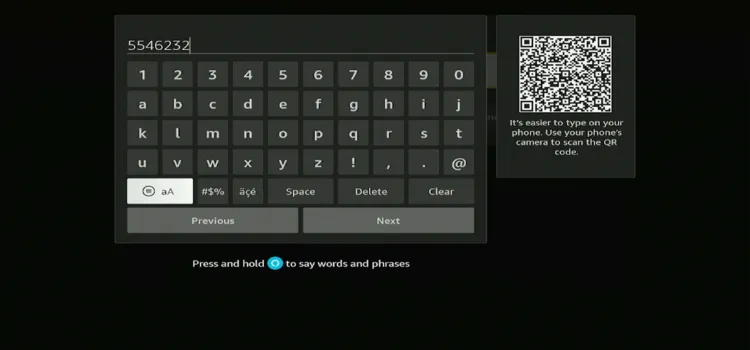
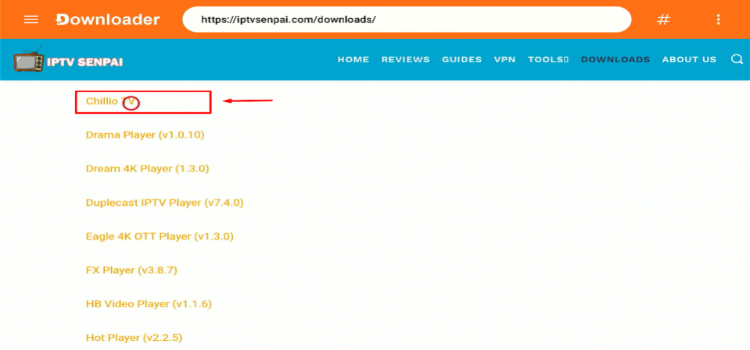
Step 3: Scroll down to the IPTV Players section, find the Chillio IPTV Player, and tap on it to proceed.
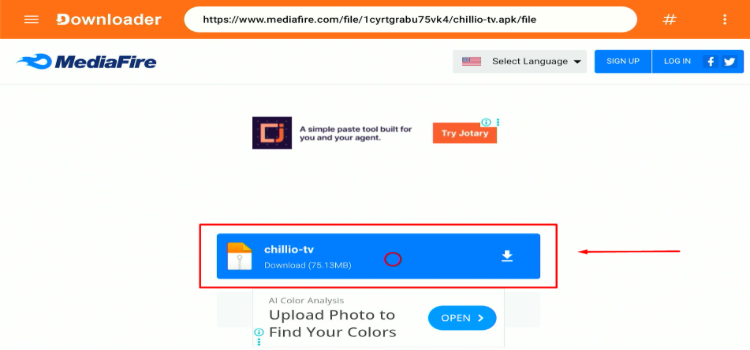
Step 4: A MediaFire page will open. Click Download.
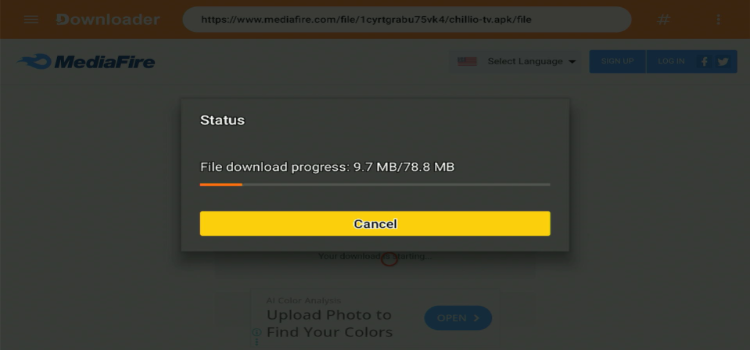
Step 5: Your APK file will start downloading.
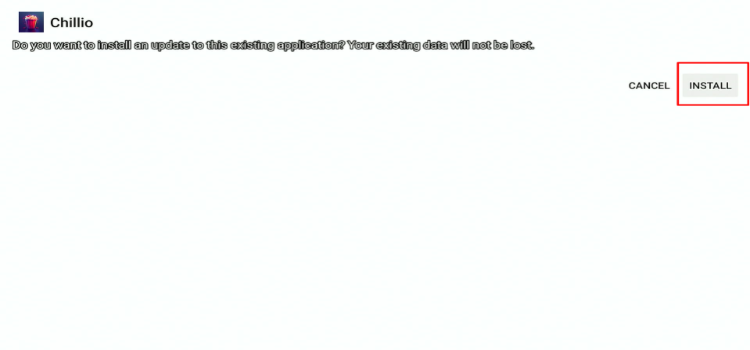
Step 6: Click Install.
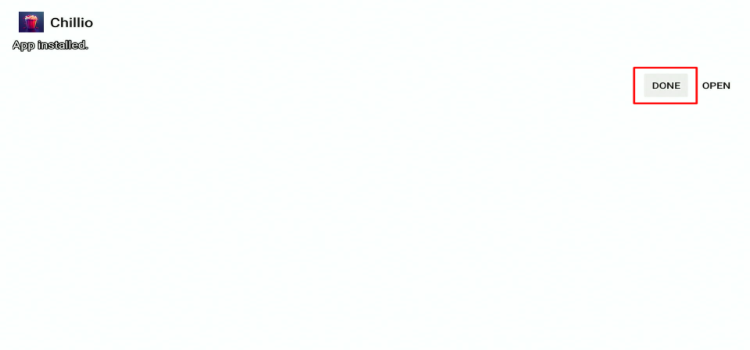
Step 7: Click Done.
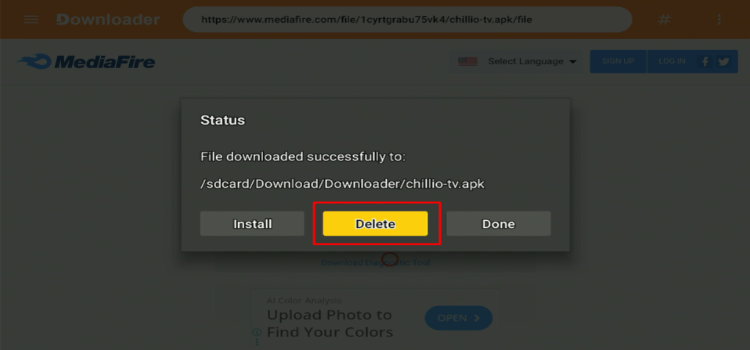
Step 8: Click Delete.
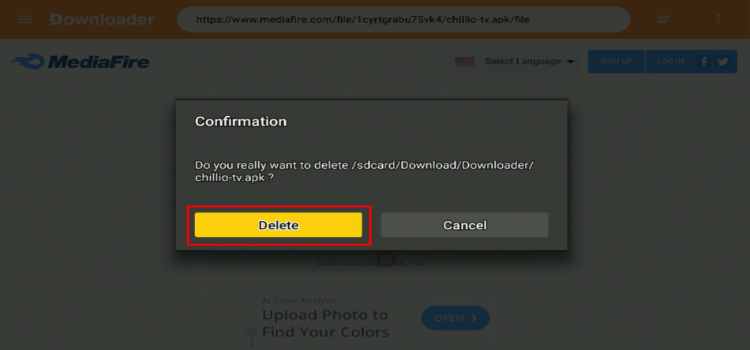
Step 9: A confirmation window will open. Click Delete Again.
⚙️ How to Set Up Chillio IPTV Player on Android TV/Google TV?
When using unverified IPTV services, use a trusted VPN such as Surfshark to encrypt your internet traffic, protect your privacy, and reduce ISP throttling.
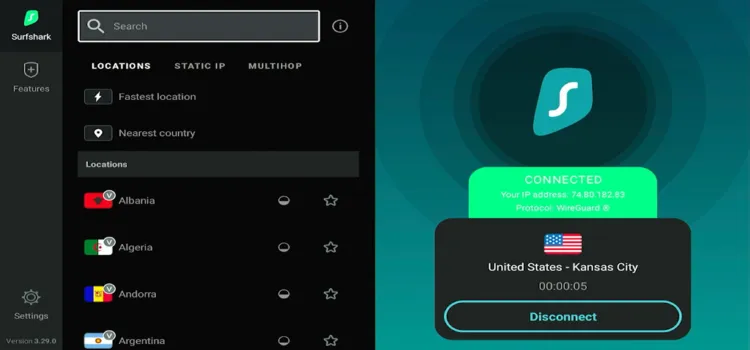
Step 1: Open your Surfshark and connect to any server.
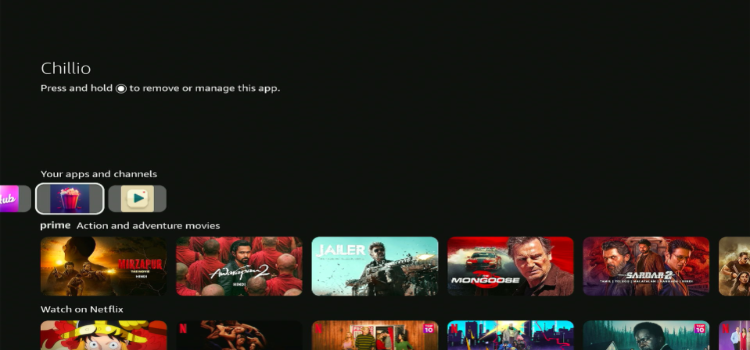
Step 2: Launch Chillio IPTV Player.
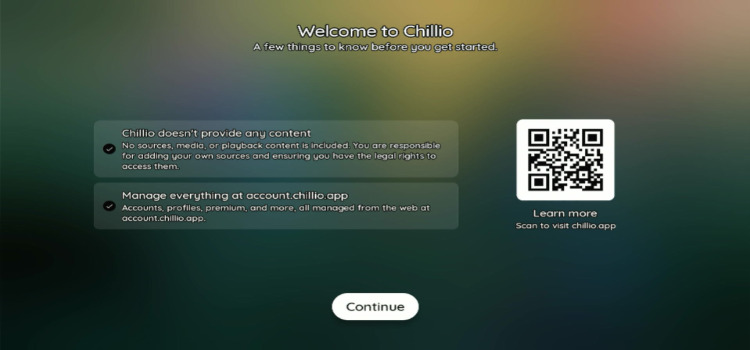
Step 3: Tick the terms and conditions and scan the QR code with your phone.
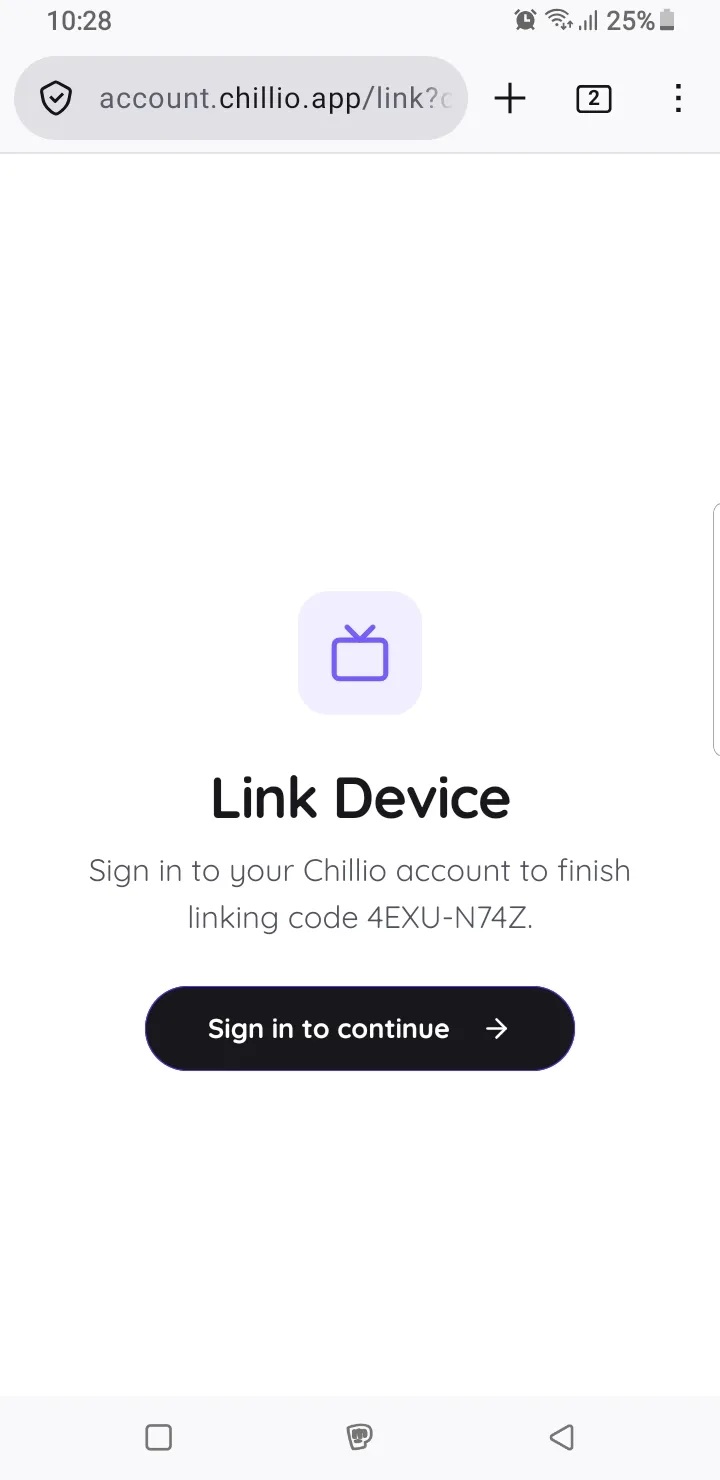
Step 4: Click Sign in to Continue.
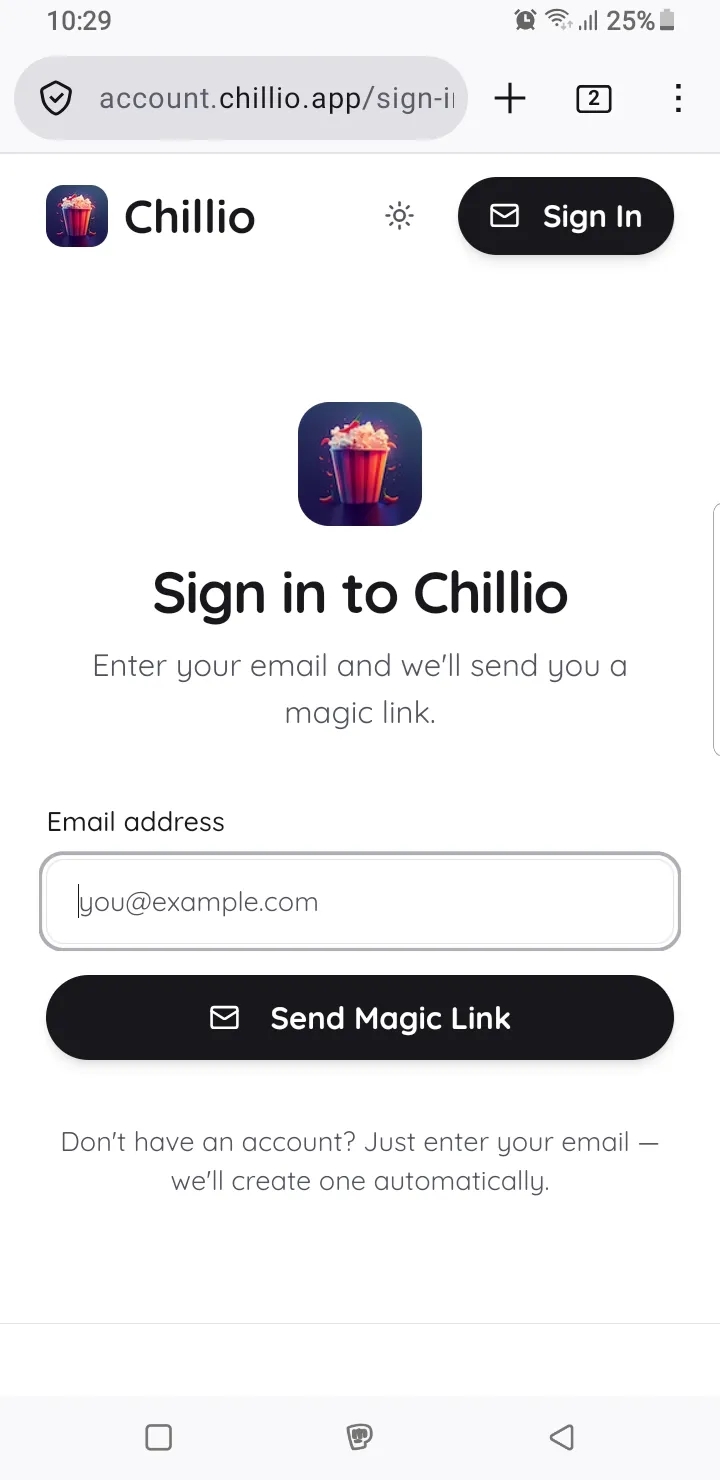
Step 5: Enter your email and click Send Magic Link.
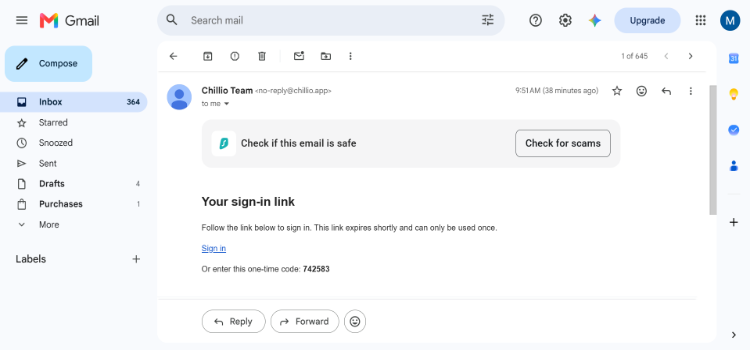
Step 6: Click Sign in.
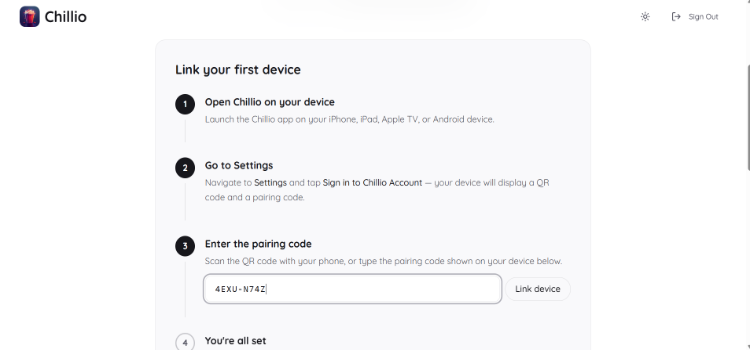
Step 7: Copy the code from Step 3.
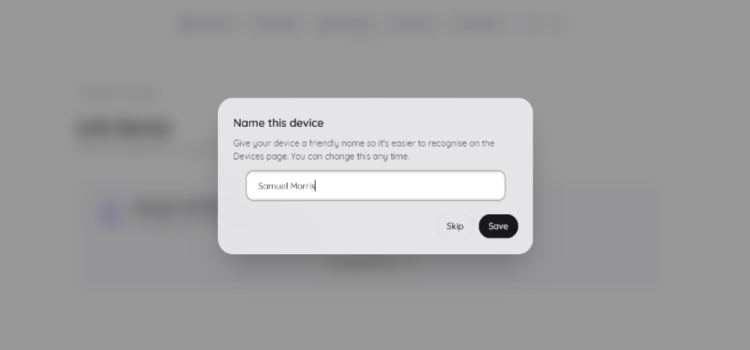
Step 8: Enter the device name.
Step 9: Choose your avatar and enter the name.
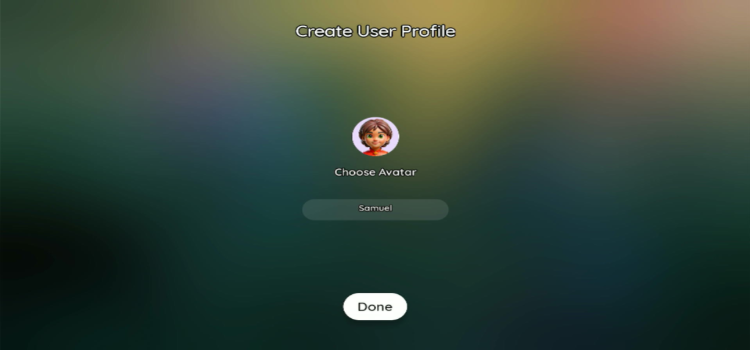
Step 10: Click Add account.
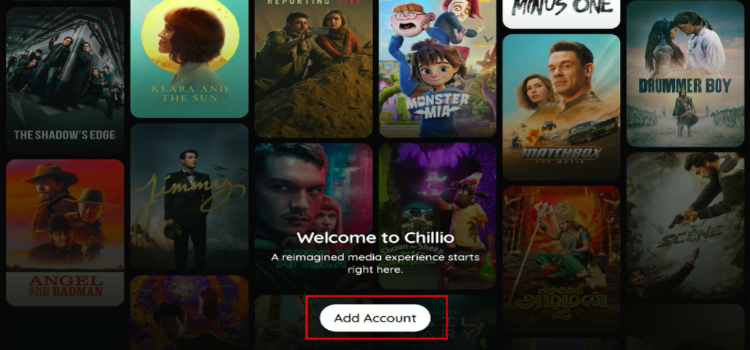
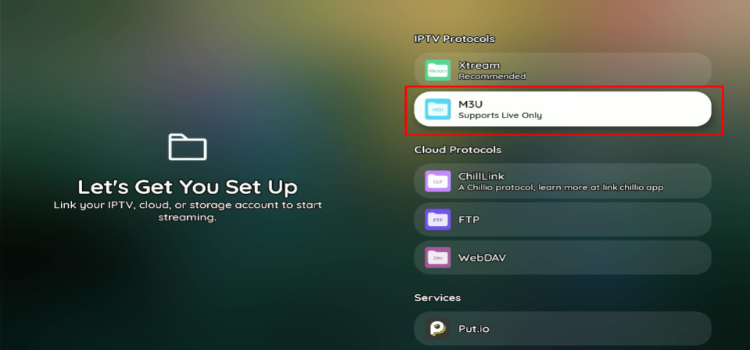
Step 11: Select M3U Link.
Step 12: Enter M3U link and nickname. Click Add account.
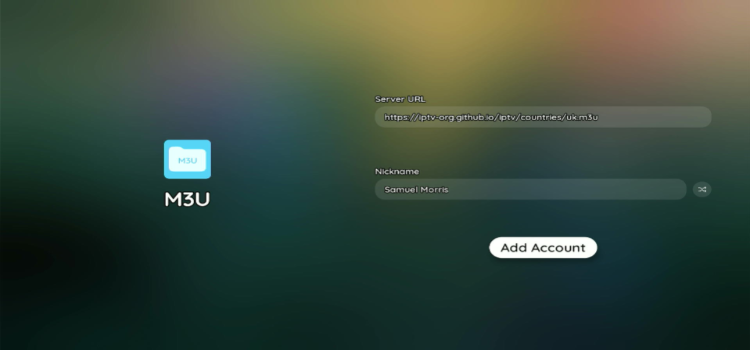
Step 13: Your profile has been successfully loaded.
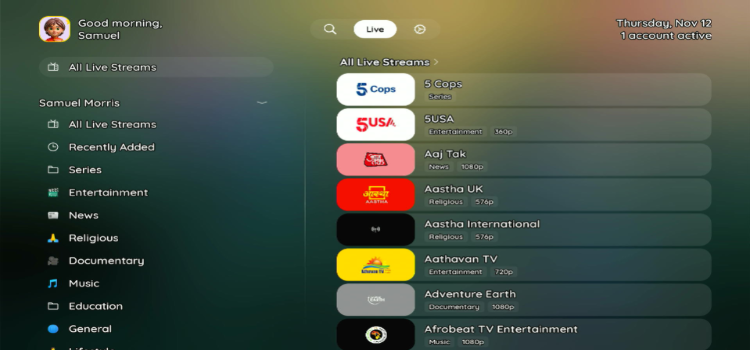
🚀 Chillio IPTV Player Features
Chillio IPTV Player offers many useful features for live TV, movies, and TV series. Here are some of its key features:
1. Electronic Program Guide (EPG)
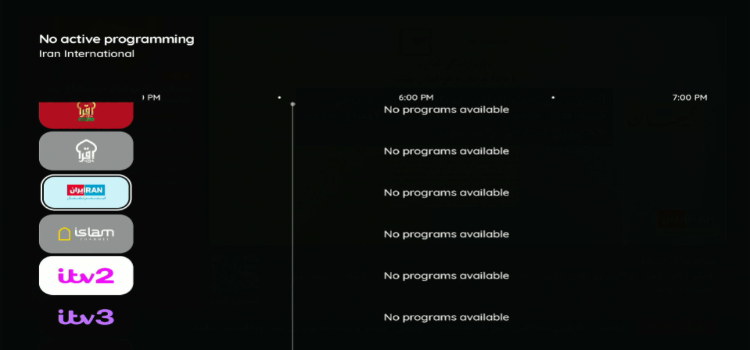
EPG displays live channels and their programme schedules in a timeline. You can browse channels and check upcoming programmes. However, channels may show “No programs available” if EPG data is missing.
2. Multiscreen

The Multiview feature lets you watch up to 4 live TV channels simultaneously. This is particularly useful for following multiple sports events or news broadcasts without constantly switching channels.
3. Profile Lock
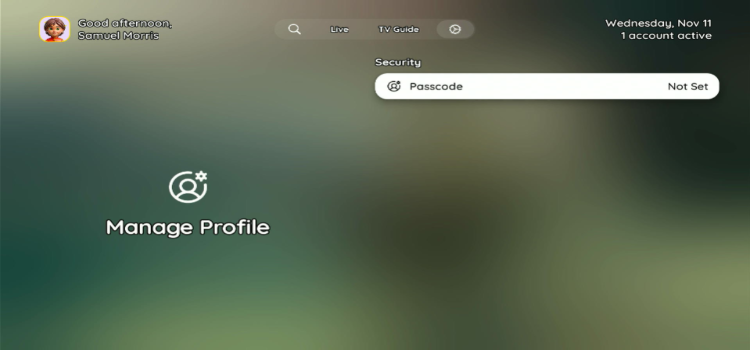
You can protect your viewing profile with a passcode under Manage Profile. This helps prevent other users from accessing your profile without permission.
4. Subtitles
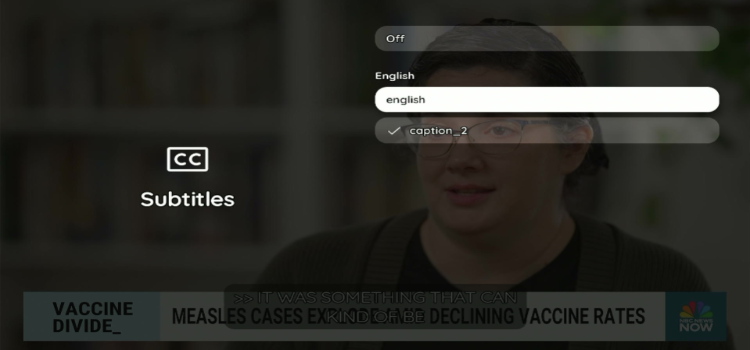
The player supports subtitles and lets you select from available subtitle tracks. You can also turn subtitles off whenever you want. Available languages depend on the content or IPTV stream.
5. External Players
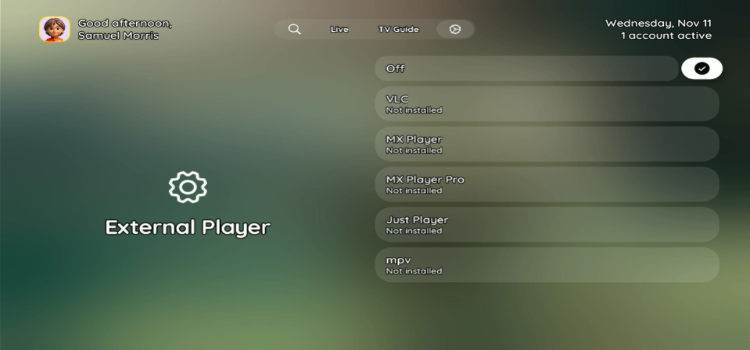
The player supports external video players, such as VLC, MX Player, MX Player Pro, Just Player, and mpv. You can choose your preferred player for streaming, provided it is installed on your device.
6. Multiple Profiles

This lets you create multiple viewing profiles for different people in your household. Each person can create and select their own profile and enjoy a personalized viewing experience.
7. Languages
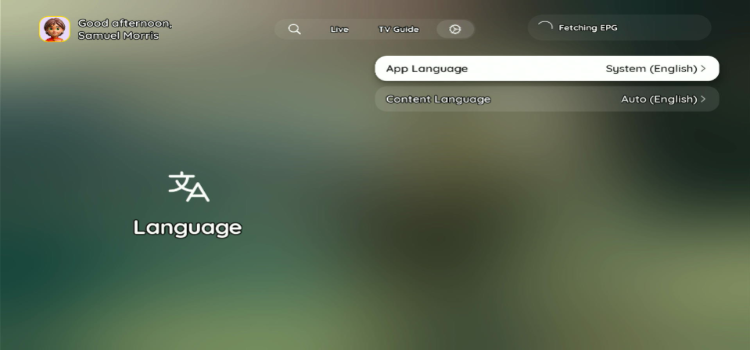
The player supports 26 languages and provides separate App Language and Content Language settings. You can change the interface language independently of your preferred content language or use automatic selection.
8. Playback and Video
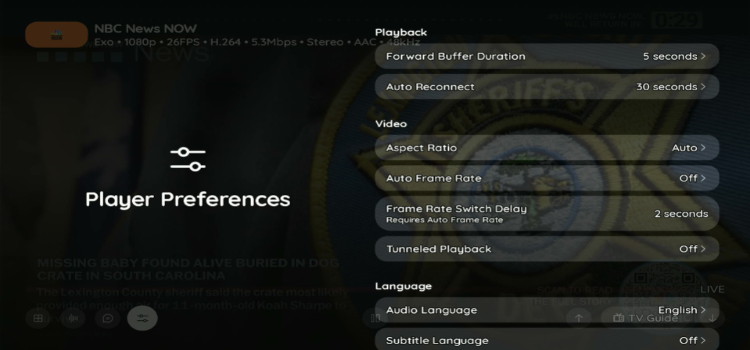
The player offers several playback customization options, including buffer duration, auto-reconnect timing, aspect ratio, and automatic frame-rate switching. You can also adjust audio language, subtitle language, and tunneled playback from the player preferences.
9. Content Sorting
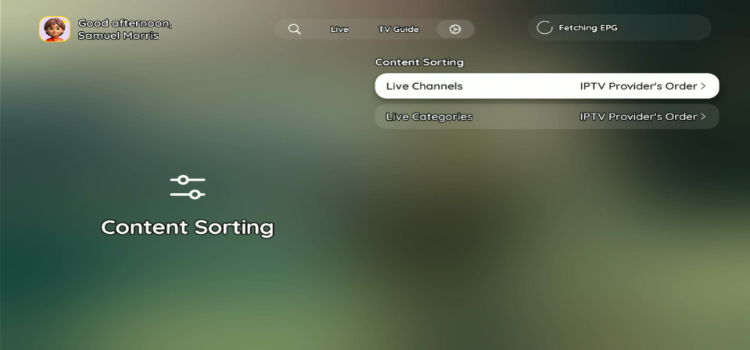
This lets you manage how live TV channels and categories are arranged. You can keep them in your IPTV provider’s original order or explore the available sorting options to organize your channel list.
10. Themes
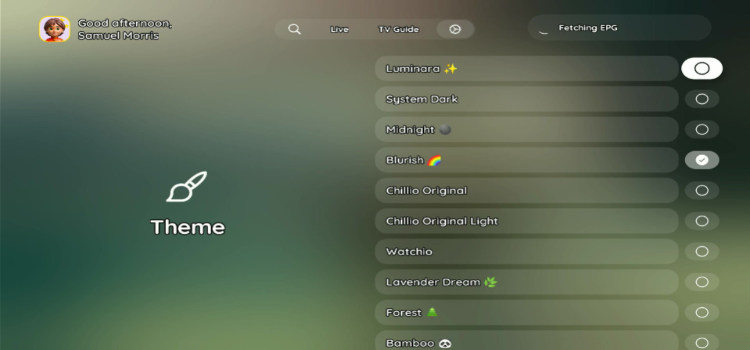
The player offers 11 interface themes, such as Luminarra, System Dark, Midnight, etc. You can switch between themes to change player’s ustomize the app’s appearance according to your preferences.
🛡️ Is Chillio IPTV Player Safe and Legal to Use?
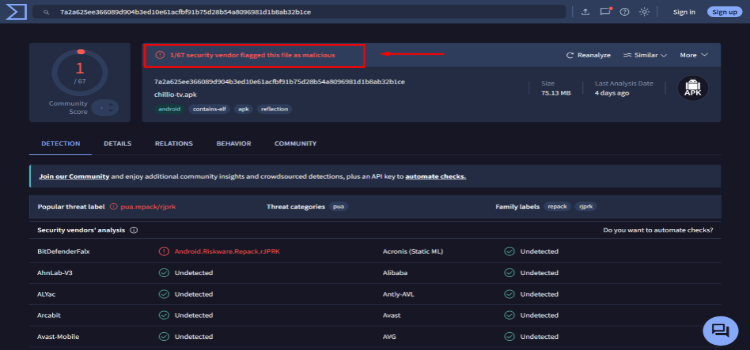
Chillio IPTV Player (v1.4.0) is legal to install, but its safety cannot be fully confirmed. I scanned the Chillio APK using VirusTotal, and 1/67 security vendors flagged it as riskware.
However, the legality of streaming depends on the content source. A premium VPN Surfshark encrypts your connection and helps keep your streaming activity private from your ISP, but it cannot make unauthorized streaming legal.
🔀 Chillio IPTV Player Alternatives
If Chillio IPTV Player does not meet your requirements, consider these alternatives:
❓FAQs
1. Is Chillio IPTV Player free?
Chillio has a free tier with no ads or watermarks, plus paid Premium plans. It offers a 7 days free, then requires Premium activation.
2. Can I watch multiple channels on Chillio IPTV Player?
Yes. Chillio IPTV Player supports Multiview, allowing you to watch up to 4 live TV channels simultaneously.
3. Does Chillio IPTV Player support recording?
No. Chillio IPTV Player does not have a built-in recording feature. However, it supports catch-up TV, depending on your IPTV provider.
4. Can I use VLC or MX Player with Chillio IPTV Player?
Yes. Chillio IPTV Player supports VLC, MX Player, MX Player Pro, Just Player, and mpv as external players.
✅ Conclusion: Is Chillio IPTV Player Worth Using?
Chillio IPTV Player is an average IPTV Player for users who want a customizable interface and various formats such as M3U and Xtream Codes. It offers various features like EPG, catch-up TV, multiview, external players, etc.
The player offers a 7-day free trial, after which Premium plans start at $4.99/month. The player’s navigation is confusing compared to other IPTV Players out there. Its lack of recording, Premium-only custom profiles, and limited parental controls are notable drawbacks. I personally wouldn’t recommend this player to users.
When using Chillio IPTV Player with an unverified IPTV provider, consider connecting to Surfshark for encrypted traffic and additional streaming privacy. However, a VPN cannot remove malware or make unauthorized streaming legal.
Rating: ⭐⭐⭐⭐ (3.5/5). An IPTV Player with decent features and customization options, but confusing navigation, limited parental controls, and no recording support hold it back.

