


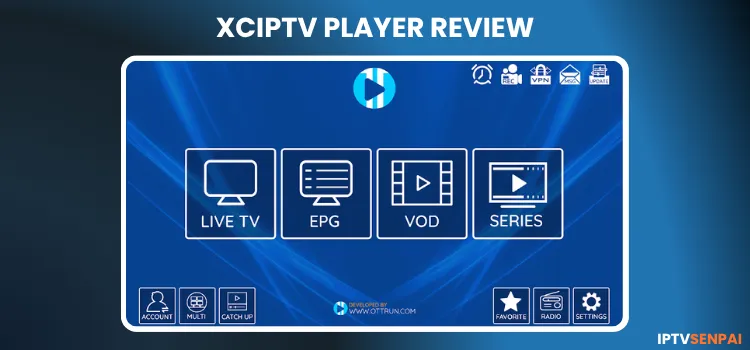
XCIPTV Player is a 100% free top-tier IPTV streaming app for 2026. It offers premium features like live TV, VOD, and catch-up content. It runs on the latest version 7.0, supporting major formats like M3U URLs and Xtream Codes to elevate your entertainment needs.
As of 2026. XCIPTV is blocked on FireStick due to legal and regulatory issues. If you’re affected, then I have tested several XCIPTV alternatives for FireStick/Android worth considering. In this guide, we will cover XCIPTV’s latest features to the installation process on ONN TV Stick/Box.
Also, XCIPTV is a safe and legal app to use, but the content you stream through it might be unverified or restricted; for that reason, I always emphasize using a premium VPN.
Recommended VPN for IPTV - Surfshark

Using IPTV without a VPN can put you at Big Risk! Your ISP, government and even IPTV providers can monitor your activity, throttle your speed, or block access altogether.
Plus, without encryption, your data is exposed to hackers and third parties. Take back your privacy with Surfshark!
Features:
✅ SAVE 87% + GET 3 EXTRA MONTHS FREE! ($0.06/day)
✅ Kill Switch Feature to protect you if VPN drops
✅ Lightweight app ensuring smooth performance on All IPTV Boxes
✅ Unlimited simultaneous connections (install on all household devices)
✅ 30-day risk-free money-back guarantee
✅ Strict no-logs policy, Secure & Untraceable
Key Features of XCIPTV Player
The latest version of XCIPTV Player offers outstanding capabilities for modern IPTV streaming. Check out these essential features that make it an industry favorite.
- Price: 100% Free
- User Interface: Highly intuitive, ad-free and UI optimized
- Compatibility: Android phones/TV, Firestick/Fire TV, Smart TVs, and Mi TV Box, onn. Stream 4k Box, etc.
- Supported Formats: M3U URLs, Xtream Codes API, FastoCloud, EZ Server
- Multi-Screen: Yes
- Catch-Up & Recording: Yes
- Built-in EPG: Yes
- Parental Controls: Yes
- Subtitles: Yes
Pros & Cons
How to Install XCIPTV Player on Onn TV Stick/Box
XCIPTV Player is generally unavailable on the official app stores. You will need to sideload it using the Downloader app on Onn TV Stick/Box, as the player no longer works on Fire TV Stick 4K Max.
Step 1: Launch the Downloader app.
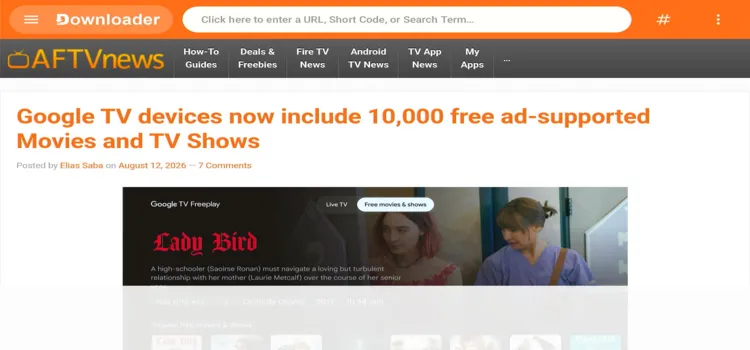
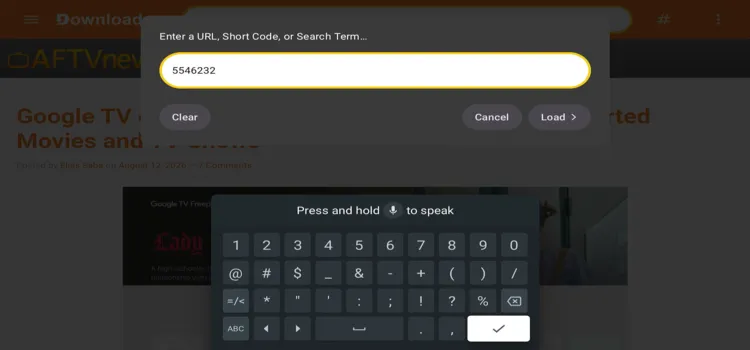
Step 2: Open the Downloader app and enter the XCIPTV Downloader Code 5546232 in the search bar OR enter this URL bit.ly/43pEVWO and click Go.
Step 3: Scroll down to the IPTV Players section, find the XCIPTV app, and tap on it to proceed.
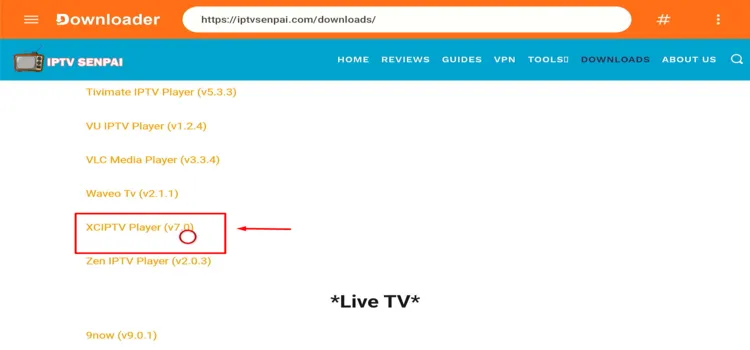
Step 4: Your APK file will start downloading.
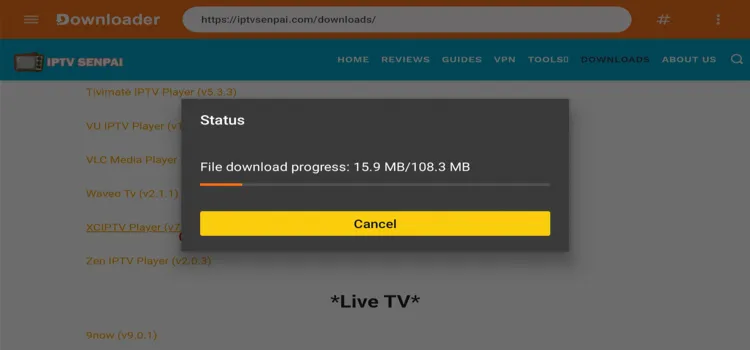
Step 5: Click Install.
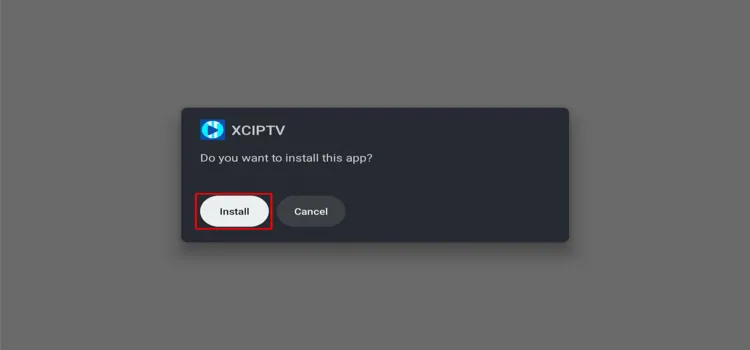
Step 6: Once installation is complete, select Done.

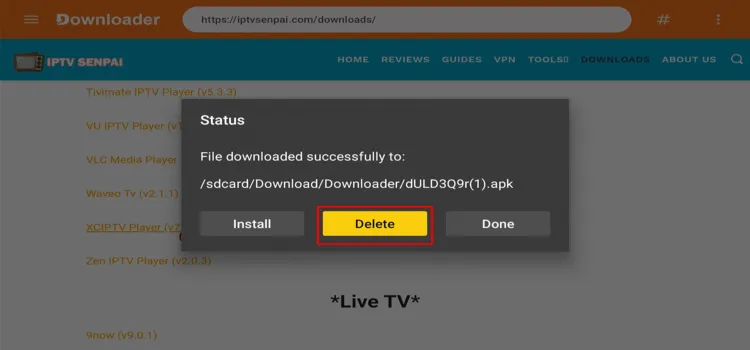
Step 7: Click Delete to delete the installation file to free up storage space.
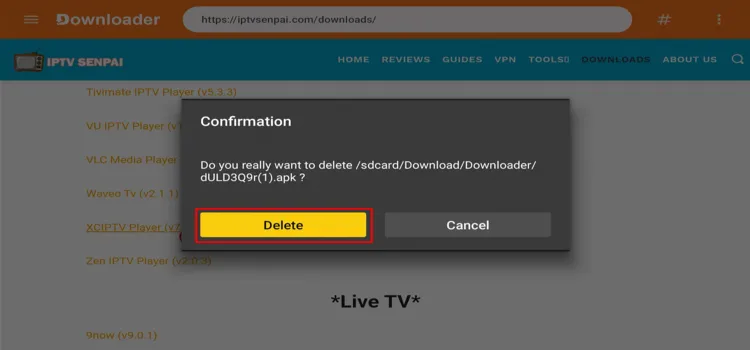
Step 8: Click Delete Again.
How to Set Up XCIPTV Player for IPTV Streaming
Always use a trusted VPN to encrypt your connection and bypass geo-restrictions, especially when handling unverified third-party IPTV links.
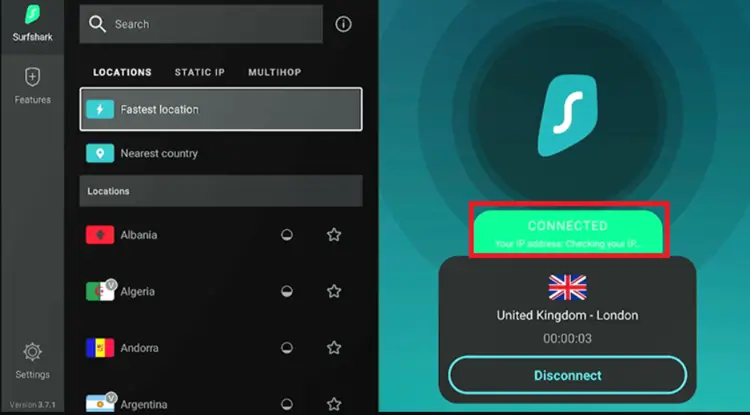
Step 1: Open the Surfshark app and connect to any Server.
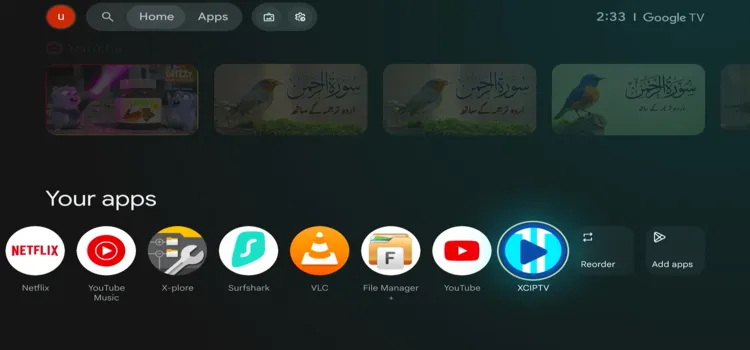
Step 2: Go to Home page and under Your Apps, select XCIPTV.
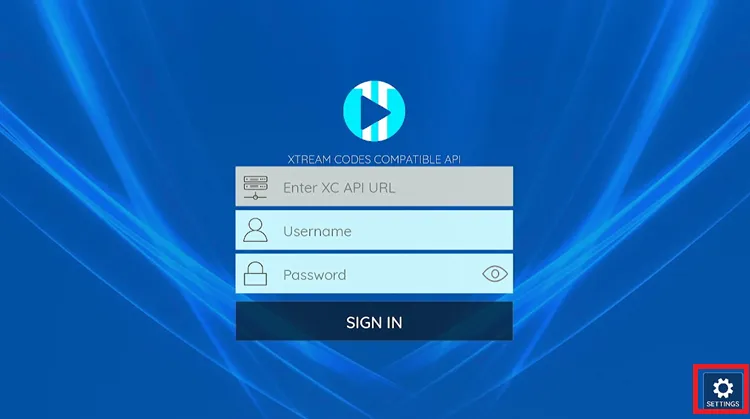
Step 3: XCIPTV Player will be launched.

Step 4: Click the Settings icon in the right corner of the screen.
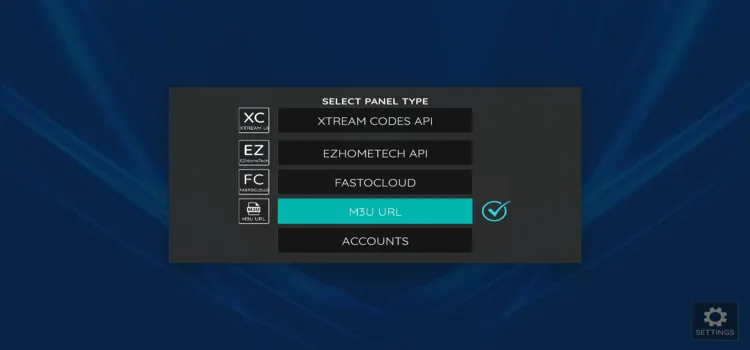
Step 5: Choose the format you want to use. I chose the M3U URL.
Step 6: Click on the M3U URL Bar.
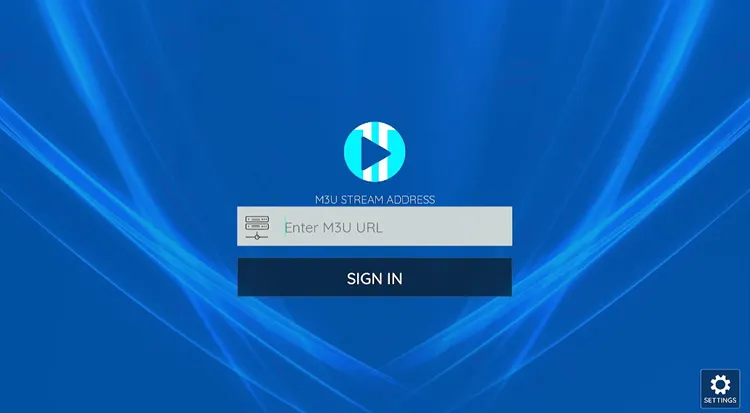
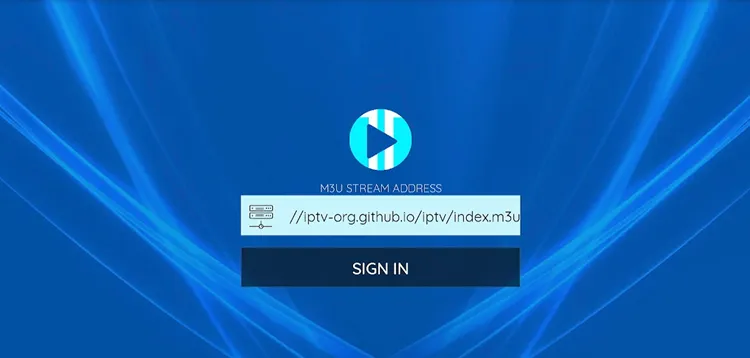
Step 7: Enter the M3U Link.
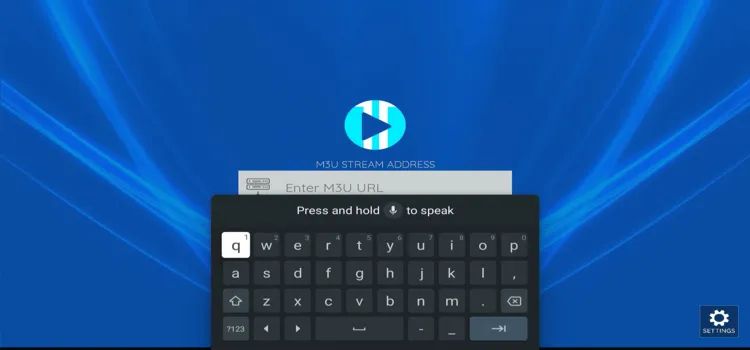
Step 8: Click Sign in.
Step 9: Wait for a minute or two for the content to update.
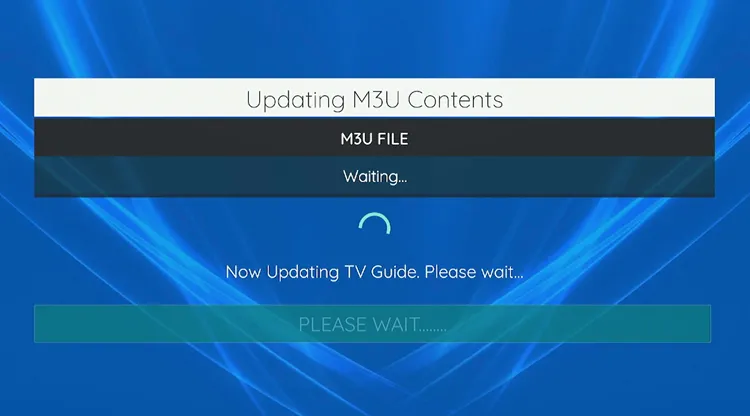
Step 10: Your IPTV service has been successfully updated.
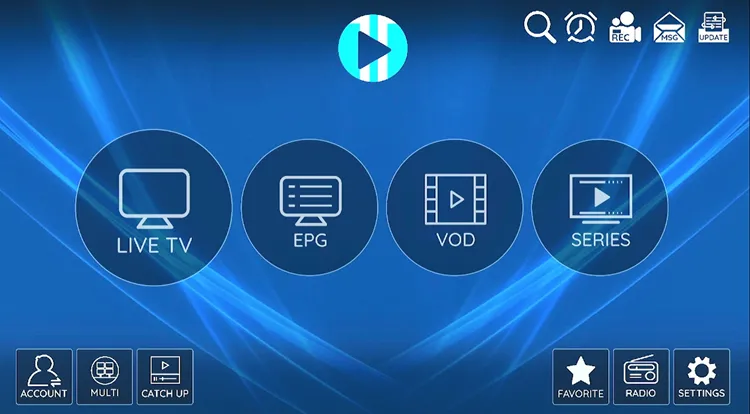
Step 11: Choose the Channel you want to watch.

Step 12: Your channel will start playing. Double-tap on it for full screen.
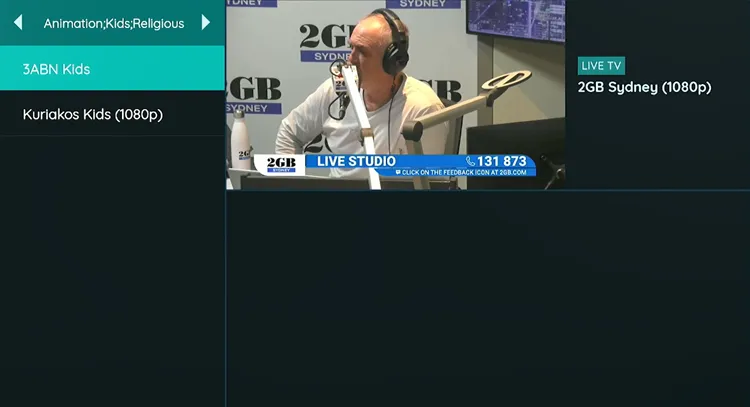
Step 13: Enjoy Streaming!

Explore XCIPTV’s Best Features

XCIPTV Player is feature-packed. From multi-screen viewing to robust parental controls, it has got everything. Here is how each feature works:
1. Multiscreen Streaming

XCIPTV supports streaming on up to 4 screens simultaneously, offering various layout options for a personalized viewing experience.
Step 1: Open XCIPTV and select the Multi-Screen icon from the main menu.
Step 2: Choose your preferred screen layout.
Step 3: Select the channels you wish to watch simultaneously by adding them to separate screens.
2. Integrate Built-in Media Players
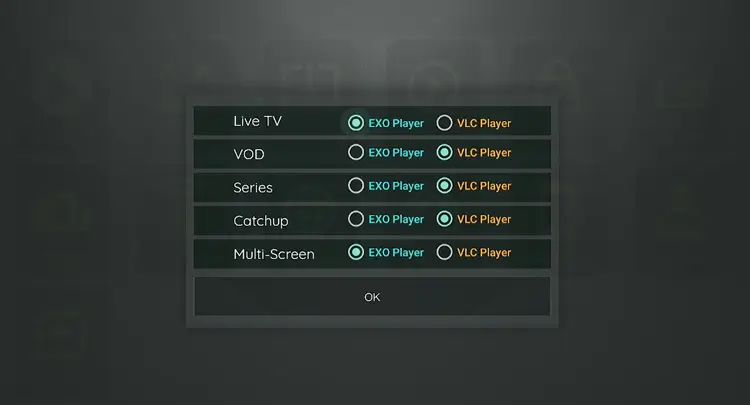
The app integrates ExoPlayer and VLC Player using adaptive HLS streaming for smooth playback. However, it does not support third-party external players.
Step 1: Go to the main menu and click the Settings icon.
Step 2: Select Player.
Step 3: Assign your chosen built-in player (VLC or ExoPlayer) to categories like VOD or Live TV.
3. Parental Controls

You can block inappropriate content. XCIPTV includes strict PIN-based parental controls to secure specific categories and channels.
Step 1: Select the Settings icon and navigate to Parental.
Step 2: Create a secure PIN code.
Step 3: Apply the PIN to restrict access to desired categories or live channels.
4. Mark Favourites

Organize your playlist by saving frequently watched channels. You can easily build a personalized favorites list for instant access.
Step 1: Play the specific channel you want to save.
Step 2: Long-press the Select button on your remote.
Step 3: Return to the home screen and click the Favorites category.
Step 4: Your selected channel will now appear here.
5. Recordings
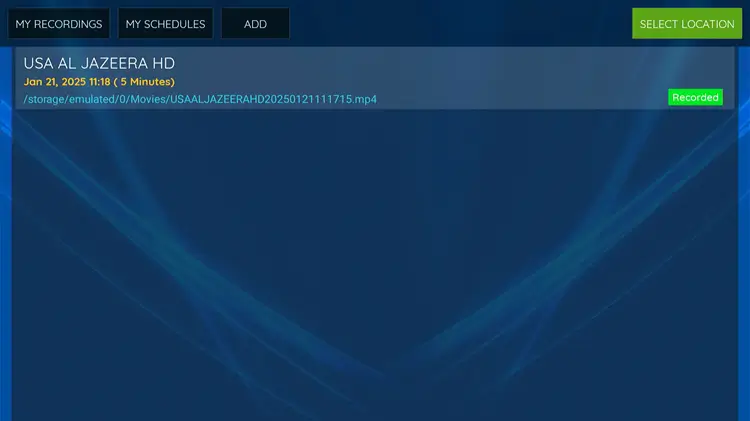
XCIPTV supports scheduled recordings to internal or external storage. While useful, it may occasionally struggle with processing very long broadcast durations.
Step 1: Tap the Recording icon on the top bar of the home screen.
Step 2: Click Add.
Step 3: Input the recording length, date, and time, then hit Schedule.
Step 4: Open My Schedules to monitor your queued recordings.
Step 5: Access finished files under My Recording and click play.
6. Electronic Program Guide (EPG)

Stay updated on your favorite shows. XCIPTV includes a EPG integration to track live broadcasting schedules accurately.
Step 1: Select the EPG option from the main menu.
Step 2: Browse the detailed TV schedule (provided your IPTV service supplies EPG data)
Is XCIPTV Player Safe & Legal to Use?
You generally do not need a VPN if you are streaming fully verified, localized content. However, the streaming landscape is often unpredictable as FireStick has recently blocked several third-party apps along with XCIPTV Player.
So, I strongly advise using a premium VPN like Surfshark. It secures your personal data, masks your online footprint, and guarantees an unrestricted, buffer-free streaming experience.
FAQs
1. Do I get content preloaded on XCIPTV?
Nope! XCIPTV doesn’t host any content. You need an IPTV service and can integrate it using M3U URLs or Xtream Codes.
2. Does XCIPTV have ads?
No ads, no subscriptions. XCIPTV delivers a free, premium experience.
Yes, XCIPTV Player remains 100% free. It seamlessly provides premium functionalities like built-in EPG and multi-screen support without hidden subscription fees. Users can easily manage multiple playlists at no cost.
4. Does XCIPTV Player work outside my country?
Yes, XCIPTV will work anywhere but a VPN is recommended to access geo-restricted content and protect your connection while streaming via unverified services.
5. Does XCIPTV support Multiscreen?
Yes. You can watch up to 4 channels simultaneously, provided your IPTV subscription supports enough simultaneous connections.
My Take on XCIPTV Player
XCIPTV Player is a very good ad-free IPTV player in the streaming market in 2026. It packs premium features like built-in EPG, multi-screen viewing, and strict parental controls into a very intuitive UI.
Just remember to secure your data with a premium VPN first. Surfshark is my #1 pick. That’s because various countries, along with FireStick has been removing third-party apps including XCIPTV Player. So caution is advised.

