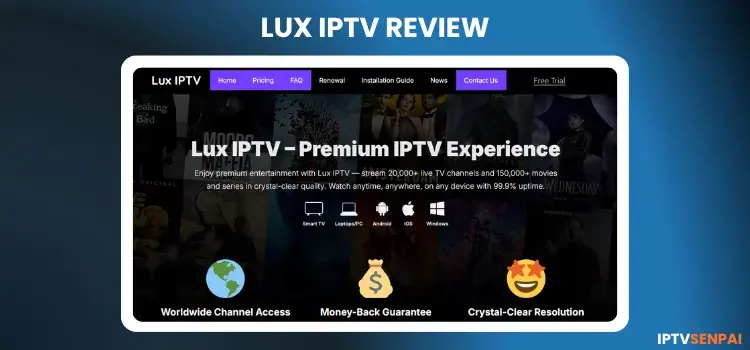
Lux IPTV has been active for about 4 years, offering a massive library of 20,000+ live TV and 150,000+ VOD titles. It delivers solid HD, FHD, and 4K streaming quality. However, as an unverified service, occasional buffering issues might disrupt your viewing experience.
In 2026, I tried to re-test the service but didn’t receive any trial. However, the website is still functional.
Also, it lacks official licensing; protecting your digital privacy is essential. We strongly suggest using a premium VPN like Surfshark to secure your connection, prevent ISP throttling, and guarantee a smoother, safer streaming session.
Recommended VPN for IPTV - Surfshark
Using IPTV without a VPN can put you at Big Risk! Your ISP, government and even IPTV providers can monitor your activity, throttle your speed, or block access altogether.
Plus, without encryption, your data is exposed to hackers and third parties. Take back your privacy with Surfshark!
Features:
✅ SAVE 87% + GET 3 EXTRA MONTHS FREE! ($0.06/day)
✅ Kill Switch Feature to protect you if VPN drops
✅ Lightweight app ensuring smooth performance on All IPTV Boxes
✅ Unlimited simultaneous connections (install on all household devices)
✅ 30-day risk-free money-back guarantee
✅ Strict no-logs policy, Secure & Untraceable
Get Surfshark
Official Website of Lux IPTV

Since there are several IPTV services with similar names, we’ve included a screenshot to help you identify the Lux IPTV service we tested and reviewed. You can visit the official site at the URL: lux-iptv.tv.
Does Lux IPTV offer a Free Trial?
Yes, Lux IPTV provides a generous 24-hour free trial so you can test all live channels and streaming speeds. Just visit their website and submit your email address through the automated chatbot interface.
It is highly recommended to use this trial to assess the service. After submitting my request, I received my free trial credentials in my inbox after a few hours, allowing me to fully explore the content.
Quick Overview of Lux IPTV
- Free Trial: Yes
- Subscriptions: start at $8.99/month
- Connections: 1 per subscription
- Live Channels: 20,000+ live TV
- VOD Content: 100k+ Movies, 25k+ Shows,
- PPV: Yes
- Streaming Quality: HD, FHD & 4K
- Payment Methods: Credit/Debit Cards, Cryptocurrencies
- Compatible Devices: FireStick, Android TV, onn 4K box, Mi TV Stick, NVIDIA Shield Pro, Apple TV.
- Player Support: TiviMate, XCIPTV, IPTV Smarters Pro.
- Custom APK: Yes
- Customer Support: Chat (It was quick with my seller)
- EPG: Yes
Pros & Cons
| Pros |
Cons |
| ✓Affordable pricing compared to other IPTV services |
—Only 1 connection offered |
| ✓Live TV with EPG, VOD, and PPV access |
—No EPG for certain regions or categories |
| ✓Compatible with all major IPTV players |
—Customer support was slow. |
| ✓24-hour free trial |
|
| ✓Channels are well-organized by category |
|
How to Get Lux IPTV on your Device
Setting up Lux TV IPTV is super straightforward. I’m showing it on a FireStick, but you can follow the same steps on any device that supports IPTV, whether it’s Android, iOS, or a smart TV box.
1. Get a Free Trial/Subscription Plan
Step 1: Visit lux-iptv.tv on your laptop/PC/mobile, and click “Free Trial”.

Step 2: Enter your email and click “Start Chat” to apply for the free trial.

Step 3: Your email is submitted, check your inbox, spam, or other folders for the free trial credentials.

Step 4: You’ll receive your premium trial details via email, including the M3U link, username, and password.
2. Select a Player & Enter your Login Credentials
Lux TV offers its own custom APK and web player, but we tested the service using TiviMate for easier setup and playback. You can use any IPTV player for Apple devices or Android for streaming.
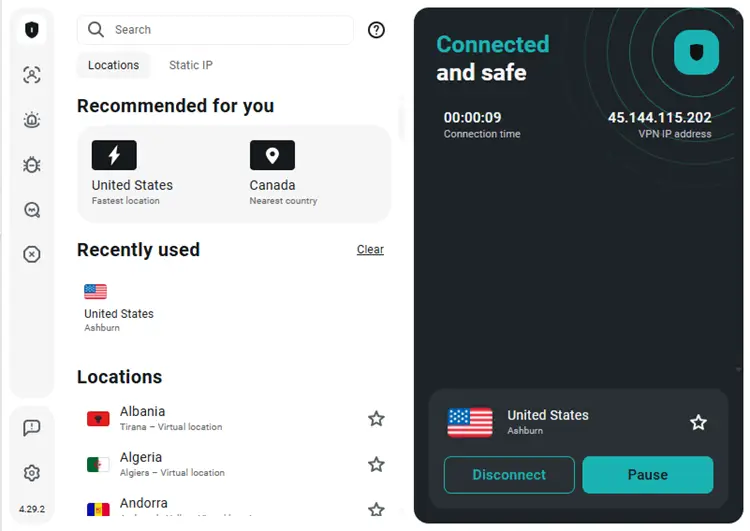
Step 1: Open the Surfshark app and connect to a US server for optimal performance.
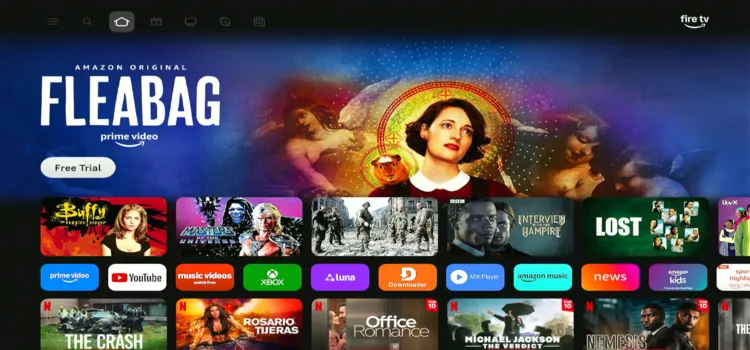
Step 2: Switch on your Fire TV Stick and press the home button. Your interface will be displayed.
Step 3: Under your apps and channels, chooseTiviMate Player app.
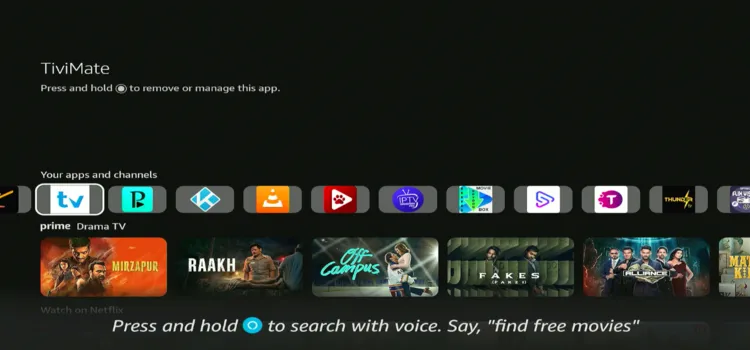
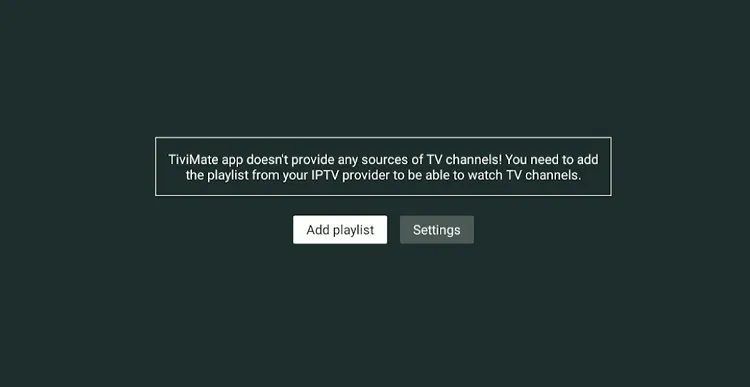
Step 4: Click Add Playlist.
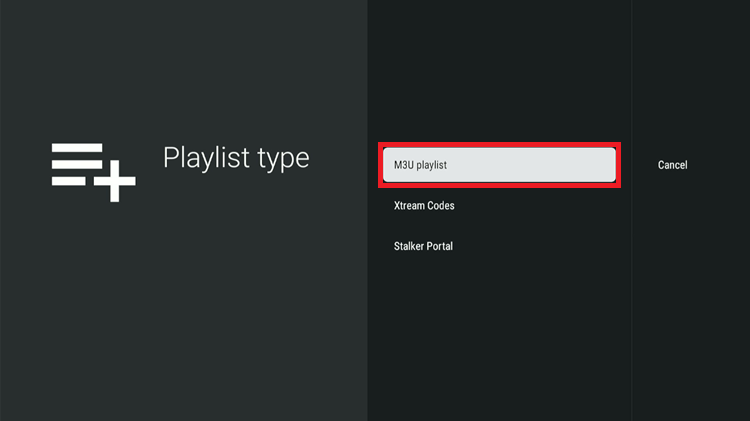
Step 5: Select M3U Playlist.
Step 6: Wait a few seconds for the playlist to process.

Step 7: Lux IPTV is successfully set up and ready to stream.

Step 8: Choose what you want to watch and start streaming.

Get Surfshark & Stay Private
What Can I watch on Lux IPTV
Here is a quick overview of what you can watch on Lux IPTV:
1. Live TV

Lux IPTV delivers incredible global coverage with over 20,000+ live channels. You can effortlessly stream content from North America, Europe, Asia, and the Middle East. The categories are perfectly organized, featuring top news, kids, lifestyle, and documentary channels.
- News – CNN, BBC, Fox News, Al Jazeera
- Kids & Family – Disney, Cartoon Network, Nickelodeon
- Lifestyle – HGTV, Food Network, Travel Channel
- Documentaries – Nat Geo, Discovery, History, Animal Planet
While most channels run completely fine in HD, FHD, and 4K, you might encounter slight lag on certain streams. Using a premium VPN like Surfshark on an optimal server is highly recommended to stabilize your connection and prevent ISP throttling.
2. Movies & TV Shows

Beyond live television, Lux IPTV features a massive on-demand library containing over 150,000+ VOD titles. This includes a spectacular mix of new releases, classic movies, trending TV series, engaging documentaries, and even highly sought-after workout videos.
The platform also pulls premium content directly from top-tier platforms like Netflix, Disney+, and Max. The layout is extremely clean and intuitive. During our testing, browsing by category was seamless, and the majority of the VOD streams played smoothly
4. PAY-PER-VIEW

Lux TV offers a dedicated PPV section with access to major sports and event channels. You’ll find options for AFL, La Liga, boxing, wrestling, and other premium matchups.
These PPV events play only when a live event is scheduled. The channels remain inactive until the event goes live.
How Much Does Lux IPTV Cost?

Lux IPTV offers highly affordable subscription plans, starting at just $8.99/month. Every package provides full access to 20,000+ live TV channels, a massive VOD catalog, and premium PPV events, ensuring excellent overall value for your entertainment needs.
All premium plans deliver the exact same features, but opting for longer durations yields better savings. Please note that each subscription actively supports only one connection per account. They securely accept both Credit/Debit Cards and Cryptocurrencies.
| Plan Duration |
Price (USD) |
| 1 Month |
$8.99 |
| 3 Months |
$19.99 |
| 6 Months |
$34.99 |
| 12 Months |
$59.99 |
| 24 Months |
$99.99 |
Is Lux IPTV Legal & Safe to Use?
Lux IPTV operates as an unverified service, meaning it lacks proper official licensing for its broadcasted content. Depending on your specific regional laws, utilizing such third-party platforms might expose you to potential legal consequences or privacy breaches.
Unverified providers can leave your sensitive data vulnerable, and your ISP might aggressively throttle your connection. To maintain absolute safety, you must encrypt your traffic with Surfshark before streaming. This masks your IP and guarantees a buffer-freeexperience.
Get Surfshark & Stay Private
How Is Lux IPTV’s Customer Support?
Lux IPTV provides customer assistance through WhatsApp, Telegram, and Email. However, their website chatbot only collects your email address and triggers an automated reply stating your trial details will be forwarded shortly.
When I reached out via email, I received a helpful response a few hours later. Unfortunately, a year later I wanted to retest it, but this time I got no reply.
Device Compatibility
Here is a list of all the devices with which you can stream Lux IPTV:
Lux IPTV Alternatives
Here are some tested alternatives to Lux IPTV
FAQs
1. Can I use Lux TV with any IPTV player?
Lux TV offers its own APK and web player, but we tested the service using TiviMate, which worked well.
2. How many connections does Lux TV support at once?
You can install Lux TV on multiple devices, but it only works on one device at a time per subscription.
3. Does Lux TV offer a money-back guarantee?
Yes, Lux TV offers a 3-day money-back guarantee. If you’re not satisfied, you can cancel within 72 hours of purchase and get a refund.
4. Does Lux IPTV offer a money-back guarantee?
Yes, they provide a reliable 3-day money-back guarantee if you wish to cancel your subscription within 72 hours of purchase.
Is Lux TV IPTV a Good Choice?
Lux IPTV is a budget-friendly platform offering a massive variety of content, including reliable live sports, PPV events, movies, and documentaries. At just $8.99/month, the impressive 1080p sports streams and extensive 24-hour free trial provide exceptional overall value.
Because it remains an unverified provider, occasional lag is expected, and customer support can be slow. For the ultimate security and the best streaming speeds, always connect to Surfshark to prevent throttling and fully protect your online privacy