


4K Live IPTV has been operating in the streaming market for 2+ years. It features 15,000+ live TV, 130,000+ movies, and 33,000+ TV series, and a 36-hour free trial, though minor buffering issues can happen. In 2026, the service is satisfactory, with responsive customer service.
To eliminate sudden playback drops, a premium VPN is essential. Connecting to a US server via Surfshark will protect your private streaming data and prevent aggressive ISP throttling while navigating this platform.
Recommended VPN for IPTV - Surfshark

Using IPTV without a VPN can put you at Big Risk! Your ISP, government and even IPTV providers can monitor your activity, throttle your speed, or block access altogether.
Plus, without encryption, your data is exposed to hackers and third parties. Take back your privacy with Surfshark!
Features:
✅ SAVE 87% + GET 3 EXTRA MONTHS FREE! ($0.06/day)
✅ Kill Switch Feature to protect you if VPN drops
✅ Lightweight app ensuring smooth performance on All IPTV Boxes
✅ Unlimited simultaneous connections (install on all household devices)
✅ 30-day risk-free money-back guarantee
✅ Strict no-logs policy, Secure & Untraceable
Recommended VPN for IPTV - Surfshark
Using IPTV without a VPN can put you at Big Risk! Your ISP, government and even IPTV providers can monitor your activity, throttle your speed, or block access altogether.
Plus, without encryption, your data is exposed to hackers and third parties. Take back your privacy with Surfshark!
Features:
✅ SAVE 87% + GET 3 EXTRA MONTHS FREE! ($0.06/day)
✅ Kill Switch Feature to protect you if VPN drops
✅ Lightweight app ensuring smooth performance on All IPTV Boxes
✅ Unlimited simultaneous connections (install on all household devices)
✅ 30-day risk-free money-back guarantee
✅ Strict no-logs policy, Secure & Untraceable
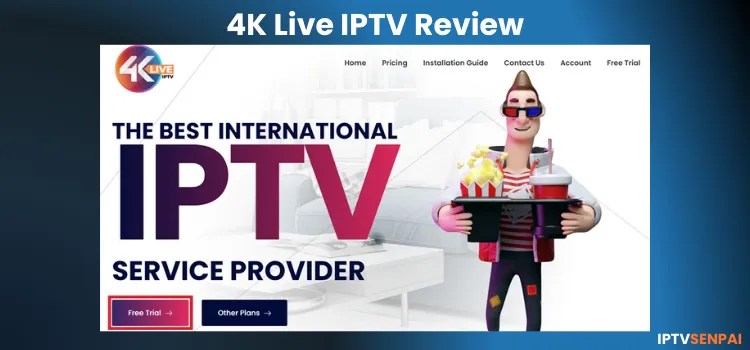
Official Website of 4K Live IPTV

With many third-party services sharing identical names, fake platforms are very common. Because of this, you must always verify the site’s layout using the screenshot above before entering any billing information or buying a subscription package. You can manually visit the website 4kliveiptv.io.
Does 4k Live IPTV offer a Free Trial?
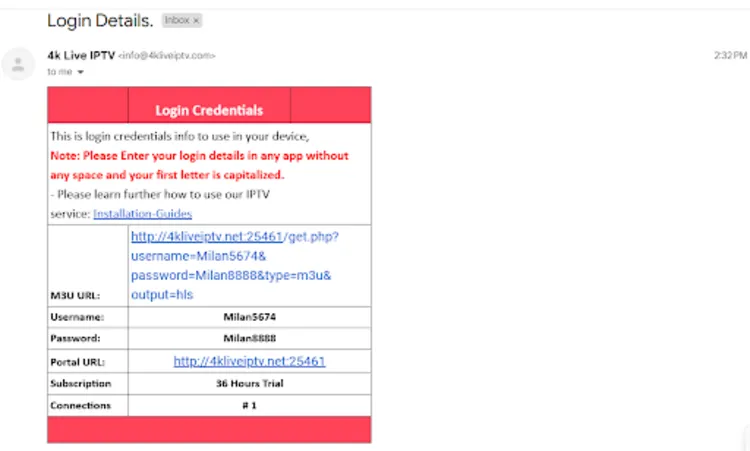
Yes, 4K Live IPTV provides an exclusive 36-hour free trial directly through their website. Claiming this offer is incredibly simple, and I received my active login details in my email inbox within 2 hours of submitting the request.
Taking advantage of this trial allows you to assess the content layout firsthand before subscribing. Since there is no financial risk, it is the safest method to evaluate channel stability on your home equipment.
4K Live IPTV Features
- Trial: 36-Hour Free Trial
- Subscriptions: Start at $11.00 for 1 month (1 connection only)
- Connections: Up to 5 connections are available for purchase with all plans.
- Live Channels: 15,000+ Live TV channels
- PPV: Included
- VOD Content: 130,000+ movies, and 33,000+ TV series
- Streaming Quality: 1080p Streaming
- Payment Methods: Credit/Debit Card | Cryptocurrency.
- Compatible Devices: Windows/Mac, Firestick, Samsung / LG TV, Formuler Box, Android/iOS.
- Compatible Player: It did not work with Smarters Pro or Tivimate, but it worked with 4k Live IPTV dedicated player. (On Firestick)
- Customer Support: Very Responsive. Available through Email, WhatsApp, and Telegram.
Pros & Cons of 4K Live IPTV Player
| Pros | Cons |
|---|---|
| Fair Value for Money | Only works on its own player (At least on FireStick) |
| 36-hour Free Trial | No 4K streaming |
| Live TV/VOD/PPV | |
| HD Quality Streaming | |
| Smooth streaming 99% of the time | |
| Supports Multiple Devices | |
| Up to 5 Simultaneous Connections |
How to Get 4K Live IPTV Service
Getting 4K Live IPTV is quick and simple. For the demonstration, I am using a FireStick, but you can follow a similar process on any compatible device you own.
1. Sign Up for a Subscription Plan/Free Trial.
Visit the 4K Live IPTV website at 4kliveiptv.com to request the ‘Free trial’ or choose ‘Other plans’ to subscribe. You will receive all the login details (Xtreme Code OR M3U Links) in your email.
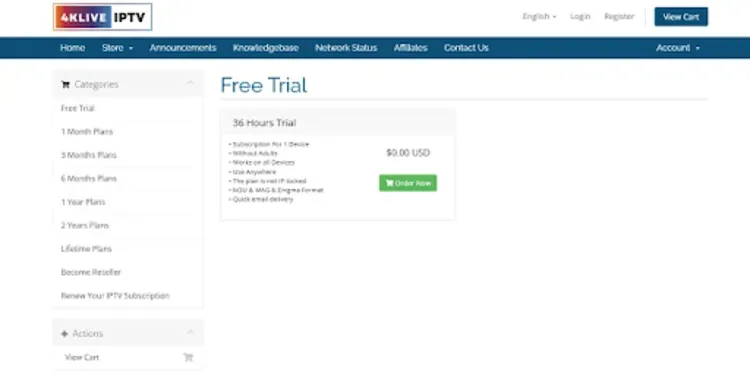
Step 1: Visit 4kliveiptv.io on your laptop/PC/mobile, scroll down, and select “Free Trial”.

Step 2: Tap “Order Now”.
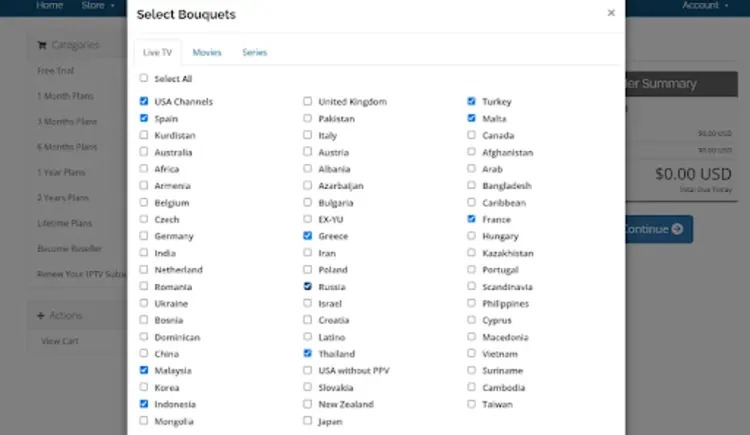
Step 3: Click “Select Bouquets”.
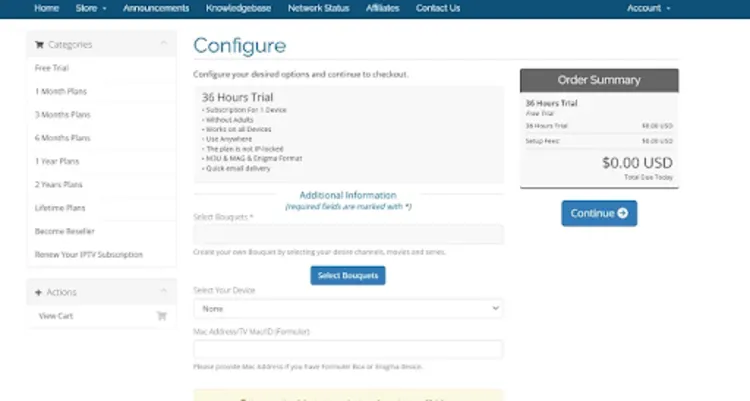
Step 4: Choose Live TV channels/ movies/Shows.
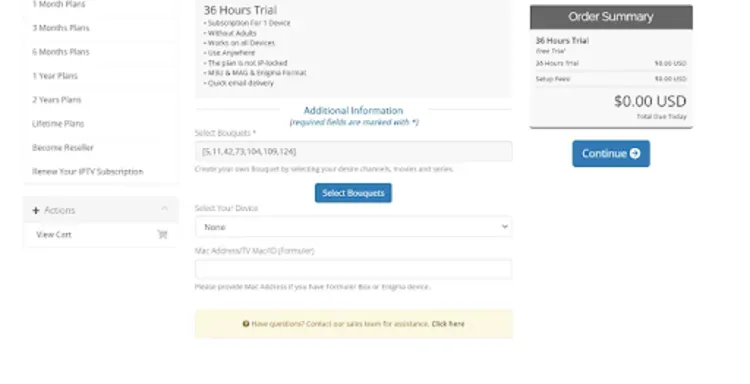
Step 5: Click the “Select Your Device” tab.
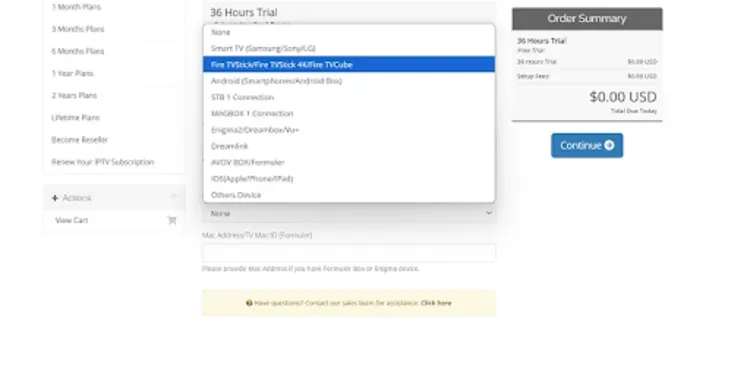
Step 6: Choose your device I chose “FireStick”.
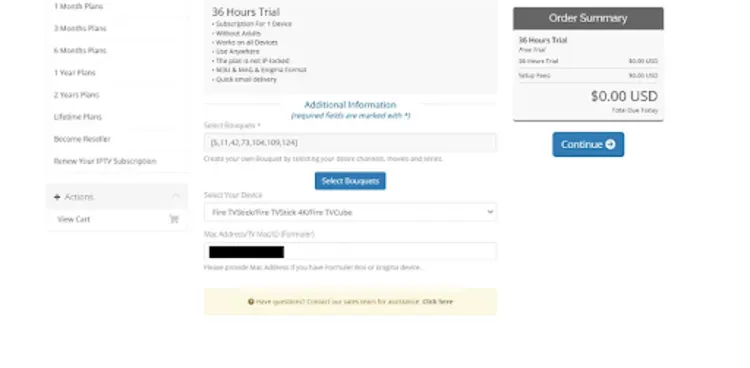
Step 7: If you opt for a Formuler Box/Enigma device, you will have to enter your Mac Address.
To find the Mac address on FireStick, Go to Settings > My Fire TV > About > Network > Wi-Fi MAC Address.
Step 8: Tap “Checkout”.
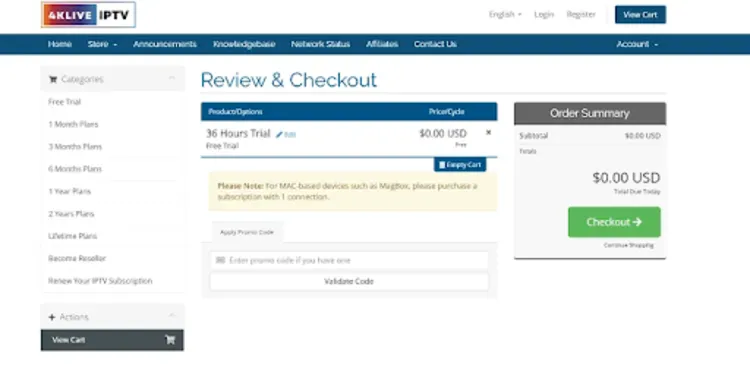
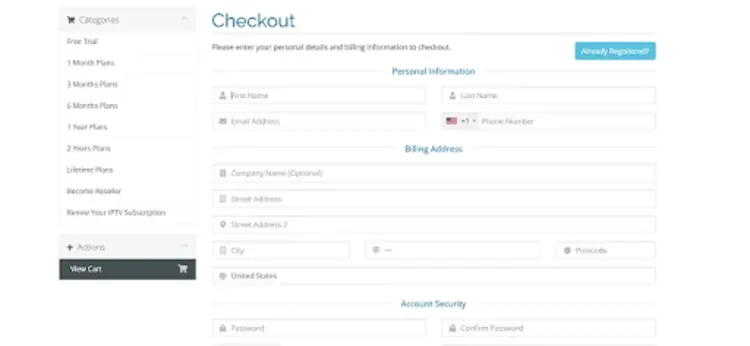
Step 9: Enter your Details
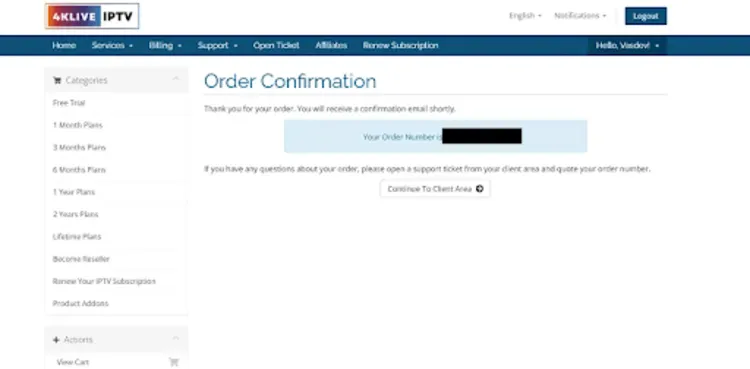
 Step 10: There you go; you will see the confirmation popup. Now you will have to wait a few minutes to receive the Xtreme Code and m3u URL on your email address.
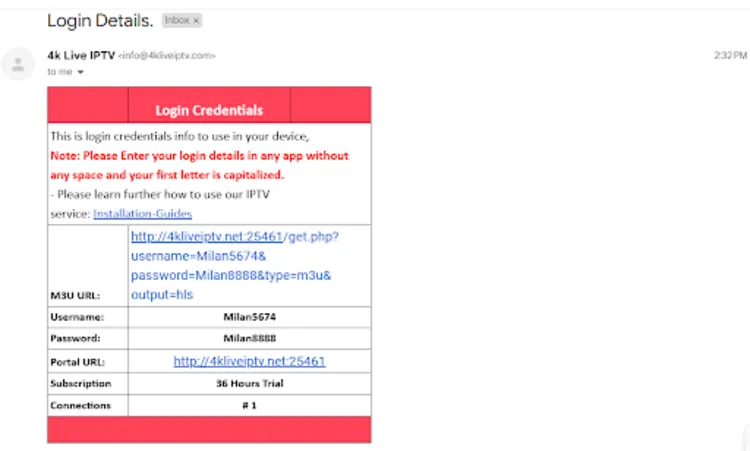
Step 11: Wait for a few minutes and you will receive the login details (i.e. Xtreme Code and m3u URL) on your email address.
2. Install 4KLive IPTV Player
To begin, you’ll need to install a compatible IPTV player, such as IPTV Smarters Pro or Tivimate, on your device. The service has its own player. I used the downloader code to download the player
Step 1: Set up your Firestick and install the Downloader App.
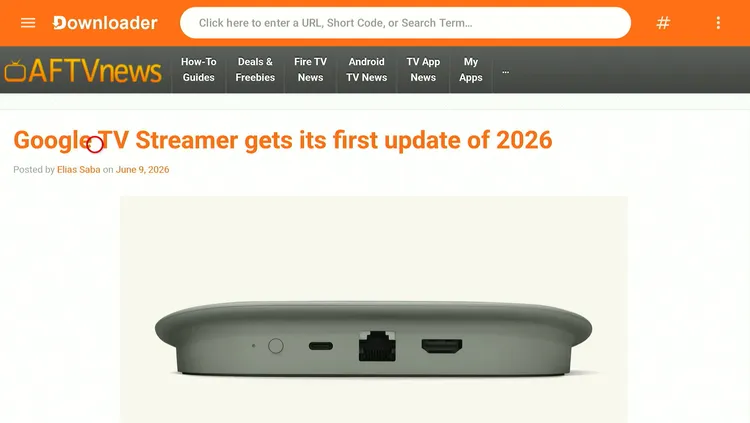
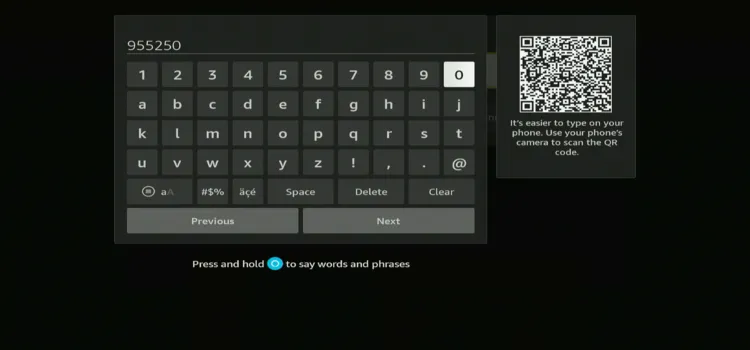
Step 2: Enter the downloader code 955250 or 4K Live APK Download Link tinyurl.com/2p962wdh for the 4k Live IPTV Player in the search box.
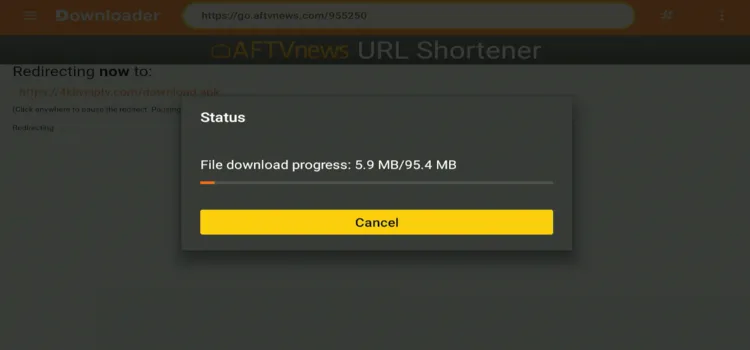
Step 3: 4K Live IPTV Player will start installing.
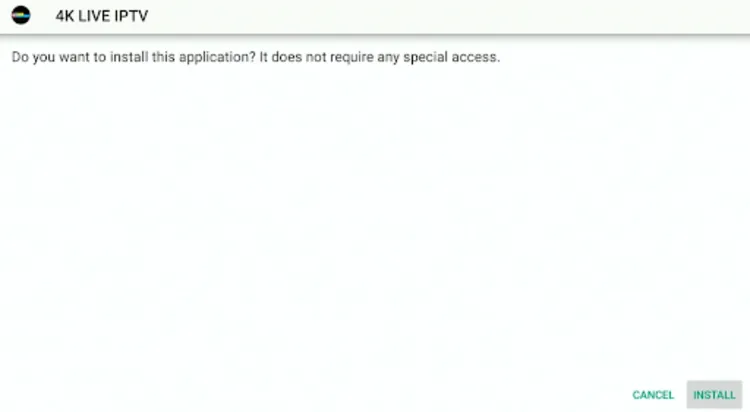
Step 4: Click Install
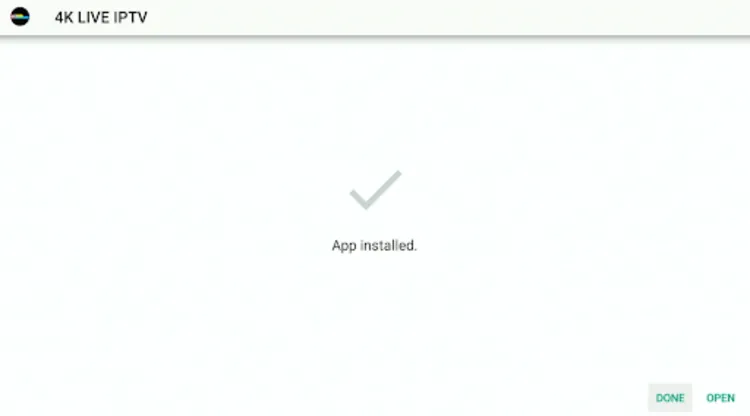
Step 5: Click Done
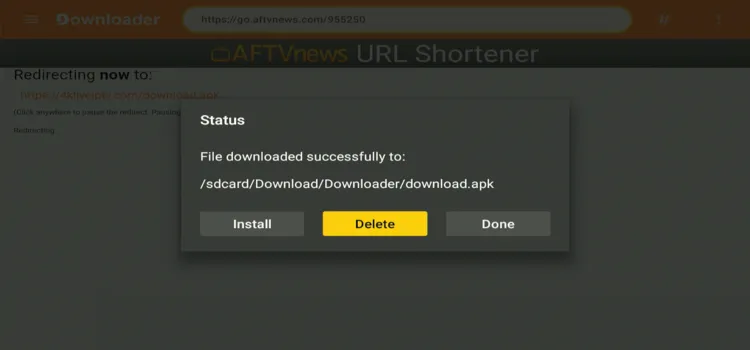
Step 6: Click Delete.
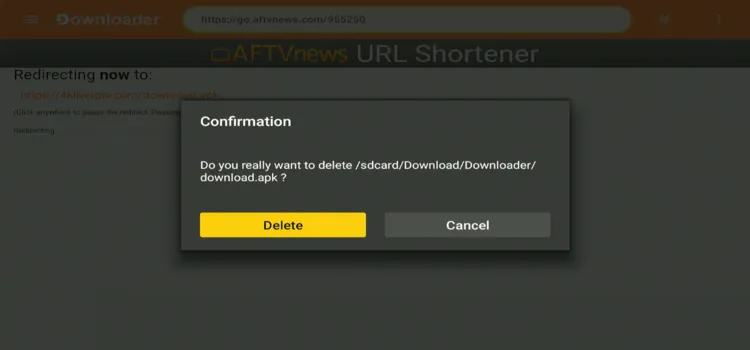
 Step 8: Click Delete again.
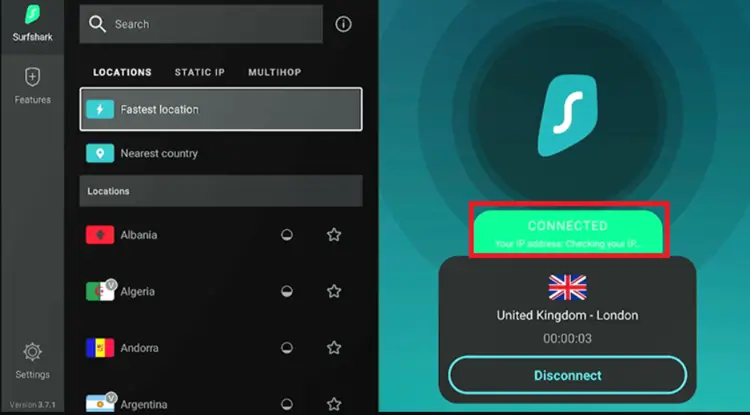
Step 9: Open the Surfshark app and connect to any Server.
Step 10: Choose TV.
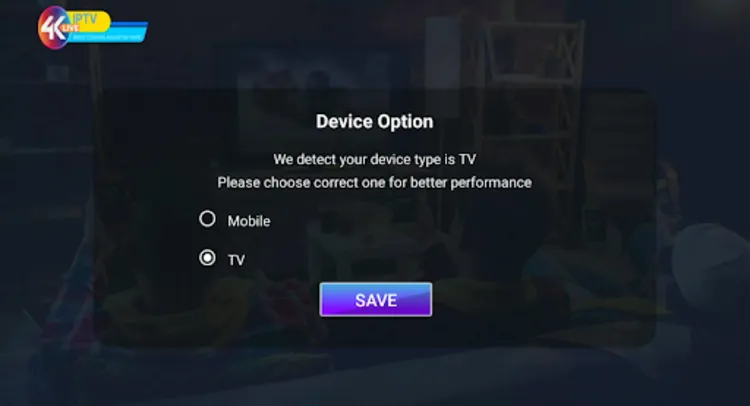
Step 11: Now Go to your email and note down the Xtreme Code/M3U Link that has been sent to you by 4K Live IPTV.
Step 12: Enter the Details.
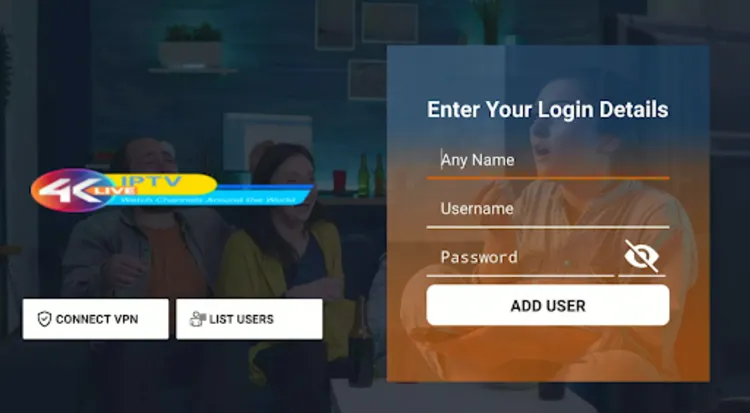
Step 13: Download the Live TV, Movies & Series.
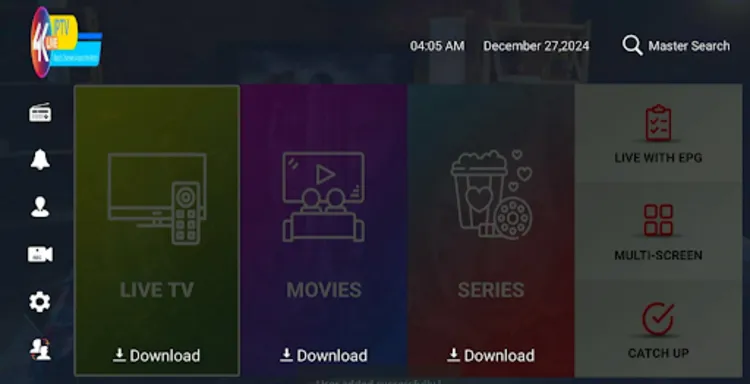
Step 14: Choose what you want to watch.
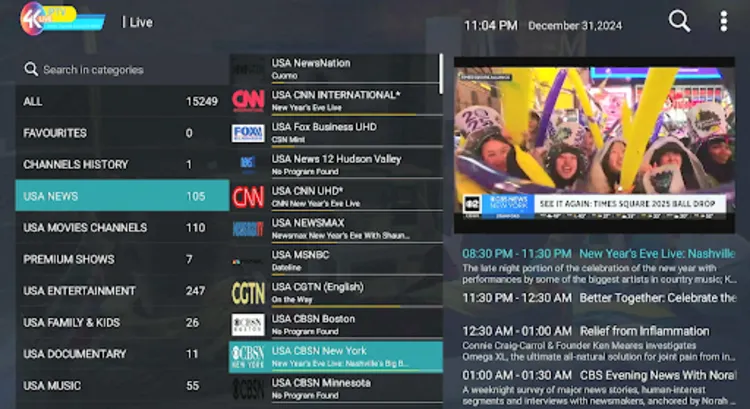
Step 15: Start Watching!

About 4k Live IPTV Player
The IPTV 4K Player worked fine and offers several useful features, including:
- EPG (Electronic Program Guide)
- Multiscreen Option (Only Accessible with multiple connections)
- Parental Control (Only Functional when connected to a US server via a VPN)
What Can I watch on 4K Live IPTV?
1. Live TV
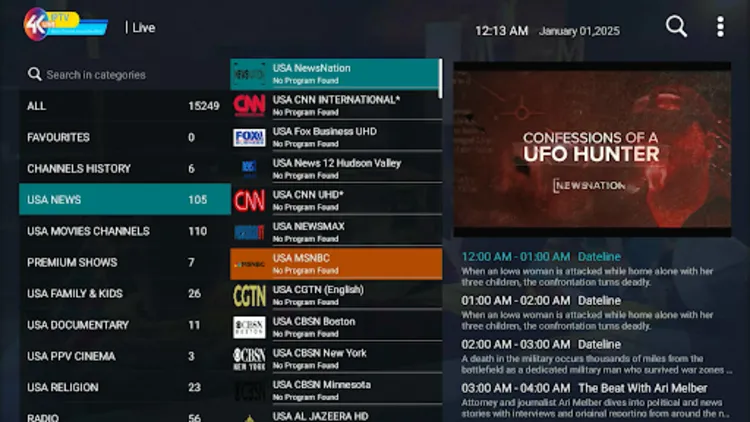
4K Live IPTV grants premium access to over 15,000+ live TV channels worldwide. This massive catalog covers popular broadcasting feeds from the US, UK, and Canada, keeping your favorite news, entertainment, and documentary programming within arm’s reach.
The built-in Electronic Program Guide (EPG) keeps your channel navigation completely organized. While the selection is highly diverse, expect occasional buffering drops during peak viewing hours on certain international feeds.
2. VOD

Binge-watching your favorite media is highly satisfying with the robust on-demand library. Featuring over 130,000+ movies and 33,000+ TV shows, this deeply stocked catalog caters perfectly to different cinematic tastes and viewer preferences.
The library spans multiple popular genres like comedy, horror, and suspense. Content streams in clear 1080p HD quality, although the platform’s initial 4K streaming claims feel more like a marketing gimmick than actual native resolution.
How much does 4K Live IPTV cost?
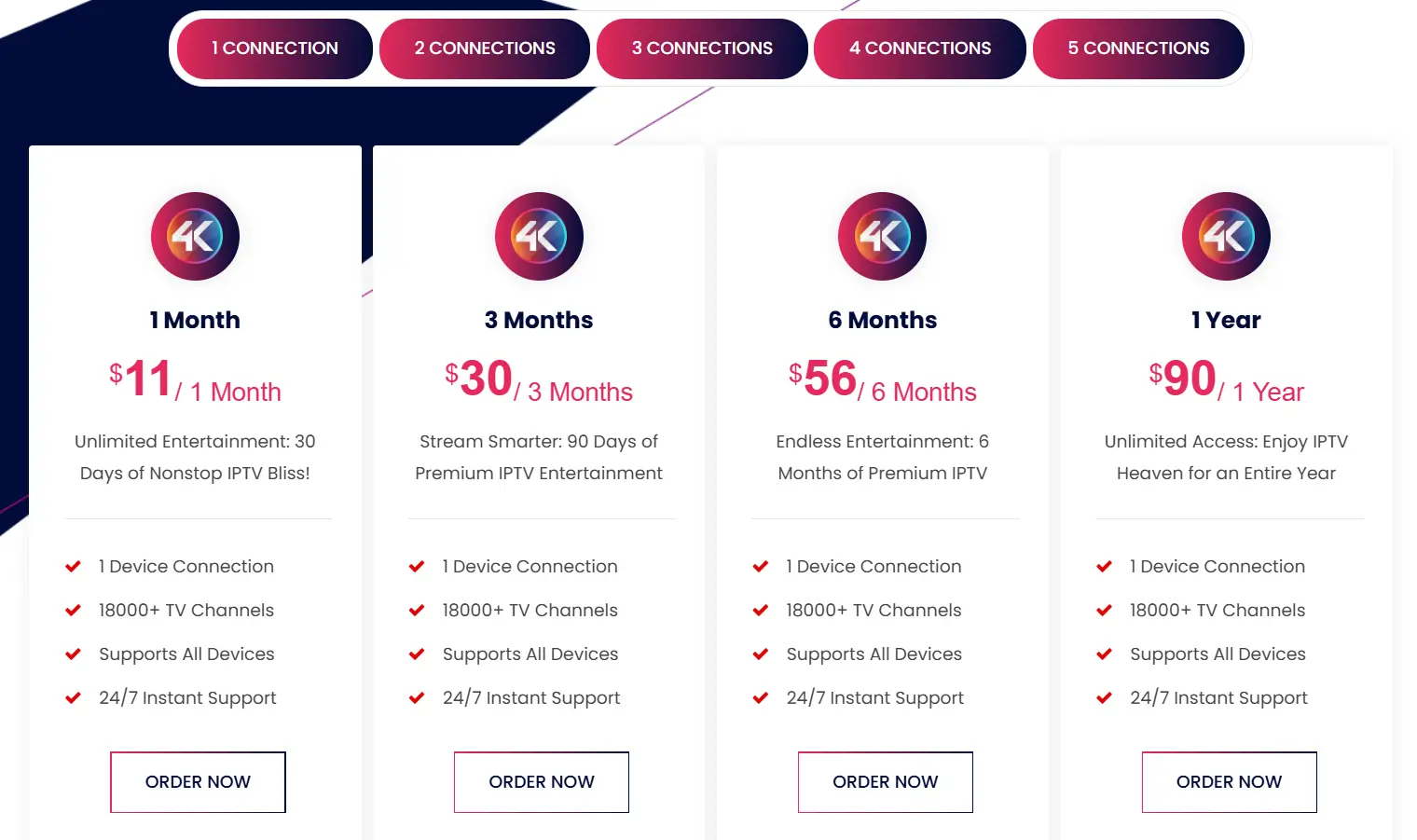
The service provides flexible, budget-friendly subscription bundles tailored to your specific needs. Payments can be made securely using credit/debit cards or cryptocurrency, with card payments completed through a secure link sent via WhatsApp.
Here are the pricing plans:
| Connections | 1 Month | 3 Months | 6 Months | 1 Year |
|---|---|---|---|---|
| 1 Connection | $11 | $30 | $56 | $90 |
| 2 Connections | $18 | $40 | $70 | $110 |
| 3 Connections | $25 | $50 | $85 | $130 |
| 4 Connections | $35 | $60 | $95 | $150 |
| 5 Connections | $45 | $70 | $105 | $170 |
How is 4k Live IPTV’s Customer Support?

You can access customer support through the “Contact Us” option on the website, which will take you to the open ticket system for direct assistance. I received my trial within 2 hours.
Is 4k Live IPTV Legal & Safe to Use?
Because 4K Live IPTV is an unverified service, confirming its official content licensing agreements is impossible. Government scrutiny of unregulated streaming platforms remains exceptionally high, making it essential for users to protect their personal data privacy.
The ultimate way to protect your digital footprint is running a premium VPN. Running Surfshark encrypts your active connection, hides your IP address, and stops your internet service provider from tracking your habits.
Tip: If you’re exploring IPTV options, check out our guide on How to Choose the Right IPTV and Avoid Scams to make an informed decision and stay protected.
4K Live IPTV Alternatives
Some alternatives that you can try besides 4k Live IPTV.
- Mom IPTV
- Apollo Group IPTV
- WorthyStream IPTV
- Xtreme HD IPTV
FAQs
1. How can I install 4K Live IPTV on my device?
After subscribing, users receive unique login credentials and can quickly configure the setup using the dedicated 4K Live IPTV custom app.
2. What content quality does 4K Live IPTV provide?
While branded as 4K, the platform primarily delivers stable, high-definition streams in 1080p HD quality rather than consistent native 4K streams.
3. Does it work with third-party players like TiviMate?
No, it requires their dedicated player app to stream content smoothly, as external third-party media players are generally incompatible on FireStick hardware.
4. What payment methods are accepted by the provider?
You can complete your purchase securely using standard Credit/Debit Cards or verified decentralized Cryptocurrencies based on your privacy needs.
Conclusion: Is 4K Live IPTV Worth It?
4K Live IPTV offers an impressive streaming option, boasting a massive catalog of 15,000+ live channels, 130,000+ movies, and 33,000+ TV series. The highly responsive technical support and flexible payment layouts make it a solid option. The dependency on its dedicated player was a drawback for me.
However, the requirement to use their dedicated custom player application is a slight downside. Make sure to test the platform using their 36-hour trial while securing your connection with Surfshark to maintain total privacy.

