

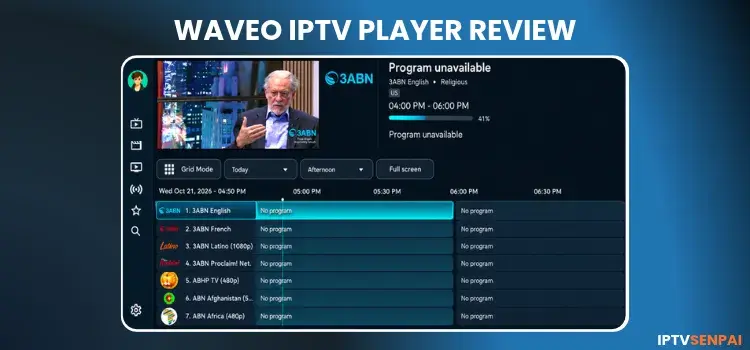
Waveo IPTV Player, previously known as Wave IPTV, is a modern IPTV player for streaming live TV, movies, and TV series. It is compatible with Amazon FireStick, Android TV, Google TV, and Android devices. It supports various formats such as M3U playlists, Xtream Codes, and experimental Stalker/MAG portals.
The player offers a customizable interface with features such as EPG, catch-up TV, recording, multiple profiles, and multi-screen viewing. Its Premium version adds cloud synchronization, advanced customization, and integrations with Trakt, MDBList, and Simkl.
Always use a trusted VPN like Surfshark when using unverified IPTV services. It encrypts your connection and masks your IP address, helping protect your streaming privacy.
Recommended VPN for IPTV - Surfshark
Using IPTV without a VPN can put you at Big Risk! Your ISP, government and even IPTV providers can monitor your activity, throttle your speed, or block access altogether.
Plus, without encryption, your data is exposed to hackers and third parties. Take back your privacy with Surfshark!
Features:
✅ SAVE 87% + GET 3 EXTRA MONTHS FREE! ($0.06/day)
✅ Kill Switch Feature to protect you if VPN drops
✅ Lightweight app ensuring smooth performance on All IPTV Boxes
✅ Unlimited simultaneous connections (install on all household devices)
✅ 30-day risk-free money-back guarantee
✅ Strict no-logs policy, Secure & Untraceable
Is Waveo IPTV Player Free?
Yes, Waveo IPTV Player is free to download and use with Free and Premium options. The developer also advertises a 14-day Premium trial. However, Cloud Sync and Backup/Restore are excluded from the trial.
| Plan | Price | Key Features |
|---|---|---|
| Free | Free | Live TV, movies, series, EPG, catch-up, basic playback, and profiles |
| Premium Trial | Free for 14 days |
Selected Premium features; excludes Cloud Sync and Backup/Restore |
| Premium Lifetime | €19.99 one-time/lifetime purchase |
My Wave, cloud sync, backups, custom groups, themes, advanced playback, and compatible third-party integrations |
Key Features
Here are the main features and specifications of Waveo IPTV Player:
- Minimum OS: Android 8.0 or newer
- Playlist Support: M3U/M3U8 URLs, Xtream Codes, and Stalker/MAG portals
- EPG: Yes
- Catch-Up TV: Yes
- Recording: Yes
- Multi-Screen: Up to 4 streams
- Profiles: Multiple profiles
- Parental Controls: Yes
- Subtitles: Yes
- Cloud Sync & Backup: Yes
- External Player: Yes
- Compatible Devices: Android-based Fire TV, Android TV, Google TV, Android phones, and tablets
Pros and Cons
| Pros | Cons |
|---|---|
| Modern, remote-friendly interface | Advanced customization requires Premium |
| Supports M3U, Xtream Codes, and Stalker/MAG compatibility | Cloud Sync excluded from free trial |
| Supports EPG, catch-up, and recording | |
| Multi-screen supports up to 4 streams | |
| Multiple profiles and playlist management | |
| Trakt, MDBList, and Simkl integrations |
How to Install Waveo IPTV Player on FireStick/Android TV
Waveo IPTV Player is not available on the Google Play Store. You need to sideload its APK using the Downloader app. Follow these steps to install Waveo on a compatible FireStick or Android TV device.
Step 1: Launch the Downloader app.
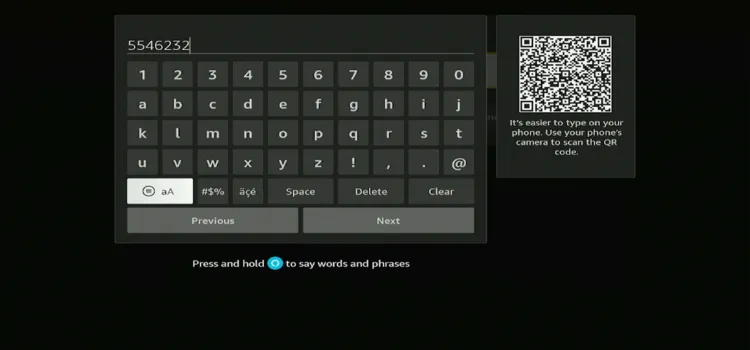
Step 2: Enter the Waveo IPTV Player downloader code 5546232 in the search bar OR enter this URL bit.ly/43pEVWO and click Go.
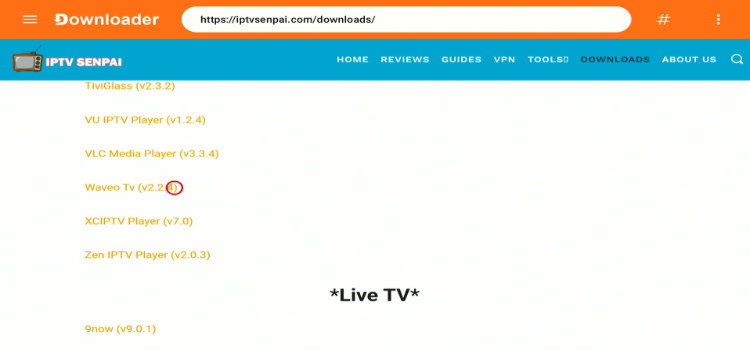
 Step 3: Scroll down to the IPTV Players section, find the Waveo IPTV Player, and tap on it to proceed.
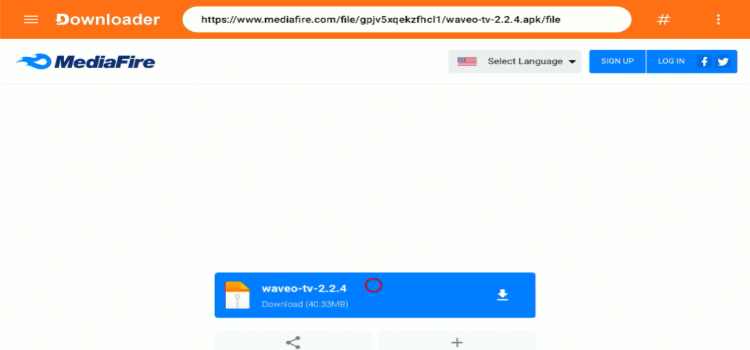
Step 4: A MediaFire page will open. Click Download.
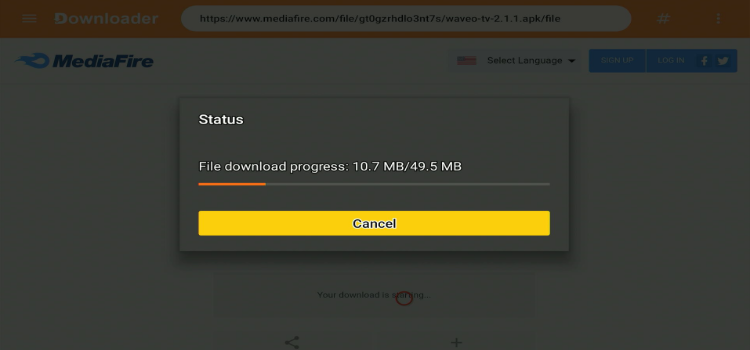
Step 5: Your APK file will start downloading.
Step 6: Click Install.
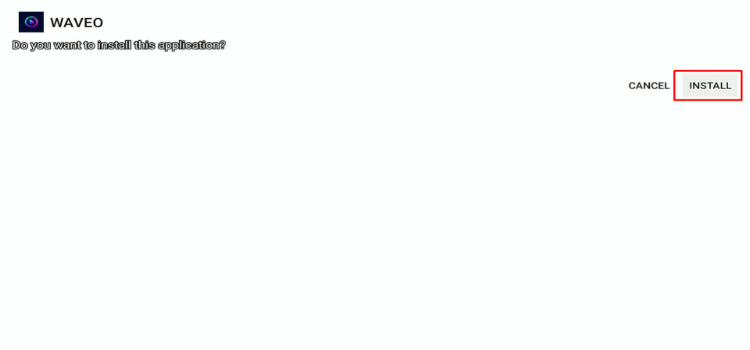
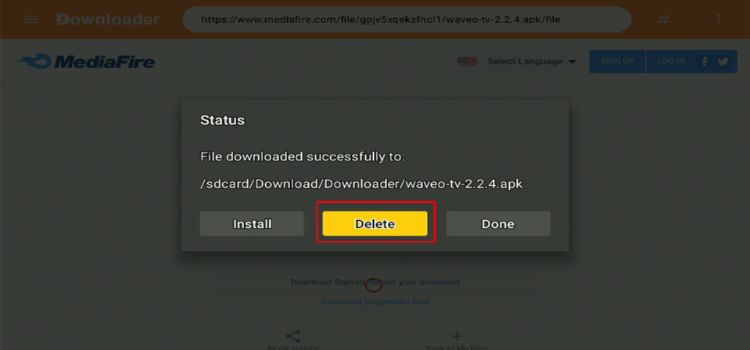
Step 7: Click Done.

Step 8: Click Delete.
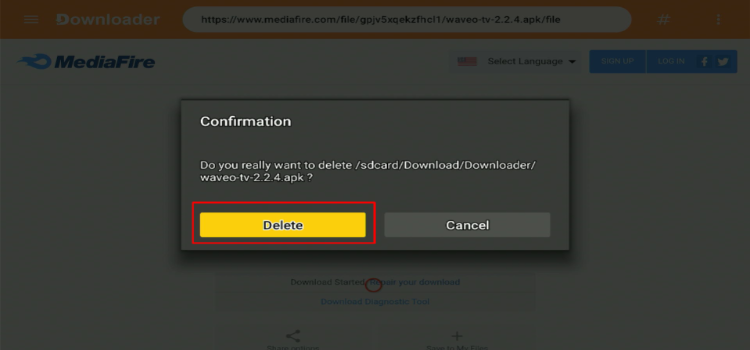
Step 9: A confirmation window will open. Click Delete Again.
How to Set Up Waveo IPTV Player
Always use a trusted VPN, such as Surfshark, when using unverified IPTV services. It encrypts your internet connection, reduces ISP throttling, and allows you to access content that may be restricted in your region.
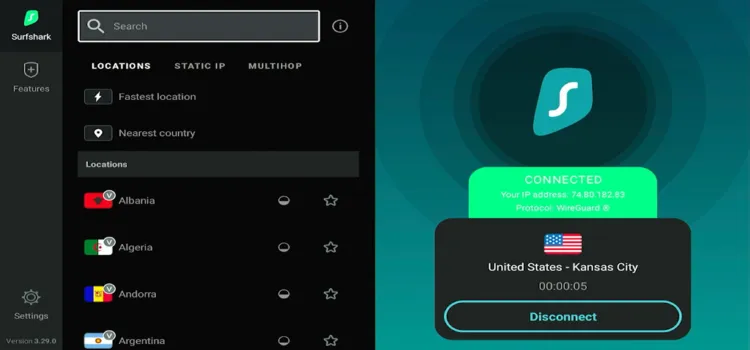
Step 1: Open your Surfshark app and connect to any server.
Step 2: Launch Waveo IPTV Player.
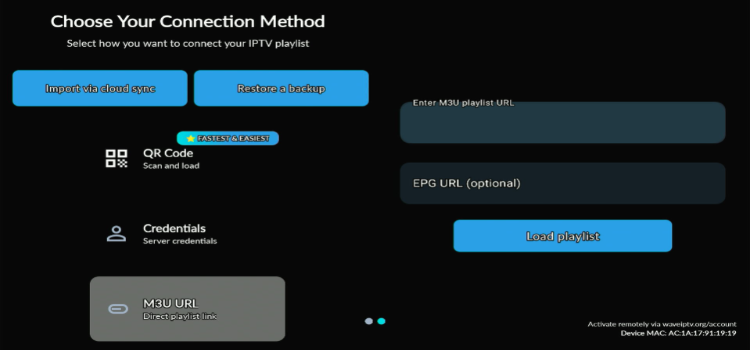
Step 3: Scroll down to M3U URL, enter your M3U playlist link, and click Load Playlist.
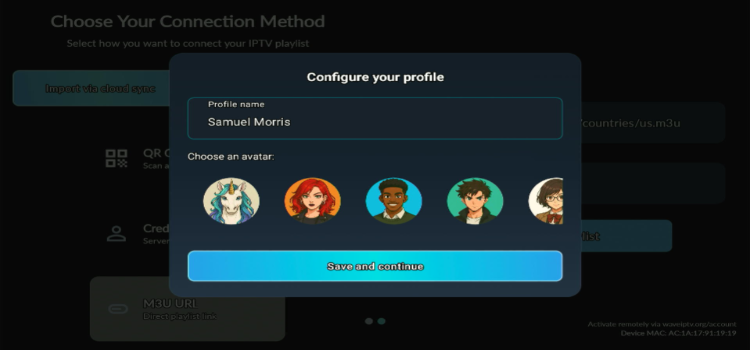
Step 4: Your playlist has been successfully loaded. Enter your profile name, select your avatar, and click Save and Continue.
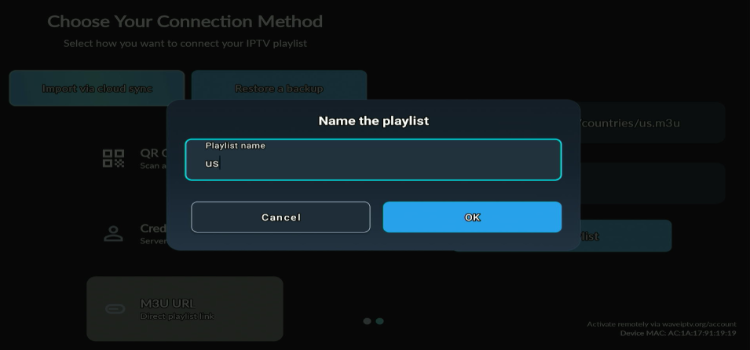
Step 5: Enter the playlist name. Click OK.
Step 6: Select a channel of your choice.
Step 7: Enjoy Streaming!

Waveo IPTV Player Features
Waveo IPTV Player offers several features for managing live TV, movies, series, and IPTV playlists. Some are included in the free version, while other features require the Premium option.
1. Electronic Program Guide (EPG)
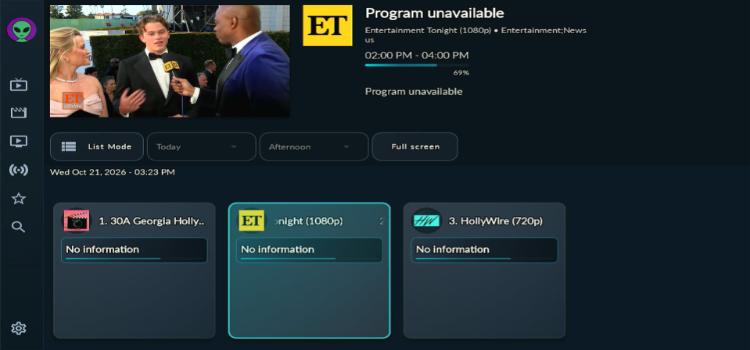
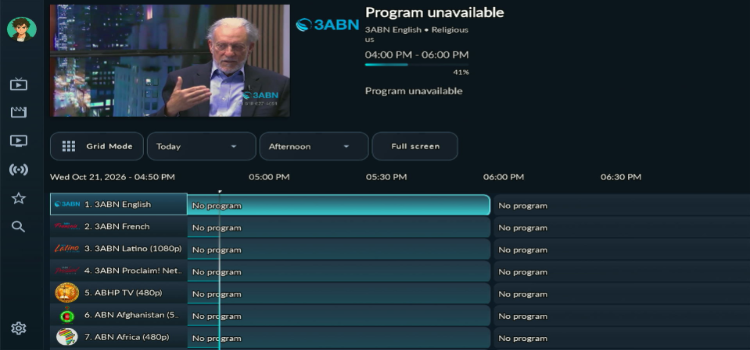
The TV guide offers a timeline view for present and upcoming programmes, plus a channel grid for quick access to live TV. You can add up to 5 EPG sources per playlist and manually assign guide data to any channel that shows no programmes.
2. Favourites
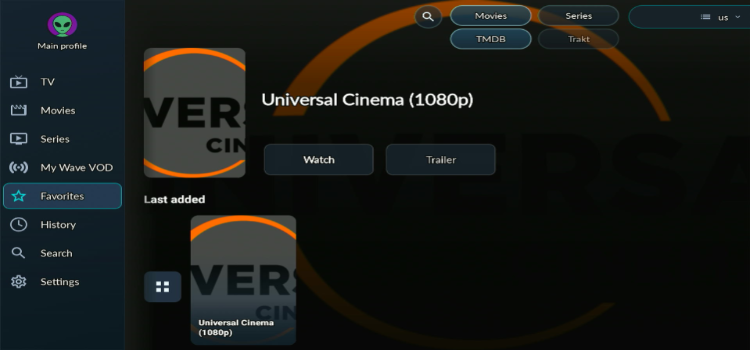
Favourites let you save channels, movies, and series so your most-watched content stays easy to reach.
3. Search
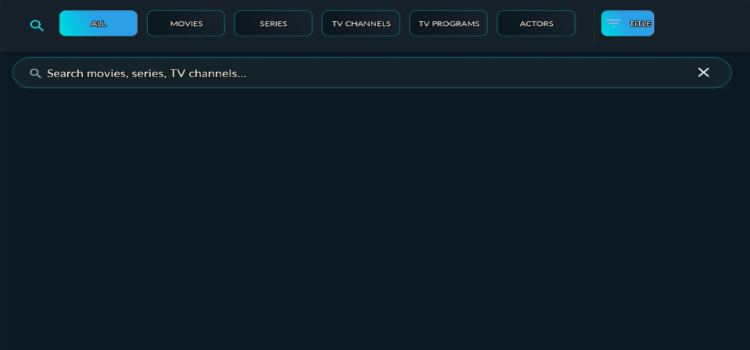
The Search section lets you look across TV channels, movies, TV series, TV programmes, and actors from one screen, with filters for each content type and a Title filter. It works from data already imported into the app, so results depend on your latest playlist and EPG update.
4. Interface
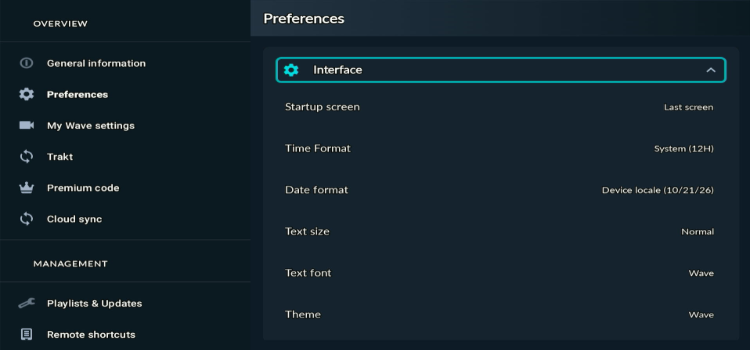
The Interface settings let you adjust the startup screen, time and date format, text size, font, and theme, with Theme Studio available for custom colours and effects. Choosing the profile selection screen at startup requires Premium.
5. Language
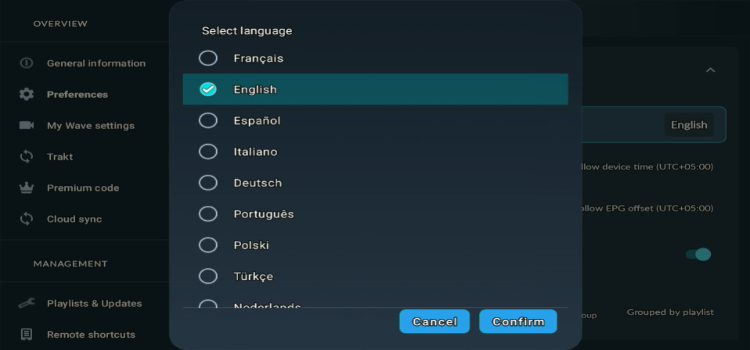
The player is available in 13 languages, including English, French, Spanish, German, Arabic, Spanish.
6. Catch Up
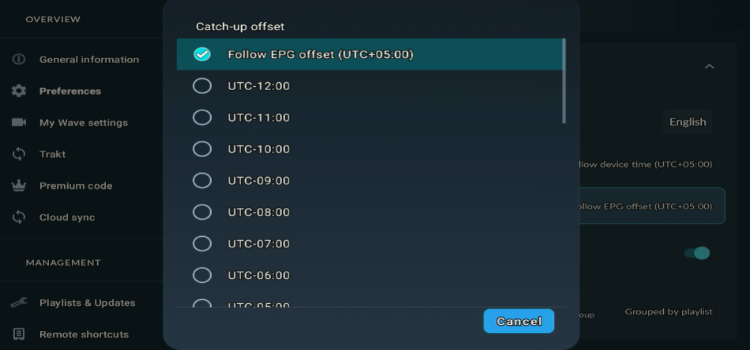
Catch Up lets you replay programmes that already aired from the TV guide, and the Catch-up offset setting corrects playback that starts too early or too late. Availability and replay duration depend on whether your IPTV provider supplies catch-up archives.
7. Parental Controls
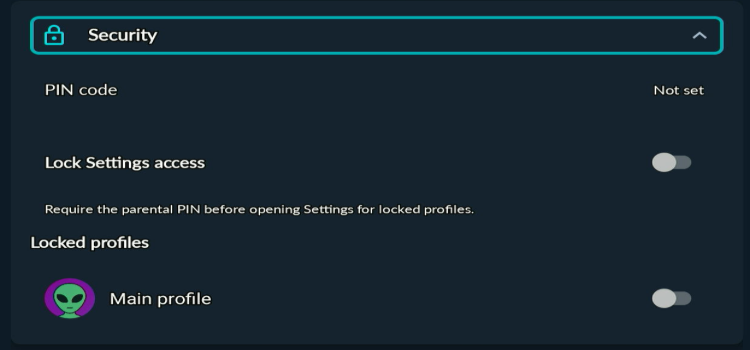
Parental Controls let you protect profiles with a PIN. This feature requires a Premium subscription, and the same PIN applies to all enabled protections.
8. Sorting
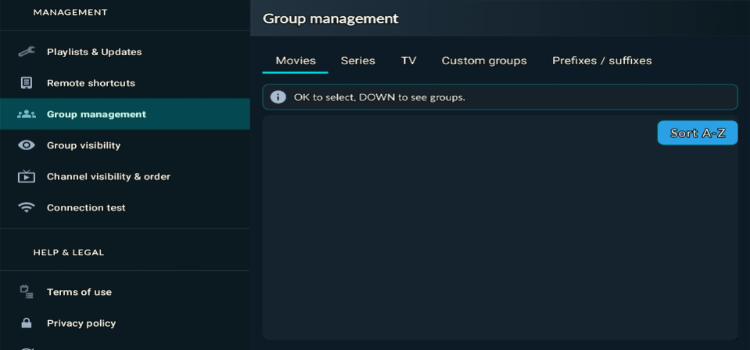
Sorting lets you organize movies, Series, and TV groups alphabetically using Sort A–Z in Group Management. You can also sort movies and series by name, date, rating, or playlist order. Additional options include custom groups and prefix/suffix rules, with custom group management requiring Premium.
9. Connection Test
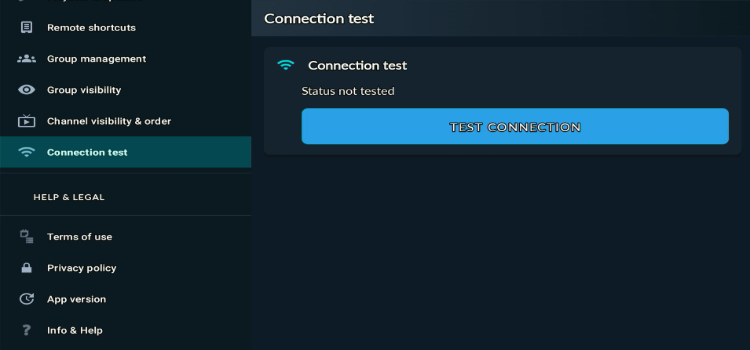
Connection Test verifies your active playlist’s login credentials, authentication status, and expiration date. However, it works differently with M3U playlists and does not check the functionality of individual streams.
10. Multi Screen

Multi Screen lets you watch up to 2 streams at the same time on a single screen, so you can follow two channels side by side without switching back and forth.
Is Waveo IPTV Player Safe and Legal to Use?
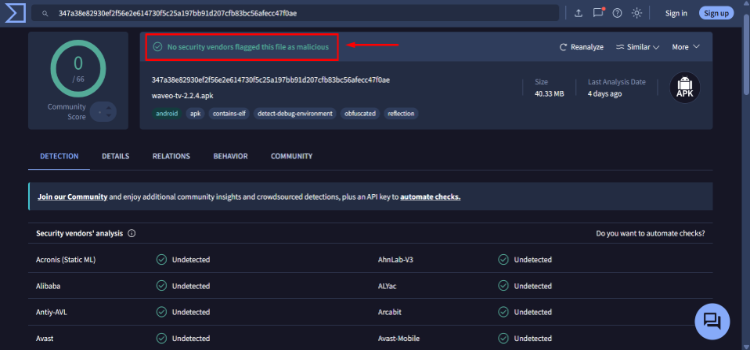
Waveo IPTV Player (v2.2.4) is safe to install and use. It returned a clean VirusTotal result, with no malicious threats or security risks detected.
However, the legality of streaming depends on the content source you use. A trusted VPN like Surfshark encrypts your internet traffic and helps keep your streaming activity private from your ISP.
Waveo IPTV Player Alternatives
If Waveo IPTV Player does not meet your streaming requirements, consider these IPTV player alternatives:
FAQs
1. Is Waveo IPTV Player free to use?
Yes, Waveo IPTV Player offers a free version with basic streaming features. You can also try selected Premium features with a 14-day free trial.
2. How much does Waveo IPTV Player Premium cost?
Waveo Premium costs €19.99 for a lifetime license. It unlocks features such as cloud sync, backup and restore, interface customization, and third-party integrations.
3. Does Waveo IPTV Player support multiple playlists?
Yes, Waveo supports M3U/M3U8 playlists, Xtream Codes, and experimental Stalker/MAG portals, allowing you to access content from supported IPTV providers.
4. Can I watch multiple channels simultaneously on Waveo?
Yes, Waveo supports multi-screen viewing with up to 2 streams, allowing you to watch multiple channels simultaneously.
Conclusion: Is Waveo IPTV Player Worth Using?
Waveo IPTV Player is a good option for users who want a modern, customizable, remote-friendly interface on FireStick, Android TV, and Google TV. It supports popular formats such as M3U, Xtream Codes, and experimental Stalker/MAG portals. Its free version includes EPG, catch-up TV, and multiple profiles.
The Premium Lifetime plan costs €19.99. It is worthwhile for users who want Cloud Sync, Backup/Restore, custom groups, advanced customization, and third-party integrations. You can try selected Premium features for 14 days, although Cloud Sync and Backup/Restore are excluded from the trial.
When using Waveo IPTV Player with an unverified provider, connect to Surfshark for added privacy. It encrypts your connection, helps keep streaming activity private from your ISP, and may help bypass geo-restrictions while traveling.
Rating: ⭐⭐⭐⭐ (4.2/5). A feature-rich IPTV player with a capable free version, but its advanced customization and cloud features require Premium.

