


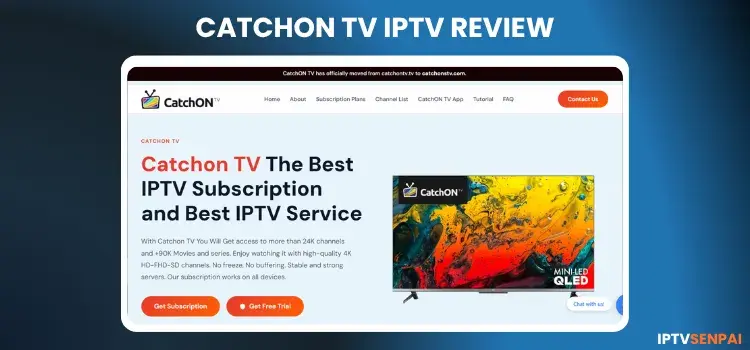
CatchON TV IPTV has delivered high-quality streaming to cord-cutters for over 6 years. This platform offers thousands of live TV channels, premium PPV access, and a massive VOD collection in HD resolution, though occasional buffering can occur on unverified services. It offers a 24-hour free trial.
In 2026, I tried to re-test the service but didn’t receive a trial. However, the website is still functional.
To protect your privacy and guarantee smooth playback, running Surfshark is highly recommended. Connecting to a secure U.K server masks your identity, bypasses regional blocks, and prevents aggressive ISP throttling while you enjoy your favorite broadcasts.
Recommended VPN for IPTV - Surfshark

Using IPTV without a VPN can put you at Big Risk! Your ISP, government and even IPTV providers can monitor your activity, throttle your speed, or block access altogether.
Plus, without encryption, your data is exposed to hackers and third parties. Take back your privacy with Surfshark!
Features:
✅ SAVE 87% + GET 3 EXTRA MONTHS FREE! ($0.06/day)
✅ Kill Switch Feature to protect you if VPN drops
✅ Lightweight app ensuring smooth performance on All IPTV Boxes
✅ Unlimited simultaneous connections (install on all household devices)
✅ 30-day risk-free money-back guarantee
✅ Strict no-logs policy, Secure & Untraceable
CatchON TV Official Website
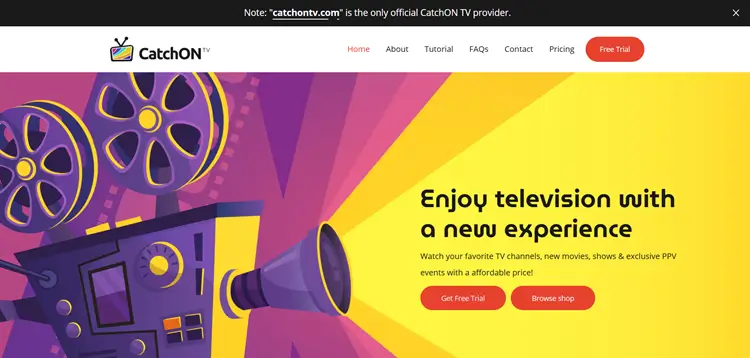
Multiple fake clone platforms like catchontv.tv and catchoniptv.com try to exploit this service. Therefore, you must always verify the site’s layout using the screenshot above before entering any sensitive payment details or purchasing a premium plan. Here’s the URL for your convenience: catchonstv.com
To avoid dangerous internet scams and double-checking the URL is vital. Manually visit their official domain to explore authentic pricing packages, download links, and verified customer support channels without risking your online safety.
Does CatchON TV IPTV offer a Free Trial?
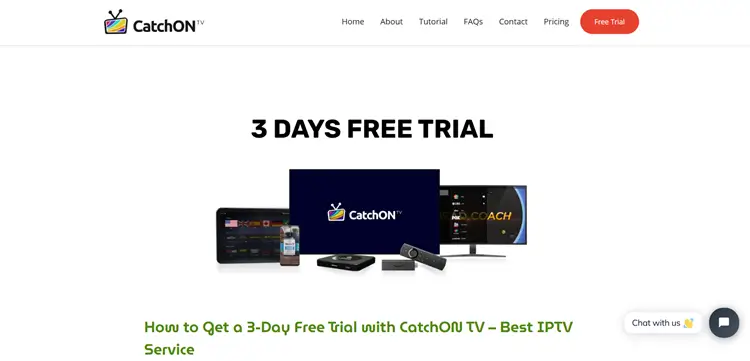
Yes, CatchON TV IPTV offers an impressive 24-hour free trial that provides full access to all premium features. New cord-cutters can instantly grab the trial code directly from the official website without waiting for email activation delays.
To start streaming, simply download their custom application and input the provided prepaid code. Note that this trial is strictly limited to one use per device and IP address to prevent platform exploitation.
CatchON IPTV Features
- Trial: 24 Hour Free Trial
- Subscriptions: Start at $23/month
- Connections: 5 Connections per subscription
- Live Channels: Yes
- PPV: Included
- VOD Content: Yes
- Streaming Quality: HD Streaming. No Buffering
- Payment Methods: Cryptocurrency (Bitcoin Only)
- Compatible Players: Tivimate, IPTV Smarters Pro, Sparkle Player
- Compatible Devices: FireStick, Android TV, Android Phones, ONN, NVIDIA Sheild Pro, etc.
- Customer Support: Very Responsive. (Available through Email and Live chat)
Pros & Cons
Follow this clear step-by-step installation guide to configure the layout smoothly on your FireStick or Android device.
1. Request Free Trial/Subscription Plan
Step 1: Visit catchonstv.com on your laptop/PC/mobile, and click “Free Trial”.
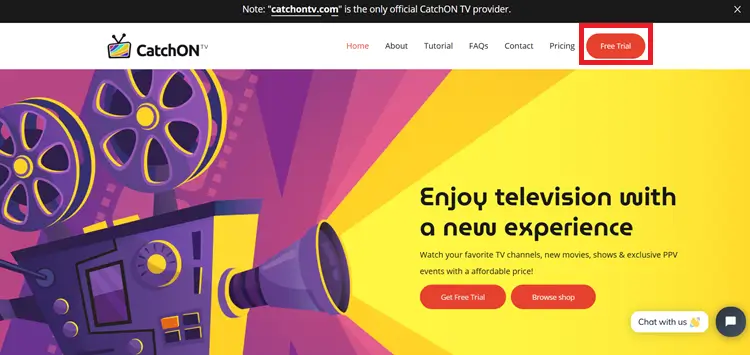
Step 2: Scroll down to find the APK link, Downloader code, and the Prepaid code for the free trial. Note it down.
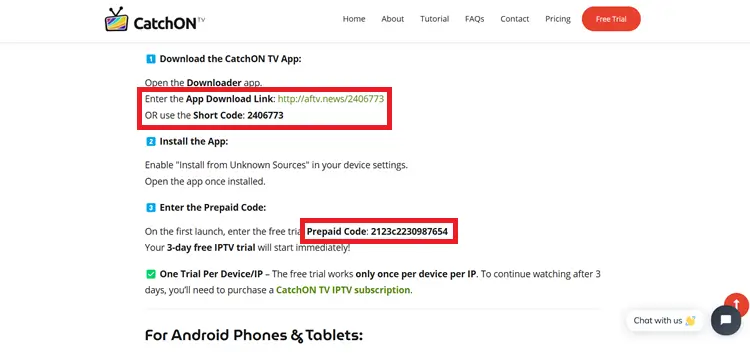
Step 3: To subscribe, click on Pricing from the top menu on the main screen, then select the plan that best suits your needs.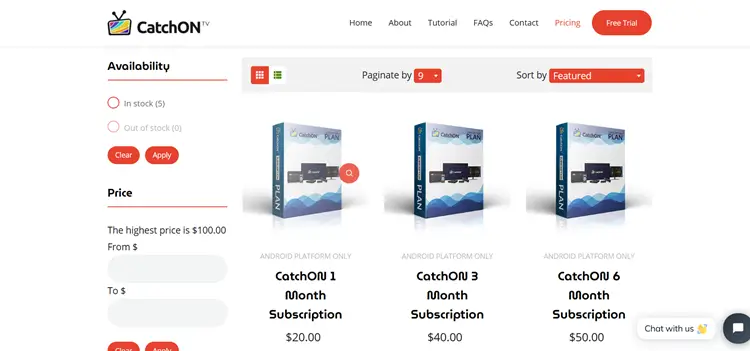
Step 4: Click Contact Us to purchase.
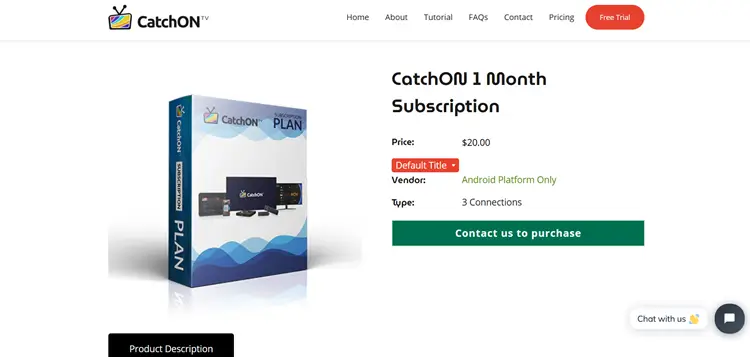
Step 5: You will be connected to a representative who will guide you through the process
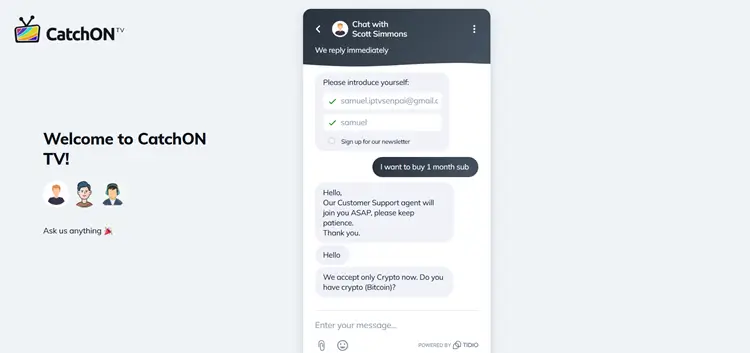
2. Install CatchON TV Custom APK
To stream CatchON TV IPTV, you need to install its custom APK. You can do this on your FireStick and Android TV devices using the Downloader app, and on your Android phones directly using the APK link.
Step 1: Install the Downloader App and Open it.
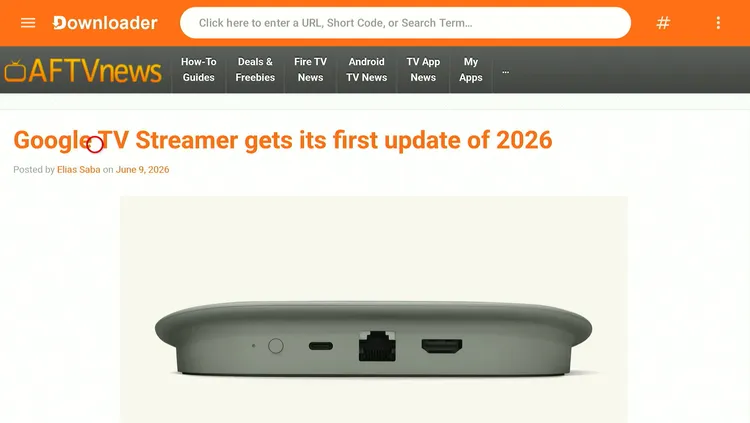
Step 2: Enter the CatchON TV APK Code 5728794 OR CatchON TV APK Link tinyurl.com/32t9shj9
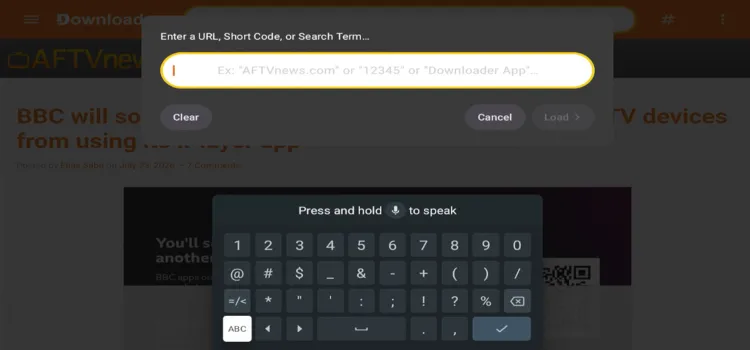
Step 3: The APK will start downloading.
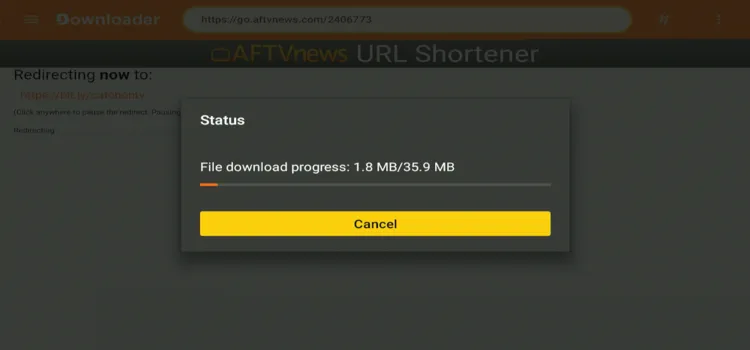
Step 4: Click Install.
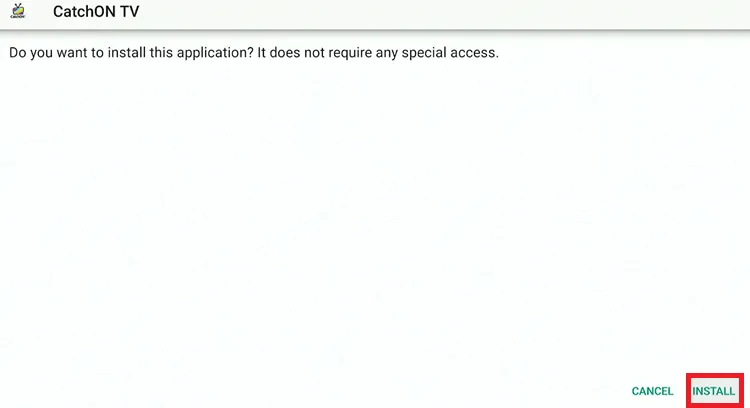
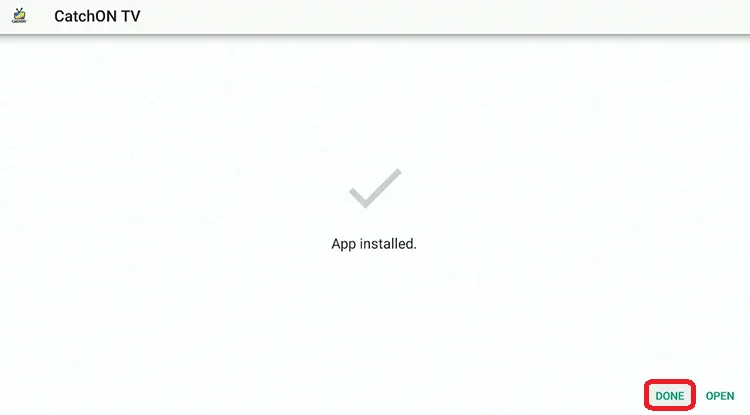
Step 5: Click Done.
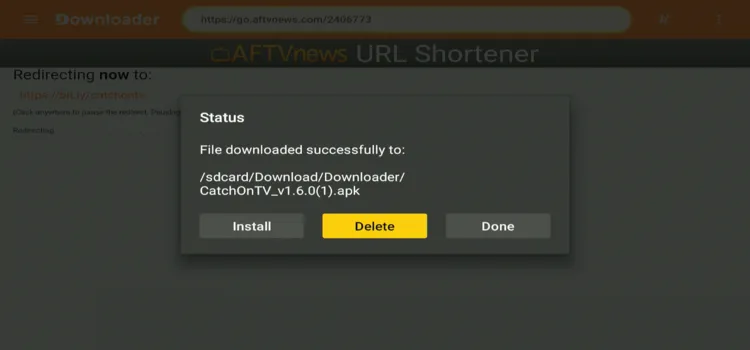
Step 6: Click Delete.
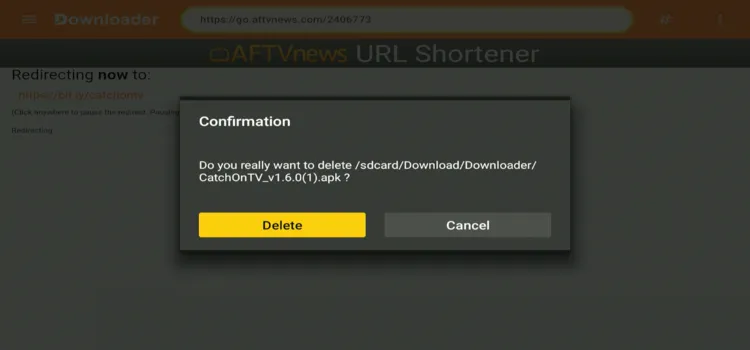
Step 7: Click Delete Again.
3. Connect to the VPN & Enter the Code/Login Credentials.
Use a VPN with IPTV to protect your privacy, avoid throttling, and bypass geo-blocks. I don’t stream without Surfshark helps me access unofficial links securely and reliably.
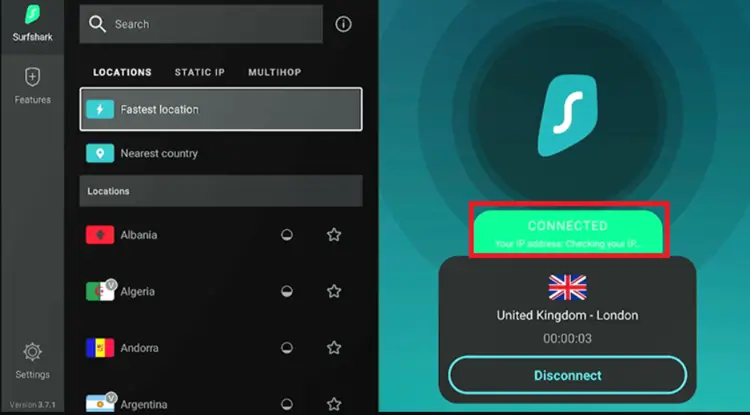
Step 1: Open the Surfshark app and connect to an U.K server for optimal performance.
Step 2: Switch on your Fire TV Stick and press the home button. Your interface will be displayed.
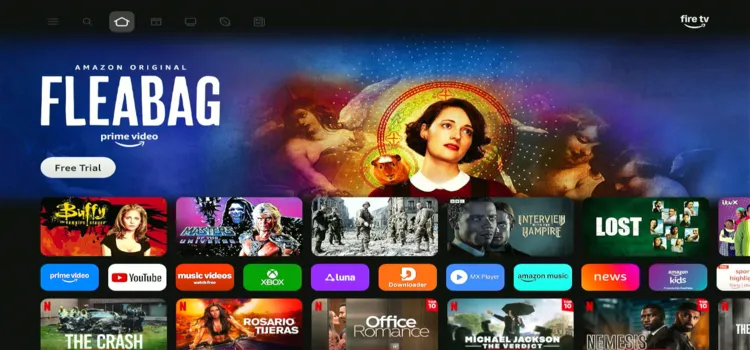
Step 3: Choose CatchON TV IPTV App.
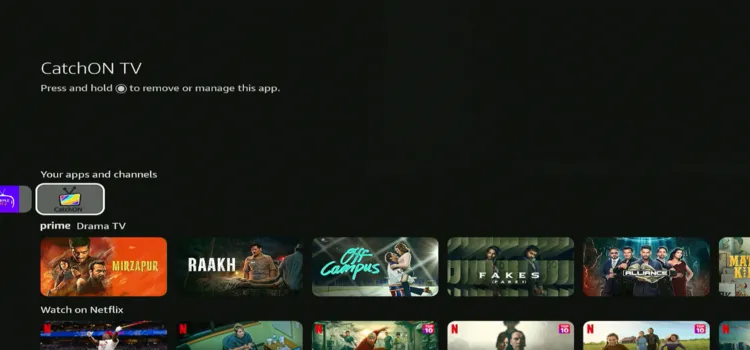
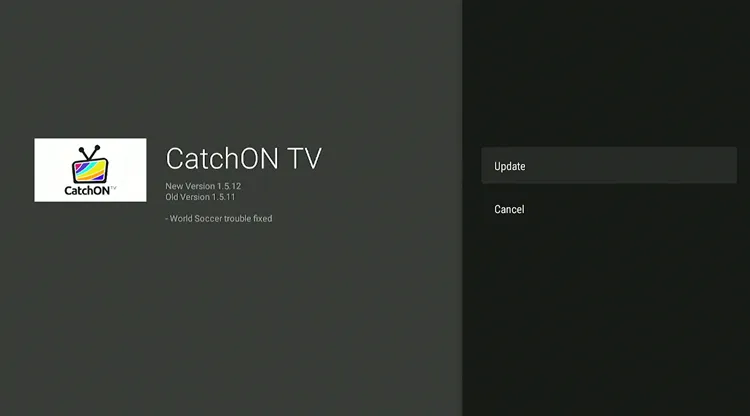
Step 4: If there is an Update. Click on Update.
Step 5: You will be required to be permitted to install Unknown Apps. Click Settings.
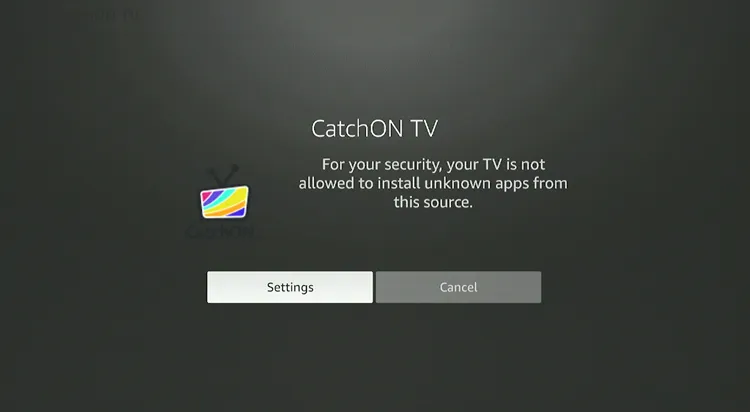
Step 6: Turn On the Toggle.
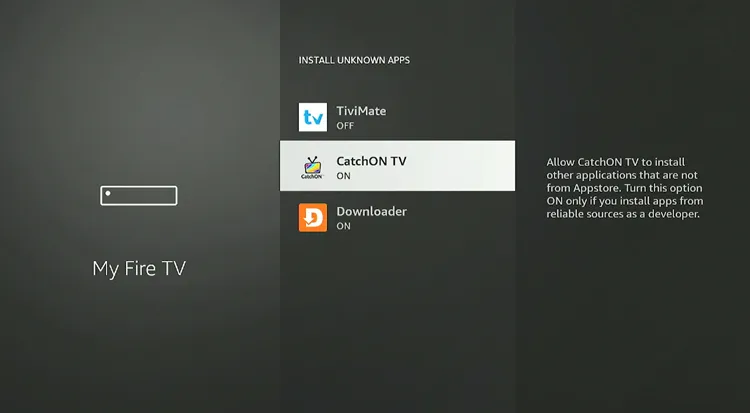
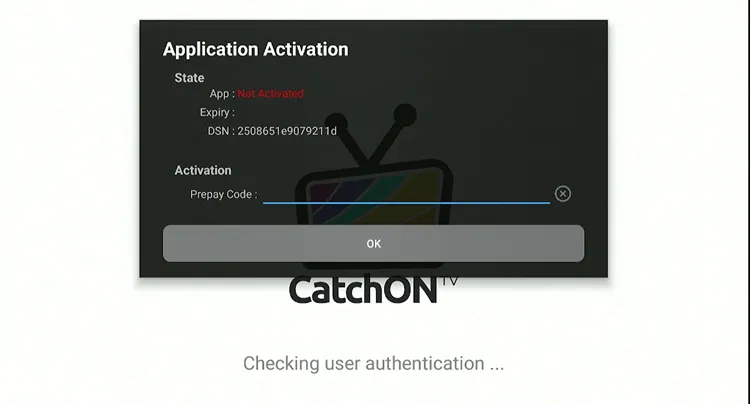
Step 7: Enter the PrePay Code given to you on the website.
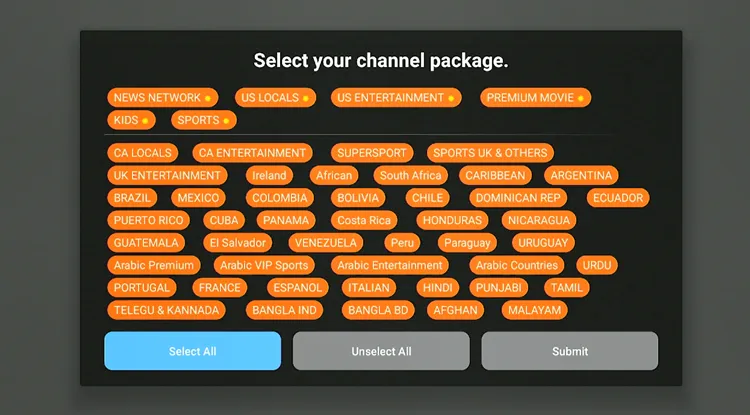
Step 8: Select what you want to watch.
Step 9: CatchON TV is set up. You will see all the categories.
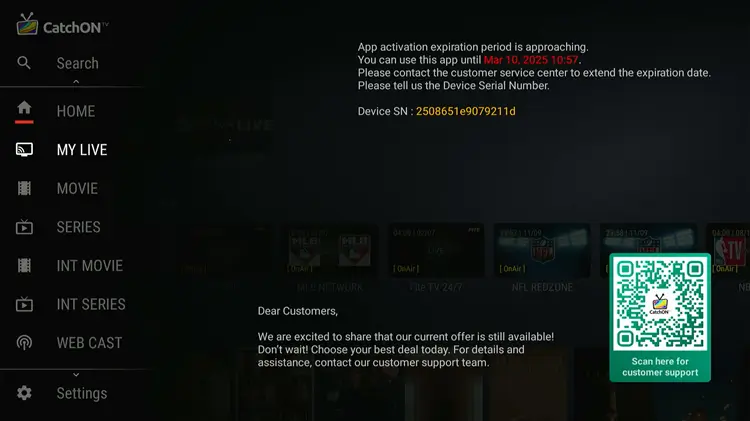
Step 10: Choose the Category and Channel you want to watch.
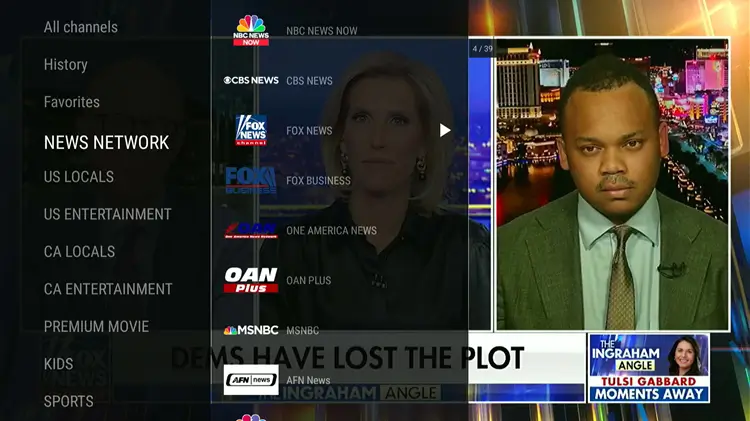
Step 11: Start Streaming.

What Can I watch on CatchON TV IPTV?
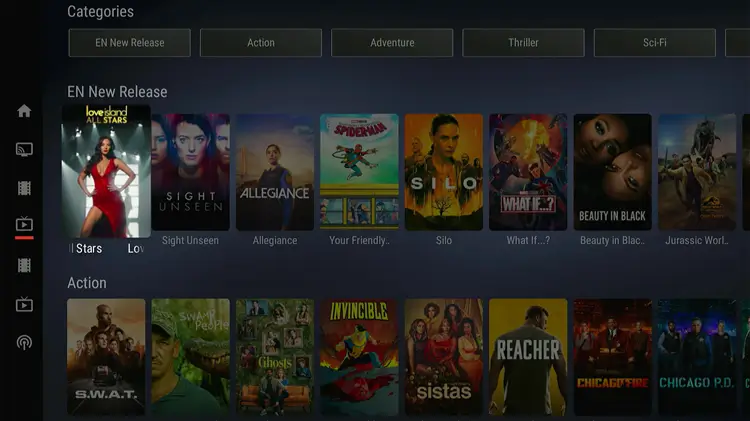
CatchON TV IPTV provides a complete entertainment package with diverse content for all viewing preferences. Whether you’re a sports fan, movie lover, or news follower, there’s something for everyone.
Here’s a breakdown of what you can watch on CatchON TV IPTV:
1. Live TV Channels
The service grants premium access to thousands of global live TV channels. This extensive directory seamlessly covers popular broadcasting options from the USA, UK, and Canada, alongside international programming spanning Europe, Asia, Latin America, and African networks.
- USA, UK, and Canada – Popular entertainment, news, and local channels.
- International Channels – Coverage from Europe, Asia, Africa, and Latin America.
- News Channels – Stay updated with CNN, BBC, Fox News, Al Jazeera, and more.
- Kids & Family Channels – Cartoon Network, Disney, Nickelodeon, and more.
- Lifestyle & Reality TV – Food Network, HGTV, Travel Channel, etc.
2. Sports & Live Events
Sports fans will love the comprehensive athletic coverage integrated into this platform. The provider lets you stream intense, high-definition action across soccer, basketball, baseball, and MMA tournaments, bringing live stadium excitement straight to your home television screen.
- Live Matches & Events – Soccer, Basketball, Baseball, UFC, WWE, and more.
- Dedicated Sports Networks – ESPN, Fox Sports, NBC Sports, Sky Sports, DAZN, etc.
- PPV & VIP Events – Access to premium pay-per-view events, including UFC, Boxing, and WWE.
- Replay & Highlights – Did you miss a match? Watch replays of major sporting events.
3. Video-On-Demand (VOD) – Movies & TV Shows
Binge-watching your favorite media is highly satisfying with the service’s massive video-on-demand library. This deeply stocked catalog updates regularly with the latest Hollywood blockbusters in HD and 4K quality, classic cult cinema, and complete television box sets.
- Latest Hollywood Movies – Watch newly released films in HD & 4K.
- Classic & Cult Films – Access a collection of all-time favorite movies.
- TV Series & Box Sets – Stream complete seasons of your favorite shows.
- 24/7 TV Channels – Non-stop streaming of specific genres, including crime, drama, and comedy.
- Catch-Up TV – Watch shows that aired in the last few days.
- Exclusive Streaming Content – Includes select Netflix, Hulu, and Prime Video series.
- Live Concerts & Music Channels – 24/7 streaming of music videos, radio stations, and concerts.
How Much Does CatchON TV IPTV Cost?
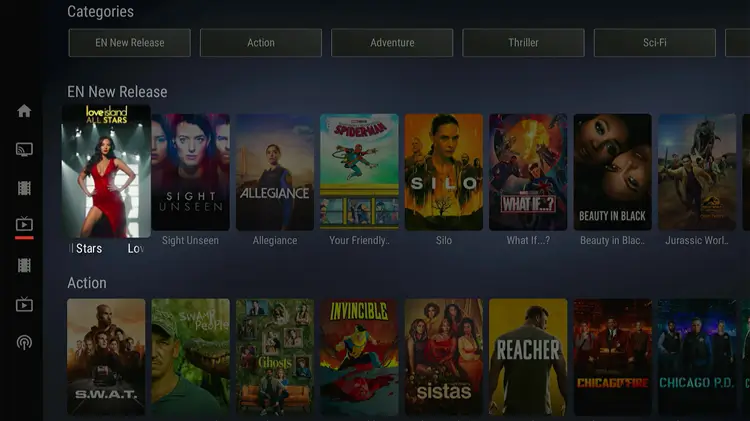
CatchON TV offers flexible IPTV subscription plans exclusively for Android users, providing access to a variety of live TV channels, on-demand content, and more. It offers up to 5 connections.
| Connections / Devices | 1 Month | 3 Months | 6 Months | 12 Months |
|---|---|---|---|---|
| 1 Connection | $23/month | $46 total | $80 total | $90 total |
| 2 Connections | $40/month | $80 total | $149 total | $149 total |
| 3 Connections | $51/month | $103 total | $170 total | $227 total |
| 4 Connections | $57/month | $107 total | $227 total | $255 total |
| 5 Connections | $69/month | $116 total | $255 total | $282 total |
Is CatchON TV IPTV Legal & Safe to Use?
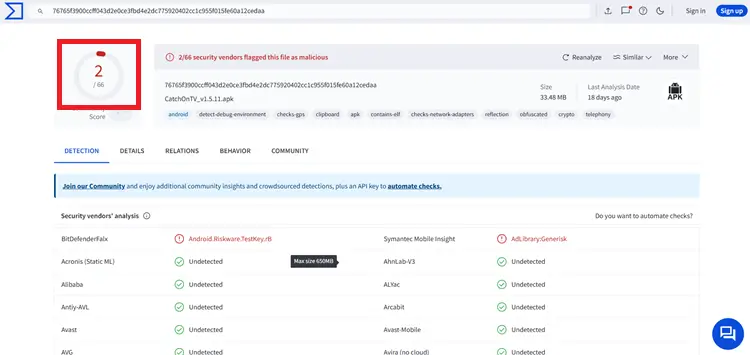
Because it operates as an unverified platform, verifying its official content licensing agreements is impossible. Furthermore, a VirusTotal scan flagged the application with minor security flags on the custom APK.
The best way to protect your identity is by running a verified VPN. Using Surfshark encrypts your connection, masks your true IP address, and stops your internet provider from tracking your personal habits or throttling speeds.
Pro Tip: How to Choose the Right IPTV and Avoid Scams.
How is IPTV Service’s Customer Support?
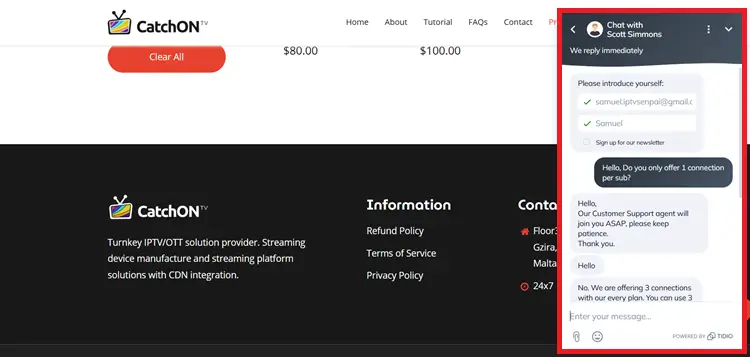
CatchON TV IPTV provides 24/7 customer support via live chat and email, offering quick and responsive assistance. If you encounter any issues with payments or your code isn’t working, you can reach out to their support team for immediate help.
CatchON TV IPTV Alternatives
FAQs
1. Does it work with any other apps?
2. Does CatchON TV IPTV offer a refund policy?
No, CatchON TV IPTV does not offer refunds due to high processing fees. Customers are encouraged to take advantage of the 3-day free trial before purchasing a subscription.
3. How do I install CatchON TV IPTV?
Download the custom APK from the official website using the direct link or Downloader code. Install it on your device, enter your login credentials or prepaid code, and start streaming.
4. Does CatchON TV IPTV offer a refund policy?
No, they do not offer refunds under any circumstances due to high crypto processing fees.
Is CatchON TV IPTV Worth It?
CatchON TV IPTV delivers a highly competitive streaming experience, boasting an impressive 24-day free trial and a 24/7 customer support. While the crypto-only payment requirement might deter some users, the generous three-device connection limit makes it worth considering.
If you decide to explore this unverified provider, protect your digital footprint beforehand. Always run Surfshark on your device to ensure complete data privacy, bypass ISP throttling, and maintain a seamless, buffer-free entertainment layout.

