



NexTV IPTV Player is worth checking out if you want an IPTV player that feels like Netflix rather than a traditional app. It supports live TV, movies, and TV series, but I found its VOD experience noticeably stronger. The player also has a companion app.
The player uses a modern interface consisting of TMDB metadata to display posters, ratings, cast information, and recommendations, making navigation effortless. Live TV with EPG and catch-up support works well, though NexTV feels slightly less polished.
If your IPTV source is geo-restricted or affected by ISP throttling, a VPN like Surfshark can help protect your online privacy by encrypting your streaming activity and masking your IP address.
Recommended VPN for IPTV - Surfshark

Using IPTV without a VPN can put you at Big Risk! Your ISP, government and even IPTV providers can monitor your activity, throttle your speed, or block access altogether.
Plus, without encryption, your data is exposed to hackers and third parties. Take back your privacy with Surfshark!
Features:
✅ SAVE 87% + GET 3 EXTRA MONTHS FREE! ($0.06/day)
✅ Kill Switch Feature to protect you if VPN drops
✅ Lightweight app ensuring smooth performance on All IPTV Boxes
✅ Unlimited simultaneous connections (install on all household devices)
✅ 30-day risk-free money-back guarantee
✅ Strict no-logs policy, Secure & Untraceable
Is NexTV IPTV Player Free?

Yes. NexTV IPTV Player is free, but it includes NexTV+ in-app purchases for the full cross-platform experience and premium functionality.
As of 2026, NexTV+ Lifetime is priced at $19.99 on Google Play Store and $24.99 on Apple Store. Pricing varies slightly depending on your region and platform. The app remains functional, though development activity has paused.
Key Features
- Pricing: Free + (NexTV+ Lifetime – $19.99 on Google Play Store & $24.99 on Apple Store)
- User Interface: Sleek, modern UI with category toggles and sorting
- Device Compatibility: Android, Android TV, FireStick, iOS, Desktop
- Playlist Support: Xtream Codes & 1-Stream
- Multi-Screen Support: No
- Electronic Program Guide (EPG): Yes
- Parental Controls: No
- Subtitle & Language Options: Yes
- External Player Support: No
Pros & Cons
| Pros | Cons |
|---|---|
| ✓Clean, modern Netflix-style interface | —Live TV feels less polished and may crash when switching channels |
| ✓Decent VOD experience with TMDB metadata | —EPG is basic and less intuitive |
| ✓Supports Xtream Codes and EPG | —No multi-view or external player support |
| ✓Works on FireStick, Android, and iOS | —No parental controls |
| ✓Good playlist, group, and watchlist management | —No M3U support |
| ✓ Cloud sync across supported devices | —No recording support |
| ✓Content recommendations and actor search | —Development activity has paused |
How to Install NexTV on FireStick
Step 1: Launch the Downloader app.
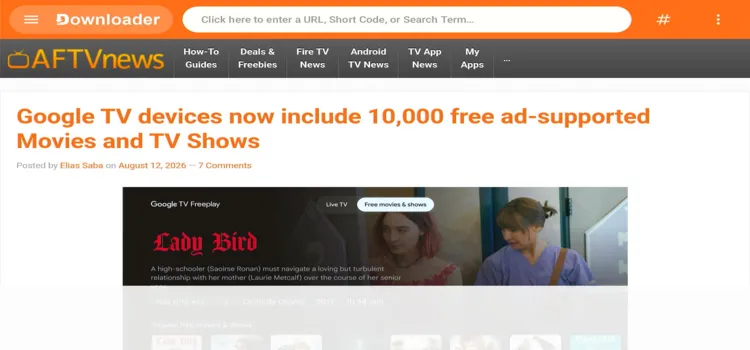
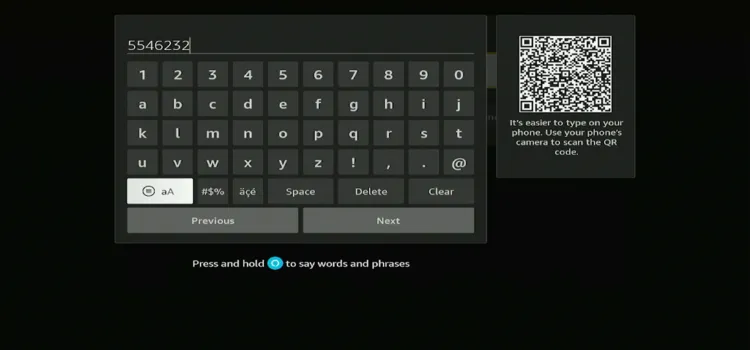
Step 2: Enter the NexTV IPTV Player downloader code 5546232 in the search bar OR enter this URL bit.ly/43pEVWO and click Go.
Step 3: Scroll down to the IPTV Players section, find the NexTV IPTV Player, and tap on it to proceed.

Step 4: A MediaFire page will open. Click Download.

Step 5: Your APK file will start downloading.

Step 6: Click Install.

Step 7: Click Done.

Step 8: Click Delete to delete the installation file to free up storage space.

Step 9: Click Delete Again.

How to Set Up NexTV IPTV Player for IPTV Streaming
Always use a trusted VPN to encrypt your connection and bypass geo-restrictions, especially when handling unverified third-party IPTV links.
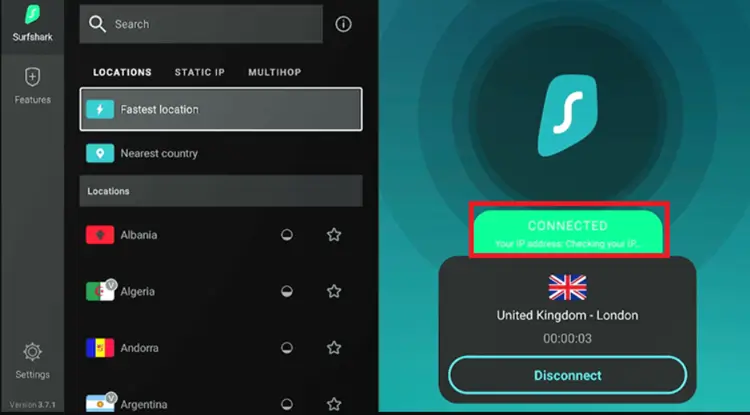
Step 1: Open your Surfshark app and connect to any server.
Step 2: Go to Home page and under Your Apps, select NexTV.

Step 3: Click the Settings icon in the top right corner.

Step 4: Click Add Playlist.

Step 5: Enter Portal URL, Username, and Password. Click Submit.

Step 6: Your playlist has been successfully added.

Step 7: Choose a channel of your choice.

Step 8: Enjoy Streaming!

To unlock the full NexTV+ experience, including access to Movies and TV Shows, you’ll need to create a free account to manage basic features such as your playlists, favorites, and groups.
Step 1: Visit companion.nextv.fr on your laptop/PC/mobile.

Step 2: Select Sign In from the left menu, then click Register.

Step 3: Enter your email and password. Click Submit to complete your registration.

Step 4: Select the NexTV+ Lifetime plan for a one-time payment plan. Click Subscribe Now.
Step 5: If you don’t want to upgrade to NexTV+, you can still use the companion website to manage your Playlists, My Devices, and Purchases.

Step 6: On your NexTV Player, note the 4-digit pairing code, then enter it in the NexTV Companion app to quickly link your device.
Step 7: Enter the 4-digit code you noted from the NexTV player screen into the Companion app and click Next to proceed.

Step 8: Once connected, navigate to My Playlists in the Companion app and click Add a playlist.

Step 9: To add your playlist, use credentials as M3U option is unavailable on the player.

Step 10: Enter your IPTV playlist details, including Name, Host, Port, Username, and Password, then click Submit to add the playlist.

Best NexTV Features I Tested
NexTV has several features that make it more appealing for movies and TV shows than many basic IPTV players.
1. User Interface Customization

Settings → Playlists → Manage Categories
2. TMDB Movie & TV Information
NexTV integrates with TMDB to improve the information displayed for movies and shows. It displays detailed cast/crew information, ratings, posters, and artwork for movies and TV shows, making content discovery more fun and insightful.

3. Search by Actor & Filmography
In the NexTV search bar, you can search for movie titles, actors, and their filmographies, which is useful when browsing content

4. Add to Watchlist
Long-press any channel or movie, select Add to Watchlist. You can access your saved content from the Home screen.

5. EPG Source
The player lets you add and manage a custom EPG source using an EPG URL. You can also adjust the refresh interval, guide history, and time offset if your program listings are incorrect or out of sync.

Settings → Add a Source → Enter URL
6. Player Options
NexTV provides separate playback settings for Live TV and VOD. You can select the player engine, adjust fast-forward and rewind duration, enable frame-rate matching, and control options such as buffering notifications.

Settings → Player Options → Live TV / VOD
Is NexTV IPTV Player Safe and Legal to Use?

NexTV IPTV Player is safe to use. We scanned the official Android APK file using VirusTotal, and the results showed no malware, trackers, or security issues.
However, NexTV is only an IPTV player and does not provide content itself. If you connect it to unverified or geo-restricted sources, a premium VPN like Surfshark will encrypt your connection, improve privacy, and reduce ISP tracking.
NexTV IPTV Player Alternatives
Here are some IPTV players worth trying if NexTV doesn’t fully meet your needs.
Supported Devices
NexTV IPTV Player is compatible with all major devices. This includes:
- Fire TV Stick
- NVIDIA Shield
- Onn. Stream 4K Box
- MiTV Box
- Android/iOS/macOS/Windows
FAQs
1. Is NexTV IPTV Player free?
Yes. NexTV is free to download, while NexTV+ unlocks additional premium features through a one-time lifetime purchase.
2. Does NexTV IPTV Player provide IPTV channels?
No. NexTV is only an IPTV player and does not provide live TV, movies, or TV shows. You need your own IPTV playlist or provider credentials.
3. What IPTV formats does NexTV support?
NexTV supports Xtream Codes, and 1-Stream, making it compatible with many IPTV services.
4. Can I sync my watch history and playlists across devices?
Conclusions
NexTV IPTV Player is a strong choice if you prefer a Netflix-style interface with rich TMDB details, recommendations, watchlists, EPG, and catch-up support. Its VOD experience is where the app performs decently, but limited unless you pay.
For live TV, TiviMate, Sparkle TV, or iMPlayer is a better option. TiviMate Player is still the top choice; its $33.99 lifetime plan includes useful features like multi-view, recording, EPG customization, etc. It’s reliable and easy to manage, offering a more complete IPTV experience overall.
Rating: ⭐⭐⭐½ (3.5/5). Promising IPTV player with a decent VOD experience, but better alternatives exist for live TV.

