


Televizo is one of the highly rated IPTV players in 2026. It lets you stream live TV and VOD seamlessly. You simply integrate M3U and Xtream Codes from your provider. I tested its performance and layout to share my exact experience.
The app has one of the best layouts with solid customization options and all the basic features. It offers both a reliable free version and a premium lifetime upgrade. The premium access costs just around $11.99 and includes a quick 1-hour free trial to test its advanced features before buying.
Always remember that streaming IPTV safely requires a top-rated VPN for IPTV. Without it, you risk ISP throttling and privacy breaches. Stay secure and anonymous while enjoying your favorite channels.
Recommended VPN for IPTV - Surfshark

Using IPTV without a VPN can put you at Big Risk! Your ISP, government and even IPTV providers can monitor your activity, throttle your speed, or block access altogether.
Plus, without encryption, your data is exposed to hackers and third parties. Take back your privacy with Surfshark!
Features:
✅ SAVE 87% + GET 3 EXTRA MONTHS FREE! ($0.06/day)
✅ Kill Switch Feature to protect you if VPN drops
✅ Lightweight app ensuring smooth performance on All IPTV Boxes
✅ Unlimited simultaneous connections (install on all household devices)
✅ 30-day risk-free money-back guarantee
✅ Strict no-logs policy, Secure & Untraceable
Quick Overview of Televizo Player
- Free Version: Basic features with ads
- Premium Version: $9 – $10, upto 5 devices
- Free Trial: 1-hour free trial.
- Supported Formats: M3U, Xtream Codes
- Compatibility with Devices: Fire TV, Android TV, Android Phones, Onn 4K Box
- DVR: No
- External Player Integration: Yes
Pros & Cons
| Pros | Cons |
|---|---|
| ✓Clean, beginner-friendly interface | —Free version contains ads |
| ✓Supports M3U and Xtream Codes | —No DVR or live recording |
| ✓Affordable lifetime Premium plan | —Not available on iPhone or Apple TV |
| ✓Includes EPG and multiple playlist support | —Requires sideloading on FireStick |
| ✓Offers external player integration | —Fewer advanced features than TiviMate |
Is Televizo Free?
Yes, Televizo offers a capable free version. It allows you to stream live TV and VOD without paying. You get basic features like playlist management, favorites, and a sleep timer.
However, the free tier includes ads. Upgrading to the premium version removes ads and adds auto full-screen playback. While not groundbreaking, the upgrade is significantly cheaper compared to rivals.
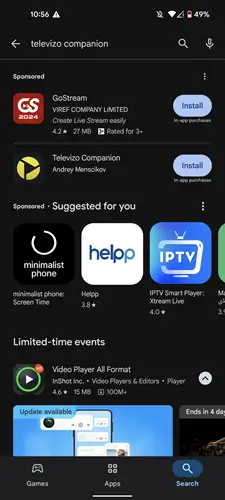
The lifetime premium access is a one-time payment. Simply purchase it securely through the Televizo Companion App available directly on the Google Play Store.
What Features Does Televizo Offer?
The free tier delivers standard streaming essentials. It competes incredibly well with other top IPTV players like XCIPTV. Here is exactly what you get without paying.
- Personalized layout with List or Grid options.
- Clean and responsive Search Bar.
- Support for multiple playlists simultaneously.
- Easy integration of Electronic Program Guide (EPG).
-
Audio and Subtitle selection.
If you purchase the premium version, you unlock advanced functionalities. These tools are tailored for power users seeking an optimized 2026 streaming experience.
- Complete Removal of Ads.
- Advanced Parental Controls.
- Auto frame rate for smoother playback.
- Auto full-screen mode.
- Backup and Restore capabilities.
How to Install & Set Up Televizo for IPTV Streaming
Televizo is officially on the Google Play Store, installing it on Android devices is effortless. You just download it and enter your provider’s details. However, it remains unavailable on the Amazon Fire TV Stick. FireStick users must safely sideload the APK using the Downloader app.
Step 1: Install & Open the Downloader app.
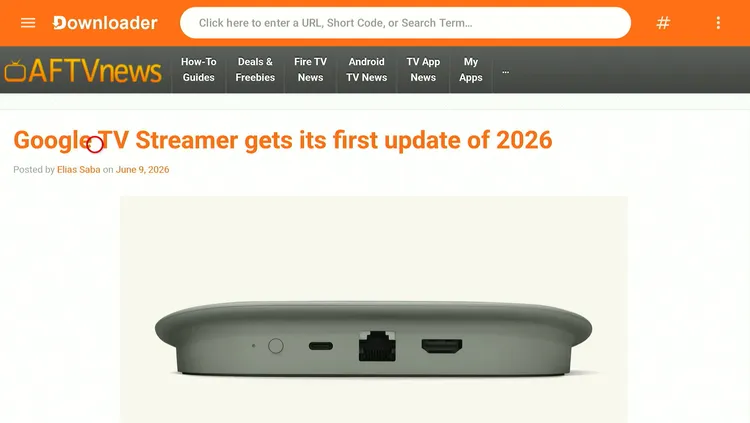
Step 2: Enter the Televizo APK code 5546232 in the search bar OR enter this URL bit.ly/43pEVWO and click Go.
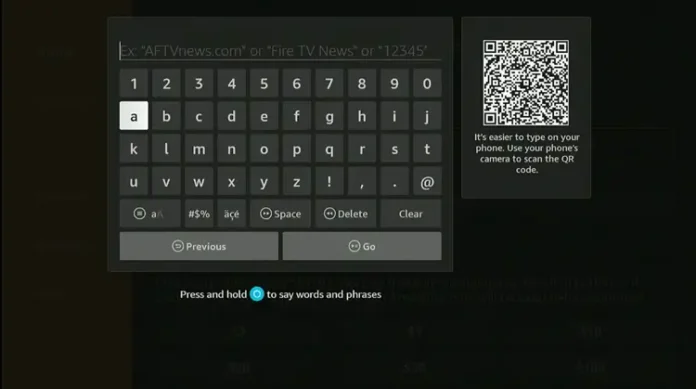
Step 3: Scroll down to the IPTV Players section, find the Televizo app, and tap on it to proceed.
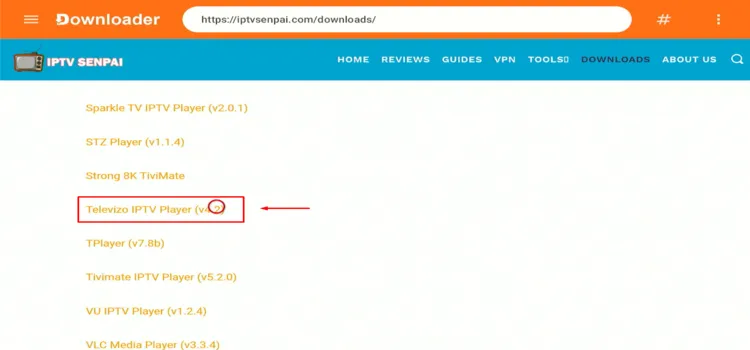
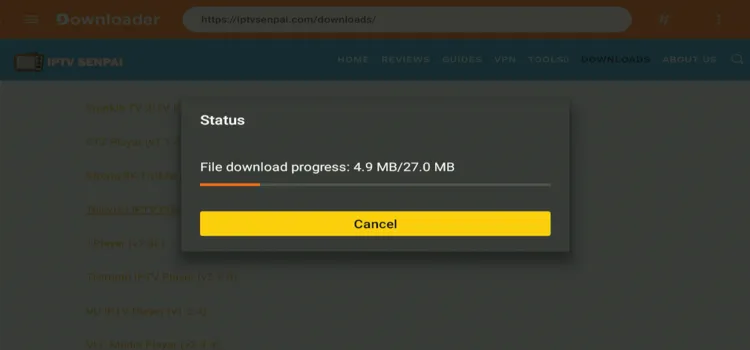
Step 4: The APK will start downloading. Wait for the APK to download.
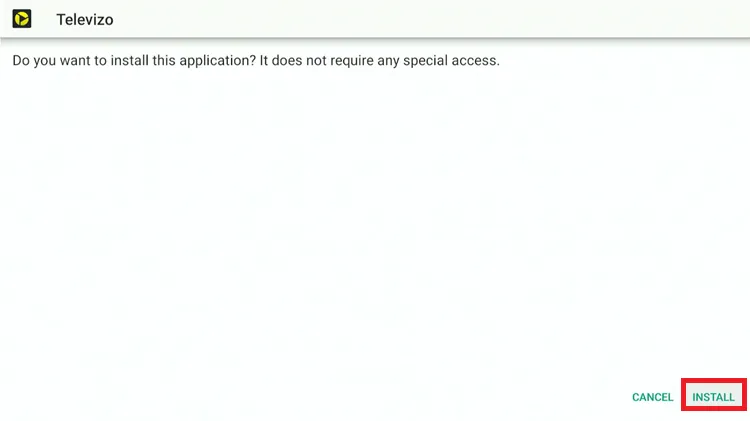
Step 5: When prompted, click Install.
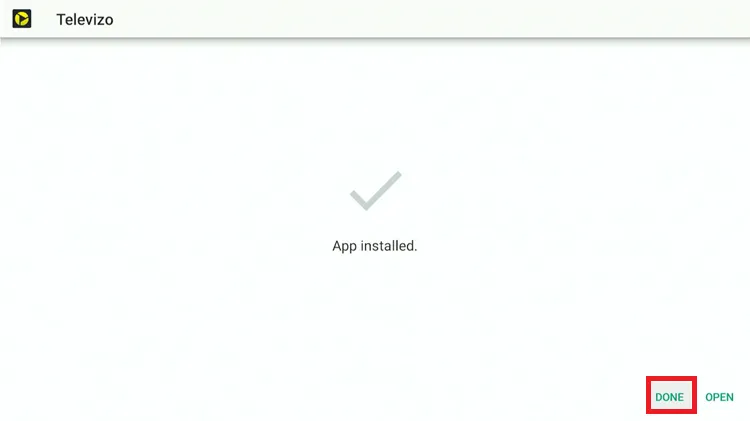
Step 6: Once installed, select Done.
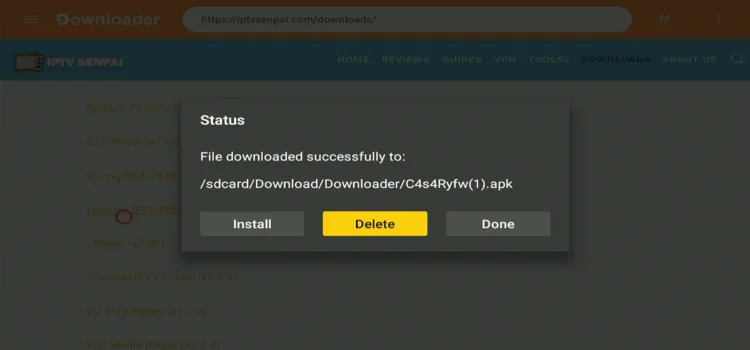
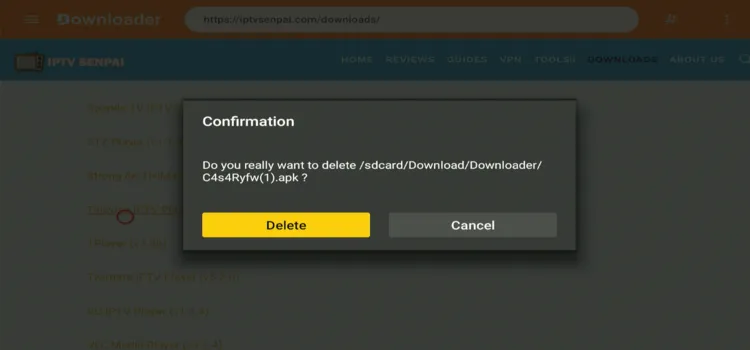
Step 7: Click Delete to remove the APK and free up space.
Step 8: Confirm by clicking Delete again.
How to Set Up Televizo for IPTV Streaming
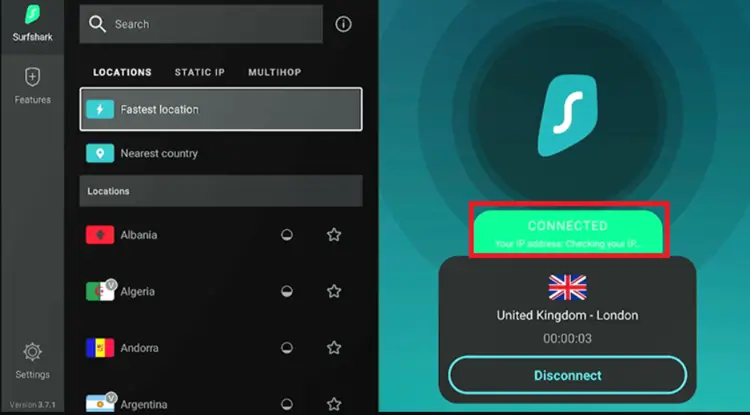
Also, before starting it, I recommend securing your streaming activity by making sure that your connection is routed through Surfshark servers. This helps you stay anonymous, prevents ISP throttling, and bypasses content restrictions.
Step 1: Launch your Surfshark app and connect to any server location.
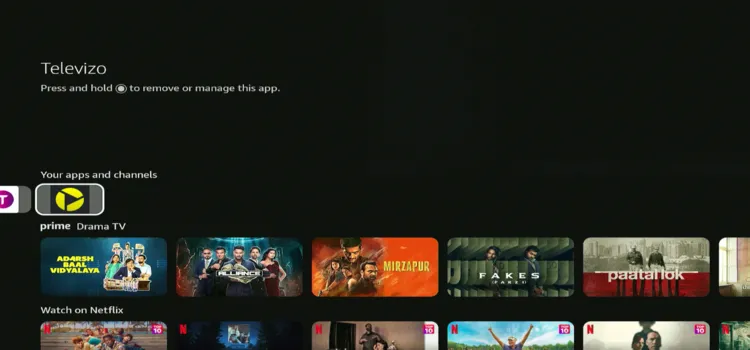
Step 2: Long-press the Home button. Under Your Apps & Channels, select Televizo.
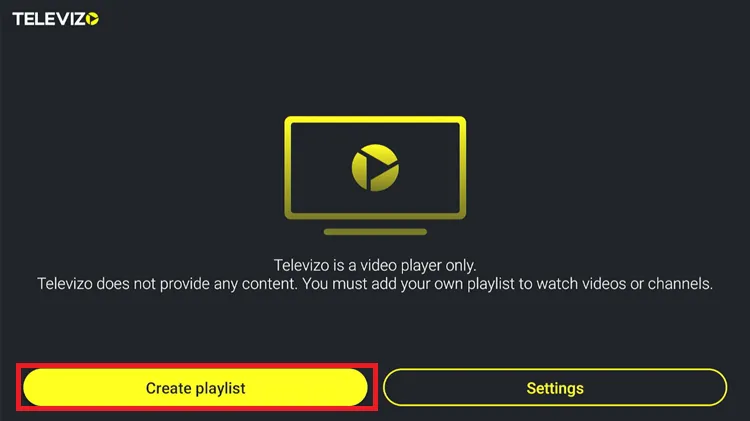
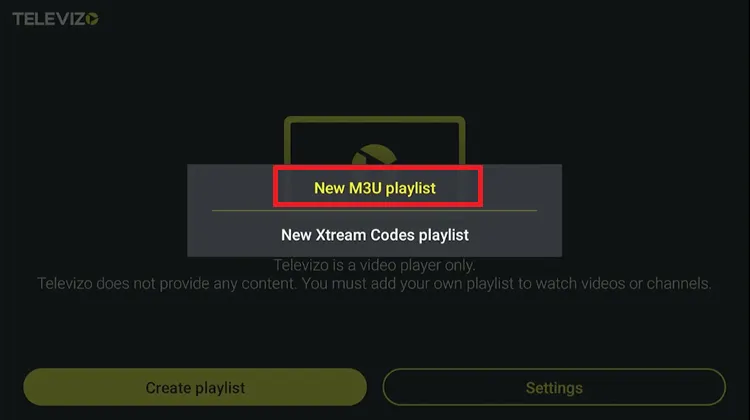
Step 3: Click Create Playlist.
Step 4: Choose the format you received from your IPTV provider (I chose M3U Playlist).
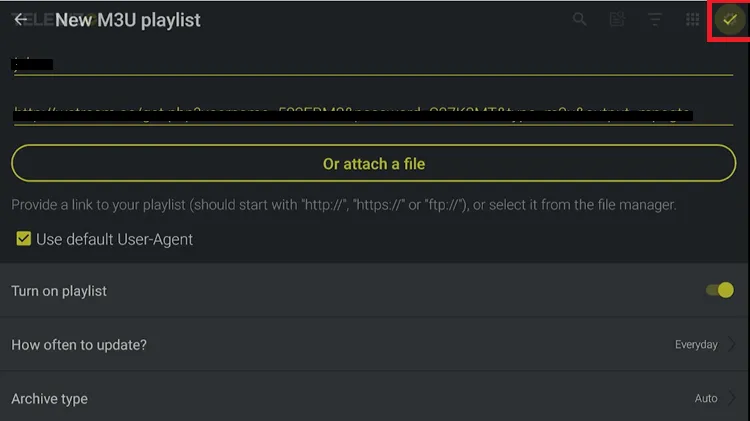
Step 5: Set the Playlist name and enter your IPTV login details. i.e., Portal URL, username, and password.
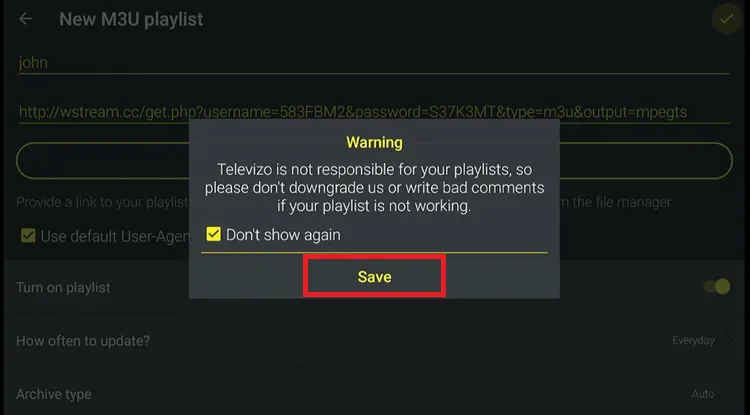
Step 6: Click Save
Step 7: Tivizeo is set up. Select what you want to watch, such as Channels, Movies, and Series.
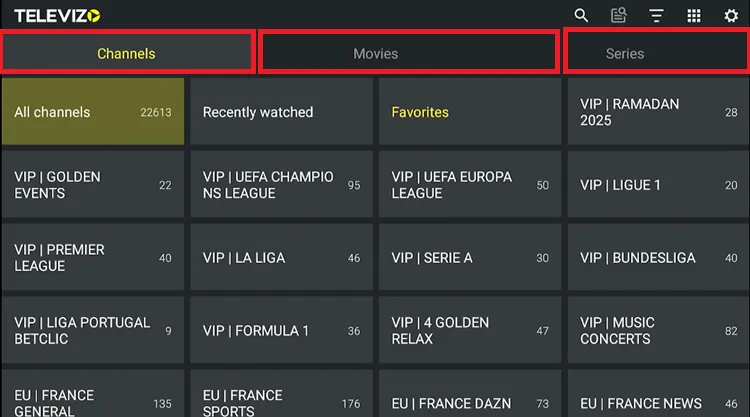
Step 8: Enjoy Streaming.
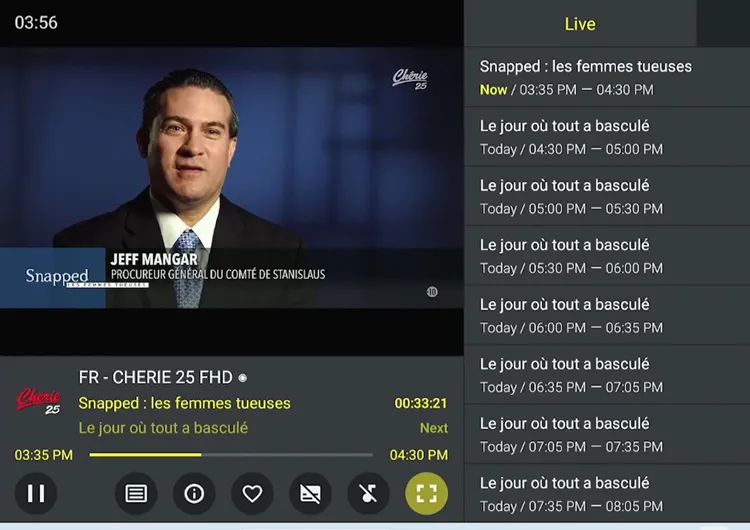
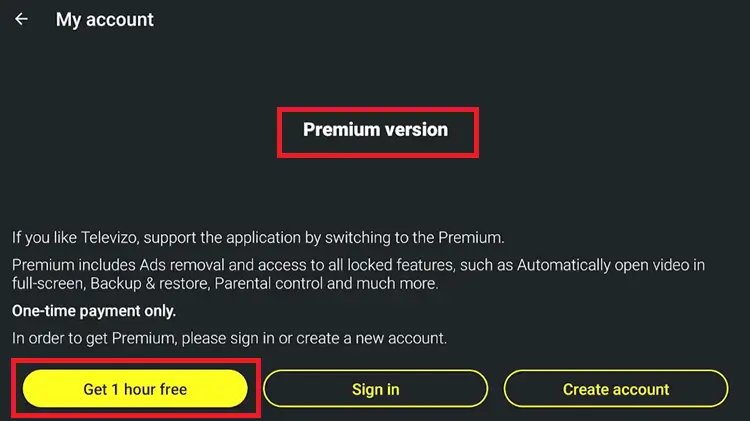
How to Get Televizo 1-hour Premium Free Trial
Televizo offers a 1-hour free trial to explore its premium features before making a purchase. You can activate it by going to Settings > My Account within the app and signing up directly.
You can also purchase the Premium subscription through the Televizo Companion App on the Google Play Store. Simply register, choose your plan, and complete the payment.
Best Alternative IPTV Players
Note: If you’re an iPhone user, Televizio won’t work for you. Alternatively, you can check out the Best IPTV Players for Apple Devices.
FAQs
1. What are the benefits of the Premium version?
The Premium version offers ad-free viewing, auto full-screen mode, smoother playback with auto frame rate, backup/restore options, and more.
2. Can I download Televizo directly on FireStick?
No, it’s not available on the Amazon store. You’ll have to sideload it using the downloader app.
3. How do I purchase Premium without the Companion app?
Yes! You can purchase the Premium version via PayPal or credit/debit card. Just email the Televizo team at televizoiptv@gmail.com, and they’ll assist you directly.
4. Does Televizo support DVR or live stream recording?
No, Televizo does not support DVR features. However, it does allow external player integration if you prefer to route your playback through an alternative video player.
Televizo remains an excellent IPTV player for beginners in 2026. It features a highly intuitive layout and provides all essential free streaming tools. You can navigate live channels flawlessly.
The premium upgrade is undeniably cheap at around $9 – $10 for lifetime access. However, heavy users might prefer alternatives like TiviMate, which offer more robust features like DVR recording.
That said, there’s no harm in trying the 1-hour free trial and seeing it for yourself. Also, remember, whenever you’re streaming IPTV, always use a trusted VPN like Surfshark to protect your privacy and keep your online activity secure.

