


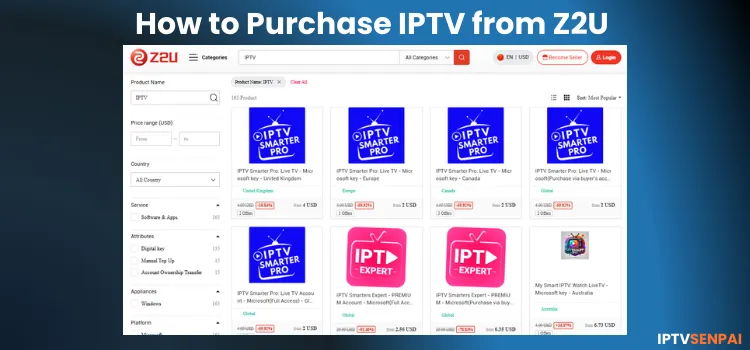
Z2U is an online marketplace like Alibaba that specializes in digital products, including IPTV subscription accounts. Finding the right platform to buy IPTV can be tricky.
Such marketplaces offer thousands of options at 1/5th of the standard price, making it a popular choice for budget streaming in 2026. You can buy popular providers like Strong8k, Eagle 4K, Mega, Trex, Dino, and Mega IPTV, costing $3/month compared to standard $15 retail pricing.
Z2U provides verified sellers, multiple payment methods, and a buyer refund policy. However, getting a smooth streaming experience requires choosing the right provider carefully using a structured verification process.
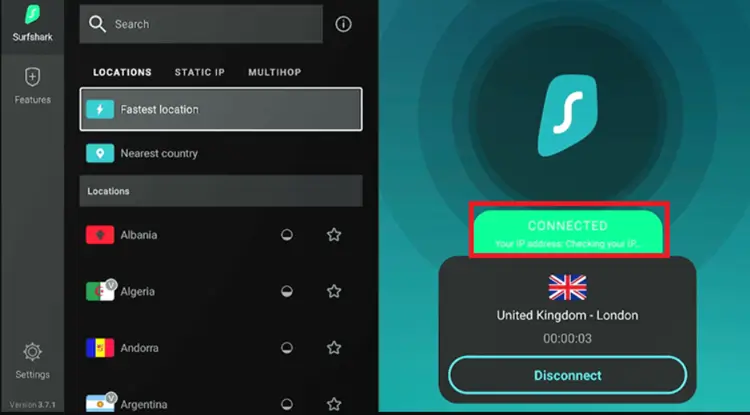
Most IPTV subscriptions on marketplace sites are unverified. To prevent ISP throttling and mask your streaming habits, always secure your connection with a reliable VPN.

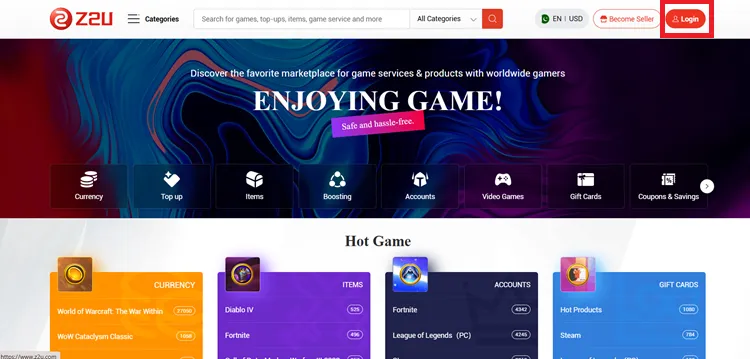
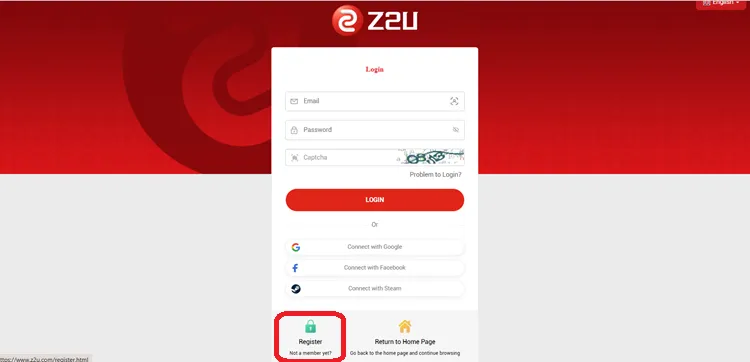
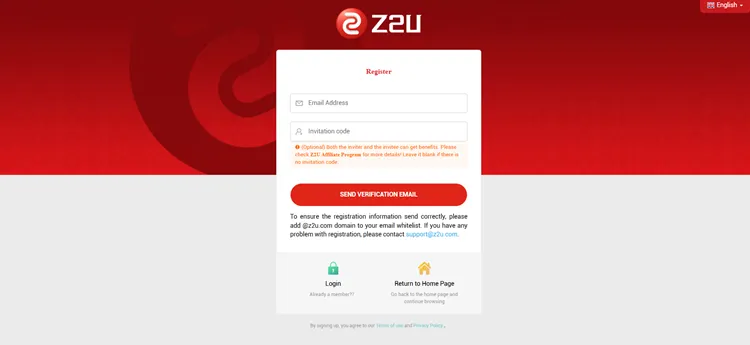
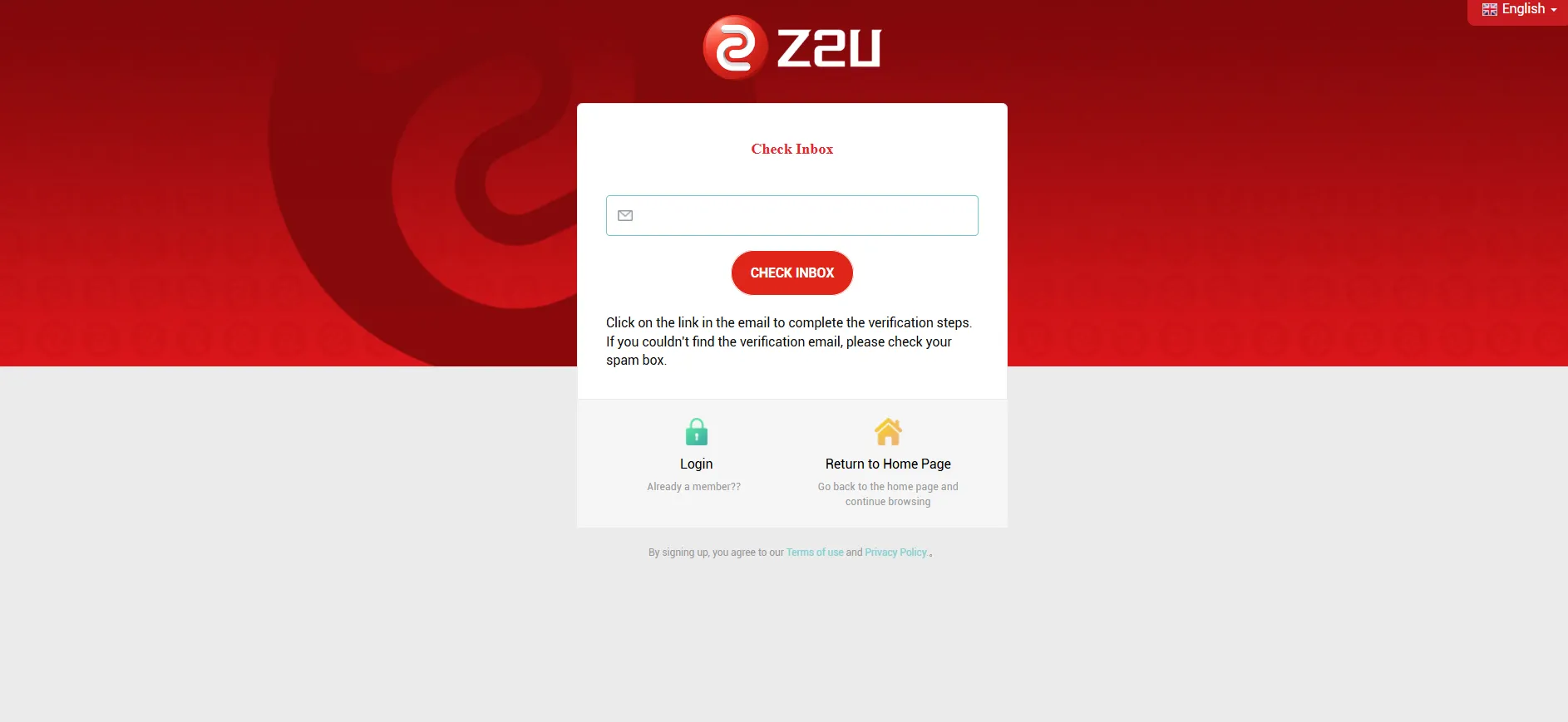
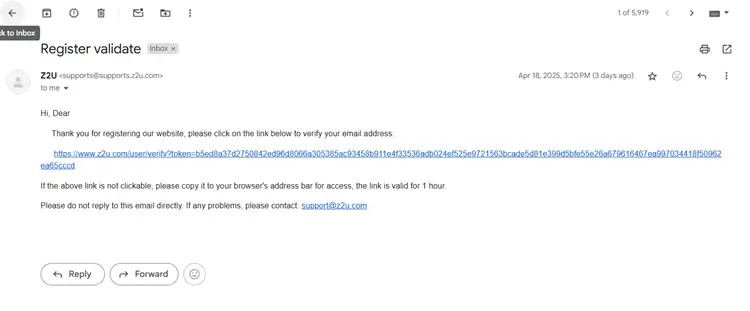
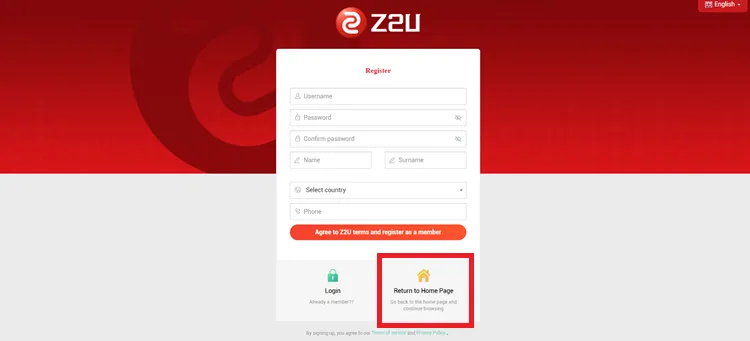
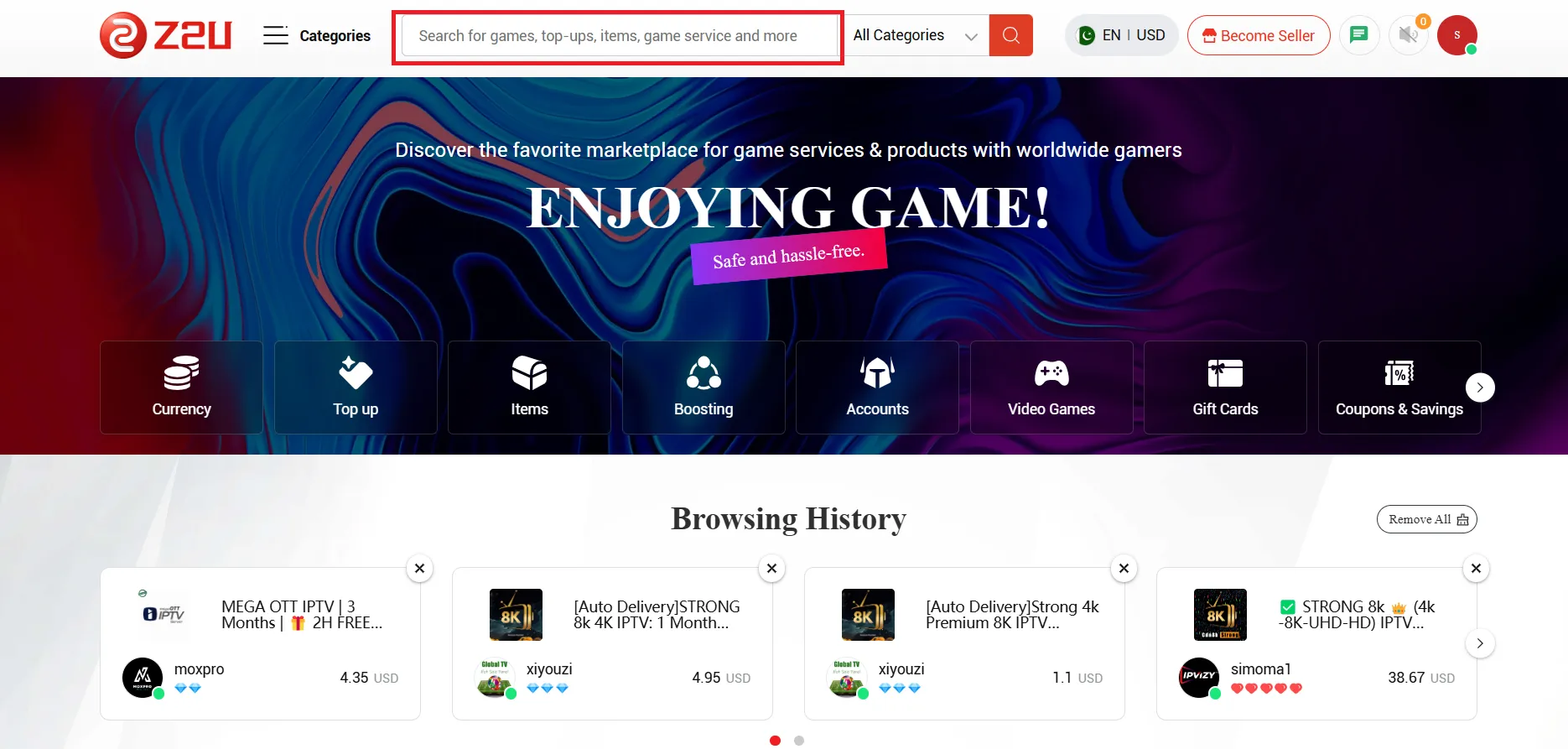
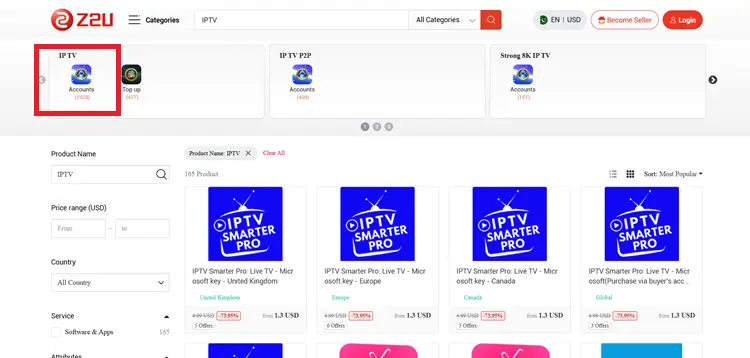
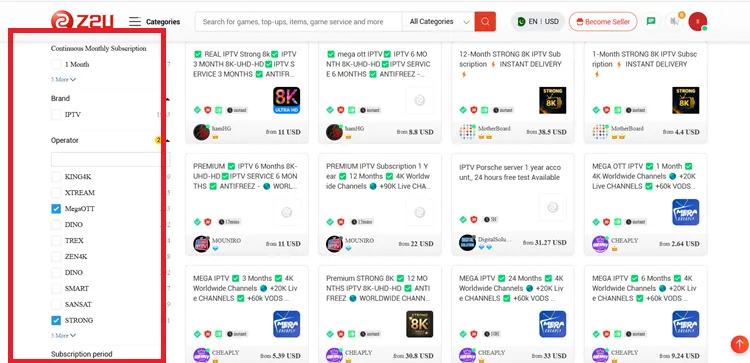
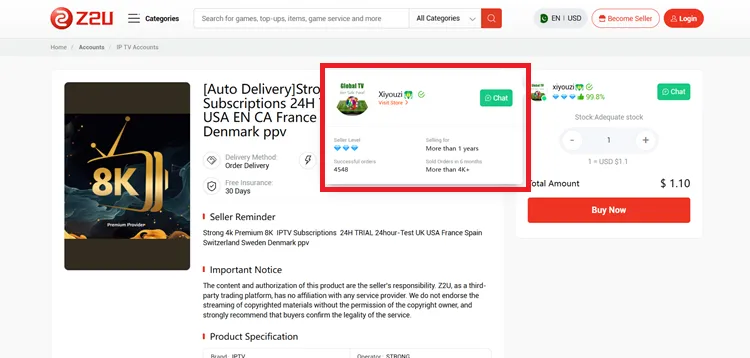
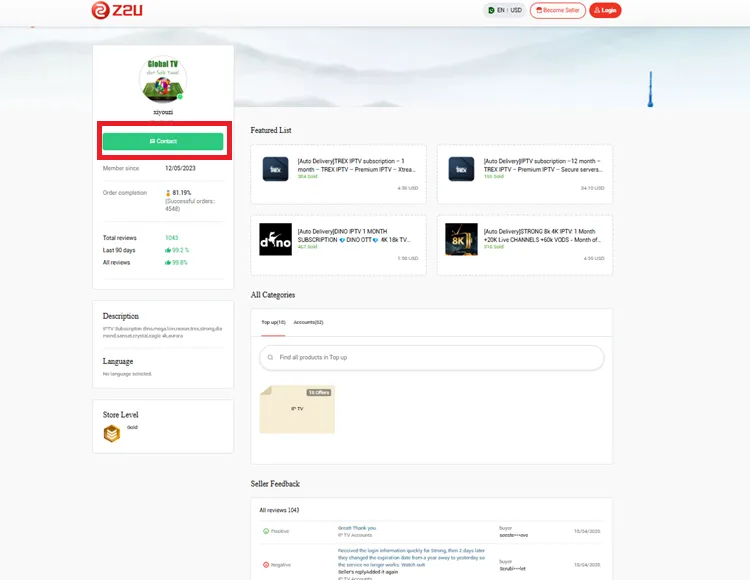
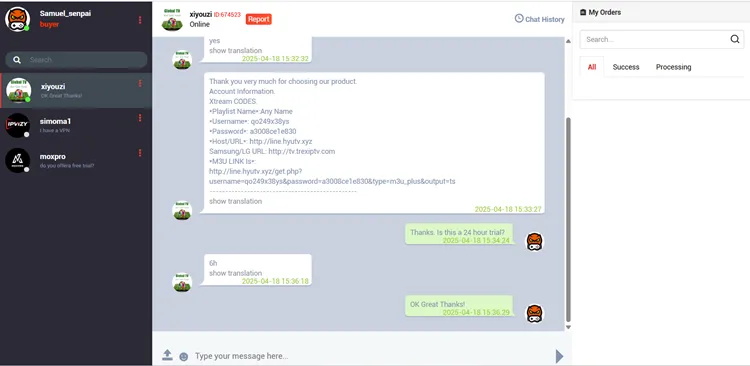
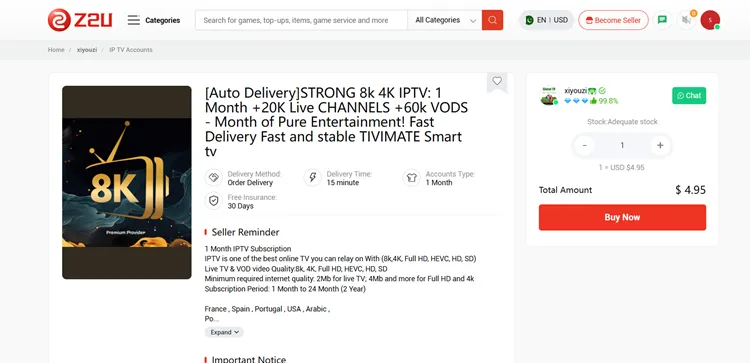
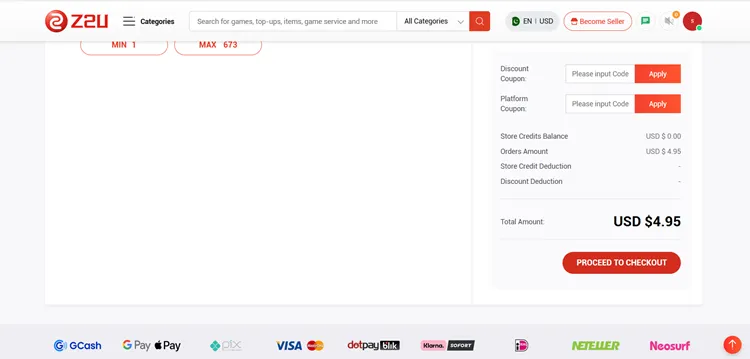
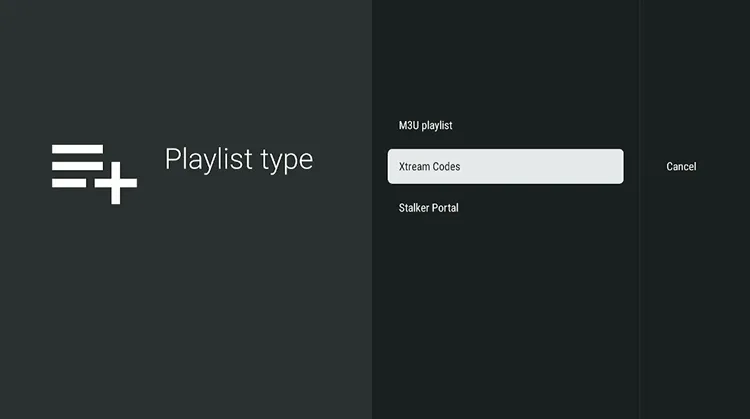
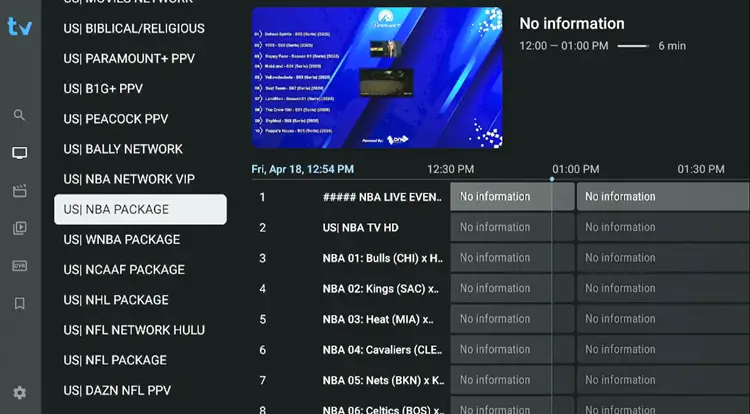
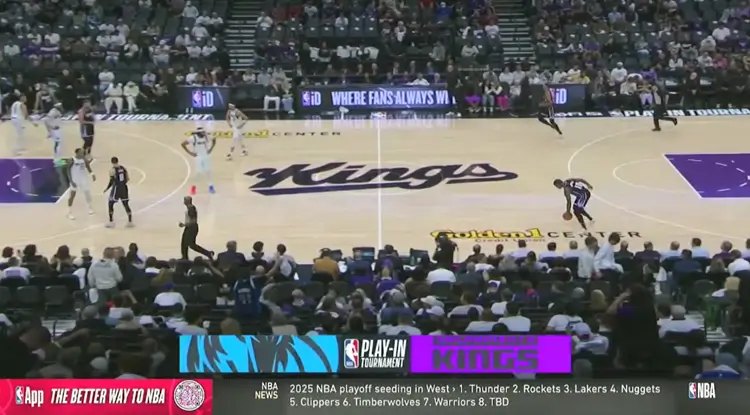
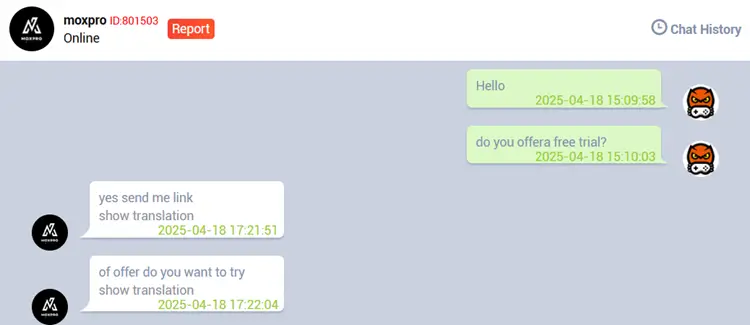
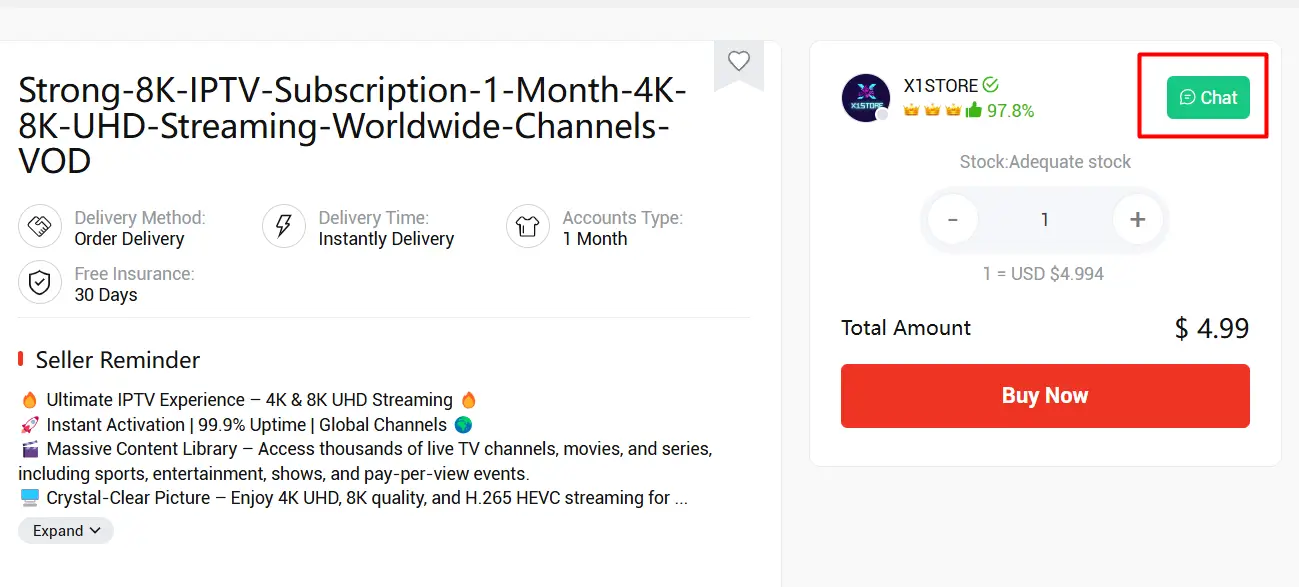 Before buying on Z2U, always message the seller through the platform chat first. Confirming the exact service, like Strong or Trex, creates a saved chat history that acts as vital protection if issues arise later.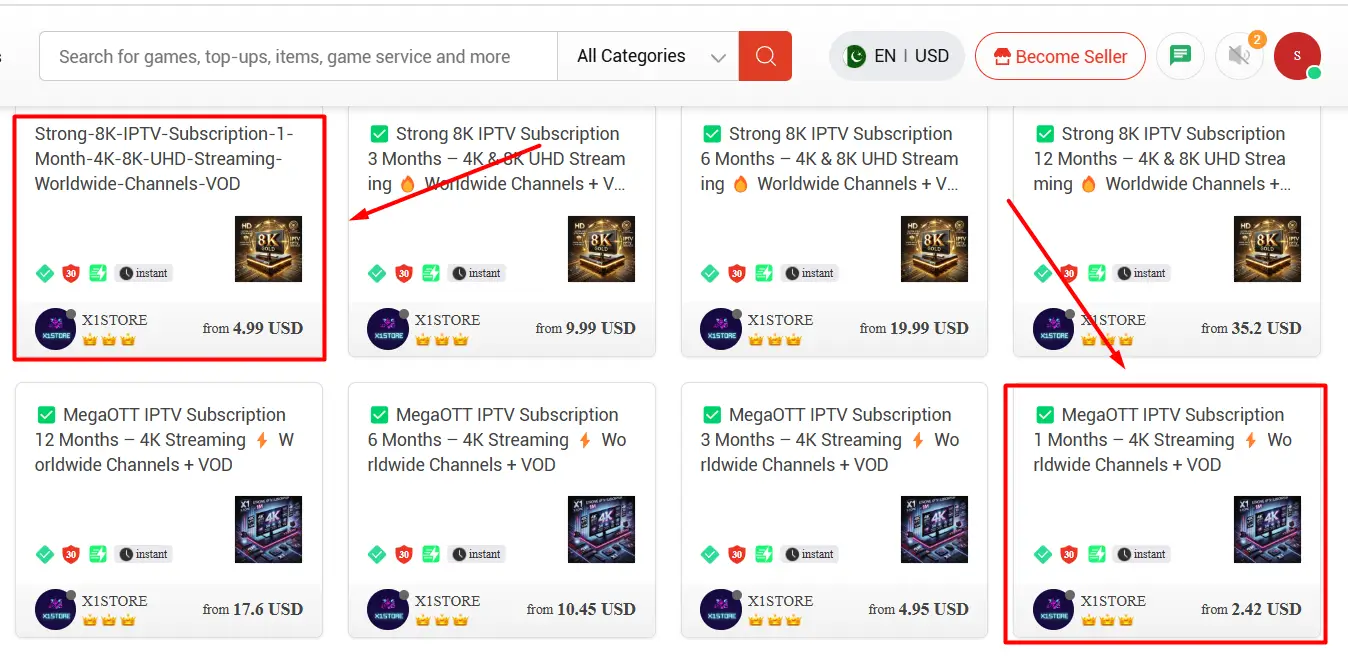
Z2U Ranking System Explained
1. Store Level
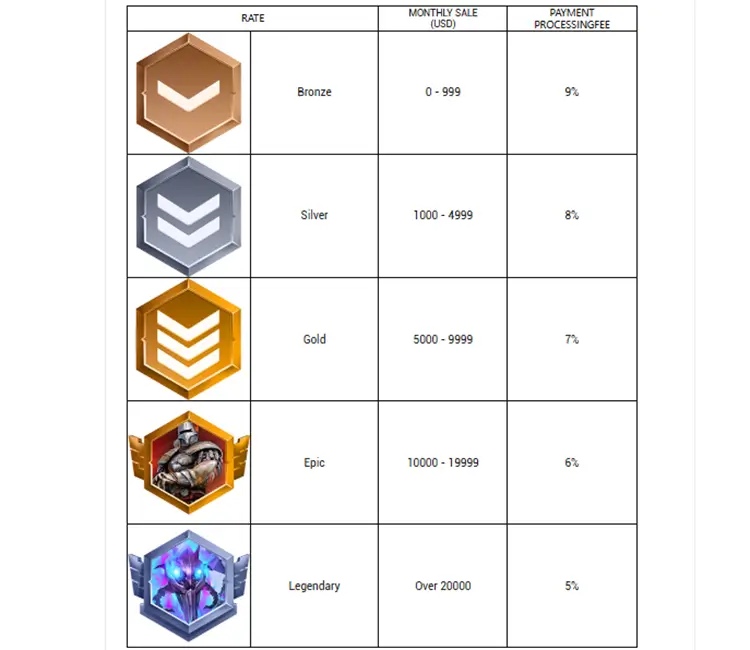
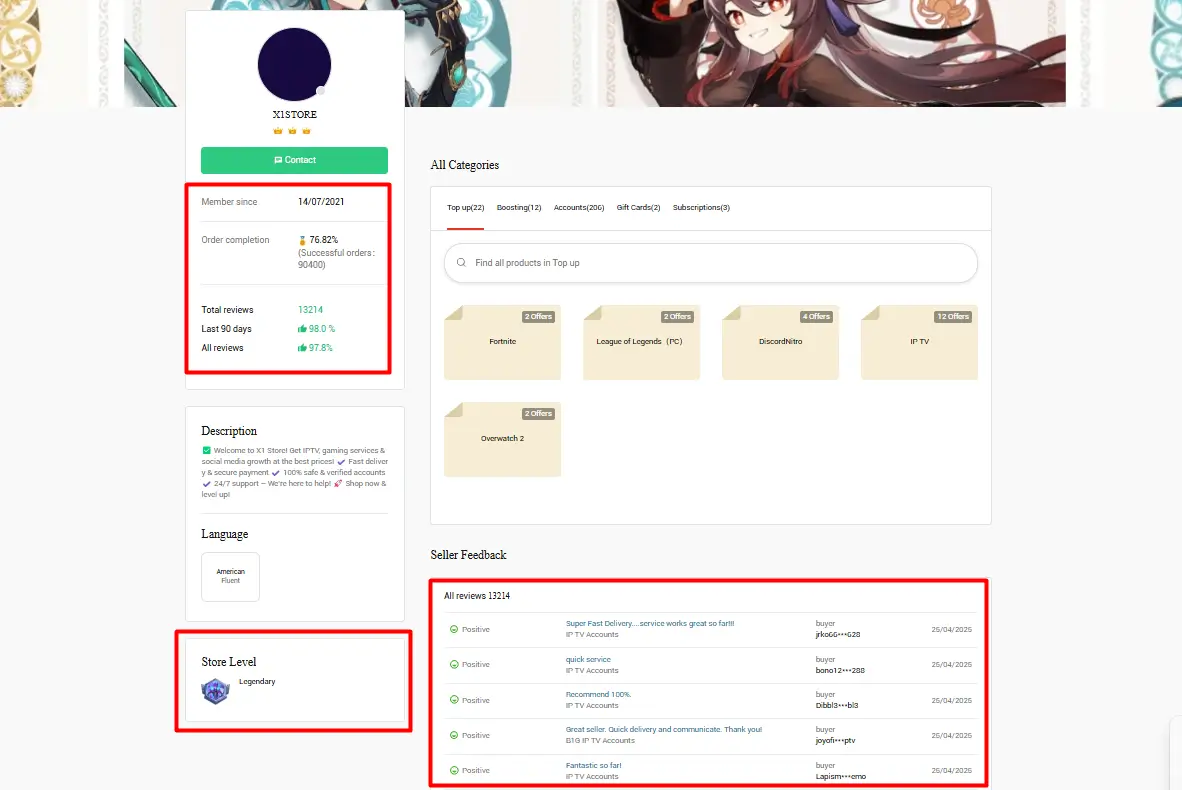
Z2U evaluates sellers using a Store Level ranking system based on their monthly sales volume. Sellers are upgraded or downgraded each month depending on whether they hit their specific sales targets.
Because these rankings reflect continuous performance, a higher store level indicates a reliable vendor. Choosing top-tier sellers helps buyers quickly identify the most consistent and trusted merchants on the platform.
2. Seller Level
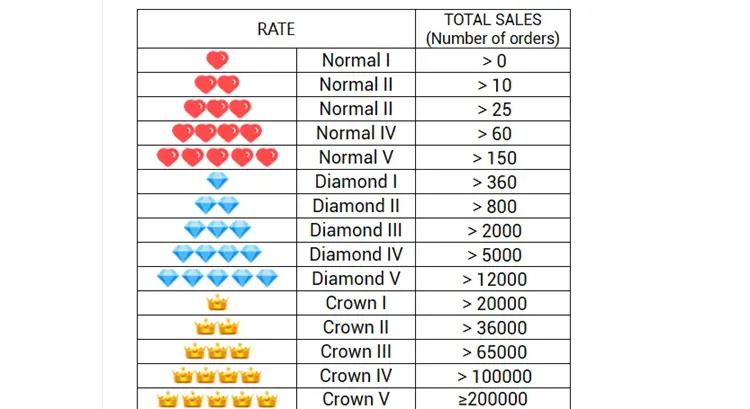
Z2U’s Seller Level system reflects a seller’s total sales volume over time, indicating their long-term performance and experience.
A higher seller level indicates more experience and likely better service. For instance, sellers with Diamond or Crown icons have processed hundreds to thousands of orders, suggesting a strong reputation and consistent service.
How to Pay at Z2U [What I Use & Recommend]
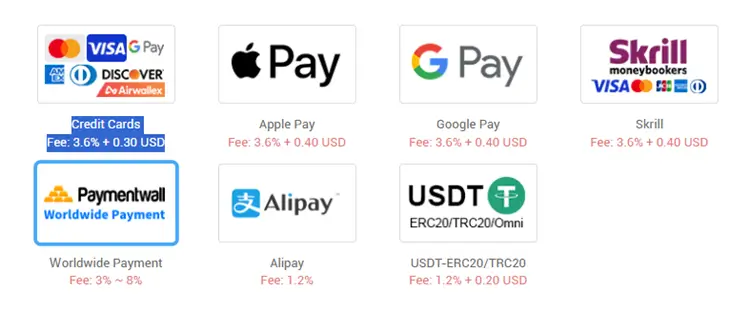
When it comes to paying on Z2U, play it smart. Here you’re dealing with individual sellers, so it’s best to keep your info protected.
1. Best Payment Method for Z2U
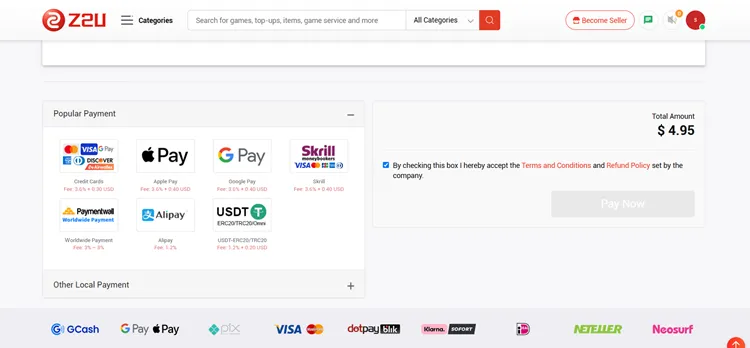
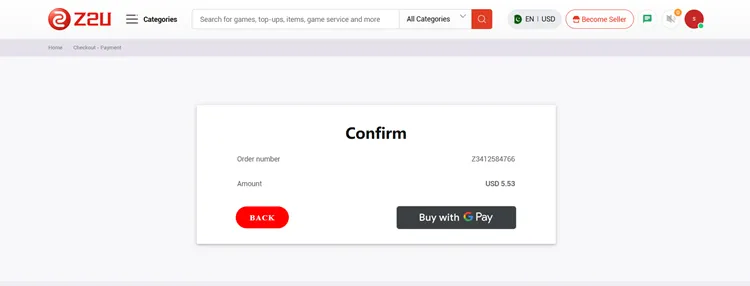
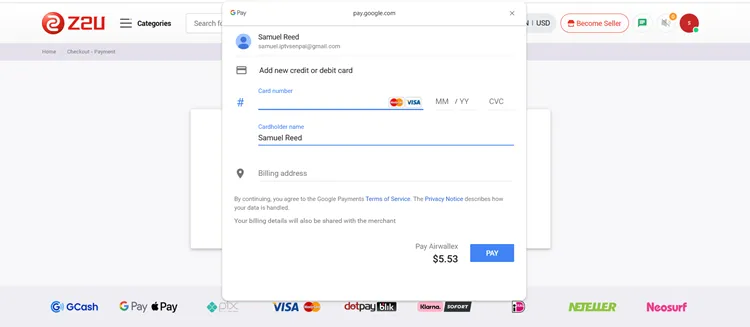
I mostly stick with Google Pay on Z2U. It is fast, safe, and the seller never sees my real card info. A pro tip is to create a separate Google account just for payments. Link it to your virtual card and use that only for Z2U stuff.
If you’re on iOS, Apple Pay works the same way. Both use tokenized payments, so your details stay private. Sometimes I use Revolut, where I create a disposable virtual card and load just enough funds. I keep the balance low, so even if something goes wrong, no big deal.
Privacy Virtual Card (Privacy.com) is another solid option (if you’re in the U.S.). You can set spending limits or pause the card when you’re not using it.
Payment Methods Accepted on Z2U: Google Pay, Apple Pay, Credit Cards/Debit Cards, Skrill, Alipay, Cryptocurrency – USDT (ERC20 / TRC20), Local Payment Methods (varies by country), Virtual cards [via Revolut (Global), Privacy.com (US), Wise (Multi-currency support)]
2. Payment Processing Time
Some services are delivered instantly; others take time. You’ll see a ticker like: Automatic Delivery, 15 Minutes, or Up to 8 Hours. Be sure to check that out.
Once you pay, Z2U holds the money. The seller doesn’t get it until you confirm you received what you ordered. This adds a layer of safety.
3. Payment Methods to Avoid
To protect your privacy and funds, avoid using your primary debit card or sharing real personal details, as banks rarely offer fraud protection or chargebacks if issues arise with unverified sellers. For account verification, use temporary SMS services like Quackr instead.
Crypto (USDT) is available, but only use it if you trust the seller. It’s fast but comes with no refund option. Also, the minimum is $26, so skip it for small buys.
4. ID Verification, Selfie, or Card Info
Z2U generally skips strict KYC requirements for standard buyers. However, their automated security algorithms will flag brand-new accounts making rapid, high-value purchases or using multiple different cards.
If flagged, support may request payment proof. You should contact the official Z2U live chat and provide a screenshot of the digital transaction. Only show a masked card photo revealing the last four digits.
Crucial Security Note: Never upload a clear selfie or an unredacted bank statement to any third-party marketplace. Always blur sensitive banking details before submitting verification documents.
5. Refunds & Z2U Credits
Based on the official Z2U Refund Policy for 2026, opening a valid dispute protects your money if a seller fails to deliver. Once a moderator approves your claim, funds are immediately returned as Z2U Credits.
These internal credits automatically apply to your next cart checkout. If you prefer cash back, you must manually submit a secondary withdrawal request to your original payment provider. Transactions outside the platform are never covered.
Better Marketplace for IPTV – Z2U or Alibaba?
A VPN can help with IPTV buffering on Z2U because ISPs may throttle traffic during peak times, especially for live sports. This can make streams load more smoothly.
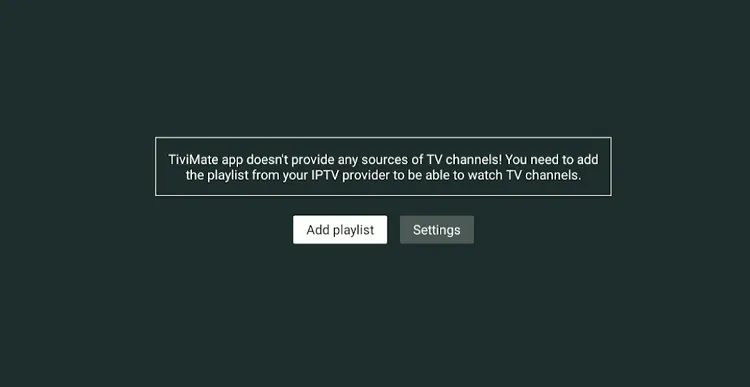
Using your own IPTV app is safer because modified APKs may contain malware. Trusted apps like TiviMate or IPTV Smarters Pro are better since you can log in with your service credentials.
Some streams may not load without a VPN because of geo-blocks or 404 errors. A VPN can improve access while also keeping your activity private
Are $4 Fubo TV Accounts on Z2U Real or a Scam?
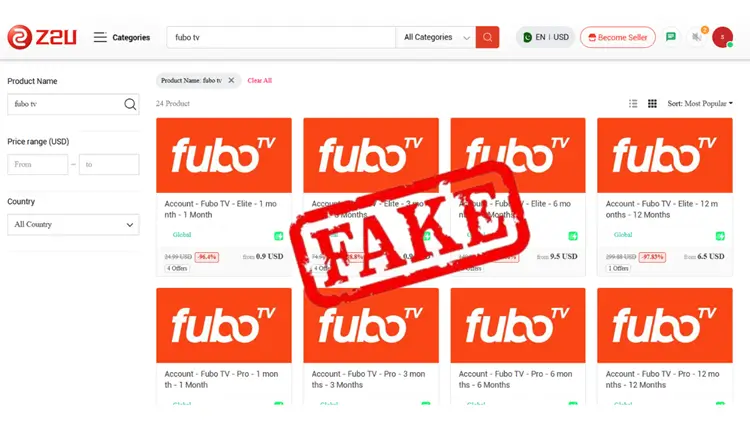
Scrolling through Z2U, you might stumble across what looks like an unbelievable deal, i.e. 12 months of Fubo Elite for just $4, or any other verified IPTV service for a couple of bucks.
Beware, many sellers on Z2U are using stolen or hacked accounts, reselling shared logins with no guarantee of access, slapping labels like “private” or “elite” to make it sound legit. This can lead to constant logouts or full shutdowns if the account is flagged as stolen.
Best to stick with a reputable IPTV service that offers quality and support, and you can also combine Stremio + Torrentio for free movies & shows.
Read Detailed Review of Fubo TV
FAQs
1. Can I get a discount for topping up?
Some sellers might offer discounts for renewal or extensions. It’s always worth asking if a discount is available before completing your purchase.
2. Can I renew my IPTV subscription later?
Yes. Just message the seller through Z2U chat with your existing login or username. If they still sell that panel, they’ll usually offer a renewal or extension option, sometimes with a discount.
3. What IPTV services are most popular on Z2U?
Strong 8K, Trex, Mega, Dino, B1G, and Eagle 4K are some of the most popular ones. Multiple sellers often list them, so compare prices and seller ratings before you buy, because Strong is Strong, no matter who you get it from.
4. Does Z2U accept Crypto?
Crypto (USDT) is available, but only use it with trusted sellers. It’s fast and anonymous, but it comes with zero refund options. It also has a minimum limit of $26.
5: Will my service stop if the seller goes missing?
No, your service continues until your subscription expires because your credits are already loaded on the IPTV provider’s server. It only ends early if the main provider itself shuts down completely.
Conclusion
If you are looking to significantly cut down your monthly entertainment bills while still streaming high-quality content, Z2U is honestly one of the best places to start. It provides highly accessible, extensive services offering live TV and VOD content, without paying steep retail prices.
However, keep in mind that no one can absolutely guarantee how stable a seller’s service will be for your specific setup. Because variables like your location and ISP routing play a huge role, there is no single “best” IPTV on Z2U. You have to take advantage of free trials and test the waters yourself.
Grab a short-term plan, connect a reliable VPN to avoid any unwanted ISP throttling, and see how the streams perform during peak hours. Ultimately, your personal viewing experience is what counts, and finding a server.

