


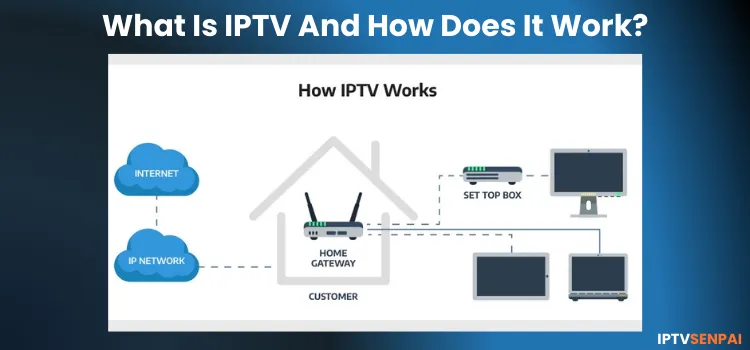
There has been a major shift from traditional cable and satellite TV to internet-based streaming. IPTV is driving this change by giving users easy access to content without cable or satellite, requiring only a compatible device and a stable internet connection.
With IPTV, you can watch live TV, on-demand content, or catch-up TV via the internet, anytime and anywhere. If you are a newbie wondering what IPTV is, how it works, and if it is safe and legal, then I will break down everything you need to know.
Using IPTV without a VPN can put you at Big Risk! Your ISP, government and even IPTV providers can monitor your activity, throttle your speed, or block access altogether. Plus, without encryption, your data is exposed to hackers and third parties. Take back your privacy with Surfshark! ✅ SAVE 87% + GET 3 EXTRA MONTHS FREE! ($0.06/day)Recommended VPN for IPTV - Surfshark

Features:
✅ Kill Switch Feature to protect you if VPN drops
✅ Lightweight app ensuring smooth performance on All IPTV Boxes
✅ Unlimited simultaneous connections (install on all household devices)
✅ 30-day risk-free money-back guarantee
✅ Strict no-logs policy, Secure & Untraceable
What is IPTV & How Is It Different from Cable/Satellite TV
IPTV (Internet Protocol Television) lets you watch TV content over the internet on any compatible device, eliminating the need for coaxial cables or satellite dishes. Unlike traditional TV with fixed schedules, it uses unicast technology to stream only the content you request directly to your device.
This allows you to watch live TV and on-demand content anytime, while also supporting streaming on multiple devices under a single subscription.
How Does IPTV Work?
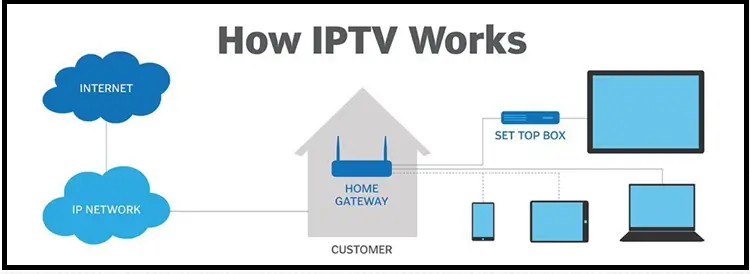
Every time you play a channel or movie through IPTV, your content goes through a series of steps before it reaches your screen. Here’s a simplified breakdown of how the streaming process works:
- Content Acquisition: TV programs and videos are gathered from live broadcasts, on-demand libraries, and digital media platforms.
- Encoding: The content is compressed using codecs like H.264 or HEVC to balance high quality with minimal file size.
- Delivery: This data is stored on Content Delivery Network (CDN) servers, which efficiently send it to users over the internet as IP data packets.
-
Playback: These packets travel to your device, where they are reassembled and decoded for smooth playback.
What is an IPTV Box?
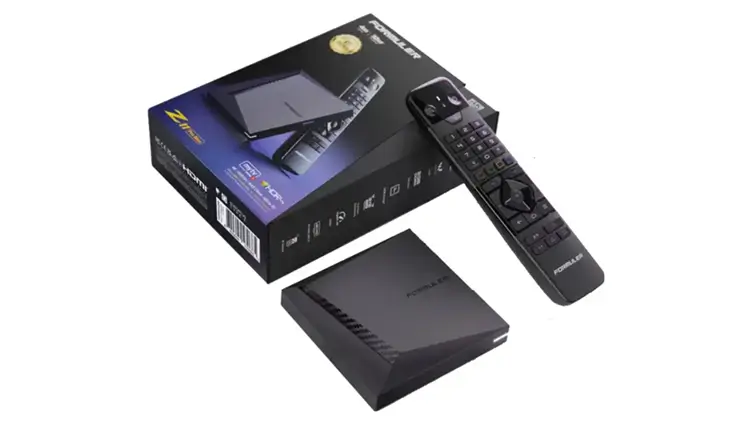
IPTV Boxes are special devices designed specifically for IPTV streaming. They connect to your TV via HDMI, run a custom IPTV-focused OS, and support MAC-based services and M3U playlists.
While older models like the MAG 540 are discontinued, the MAG 544w3 and MAG 555 are the top choices in 2026. Other high-end examples include the Formuler Z12 Ultra and the BuzzTV U5 Series.
Other Devices for IPTV
If you prefer not to buy a dedicated IPTV box, several other devices work perfectly for streaming.
- Android TV Boxes: These run on Android OS, allowing you to install IPTV apps alongside Netflix and YouTube. Top 2026 models include NVIDIA Shield TV Pro and Formuler Z12 Ultra with Android 12.
- Smart Devices: You can install IPTV apps directly on Smart TVs (Samsung, LG, Sony), PCs, iPhones, and Android phones or tablets.
- Streaming Sticks: These connect via HDMI and offer an affordable solution. The Amazon Fire TV Stick 4K Max and Chromecast with Google TV remain the most popular choices.
Note: Check out the Best Devices for IPTV in 2025
Types of IPTV Services (Verified vs Unverified)
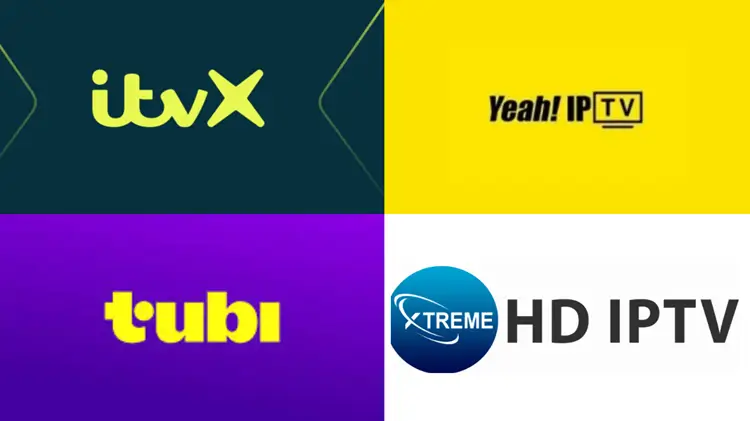
IPTV services cater to various streaming needs, but they are not all the same. Some are fully licensed, while others operate without authorization.
Verified IPTV Services
– Sling TV, YouTube TV, and FuboTV stream live channels with features like cloud DVR.
– Netflix, Hulu, and Disney+ offer movies, TV shows, and original content to watch anytime.
– Pluto TV, Xumo, and Tubi provide free live and on-demand streaming supported by ads.
Unverified IPTV Services
– Unverified services offer premium live TV, sports, and movies at a fraction of the cost.
– They lack official licensing agreements, making them highly unreliable and legally risky.
– Users can face strict legal action, fines, or penalties for copyright infringement.
– They require third-party apps that expose streaming devices to malware and data theft.
– Streams suffer from poor quality, frequent buffering, and sudden shutdowns without notice.
| Criteria | Official IPTV Services | Unofficial IPTV Services |
|---|---|---|
| Licensing | Properly licensed content | Lacks broadcasting rights |
| Subscription Cost | High | Free or low-cost |
| Payment Methods | Credit cards/PayPal | Cryptocurrencies or less traceable methods |
| Content Library | Limited to licensed content | Wide variety of unauthorized content |
| Streaming Quality | Stable and high-quality streams | Variable, often lower quality |
| Support | Reliable with customer support | Often inconsistent and lacks support |
| Availability | Official apps available on Google Play/App Store + legit website | Requires sideloading of APKs + many clone websites of similar names exist |
| Security Risks | Low, industry-standard security | Higher, risks malware or data breaches |
| Longevity | Sustainable and long-term | Can shut down anytime |
| Examples | Cox, Verizon, Sky, Hulu+ Live TV | XtremeHD, 4K Live IPTV, Yeah IPTV, Apollo TV IPTV |
Requirements for IPTV
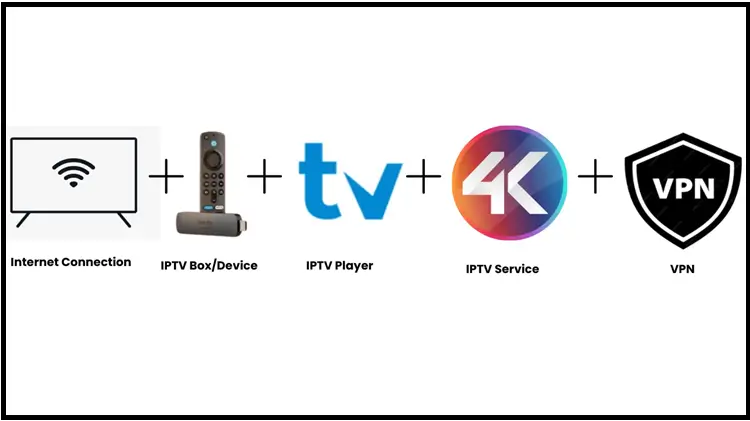
Before you start streaming with IPTV, make sure you have the essentials in place for a smooth, secure, and reliable viewing experience.
1. Internet Connection
2. Compatible Streaming Hardware
You will need a compatible streaming device to run IPTV apps. Popular options include the Amazon Fire TV Stick 4K Max and ONN 4K Pro, while power users often choose premium devices like the Formuler Z12 Ultra.
3. Dedicated IPTV Software
4. Provider Credentials
You will need an active IPTV subscription to watch content. Your provider will give you M3U playlist URLs or Xtream Codes login details to access your channels and on-demand library.
5. Virtual Private Network (VPN)
Do I Need a VPN for IPTV?
Using a premium VPN for IPTV is highly recommended to protect your online identity and for a smoother and lag-free viewing experience. It hides your streaming habits from your ISP, completely stops bandwidth throttling, and allows you to unblock geo-restricted global content.
While a VPN is not strictly mandatory to make the software function, it acts as an essential shield against privacy breaches, copyright tracking, and ISP-enforced stream buffering. Relying on a premium service guarantees optimal, high-speed playback for all live broadcasts.
PS: If this has convinced you to get a VPN, check out our list of the best VPNs for IPTV, featuring affordable and reliable options. Find the one that suits your needs best!
Pros and Cons of IPTV?
If you haven’t tried IPTV yet and are wondering if it’s the right fit for you, here’s a quick rundown of its pros and cons to help you decide.
| Pros | Cons |
|---|---|
| ✓Allows on-demand viewing. | —Requires a stable connection. |
| ✓Supports live TV, time-shifted TV, and VOD. | —Free or illegal services may have poor quality. |
| ✓Stream content not available on traditional TV. | —Buffering can occur with slow or unreliable internet/unverified services. |
| ✓Works on TVs, smartphones, tablets, etc. | —Pirated services can lead to legal issues. |
| ✓Includes polls, stats, and replays for sports. | —Free IPTV services often have excessive ads. |
| ✓Works via smart TV apps or streaming devices. | —Premium IPTV services can be expensive. |
| ✓Pause, rewind, or catch up on missed shows. | —Unreliable services may face frequent disruptions. |
Things to Watch Out for Before Choosing an IPTV Service
When selecting an IPTV service, it’s crucial to exercise caution to for a safe and satisfactory experience.
Here are key considerations:
– Avoid scams: Research the provider and test it with a short-term plan before committing.
– Check reviews: Read genuine user feedback on Reddit and trusted review sites.
– Use a premium VPN: Protect your privacy, bypass geo-restrictions, and help reduce ISP throttling.
– Learn the risks: See our How to Choose the Right IPTV Service guide before subscribing.
For more details on IPTV Risks & Scams: How to choose the right IPTV service
FAQs
1. What is an M3U file in IPTV?
An M3U file is a playlist file that contains links for streaming IPTV channels. This is used to provide IPTV Players access to the channels you want to watch.
2. Can I record shows with IPTV?
Yes, some IPTV services do offer a recording feature. Check whether a service supports this feature before you sign up.
3. Can I use IPTV on my phone?
Yes, you can stream IPTV on your phone by downloading an IPTV Player.
4. Why do some IPTV streams buffer or freeze?
IPTV streams can buffer or freeze due to various factors such as unstable internet connection or an overload of servers.

