


 TiviMate and IPTV Smarters Pro are the two most popular IPTV Players. Both support M3U playlists and Xtream Codes. But they serve very different types of users with very different needs.
This guide breaks down everything from the interface and features to pricing and compatibility. By the end, you will know exactly which app belongs on your device in 2026.
These are just players and do not provide any content. While the software itself is completely legal, many IPTV services operate in a legal gray area. So to prioritize your safety and privacy, use a premium VPN such as Surfshark.
Legal Copyright Disclaimer: IPTVSENPAI does not verify if apps, websites, or services hold a legal/official licensing of the media content that they stream. We DO NOT own, operate, or re-sell streaming sites, apps, or services, NOR are they administered or hosted by IPTVSENPAI.
Key Differences
| Feature | TiviMate | IPTV Smarters Pro |
|---|---|---|
| Platforms | Android TV, Firestick only | Android, iOS, Windows, macOS, Smart TVs |
| EPG Integration | Outstanding | Very Good |
| DVR Recording | Yes (Premium) | No |
| Multi-View | Up to 4 screens | Basic only |
| Built-in VPN | No | Yes |
| Master Search | No | Yes |
| 4K HDR Support | Yes | Yes |
| Price (2026) | Free. Premium (10/year or $30 lifetime) | Free (ad-supported)/small one-time fee |
| Best For | Android/Firestick | Multi-device/beginners |
Differences between Tivimate & IPTV Smarters Pro
1. Supported Devices
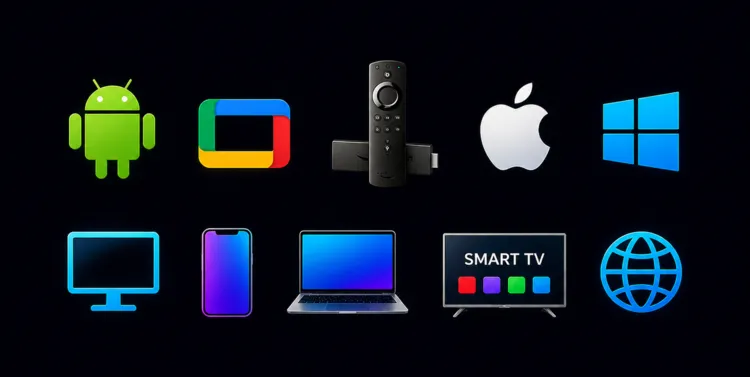
TiviMate: is limited to Android-based systems like Android TV, FireStick, and Google TV devices only. So, it won’t run on other devices.
Neither TiviMate nor Smarters Pro is available on the Google Play Store. You must sideload it through a downloader app.
Tivimate Downloader Code: Enter 5546232 in the search bar OR enter this URL bit.ly/43pEVWO and click Go. [Find it under the ‘IPTV Players’ section]
IPTV Smarters Pro: supports a wide range of devices. This includes Android, iOS, Windows, macOS, and most Smart TVs. For households using multiple device types, Smarters Pro is the more flexible choice.
IPTV Smarters Pro Downloader Code: Enter 5546232 in the search bar OR enter this URL bit.ly/43pEVWO and click Go. [Find it under the ‘IPTV Players’ section]
2. User Experience
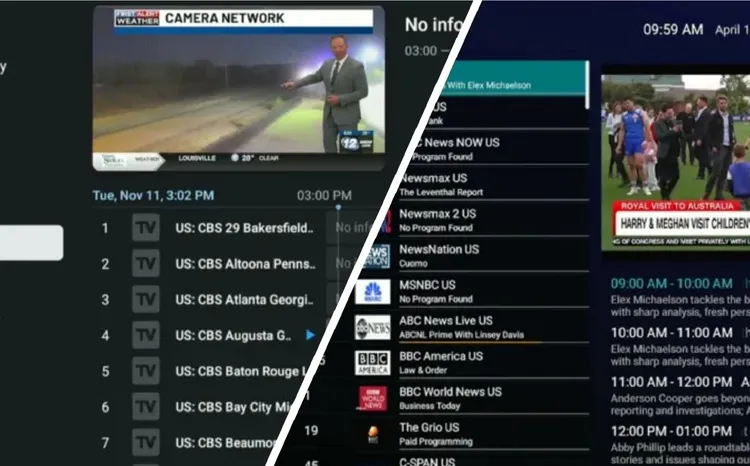
TiviMate player has a cable TV-style grid EPG. It’s sleek, modern, and highly customizable, offering a professional TV guide experience. Channels load instantly, and the layout is data-rich, which is ideal for power users.
Smarters Pro uses a clean dashboard layout with category buttons (Live TV, Movies, Series, and Catch-Up). It’s straightforward and beginner-friendly. It is less customizable than TiviMate, but it is easier to navigate.
3. EPG Integration:
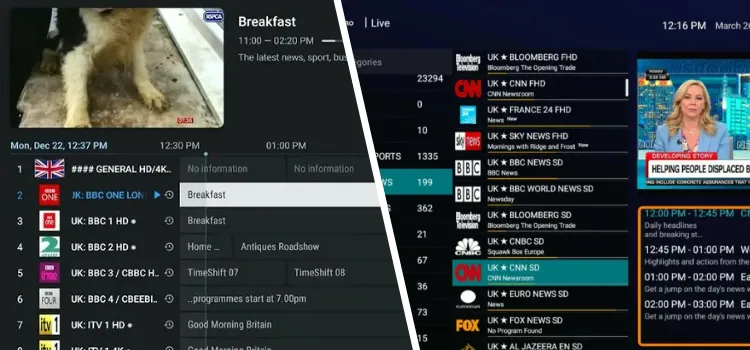
TiviMate’s EPG integration is outstanding. The guide loads fast, displays cleanly, and lets you browse days ahead without any lag.
It’s EPG supports XMLTV and M3U sources, with reminder notifications for upcoming shows, detailed program descriptions (including start/end times), one-click channel jumping from the guide, and configurable local caching of EPG data.
Smarters Pro also handles EPG well, but the experience feels less refined. However, it gets the job done.
It’s EPG supports both XMLTV and JSON-based sources, shows program schedules across channels, and includes a catch-up or time-shift feature on supported streams, so you can rewind and watch content you may have missed earlier in the day.
4. Supported Formats:
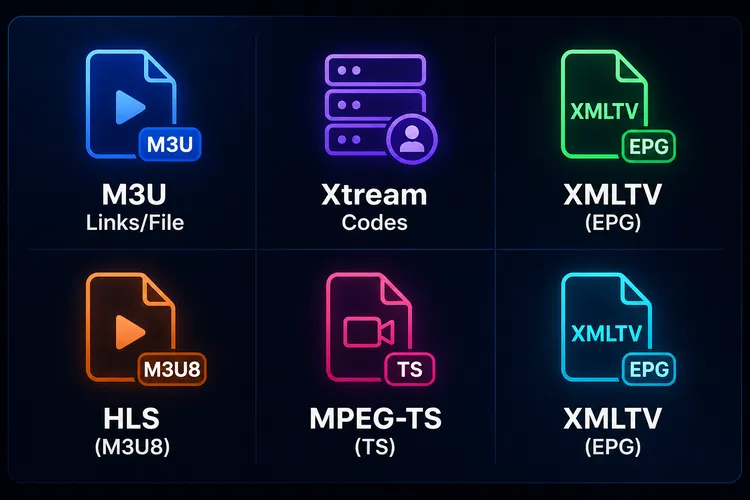
5. DVR Recording:
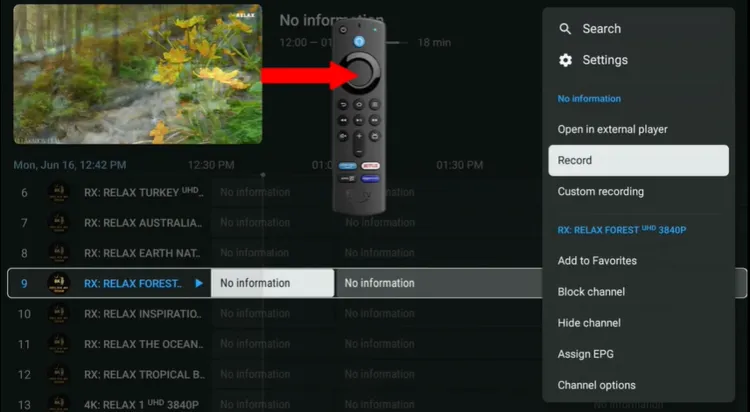
TiviMate Premium supports recording live TV and lets you schedule recordings from the EPG, though the setup depends on your device and IPTV provider.
Once set up, TiviMate’s DVR lets you:
- Pause and rewind live TV effortlessly.
- Schedule recurring recordings for your favorite shows.
- Choose custom storage locations on your device or external drive.
- Play back recordings directly in the app. No third-party media player needed.
IPTV Smarters Pro does not offer the same level of dependable DVR support. Recording availability can vary by platform and version.
6. Multi-View:
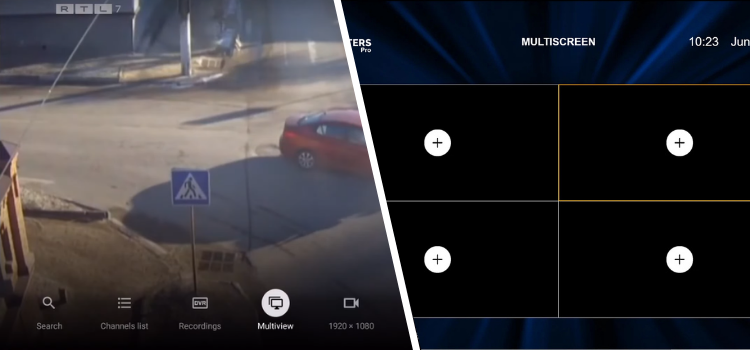
TiviMate is the better option for multi‑view, offering support to watch multiple live channels simultaneously on compatible setups.
IPTV Smarters Pro may include split-screen or multi-channel viewing on some versions, but it is generally less consistent and less reliable than TiviMate.
7. Built-in VPN:
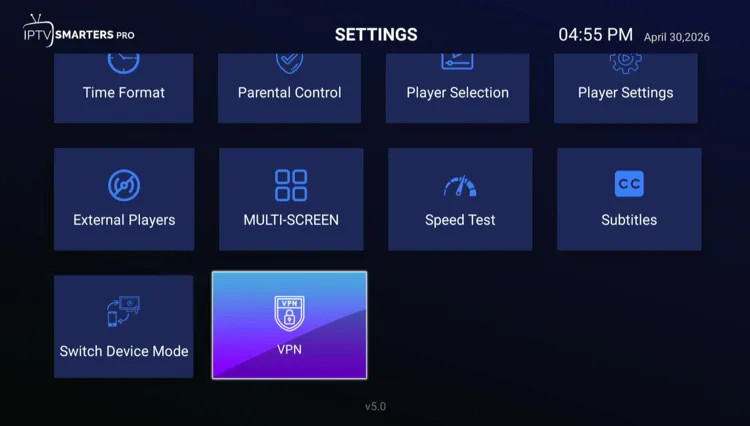
TiviMate has no built-in VPN. You would need to run a VPN separately at the router or device level.
IPTV Smarters Pro comes with built-in VPN support, which is a handy extra layer of privacy without needing a separate app.
8. Master Search
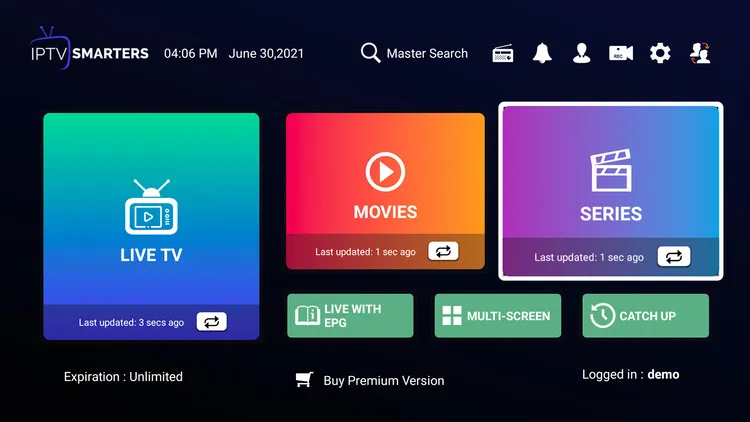
TiviMate does not offer the Master Search feature, so navigation relies more on browsing categories.
IPTV Smarters Pro includes a Master Search feature that scans Live TV, Movies, and Series in one place. This makes content easy to find.
Customization of Tivimate & Smarters Pro
TiviMate and IPTV Smarters Pro offer different levels of control over your viewing experience. Here is a breakdown of the customization features for both players:
| Feature | TiviMate | Smarters Pro |
|---|---|---|
| Channel reordering & grouping | Yes | No |
| Favorites & sorting | Yes (advanced) | Yes (basic) |
| Hide / lock content | Yes (channels & groups) | Yes (categories + parental lock) |
| Rename & edit playlists | Yes | No |
| Multiple playlists support | Yes | Yes |
| EPG (guide + time offset) | Yes (advanced) | Yes (basic) |
| Auto EPG update | Yes | Yes |
| UI / layout customization | Yes (advanced) | Yes (limited) |
| Multi-view / multi-screen | Yes (advanced) | Yes (basic) |
| Playback / AV settings | Yes (advanced) | Yes (decoder, format, ratio) |
| Recording & catch-up | Yes | Yes |
| Catch-up control | Yes (better) | Yes |
| Search functionality | Yes (fast) | Yes |
| Backup & restore | Yes | No |
| VOD (movies/series UI) | Yes (basic) | Yes (better) |
| Subtitles support | Yes | Yes |
| Parental Controls | Yes (PIN lock) | Yes (Advanced: profiles + password lock) |
| External player support | No | Yes |
Price of Tivimate & Smarters Pro (2026)
TiviMate is limited to basic live TV playback, while Premium unlocks advanced features. Current pricing is commonly listed at about $10 per year or about $33.99 for a lifetime plan, with support for up to 5 devices on the premium license.
IPTV Smarters Pro is 100% free.
TiviMate is the best choice for Android TV and Firestick users who want a professional, cable-like feel with advanced features like multi-view and recording.
FAQs
1. Do TiviMate or IPTV Smarters Pro come with built-in channels?
No. Neither app provides content or channels. They are media players designed to organize and display content from your own IPTV subscription through M3U or Xtream Codes.
2. Which app has a better user interface?
TiviMate offers a professional, cable-TV-style grid EPG that is sleek and modern. On the other hand, IPTV Smarters Pro uses a dashboard-style layout with categories like Live TV, Movies, and Series, making it very beginner-friendly.
3. Can I use TiviMate on my iPhone or Samsung Smart TV?
No. TiviMate is strictly compatible with Android-based TV systems, including Android TV, Google TV, and Amazon Fire OS (Firestick).
4. Which app should I choose if I use Nvidia Shield or Firestick?
If you want a premium, polished experience with recording and multi-view capabilities, then TiviMate is recommended for these devices.
Final Verdict: Which IPTV Player Should You Choose?
TiviMate and IPTV Smarters Pro are designed for different types of users. So choosing the wrong one can quickly become frustrating. The best choice depends on your device and the features you actually need. Here’s our conclusion:
TiviMate is the winner IPTV player because it offers a premium, cable-style experience with advanced features like recording and multi-view. The player’s fast performance and professional EPG make it the top choice for a high-quality setup.
To protect your privacy and avoid ISP buffering, I strongly recommend using Surfshark.

