


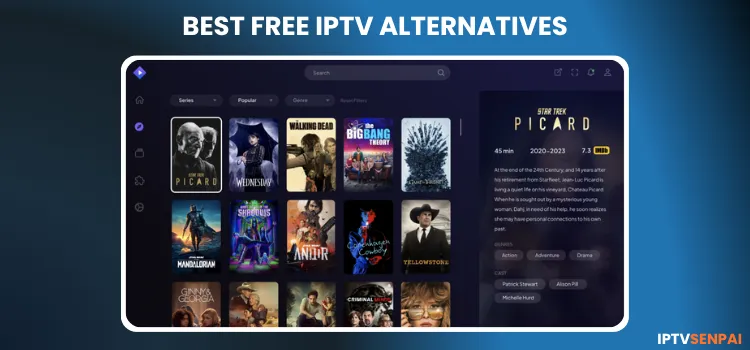
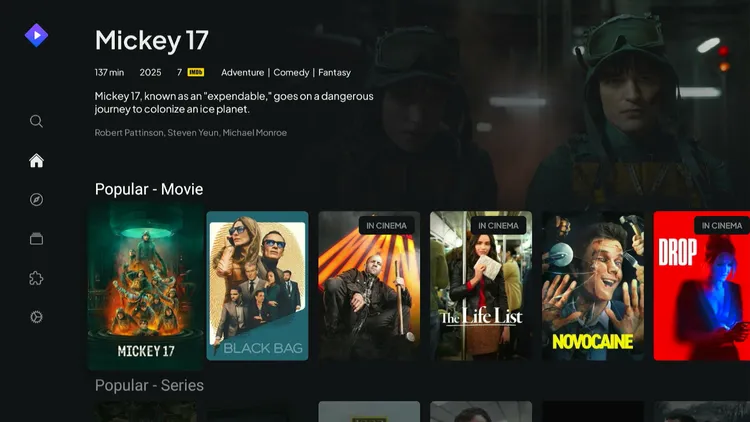
If you want the ultimate streaming setup for movies and shows in 2026, then there is no better alternative than Stremio paired with the Torrentio add-on. Stremio is a top-tier free media aggregator that works seamlessly across Android TV/Phones, FireStick, Windows, Onn. stream, Windows etc.
While Stremio doesn’t host content natively, adding Torrentio pulls in high-quality, torrent-based VOD links. To guarantee buffer-free 4K/HDR streaming, integrating a premium debrid service like Real-Debrid (RD) is highly recommended.
Since Torrentio relies on torrent links, using a reliable VPN such as Surfshark is crucial if you skip Real-Debrid. A VPN hides your IP address, keeping your streaming activity fully secure and anonymous.
Recommended VPN for IPTV - Surfshark

Using IPTV without a VPN can put you at Big Risk! Your ISP, government and even IPTV providers can monitor your activity, throttle your speed, or block access altogether.
Plus, without encryption, your data is exposed to hackers and third parties. Take back your privacy with Surfshark!
Features:
✅ SAVE 87% + GET 3 EXTRA MONTHS FREE! ($0.06/day)
✅ Kill Switch Feature to protect you if VPN drops
✅ Lightweight app ensuring smooth performance on All IPTV Boxes
✅ Unlimited simultaneous connections (install on all household devices)
✅ 30-day risk-free money-back guarantee
✅ Strict no-logs policy, Secure & Untraceable
Stremio Features
Here’s why Stremio stands out for IPTV users:
✅ Add-Ons for Free Movies, TV Shows, Anime, & Live Channels.
✅ Cloud-Based Sync.
✅ Watch History.
✅ Favorites.
✅ Multi-Device Sync.
✅ Multi-Language Subtitles.
✅ User-Friendly Interface.
✅ Real-Time Content Recommendations.
✅ Allows Trackt Integration.
✅ Allows Debrid service integration. (Real Debrid, All Debrid)
✅ Auto-Play Next Episode.
✅ Frame Rate Matching.
✅ Seek Time Duration.
✅ Next Video Popup Duration.
How to Sign Up for Stremio
Before installing Stremio on your FireStick or Android device, create a free account. This process is completely free and takes just a minute.
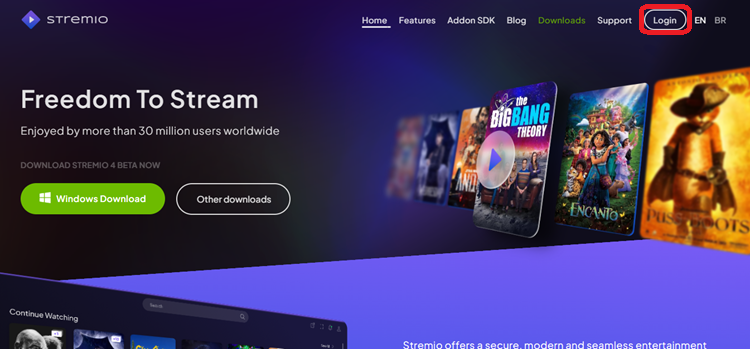
Step 1: Visit the official website at www.stremio.com on your browser. Click the Login icon located in the top right corner.
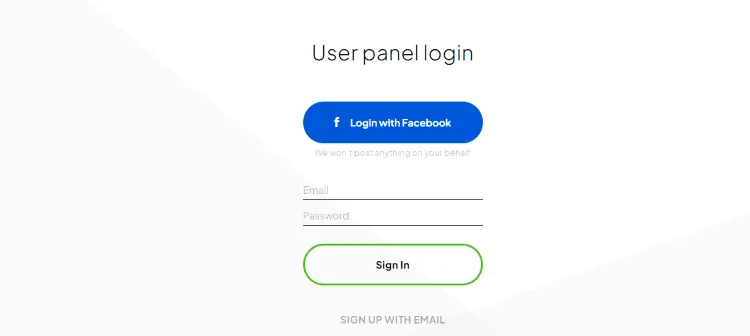
Step 2: Select Sign Up with Email.
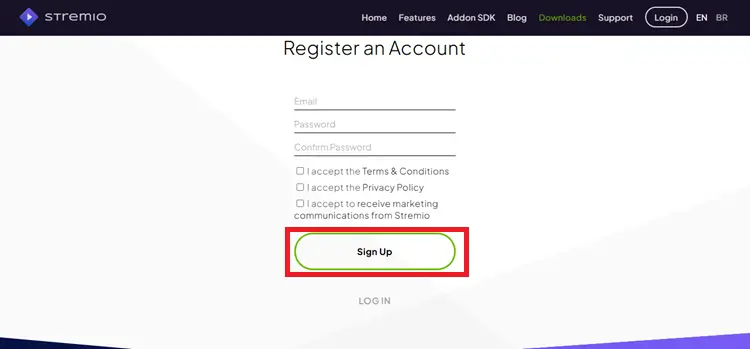
Step 3: Enter an email address and password and click Sign Up.
How to Install the Stremio App on Your Device
You can download Stremio directly from the Google Play Store for Android devices. However, FireStick 4k Max users must sideload the app using the Downloader app.
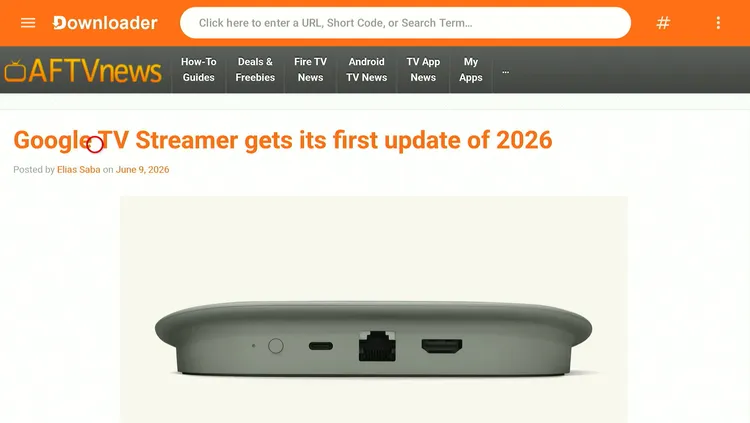
Step 1: Install and open the Downloader app on your Fire TV Stick.
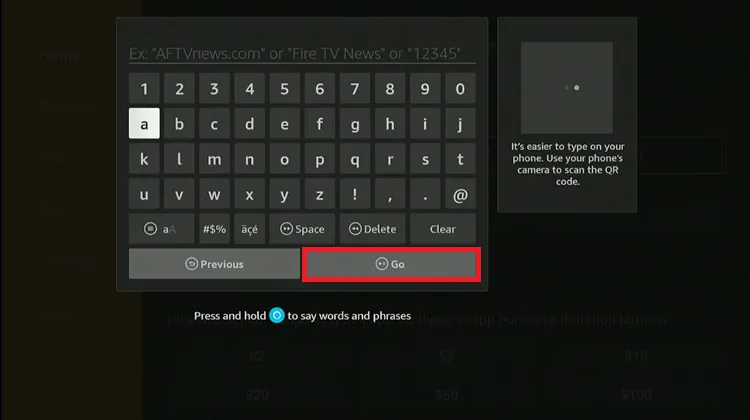
Step 2: Enter the Stremio Downloader Code 5546232 in the search bar OR enter this URL bit.ly/43pEVWO and click Go.
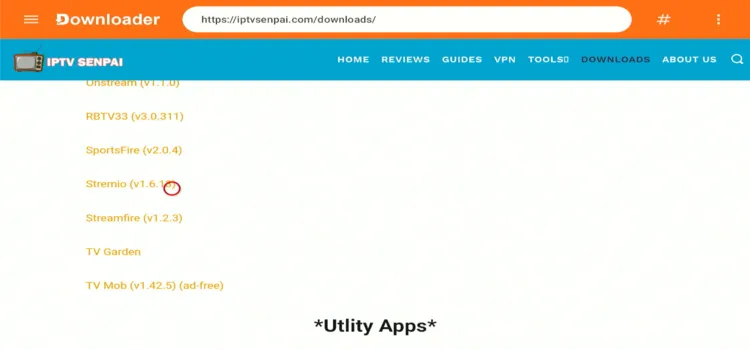
Step 3: Scroll down to the Free Aps section, find the Stremio app, and tap on it to proceed.
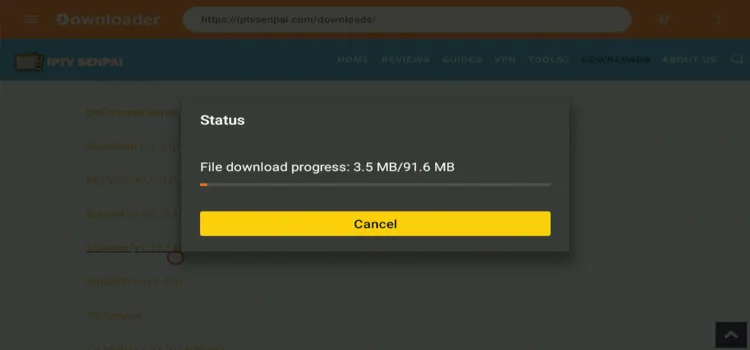
Step 4: The Stremio APK will start downloading.
Step 5: When prompted, click Install.
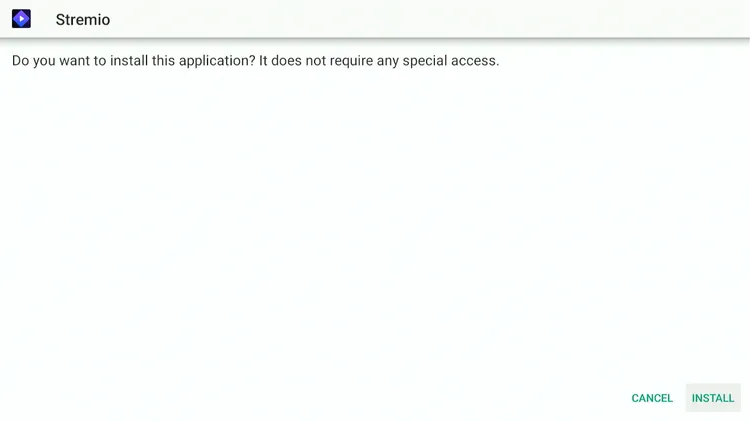
Step 6: Once installed, select Done.
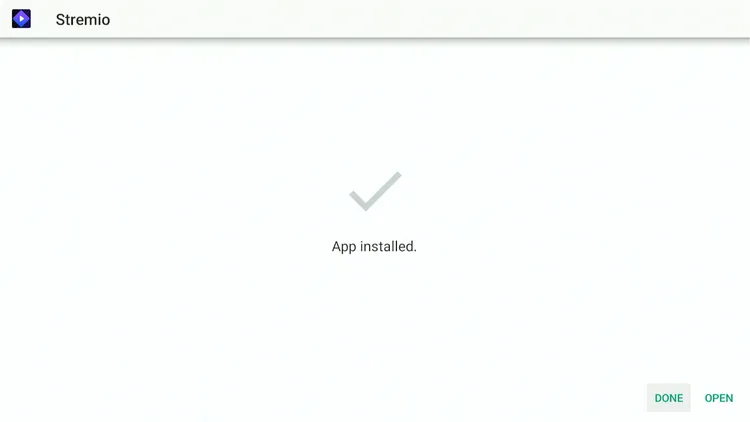
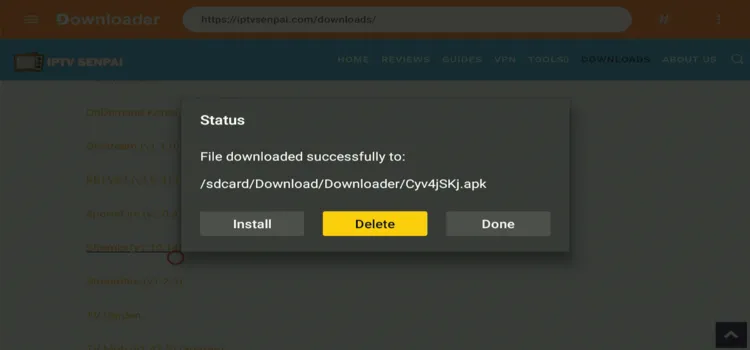
Step 7: Click Delete to remove the APK and free up space.
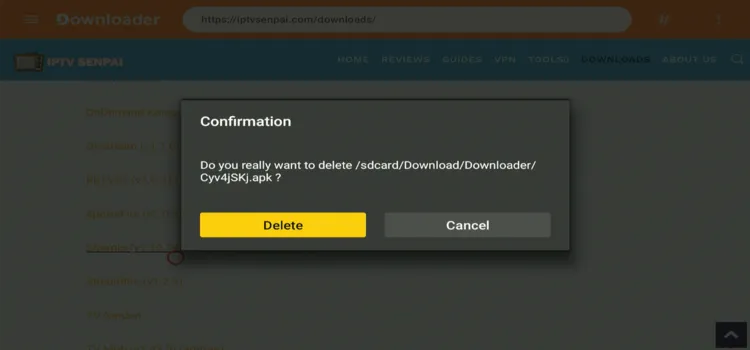
Step 8: Confirm by clicking Delete again.
How to Setup Stremio on Your FireStick
Follow the steps below to set up Stremio on your FireStick. A smartphone is required.
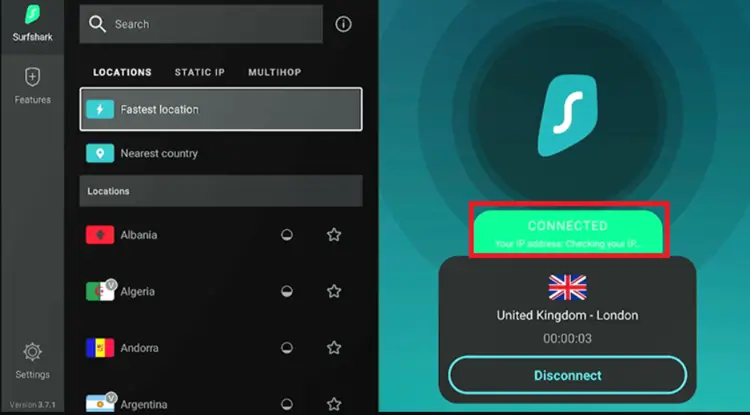
Step 1: Open the Surfshark app and connect to any server location.
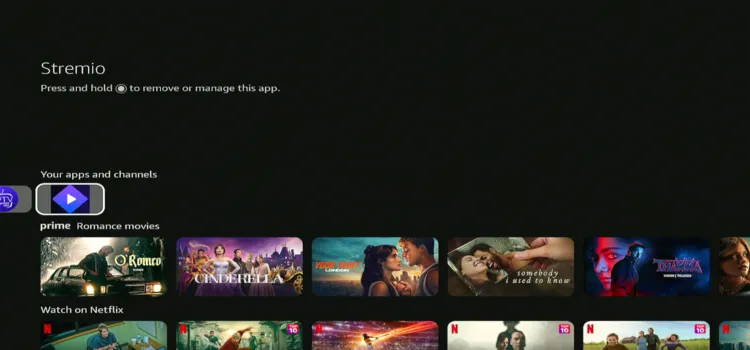
Step 2: Press Home button. Under Your Apps and channels, spot Stremio. Tap on it to launch it.
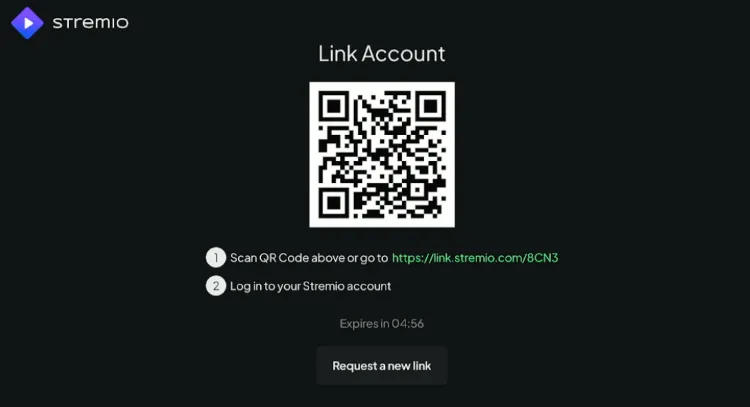
Step 3: Scan the QR code using your smartphone
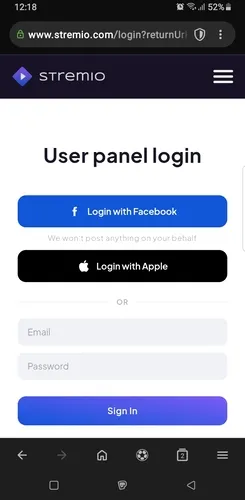
Step 4: On your smartphone, enter your email and password that you used during the sign-up process. Click Sign In.
Step 5: Stremio is successfully set up.
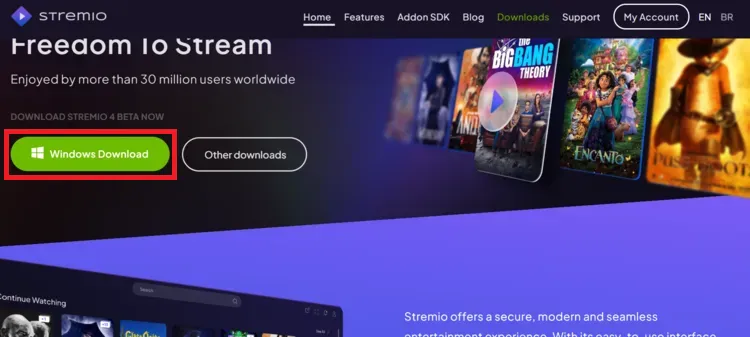
Step 1: Visit www.stremio.com and click Windows Download to get the desktop app.
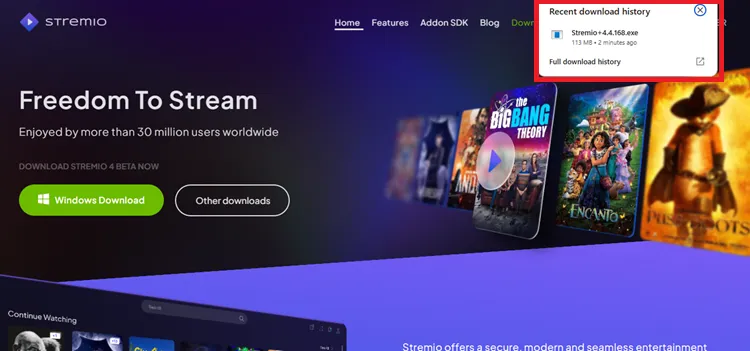
Step 2: Click the download pop-up in the top-right corner to start installing Stremio.
Step 3: Allow the installation to complete.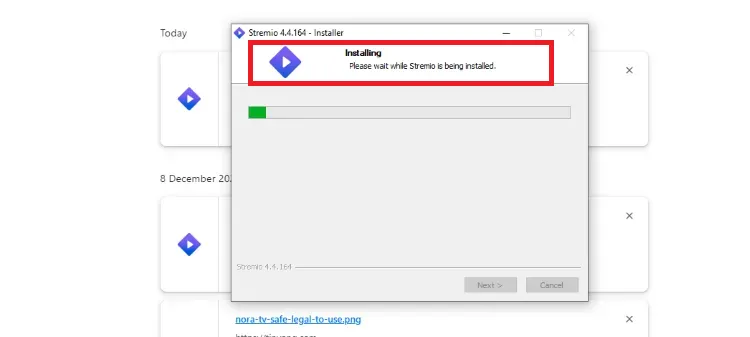
Step 4: Once installed, click Finish to close the setup.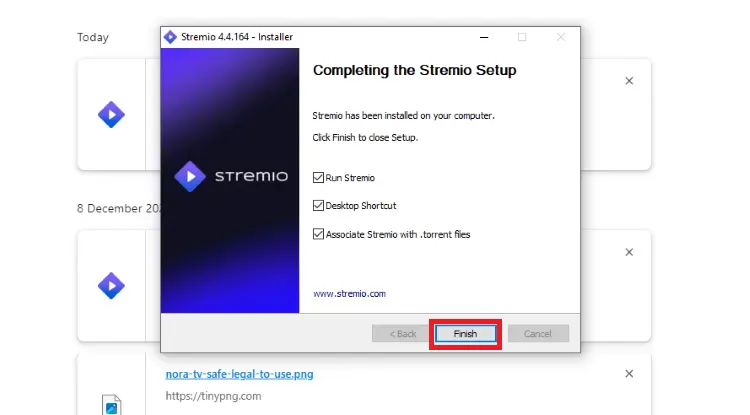
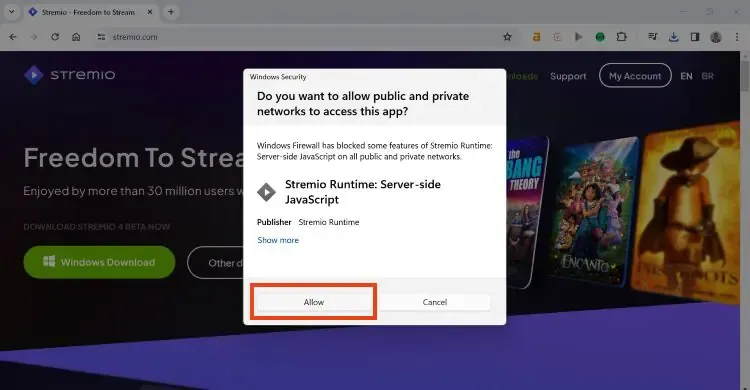
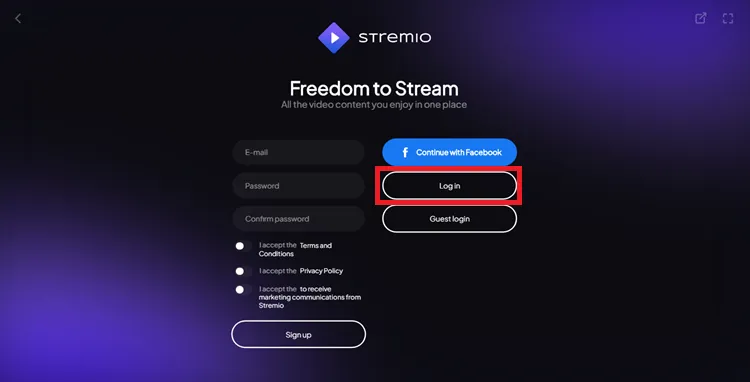
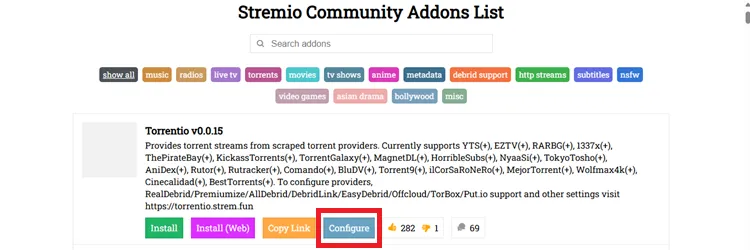
Step 7: Visit www.stremio-addons.com on your PC. You will land on the following page; click “Configure” under Torrentio.
Step 8: Under “Sorting” tab, select “By Seeders”.

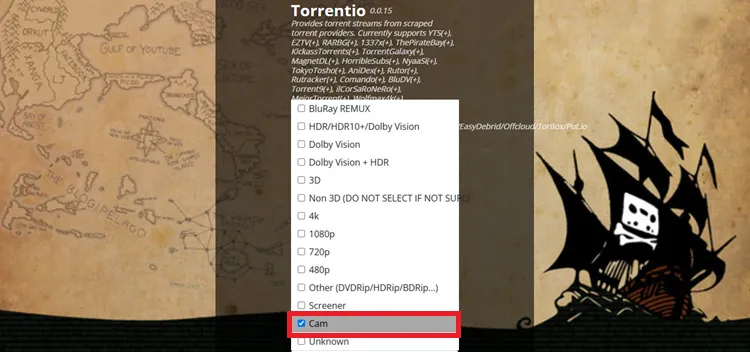
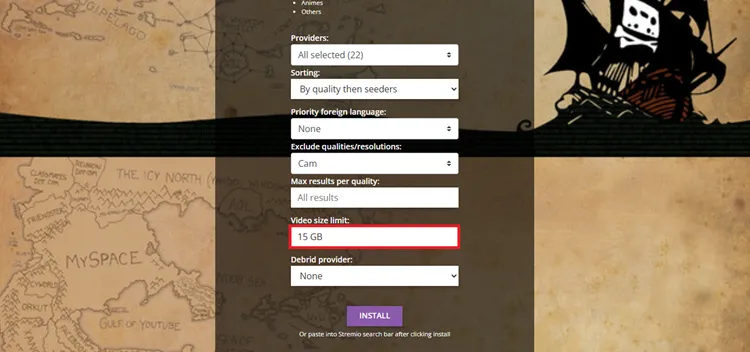
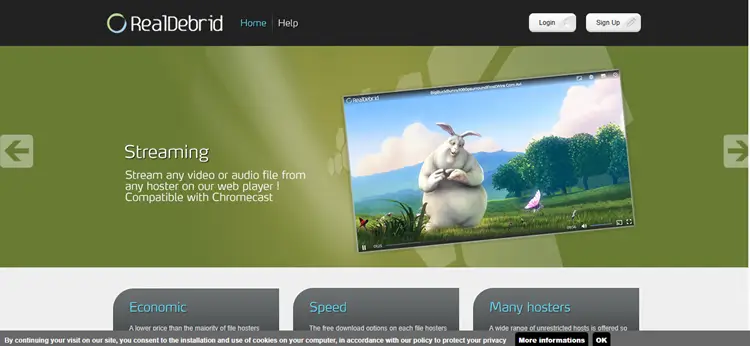
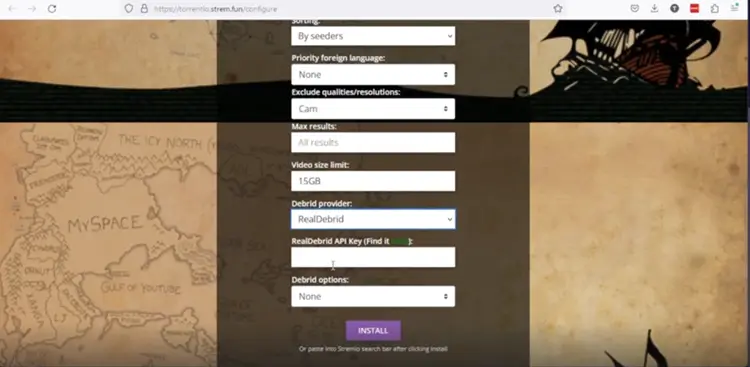


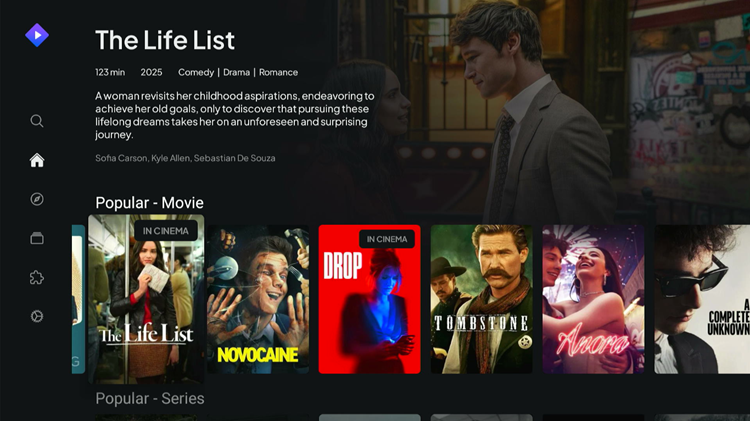
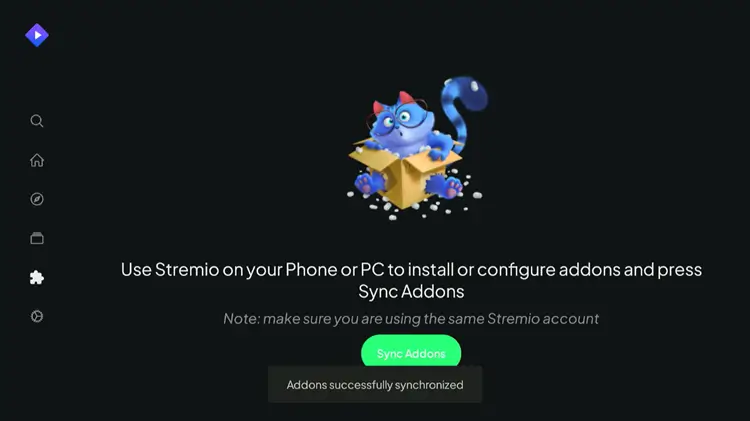 Step 18: Select your favorite movie or series, and choose the preferred quality options 1080p or 4K.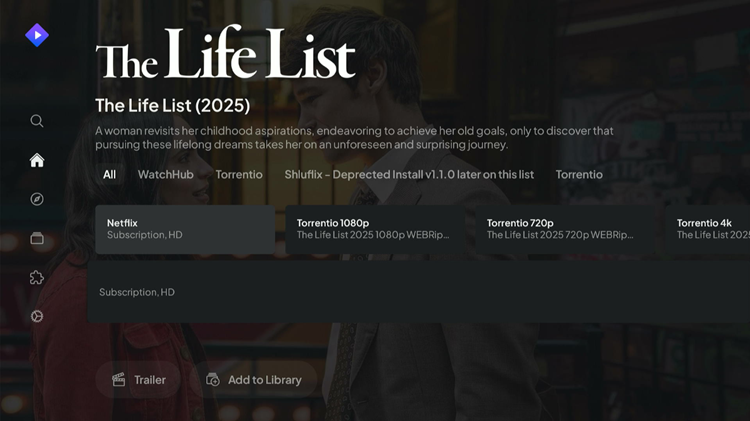

How to Use an External Player on Stremio
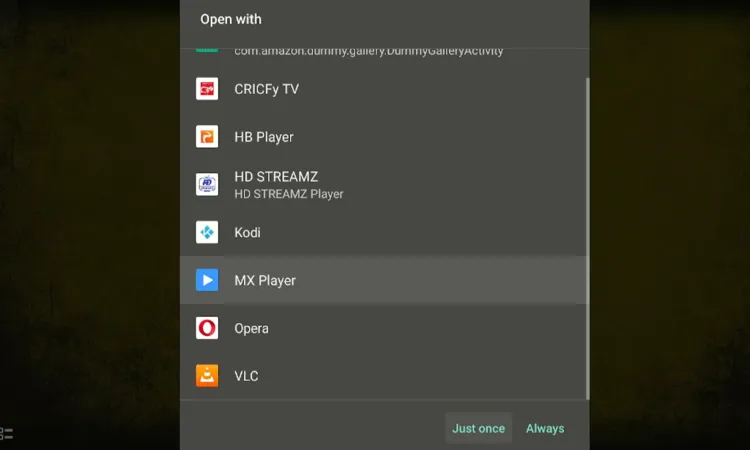
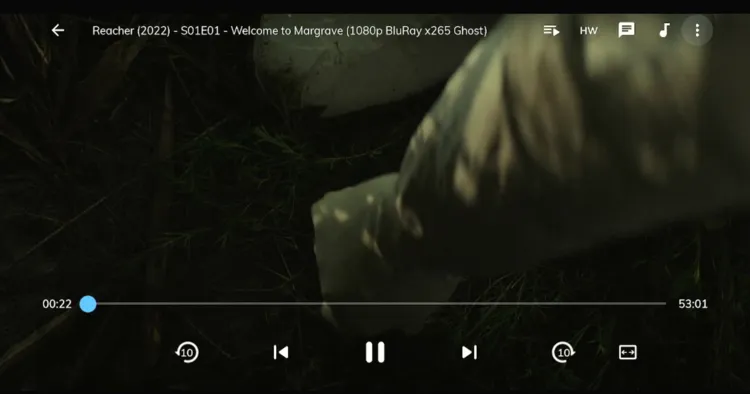
If you experience playback issues, Stremio lets you use external video players like VLC, MX Player, or AMPlayer for better playback quality.
Step 1: Go to “Settings” in the Stremio app.
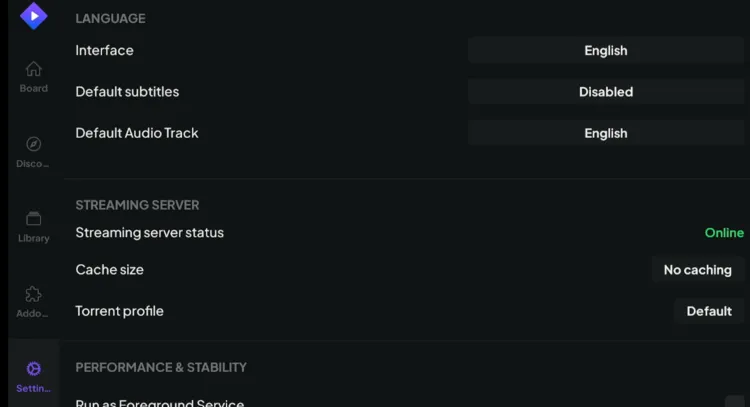
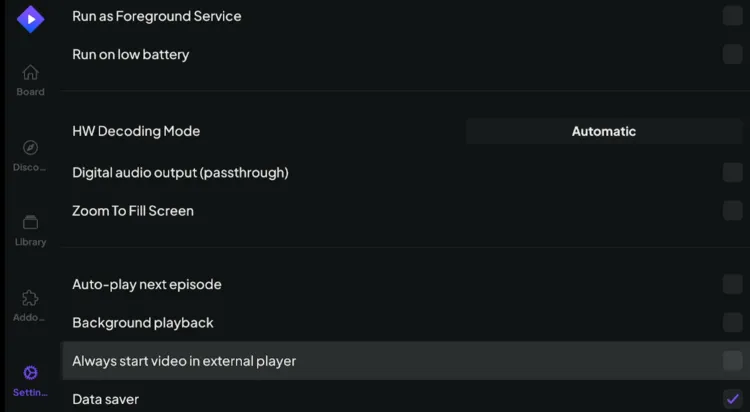
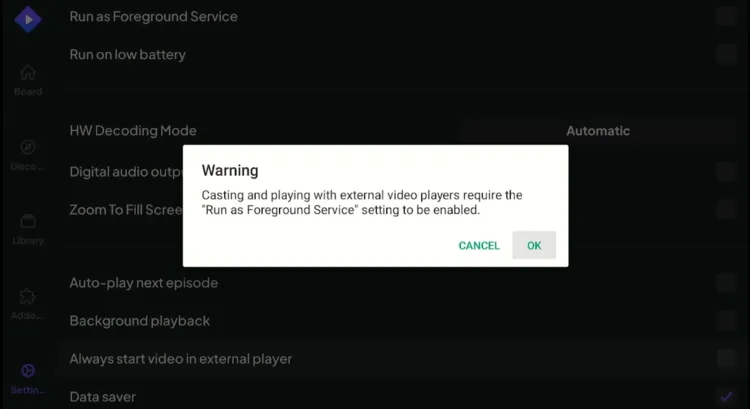
Step 3: Click “OK” to confirm your selection
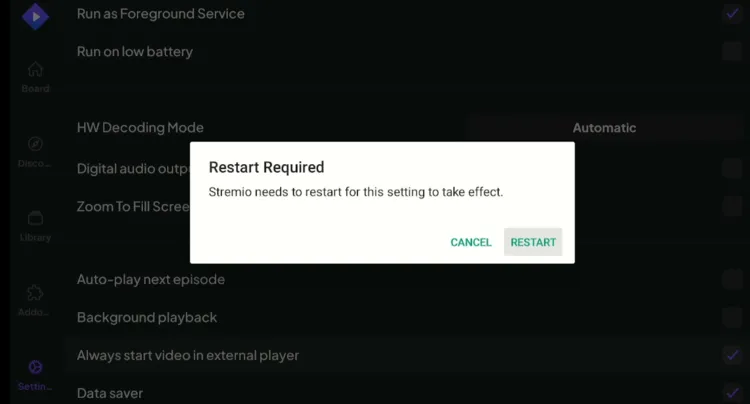
Step 4: Click “Restart” to relaunch Stremio on FireStick.
Step 5: Select a Movie or Show and play any stream.
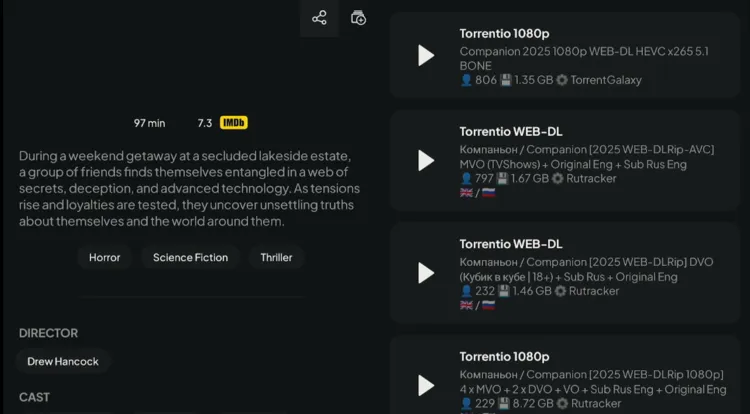
Step 6: Pick your preferred external player from the list shown.
Top 10 Stremio Add-Ons You Shouldn’t Miss!
Maximize your Stremio setup with these highly recommended, active add-ons.
| Add-On Name | Best Feature | Configuration URL |
|---|---|---|
| Trakt TV | Syncs your watch history seamlessly. | https://2ecbbd610840-trakt.baby-beamup.club/configure/ |
| USA TV | Streams 100+ live US channels. | stremio-addons.netlify.app/usa-tv |
| MediaFusion | VOD and live sports with Debrid support. | mediafusion.elfhosted.com/configure |
| Comet | Fast premium links via custom indexers. | comet.elfhosted.com/configure |
| Cyberflix Catalog | Adds organized, platform-specific VOD catalogs. | 82d7ae415a21-llama-catalog.baby-beamup.club/ |
| ThePirateBay+ | High-quality torrent streams without downloading. | thepiratebay-plus.strem.fun/ |
| Streaming Catalogs | Browse Netflix, Hulu, and Disney+ categories. | 7a82163c306e-stremio-netflix-catalog-addon.baby-beamup.club/configure |
| AIOStreams | Combines and filters multiple add-ons. | aiostreams.elfhosted.com/configure |
| Jackettio | Scrapes public and private trackers. | jackettio.elfhosted.com/configure |
| The Movie DB | Detailed cast, ratings, and production info. | 94c8cb9f702d-tmdb-addon.baby-beamup.club/configure |
Best Stremio Alternatives for FireStick/Android TV
If you enjoy Stremio, you might want to explore some of its top alternatives to enjoy free movies and TV shows. Install these APKs using Downloader Codes.
- Kodi
- BeeTV
- HDO Box
- Cinema HD
- Movie HD
Is Stremio APK Safe and Legal to Use?
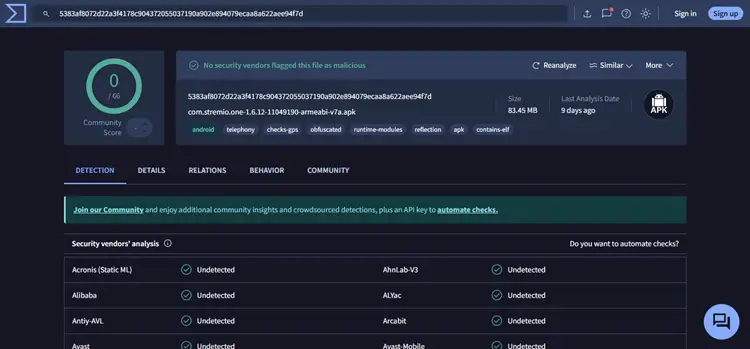
Stremio is an official media player available on the Google Play Store, proving its legitimacy. The app itself is 100% legal and safe to use.
However, third-party add-ons like Torrentio scrape torrents, which may carry legal risks depending on your region. Always protect yourself using a premium VPN like Surfshark. I also scanned Stremio’s APK using VirusTotal, and it showed no security threats, bugs, or malware.
Best Stremio Alternatives for Apple TV and iOS
If you’re on Apple TV, iPhone, or Mac and looking for a good Stremio alternative for VOD, then here are a few solid alternatives that work great. Stremio isn’t officially supported on iOS/tvOS yet.
- Fusion – This is one of the best right now. It’s in beta for Apple TV (via TestFlight), is fully customizable, and supports most Stremio-like add-ons, including Torrentio and Real Debrid. The UI is clean, and it just works.
- Omni: Specifically for Apple TV, allowing seamless Stremio add-on imports.
- Vidi: Available on both Apple TV and iPhone. It’s simple, supports Real-Debrid, and works with several add-ons.
- Kodi: If you’re more hands-on, Kodi is still a good fallback. It works on Apple TV with some effort and can be heavily customized using Real Debrid and scrapers like Coco or Fenlight.
FAQs
1. What can you watch on Stremio & Torrentio?
With its large content library and the ability to integrate third-party add-ons like Torrentio, Stremio offers a vast collection of VOD content to suit all tastes and preferences.
2. What are popular Debrid services?
Real-Debrid, AllDebrid, and Premiumize are some of the popular debrid services. However, Real-Debrid is budget-friendly and has great integration.
3. What is a Debrid service, and how does it work?
A Debrid service is a paid service that lets you paste a premium or torrent link and generates a high-speed direct download link.
Final Thoughts
Stremio combined with Torrentio and Real-Debrid is hands down the best setup for movies and TV Shows. For a small Real-Debrid fee, you get a user-friendly experience packed with high-quality, latest content.
The interface is clean, syncing across devices is effortless, and the video quality is unmatched. Just remember to use a trusted VPN like Surfshark to keep your online streaming activity secure and fully private.

