


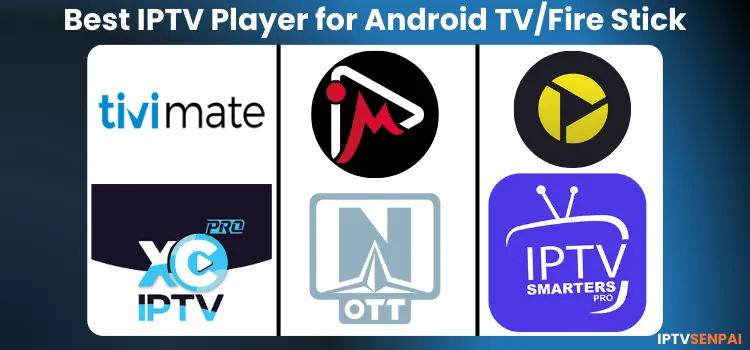
Choosing the right IPTV player app for Android TV, FireStick, or Google TV guarantees a fast, stable, easy-to-use experience. After testing dozens, remember these apps contain no content, as you need an IPTV subscription like Strong 8K or Eagle 4K.
FireStick and Android devices support sideloading via the Downloader app to install apps and tools. While IPTV players are legal, the services may not be. Therefore, a VPN secures privacy, stops IPTV buffering, and unblocks content to level up your setup.
Recommended VPN for IPTV - Surfshark

Using IPTV without a VPN can put you at Big Risk! Your ISP, government and even IPTV providers can monitor your activity, throttle your speed, or block access altogether.
Plus, without encryption, your data is exposed to hackers and third parties. Take back your privacy with Surfshark!
Features:
✅ SAVE 87% + GET 3 EXTRA MONTHS FREE! ($0.06/day)
✅ Kill Switch Feature to protect you if VPN drops
✅ Lightweight app ensuring smooth performance on All IPTV Boxes
✅ Unlimited simultaneous connections (install on all household devices)
✅ 30-day risk-free money-back guarantee
✅ Strict no-logs policy, Secure & Untraceable
Best IPTV Players for FireStick/Android TV (2026)!
7 Best IPTV Players for Android TV/FireStick
1. TiviMate
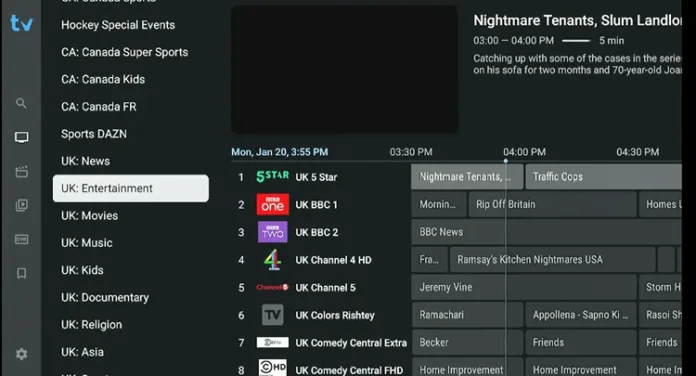
Tivimate is hands down the most recommended and used IPTV player. It’s legit built for the big screen, and the layout feels like you’re flipping through a real cable TV guide.
But where it actually wins is the customization options it offers. With the premium plan (which is 100% worth it), you can tweak playlists, organize categories, manage your favs, and more.
TiviMate Specifications
- Supported Formats: M3U, Xtream Codes API, Stalker Portal
- Compatibility: Android TV, FireStick, Nvidia Shield, MiTV Box, Onn Stream 4K Box (Not optimized for mobile devices or iOS)
- Price: Free version & Premium plan ($9.99/yr or $33.99/lifetime)
Key Features
- Clean, customizable EPG-style TV guide
- Record live TV and schedule weekly recordings
- Multi-screen support (with premium plan)
- Catch-up playback for missed shows (depends on provider)
- Add multiple IPTV playlists
- External player support (VLC, MX Player)
- Parental controls and Picture-in-picture mode (PiP)
- Time-shift for EPG and channel groups
Tivimate Downloader Code/URL: 272483 or link bit.ly/3QgGnn2
2. IPTV Smarters Pro (Free)
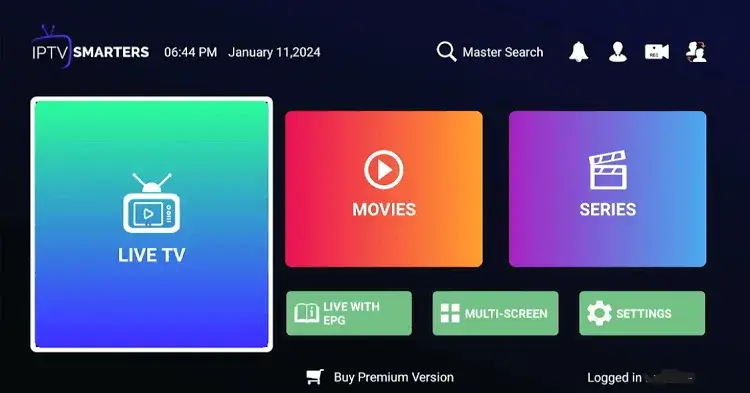
IPTV Smarters Pro is a free app with premium-like features, popular among FireStick and Android TV users. The setup is quick, the interface is clean, channel switching is fast, and it supports almost any IPTV service and format.
The Play Store version can be buggy sometimes, but just install the APK with the Downloader app, and you’re good to go. For a free player, this one gets a lot right.
IPTV Smarters Pro Specifications
- Supported Formats: M3U, Xtream Codes API
- Compatibility: FireStick, Android Phones/TV, iOS, Smart TVs, Nvidia Shield, Windows version, Onn Stream 4K Box.
- Price: Free (iOS requires a premium upgrade)
Key Features
- Live and on-demand streaming
- Create and manage favorites
- Multi-screen support with up to 4 simultaneous streams
- Allows EPG integration and Catch-up support
- Parental controls with PIN protection
- External player integration like MX and VLC
- USB recording to external storage
IPTV Smarters Pro Downloader Code/URL: 320571 or tinyurl.com/3vdjjwmb.
3. XCIPTV Player (Free)
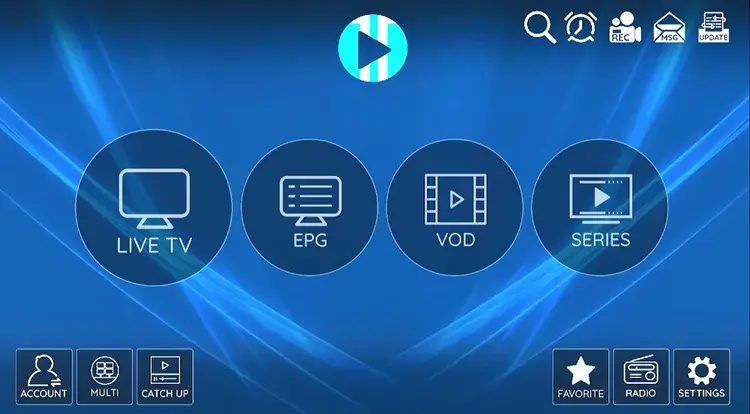
XCIPTV Player is one of the most underrated Free IPTV players that just works. It’s fast, clean, and totally ad-free. I’ve used it on both FireStick and Android TV, and performance has always been great.
The built-in player handles most streams well, and setup barely takes a minute. However, it’s not on the Play Store or Amazon Appstore, so you’ll need to sideload it using the Downloader app.
XCIPTV Player Specifications
- Supported Formats: M3U, X Codes, FastoCloud, EZ Server
- Compatibility: Firestick/Fire TV, Smart TVs, and Android TV boxes
- Price: Completely free
Key Features
- Live TV, VOD, and catch-up support
- Multi-screen support and built-in EPG
- Favorites and playlist management
- Parental control with PIN setup
- ExoPlayer, VLC integration, and Subtitles support
- Record, schedule content, and set reminders
XCIPTV Downloader Code/URL: 428614 or tinyurl.com/4zc9cv37
4. OTT Navigator

OTT Navigator is a highly customizable IPTV player with a clean layout. While its free version works well for basic use, the premium plan starts at $0.99/month, unlocking advanced tools to add multiple playlists and tweak your display layouts.
The app isn’t on the Google Play Store or Amazon Appstore, so you must sideload the APK using the Downloader app. Once installed, this player stands as a solid, highly dependable streaming option for your device setup.
OTT Navigator Specifications
- Downloader Code/URL: 105283 or tinyurl.com/37mu3ywh.
- Supported Formats: Xtream Codes, M3U, Mac Portal, Stalker Portal
- Compatibility: Fire TV, Android TV, Android Phones, Google TV
-
Price: Free. Optional Plus upgrade starting at $0.99/month
Key Features
- Fast EPG loading with full program guide
- Seamless external player integration (MX, VLC)
- Manual playlist and provider management
- Channel preview before switching
- Quick channel search, filtering, and history tracking
OTT Navigator Downloader Code/URL: 428614 or tinyurl.com/4zc9cv37
5. Sparkle TV Player
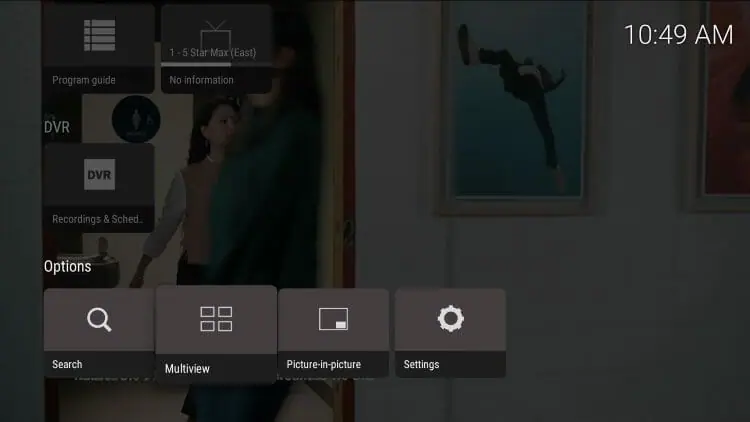
Sparkle TV is a very beginner-friendly IPTV player for FireStick, Android TV, and Google TV. It supports M3U, XC, and Stalker portals. While its free version handles basic streaming, the premium Sparkle Plus upgrade adds advanced playlist controls.
The player offers robust DVR capabilities that beat TiviMate for recording live TV. The app is unavailable on the Amazon Appstore, but you can easily install it from the Play Store or sideload it using the Downloader app.
Sparkle TV Specifications
- Supported Formats: M3U, Xtream Codes, HDHomeRun, Stalker
- Compatibility: Fire TV, Android TV, Android Phones, Google TV
- Price: Free, with Sparkle Plus starting at $1.49/month
Key Features
- Play live TV and VOD with built-in DVR
- Timeshift and pause live TV
- Multi-screen streaming and playlist management
- EPG logos and programming images
- Sync Plus account across devices
Sparkle Player Downloader Code/URL: 101628 or tinyurl.com/ycyjddhu.
6. iMPlayer
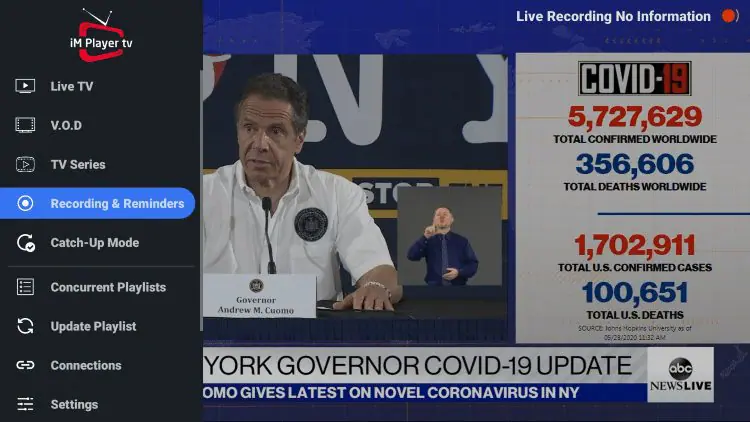
iMPlayer is a freemium IPTV player for live TV, VOD, and catch-up. Performance can get choppy with multiple playlists, depending on your setup. A 24-hour free trial unlocks premium features, and lifetime plans start at $25.
The app works on Android phones, Android TVs, and iPhones. However, if you are using an Amazon FireStick, you will need to sideload the iMPlayer APK using the Downloader app to install it.
iMPlayer Specifications
- Supported Formats: M3U, XC API, Stalker
- Compatibility: FireStick, Android TV/Phones, iOS/iPhones, Windows, Smart TVs
- Price: Free, Premium starts at $25 lifetime (24-hour trial available)
Key Features
- Stream live TV, VOD, and catch-up
- Favorites and playlist manager with built-in EPG
- Multi-profile support and device syncing
- PIN-based parental controls
- Interface customization with dark/light mode toggle
iMPlayer Downloader Code/URL: 82375 or tinyurl.com/yuhmsurd
7. Televizo
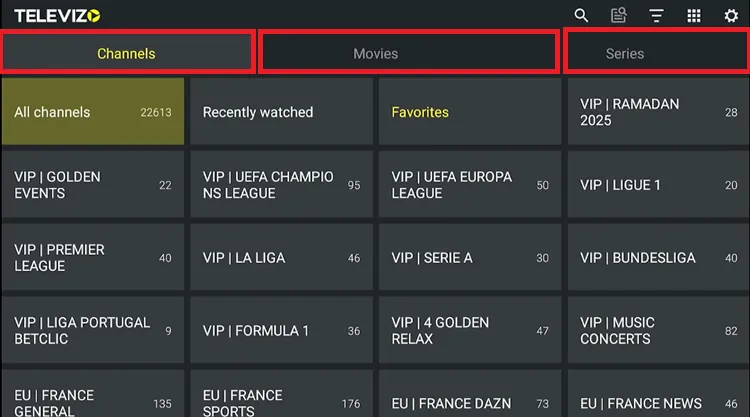
Televizo is a lightweight, excellent IPTV player with a clean layout and responsive interface. Its free core player handles basic streaming well with minimal buffering. Upgrade to premium via a ~$10 one-time lifetime purchase for advanced tools like settings backups and custom channel sorting.
Because it isn’t currently hosted on the Amazon Appstore, FireStick users will need to sideload the APK using the Downloader app, while Android TV and Google TV users can grab it straight from the Play Store.
Televizo Specifications
- Supported Formats: M3U, Xtream Codes API
- Compatibility: FireStick, Android TV, Android Phones, Google TV
- Price: Free version available; Optional Lifetime Premium (~$10)
Key Features
- Personalized grid and list layout
- Search channels and VOD
- Audio and subtitle control with sleep timer
- PIN-based parental controls
- Backup and restore settings
Televizo Downloader Code/URL: 474318 or tinyurl.com/2s3b7bav
8. IBO Player (IBO Pro Player)
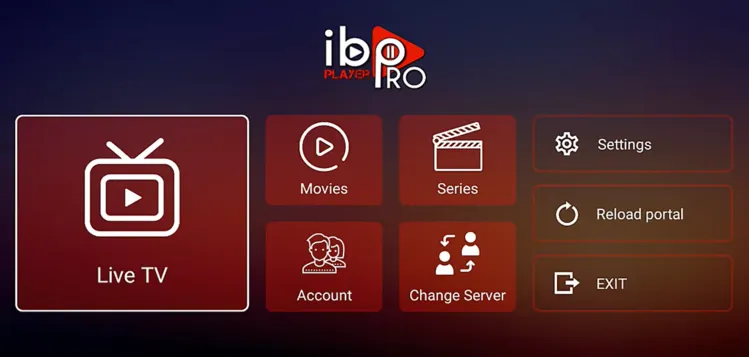
IBO Player is an elite, optimized media player for raw streaming and ultra-fast zapping. With zero built-in media, its VLC and ExoPlayer decoding handle high-bitrate 4K live TV and massive VOD libraries without stuttering or lag.
The player works on LG webOS, Samsung Tizen, FireStick, and Google TV. After a 7-day free trial, a one-time lifetime activation fee of around $8–$10 unlocks full access. FireStick users must sideload the app using Downloader app, making it a popular alternative to TiviMate.
IBO Player Specifications
- Supported Formats: M3U, M3U8, Xtream Codes API, Stalker Portal
- Compatibility: FireStick, Android TV, Google TV, Smart TVs (Samsung Tizen / LG webOS), iOS, Apple TV, Windows
- Price: 7-day free trial. ~$8–$10 one-time lifetime activation per device (or ~$2.50/yr)
Key Features
- Blazing-fast 4K and UHD stream decoding with instant channel switching
- Cross-platform playlist syncing via the online IBO web portal
- Dynamic audio track and multi-language subtitle selection
- Modern, clutter-free UI with a fully integrated EPG guide
- PIN-protected parental controls to lock custom categories
- Seamless handoff to external video players (VLC, MX Player)
IBO Player Downloader Code/URL: 834339 or tinyurl.com/iboproapk
FAQs
Final Verdict: Top IPTV Players for Android TV/FireStick (2026)
For Android TV and FireStick, TiviMate Premium is the top recommended IPTV player for customization and playlist management. However, if recording live TV matters more, Sparkle TV is a beginner-friendly option that nails DVR features like no other.
For a free option, IPTV Smarters Pro is fast, easy, and works with almost every service. Choose what you value most, but pair unverified IPTV sources with a Surfshark VPN for better privacy and less buffering.

