


Bunnystream IPTV has been operating in the streaming industry for 5+ years. It features an extensive library with 28,000+ live TV, 150,000+ movies, and 45,000+ TV shows in HD quality. However, occasional buffering can occur. I am re-testing the service in 2026, it works efficiently.
Given its unverified status, protecting your streaming activity is essential. We strongly recommend using a reliable VPN like Surfshark to bypass ISP throttling and maintain full privacy while streaming.
Recommended VPN for IPTV - Surfshark

Using IPTV without a VPN can put you at Big Risk! Your ISP, government and even IPTV providers can monitor your activity, throttle your speed, or block access altogether.
Plus, without encryption, your data is exposed to hackers and third parties. Take back your privacy with Surfshark!
Features:
✅ SAVE 87% + GET 3 EXTRA MONTHS FREE! ($0.06/day)
✅ Kill Switch Feature to protect you if VPN drops
✅ Lightweight app ensuring smooth performance on All IPTV Boxes
✅ Unlimited simultaneous connections (install on all household devices)
✅ 30-day risk-free money-back guarantee
✅ Strict no-logs policy, Secure & Untraceable
Official Website of Bunnystream IPTV
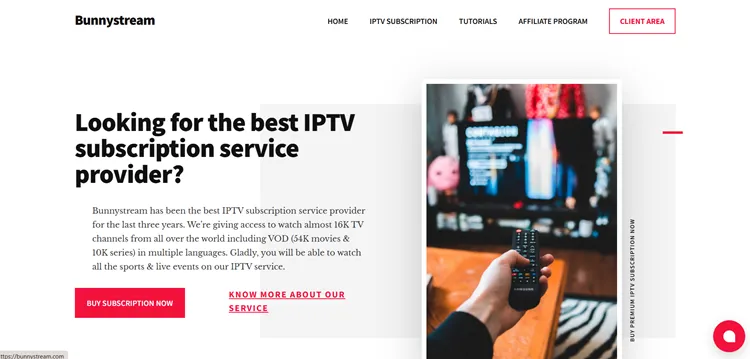
To help you identify the official service and avoid clones, we have included a screenshot of the website we reviewed above. This ensures you are accessing the correct platform and not a duplicate or imitation.
To remain completely safe, double-check the URL and visit bunnystream.com/ directly. Direct hyperlinks are omitted due to legal and regulatory constraints.
Does Bunnystream offer a Free Trial?
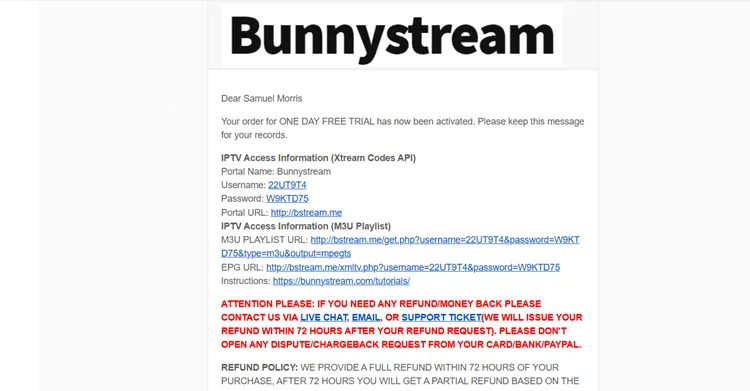
Yes, Bunnystream IPTV offers a free trial. You can request it directly from their official website, and the login credentials will be sent to your email.
Bunnystream Features
- Trial: Free Trial.
- Subscriptions: Start at $15.00/month
- Connections: Only one connection/subscription
- Live Channels: Over 28,000+ live channels
- PPV: Included
- VOD Content: 150,000+ movies, and 45,000+ TV shows.
- Streaming Quality: HD Streaming
- Payment Methods: Credit/Debit Card | BTC | Cryptocurrency.
- Compatible Devices: FireStick, Android TV, onn. Stream Google TV Box, NVIDIA Sheild Pro, etc.
- Customer Support: Live Chat + Email (Responsive)
Pros & Cons
| Pros | Cons |
|---|---|
| ✓Minimal or no buffering | —Only single connection per subscription |
| ✓Free trial included | —Missing EPG |
| ✓Good streaming quality | |
| ✓Crypto & Credit/Debit card payment options | |
| ✓PPV included | |
| ✓Compatible with popular IPTV players |
How to Get Bunnystream IPTV
Setting up Bunnystream IPTV is quick and easy! I’ll show the process on a FireStick, but you can follow the same steps on any compatible device you have.
1. Sign Up for a Subscription Plan/Free Trial.
Step 1: Visit bunnystream.com/, and scroll down to choose IPTV Subscription.
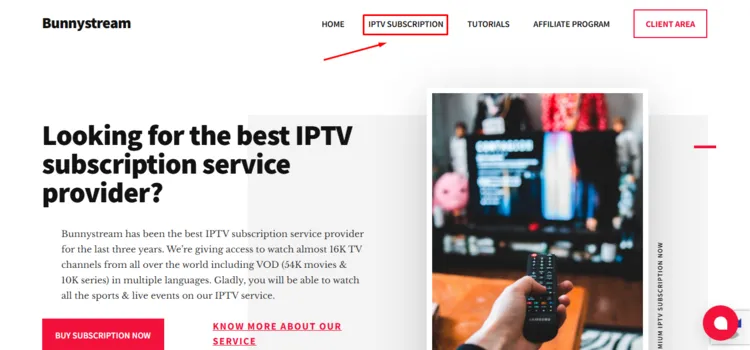
Step 2: Choose a subscription plan of your choice.
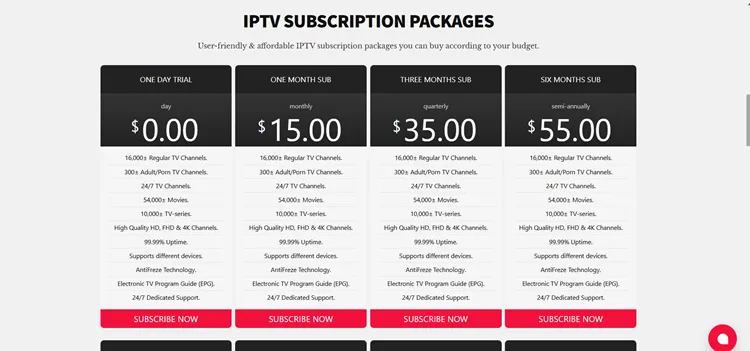
Step 3: Select your Device and click Continue
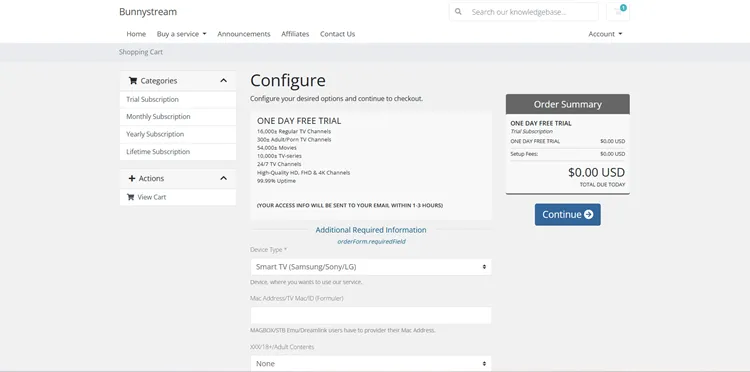
Step 4: Click Checkout.
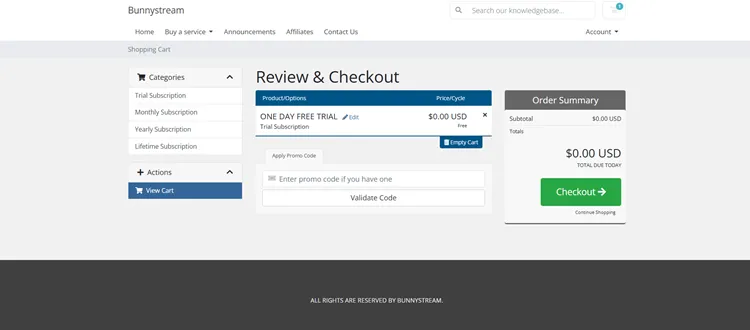
Step 5: Enter your ‘Personal Information’ and select ‘Payment Details’
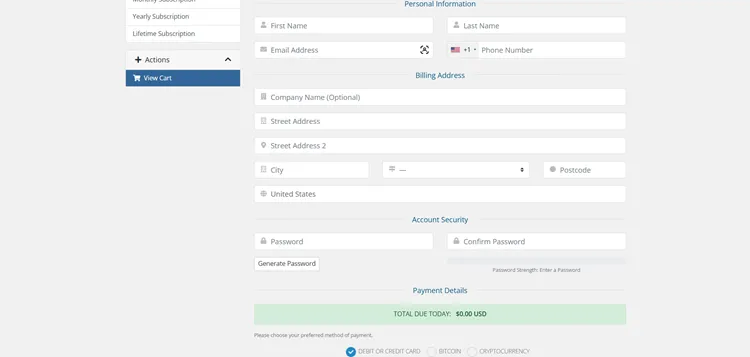
Step 6: You will receive Order Confirmation.
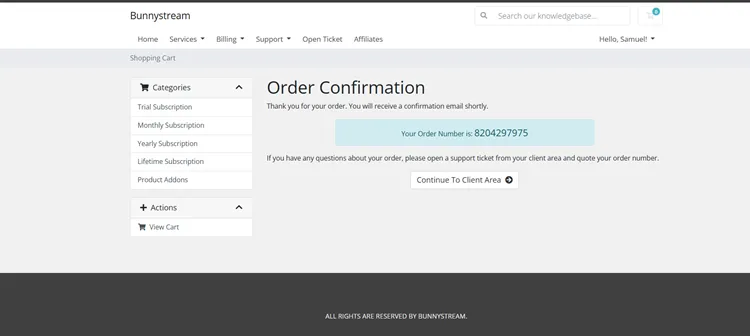
Step 7: Check your email, you will receive the login credentials.
Step 8: If you choose any subscription plan, you will receive an Invoice.
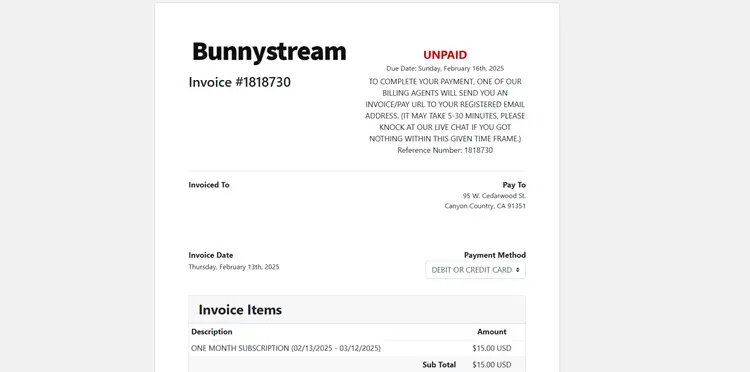
Step 9: You will receive a link in your email to add your Payment Details.
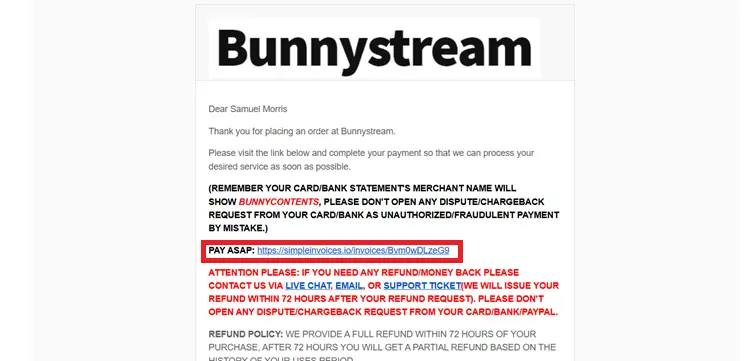
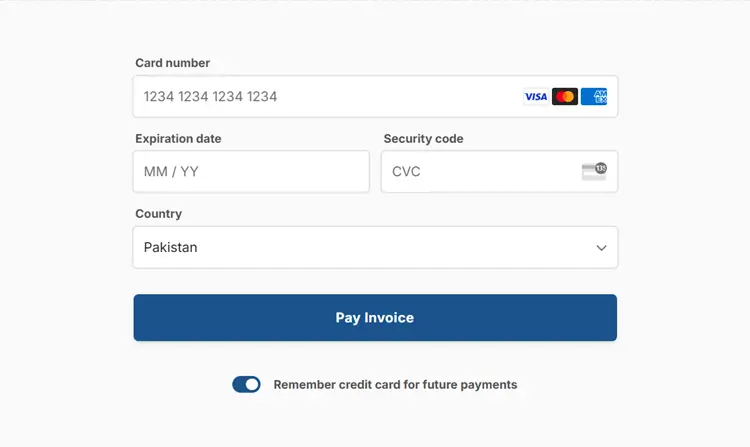
Step 10: Add your Card Details. (If you choose Card)
2. Install an IPTV Player
Bunnystream IPTV works on popular IPTV players like TiviMate. I will guide you through streaming it via my FireStick.
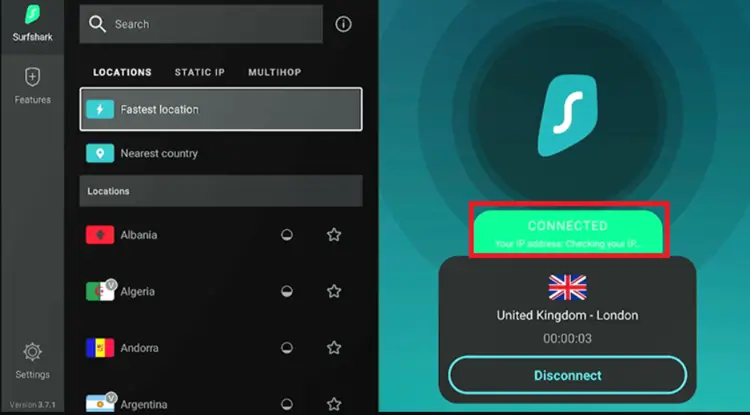
Step 1: Open Surfshark and connect to any secure server.
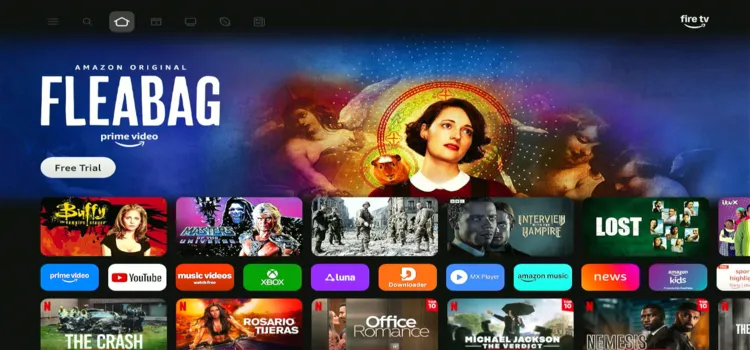
Step 2: Switch on your Fire TV Stick and press the home button. Your interface will be displayed.
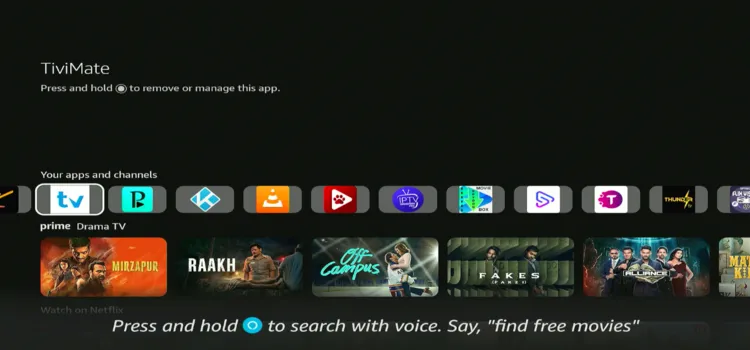
Step 3: Under your apps and channels, choose TiviMate Player app.
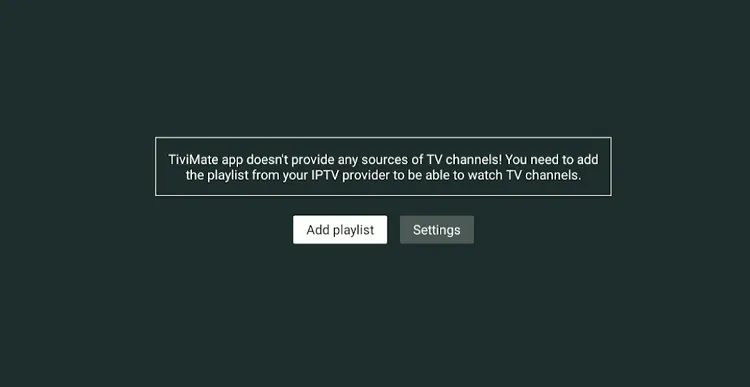
Step 4: Click Add Playlist.
Step 5: Choose the Xtreme Codes.
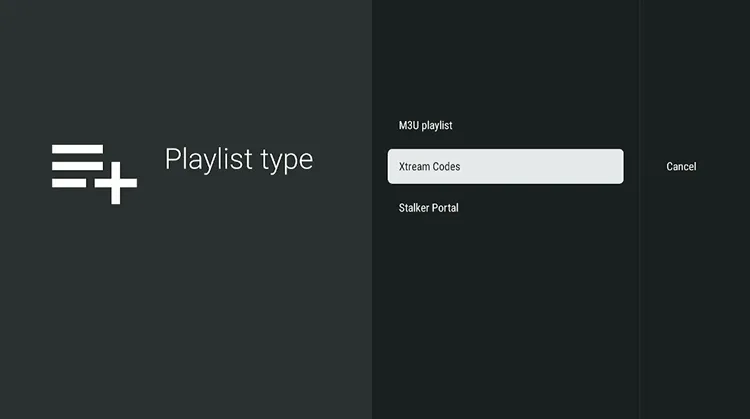
Step 6: Enter the Server address, Username, and password.
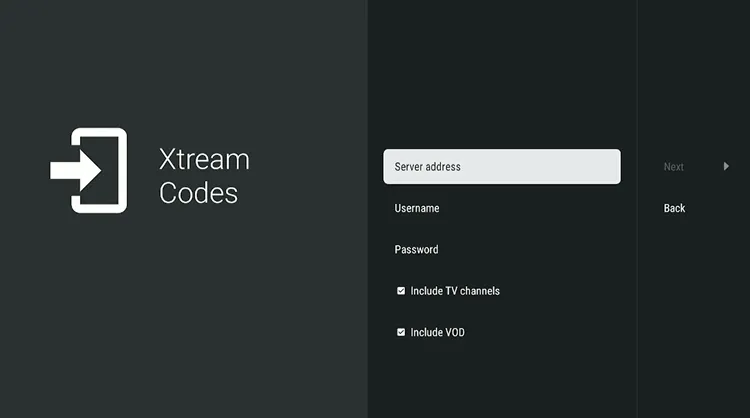
Step 7: Click Next.
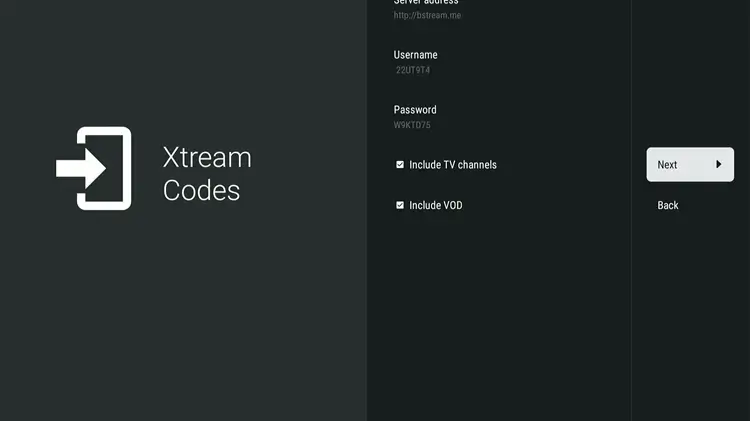
Step 8: Click Done.
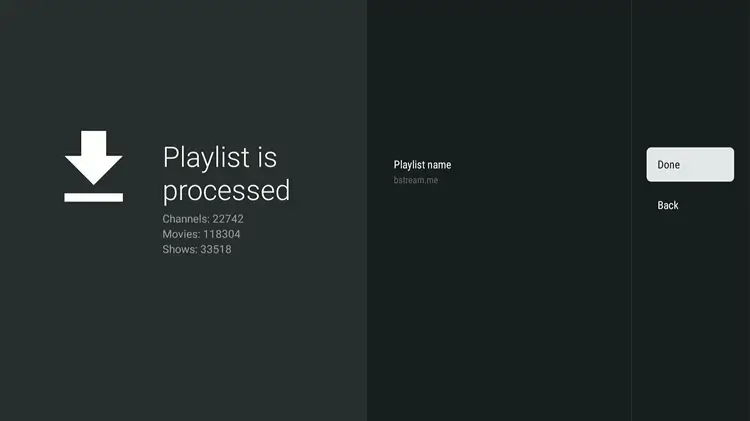
Step 9: Bunnystream IPTV setup is complete. Choose your favorite Channel.
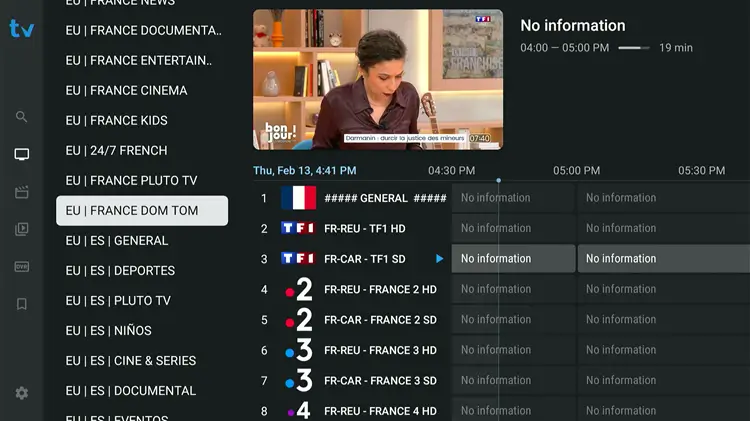
Step 10: Start Streaming!

What Can You Stream on Bunnystream IPTV?
1. Live TV
Bunnystreams IPTV offers 16,000+ channels worldwide, including the US, UK, and the Middle East. It also features top sports channels for NFL, NBA, La Liga, and more.
While streaming quality is solid in HD, occasional buffering may happen. Connecting via Surfshark helps minimize delays caused by ISP throttling
2. VOD
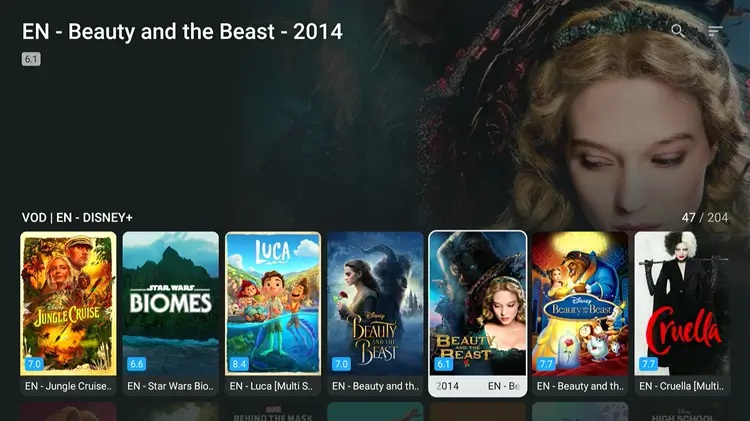
The VOD library contains 150,000+ movies and 45,000+ TV shows. You can stream popular content from Netflix, Disney+, HBO, Paramount+, and Amazon Prime.
Genres range from anime and sci-fi to horror, including popular Marvel and DC titles.
3. Live Sports & PPV
Sports enthusiasts can access dedicated channels for NFL, NBA, La Liga, and major international sports events.
The service also features Pay-Per-View (PPV) streams. Event availability depends on official broadcast schedules.
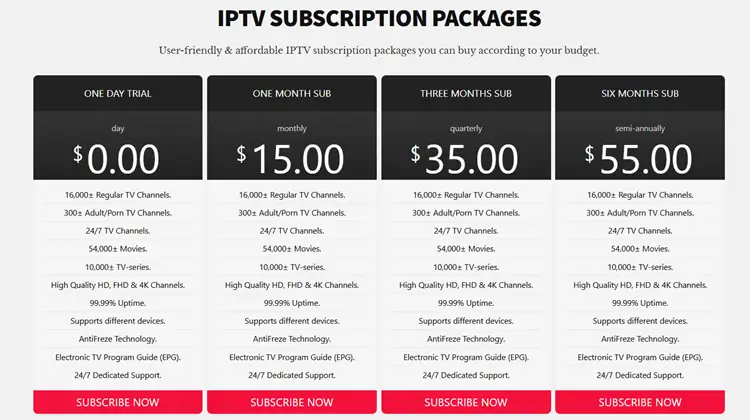
Bunnystreams IPTV offers affordable and flexible plans for all users. All plans include Live TV & VOD, HD/FHD streaming with anti-freeze technology, and 24/7 customer support for uninterrupted service.
| Plan | Duration | Price |
|---|---|---|
| One-Day Trial | 1 Day | FREE |
| Monthly | 1 Month | $15.00 |
| Quarterly | 3 Months | $35.00 |
| Semi-Annual | 6 Months | $55.00 |
| Annual | 1 Year | $85.00 |
| Biennial | 2 Years | $155.00 |
| Triennial | 3 Years | $225.00 |
| Lifetime | Unlimited | $365.00 |
Payment methods include: cryptocurrencies and debit/credit cards as payment options only. While PayPal is only displayed on their website, it is not currently supported.
Is Bunnystream IPTV Legal & Safe to Use?
Bunnystreams IPTV is an unverified IPTV service, meaning it streams content without official licensing. With increasing government crackdowns on such platforms in certain regions, caution is advised when using it.
Unverified IPTV services can pose privacy and security risks, making it essential to protect your online activity. To stay safe and anonymous, using a trusted VPN like Surfshark is highly recommended.
Pro Tip: How to Choose the Right IPTV and Avoid Scams.
How is Bunnystream IPTV‘s Customer Support?
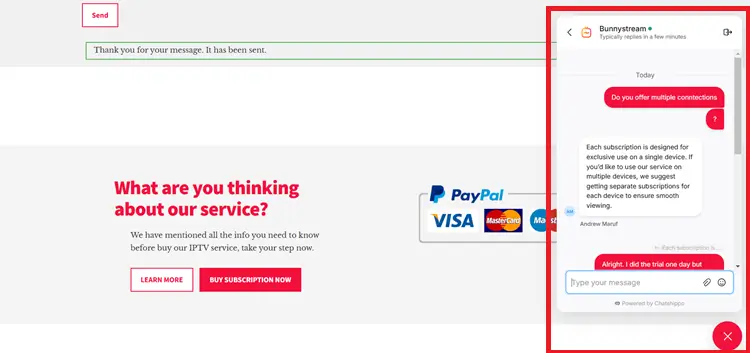
I received the trial within an hour. Their website offers Live Chat and Email support, both of which are highly responsive. They answered my queries quickly and efficiently.
Bunnystream Alternatives
FAQs
1. What is Bunnystream IPTV?
Bunnystream IPTV is an Internet Protocol Television service providing live channels and VOD over the internet.
2. Does Bunnystream IPTV offer a free trial?
Yes, they provide a free trial requested through their official website.
3. What payment methods are accepted?
They accept Credit/Debit Cards, Bitcoin, and other cryptocurrencies.
4. How many connections are allowed?
Each subscription allows 1 connection at a time.
Final Verdict for Bunnystream IPTV
Bunnystream IPTV offers a solid streaming option with 28,000+ live TV channels and a massive VOD catalog of 150,000+ movies and 45,000+ TV shows. Performance on FireStick using TiviMate is smooth with minimal buffering.
As an unverified IPTV service, using Surfshark is highly recommended for security. We suggest starting with the free trial before committing long-term.

