


4K IPTV Zone is an IPTV streaming provider that brings together entertainment from all corners of the globe for less than 1 year. The platform offers a substantial library featuring over 16,000+ live TV, 139,000+ movies, and 31,000+ TV series.
It provides streams in HD/4K quality. While navigating the service, you will notice a decent interface that keeps channels fairly organized for viewers. The service offers a 36-hour free trial.
4K IPTV Zone functions as an unverified IPTV service. Utilizing a premium VPN is highly advised. This results in a smoother viewing experience and shields your online activities from ISP tracking and regional restrictions.
Recommended VPN for IPTV - Surfshark

Using IPTV without a VPN can put you at Big Risk! Your ISP, government and even IPTV providers can monitor your activity, throttle your speed, or block access altogether.
Plus, without encryption, your data is exposed to hackers and third parties. Take back your privacy with Surfshark!
Features:
✅ SAVE 87% + GET 3 EXTRA MONTHS FREE! ($0.06/day)
✅ Kill Switch Feature to protect you if VPN drops
✅ Lightweight app ensuring smooth performance on All IPTV Boxes
✅ Unlimited simultaneous connections (install on all household devices)
✅ 30-day risk-free money-back guarantee
✅ Strict no-logs policy, Secure & Untraceable
Official Website of 4K IPTV Zone
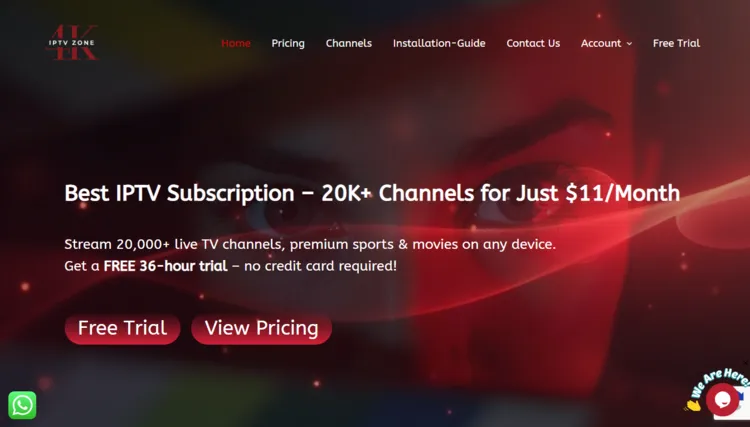
Like many unverified streaming options, 4K IPTV Zone may have imitation websites online. Be sure to verify the web address and match the site’s look with official screenshots to avoid scams before handing over any payment.
For legal and security purposes, we refrain from linking directly. You can manually head to their official domain ‘4kiptvzone.com’ to view their subscription tiers.
Does 4K IPTV Zone Offer a Free Trial?
Yes, 4K IPTV Zone offers a 36-hour free trial to new users. I received a free trial within 5 hours upon request. To get started, click on Free Trial section under the Store icon. Follow the steps. Within 5 hours, your login credentials will be sent to your email.
4K IPTV Zone Features
- Trial: 36-Hour Free Trial.
- Pricing: Starting from $11/month.
- Connections: Upto 5 connections depending on subscription.
- Live Channels: 16,000+ live TV channels.
- VOD Library: 139,000+ Movies and 31,000+ TV Series.
- Streaming Quality: HD
- Payments: Credit/Debit Cards and Cryptocurrency.
- Players Supported: Tivimate, IPTV Smarters Pro, Sparkle player
- Devices: Firestick, Android TV, Enigma2, Formuler, MAG, Apple TV, Windows, Mac, Smart TVs
- Support: WhatsApp, Live Chat, and Email. (Faster response time)
Pros & Cons
| Pros | Cons |
|---|---|
| 36-hour free trial | Frequent buffering on live TV & VOD |
| Large live TV & VOD library | Inconsistent streaming performance |
| Upto 5 connections | EPG available for very selected channels |
How to Get 4K IPTV Zone
To install 4K IPTV Zone on your Fire TV Stick, follow the instructions below:
1. Sign Up for a Subscription Plan
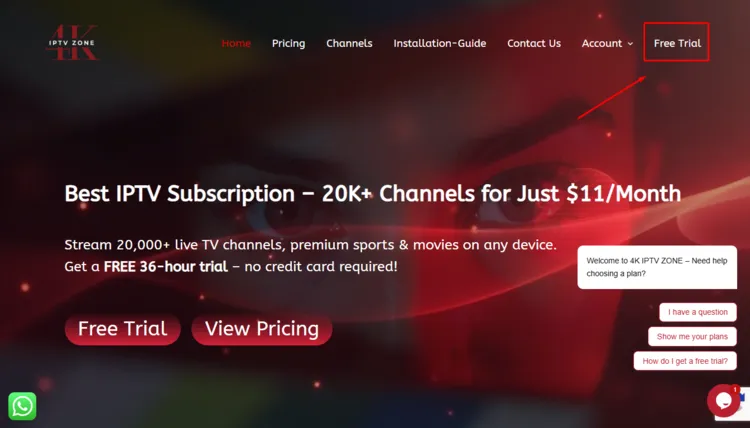
Step 1: Visit 4kiptvzone.com. Click on Free Trial button on the top right.
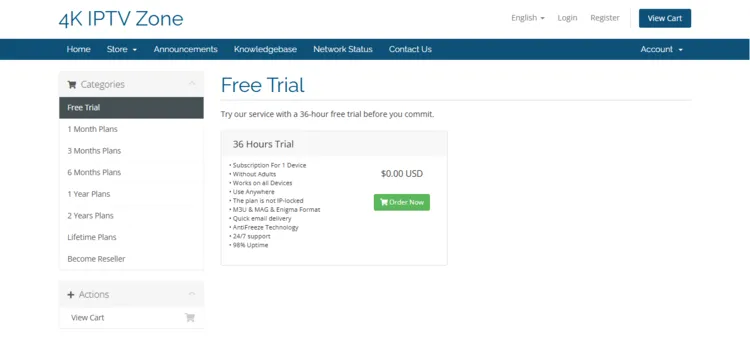
Step 2: A new window will open. Details of the Free Trial are displayed. Click on Order Now.
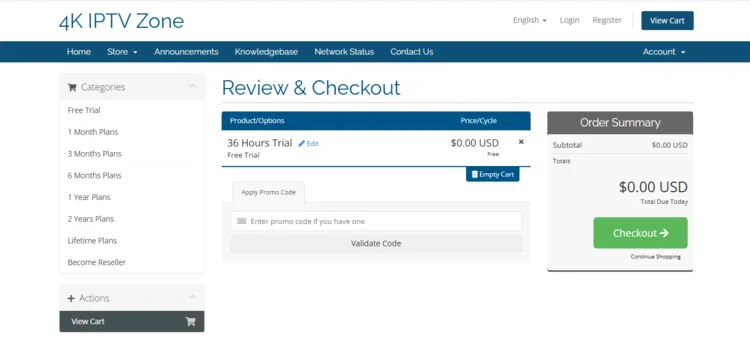
Step 3: A Review & Checkout page will open. Click on Checkout.
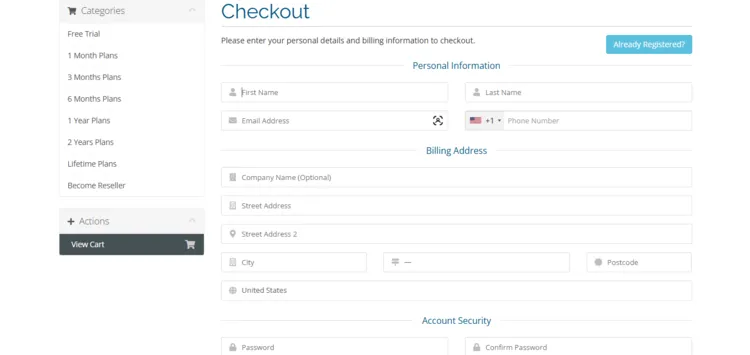
Step 4: A Checkout page will open. Enter your Personal Information and Billing Address and select Payment Method. Click Complete Order.
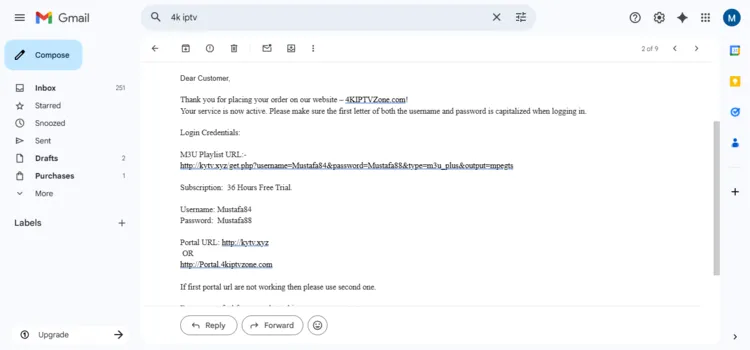
Step 5: You will receive a free trial within 5 hours. The service provider will send you the M3U URL and Xtreme Codes to your Gmail.
Step 6: For subscription plans, click on Pricing on the top bar.
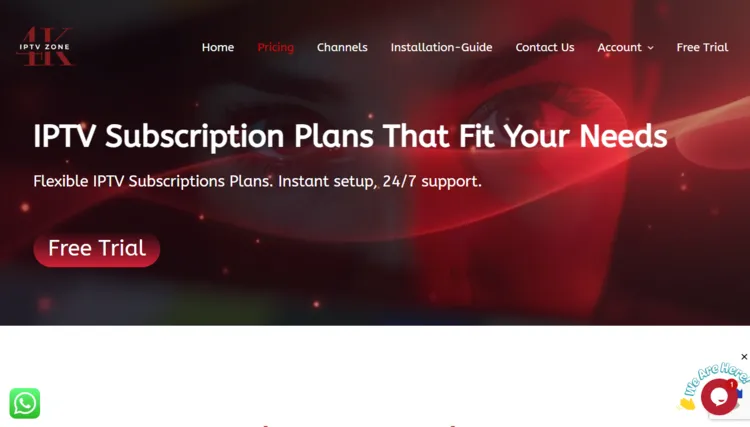
Step 7: Choose a subscription plan of your choice by clicking on Choose Plan button.
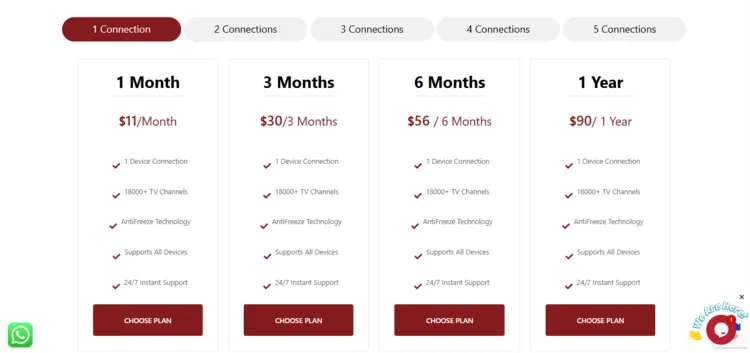
Note: From Step 8 onwards, follow the same procedure from Step 3 to Step 5.
2. Connect to VPN & Set Up Your Player
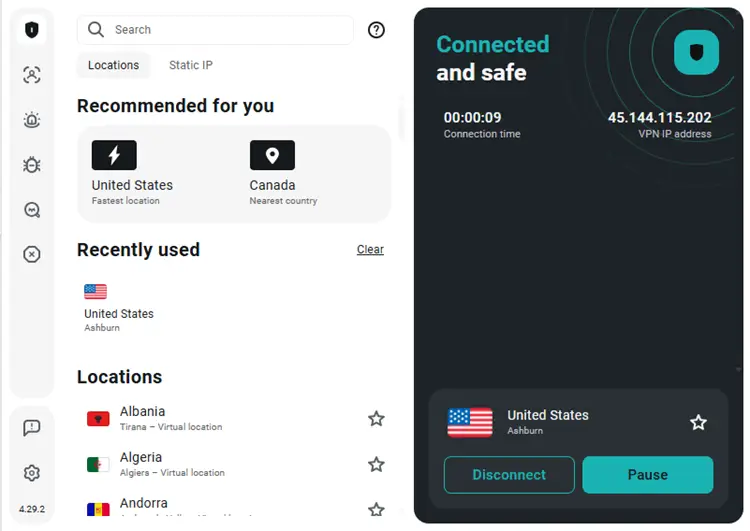
Step 1: Open the Surfshark app and connect to any server.
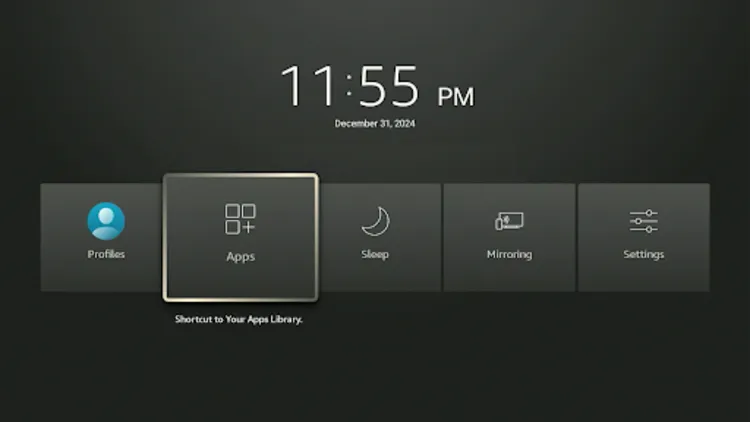
Step 2: Turn your Fire TV Stick on and long-press the Home button, and click Apps.
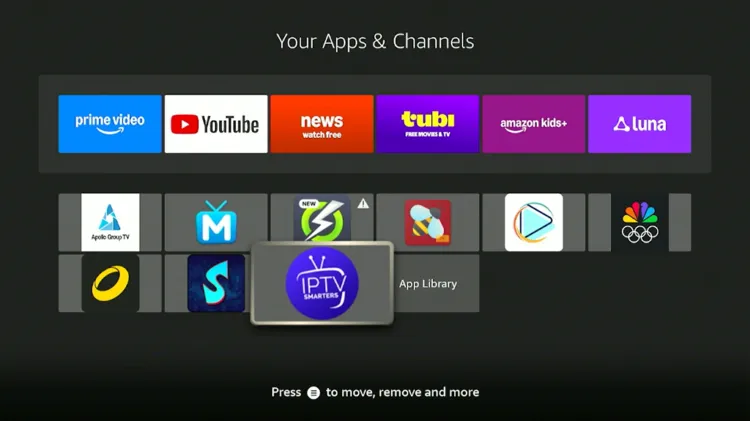
Step 3: Select IPTV Smarters Pro from your apps.
Step 4: Select Xtream Codes.
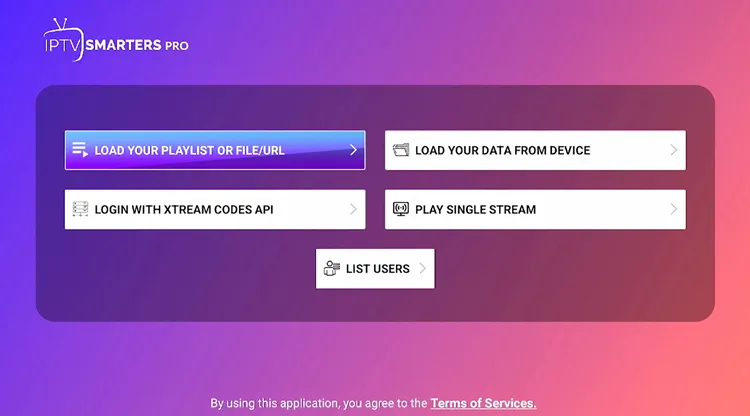
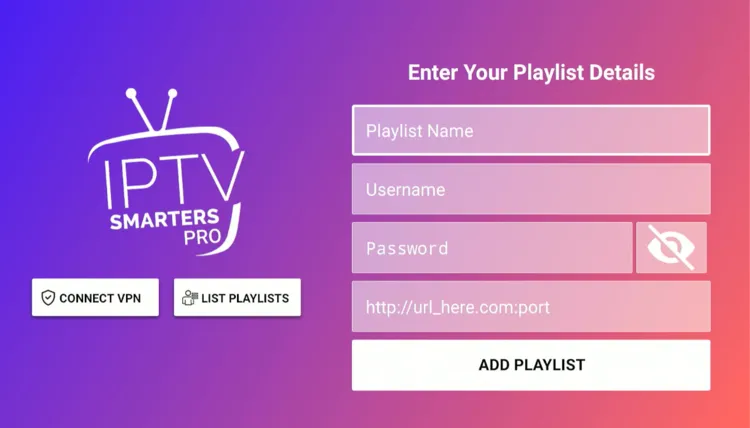
Step 5: Enter Playlist Name, Server address, Username, and Password. Then click on Add Playlist.
Step 6: 4K IPTV Zone has been successfully set up.
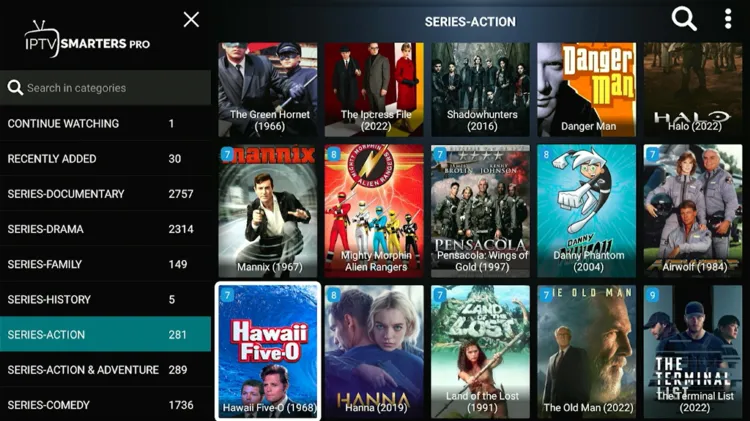
Step 7: Enjoy streaming!
What Can You Stream on 4K IPTV Zone?
1. Live TV
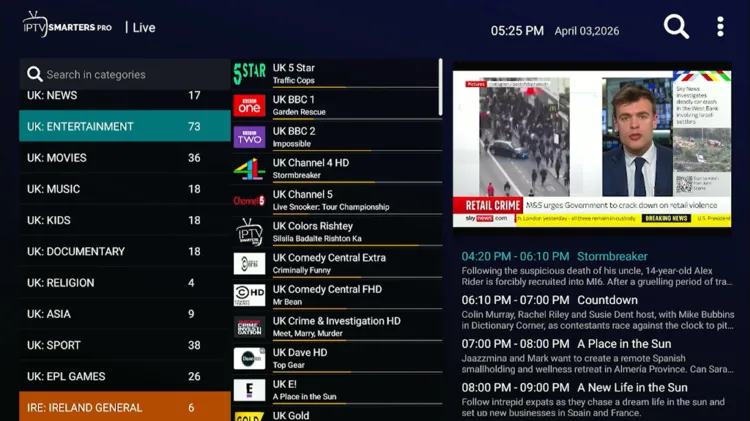
4K IPTV Zone delivers 16,000+ live TV channels, covering content from all parts of the world. It covers major areas such as news, sports, and entertainment in multiple languages.
While the selection is broad, users frequently report experiencing some buffering issues during live broadcasts, which can disrupt the viewing experience. It doesn’t improve with any VPN.
The Electronic Program Guide (EPG) functions adequately, supplying schedules for News, Entertainment, and Sports programming specifically for USA, UK, and Canada.
2. Live Sports
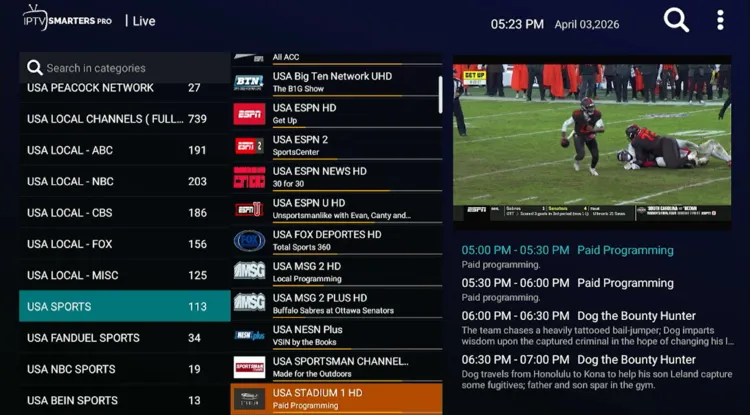
4K IPTV Zone offers live sports suiting different users’ needs and preferences. Popular sports include Soccer, MMA, Baseball, Tennis, Rugby, Golf etc. The commentary is available in multiple languages such as English, Arabic, Spanish etc.
You will find access to several prominent broadcasting networks such as ESPN, NBC Sports, DAZN, Fox Sports, and Bein Sports.
3. VOD
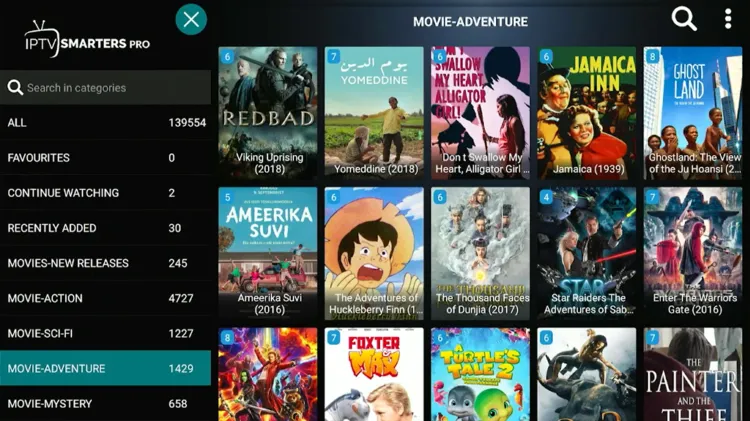
The VOD section of 4K IPTV Zone is well-stocked, featuring 139,000+ movies and 31,000+ TV series. This library includes popular titles from major studios and networks like Amazon Prime, FX, MGM, Universal, Disney, Warner Brothers etc.
Unfortunately, similar to the live TV section, there are some buffering issues here, meaning playback is not smooth when trying to watch on-demand titles.
How Much Does 4K IPTV Zone Cost?
4K IPTV Zone offers 6 subscription plans, offering up to 5 connections. Each bundle includes total access to live TV, Movies, TV Series, and PPV Events. The service also comes with a 36-hour free trial.
Customers can pay securely using standard methods like Credit Card/Debit Card & Cryptocurrency.
Here are the pricing plans:
| Connections | 1 Month | 3 Months | 6 Months | Devices |
|---|---|---|---|---|
| 1 Connection | $11 | $30 | $56 | $90 |
| 2 Connection | $18 | $40 | $70 | $110 |
| 3 Connection | $25 | $50 | $85 | $130 |
| 4 Connection | $35 | $60 | $95 | $150 |
| 5 Connection | $45 | $70 | $105 | $170 |
Is 4K IPTV Zone Legal and Safe?
As an unverified IPTV platform, safety and legality remain a concern for 4K IPTV Zone. Streaming through unregulated providers can leave users’ data exposed to third parties.
To hide your digital footprint, your internet connection should be routed through Surfshark servers. This will encrypt your online traffic, prevent tracking, and stop your ISP from limiting your internet speeds.
How is 4K IPTV Zone’s Customer Support?
4K IPTV Zone generally assists its users through WhatsApp, Live Chat, and Email. There is an online Contact Us option on their website. Support teams handle account activations and technical inquiries. I received a trial within 6 hours using Free trial button.
4K IPTV Zone Alternatives
FAQ’s
1. Does 4K IPTV Zone offer a free trial?
Yes, the service offers a 36-hour free trial to new users.
2. What devices are compatible with the service?
Device Compatibility: Firestick, Android TV, Apple TV, Windows, Mac, Smart TVs, MAG, Formuler, and Enigma2.
3. What are the available payment methods?
Payment Methods: Credit/Debit Cards or Cryptocurrency.
4. How can I contact 4K IPTV Zone customer support?
Customer assistance is available through WhatsApp, Live Chat, and Email.
Final Verdict for 4K IPTV Zone
4K IPTV Zone is a disappointing experience, despite a 36-hour free trial, a huge content library for live TV/VOD section and a decent interface. This is due to occasional buffering issues. I wouldn’t recommend this service to users.
If you do choose to try this unverified service anyway, then it is vital to protect yourself using Surfshark in order to bypass geo-restrictions, prevent ISP throttling, and secure your personal data.

