


Shoroc IPTV is a relatively new player in the IPTV space. The service launched just about one month ago, yet it already packs an impressive lineup of content, with over 12,000+ live TV channels, 121,000+ movies, and 30,000+ TV series. Shoroc IPTV offers a generous 36-hour free trial.
During testing, I found the streaming quality solid on VOD content with little to no buffering, though live TV and sports did show some buffering issues. No VPN is technically required to stream. That said, using a premium VPN is still strongly advisable to protect your privacy.
Using IPTV without a VPN can put you at Big Risk! Your ISP, government and even IPTV providers can monitor your activity, throttle your speed, or block access altogether. Plus, without encryption, your data is exposed to hackers and third parties. Take back your privacy with Surfshark! ✅ SAVE 87% + GET 3 EXTRA MONTHS FREE! ($0.06/day)Recommended VPN for IPTV - Surfshark

Features:
✅ Kill Switch Feature to protect you if VPN drops
✅ Lightweight app ensuring smooth performance on All IPTV Boxes
✅ Unlimited simultaneous connections (install on all household devices)
✅ 30-day risk-free money-back guarantee
✅ Strict no-logs policy, Secure & Untraceable
Official Website of Shoroc IPTV
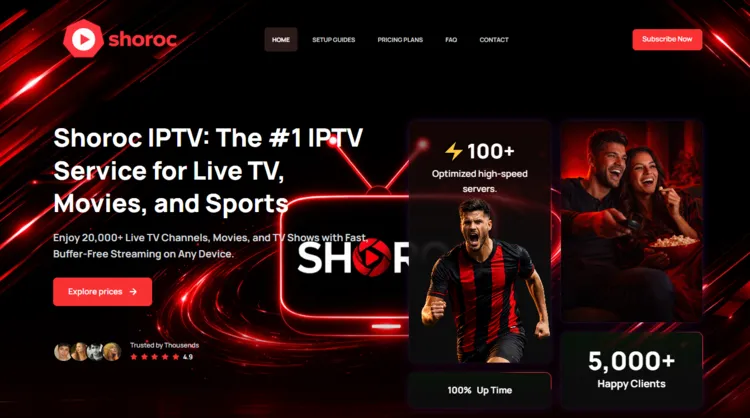
Before signing up, make sure you land on the correct site. Clone websites and domains with similar-sounding names have become a growing problem in the IPTV industry, as fraudulent pages are often designed to look nearly identical to the real thing.
Always verify the site’s layout using the screenshot above before entering any payment information. The official domain for Shoroc IPTV is ‘shorociptv.com’. We do not provide a direct hyperlink for legal and regulatory reasons. So copy/paste the domain manually into your browser.
Does Shoroc IPTV Offer a Free Trial?
Yes, Shoroc IPTV offers a 36-hour free trial. That gives you enough time to test live TV, sports streams, and VOD content before making a decision.
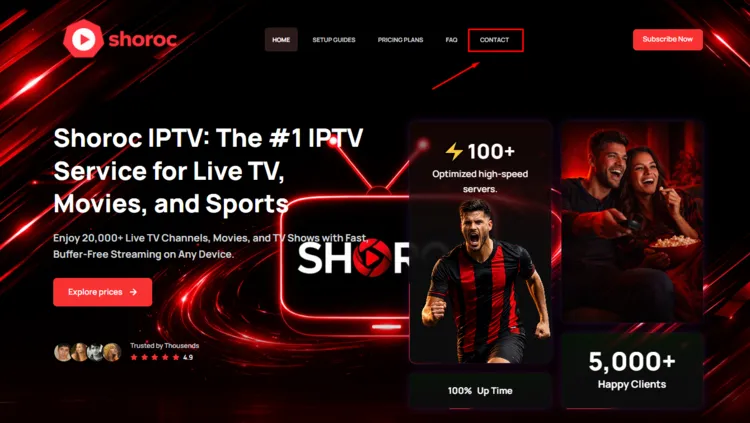
To claim the trial, visit the official website and click on Contact button. Fill the form and you will receive login credentials in your email.
Shoroc IPTV Features
- Trial: 36-hour free trial
- Pricing: starting at $14/month
- Subscriptions: 4 subscription plans available (see pricing table below)
- Connections: 4 device connections
- Live Channels: 12,000+ channels
- VOD Content: 121,000+ movies and 30,000+ TV series
- Streaming Quality: HD and 4K resolution
- Payment Methods: Credit/Debit Cards and PayPal
- Compatible Players: Tivimate, IPTV Smarters Pro, Sparkle Player
- Compatible Devices: Smart TVs (Samsung, LG, etc.), Android and iOS devices, Android boxes (e.g., Nvidia Shield, MAG boxes), Windows and Mac computers, Set-top boxes (e.g., Roku, Amazon Fire Stick)
- Customer Support: Email & WhatsApp (WhatsApp is preferred)
| +36 Hour Free Trial | —Live TV and sports channels suffer from occasional buffering |
| +Large VOD Library | |
| +Up to 4 Devices (depending on subscription) |
How to Get Shoroc IPTV
To install Shoroc IPTV streaming service on your Fire TV Stick, follow the step-by-step instructions below:
1. Sign Up for a Free Trial or Subscription
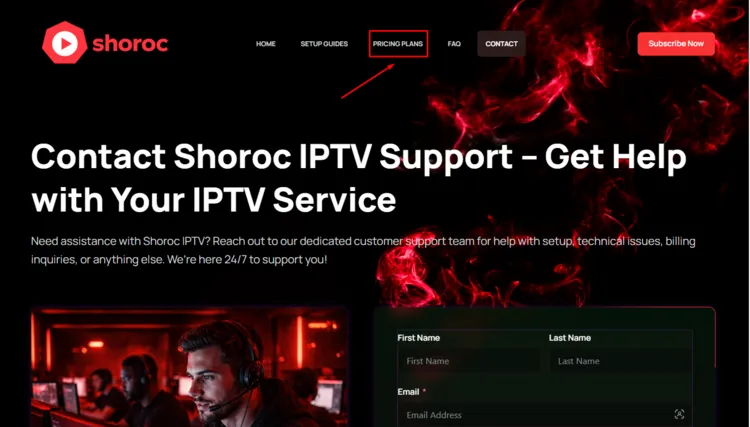
Step 1: Visit the official website at ‘shorociptv.com’. Click on Contact on the top bar.
Step 2: Fill the form and request a free trial. Click on Submit Form.
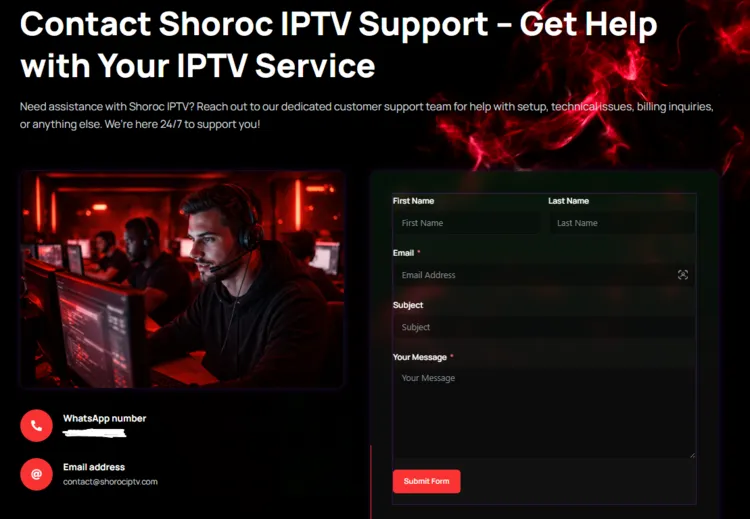
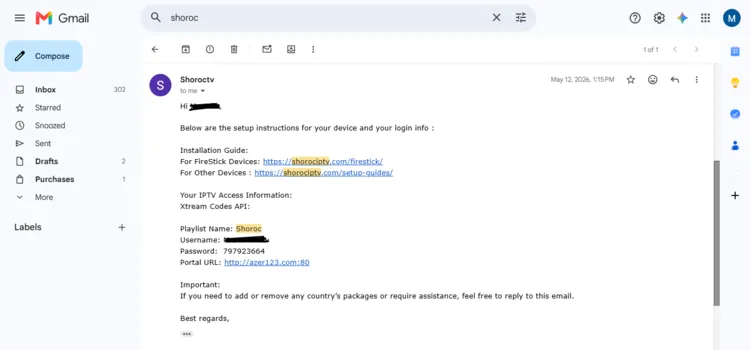
Step 3: Check your inbox — your M3U URL and Xtream Codes credentials will be sent by email.
Step 4: To buy a subscription plan, click on Pricing Plans.
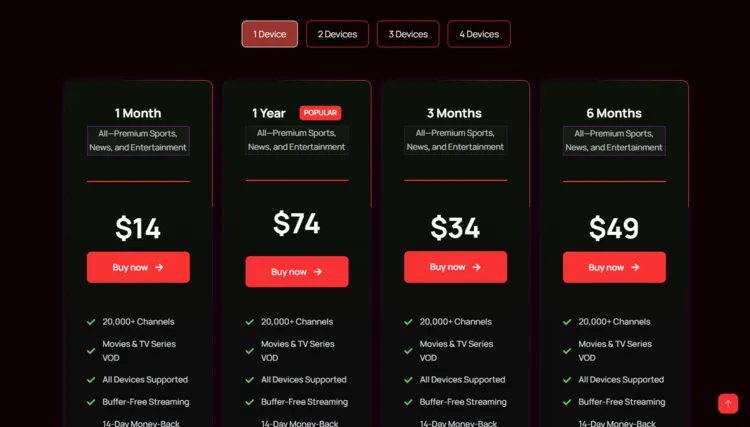
Step 5: Select a subscription plan of your choice by clicking on Buy Now.
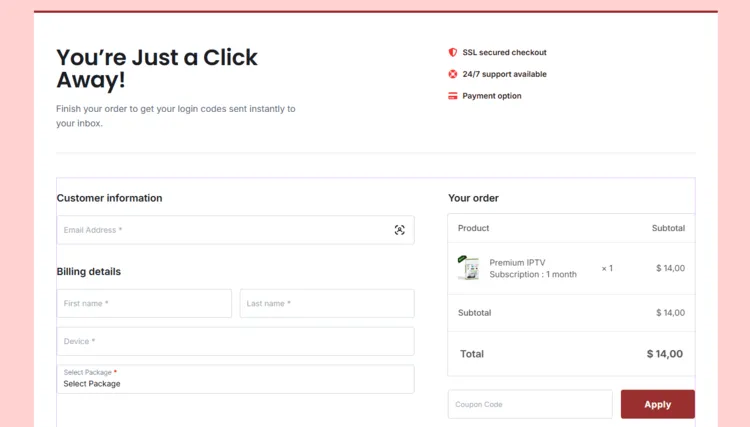
Step 6: A Checkout page will open. Enter your Customer Information, Billing Address, and select Payment method. Click Send Invoice.
2. Connect to VPN & Set Up Your Player
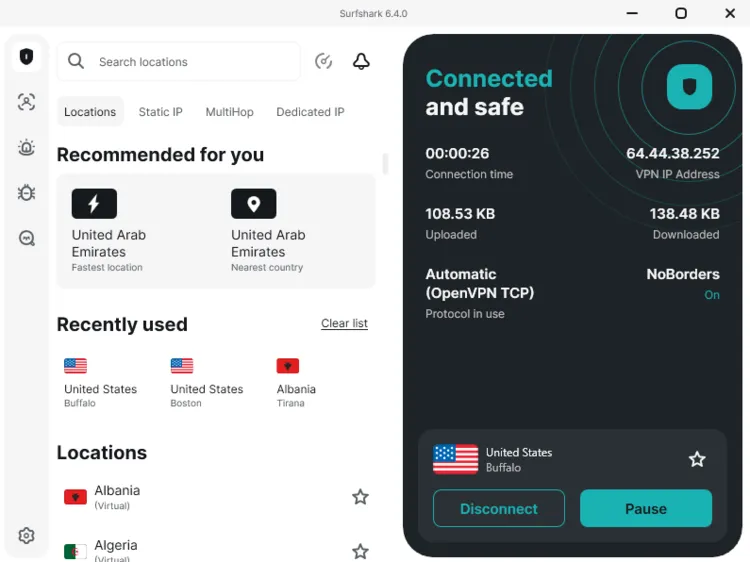
Step 1: Open the Surfshark app and connect to any secure server.
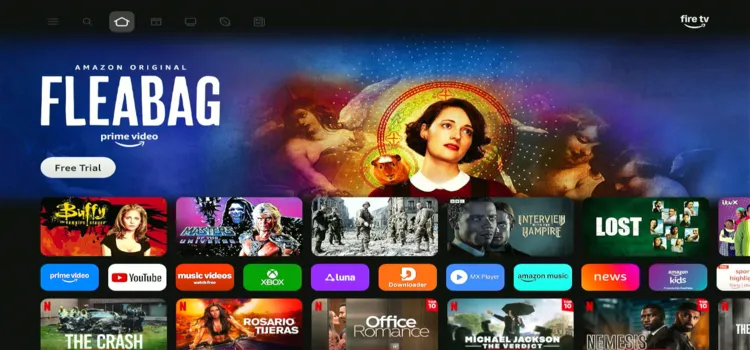
Step 2: Switch on your Fire TV Stick and press the home button, your interface will be displayed.
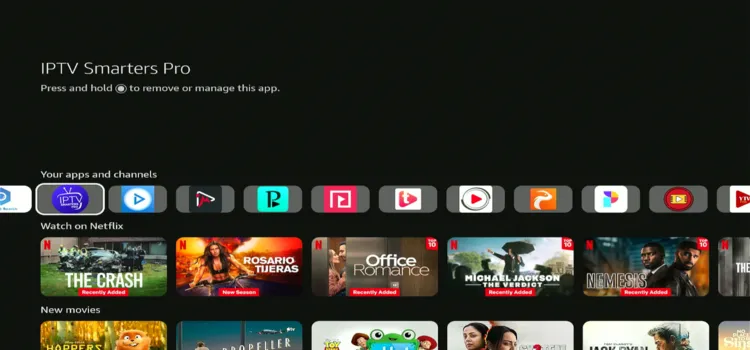
Step 3: Scroll below under Your apps and channels and click IPTV Smarters Pro
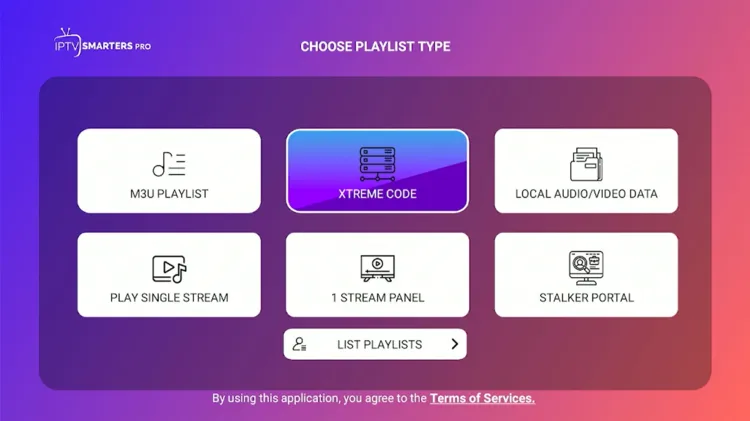
Step 4: Select Xtream Codes.
Step 5: Enter Playlist Name, Server address, Username, and Password. Then click on Add Playlist.
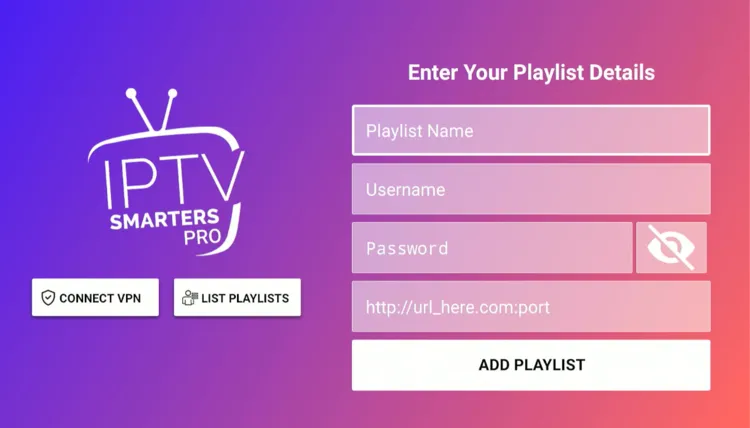
Step 6: Shoroc IPTV has been successfully set up.
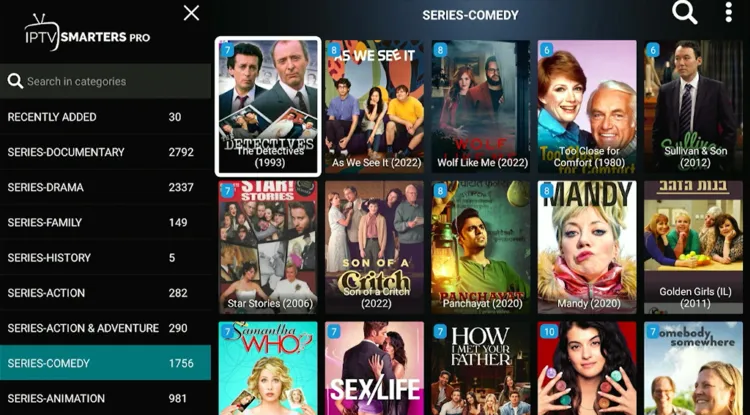
Step 7: Start Streaming!

What Can You Stream on Shoroc IPTV?
1. Live TV
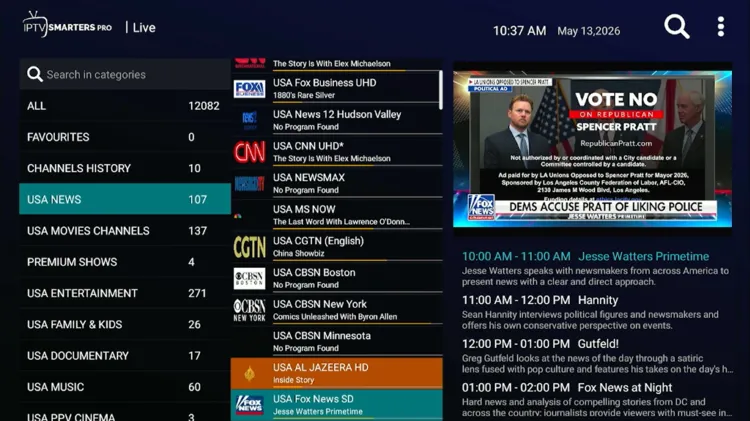
Shoroc IPTV carries over 12,000+ live TV channels sourced from North America, Europe, and Asia (mainly Middle East). That regional diversity makes it a good pick for Arabic-speaking audiences alongside North American and European viewers.
During testing, I noticed some buffering issues on certain live streams. It wasn’t constant, but noticeable on busier channels during peak hours. The Electronic Program Guide (EPG) coverage includes:
- U.S/Canada/U.K: News, Sports, Entertainment.
- Documentary Channels: Discovery, History, Curiosity Now, and National Geographic
The EPG helps keep things organized, which is appreciated given the sheer volume of channels available.
2. Live Sports
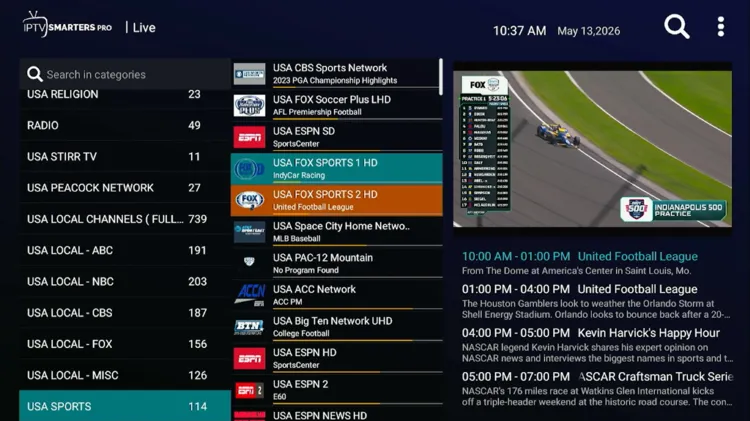
Sports coverage on Shoroc IPTV streams popular sports and leagues with ease. Some buffering issues are expected. Commentary is available in both English and Arabic.
- Popular Sports: Ice hockey, Tennis, MMA/UFC, Soccer, Motorsport, Racing, Cricket, Golf
- Popular leagues: NASCAR Cup, IPL Cricket, PGA Championship, Premier League, Formula 1 Motor Racing.
- Sports Network: ESPN, FOX Sports, CBS Sports, Willow, NBC Sports, beIN Sports, DAZN, PTV Sports.
3. VOD
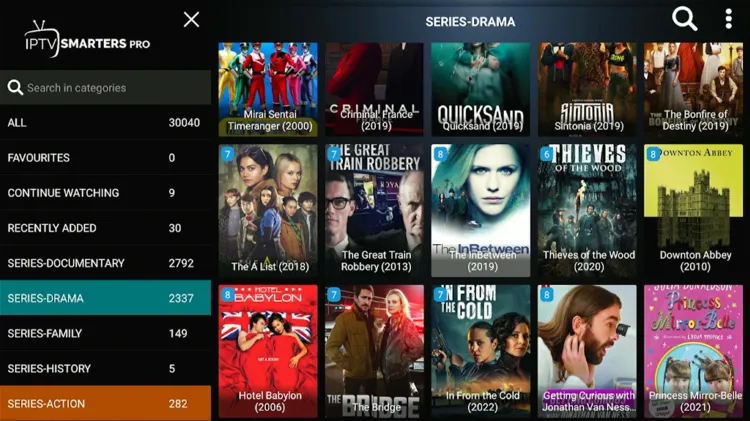 The VOD library on Shoroc IPTV is where the service genuinely impresses. The content is neatly arranged. They offer 121,000+ movies and 30,000+ TV series. During testing, VOD playback was smooth, with little to no buffering issues.
- Popular Platforms: Netflix, HBO Max, Disney+, SHOWTIME, Apple TV+.
- Language: English, Turkish, Arabic, German
If you primarily use Shoroc IPTV for on-demand viewing, you’ll find the experience noticeably better than the live streams.
How Much Does Shoroc IPTV Cost?
Shoroc IPTV offers 4 subscription plans, each supporting up to 4 devices. Each tier offers full access to Premium Sports, News, and Entertainment. The service also offers a 36-hour free trial to new users.
For payments, Shoroc IPTV accepts Paypal.
Here are the pricing plans:
| Devices | 1 Month | 3 Months | 6 Months | 1 Year |
|---|---|---|---|---|
| 1 Device | $14 | $34 | $49 | $74 |
| 2 Devices | $26 | $64 | $84 | $134 |
| 3 Devices | $39 | $92 | $124 | $199 |
| 4 Devices | $49 | $119 | $164 | $274 |
Is Shoroc IPTV Legal and Safe?
Shoroc IPTV is an unverified IPTV service. Its licensing status is not authorized. Governments in many countries are actively cracking down on unregulated streaming services, and the situation varies significantly depending on where you are located.
While Shoroc IPTV states that a VPN is not required, using one is still strongly recommended for privacy purposes. A premium VPN like Surfshark encrypts your connection and keeps your streaming activity private from your ISP and potential third parties.
How is Shoroc IPTV’s Customer Support?
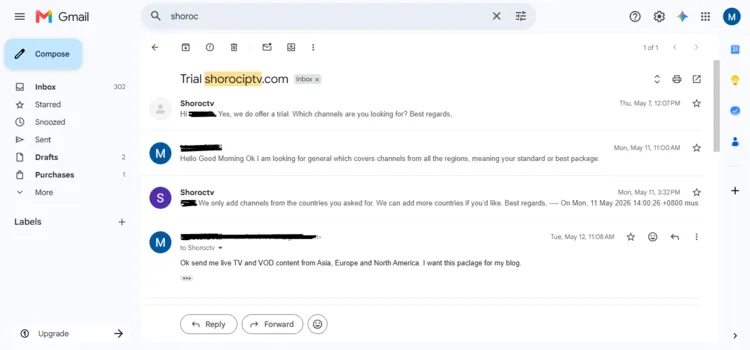
Support at Shoroc IPTV is handled exclusively through WhatsApp and email. The response time is reasonable. WhatsApp option is preferred as it is a popular and fast IPTV medium among users.
However, I used email because WhatsApp wasn’t available when I first visited the service. I received my login details through email within a few hours.
Shoroc IPTV Alternatives
FAQ’s
1. Is there a free trial for Shoroc IPTV?
Yes, Shoroc IPTV offers a 36-hour free trial to new users.
2. Can I get a refund if I am not satisfied with Shoroc IPTV?
My Final Verdict for Shoroc IPTV
Shoroc IPTV is a genuinely impressive debut for a service that’s only been around for a month. It has a large content library with a 36-hour free trial, allowing new users to evaluate this IPTV service. The service offers smooth VOD streaming, but live TV streams can occasionally buffer.
To keep your connection secure and your streaming private, make sure your internet is routed through Surfshark servers to add a layer of privacy regardless of whether the service requires it.

