


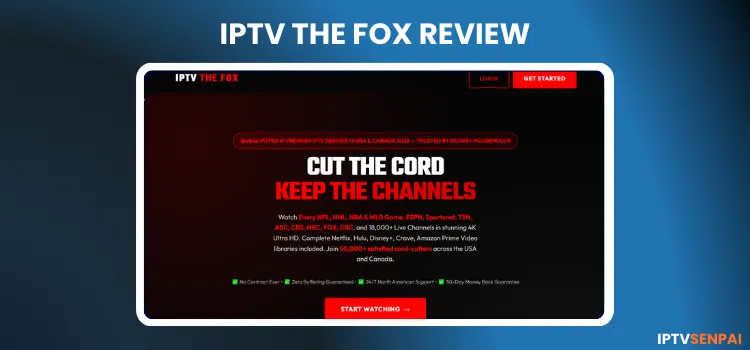
IPTV The Fox is a 3-month-old IPTV service, which is new in the streaming space. The service offers over 15,000+ live TV channels, 130,000+ movies, and 30,000+ TV series. Their content is sourced from North America, Europe, and Asia.
The service provider delivers a high-quality visual experience, with streams available in FHD and 4K. It also has a 36-hour free trial for users before they make a purchase. However, the live TV section is prone to significant buffering, which is a major turn-off.
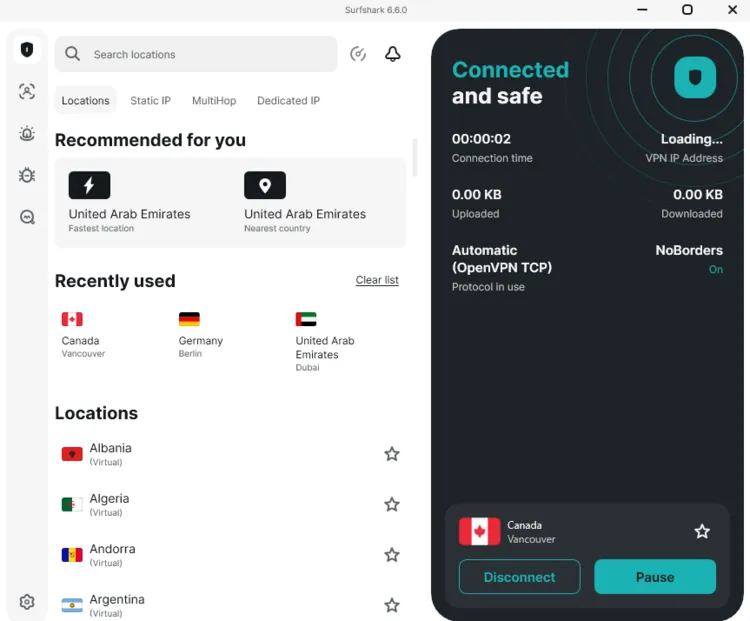
Also, given IPTV The Fox’s unverified status, encrypting your online activty through a verified VPN like Surfshark is a necessity. For this specific service, connecting to a Vancouver server provided stable performance results.
Recommended VPN for IPTV - Surfshark

Using IPTV without a VPN can put you at Big Risk! Your ISP, government and even IPTV providers can monitor your activity, throttle your speed, or block access altogether.
Plus, without encryption, your data is exposed to hackers and third parties. Take back your privacy with Surfshark!
Features:
✅ SAVE 87% + GET 3 EXTRA MONTHS FREE! ($0.06/day)
✅ Kill Switch Feature to protect you if VPN drops
✅ Lightweight app ensuring smooth performance on All IPTV Boxes
✅ Unlimited simultaneous connections (install on all household devices)
✅ 30-day risk-free money-back guarantee
✅ Strict no-logs policy, Secure & Untraceable
Official Website of IPTV The Fox
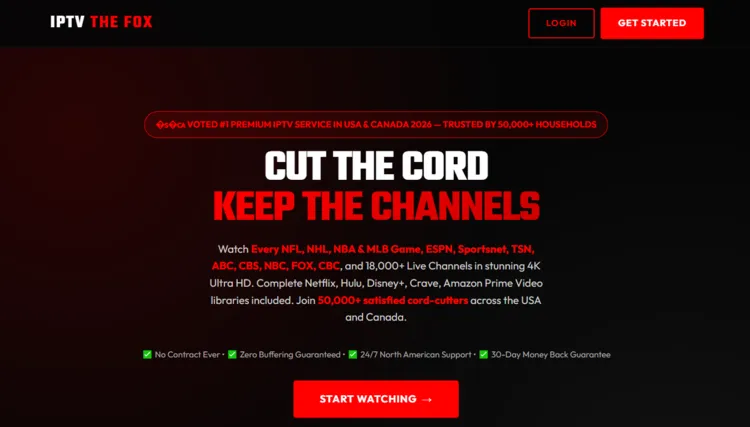
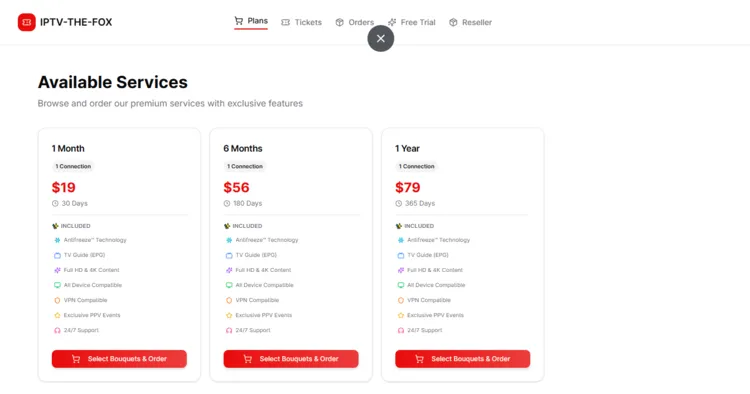
IPTV The Fox has clones or websites with similar names trying to capitalize on its name, like many third-party streaming platforms. Therefore, always verify the site’s layout using a screenshot above before entering any personal or payment information.
To maintain security and avoid visiting malicious clone sites, users should directly visit the official domain ‘iptv-the-fox.com’. [Note: Direct hyperlinks are not provided due to legal and regulatory guidelines.]
Does IPTV The Fox offer a free trial?
Yes, IPTV The Fox offers a 36-hour free trial for new users, which is pretty generous. The service offers a free trial every Monday and Thursday. The remaining days it is paid.
IPTV The Fox Features
- Trial: 36-Hour Free Trial.
- Connections: Up to 5 connections (depending on subscription)
- Live Channels: 15,000+ live TV channels.
- VOD Content: 130,000+ movies and 30,000+ TV series.
- Streaming Quality: FHD and 4K
- Payment Methods: Credit Card | PayPal | Cryptocurrency.
- Compatible Players: Tivimate, IPTV Smarters Pro, Sparkle Player
- Compatible Devices: Firestick, Android TV, Smart TVs, Apple TV.
-
Customer Support: Email & Chat Support (No WhatsApp despite the website claiming otherwise).
Pros & Cons
| Pros | Cons |
|---|---|
| Large VOD Library | Live TV Buffering |
| 36-Hour Trial | Misleading Advertising: No WhatsApp |
| Clean Interface | Free Trial Limits: Only available on Mondays and Thursaday. |
| Multi-Connection Support | Requires Login to access Free Trial and Subscribtion Plan |
| Little to no buffering in VOD | Average Customer Support |
How to Get IPTV The Fox
To install IPTV The Fox on your Fire TV Stick, follow the instructions below:
1. Sign Up for Free Trial/Subscription
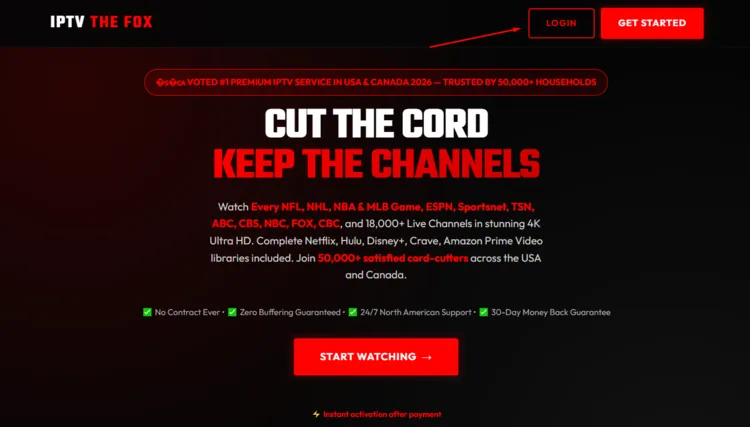
Step 1: Visit the official IPTV The Fox website ‘iptv-the-fox.com’. Click on login button.
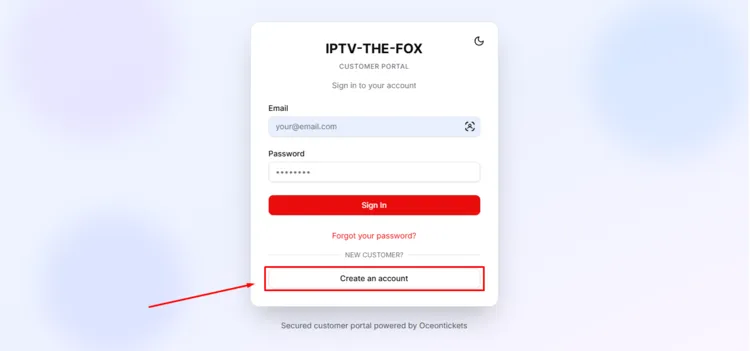
Step 2: Click on Create an Account button.
Step 3: Enter your details and then click the Create Account button.
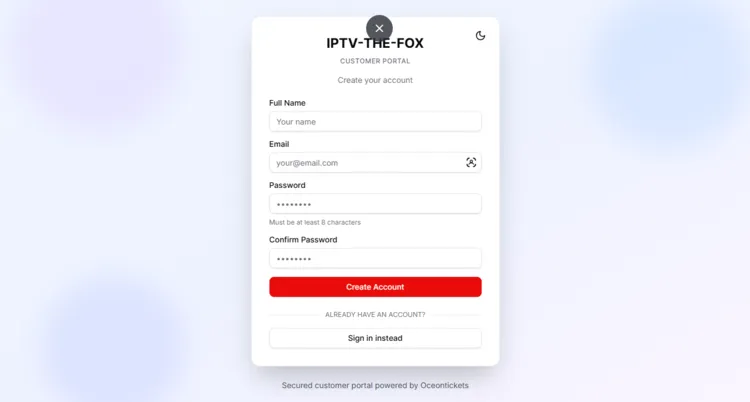
Step 4: A new window will open. Click on Free Trial on the top bar.
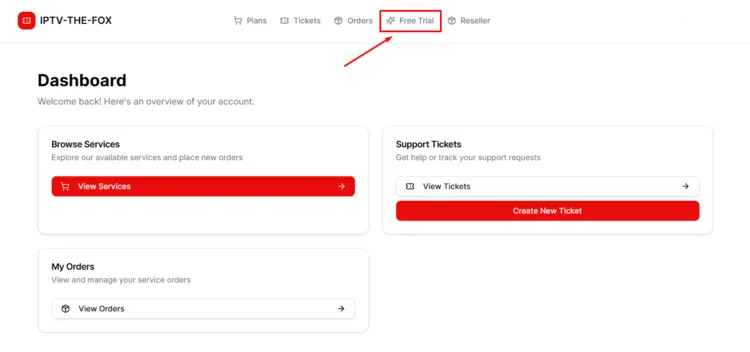
Step 5: A new window will open. Click on Start Free Trial button.
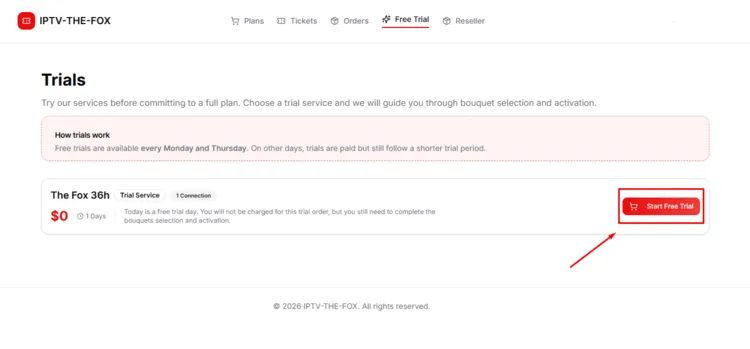
Step 6: Select the channel bouquet for live TV. Click on Continue to Movies.
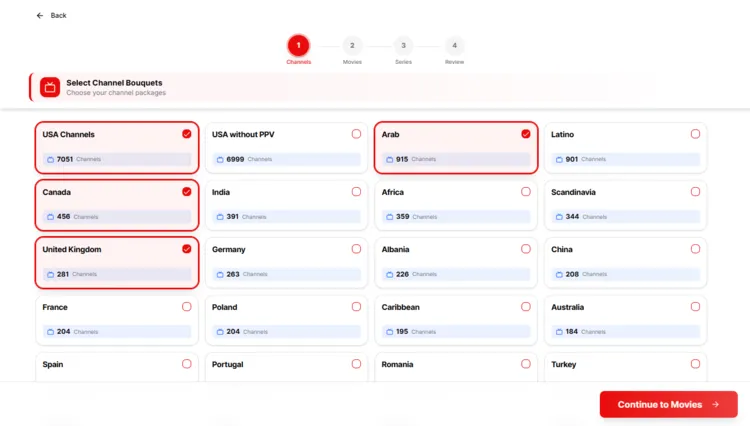
Step 7: Select the channel bouquet for Movies. Click on Continue to Series.
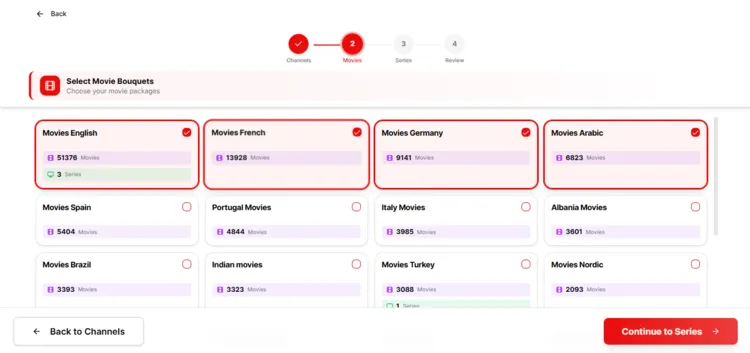
Step 8: Select the channel bouquet for TV Series. Click on Review Order.
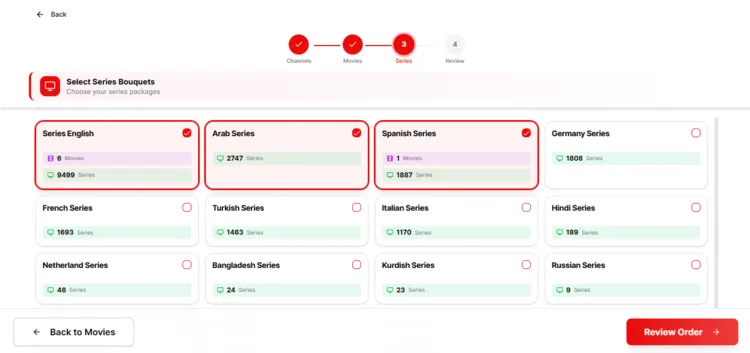
Step 9: Review your channel bouquet. Click on Place My Order.
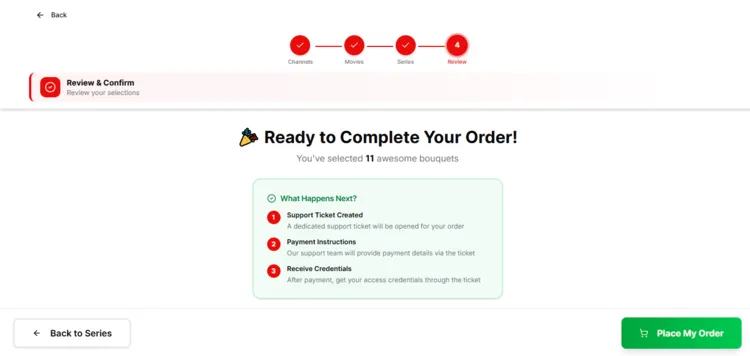
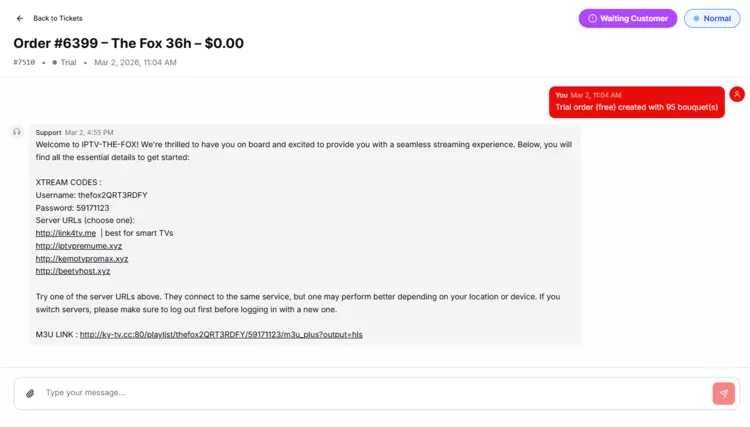
Step 10: After a few hours, you will receive login credentials (M3U & Xtream Codes) in the Tickets section.
Step 12: To purchase a subscription plan, click on Plans button on the top bar and choose a plan of your choice by clicking on Select Bouquets & Order (The remaining steps will be the same from Step 5 to 10).
2. Connect to a VPN & Set Up Your Player
Step 1: Open your Surfshark app and connect to Vancouver server for optimal performance.
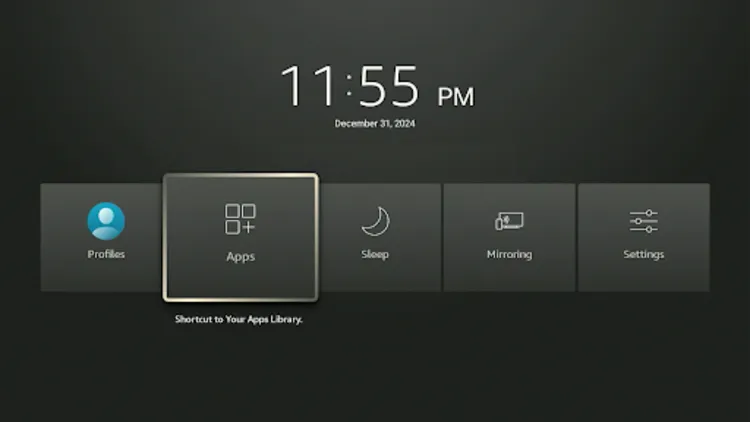
Step 2: Turn your Fire TV Stick on and long-press the Home button, and click Apps.
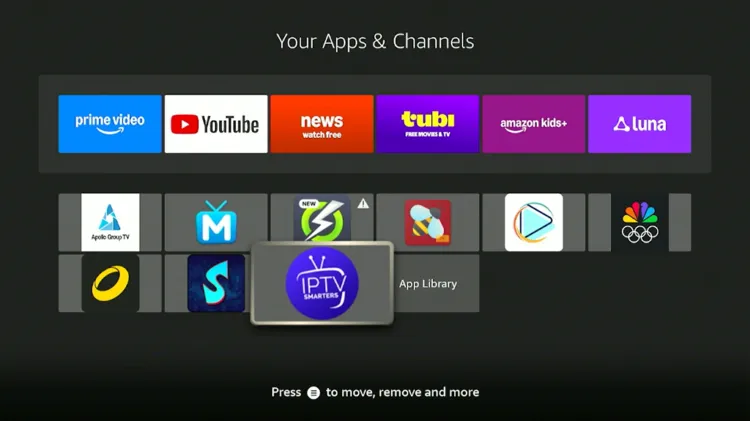
Step 3: Choose IPTV Smarters Pro.
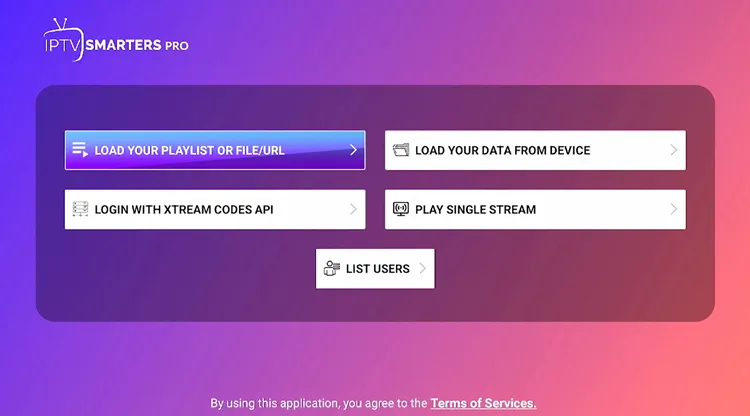
Step 4: Select M3U/XtreamCodes. (I chose Xtreme Code)
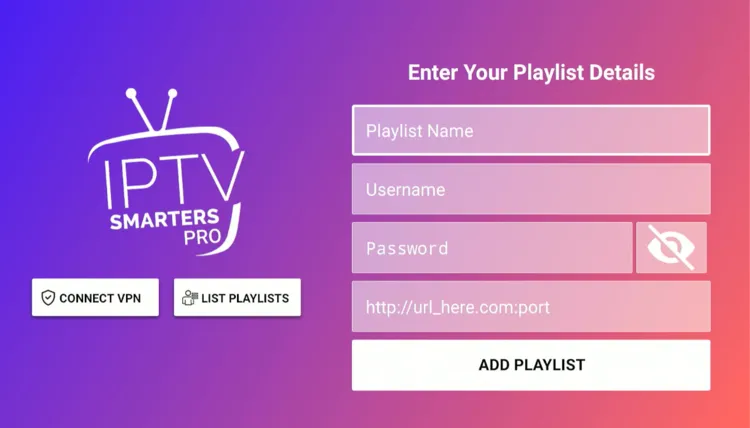
Step 5: Enter Playlist Name, Server address, Username, and Password. Then click on Add Playlist.
Step 6: IPTV The Fox has been successfully installed.
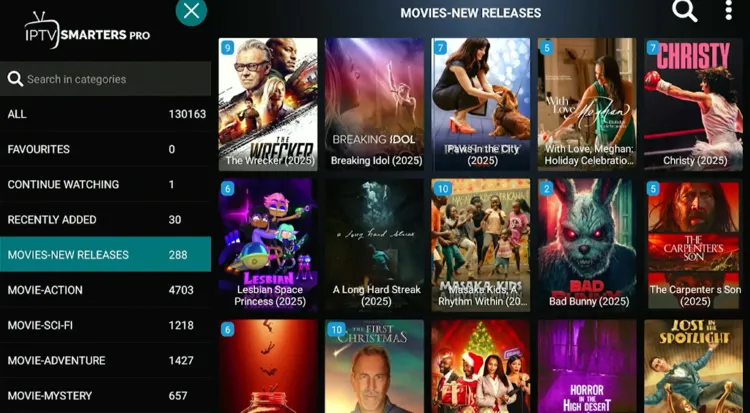
Step 7: Enjoy Streaming!

What can you stream on IPTV The Fox?
1. Live TV
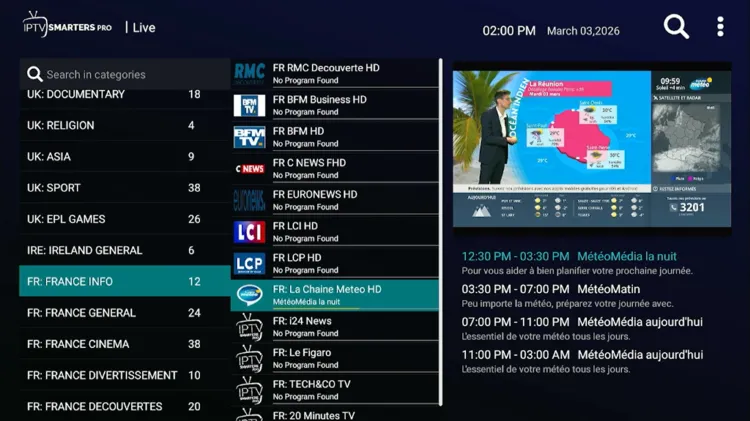
IPTV The Fox offers 15,000+ live TV channels across news, sports, and entertainment categories. However, users should be prepared for frequent buffering during live broadcasts, which can disrupt the viewing experience.
The service makes up for it with a highly detailed Electronic Program Guide (EPG). It is uniquely structured and highly reliable for the following regions:
- USA/UK: News, Entertainment, Documentary, and Sports.
-
Canada: News, Entertainment, Documentary, and Sports.
Buffering occurs due to server traffic, ISP throttling, or regional blocks. Surfshark fixes that. by securing data and optimizing connection for a smoother viewing experience.
2. Live Sports
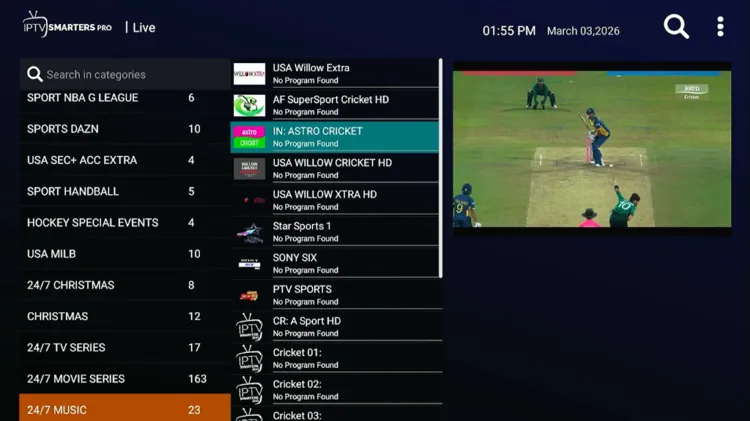
Sports fans will appreciate the inclusion of major networks for live sports. The service broadcasts popular sports such as football, cricket, boxing, wrestling, UFC, baseball, tennis, rugby, basketball, etc.
Major international sports broadcasters include CBS Sports, FOX Sports, ESPN, NBC Sports, Bein Sports, Fanduel Sports, etc. The sports commentary is mostly available in English and Arabic.
3. VOD
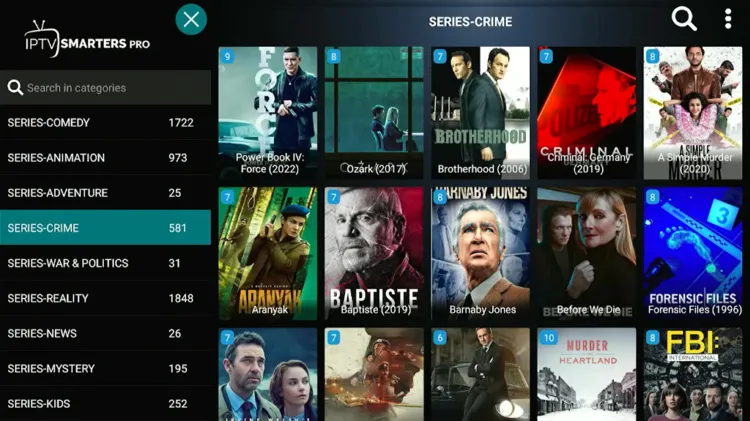
IPTV The Fox service offers an immense VOD library featuring 130,000+ movies and 30,000+ TV series. Unlike the Live TV section, the VOD content streams with minimal buffering.
The VOD section features content from popular networks such as Netflix, Amazon Prime, Apple+, Paramount, NBC, HBO MAX, etc. It also includes diverse programming content from Arab World, Europe etc.
The documentary channels showcase renowned providers such as National Geographic, Investigation Discovery, HISTORY, BBC, Channel 5, etc.
How much does IPTV The Fox cost?
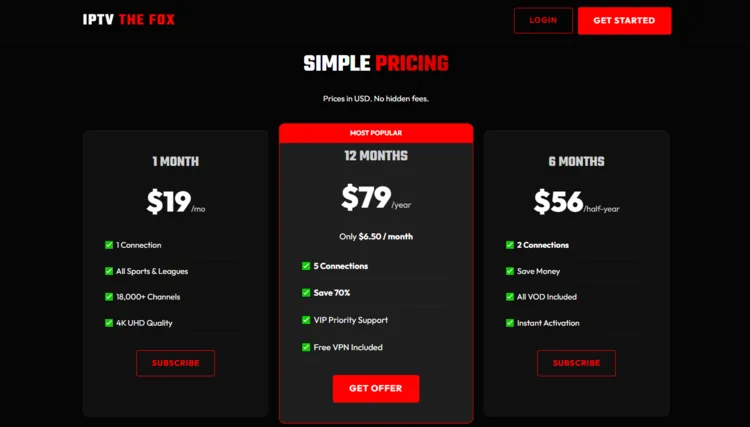
IPTV The Fox offers 3 subscription plans, offering up to 5 connections. Each plan includes full access to live TV, movies, TV series, and PPV Events. A 36-hour free trial is available for new users.
For payments, IPTV The Fox accepts Credit Card, Paypal and Cryptocurrency
Here are the pricing plans:
| Plan Duration | Connections | Pricing |
|---|---|---|
| 1 Month | 1 Connection | $19 |
| 6 Months | 2 Connections | $56 |
| 12 Months | 5 Connections | $79 |
Is IPTV The Fox Legal and Safe to use?
As with any unverified IPTV provider like IPTV The Fox, there are inherent risks regarding data privacy. Government scrutiny of unregulated streaming remains high, making it essential to protect yourself. So users must remain cautious.
The best way to keep your identity masked is to run a premium VPN like Surfshark. It hides IP address, encrypts data, and protects users from potential ISP throttling or regional blocks.
How is IPTV The Fox’s Customer Support?
IPTV The Fox provides customer support only through email. The website incorrectly advertises WhatsApp support, but no such option actually exists. However, they do offer chat support in the ticket section.
The customer support is average. The trial was received within 6 hours.
IPTV The Fox Alternatives
FAQ’s
1. Is IPTV legal in the USA and Canada?
IPTV technology itself is 100% legal if there is no pirated content involved. It provides access to streams available on the internet. It is always recommended that a premium VPN be used to protect privacy and prevent ISP monitoring of online traffic.
My Final Verdict for IPTV The Fox
IPTV The Fox isn’t the best option, although it has that massive library of 15,000+ live channels and a ton of movies/TV shows. The on-demand stuff runs smoothly, but the live TV can get pretty glitchy with buffering.
So better to test it with the 36-hour trial first. Plus, it’s an unverified service; you definitely want to run a premium VPN like Surfshark to keep your streaming private.

