


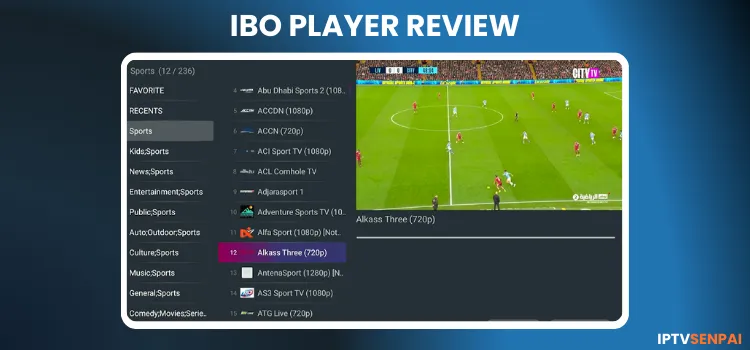
IBO Player is a media player designed for streaming IPTV content in high resolution with minimal lag. It has a user-friendly interface. It makes it easier for users to organize and view live TV, movies, and TV series from various providers.
IBO Player doesn’t come with built-in channels or pre-installed VOD. Users need to add their own playlist given by the service provider or try Free M3U Links.
Using unofficial services with the IBO Player can expose users’ privacy and cause buffering. If you use a VPN like Surfshark, it will help you stay protected and bypass ISP throttling for smoother streaming.
Recommended VPN for IPTV - Surfshark

Using IPTV without a VPN can put you at Big Risk! Your ISP, government and even IPTV providers can monitor your activity, throttle your speed, or block access altogether.
Plus, without encryption, your data is exposed to hackers and third parties. Take back your privacy with Surfshark!
Features:
✅ SAVE 87% + GET 3 EXTRA MONTHS FREE! ($0.06/day)
✅ Kill Switch Feature to protect you if VPN drops
✅ Lightweight app ensuring smooth performance on All IPTV Boxes
✅ Unlimited simultaneous connections (install on all household devices)
✅ 30-day risk-free money-back guarantee
✅ Strict no-logs policy, Secure & Untraceable
Install IBO Player on FireStick/Android Devices [Video Tutorial]
IBO Player Features
- Pricing: 7-day free trial. Paid activation/license starts at €5.
- Supported Formats: M3U and Xtream Codes
- Device Compatibility: FireStick, Windows, macOS, Android TV, Apple TV, Samsung, Sony, Roku, LG WebOS
- VPN: No
- Multi-Screen Support: Yes
- Catch Up: Yes (Subscription Required)
- EPG: Yes (Subscription Required).
- Favorites: Yes
- Parental Controls: PIN lock.
- Subtitles: No
Pros and Cons
| Pros | Cons |
|---|---|
| Device Compatibility: Works across Smart TVs, FireStick, Roku, PC, and Mobile,Apple TV). | Not Free. Only offers 7 day free trial |
| Features include recording, catch-up, favorites, parental controls | Not the best Interface |
| Offers one-time annual & lifetime subscription. | Essential tools like EPG and catch-up arent available in Free tier |
Is IBO Player Free?
No, IBO Player is not free. It does offer a 7-day free trial to all new users to test the application’s features and compatibility.
The player costs around €5 annually or €10 for a one-time lifetime license. It supports EPG, recording & catch-up, subtitles, and offers extra premium features!
How to Install IBO Player on FireStick
IBO Player is compatible with Windows, Android, macOS, Roku, Apple TV, Linux, etc. You can easily sideload the APK using the Downloader app.
Follow the installation steps for downloading the IBO Player on FireStick.
Step 1: Install & Open the Downloader app.
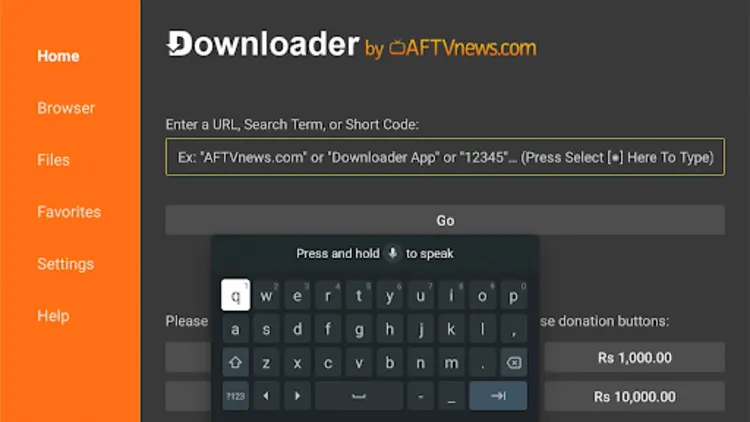
Step 2: Enter the Ibo Player Downloader Code 5546232 in the search bar OR enter this URL bit.ly/43pEVWO and click Go.
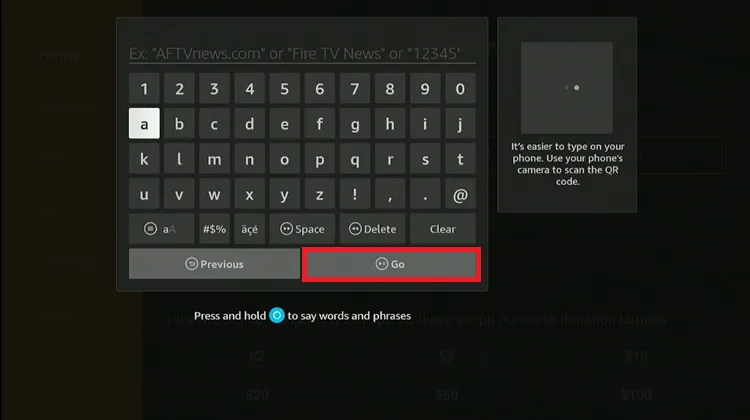
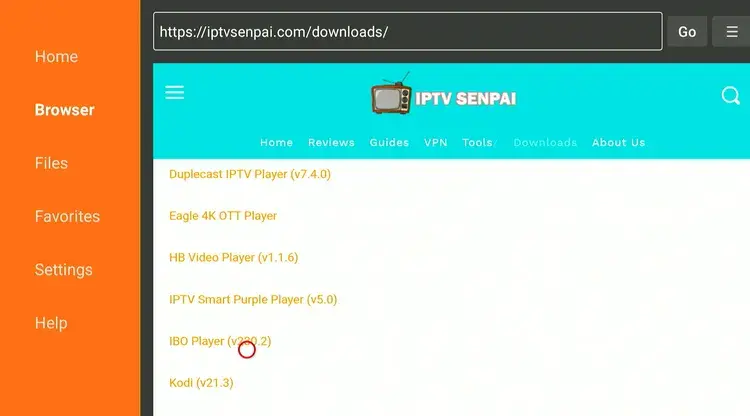
Step 4: Wait for the APK file to finish downloading.
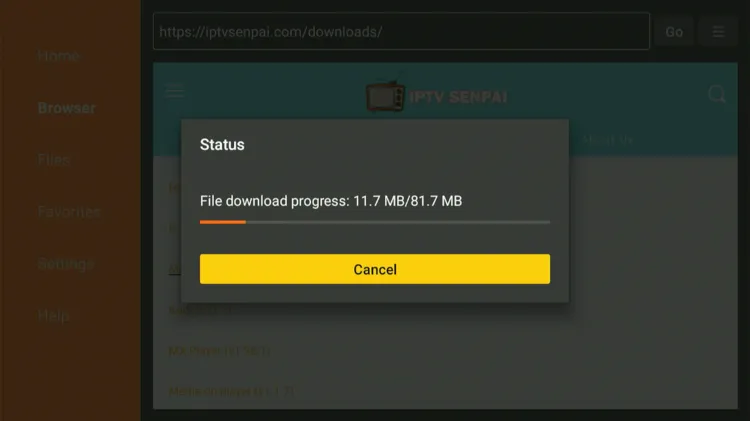
Step 5: Click Install.

Step 6: Once installed, click Done.

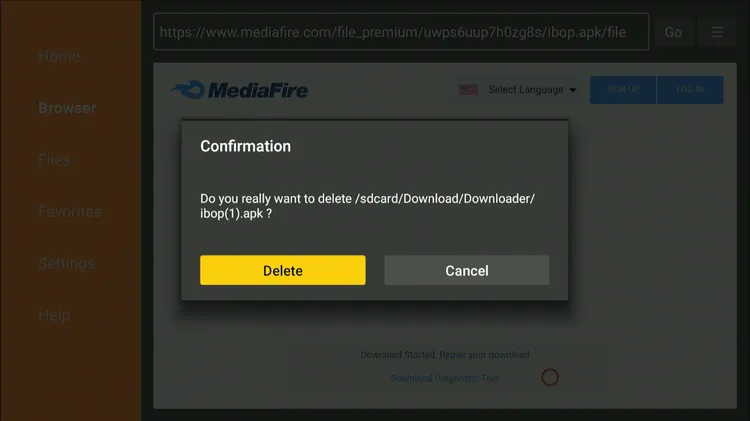
Step 7: Click Delete to remove the installation file and free up storage.
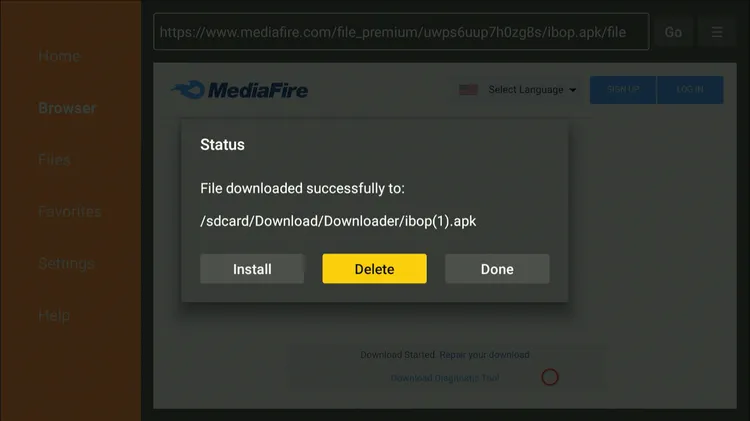
Step 8: Click Delete again to confirm.
How to Stream IPTV on IBO Player
Follow the steps below on how to stream IPTV content on IBO Player.
Step 1: Open the Surfshark app and connect to any Server.
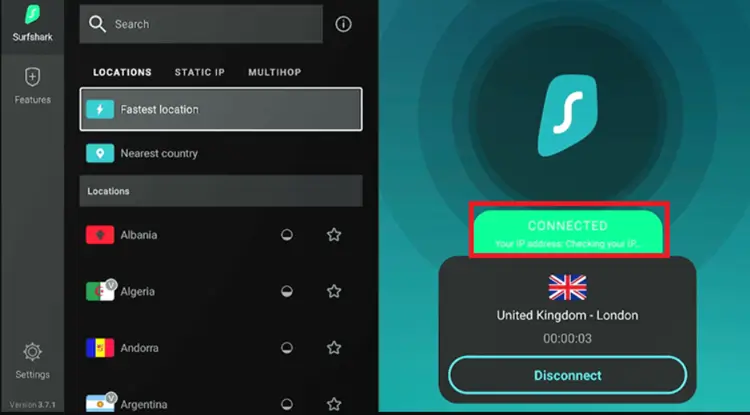
Step 2: Long-press the Home button and click Apps.
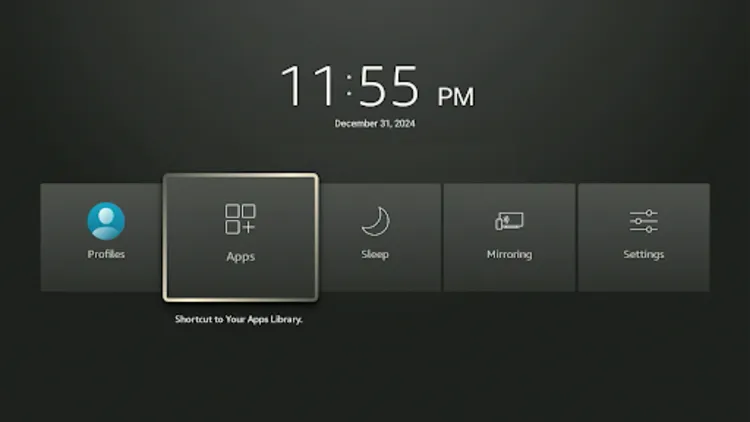
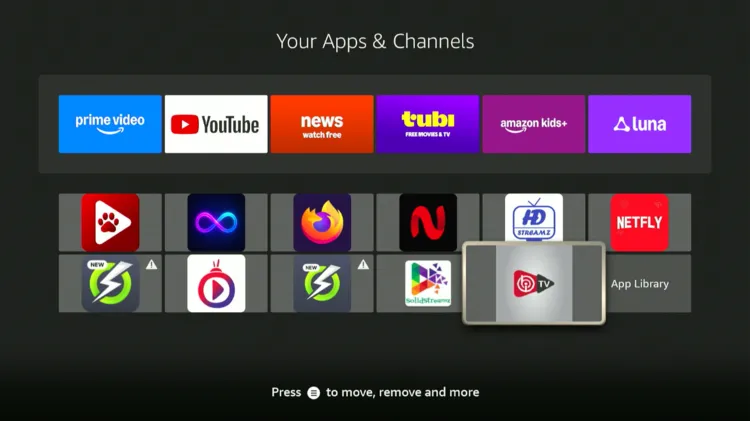
Step 3: Locate and click on IBO Player.
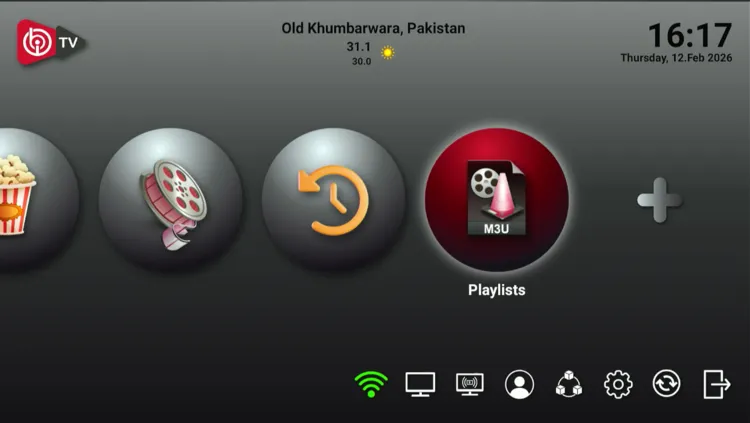
Step 4: Click on Playlists.
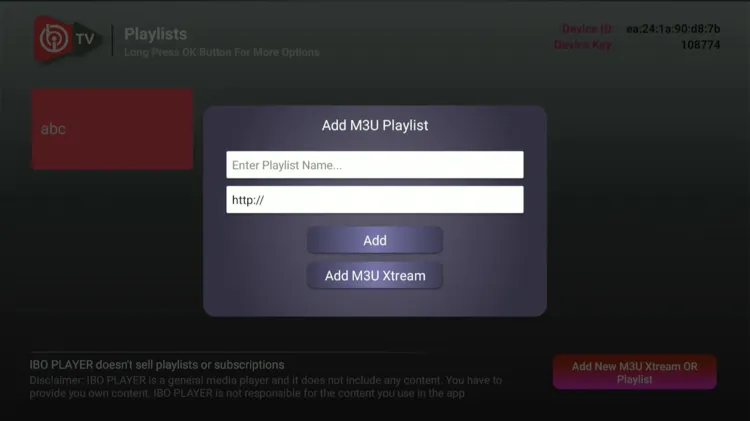
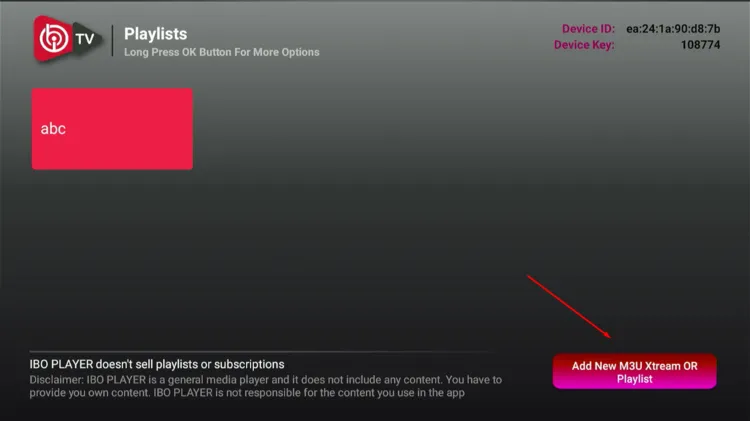
Step 5: Click on Add New M3U Xtream OR Playlist in the bottom right.
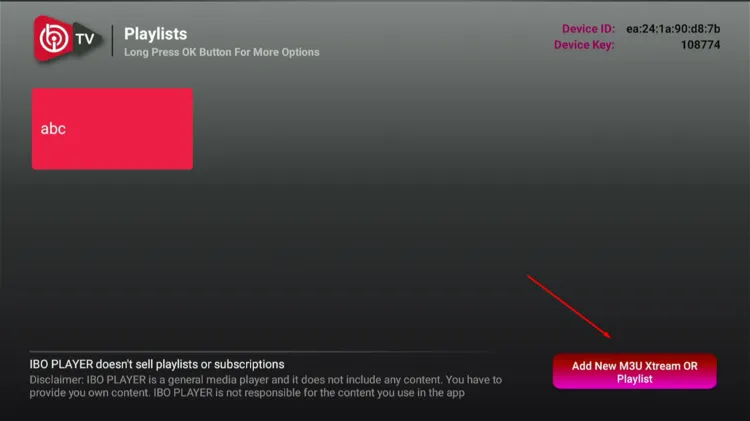
Step 6: Choose Xtream Codes or M3U playlist format. I chose M3U by clicking on Add M3U Playlist button. Add Playlist name and Link. Click on Add.
Step 7: Your playlist has been successfully added. Scroll and navigate through live TV channels.
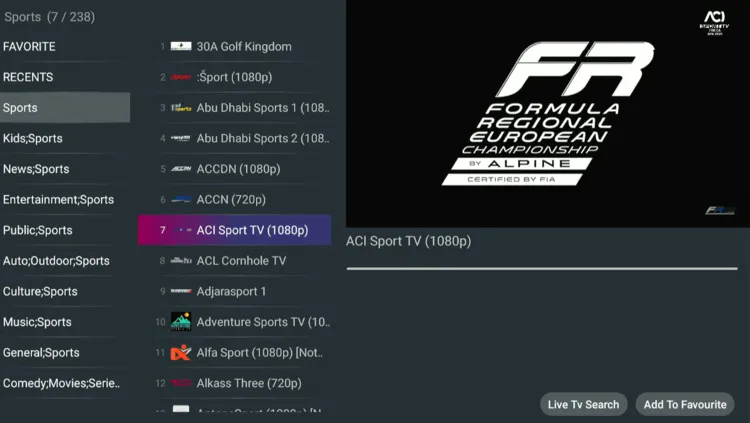
Step 8: Enjoy Streaming!

Different Apps of IBO Player!
1. IBO Player/Media Player Ibo (Default) – 1171959
2. IBO Player Pro – Downloader Code: 923441
3. IBO Pro Player TV – Downloader Code: 6402995
4. IBO Pro – Downloader Code: 474637 (Works only with Activation Codes)
Features of IBO Player
IBO Player offers different features for IPTV users. Let’s explore and discuss them below!
1. Adding Multiple Playlists
You can choose from multiple playlists (Xtream Codes or M3U) formats from different service providers.
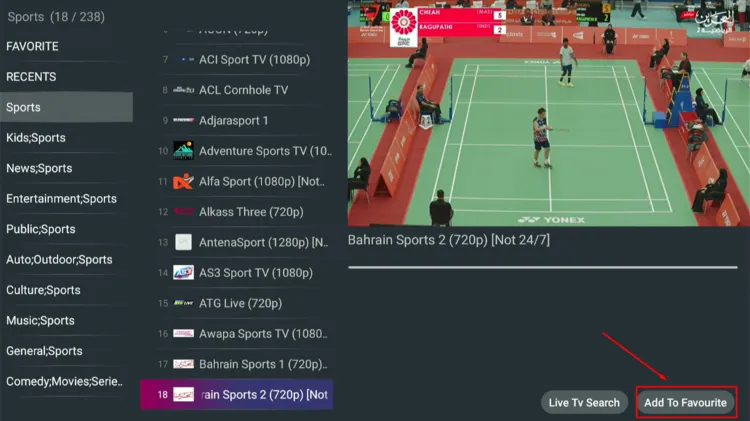
2. Add to Favourites
Browse through live TV channels. Select your desired channel, click on Add to Favourites button at the bottom right. Your favourite channel will be stored on Favourite section.
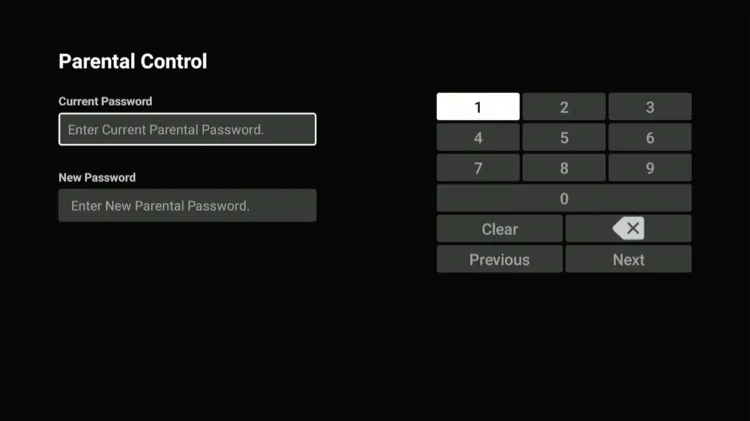
3. Parental Controls
To set up Parental Controls, go to Settings/Parental Controls. Enter your Current Password and New Password.
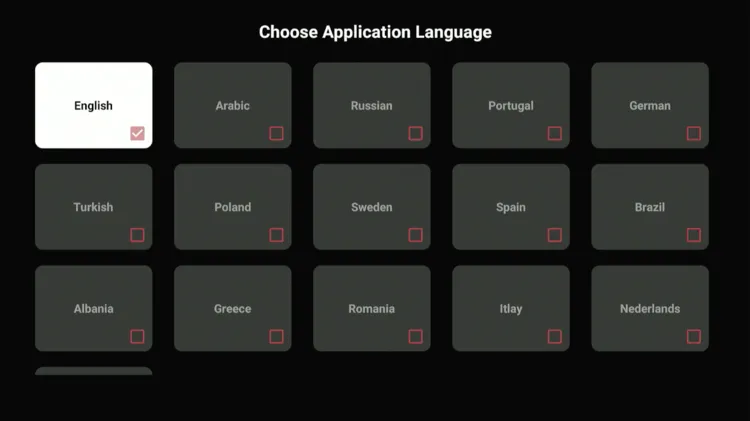
4. Change Language
Go to Settings/Language Options. Choose your desired language from 16 languages.
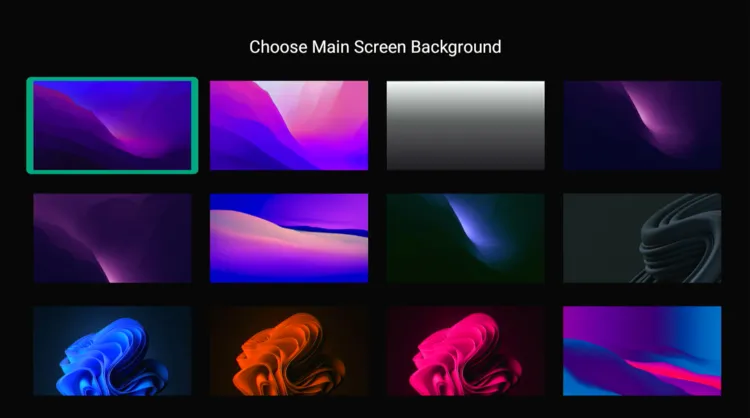
5. Change Wallpaper
Go to Settings/Change Main Wallpaper. Choose your desired background image.
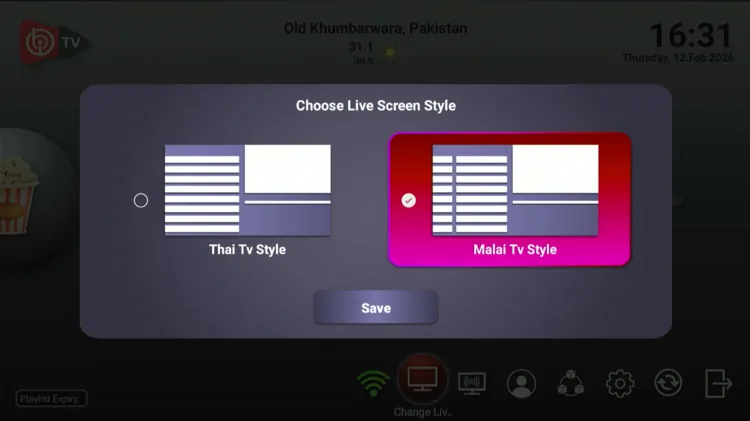
6. Change Live TV Style
Go to the Home screen and click on Change Live Screen Style below. Choose either Thai TV Style or Malai TV Style layout. Click on Save. The latter one is set by default.
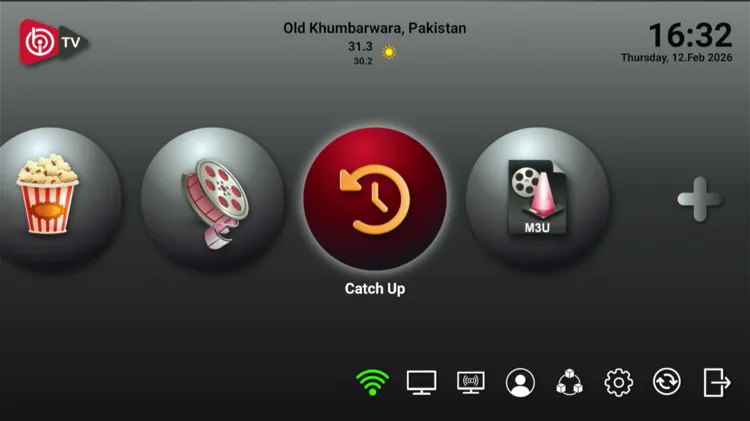
7. Catch up
Go to Home screen and click on Catch Up button below. Dates will show up, which depend on your service provider. This feature is accessed in premium version.
Alternatives to IBO Player
Below are some alternate IPTV players that users can explore:
FAQs
1. Is IBO Player free to use?
No, IBO Player is not free. A 7-day free trial is offered to new users. A €9.99 ($11.85) for a lifetime license to users.
2. Does IBO Player come with channels?
No. IBO Player does not provide any IPTV content or channels. You must add your own playlist (M3U or Xtream Codes) provided by your IPTV service.
3. Can I customize the look of the player?
Yes. You can change the main wallpaper, select from 16 different languages or even change the Live TV layout between ‘Thai TV Style’ and ‘Malai TV Style’.
Conclusion
IBO Player is a decent choice for users who are looking for a good streaming experience. But it’s not great like other IPTV players out there. The player is not free, but offers a 7-day free trial.
The player supports M3U and Xtream Codes formats. But it doesn’t have EPG or Catch-Up available unless users pay a $9.99 activation/license fee. IBO Player works across various devices such as FireStick, Android TV/Apple TV, Roku, etc.
For a smoother, private, and buffer-free experience, No VPN beats Surfshark.. It secures internet connection by encrypting user identity, protecting privacy, and preventing ISP throttling

