


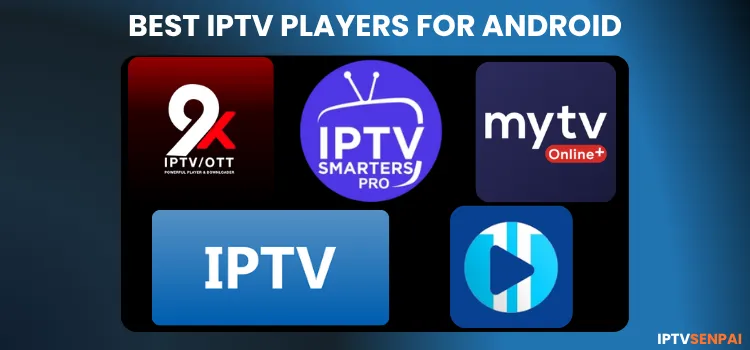
Android phones are great for streaming IPTV. But choosing the right player is important, because some applications freeze, buffer, or crash during streaming as they are incompatible with the phone interface. This makes the experience frustrating for users.
IPTV players do not have any live TV, sports VOD, or PPV content. They require M3U or Xtream Codes from a service provider. I have listed the IPTV players for an Android phone with the best performance, clean UI, fast loading time, etc.
IPTV players are safe, but the IPTV links you stream on them are unverified. Use a premium VPN like Surfshark to protect users’ privacy, prevent ISP throttling, and potential data tracking during streaming.
Using IPTV without a VPN can put you at Big Risk! Your ISP, government and even IPTV providers can monitor your activity, throttle your speed, or block access altogether. Plus, without encryption, your data is exposed to hackers and third parties. Take back your privacy with Surfshark! ✅ SAVE 87% + GET 3 EXTRA MONTHS FREE! ($0.06/day)Recommended VPN for IPTV - Surfshark

Features:
✅ Kill Switch Feature to protect you if VPN drops
✅ Lightweight app ensuring smooth performance on All IPTV Boxes
✅ Unlimited simultaneous connections (install on all household devices)
✅ 30-day risk-free money-back guarantee
✅ Strict no-logs policy, Secure & Untraceable
Top 5 IPTV Players for Android Phones in 2026
1. IPTV (by Alexander Sofronov)
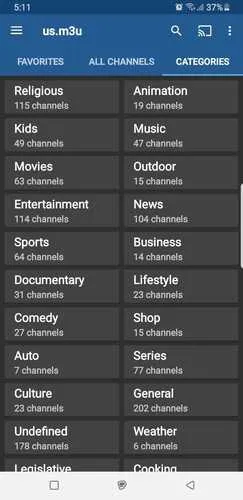
IPTV player by Alexander Sofronov, simply titled as ‘IPTV’, is one of the best, most reliable, and lightweight streaming applications available directly on the Google Play Store. It supports M3U, XtremeCodes, and XSPF playlists.
The player features a simple tile, grid, or list to view TV channels. It has EPG support in XMLTV and JTV formats, parental controls and a search bar (that lags).
It comes with both paid and free versions. The paid version of this app unlocks an ad-free experience, the option to start the app automatically on device boot (ideal for set-top boxes), and auto-play the last channel.
IPTV Downloader Code: Enter 5546232 in the search bar OR enter this URL bit.ly/43pEVWO and click Go. [Find it under the ‘IPTV Players’ section]
Rating: 4.5/5
2. MYTVOnline+
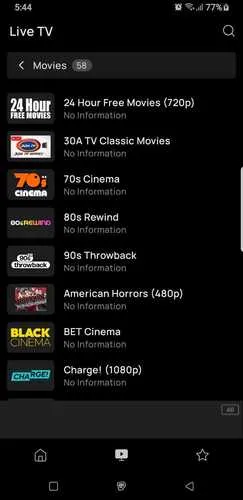
MYTVOnline+ is a free IPTV application, specifically optimized for mobile viewing, with high-end features. You can easily download from the Google Play Store. The player delivers smooth performance and stable playback.
The player features a sleek interface that supports Stalker, Xtream Codes, and M3U playlists. It has EPG, search, and favorites options. The Premium option is ad-free and includes features like Picture-in-Picture (P.I.P) and Backup & Restore.
MYTVOnline+ Downloader Code: Enter 5546232 in the search bar OR enter this URL bit.ly/43pEVWO and click Go. [Find it under the ‘IPTV Players’ section]
Rating: 4.3/5
3. IPTV Smarters Pro
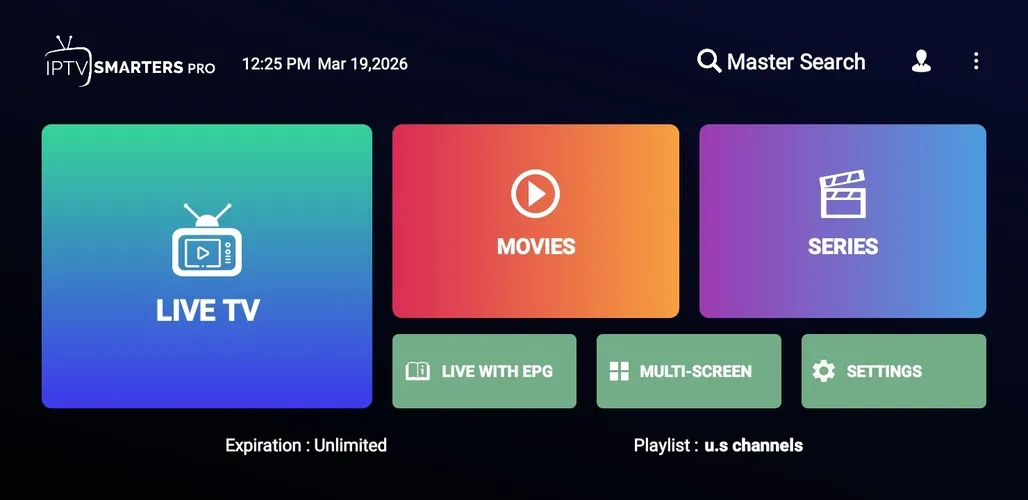
IPTV Smarters Pro is a free player for Android phones with a user-friendly design. It operates perfectly just like it does on a FireStick. The interface is identical and functions smoothly for the most part, though minor lag or slight navigation issues are expected.
This free IPTV player supports M3U, M3U8, or Xtreme Codes and works across Android, iOS, Windows, macOS, and smart TVs. It offers a well-organized interface with features like favorites management, category grouping, parental controls, etc.
IPTV Smarters Pro Downloader Code: Enter 5546232 in the search bar OR enter this URL bit.ly/43pEVWO and click Go. [Find it under the ‘IPTV Players’ section]
Rating: 4/5
4. Televizo
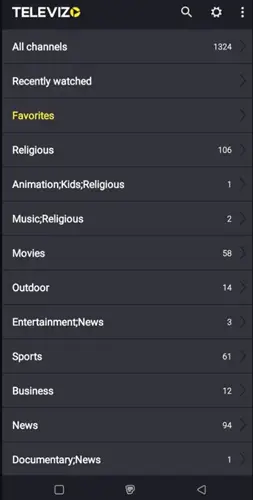
Televizo is an excellent IPTV player that provides a good viewing experience for Android phone users. It works just like the FireStick version.
The app delivers fast stream loading and smooth navigation through content with minimal issues. However, keep in mind that the free version does include some ads during playback.
It has free and paid versions. The premium version offers an ad-free experience. It unlocks all restricted features such as full-screen auto-launch, backup & restore options, parental controls, etc.
Televizo Downloader Code: Enter 5546232 in the search bar OR enter this URL bit.ly/43pEVWO and click Go. [Find it under the ‘IPTV Players’ section]
Rating: 3.5/5
5. 9Xtream
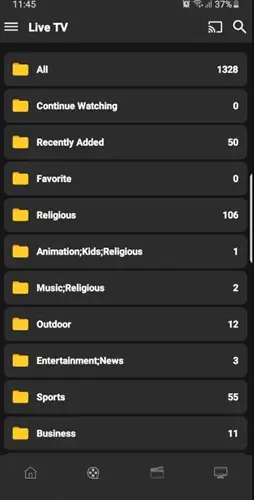
9Xtream is a decent IPTV player for streaming live TV and VOD. It is somewhat easy to navigate, allowing users to browse through categories and find their preferred channels without too much hassle. The player is available on the Google Play Store.
While the streams work fine and playback is generally stable, the application has a somewhat shabby interface compared to premium alternatives. The premium option has multiple device compatibilities.
9Xtream Downloader Code: Enter 5546232 in the search bar OR enter this URL bit.ly/43pEVWO and click Go. [Find it under the ‘IPTV Players’ section]
Rating: 3.5/5
6. XCIPTV Player
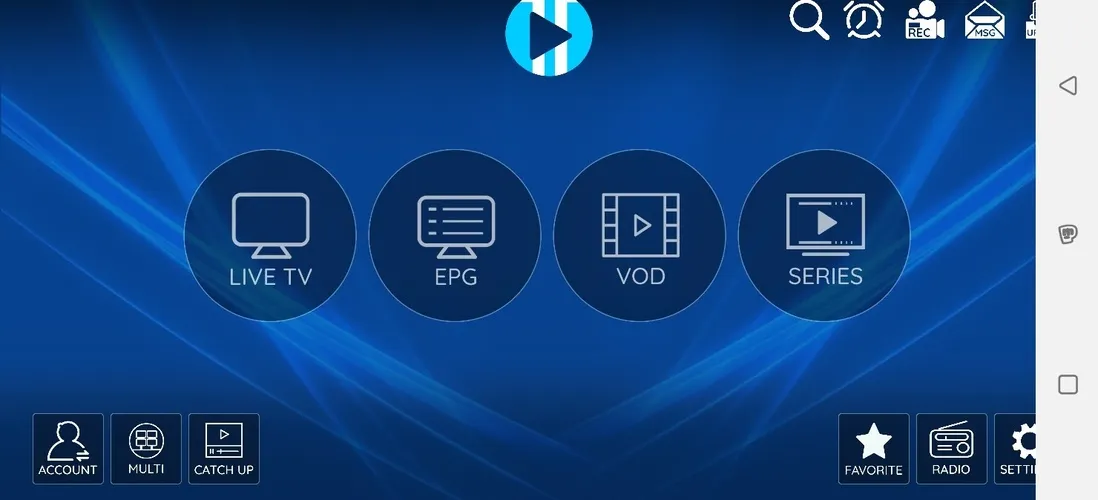
XCIPTV Player is a free IPTV player that falls short due to navigation issues on mobile touchscreens and a distracting ‘white bar’ present during playback. These flaws hinder the user experience significantly while streaming.
Furthermore, users might experience lagging streams where the audio continues playing normally, but the video freezes completely.
XCIPTV Player Downloader Code: Enter 5546232 in the search bar OR enter this URL bit.ly/43pEVWO and click Go. [Find it under the IPTV Players section]
Rating: 3/5 (Due to these UI quirks and playback bugs)
How to set up IPTV on your Android Phone?
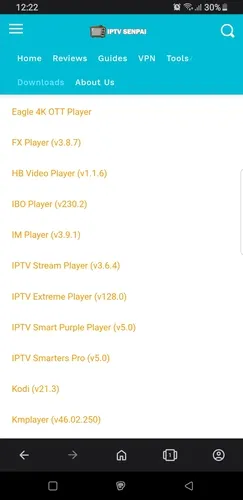
Step 1: Go to iptvsenpai.com on your Android phone and click on Downloads. Scroll through the ‘IPTV Players’ section, find the IPTV Smarters Pro app, and tap on it to proceed.
Step 2: A pop-up window will open. Click Download.
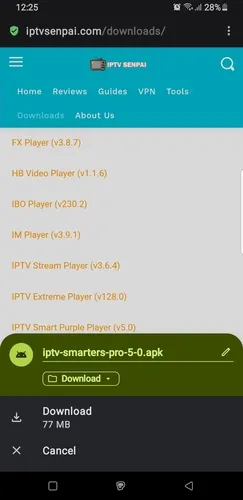
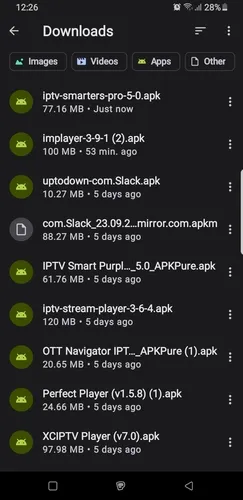
Step 3: IPTV Smarters Pro has been successfully downloaded. Tap the APK File in the Downloads section.
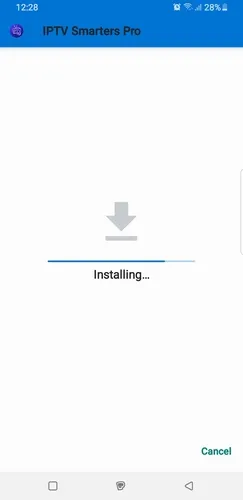
Step 4: Click on Install. The player will start downloading.
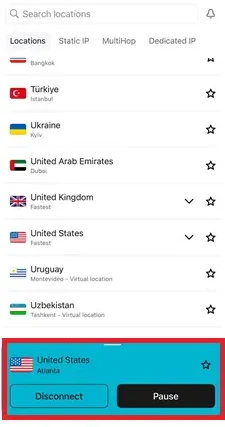
Step 5: Open Surfshark on your smartphone.
Step 5: After installation, open the player and select M3U Playlist.
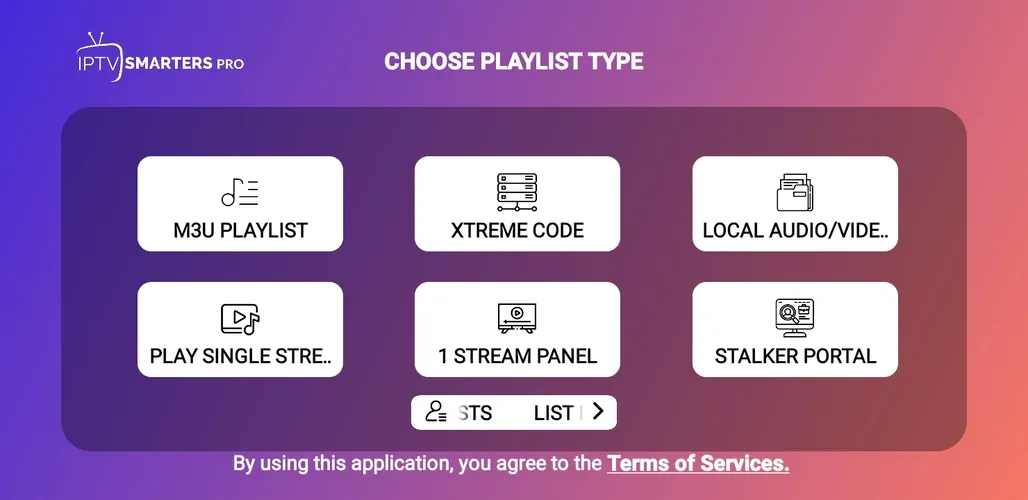
Step 6: Enter Playlist Name and URL. Click on Add Playlist.
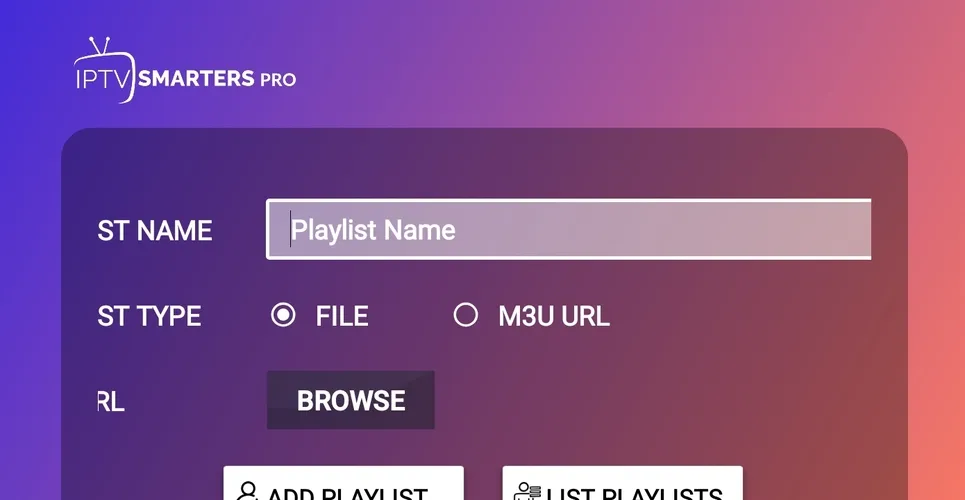
Step 7: Your playlist has been successfully installed.
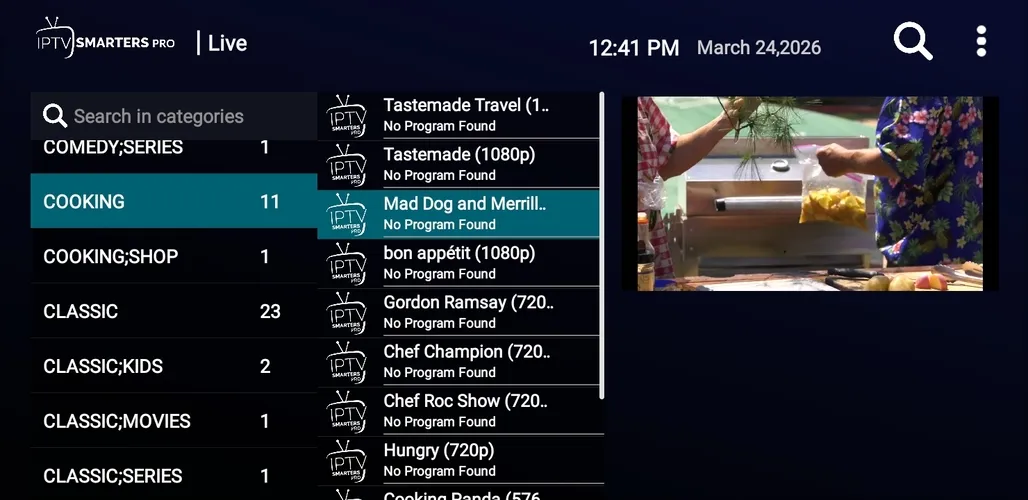
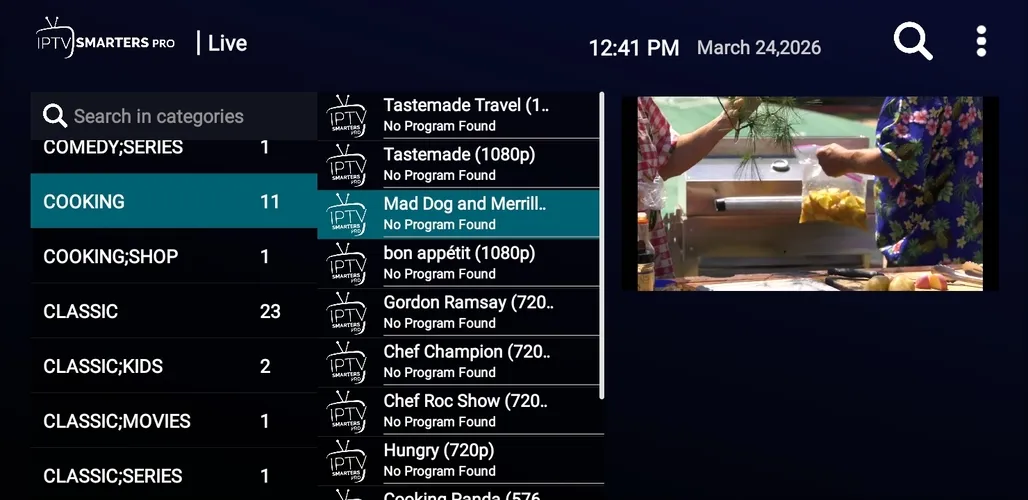
Step 8: Enjoy Streaming!

1. Buffering or Lagging
-
Check your internet connection: Make sure you have a stable and fast connection to stream live TV and VOD. 10–15 Mbps is required for HD and 20 Mbps for 4K.
-
Switch to Ethernet: If you’re on Wi-Fi, try connecting through Ethernet for a more stable connection.
-
Lower resolution: If possible, lower the streaming resolution for a smoother playback.
2. App Crashes or Freezes
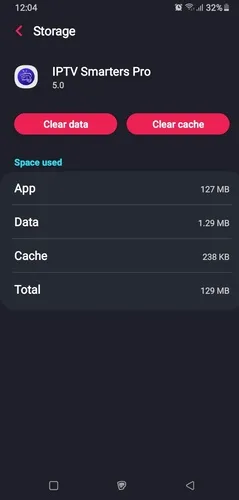
Problem: IPTV app freezes or crashes during use.
Solutions:
-
Clear App Cache: Go to your device’s Settings/Apps/IPTV app Storage/Clear Cache. This can fix performance issues.
-
Update and Restart: Make sure your IPTV player is updated with the latest version. Sometimes, a simple restart can resolve temporary issues that cause certain applications to freeze.
-
Reinstall the app: Reinstall it from a trusted source if the issue isn’t resolved.
3. IPTV Channels Not Working
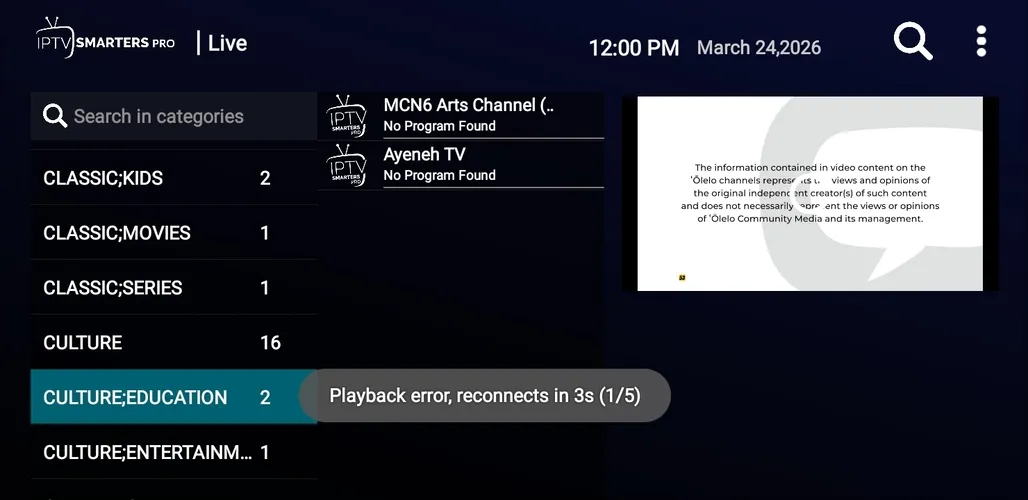
Problem: Certain channels won’t load or display a black screen.
Solutions:
-
Use VPN: Some channels don’t load because certain live streams or VOD content are blocked due to strict copyright laws. Verfied VPN such as Surfshark fixes that.
-
Contact your IPTV provider: If a channel is consistently unavailable, reach out to your service provider for assistance.
FAQ’s
1. Do I need to pay for IPTV players like Televizo or IPTV Smarters Pro?
MYTVOnline+ and IPTV Smarters Pro offer both free and paid versions. Free version come with essential features. Paid versions have some advanced functions.
2. How can I fix buffering or lagging issues?
Check your internet connection and internet speed. You can also use an Ethernet connection or lower the resolution.
3. Why does my IPTV app keep crashing or freezing?
Clear the application’s cache, update to the latest version, or restart your device. If the issue still isn’t resolved, then reinstall the application from the main source.
Conclusion
IPTV applications like IPTV (by Alexander Sofronov) and MYTVOnline+ stand out as the best IPTV players for Android phones among users due to their clean interfaces, fast loading times, and stable playback. IPTV Smarters Pro is also a decent player.
All these players are available in both free and premium versions. A subscription unlocks full access to advanced features.

