



To stream IPTV on Kodi, install the free PVR IPTV Simple Client built-in add-on, then add your provider’s M3U playlist URL under its configuration settings; your channels will load directly into Kodi’s TV section.
Kodi is a free, open-source media hub, bridging local media & IPTV in one place. Plus, you will find tons of free add-ons for live TV, media players, and VOD content.
However, remember that Kodi itself is 100% free and legal. What you stream through it is what matters. Pair it with a premium VPN like Surfshark to keep your identity private and stop ISP throttling.
Recommended VPN for IPTV - Surfshark

Using IPTV without a VPN can put you at Big Risk! Your ISP, government and even IPTV providers can monitor your activity, throttle your speed, or block access altogether.
Plus, without encryption, your data is exposed to hackers and third parties. Take back your privacy with Surfshark!
Features:
✅ SAVE 87% + GET 3 EXTRA MONTHS FREE! ($0.06/day)
✅ Kill Switch Feature to protect you if VPN drops
✅ Lightweight app ensuring smooth performance on All IPTV Boxes
✅ Unlimited simultaneous connections (install on all household devices)
✅ 30-day risk-free money-back guarantee
✅ Strict no-logs policy, Secure & Untraceable
Video: IPTV Setup with Kodi ‘IPTV Simple Client’
How to Set Up IPTV on Kodi Using IPTV Simple Client
IPTV Simple PVR Client is a built-in add-on for Kodi that lets you stream live TV using M3U playlists. It supports both multicast and unicast streams, allows you to listen to radio channels, and even integrates an EPG (TV guide).
Here is how you can set it up:
1. Install Kodi on your Device
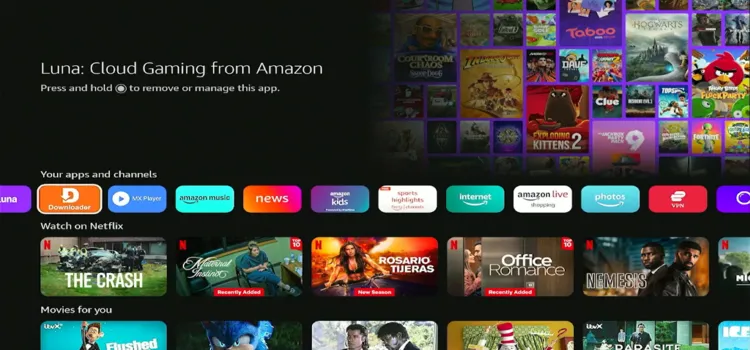
Step 1: Open the Downloader app on your Firestick.
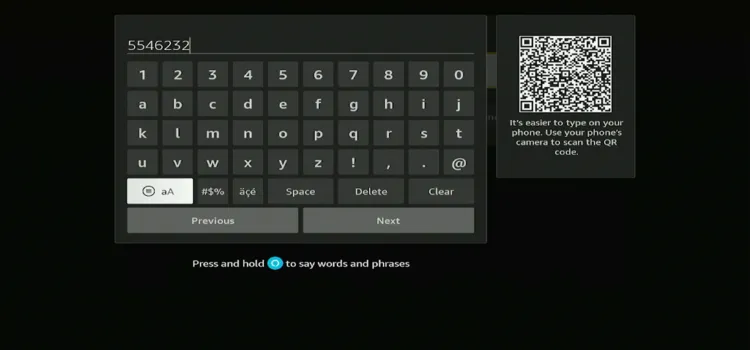
Step 2: Enter the Downloader Code 5546232 in the search bar OR enter this URL bit.ly/43pEVWO and click Go.
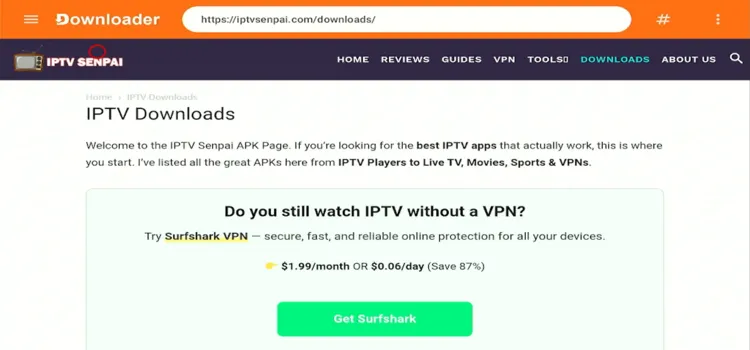
Step 3: The IPTV Downloads page will open.
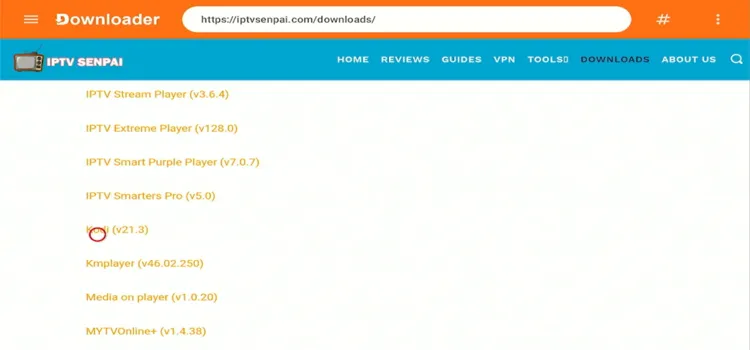
Step 4: Under the ‘IPTV Players’ section, scroll and click on ‘Kodi’
Step 5: Your APK file will start downloading.
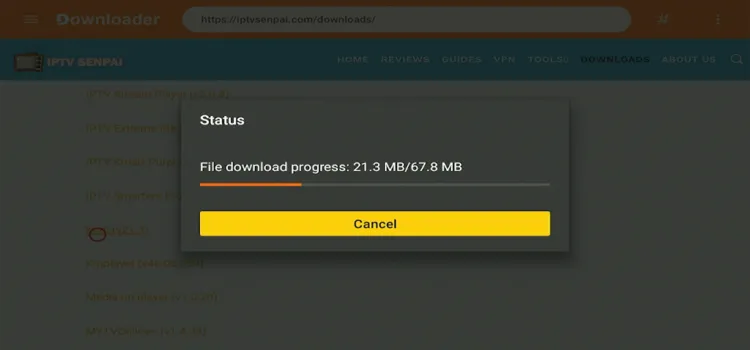
Step 6: A small window will open; click Install.
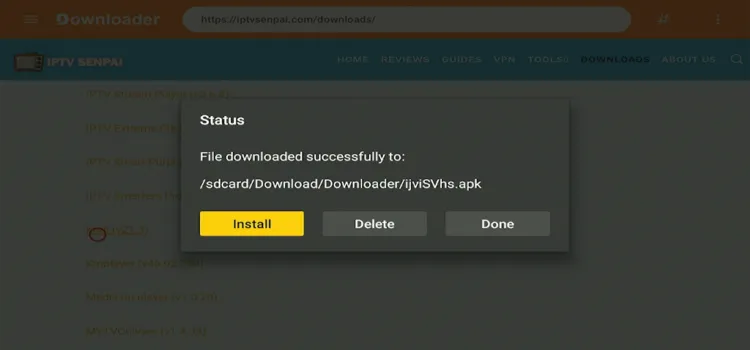
Step 7: Click on Install

Step 8: Click Done.

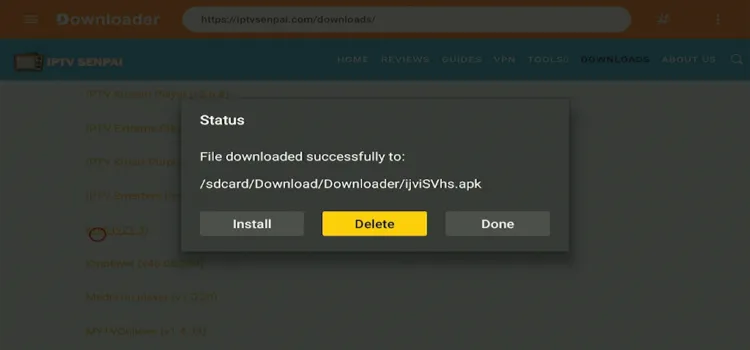
Step 9: Click Delete APK.
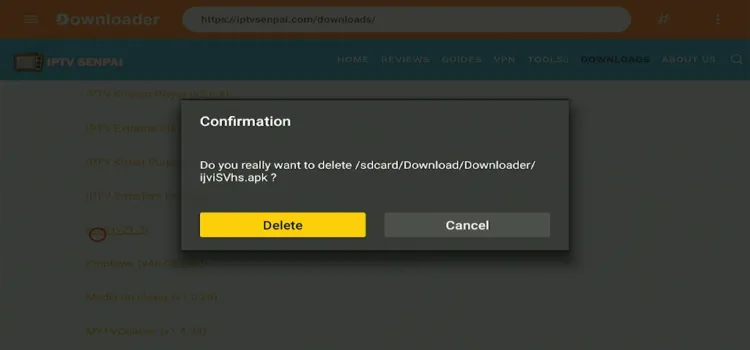
Step 10: A confirmation window will open. Click Delete.
Step 11: Go to Home > Your Apps > Kodi
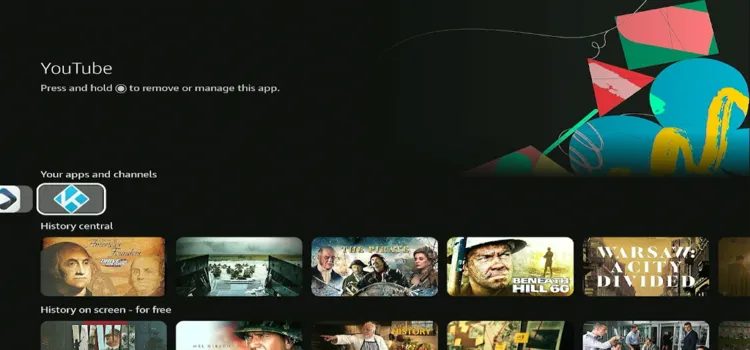
2. Integrate IPTV Simple Client on Kodi
Step 12: Exit Kodi and open Surfshark app. Connect to any Server.
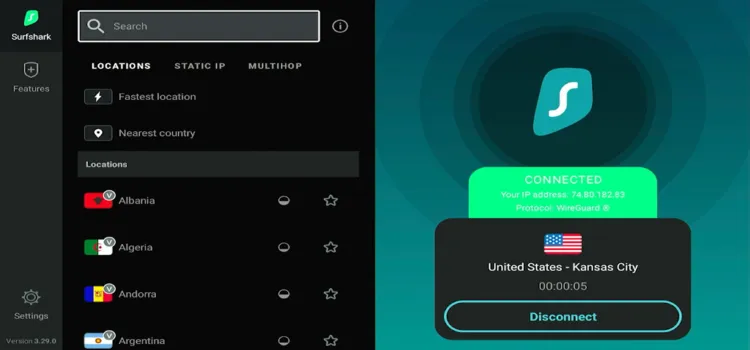
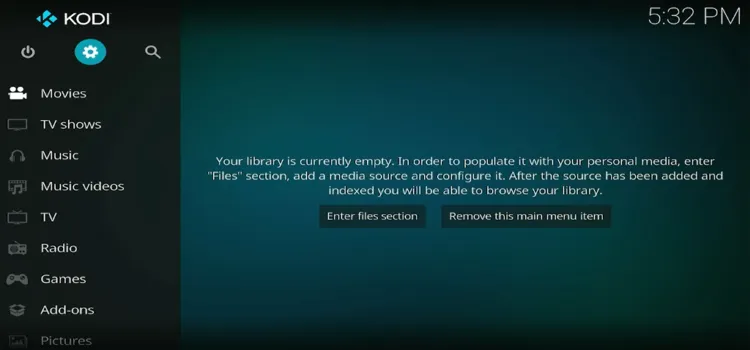
Step 13: Click on Settings.
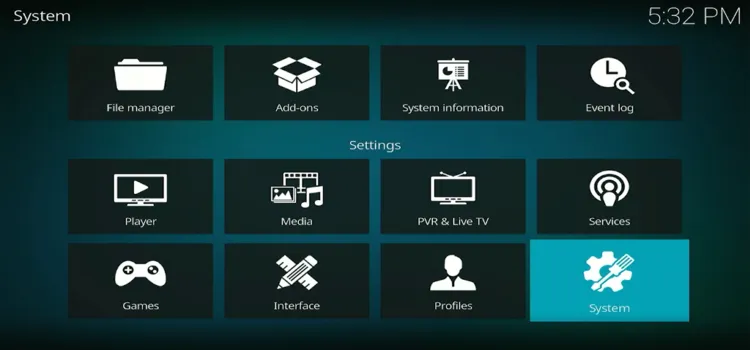
Step 14: Click on System.
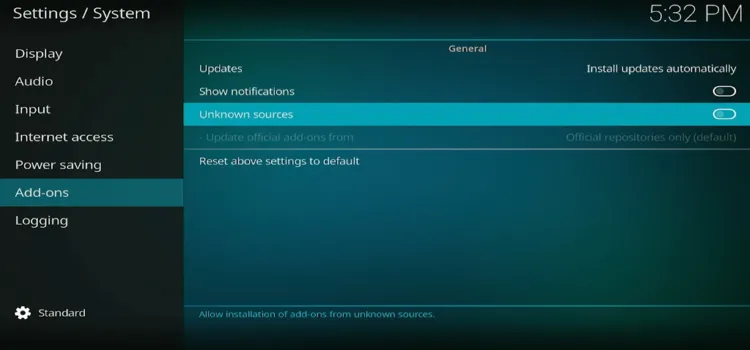
Step 15: Click on Add-ons and toggle on Unknown Sources.
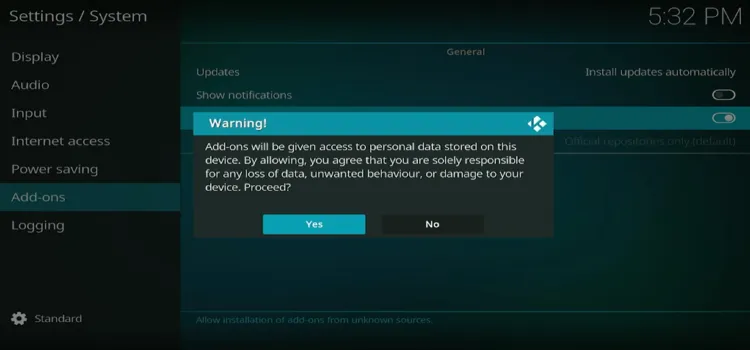
Step 16: Click on Yes.
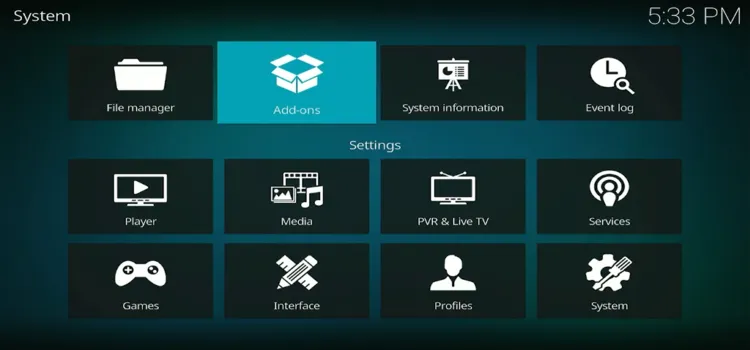
Step 17: Go to Settings > System> Add-ons.
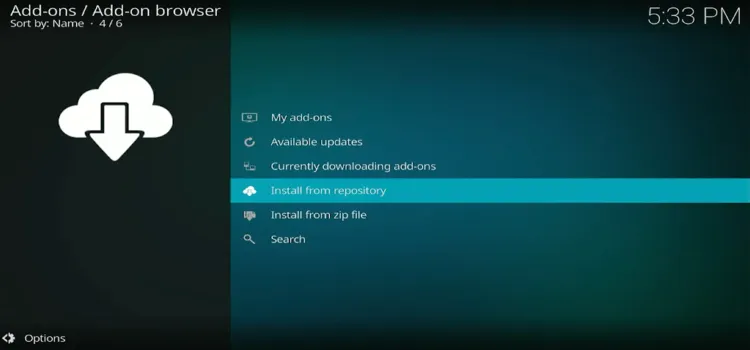
Step 18: Click on Install from Repository.
Step 19: Scroll and select PVR clients.
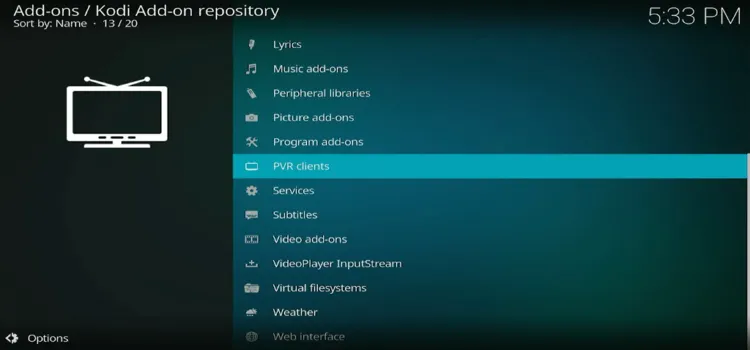
Step 20: Scroll and Select IPTV Simple Client.
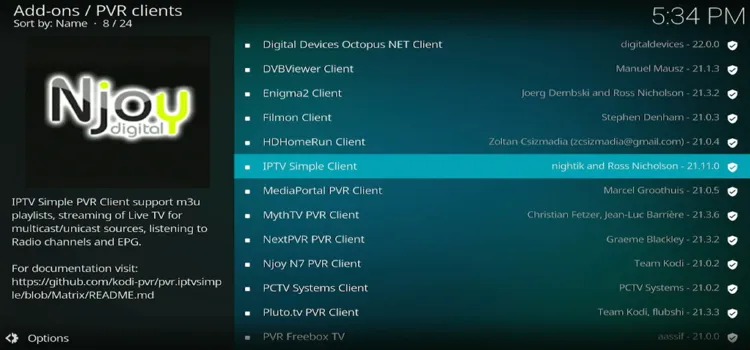
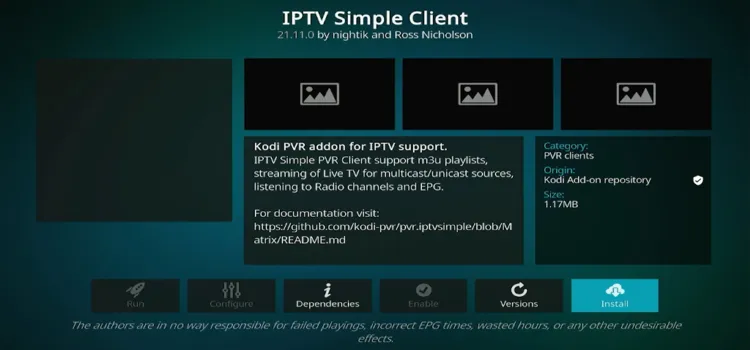
Step 21: Click Install.
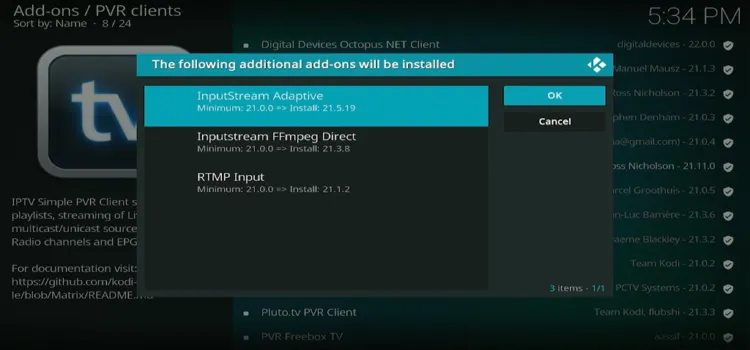
Step 22: Select InputStream Adaptive. Click OK.
Step 23: Your IPTV Simple Client will start downloading. After downloading, click it again.
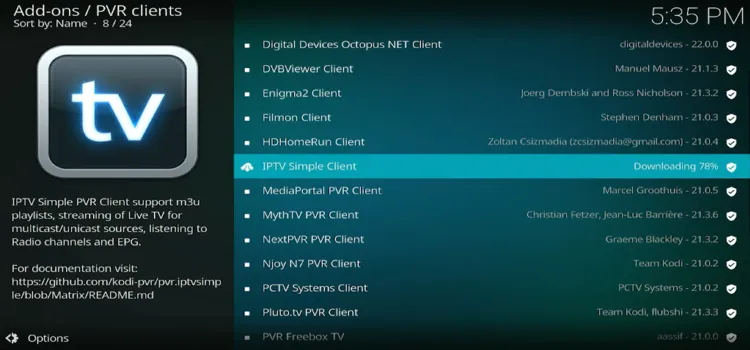
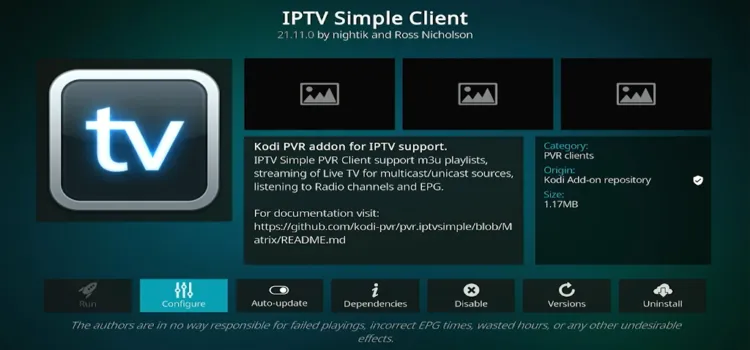
Step 24: Click Configure.
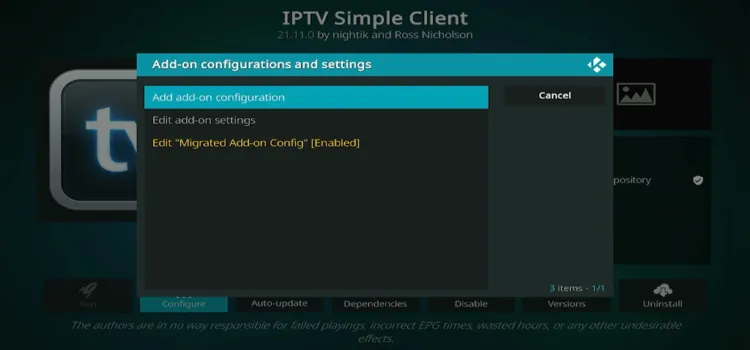
Step 25: Click on Add add-on configuration.
Step 26: Tap on ‘Name’ search bar.
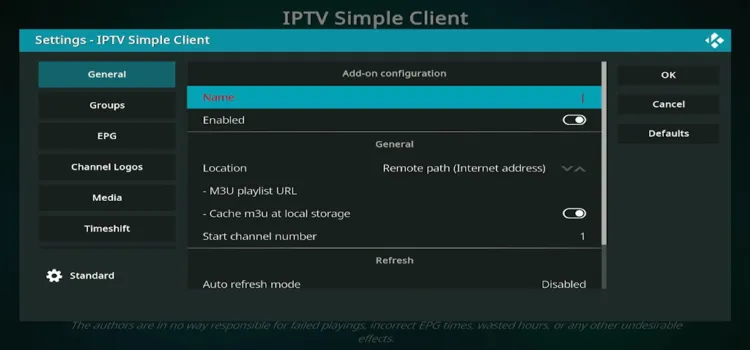
Step 27: Type ‘iptv1’. Then click OK.
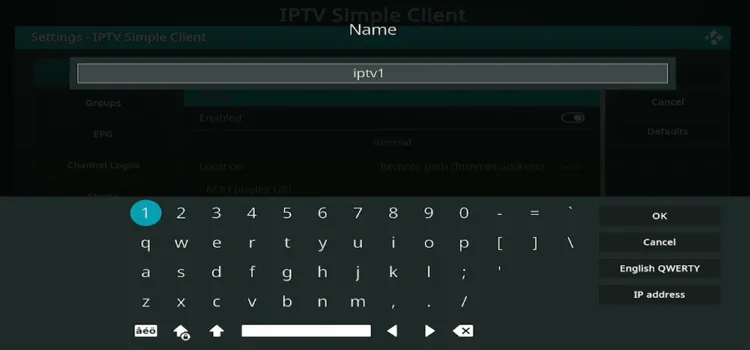
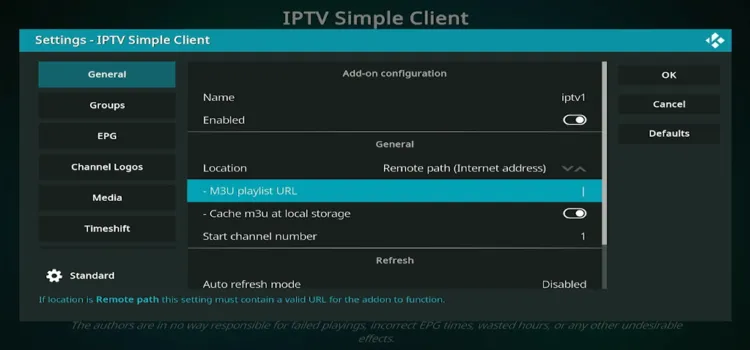
Step 28: Scroll to M3U playlist URL, tap on it.
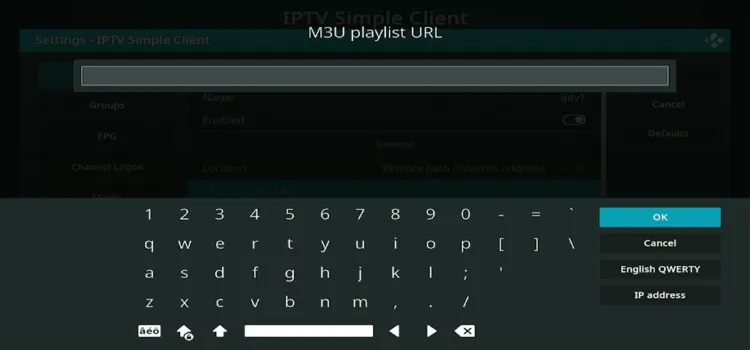
Step 29: Type the M3U link provided by your service provider. Click OK.
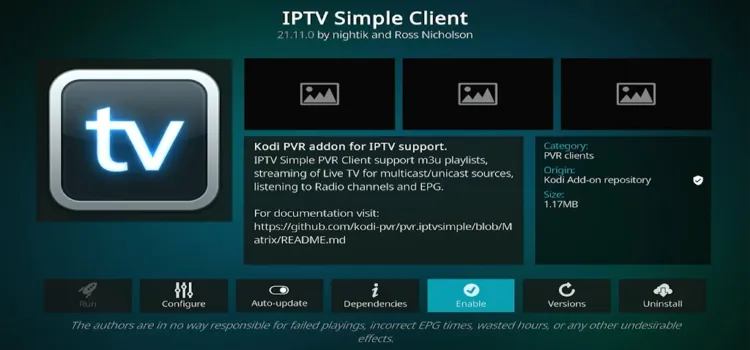
Step 30: Toggle the client from Disable to Enable.
Step 31: Relaunch Kodi player.
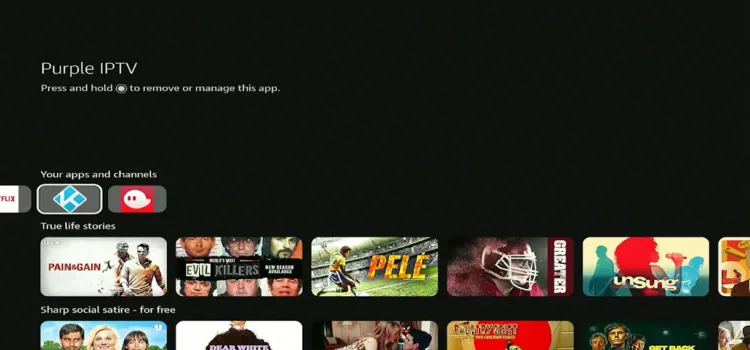
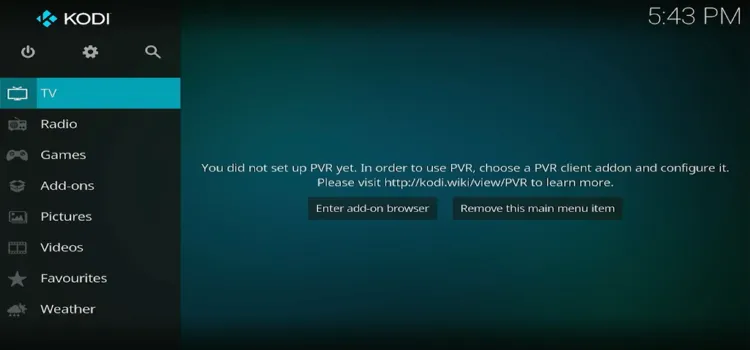
Step 32: Head over to the TV section, and your channels will start loading.
Best IPTV Features of Kodi
- ✓ Massive Add-Ons Library for free movies, live TV & sports
- ✓ Grid-style EPG channel guide
- ✓ Identical layout on phone, PC & streaming stick
- ✓ Subtitle & audio tracks
- ✓ Parental controls
- ✓ M3U support
- ✓ Local files + live streams on one screen
- ✓ 4K & Hi-Res playback (H.265, AV1 & VP9)
- ✓ Full UI customisation (20 Kodi skins, menus, fonts & colors)
- ✓ Backup & restore configuration
- ✓ Schedule & record live TV
Best IPTV Add-ons for Kodi
| Add-on Name | Stream Type |
|---|---|
| PVR IPTV Simple Client | Custom M3U Player |
| The Crew | Movies / TV / Live TV / Sports |
| Pluto TV | Ad-Supported Free Live TV |
| Tubi | Ad-Supported Free TV |
| YouTube | Video Streaming (live TV + VOD Content) |
| Plex | Hybrid Streaming / Local (includes live TV + DVR in some setups) |
| Catch-up TV & More | Public Global Broadcasts (live TV catch-up streams) |
| Umbrella | Debrid Streaming (scraper for movies/TV streams) |
| Magic Dragon | Free Link Scraper (streams movies/TV content) |
| Exodus Redux | Free Link Scraper (movies, TV, IPTV-style streams) |
Install Kodi IPTV on Windows
Step 1: Click on Microsoft Store.
Step 2: Enter ‘Kodi’ in the search bar.
Step 3: Click on Get.
Step 4: Your Kodi will start downloading and installing.
Step 5: Follow the installation steps from Step 12 to Step 32.
Install Kodi IPTV on Android Phones
Step 1: Tap on Play Store.
Step 2: Search ‘Kodi’.
Step 3: Tap Install.
Step 4: After installation, tap Open.
Step 5: Follow the installation steps from Step 12 to Step 32.
Kodi Alternatives
FAQ’s
1. Is Kodi legal and safe to use?
Yes. Kodi is entirely legal, open-source media software. Installing third-party repositories that stream copyrighted or unverified IPTV feeds violates intellectual property laws.
2. Is VPN necessary when streaming IPTV on Kodi?
A premium VPN hides your traffic from your ISP to prevent throttling of high‑bandwidth video streams (reducing buffering) and protects your personal data from third‑party add‑on servers. Surfshark is my #1 pick.
3. Can I use Xtream Codes API credentials directly inside Kodi?
No, Kodi does not support Xtream Codes API credentials directly. Instead, you need to convert your Xtream Codes login into an M3U playlist URL and use it with Kodi’s “IPTV Simple Client” add-on.
4. Do I need to enable “Unknown Sources” in Kodi to install IPTV add-ons?
Yes, you need to enable “Unknown Sources” in Kodi to install most IPTV add-ons that aren’t included in Kodi’s official repository.
Final Verdict
Kodi player has vast customization options compared to its competitors like Tivimate Player, IPTV Smarters Proetc. While the manual configuration can be tedious for beginners, its ability to combine local storage with live IPTV streams makes the setup entirely worthwhile.
If you want an interface that works instantly, standalone players like TiviMate might suit you better. However, for ultimate customization and zero platform fees, Kodi is still the absolute king of open-source entertainment hubs.
To safely unlock your player’s full potential, always pair your unverified IPTV playlists with a reliable premium VPN to bypass ISP throttling and secure your digital identity. No VPN beats Surfshark.

