


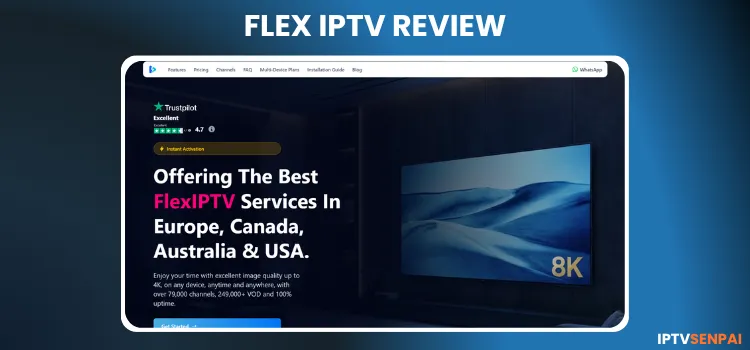
Flex IPTV has been rapidly gaining attention in the streaming market for 1+ years. The service has an immense collection of 157,000+ movies, 41,000+ TV series, and 48,000+ live TV channels.
Most of the Flex IPTV’s content is from 3 major continents: North America, Europe, and Asia, primarily from the U.S. The service offers a 5-hour free trial to users before they make a purchase.
Their EPG is quite vast, covering multiple regions and countries. However, there was some buffering in live TV channels.
Since Flex IPTV is an unverified service, it is vital that your internet traffic is routed through Surfshark servers (Found UAE server best )to avoid ISP monitoring and bandwidth throttling.
Recommended VPN for IPTV - Surfshark

Using IPTV without a VPN can put you at Big Risk! Your ISP, government and even IPTV providers can monitor your activity, throttle your speed, or block access altogether.
Plus, without encryption, your data is exposed to hackers and third parties. Take back your privacy with Surfshark!
Features:
✅ SAVE 87% + GET 3 EXTRA MONTHS FREE! ($0.06/day)
✅ Kill Switch Feature to protect you if VPN drops
✅ Lightweight app ensuring smooth performance on All IPTV Boxes
✅ Unlimited simultaneous connections (install on all household devices)
✅ 30-day risk-free money-back guarantee
✅ Strict no-logs policy, Secure & Untraceable
Official Website of Flex IPTV
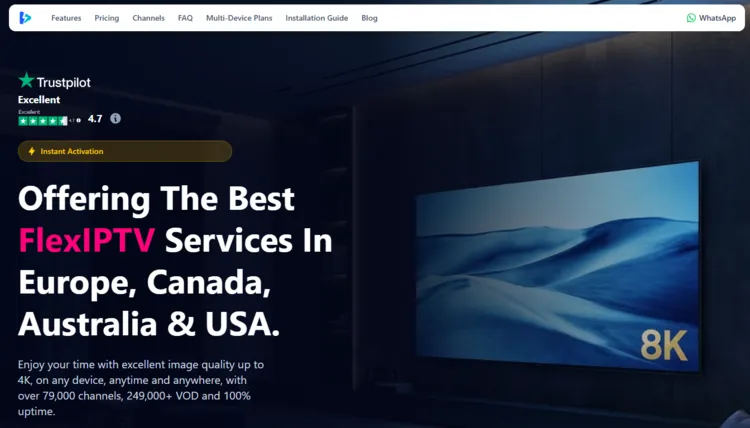
Like many third-party streaming platforms, Flex IPTV is surrounded by clone websites and imitators trying to capitalize on its name. Users should exercise caution before submitting any personal or payment information.
To protect yourself from fraudulent platforms and payment scams, it is crucial to verify the URL and cross-reference the website’s layout with screenshots before taking action.
While the official link isn’t provided here due to regulatory and legal constraints, you can explore their service and current plans by manually navigating to flexiptv.io.
Does Flex IPTV offer a free trial?
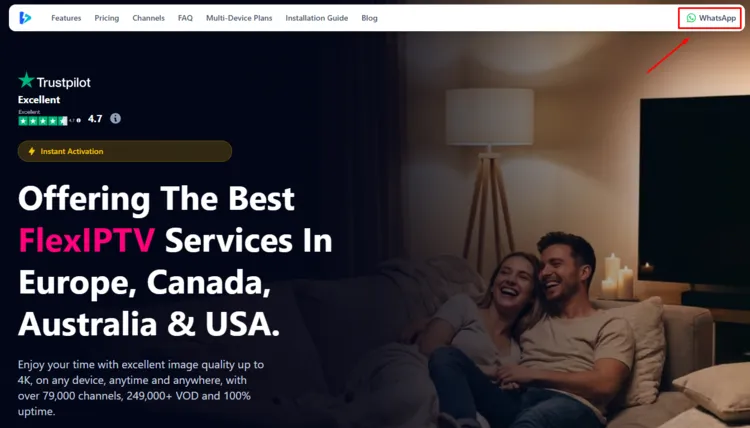
Yes, new users can typically request a 5-hour free trial from the service provider. To request a free trial, click on WhatsApp button on the top right. Chat with the service provider and request login credentials. It was delivered within 4.5 hours.
Flex IPTV Features
- Trial: 5-Hour Free Trial.
- Subscriptions: Starts at $18.35/month
- Connections: upto 3 devices per connection.
- Live Channels: 48,000+ live TV.
- VOD Content: 157,000+ movies and 41,000+ TV series.
- PPV: Yes.
- Streaming Quality: SD, HD, FULL HD, 4K, and 8K.
- Payment Methods: Debit/Credit Card, Crypto, PayPal.
- Compatible Players: Tivimate, IPTV Smarters Pro, Sparkle Player
- Compatible Devices: Firestick, Android TV, Smart TVs, Apple TV.
-
Customer Support: Email & WhatsApp (WhatsApp is preferred – Fairly Responsive).
Pros & Cons
| Pros | Cons |
|---|---|
| Huge live TV and VOD content library | Limited free trial (5-hour) |
| Supports SD, HD, Full HD, 4K, and 8K streaming | Some buffering issues in live TV broadcasts |
| Large EPG covering multiple countries and regions | |
| Works with multiple players and devices | |
| Multiple payment methods (Credit Card, PayPal, Crypto) | |
| Supports up to 3 device connections |
How to Get Flex IPTV
To install Flex IPTV on your Fire TV Stick, follow the instructions below:
1. Sign Up for Subscription/Free Trial and Get Credentials
Step 1: Visit the official Flex IPTV website ‘flexiptv.io’. Click on WhatsApp button on the top right bar.
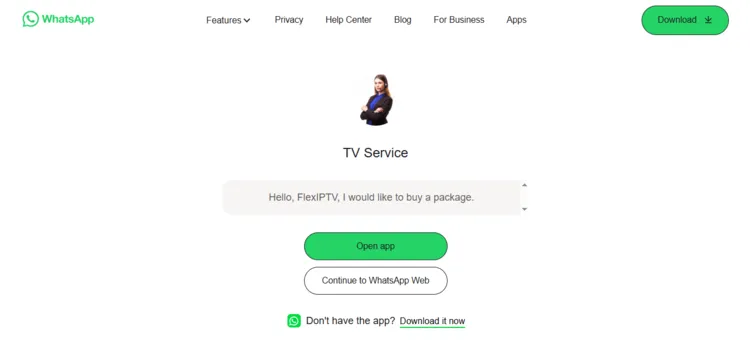
Step 2: A new window will open. Click on Continue to WhatsApp Web.
Step 3: Chat with the service provider and request login credentials.
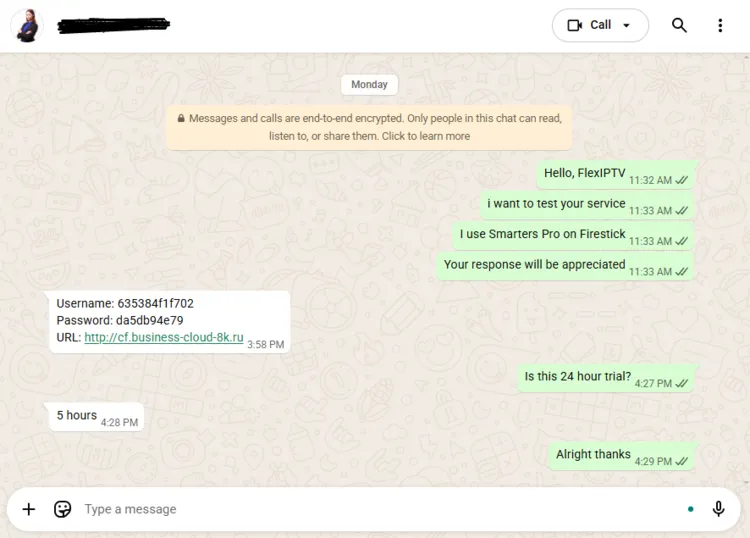
Step 4: To purchase a subscription plan, scroll under the Home section or click on Pricing to view subscription plans.
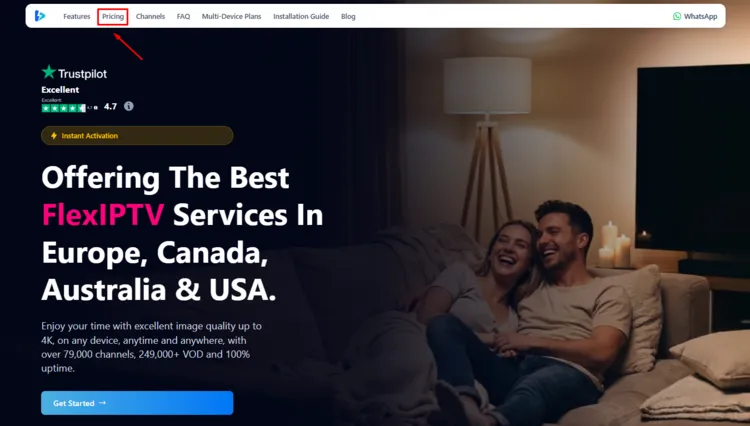
Step 5: Scroll down and select a package based on your preference. Click on Order Now.
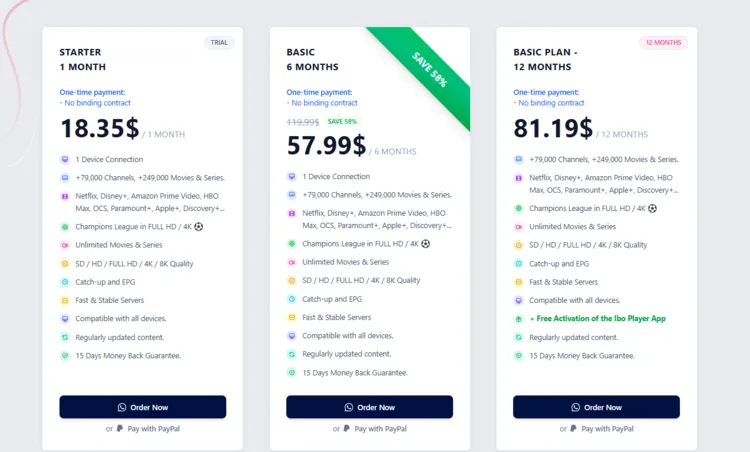
Step 6: A WhatsApp window will open. Chat with the service provider. Request login credentials. He will tell you the payment methods.
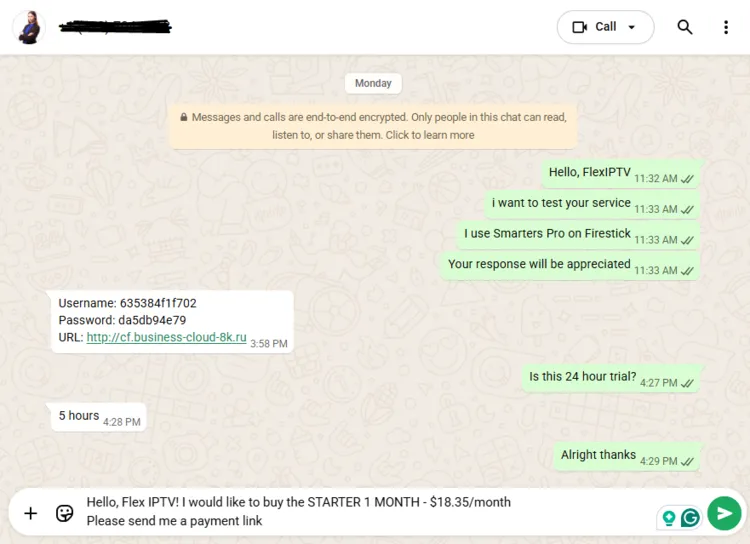
2. Connect to a VPN & Set Up Your Player
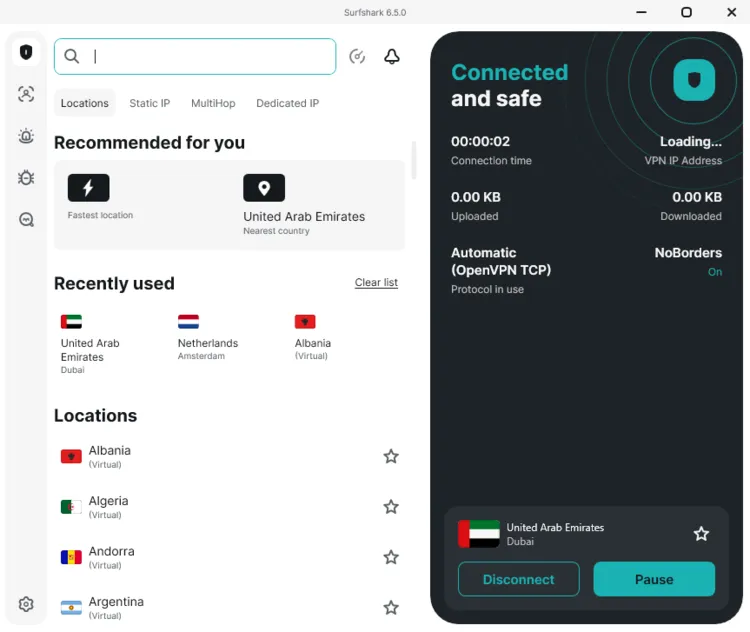
Step 1: Open your Surfshark app and connect to a UAE server for optimal performance.
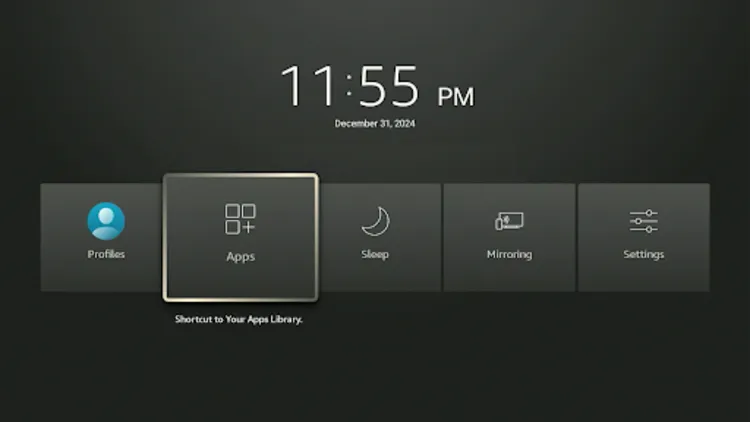
Step 2: Turn your Fire TV Stick on and long-press the Home button, and click Apps.
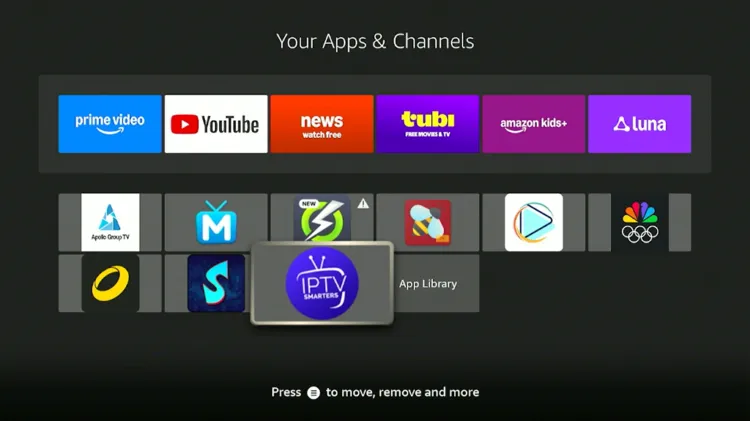
Step 3: Choose IPTV Smarters Pro.
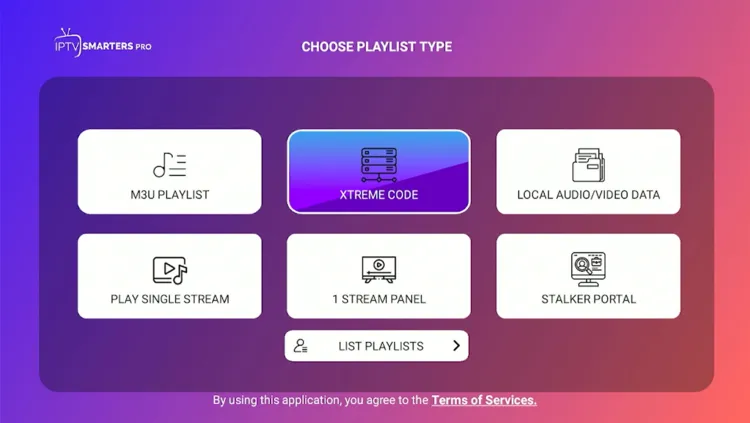
Step 4: Select Xtream Codes.
Step 5: Enter Playlist Name, Server address, Username, and Password. Then click on Add Playlist.
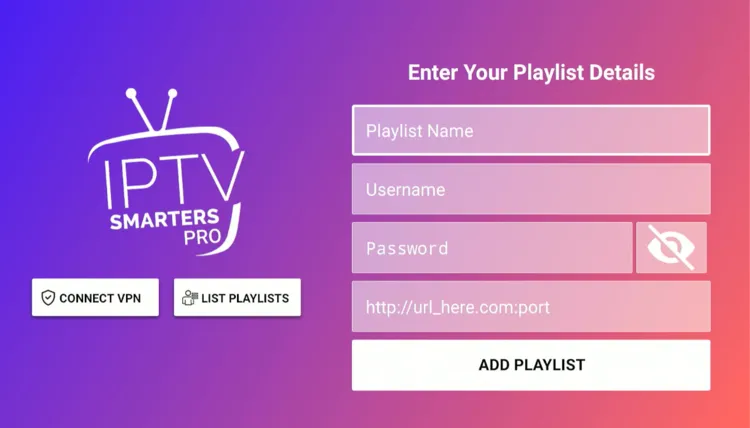
Step 6: Flex IPTV has been successfully installed.
Step 7: Enjoy Streaming!

What can you stream on Flex IPTV?
1. Live TV
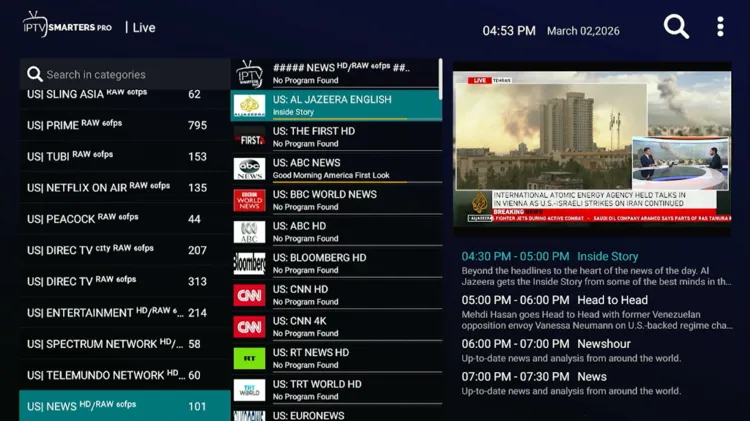
Flex IPTV offers an impressive array of 48,000+ live TV channels across news, sports, and entertainment categories worldwide.
Users might experience a few buffering issues during live TV broadcasts. The service makes up for it with a highly detailed Electronic Program Guide (EPG). It is uniquely structured and highly reliable for the following regions:
- U.S, Portugal & Poland: News and Entertainment.
- U.K: News, Entertainment, and selected Sports channels (Sky Sports, beIN Sports).
- Canada: News and Sports.
- Denmark: News, Entertainment and Sky Sports.
- Netherlands: News, Entertainment and selected Sports channels (Eurosports, Playsports).
- Italy: Entertainment.
- France: News, Entertainment, and Documentaries.
Buffering occurs due to server traffic, ISP throttling, or regional blocks. To avoid these disruptions, it is recommended to use a verified VPN like Surfshark for a better viewing experience.
2. Live Sports
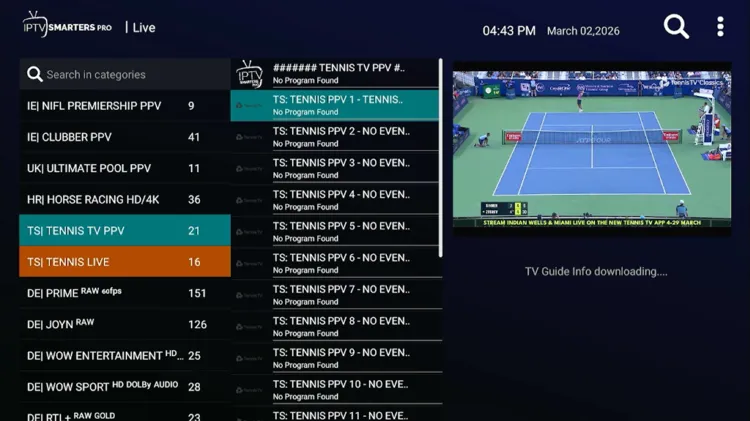
Sports fans will appreciate the inclusion of major networks for live sports. The service broadcasts popular sports such as football, tennis, skiing, racing, etc., in multiple languages, mainly in English.
Major international sports broadcasters include Sky Sports, beIN Sports, Eurosport, TNT Sports, DAZN, PlaySports, etc.
3. VOD
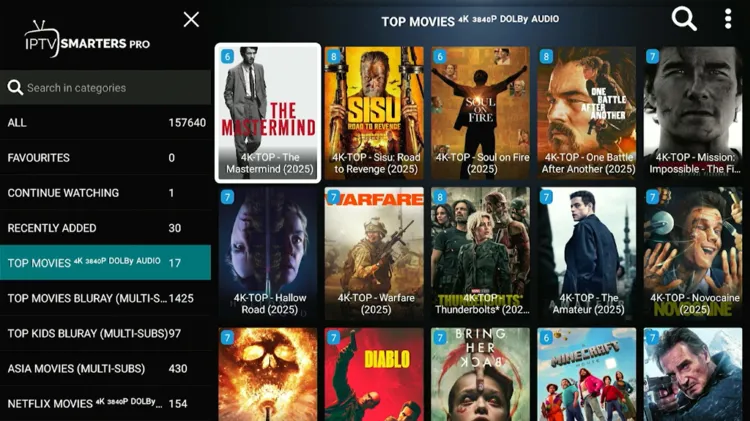
Flex IPTV service offers a substantial VOD library featuring 157,000+ movies and 41,000+ TV series across standard genres like Action, Adventure, Anime, Comedy, Drama, etc, primarily sourced from major U.S. and Asian markets.
How much does Flex IPTV cost?
Flex IPTV offers 5 subscription plans, offering up to 3 connections depending on the subscription package. All plans include total access to live TV, movies, TV series, and PPV events. The service also comes with a 5-hour free trial.
For payments, Falcon IPTV accepts Credit Card/Debit Card, PayPal, and CryptoCurrency.
Here are the pricing plans for a single device:
| Plan | Duration | Price |
|---|---|---|
| Starter | 1 Month | $18.35 |
| Basic | 6 Months | $57.99 |
| Basic Plan | 12 Months | $81.19 |
| Premium | 12 Months (+3 Months Free) | $93.37 |
| Diamond Plan | 24 Months | $138.61 |
| Lifetime Plan | Lifetime Access | $603.19 |
Here are the pricing plans for 2 and 3 connections:
| Connections | 6 Months Plan | 12 Months Plan | 24 Months Plan |
|---|---|---|---|
| 2 Devices | $69.59 | $104.39 | $173.99 |
| 3 Devices | $92.79 | $127.59 | $220.39 |
Is Flex IPTV Legal and Safe to use?
Flex IPTV falls into the category of unverified IPTV services. Users must remain vigilant amid government crackdowns on unregulated streaming platforms worldwide.
For a safe and secure streaming experience, always run a premium VPN like Surfshark. It encrypts your data, hides your IP address, and protects you from potential ISP throttling or regional blocks.
How is Flex IPTV’s Customer Support?
Flex IPTV features a Whatsapp icon on the top right of their website. Chat with the service provider through WhatsApp. Their support team is fairly responsive. Upon request, the trial was delivered to me within 4.5 hours.
Flex IPTV Alternatives
FAQs
1. How do I receive my subscription?
After payment, you will receive your credentials by email within 10 to 30 minutes. Check your spam folder or contact us on WhatsApp.
2. Does this IPTV service work in my country?
IPTV works anywhere in the world, wherever you live or are located. As long as you have a stable Internet connection, you can watch thousands of TV channels.
3. Can I use IPTV on multiple devices simultaneously?
Yes, with eligible subscriptions, you can watch on multiple devices simultaneously.
My Final Verdict for Flex IPTV
Flex IPTV is a good IPTV streaming experience, with over 48,000+ live TV channels, 157,000+ movies, and 41,000+ TV series in multiple languages, plus a 5-hour free trial.
Because the service is unverified, using a verified VPN is recommended. Surfshark is my #1 pick..

