


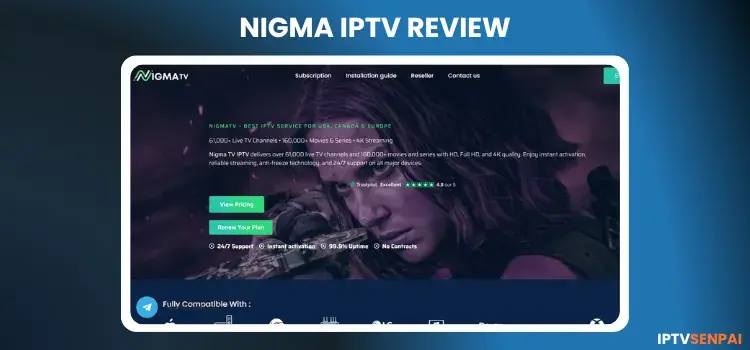
Nigma IPTV is an unverified 1+ year-old IPTV service experiencing some buffering. It features 51,000+ live TV, 171,186 movies, and 45,133 TV series. The service delivers a 24-hour free trial and global entertainment in SD, HD, FHD, and 4K resolution for streaming enthusiasts.
Given its unverified status, users should always protect their privacy while streaming. Utilizing a premium VPN like Surfshark is highly recommended. It secures your digital footprint, avoids potential ISP throttling, and ensures a stable connection.
Recommended VPN for IPTV - Surfshark

Using IPTV without a VPN can put you at Big Risk! Your ISP, government and even IPTV providers can monitor your activity, throttle your speed, or block access altogether.
Plus, without encryption, your data is exposed to hackers and third parties. Take back your privacy with Surfshark!
Features:
✅ SAVE 87% + GET 3 EXTRA MONTHS FREE! ($0.06/day)
✅ Kill Switch Feature to protect you if VPN drops
✅ Lightweight app ensuring smooth performance on All IPTV Boxes
✅ Unlimited simultaneous connections (install on all household devices)
✅ 30-day risk-free money-back guarantee
✅ Strict no-logs policy, Secure & Untraceable
Official Website of Nigma IPTV
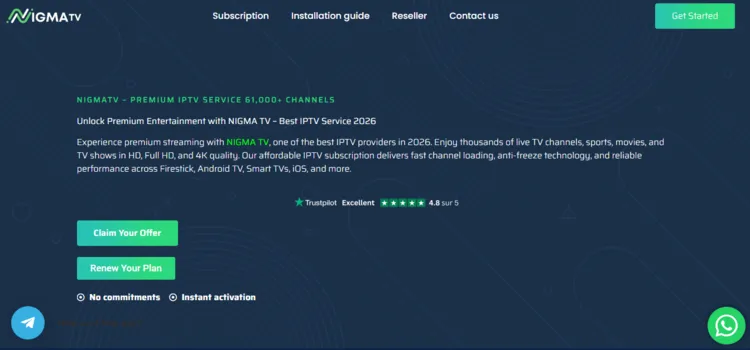
Like many third-party providers, Nigma IPTV has clone websites trying to capitalize on its popularity. Therefore, always verify the site’s layout using a screenshot above before entering any personal information or purchasing a premium subscription plan.
To maintain your security and avoid visiting malicious sites, users should directly visit the official domain ‘nigma.tv’. Always double-check the URL carefully. Hyperlinks are not provided here due to strict legal and regulatory guidelines.
Does Nigma IPTV Offer a Free Trial?
Yes, Nigma IPTV offers a 24-hour free trial for new users. To claim the trial, visit the official website and click on the WhatsApp button. Chat with the service provider and request login credentials. I received my trial within 4 hours.
Nigma IPTV Features
- Trial: 24-Hour Free Trial
- Pricing: starting at $14/month
- Subscriptions: 12 subscription plans
- Connections: Up to 3 devices
- Live Channels: 51,000+ live TV channels
- VOD Content: 171,000+ movies and 45,000+ TV series
- Streaming Quality: SD, HD, FHD, and 4K
- Payment Methods: Credit Card/Debit Card
- Compatible Players: Tivimate, IPTV Smarters Pro, Sparkle Player
- Compatible Devices: Firestick, Android TV, Smart TVs, Apple TV
-
Customer Support: WhatsApp, Telegram, and Email
| +24-Hour free trial | —Unverified and unregulated service |
| +Massive library for live TV & VOD | —Occasional live TV buffering, especially during peak hours |
| +Streaming available in SD, HD, FHD, and 4K. | —Requires a premium VPN for privacy and stability. |
|
+Smooth VOD playback with minimal buffering +Responsive support via WhatsApp, Telegram, and Email |
How to Stream Nigma IPTV
To stream Nigma IPTV on your Fire TV Stick, follow the step-by-step instructions below:
1: Sign Up for Free Trial/Subscription
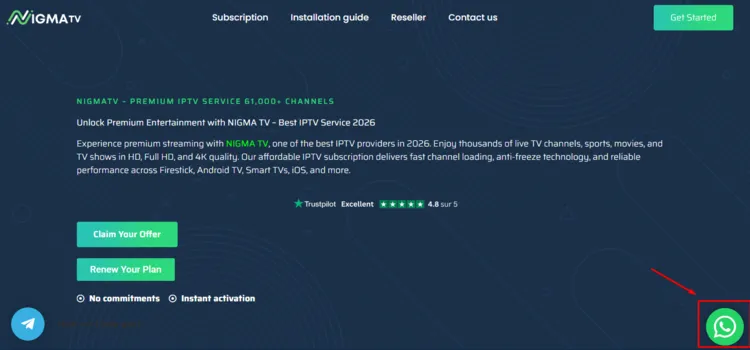
Step 1: Visit the official Nigma IPTV website ‘nigma.tv’. Click on WhatsApp on the bottom right.
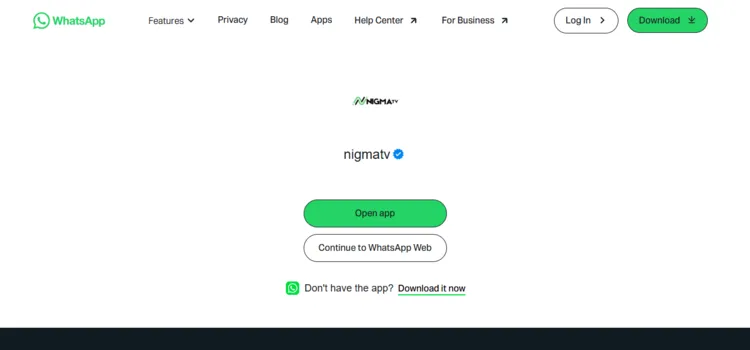
Step 2: A new window will open. Click on Continue to WhatsApp Web.
Step 3: Chat with the service provider and request login credentials. I received my credentials within 4 hours.
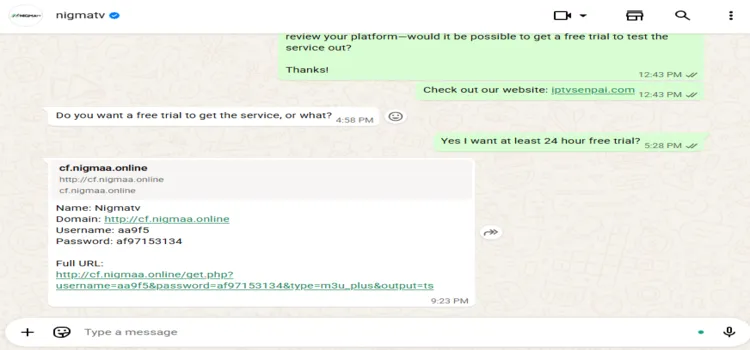
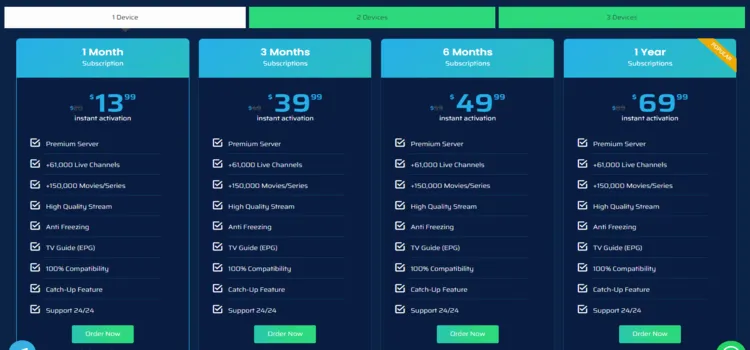
Step 4: To buy a subscription plan, click on Subscription.
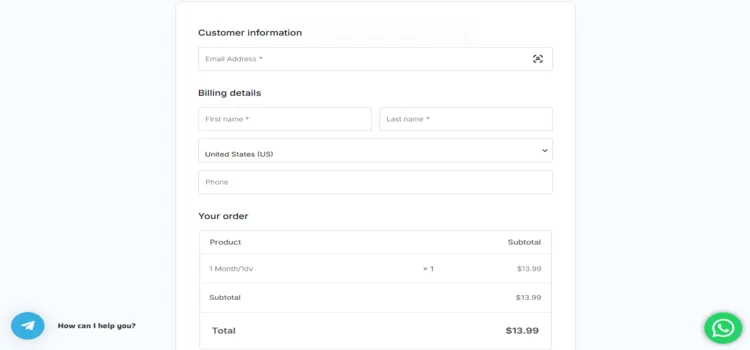
Step 5: A Checkout page will open. Enter your Customer Information, Billing Address, and select Payment method. Click Place Order.
Step 2: Connect to a VPN & Set Up Your Player
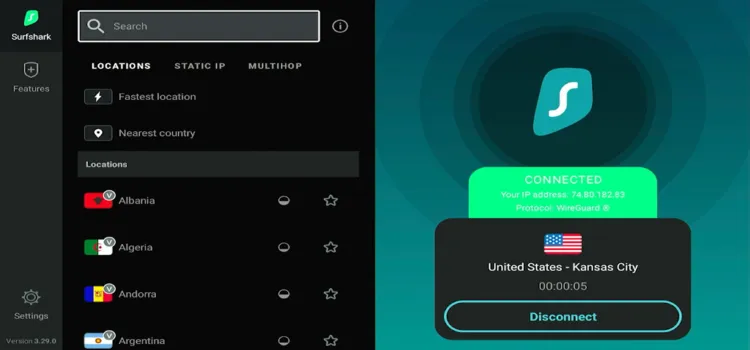
Step 1: Open the Surfshark app and connect to any secure server.
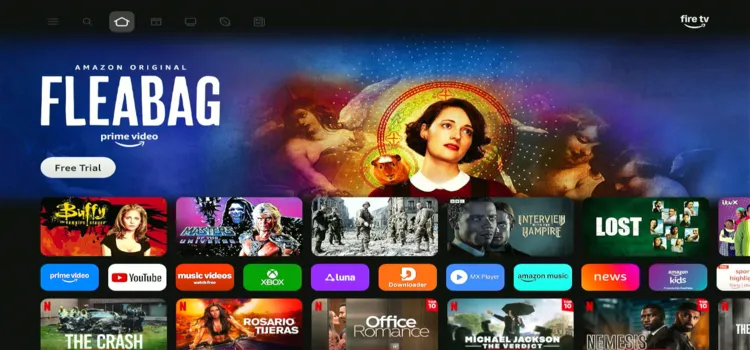
Step 2: Switch on your Fire TV Stick and press the home button, your interface will be displayed.
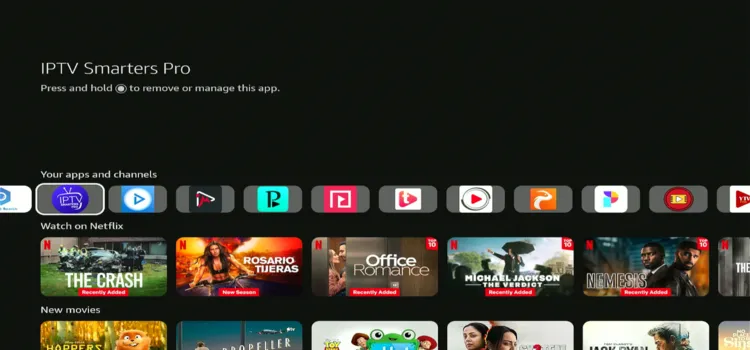
Step 3: Scroll below under Your apps and channels and click IPTV Smarters Pro
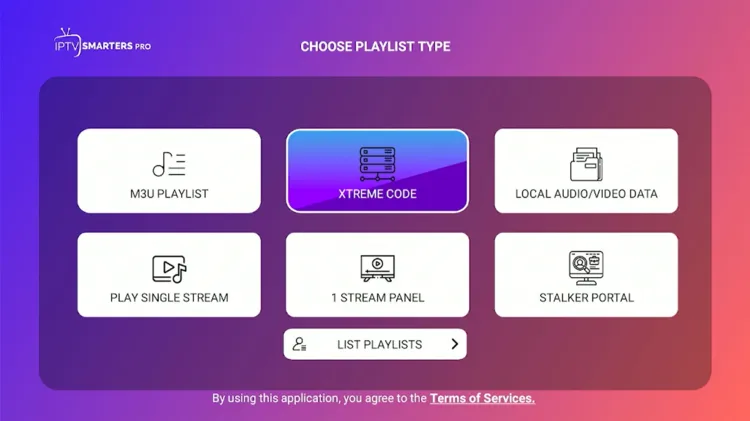
Step 4: Select Xtream Codes.
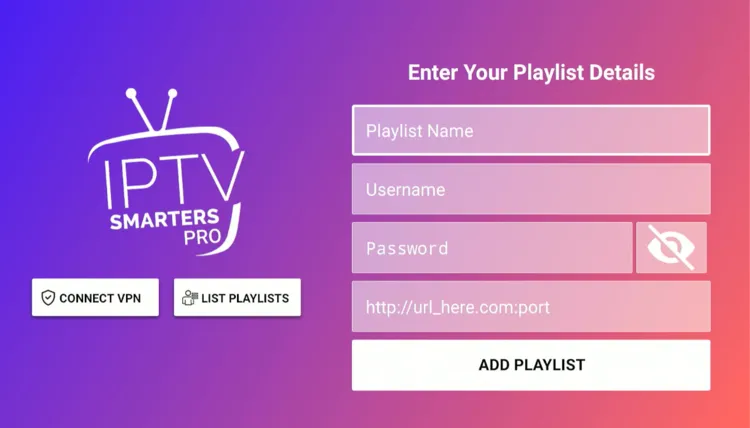
Step 5: Enter Playlist Name, Server address, Username, and Password. Then click on Add Playlist.
Step 6: Nigma IPTV has been successfully set up.
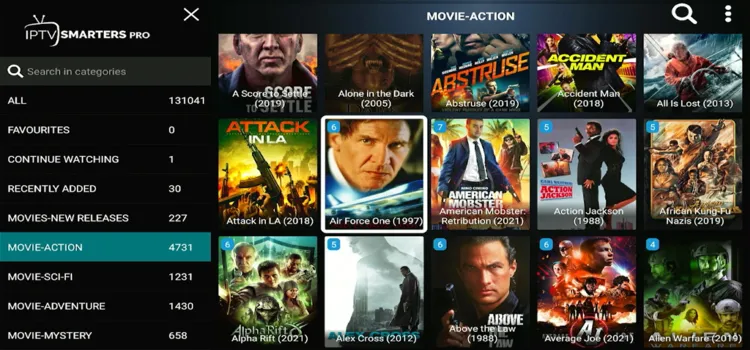
Step 7: Start Streaming!

What Can You Stream on Nigma IPTV?
1. Live TV
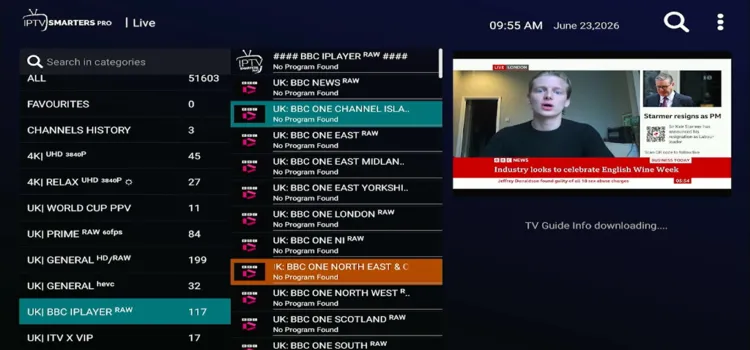
Nigma IPTV carries over 51,000+ live TV channels sourced from North America, Europe, and Asia. That regional diversity makes it a good pick for global audiences seeking international entertainment.
During testing, I noticed some buffering issues on certain live streams. It wasn’t constant, but noticeable on busier channels during peak hours. The Electronic Program Guide (EPG) coverage includes:
- U.S/U.K/Canada: News and Entertainment.
- France: News, Entertainment, and Sports.
- Belgium: News and Entertainment.
- Italy/Spain/Turkey: Entertainment.
-
Documentary Channels: Discovery, History, and National Geographic.
2. Live Sports
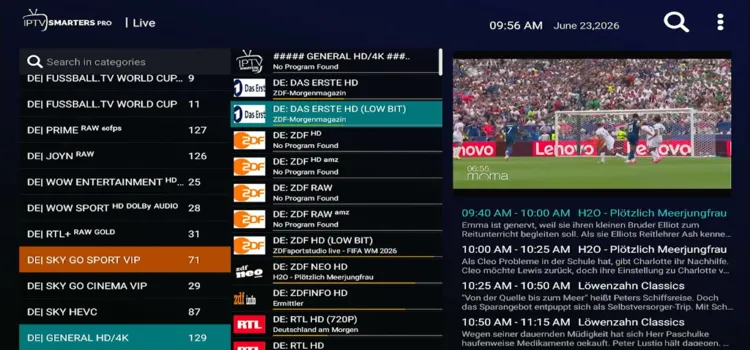
Sports coverage on Nigma IPTV streams popular sports and leagues with ease. Some buffering issues are expected. Commentary is available in multiple languages, including English, Arabic, Dutch, and Spanish etc.
- Popular Sports: Soccer, tennis, ice hockey, racing, basketball, and cycling.
- Popular Leagues: FIFA World Cup, UEFA Champions League, UFC, and LaLiga+.
- Sports Networks: BeIN Sports, DAZN, Sky Sports, and Eurosport.
3. VOD
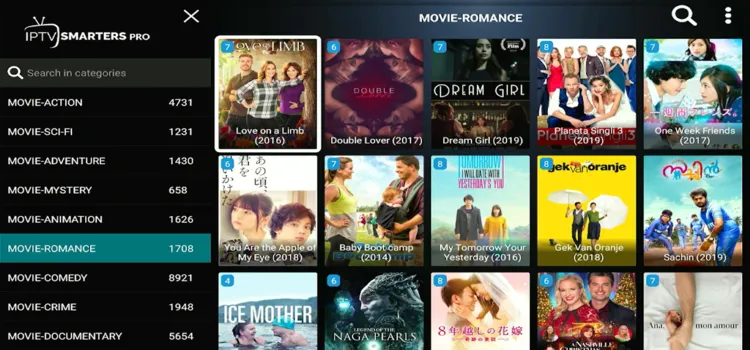
The VOD library on Nigma IPTV offers 171,000+ movies and 45,000+ TV series. During testing, VOD playback was smooth, with little to no buffering issues. Its performance is better than live TV.
- Popular Platforms: Netflix, Amazon Prime, Disney+, and Apple+.
-
Languages: English and Hindi.
How Much Does Nigma IPTV Cost?
Nigma IPTV offers 12 subscription plans, allowing up to 3 connections simultaneously. Each package includes full access to live TV channels, sports, and the complete VOD library. A 24-hourfree trial is available for new users.
Payments are handled securely through Credit/Debit Cards. Here are the available pricing tiers:
| Devices | 1 Month | 3 Months | 6 Months | 1 Year |
|---|---|---|---|---|
| 1 Device | $13.99 | $39.99 | $49.99 | $69.99 |
| 2 Devices | $30.99 | $49.99 | $79.99 | $120 |
| 3 Devices | $39.99 | $89.99 | $119.99 | $179 |
Is Nigma IPTV Legal and Safe?
Nigma IPTV is an unverified provider. Its safety and legality remain a concern for users, as streaming through unregulated channels can leave your data exposed to third parties. This is because global authorities continue to crack down on unauthorized streams.
To completely secure your digital footprint, your internet connection should be routed through a premium VPN like Surfshark. This will encrypt your online traffic, prevent tracking, and stop your ISP from limiting your streaming speeds.
How good is Nigma IPTV’s Customer Support?
Nigma IPTV provides good customer service through WhatsApp, Telegram, and Email. The WhatsApp option is preferred. Their support team is responsive and helpful. I requested a free trial and received login credentials within 4 hours.
Nigma IPTV Alternatives
FAQ’s
1. Does Nigma IPTV offer a free trial?
Yes, the platform offers a 24-hour free trial for new users.
2. How many simultaneous connections are allowed?
You can connect up to 3 devices depending on your active plan.
3. What are the available payment methods?
You can pay using standard Credit/Debit Cards or Cryptocurrency.
4. Can I contact customer support via chat?
Yes, support is available through WhatsApp, Telegram, and Email.
My Final Verdict for Nigma IPTV
Nigma IPTV is overall a good one for streaming enthusiasts, offering a large library of live TV and VOD content, and a 24-hour free trial. However, expect some buffering issues on live broadcasts.
As the service is unverified, protecting your internet connection is vital. For security and a better experience, consider using a premium VPN like Surfshark to potentially improve streaming stability and protect your online privacy.

