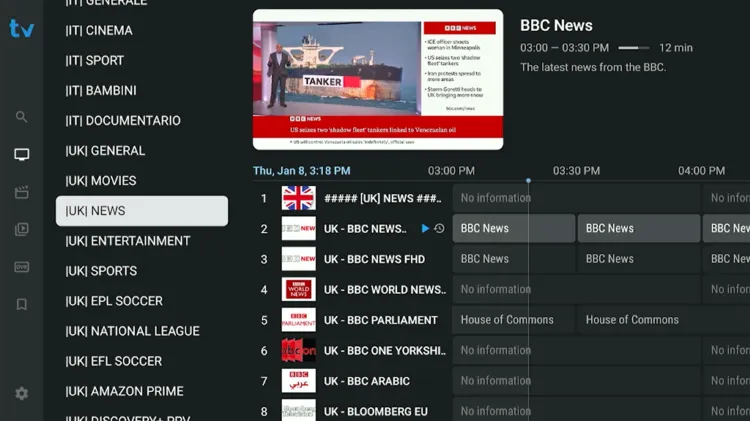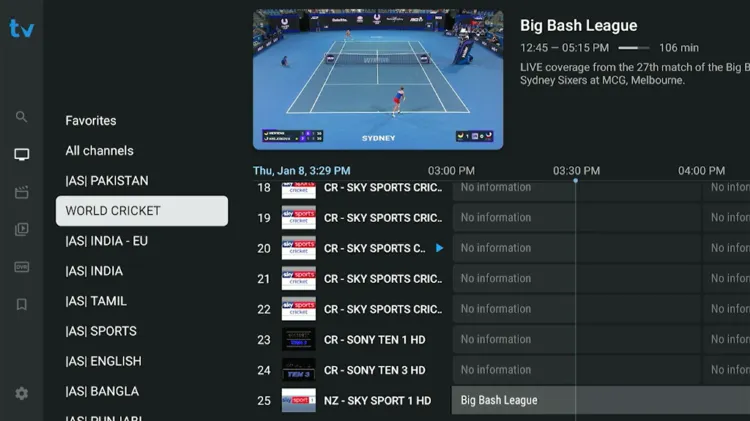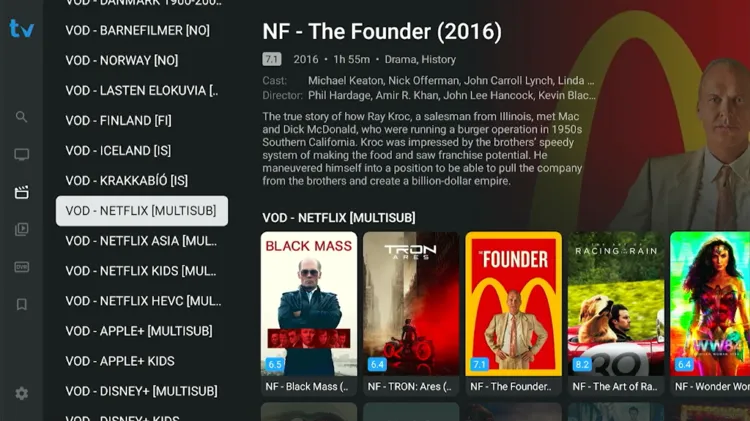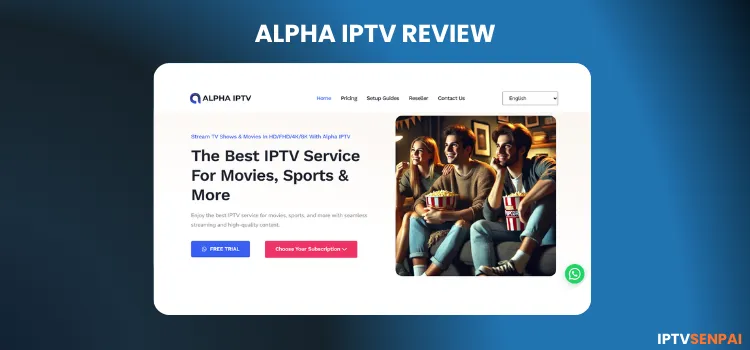
ALPHA IPTV is a new IPTV service that has been in the streaming space for less than a year. It has a library of 21,000+ live TV channels, 95,000+ movies, and 22,000+ TV series.
The service supports HD and FHD resolutions, delivering high-quality viewing experiences to users for streaming different types of content and genres.
ALPHA IPTV’s content is primarily from North America, Europe, and Asia, especially from the U.S., UK, and the Arab World, featuring popular networks and VOD content. Users can stream different types of news, sports, and entertainment in one place.
Most IPTV services are unverified! ALPHA IPTV is no exception. So, it would be a smart move to use a premium VPN like Surfshark to protect user privacy, prevent ISP throttling, and bypass any geo-restrictions while streaming.
Recommended VPN for IPTV - Surfshark

Using IPTV without a VPN can put you at Big Risk! Your ISP, government and even IPTV providers can monitor your activity, throttle your speed, or block access altogether.
Plus, without encryption, your data is exposed to hackers and third parties. Take back your privacy with Surfshark!
Features:
✅ SAVE 87% + GET 3 EXTRA MONTHS FREE! ($0.06/day)
✅ Kill Switch Feature to protect you if VPN drops
✅ Lightweight app ensuring smooth performance on All IPTV Boxes
✅ Unlimited simultaneous connections (install on all household devices)
✅ 30-day risk-free money-back guarantee
✅ Strict no-logs policy, Secure & Untraceable
Official Website of ALPHA IPTV
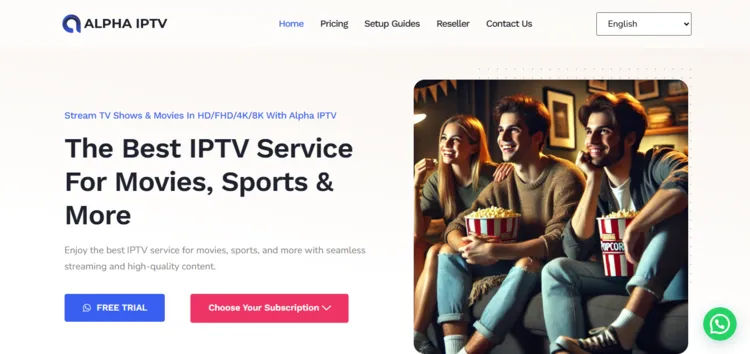
When purchasing ALPHA IPTV, it’s important that you visit the correct website: alphaiptv.net. This will prevent you from landing on a fake or malicious page. Due to legal and regulatory reasons, I cannot provide a direct hyperlink.
This service has copycat websites or websites with similar names, which is common practise in the streaming space. Therefore, always compare the site’s layout with the screenshot given above.
Does ALPHA IPTV Offer a Free Trial?
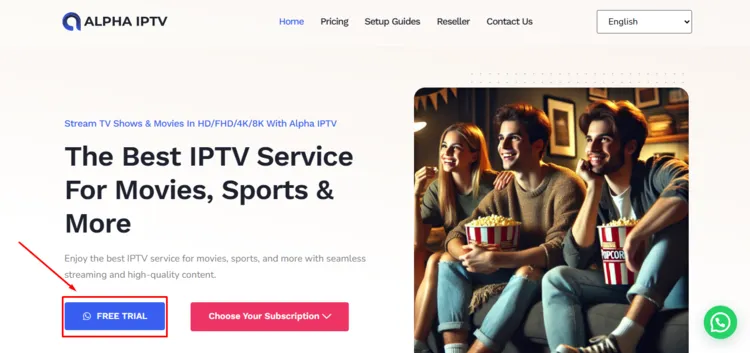
ALPHA IPTV offers a 24-hour free trial. To claim a free trial, click the WhatsApp button under the Home section. Request a free trial through chat. You will receive login credentials (M3U & Xtream Codes) within 8 hours.
ALPHA IPTV Features
-
Trial: 24-Hour Free Trial.
-
Pricing: Starting from $10.99
-
Connections: 1 device at a time
-
Live Channels: 21,000+ live TV channels
-
VOD: 95,000+ movies and 22,000+ TV shows
-
Streaming Quality: HD, FHD, 4K, 8K
-
Payments: Credit Card/Debit Card,
-
Players Supported: Tivimate, IPTV Smarters Pro, Sparkle Player
-
Devices: Firestick, Android TV, Enigma2, Formuler, MAG, Apple TV, Windows, Mac, Smart TVs
-
Support: WhatsApp, Email (Moderately Responsive – WhatsApp service preferred)
Pros & Cons
| Pros | Cons |
|---|---|
| 24-Hour Free Trial | Limited EPG |
| Large collection of live TV and VOD library | Support only one device at a time. |
| Streaming resolution in HD, FHD, 4K, 8K. | New service, lacks a long term track record |
| Little to no buffering issues for VOD Content | |
| Wide Device Support |
How to Get ALPHA IPTV
Follow the steps below to install ALPHA IPTV on your FireStick.
1. Sign Up for a Subscription Plan.
Step 1: Visit the official alphaiptv.net website. Under Home section, click on Free Trial button with a WhatsApp icon.
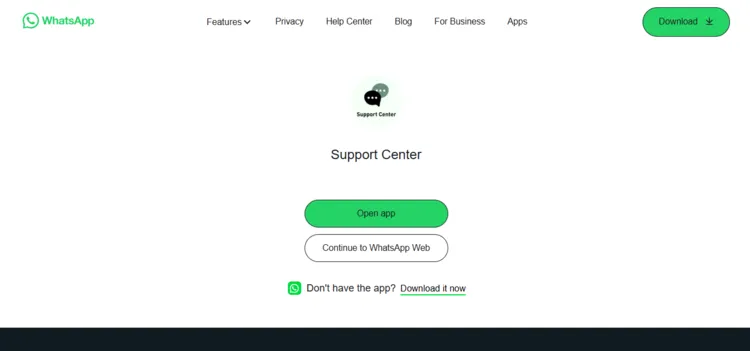
Step 2: A new window will open. Click on Continue to WhatsApp Web.
Step 3: Start chatting with the service provider and request a Free Trial. He will send you login credentials on WhatsApp. I received Xtream Codes within 8 hours.
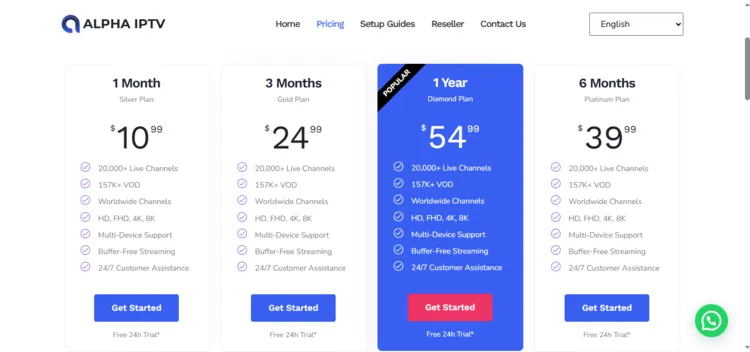
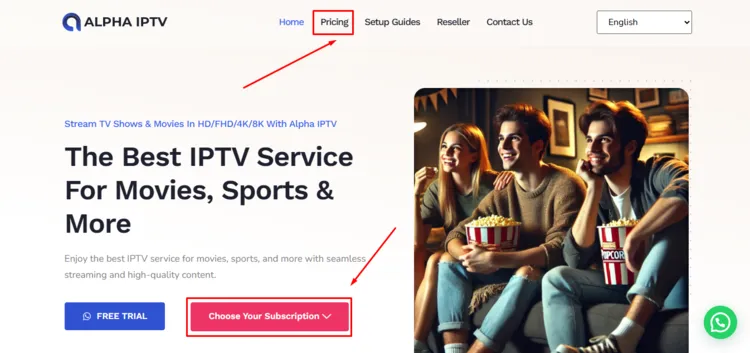
Step 4: To purchase a subscription plan, click on Choose your subscription under the Home section, or click on Pricing in the top bar.
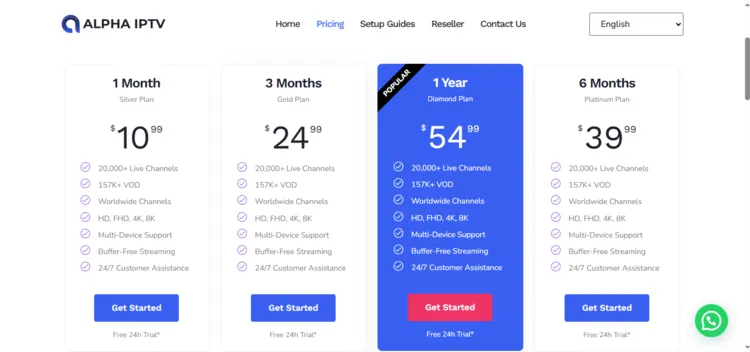
Step 5: Choose the subscription plan of your choice by clicking on Get Started.
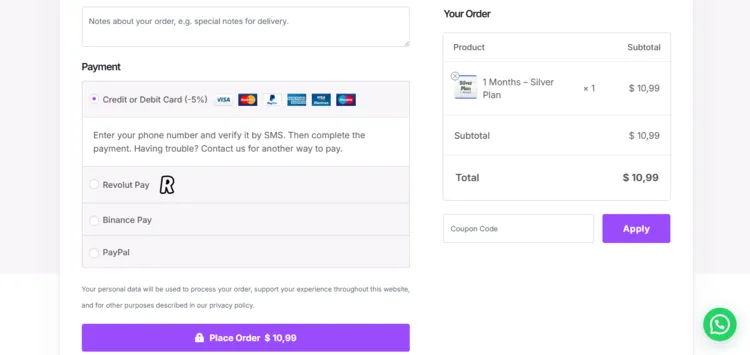
Step 6: A checkout window will open. Enter Customer Information and Biling Details. Select the Payment Method.
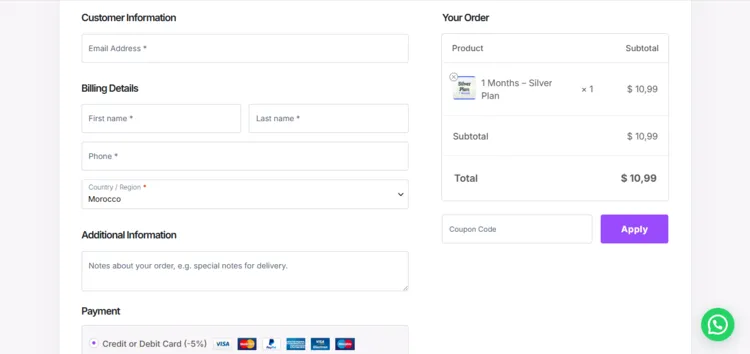
Step 7: Finally, click on Place Order. Check your email for login credentials.
2. Connect to VPN & Enter the Login Details on Your Player:
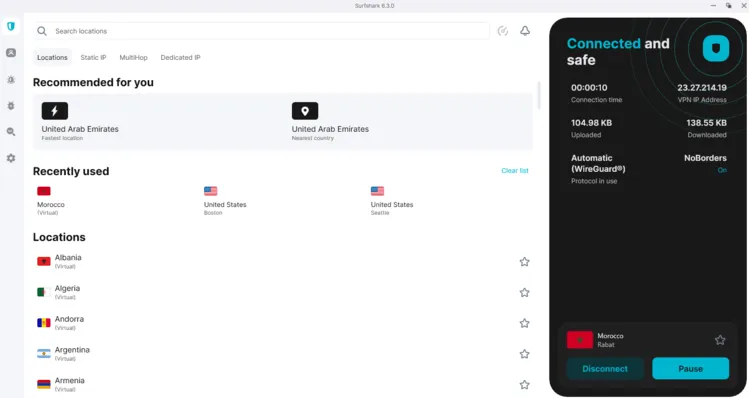
Step 1: Open Surfshark app and connect to any Morocco server.
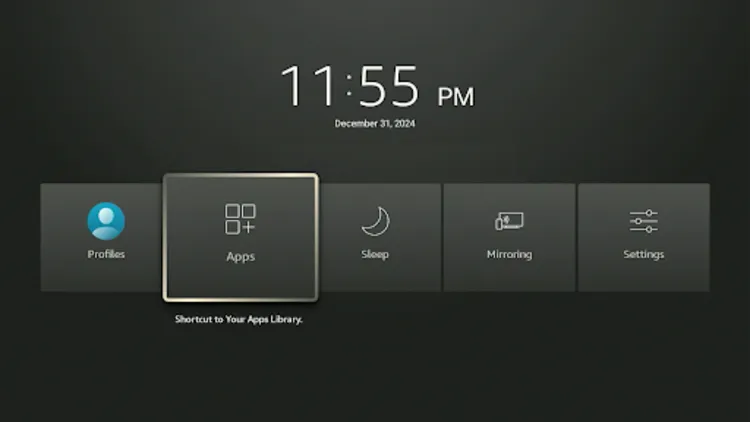
Step 2: Turn your Fire TV Stick on and long-press the Home button, and click Apps.
Step 3: Click in Tivimate Player.
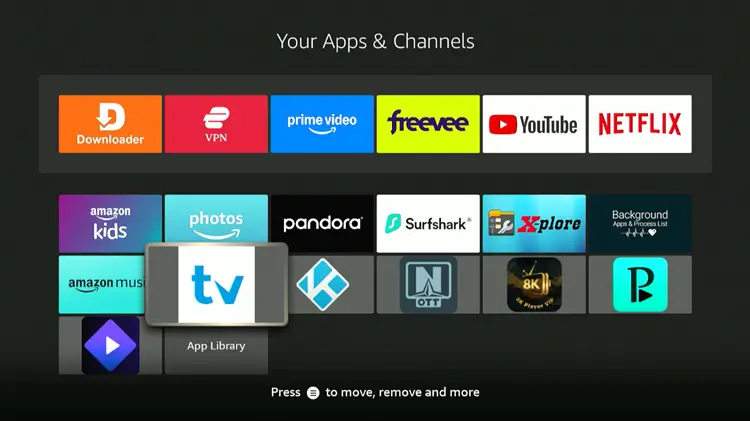
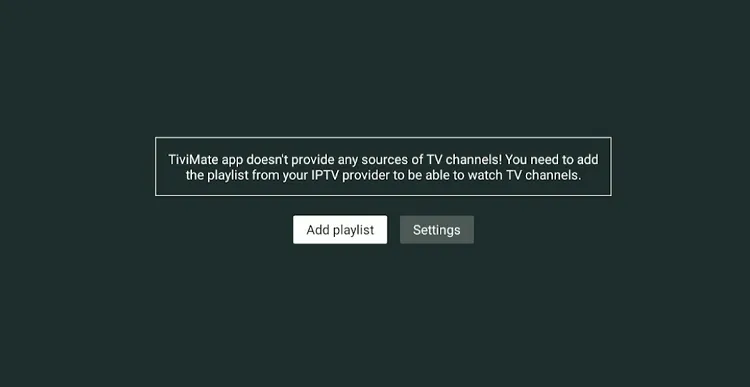
Step 4: Click Add Playlist.
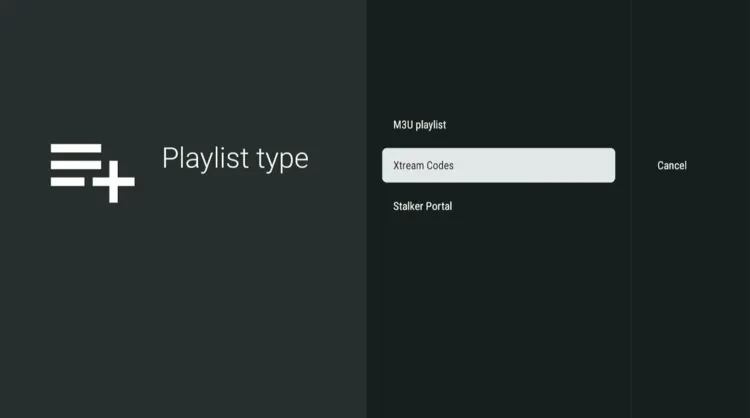
Step 5: Select Xtream Codes.
Step 6: Enter the Server address, Username, and Password.
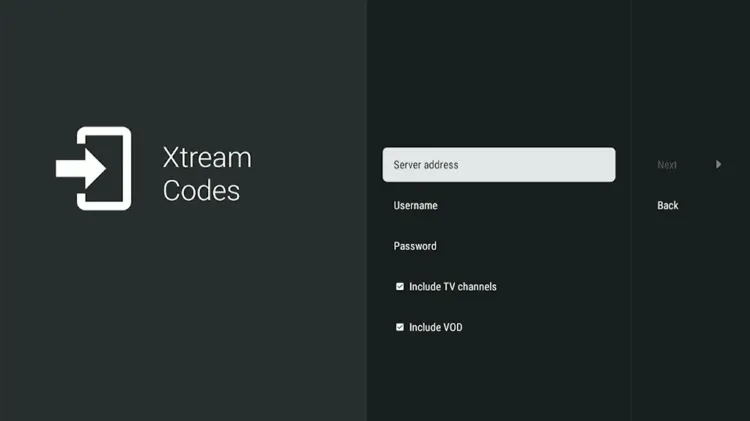
Step 7: Click Next. Your Playlist will be processed. Click Done.
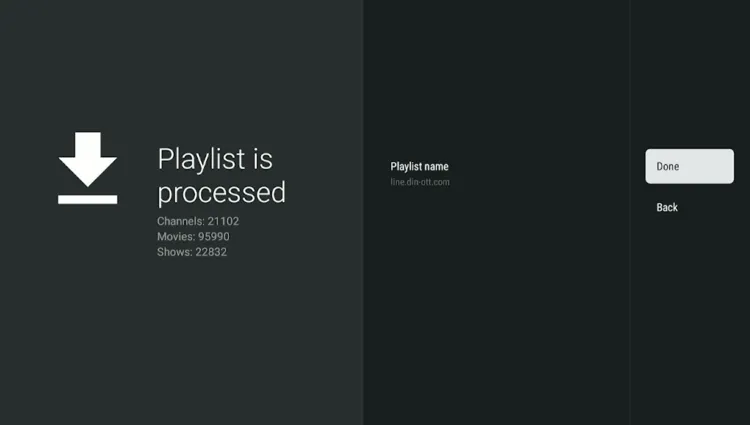
Step 8: ALPHA IPTV has been successfully installed.
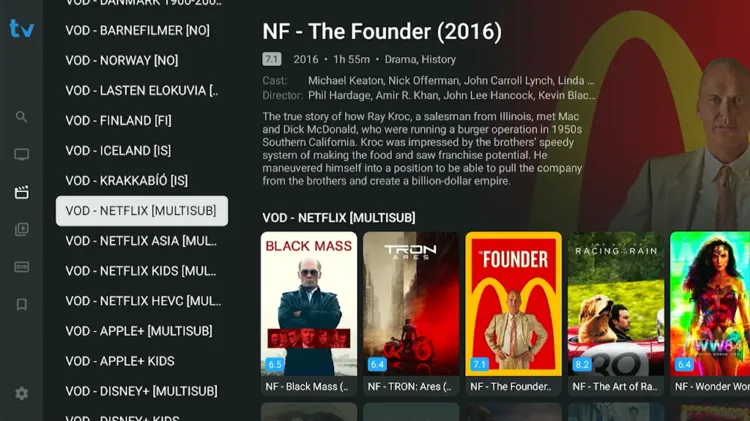
Step 9: Enjoy Streaming!