


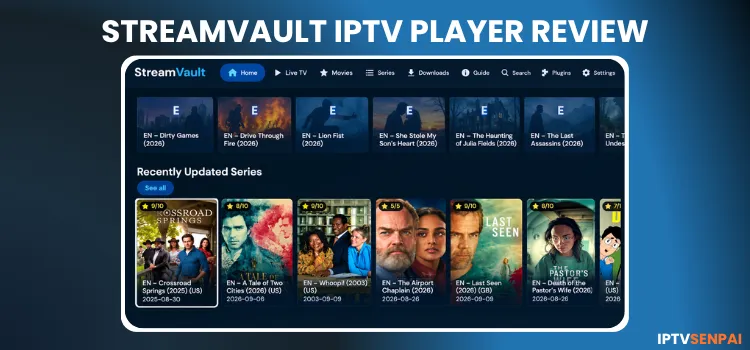
StreamVault is a free IPTV player that supports Android TV, Amazon FireStick, and Samsung Smart TVs. It’s a lightweight local media playback organizer designed for large playlists. It’s compatible with M3U playlists, Xtream Codes, Stalker Portal, Jellyfin, and plugins.
It has a dark interface with remote-friendly browsing, offering several useful features such as playback, privacy, recording, etc. It does not host live TV channels, subscriptions, or playlists. You need a subscription from an IPTV provider.
If you are dealing with privacy concerns, buffering, ISP throttling, or geo-restrictions while streaming IPTV, a premium VPN like Surfshark fixes that. can help by encrypting your connection and masking your IP address.
Recommended VPN for IPTV - Surfshark

Using IPTV without a VPN can put you at Big Risk! Your ISP, government and even IPTV providers can monitor your activity, throttle your speed, or block access altogether.
Plus, without encryption, your data is exposed to hackers and third parties. Take back your privacy with Surfshark!
Features:
✅ SAVE 87% + GET 3 EXTRA MONTHS FREE! ($0.06/day)
✅ Kill Switch Feature to protect you if VPN drops
✅ Lightweight app ensuring smooth performance on All IPTV Boxes
✅ Unlimited simultaneous connections (install on all household devices)
✅ 30-day risk-free money-back guarantee
✅ Strict no-logs policy, Secure & Untraceable
Is StreamVault IPTV Player Free?
Yes, StreamVault IPTV Player is free to download and use. The app supports live TV, movies, TV series, and other useful features without requiring a paid subscription. It is also ad-free and supports plugins.
Key Features
Here are the key features for StreamVault IPTV Player.
- Pricing: Free
- Compatible Devices: Firestick, Android Phones, TV, iOS, Windows, and more.
- Playlist support: M3U playlists, Xtream Codes, Stalker Portal, Jellyfin providers
- Electronic Program Guide: Yes
- Parental Controls: PIN Code
- Recording: Yes
- Catch-Up TV: Yes
- Multi-screen support: Yes (up to 4 screens)
- Subtitles: Yes
How to Install StreamVault IPTV Player on Android TV/FireStick
StreamVault is not available on the Google Play Store. You need to sideload its APK using the Downloader app. It supports Android TV, Smart TV, and FireStick. Follow the steps below for FireStick 4K Max.
Step 1: Launch the Downloader app.
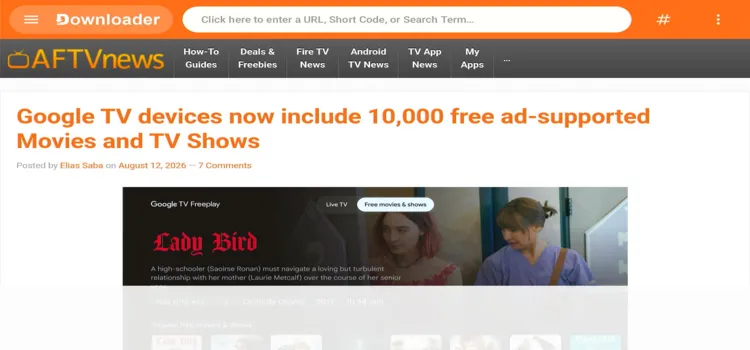
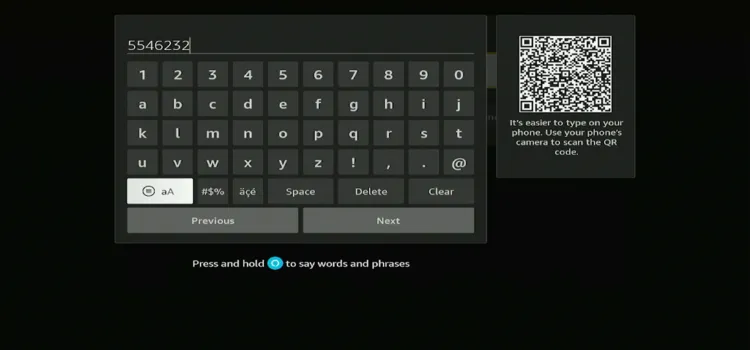
Step 2: Enter the StreamVault IPTV Player downloader code 5546232 in the search bar OR enter this URL bit.ly/43pEVWO and click Go.
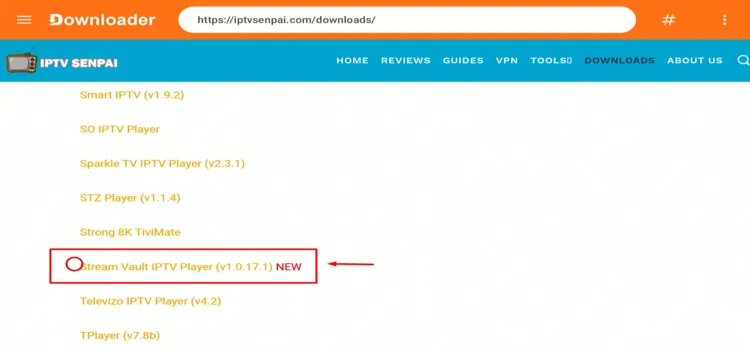
Step 3: Scroll down to the IPTV Players section, find the StreamVault IPTV Player, and tap on it to proceed.
Step 4: A MediaFire page will open. Click Download.
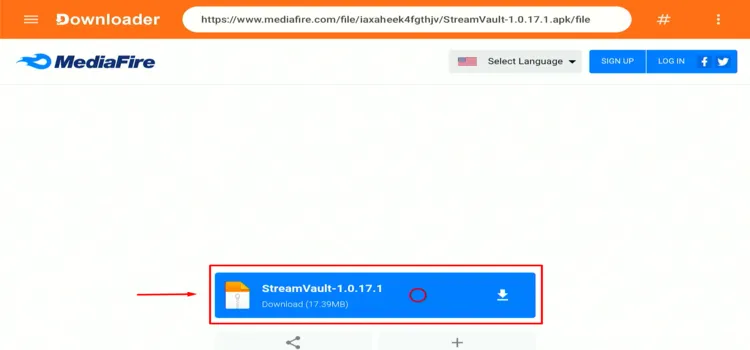
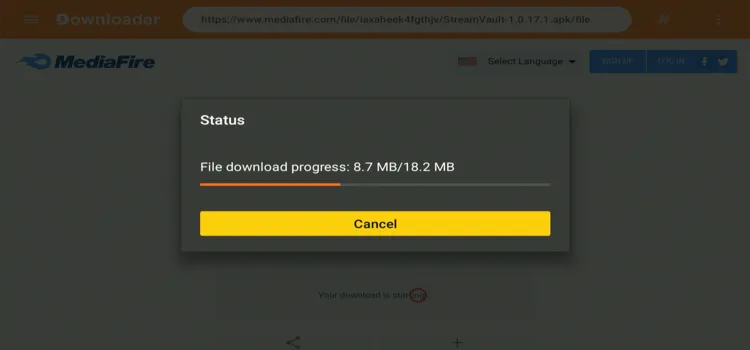
Step 5: Your APK file will start downloading.
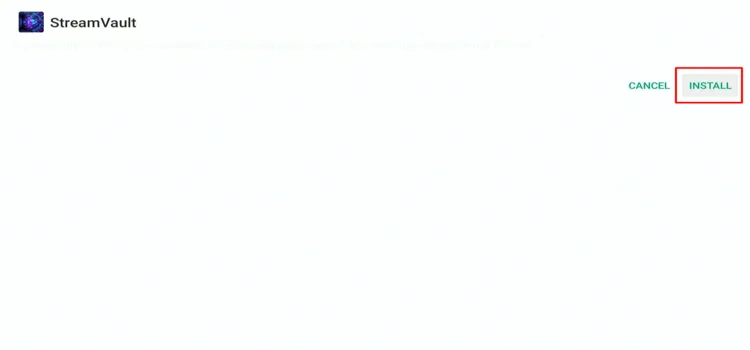
Step 6: Click Install.
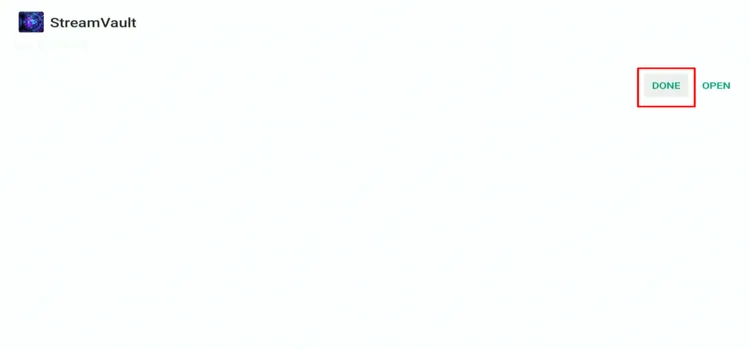
Step 7: Click Done.
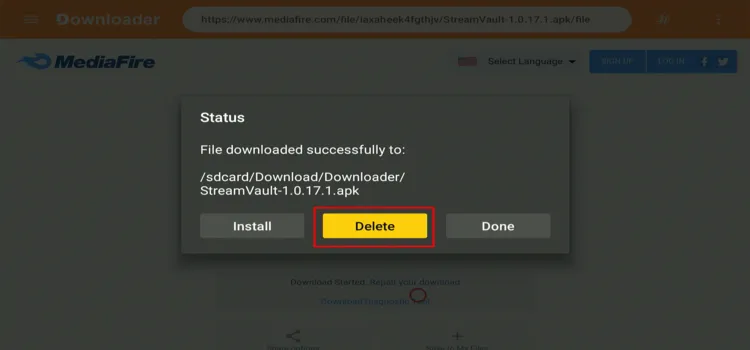
Step 8: Click Delete.
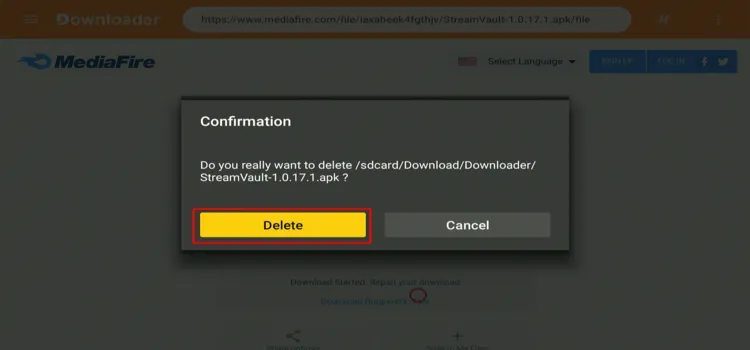
Step 9: A confirmation window will open. Click Delete Again.
How to Set Up StreamVault IPTV Player
When using unverified IPTV services, protecting your privacy is essential. Always use a trusted VPN, such as Surfshark, to encrypt your connection, help reduce ISP throttling, and access content that may be restricted in your region.
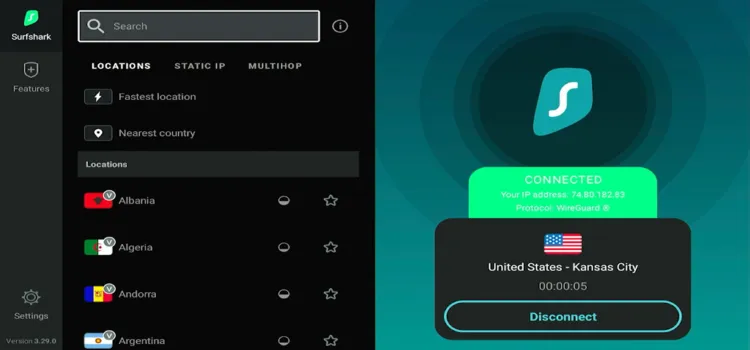
Step 1: Open your Surfshark app and connect to any server.
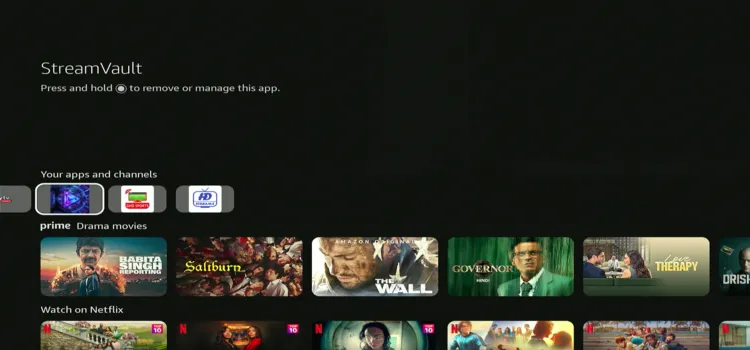
Step 2: Launch StreamVault IPTV Player.
Step 3: Select Xtream Codes.
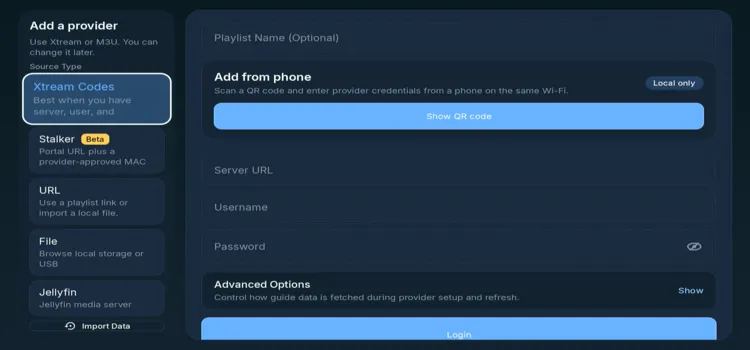
Step 4: Enter Server URL, Username, and Password. Click Login.
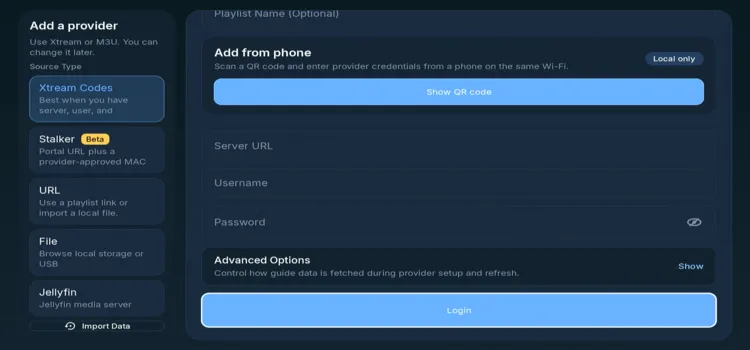
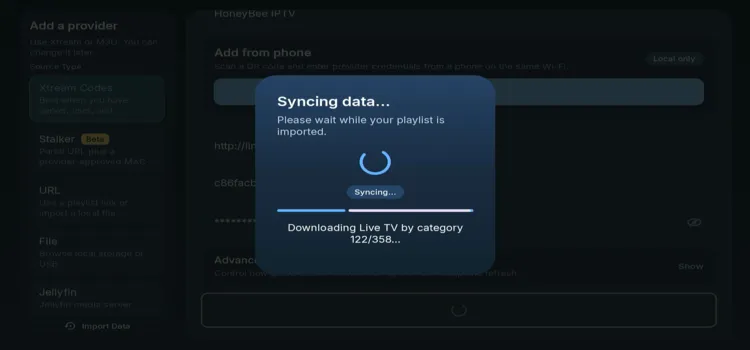
Step 5: Your playlist data will start syncing.
Step 6: Your playlist has been successfully set up!
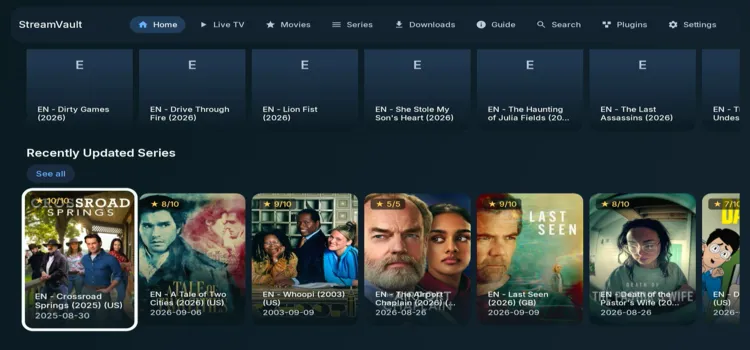
Step 7: Enjoy Streaming!

StreamVault IPTV Player Features
Here are the main features available in the StreamVault IPTV Player.
1. Playback Settings
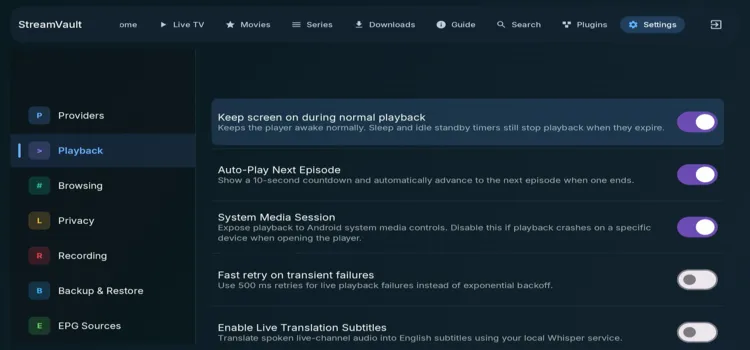
The player offers several playback settings. These include options such as Auto-play, local live rewind, automatic return from failed channels, subtitle settings, playback speed, multiview connection, etc. You can also test your internet speed and apply quality limits to Wi-Fi or Ethernet.
2. Browsing
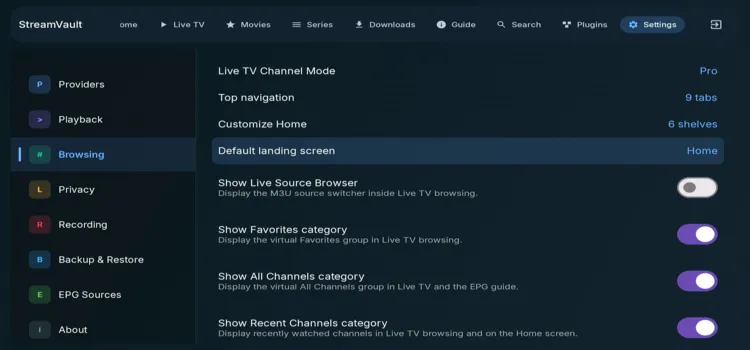
The Browsing section lets you customize the player by choosing the app language and assigning coloured buttons to actions such as Favourites, Guide, Channel Information, and Split Screen. You can save these as global defaults or set separate playback and browsing actions.
3. Privacy
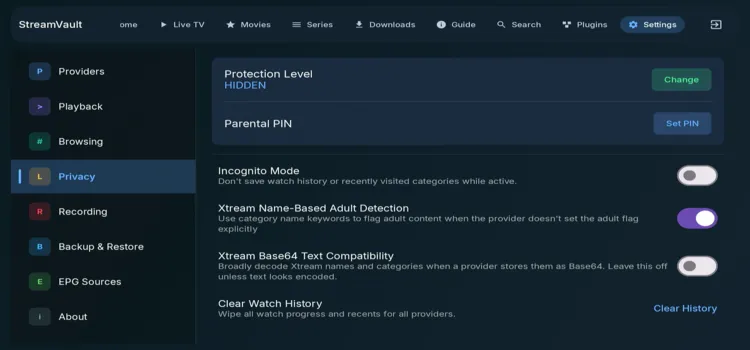
The Privacy section includes a Protection Level and Parental PIN to control access to protected content. It also offers Incognito Mode to stop watch history from being saved, adult-content detection, Base64 category decoding, and an option to clear watch history for all providers.
4. Recording
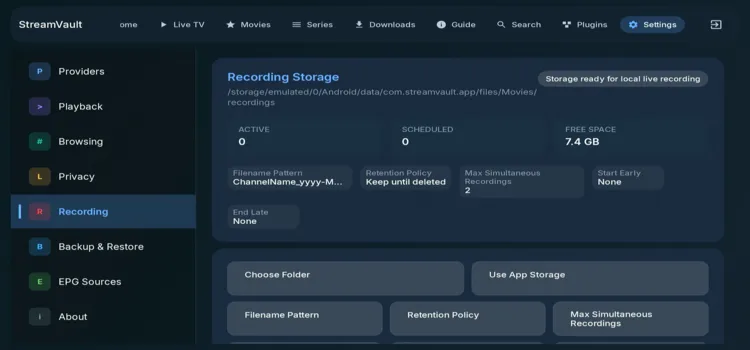
Its Recording section lets you choose where recordings are saved, set filename and retention rules, limit simultaneous recordings, and add start or end padding. You can even open recordings, repair schedules, use app storage, and choose whether recording works on Wi-Fi only.
5. Backup & Restore
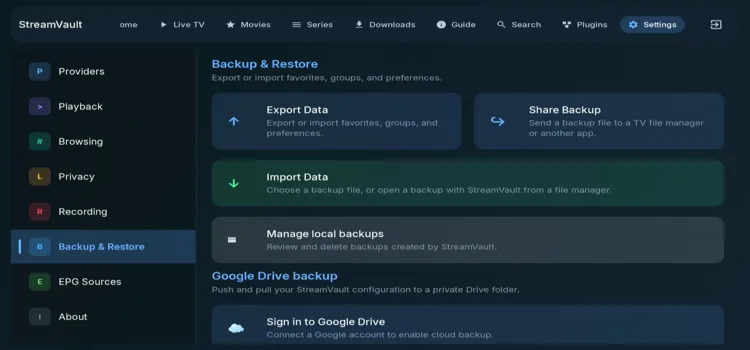
The Backup & Restore section lets you export or import your favourites, groups, and preferences. You can share backup files with another app, manage local backups, and save or restore your configuration through a private Google Drive folder.
6. EPG Sources
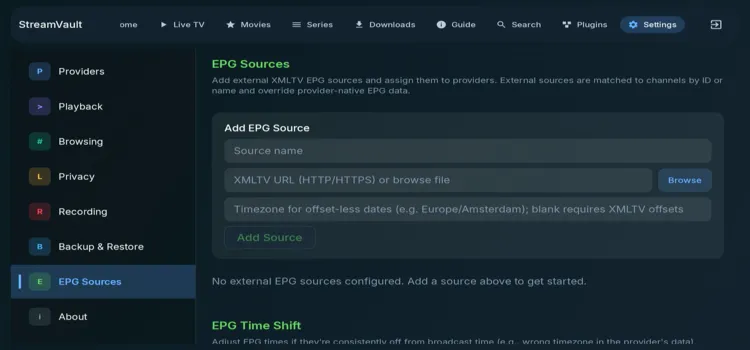
The EPG Sources section lets you add external XMLTV sources using a URL or file and assign them to providers. It matches guide data to channels by ID or name, can replace provider EPG data, and includes timezone adjustments for incorrect programme times.
7. Electronic Program Guide (EPG)
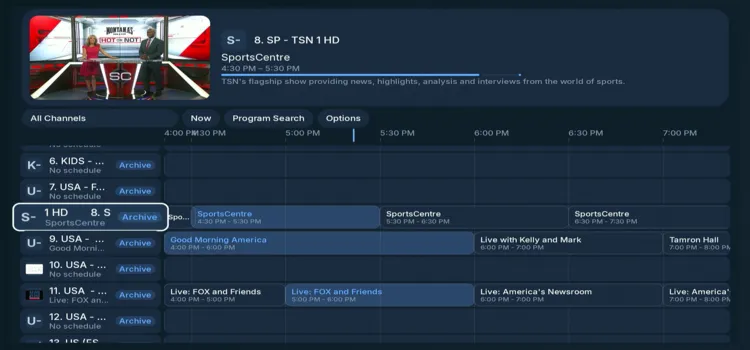
The Guide (EPG) section shows channel schedules with programme names and broadcast times. It lets you view what is currently playing, check upcoming programmes, and select a channel to start playback while keeping the guide visible.
8. Catch-Up
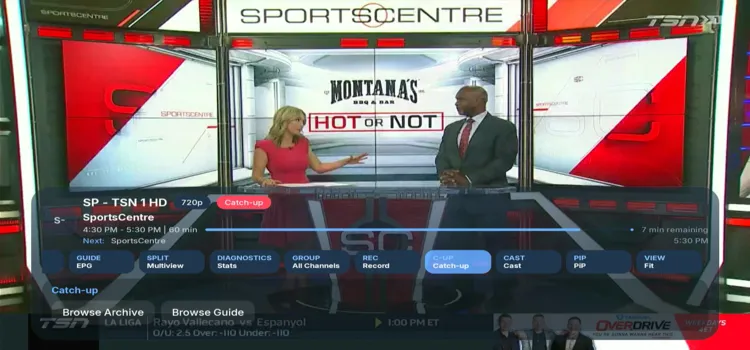
The Catch-Up feature lets you watch previously broadcast programmes. You can browse the channel archive or use the guide to find and play shows that have already aired.\
9. Subtitles
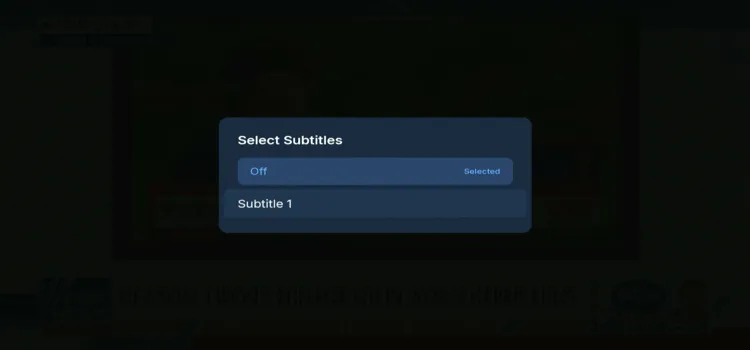
The Subtitles feature lets you turn captions on or off while watching a channel. Select Subs from the playback menu to display available subtitles when the channel or content source provides them.
10. PiP
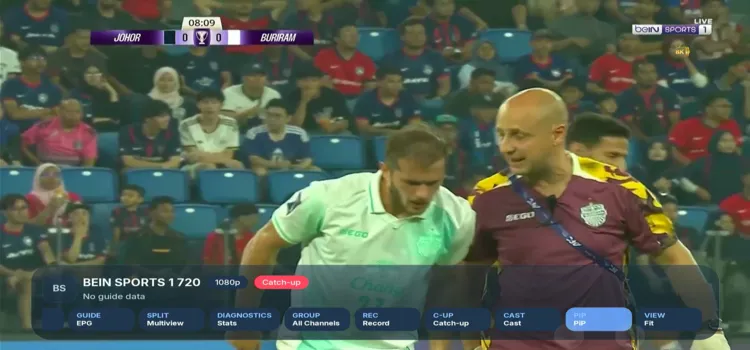
The PiP feature lets you keep a channel playing in a small window while browsing other sections of the player. Select PiP from the playback menu to continue watching while accessing the guide or other content.
11. Favourites
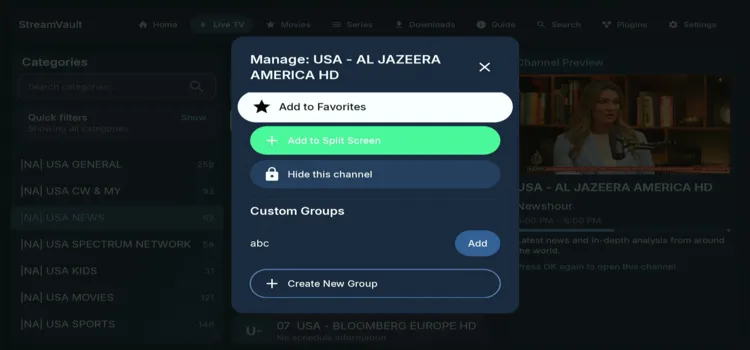
The Favourites feature lets you save your preferred channels for quick access. You can also add channels to a Split Screen, hide unwanted channels, or organize them into custom groups.
12. Groups
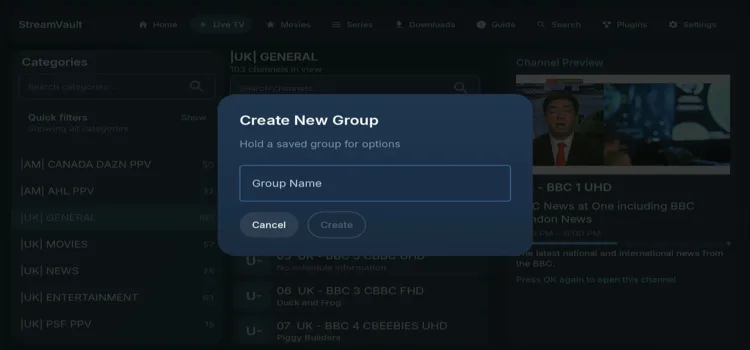
The Groups feature lets you organize channels into custom groups for easier access. You can add channels to existing groups or create new ones.
13. Search
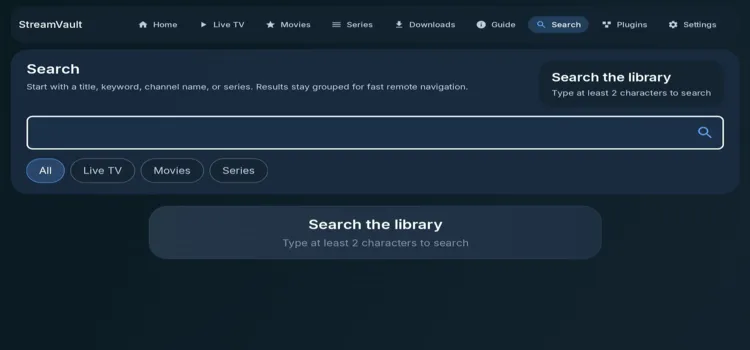
The Search feature lets you find live channels, movies, and series by entering a title, keyword, channel name, or series. Results can be filtered by All, Live TV, Movies, or Series.
14. Plugins
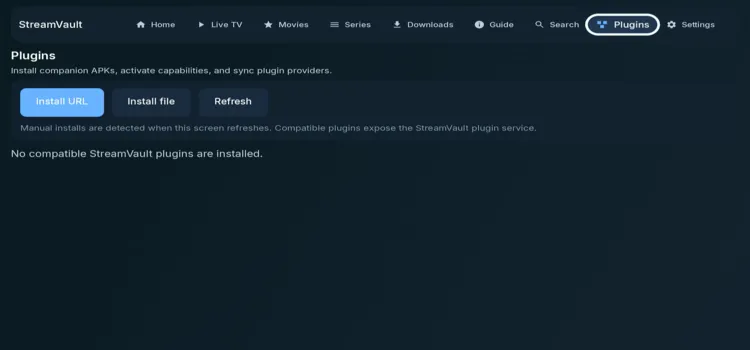
The Plugins section lets you install companion APKs, activate additional capabilities, and sync plugin providers. You can install plugins using a URL or local file, then refresh the page to detect compatible plugins.
Is StreamVault IPTV Player Safe and Legal to Use?
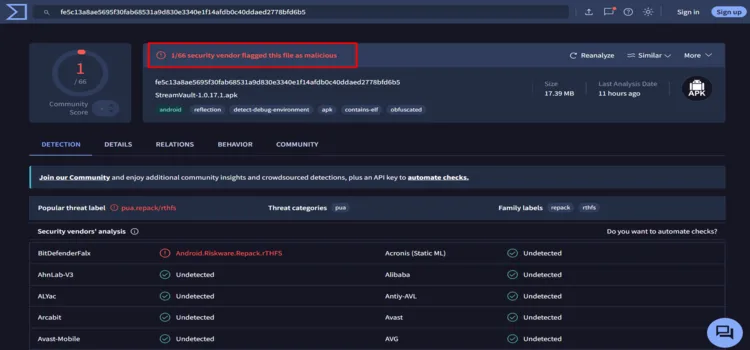
The StreamVault IPTV Player (v1.07.17.1) did not receive a fully clean VirusTotal result. In my scan, 1 of 68 security vendors flagged it as malicious. So, I advise using a VPN for this player and also deleting the APK file.
Streaming legality also depends on the content source you connect to. Surfshark encrypts your connection and keeps streaming activity private from your ISP.
StreamVault IPTV Player Alternatives
Check out these StreamVault IPTV Player alternatives if you are dissatisfied with the player
FAQs
1. Is StreamVault IPTV Player free?
Yes. It is available for free for personal and non-commercial use under the project’s Source-Available License.
2. Which playlists does StreamVault support?
It supports M3U URLs, local M3U files, Xtream Codes, Stalker Portal, and Jellyfin providers.
3. Does StreamVault support EPG?
Yes. It supports full EPG grids, XMLTV sources, guide search, and provider catch-up when the source supplies the required data.
4. Does StreamVault support recording?
Yes. The official feature list includes scheduled and background DVR recording, reminders, and playback for completed recordings.
Conclusion: Is StreamVault IPTV Player Worth Using?
StreamVault IPTV Player offers a strong Android TV experience with support for M3U, Xtream Codes, Stalker Portal, Jellyfin, EPG, DVR, catch-up, multi-view, and playlist organization. Its remote-friendly interface is more capable than many basic IPTV players.
For personal Android TV use, StreamVault is worth trying from the official GitHub release page. Connect to Surfshark when you need extra privacy, but remember that a VPN does not make unauthorized streaming legal.
Rating: ⭐⭐⭐⭐ (4.1/5). A feature-rich Android TV IPTV player with an excellent TV-first direction, although the GitHub APK distribution and non-commercial license may not suit everyone.

