


Smart IPTV, also known as SIPTV, is a lightweight IPTV player designed primarily for streaming M3U and M3U8 playlists on Smart TVs, Android TV devices, Fire TV, and other compatible devices.
Unlike sleek modern IPTV players, Smart IPTV has a blank interface that can feel clunky. To set it up, upload your M3U playlist and MAC address to their website, pair your device, and control your live channels with your device’s remote.
Smart IPTV does not provide live TV, movies, or TV series. You need to get your own IPTV subscription before you can stream anything. Also, these IPTV services stream pirated content, so your ISPs can track them; therefore, I recommend using a VPN.
Recommended VPN for IPTV - Surfshark

Using IPTV without a VPN can put you at Big Risk! Your ISP, government and even IPTV providers can monitor your activity, throttle your speed, or block access altogether.
Plus, without encryption, your data is exposed to hackers and third parties. Take back your privacy with Surfshark!
Features:
✅ SAVE 87% + GET 3 EXTRA MONTHS FREE! ($0.06/day)
✅ Kill Switch Feature to protect you if VPN drops
✅ Lightweight app ensuring smooth performance on All IPTV Boxes
✅ Unlimited simultaneous connections (install on all household devices)
✅ 30-day risk-free money-back guarantee
✅ Strict no-logs policy, Secure & Untraceable
Key Features of Smart IPTV Player
Smart IPTV is not as well equipped as TiviMate or XCIPTV. However, its clean interface and simple playlist management make it particularly convenient for TVs and streaming boxes.
- Price: 7-day free trial, then €5.49 one-time activation per device
- Supported Playlists: M3U and M3U8
- Buffer Adjustment: Yes
- EPG: Yes
- Multiple Playlists: Yes
- Favorites: Yes
- Parental Controls: No
- External Players: Yes
- Devices: Android TV, Google TV, Fire TV, Samsung TV, LG TV, and selected compatible platforms
Pros & Cons of Smart IPTV Player
Here is what stood out to me while looking at Smart IPTV player.
| Pros | Cons |
|---|---|
| ✓One-time payment (cheaper long term) | —Navigation is difficult |
| ✓Runs smoothly on TV | —Blank interface compared to modern IPTV Players |
| ✓Fine for basic live TV once configured | —Managing or changing playlists is inconvenient |
| —Not ideal for power users. |
Is Smart IPTV Free?
Smart IPTV is free to try with a 7-day trial. After the trial, Smart IPTV requires a one-time €5.49 activation payment for each TV or device. To buy the premium version visit their website siptv.app/activation.
However, the activation payment only unlocks Smart IPTV. It does not include an IPTV subscription, channels, movies, sports, or other streaming content.
How to Install Smart IPTV on FireStick/Android TV
Smart IPTV can be sideloaded using the Downloader app, as it is unavailable directly through the official Amazon Appstore. This allows users to easily install the app on Fire TV using its APK file.
Step 1: Install & Open the Downloader app.
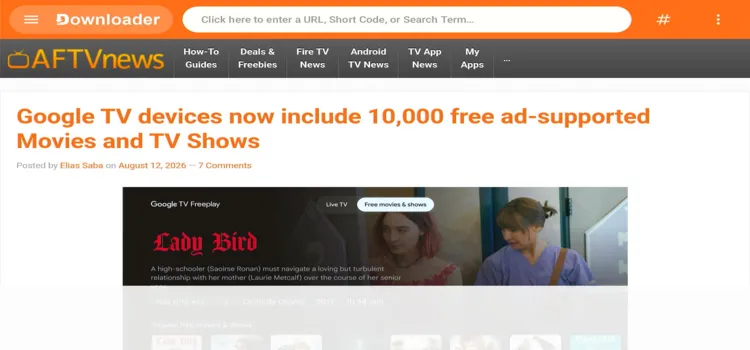
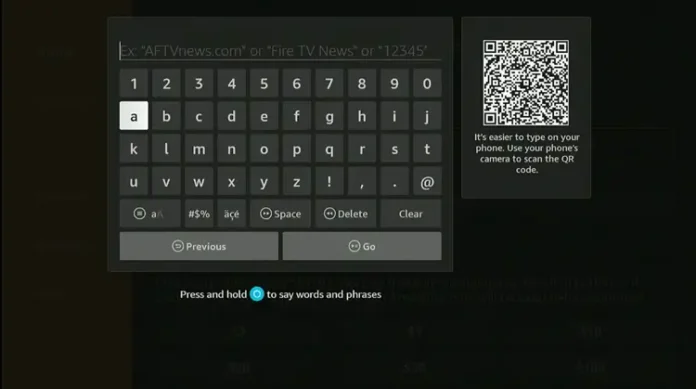
Step 2: Enter the Smart IPTV downloader code 5546232 in the search bar OR enter this URL bit.ly/43pEVWO and click Go.
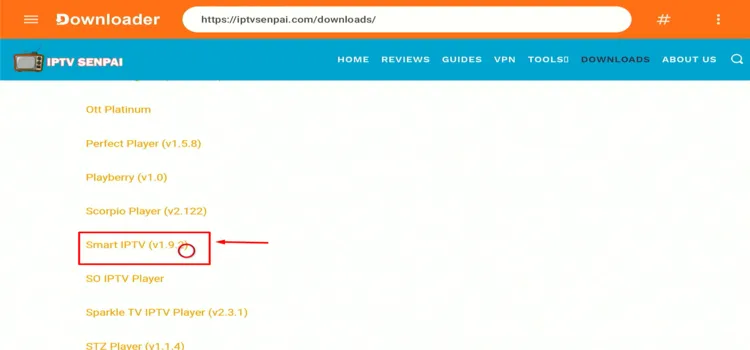
Step 3: Scroll down to the IPTV Players section, find the Smart IPTV app, and tap on it to proceed.
Step 4: Click the Download Icon.
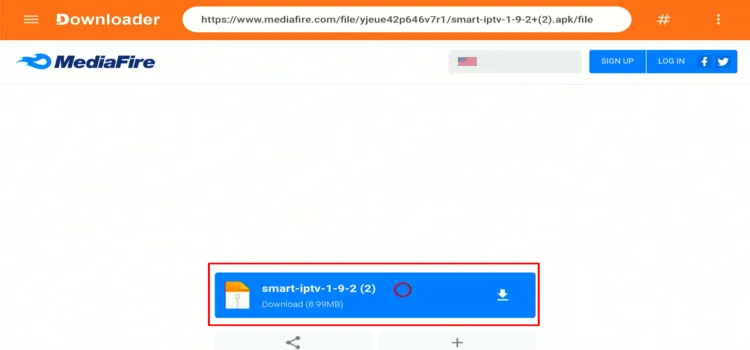
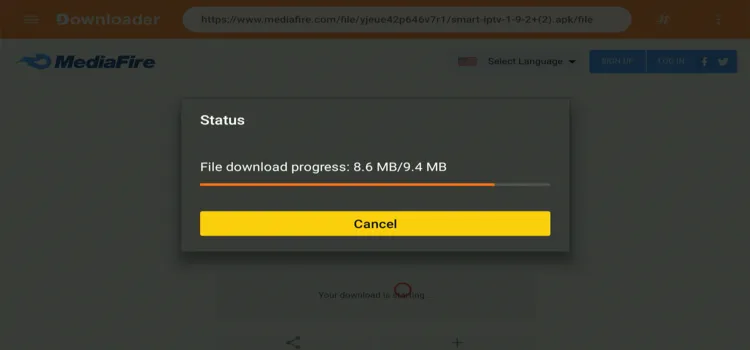
Step 5: The APK will start downloading.
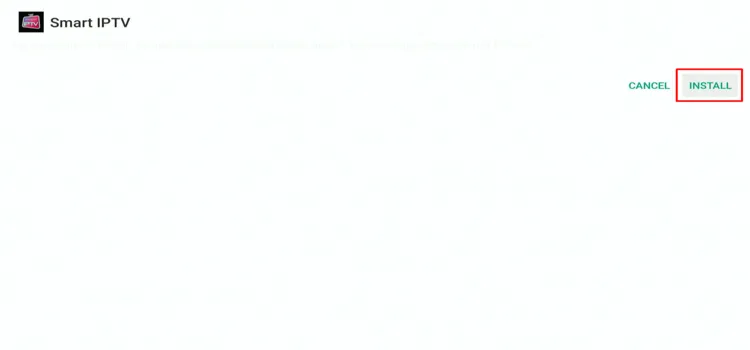
Step 6: When prompted, click Install.
Step 7: Once installed, select Done.

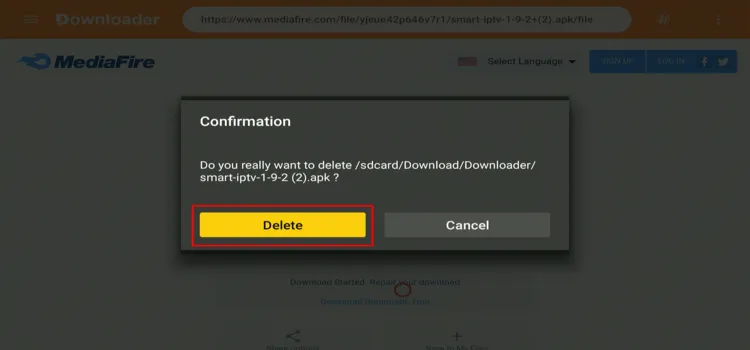
Step 8: Click Delete to remove the APK and free up space.
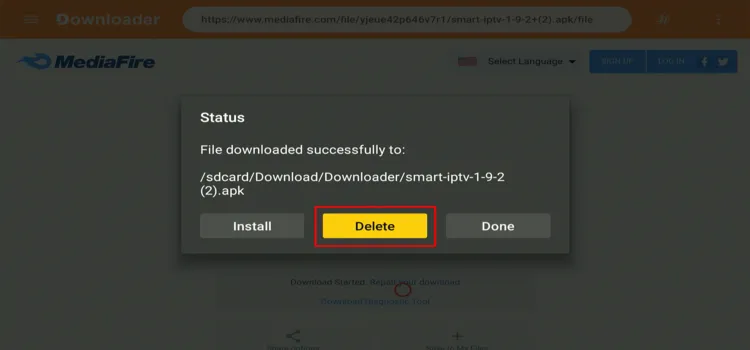
Step 9: Confirm by clicking Delete again.
How to Set Up Smart IPTV for IPTV Streaming
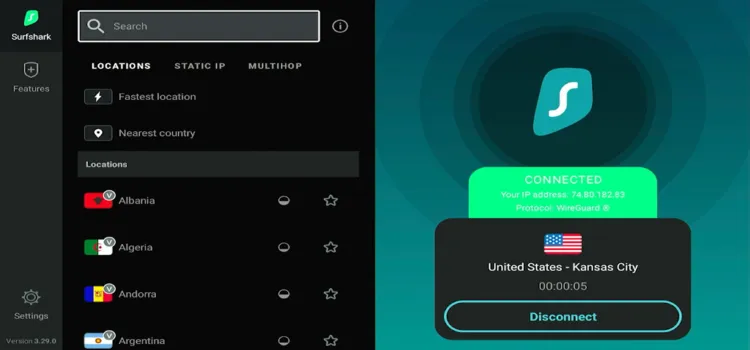
Before using Smart IPTV Player to stream, secure your connection using Surfshark. This helps you stay anonymous, prevents ISP throttling, and bypasses content restrictions.
Step 1: Open your Surfshark app and connect to any server location.
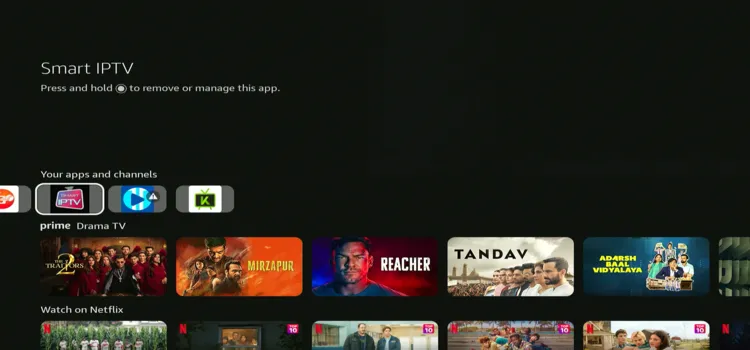
Step 2: Long-press the Home button. Under Your Apps & Channels, select Smart IPTV.
Step 3: Note down the MAC address.
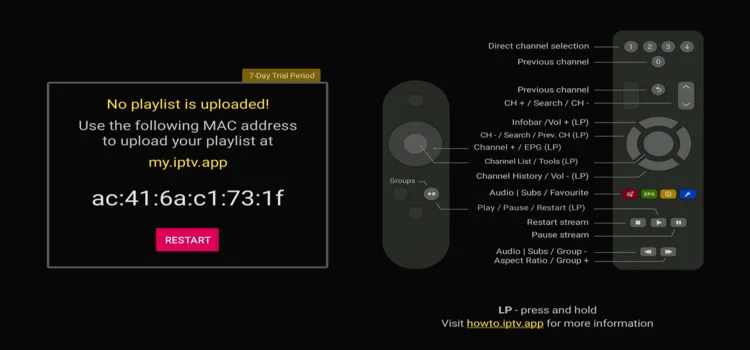
Step 4: Go to my.iptv.app and enter this MAC address and M3U/EPG link (provided by the IPTV provider). Click Send.
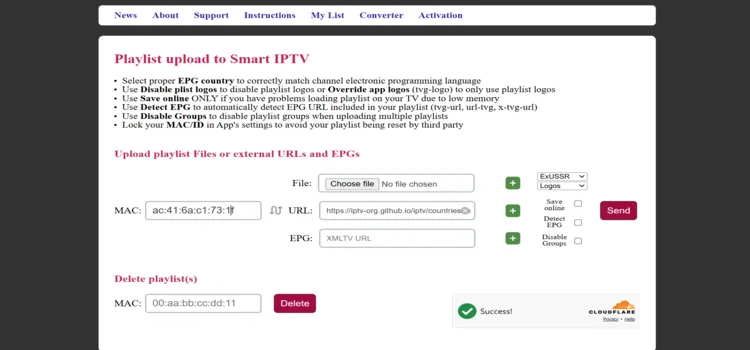
Step 5: Relaunch the player and start streaming!

Smart IPTV Navigation Process
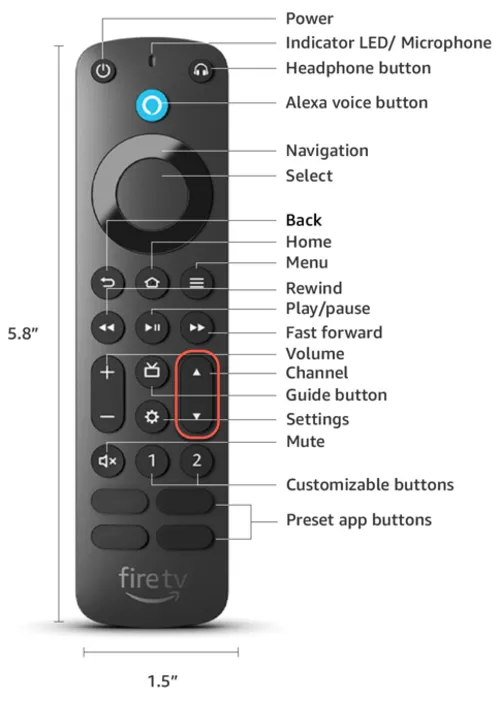
Navigating this player is difficult, as its interface is blank. To achieve that you need to press specific buttons on your FireStick Remote.
- Click the Select button to view the available channels, then choose a channel of your choice.
- Click on the Menu button to view Settings.
- Press Play/Pause button to play or pause the video.
- Change the channel using Up/Down button.
- To change the volume, press Volume button.
Smart IPTV Player’s Settings
To view Smart IPTV player’s features, click on Settings by pressing the menu button on your FireStick Remote.
1. Adjustable Buffer Size
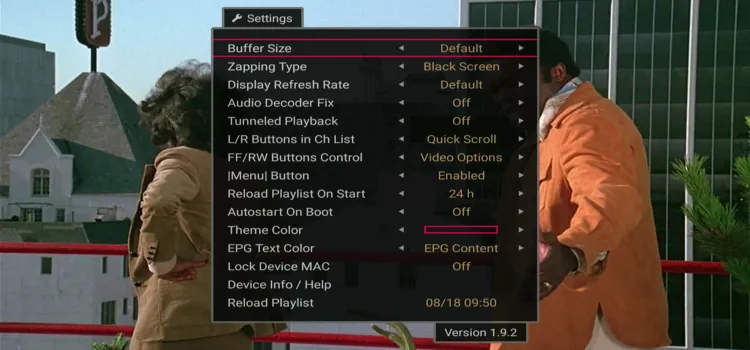
Smart IPTV lets you change the buffer size to help manage playback stability. This can be useful when streams pause or buffer frequently.
2. Audio Decoder Fix
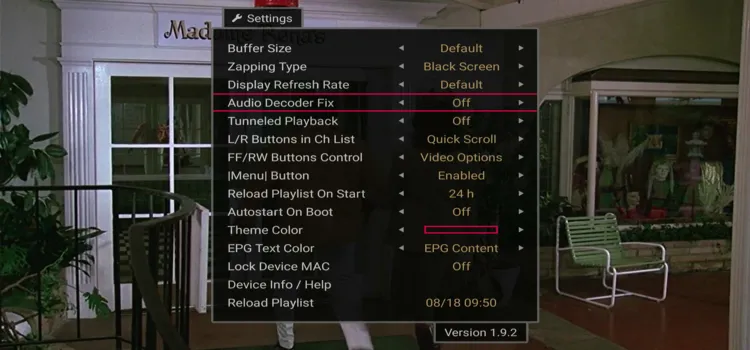
Smart IPTV provides an Audio Decoder Fix option for troubleshooting audio playback or compatibility problems with certain streams.
3. Theme Color Customization
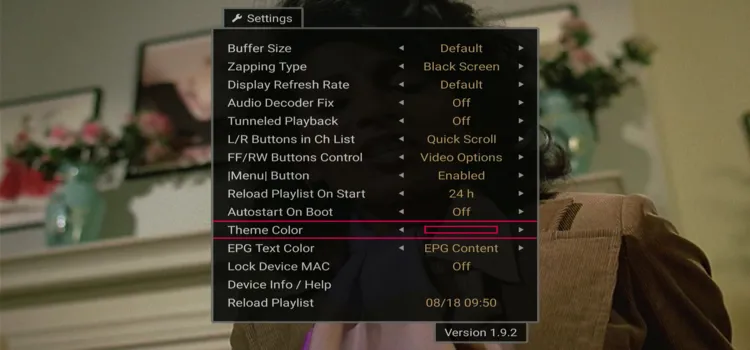
You can change the theme color to personalize the appearance of the Smart IPTV interface. The player offers up to 5 themes.
To view other features in the player, tap Select on your FireStick Remote and then long-press Select again to view features below.
4. Electronic Program Guide (EPG)
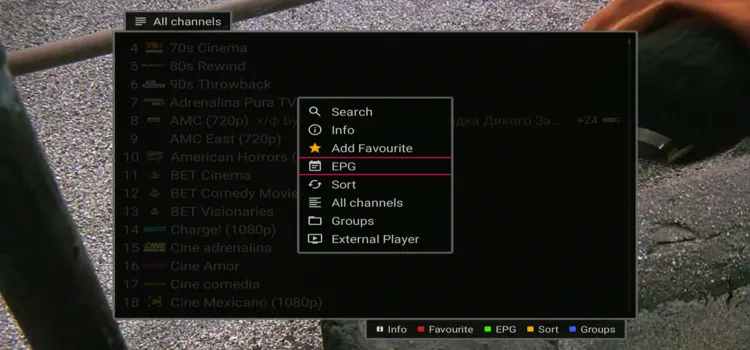
Smart IPTV supports an Electronic Program Guide (EPG), letting you view scheduling information alongside supported channels. External XMLTV EPG sources are also supported. Your EPG experience still depends heavily on the data supplied by your playlist or IPTV provider.
5. Sorting Channel (A-Z)
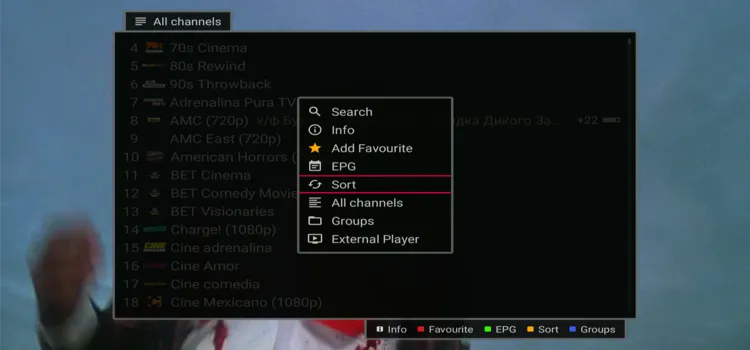
Smart IPTV lets you sort channels alphabetically from A to Z, making it easier to find specific channels in large playlists.
6. Favorites
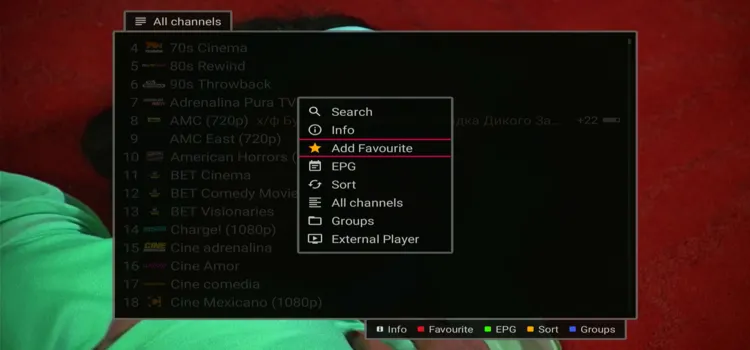
You can add frequently watched channels to your Favourites section for quicker access without scrolling through the complete channel list.
7. Groups
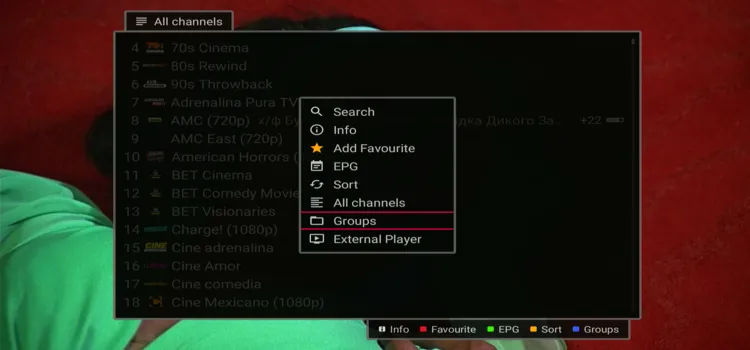
This divides the channel categories into various groups such as movies, entertainment, sports, music etc.
Is Smart IPTV Player Safe & Legal to Use?
Yes, Smart IPTV Player is generally safe and legal to use, but the legality of what you stream depends on the IPTV provider and content source.
If you use unverified IPTV services, a VPN such as Surfshark can help protect your privacy and hide your IP address.
Smart TV Player Alternatives
Here are the alternatives for Smart TV Player
FAQs
1. Is Smart IPTV free?
Smart IPTV currently offers a 7-day free trial. Afterward, activation costs €5.49 as a one-time payment per device.
2. Does Smart IPTV provide channels?
No. Smart IPTV is only a player. You must provide your own compatible and legally authorized IPTV playlist.
3. Does Smart IPTV support Xtream Codes?
Smart IPTV’s standard setup revolves around M3U/M3U8 playlists, rather than a direct Xtream Codes username-and-password login system.
4. Does Smart IPTV support EPG?
Yes. Smart IPTV supports EPG data, including compatible XMLTV external EPG sources.
My Take on Smart IPTV Player
I wouldn’t recommend Smart IPTV because of its confusing interface and difficult navigation. While the €5.49 one-time activation fee is reasonable compared to recurring subscriptions, usability remains a major drawback.
The player’s biggest weaknesses are its limited feature set and lack of an interface. It lacks advanced playlist management, multiscreen support, recording controls, and customization options.
I would personally choose TiviMate or IPTV Smarters Pro instead.

