

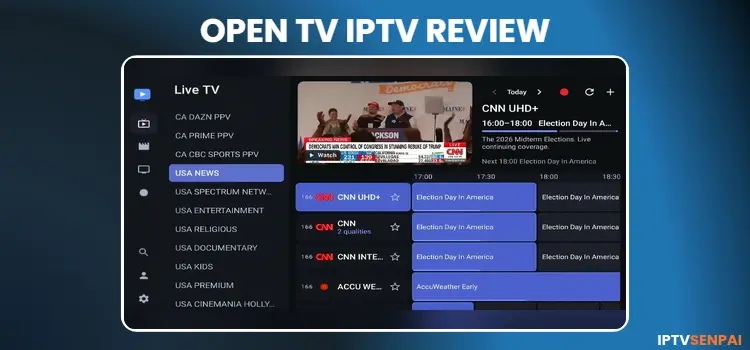
OpenTV Player is a free, open-source IPTV player. It works on Amazon FireStick, Android TV, Google TV, and Android phones and tablets. The app supports several formats such as M3U/M3U8 playlists and Xtream Codes.
What makes OpenTV interesting is its recording (DVR) functionality. You can save live TV to internal storage, USB drives, or NAS storage. It also offers EPG, catch-up TV, multiple profiles, parental controls, and more.
You must add your own playlist from a provider with the necessary streaming rights. If you use unverified IPTV services, a trusted VPN such as Surfshark can encrypt your connection and help protect your streaming privacy.
Recommended VPN for IPTV - Surfshark
Using IPTV without a VPN can put you at Big Risk! Your ISP, government and even IPTV providers can monitor your activity, throttle your speed, or block access altogether.
Plus, without encryption, your data is exposed to hackers and third parties. Take back your privacy with Surfshark!
Features:
✅ SAVE 87% + GET 3 EXTRA MONTHS FREE! ($0.06/day)
✅ Kill Switch Feature to protect you if VPN drops
✅ Lightweight app ensuring smooth performance on All IPTV Boxes
✅ Unlimited simultaneous connections (install on all household devices)
✅ 30-day risk-free money-back guarantee
✅ Strict no-logs policy, Secure & Untraceable
📦 Is OpenTV Player Free?
Yes, OpenTV Player is completely free, with no Premium subscription, advertisements, or paid feature restrictions advertised by the developer.
It’s not officially available on Google Play or the Amazon App Store. You need to sideload it on using the Downloader app.
🌟 Key Features
Below are the main features and specifications of OpenTV IPTV Player:
- Minimum OS: Android 6.0 or newer
- Playlist Support: M3U/M3U8 and Xtream Codes
- EPG: Yes
- Catch-Up TV: No
- Recording: Yes
- Multi-Screen: No
- Profiles: Multiple local profiles
- Parental Controls: PIN protection
- Subtitles: Yes
- Device Sync: Yes
- External Player: Yes
- Compatible Devices: FireStick, Android TV, Google TV, Android phones, and tablets
⚖️ Pros and Cons
| Pros | Cons |
|---|---|
| Completely free and open-source | No multi-screen viewing |
| Advanced DVR with scheduled recording | NAS setup can be complicated for beginners |
| Supports M3U/M3U8 and Xtream Codes | |
| EPG with programme reminders | |
| Multiple profiles and PIN protection | |
| Device synchronization and NAS support |
📥 How to Install OpenTV IPTV Player on FireStick/Android TV?
OpenTV IPTV Player is not available on Amazon App Store/Google Play Store. You need to sideload its APK using the Downloader app. Follow these steps to install OpenTV on a compatible FireStick or Android TV device.
Step 1: Open the Downloader app.
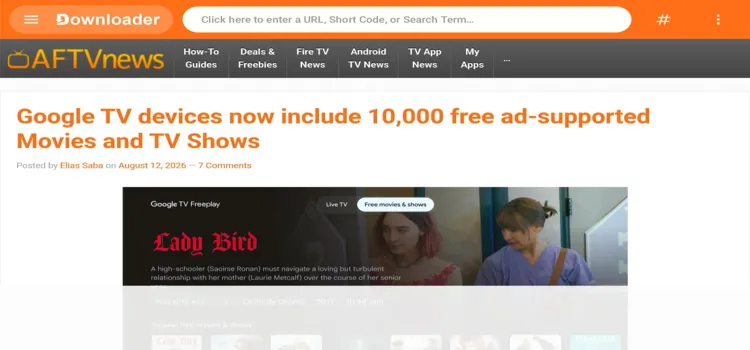
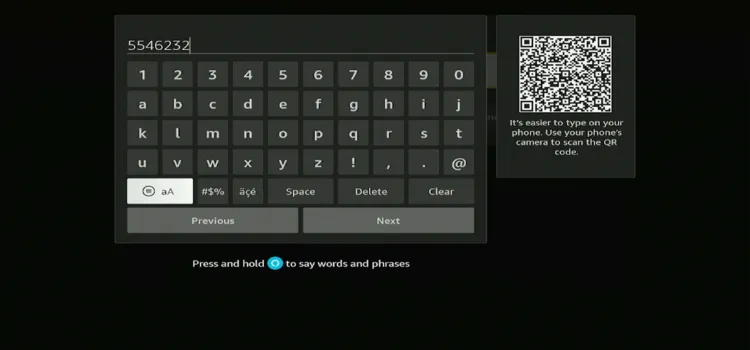
Step 2: Enter Open TV IPTV Player downloader code 5546232 in the search bar OR enter this URL bit.ly/43pEVWO and click Go.
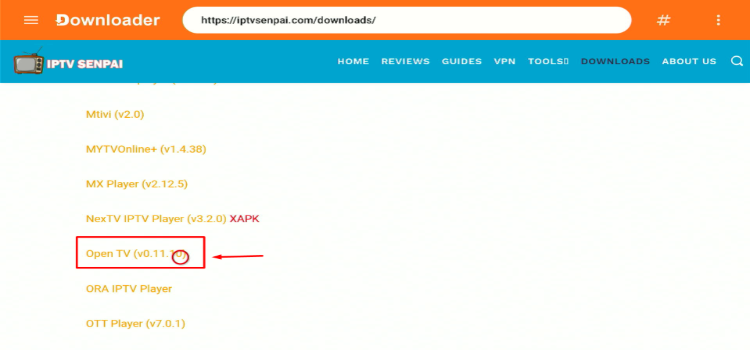
Step 3: Scroll down to the IPTV Players section, find the Open TV IPTV Player, and tap on it to proceed.
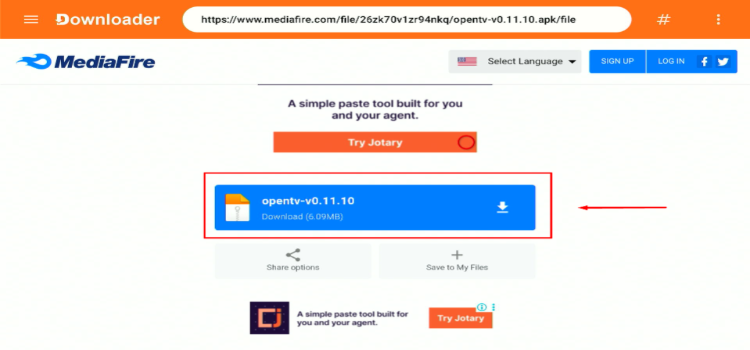
Step 4: A MediaFire page will open. Click Download.
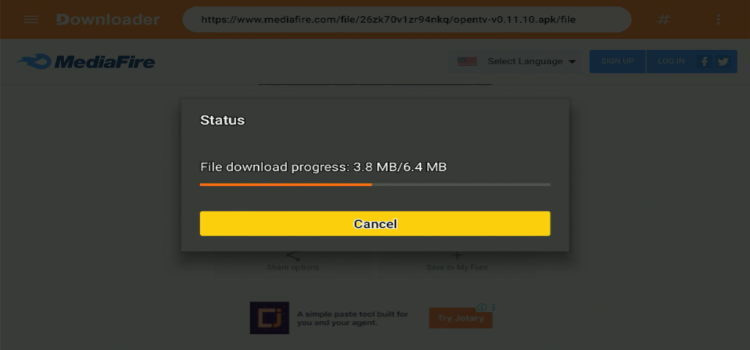
Step 5: Your APK file will start downloading.
Step 6: Click Install.
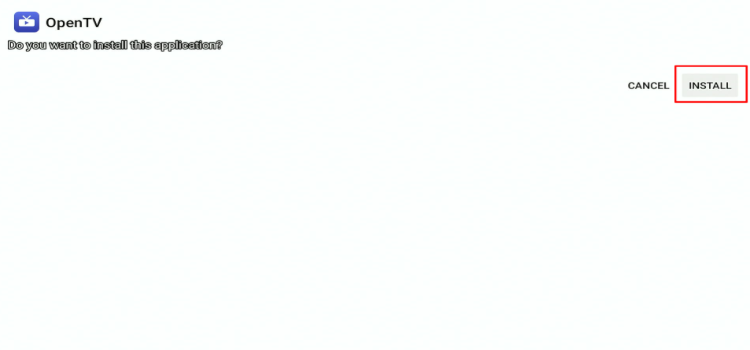
Step 7: Click Done.

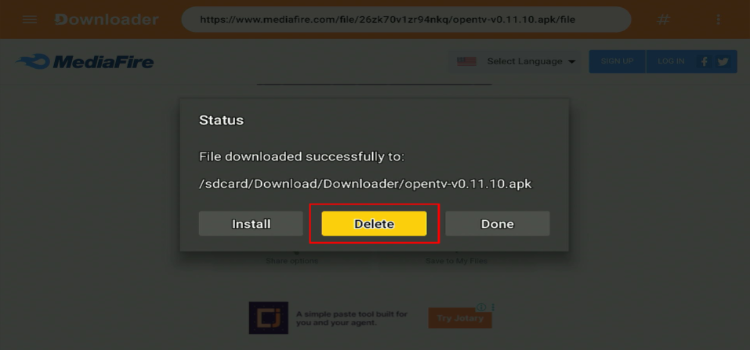
Step 8: Click Delete.
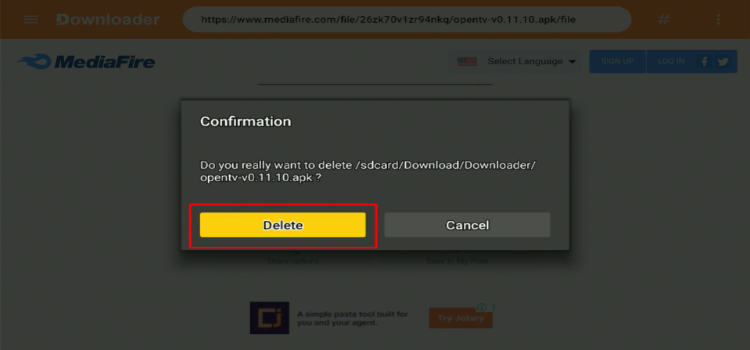
Step 9: A confirmation window will open. Click Delete Again.
⚙️ How to Set Up OpenTV IPTV Player on FireStick/Android TV?
Always use a trusted VPN when using unverified IPTV services. It encrypts your internet connection, reduces ISP throttling, and allows you to access content that may be restricted in your region. No VPN beats Surfshark.
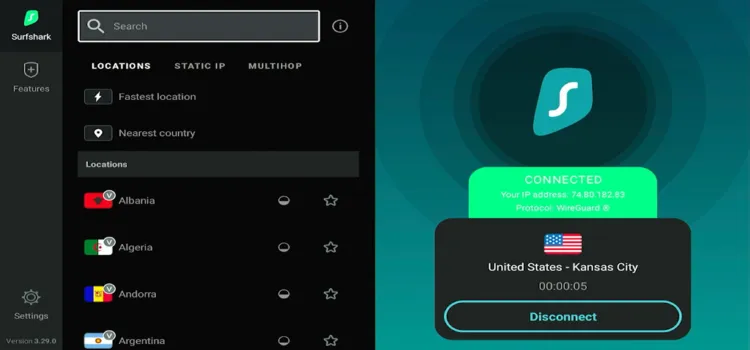
Step 1: Open your Surfshark app and connect to any server.
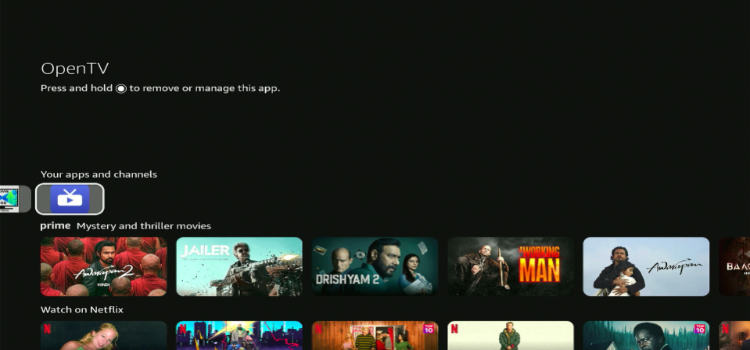
Step 2: Launch Open IPTV Player.
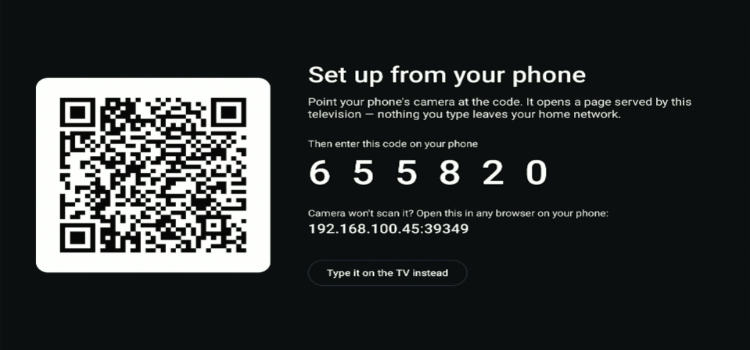
Step 3: A QR code and a code will be displayed on the screen.
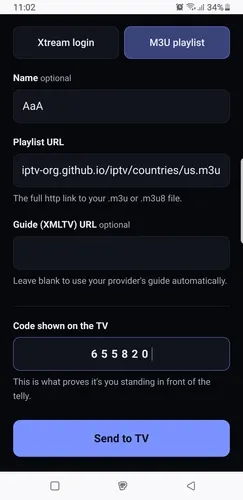
Step 4: Scan the QR code from your mobile phone, a new window will open displaying Xtreme Codes and M3U Link. Enter your M3U Link given by the provider along with the code. Click Send to TV.
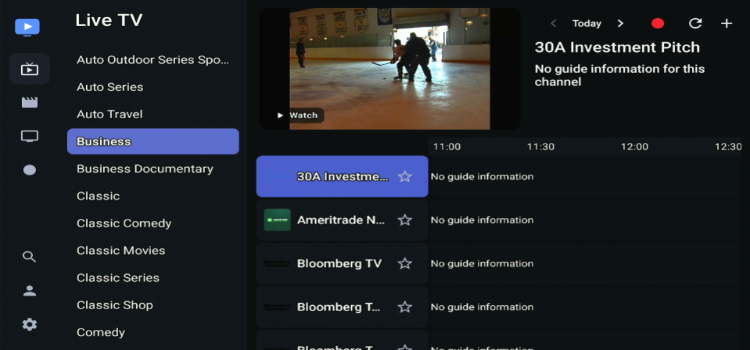
Step 5: Your Playlist has been successfully loaded. Choose a channel of your choice.
Step 6: Enjoy Streaming!

🚀 OpenTV IPTV Player Features
OpenTV IPTV Player includes several features for live TV, movies, and TV Series. Its strongest areas are recording, TV guide management, and local synchronization. Here are some of the key features for Open TV IPTV Player.
1. Electronic Program Guide (EPG)
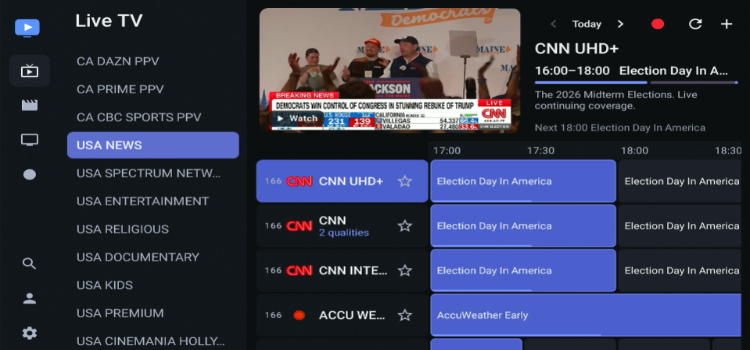
Its Electronic Program Guide (EPG) shows current and upcoming programmes. You can browse channels while viewing a muted live preview of the highlighted channel. It also supports programme reminders and updates, helping maintain existing guide information when refreshing the list.
2. Recording (DVR)
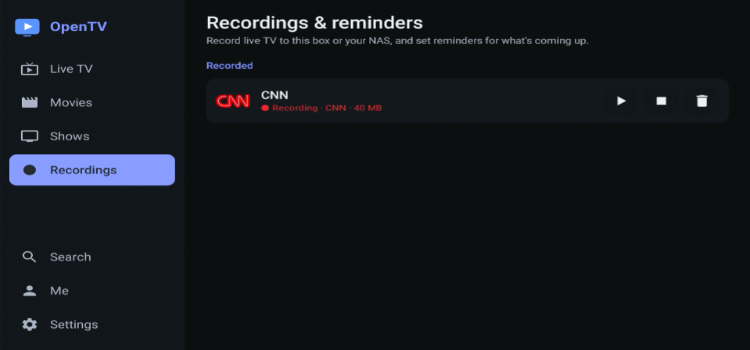
Recording is one of OpenTV’s best features. You can record live TV channels to your device storage or a NAS using SMB. It supports scheduled recording, series recording, and recording padding. You can watch a programme while it is still recording.
3. Multiple Playlist Support
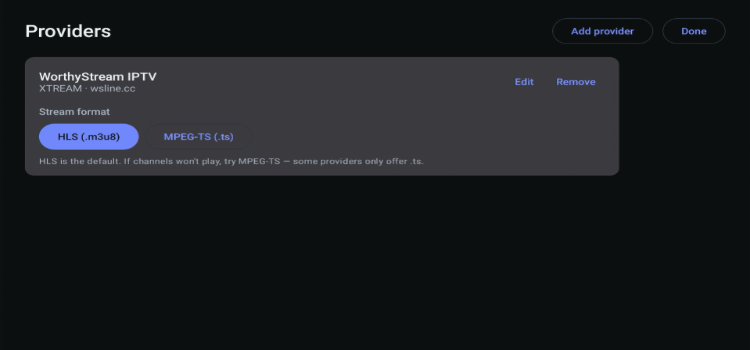
OpenTV supports multiple IPTV providers, allowing you to manage separate M3U playlists and Xtream Codes accounts. The app keeps provider sources organized rather than automatically combining everything into one list.
4. Device Synchronization
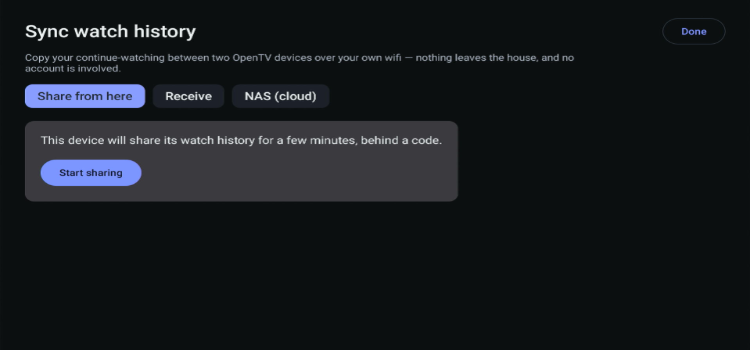
OpenTV can sync your favourites and watch history between your devices for free. It can also make your NAS recordings available on other compatible OpenTV devices.
5. Parental Controls
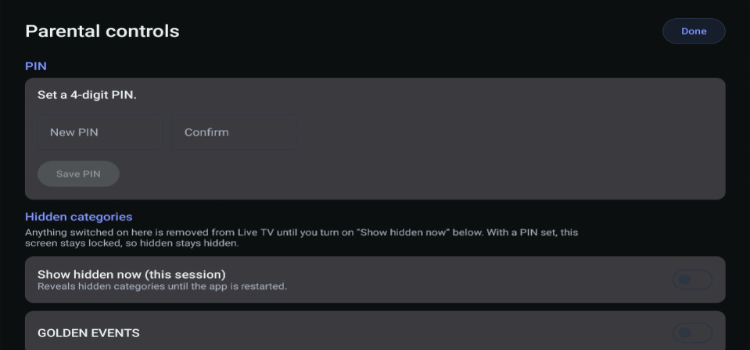
You can lock selected channel categories with a PIN, which keeps kids away from content they should not watch.
6. External Players
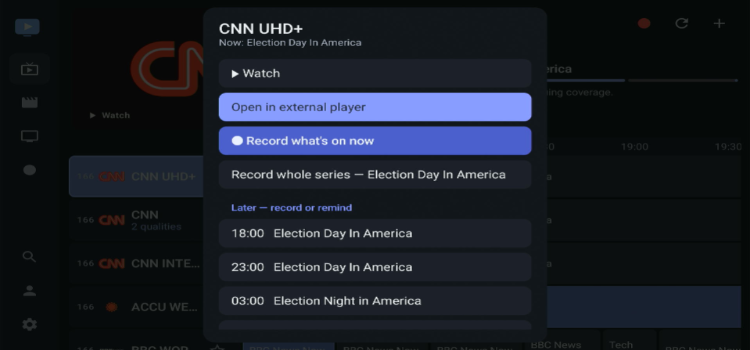
You can also hand playback to compatible external players such as VLC.
7. Subtitles
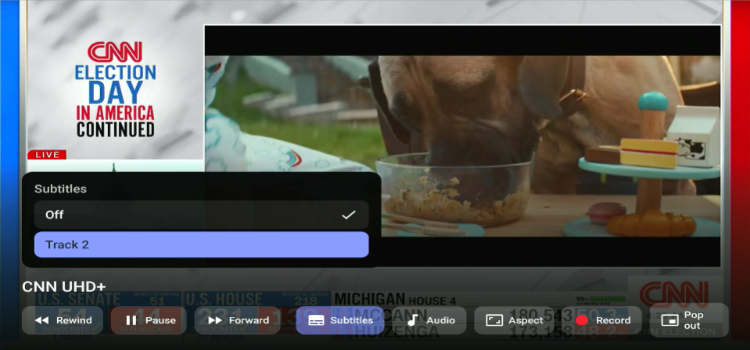
It offers dark and light themes and has expanded language support, with the developer listing 31 interface languages.
8. Display & Playback
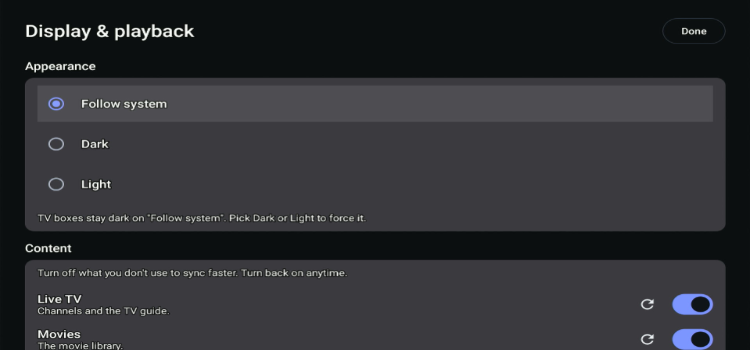
This section allows you to customize dark and light themes, so you can choose the look that is comfortable for your eyes. It supports 30 interface languages.
9. Multiple Profiles
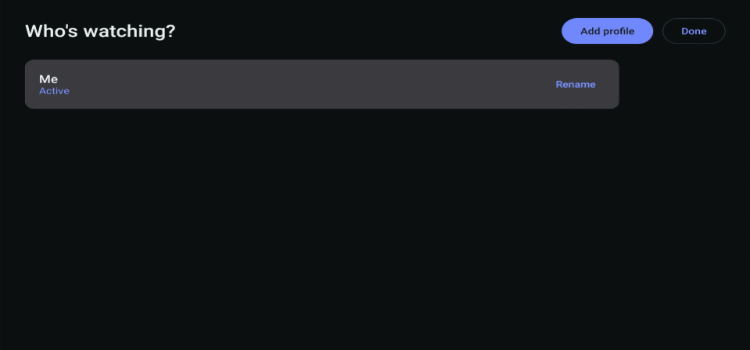
With multiple profiles, each person in your home can have their own space in the app. Everyone can keep their own favourites and watch history, so your recommendations do not get mixed up with someone else’s.
🛡️ Is OpenTV IPTV Player Safe and Legal to Use?
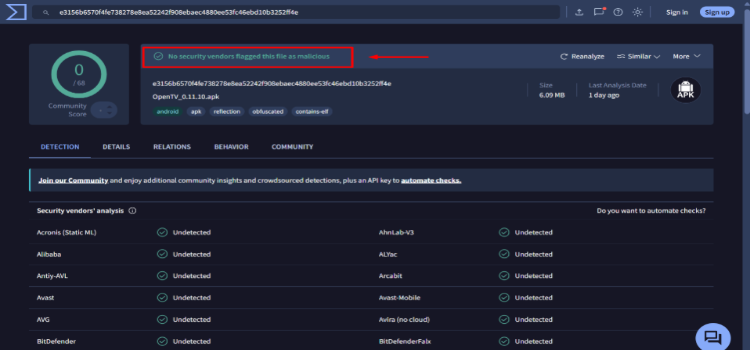
Open TV IPTV Player (v0.11.10) is completely safe to install and use, having passed its VirusTotal scan with zero detected threats or security risks.
While the app itself is secure, the legality of what you stream depends entirely on your playlist source. To protect your online privacy and keep your activity hidden from your ISP, it is best to use a premium VPN like Surfshark.
🔀 OpenTV IPTV Player Alternatives
If OpenTV IPTV Player does not meet your requirements, consider these alternatives:
❓FAQs
1. Is OpenTV IPTV Player completely free?
Yes, OpenTV is a free, open-source IPTV player with no subscriptions, advertisements, or paid feature restrictions.
2. Can I record live TV with OpenTV IPTV Player?
Yes, OpenTV supports live TV recording, scheduled recordings, and series recording. You can save recordings to internal storage, USB drives, or NAS storage.
3. Does OpenTV IPTV support Catch Up TV?
Yes, OpenTV supports catch-up TV and archived programmes, provided your IPTV service offers these features.
4. Why is my OpenTV IPTV playlist not loading?
An incorrect M3U URL, expired Xtream Codes credentials, or an unavailable provider server can prevent playlists from loading. Check your credentials and internet connection, then retry.
✅ Conclusion: Is OpenTV IPTV Player Worth Using?
OpenTV IPTV Player is a promising free, open-source IPTV player for FireStick, Android TV, and Google TV users. It supports formats such as M3U and Xtream Codes.
Its DVR recording, EPG, multiple profiles, and device synchronization make it a strong alternative to paid IPTV players. However, the lack of multi-screen viewing and the complexity of NAS setup may disappoint some users.
I recommend using Surfshark when streaming through unverified IPTV services for additional privacy. It encrypts your connection and helps shield your activity from ISP monitoring, but it cannot guarantee access to restricted streams or make unauthorized content legal.
Editorial Rating: ⭐⭐⭐⭐ (4.0/5). A feature-rich, completely free IPTV player with impressive DVR capabilities.

