


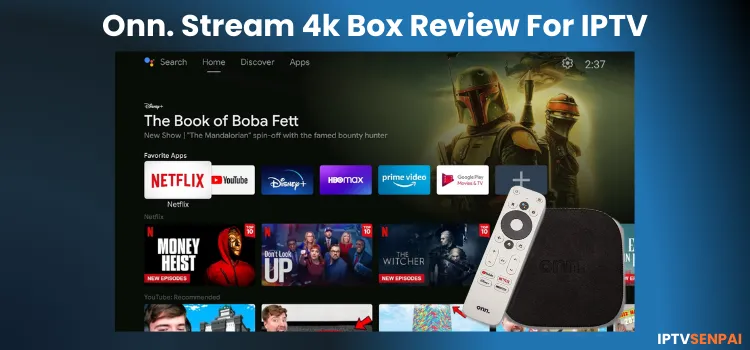
IPTVSenpai’s Rating
★
★
★
★
/ 5
Pros
- •Very Affordable under $25
- •4K UHD with HDR10+ & Dolby Atmos
- •Easy setup with Google TV
- •Built-in Google Assistant
Cons
- •Limited internal storage
- •Average performance
- •No Ethernet port
- •Filmsy/Low-quality remote control
Our Verdict
The Walmart Onn 4K Streaming Box is one of the best budget streaming devices available, offering great value for IPTV and 4K streaming without any sideloading limitations or app blocking (compared to FireStick). For users seeking premium features, the onn. 4K Plus provides a high-performance upgrade for a few more $$.
Walmart Onn 4K Streaming Device Specs
Jailbreak Onn Device Under 2 Minutes [Video Tutorial]
At $25, the Onn 4K Streaming Box was Walmart’s first real swing at the compact box-style streamer market, going up against the likes of Roku and Amazon. It runs Google TV, supports 4K HDR, and sits on your entertainment shelf like a proper little set-top box.
Coming off time spent with the newer Onn 4K Plus and 4K Pro (comparison given below), I went into this with tempered expectations. What I found was a device that earns its price tag, as long as you know what you’re signing up for.
A budget-friendly device is great, but for safe streaming on unverified services & to access geo-restricted services, I highly recommend using a top-tier IPTV VPN for privacy & protection.
Recommended VPN for IPTV - Surfshark

Using IPTV without a VPN can put you at Big Risk! Your ISP, government and even IPTV providers can monitor your activity, throttle your speed, or block access altogether.
Plus, without encryption, your data is exposed to hackers and third parties. Take back your privacy with Surfshark!
Features:
✅ SAVE 87% + GET 3 EXTRA MONTHS FREE! ($0.06/day)
✅ Kill Switch Feature to protect you if VPN drops
✅ Lightweight app ensuring smooth performance on All IPTV Boxes
✅ Unlimited simultaneous connections (install on all household devices)
✅ 30-day risk-free money-back guarantee
✅ Strict no-logs policy, Secure & Untraceable
‘Onn 4K’ vs ‘Onn 4K Plus’ vs ‘Onn 4K Pro’ vs ‘Firestick 4K Max’
Compare the latest onn. Streaming devices against the FireStick 4K Max to find the best device that offers better value and performance for IPTV users.
All specs verified · Updated May 2026
|
Onn 4K Box |
Best Value
Onn 4K Plus |
Onn 4K Pro |
FireStick 4K Max |
|
|---|---|---|---|---|
| Chip | Amlogic S905X22.0 GHz quad-core | Amlogic S905X5M2.5 GHz quad-core | Amlogic S905X42.0 GHz quad-core | MediaTek MT8696T2.0 GHz quad-core |
| RAM | 2 GB | 2 GB | 3 GB | 2 GB |
| Storage | 8 GB | 16 GB | 32 GB | 16 GB |
| Wi-Fi | Wi-Fi 5 | Wi-Fi 6 | Wi-Fi 6 | Wi-Fi 6E |
| Ethernet | Adapter onlyMicro USB OTG | Adapter onlyUSB-C OTG | Built-in100 Mbps | Adapter onlyMicro USB OTG |
| Dolby Vision | No | Yes | Yes | Yes |
| Dolby Atmos | Yes | Yes | Yes | Yes |
| OS | Android 11 | Android 14 | Android 14 | Fire OS |
| Sideloading | Free | Free | Free | Restricted (Free Apps)* |
| IPTV Verdict | Best under $25 | Best Value Overall | Best with Ethernet | Not the Best |
* Fire TV Stick 4K Max (2023) still supports sideloading. Newer Fire TV models running Vega OS do not.
The Walmart Onn 4K Streaming Device Review: The Best Budget-Friendly Choice for IPTV!
1. Design: Small & Simple, but Nothing Premium
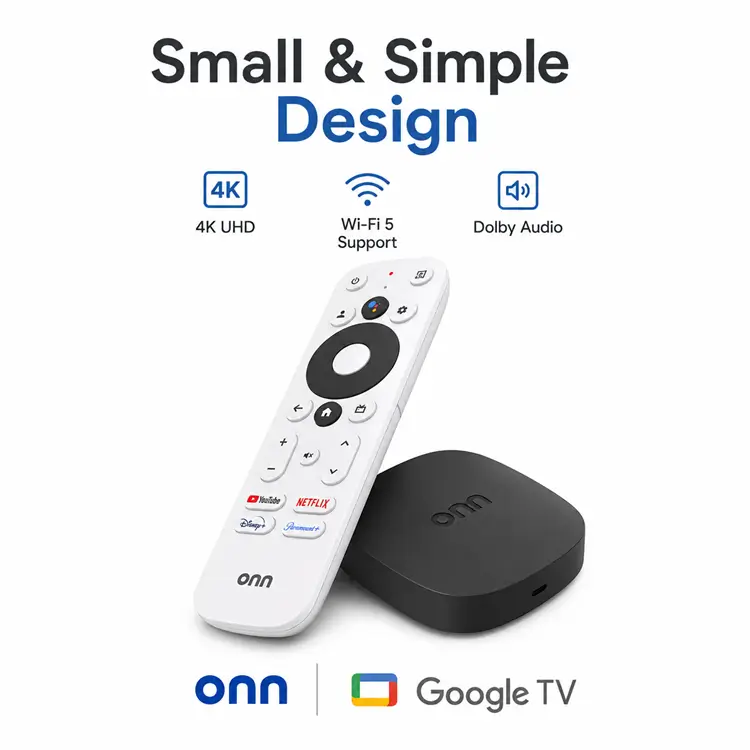
It’s a small matte-black streaming box with a simple, practical design that blends easily into any setup. Unlike the newer Pro model, there’s no fabric finish, built-in speaker, or hands-free voice controls. The device stays cool and does not heat up during long streaming sessions, unlike the stick designs.
On the back, you’ll find an HDMI port and a micro-USB power input, which still supports OTG expansion despite not using USB-C. The Onn. Google TV 4K Box includes a Bluetooth remote, which is basic but functional, offering voice search, navigation controls, and app shortcut buttons, but feels a little flimsy.
The overall build quality won’t wow you, but that’s expected at this price point, with Walmart clearly prioritizing affordability over premium materials.
2. Performance
This is where the 2023 box starts to feel its years. App load times are decent but not impressive, and navigating content sections of Google TV, like the Live guide or Pluto TV’s channel grid, produces occasional stuttering that reminds you this isn’t top-tier hardware. If anyone is coming from a more modern device, they will notice the difference fairly quickly.
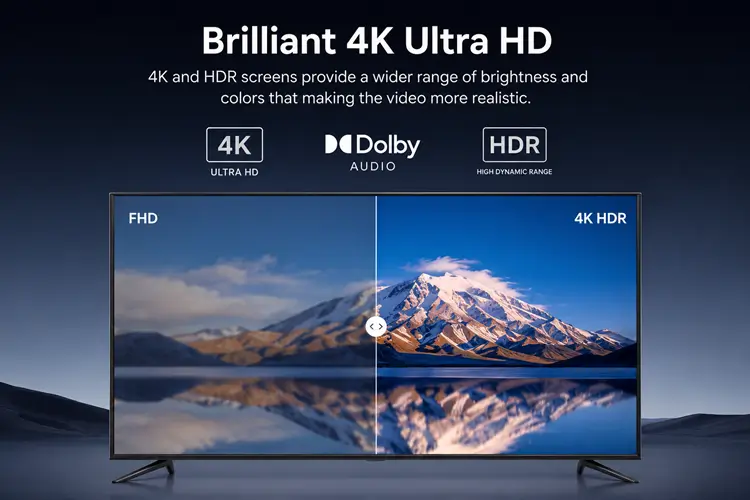
The device delivers a crisp 4K UHD picture. To keep the price low, it supports standard HDR10 but skips Dolby Vision and Dolby Atmos. Storage of 8GB fills up faster than you’d expect, so you’ll need to manage it frequently. But you can expand it with the USB Drive.
3. Unrestricted Sideloading
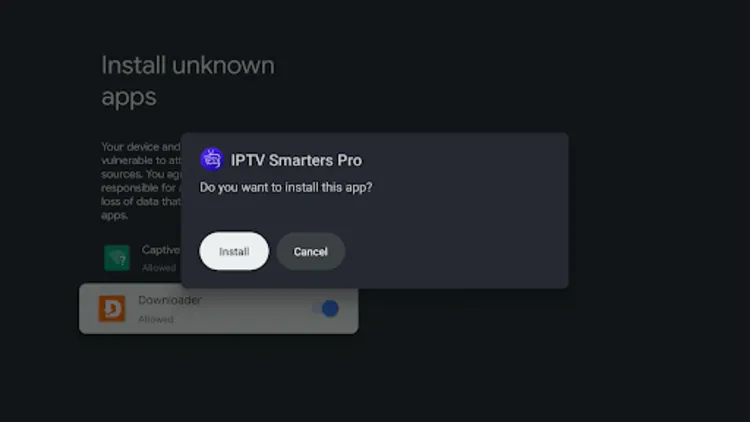
Because onn. 4K streaming device runs Android TV, and sideloading third-party apps is completely doable. Using the Downloader app, you simply enter an APK link or code and install apps that aren’t available on the Google Play Store.
This is worth highlighting because Amazon has gone in the opposite direction, with recent Fire TV devices like FireStick 4K Select effectively killing Downloader and locking users out of sideloading altogether. On the Onn box, none of those restrictions exist.
4. Chromecast Built-in
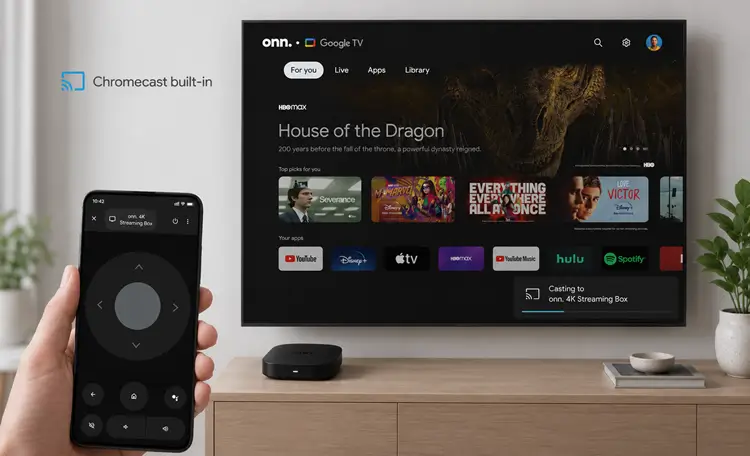
The Onn. 4K Box has a built-in Chromecast, allowing you to cast IPTV streams directly from your phone to your TV. If your IPTV provider has a mobile app that supports casting (like OTT Navigator or IPTV Smarters), you can play a live TV channel or VOD on your phone and instantly cast it to the big screen, with no need to install extra apps on the box..
5. Ethernet via Adapter (OTG Cable) on onn. Google TV Android Box
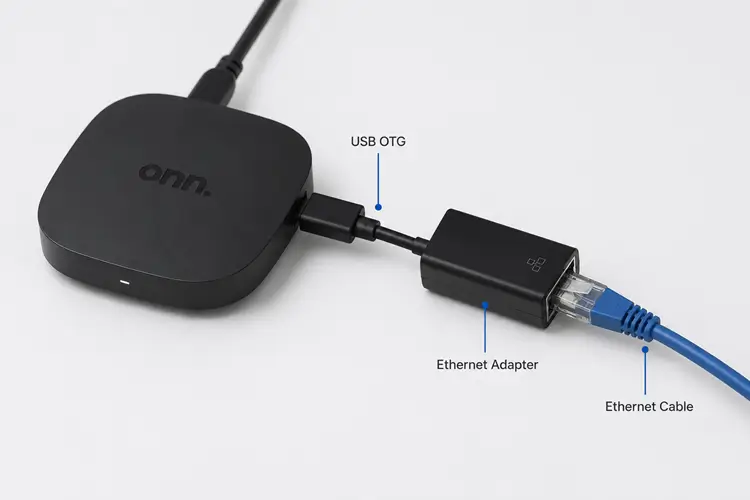
While the Onn. Google TV 4K Box only has Wi-Fi 5, it supports USB Ethernet adapters, allowing you to connect it via a wired internet connection.
This is great for IPTV streaming in HD or 4K, as Ethernet provides a more stable connection compared to Wi-Fi, reducing buffering and lag during live streams.
Should You Buy the Onn 4K Streaming Box?
What’s in onn 4K Streaming Box?
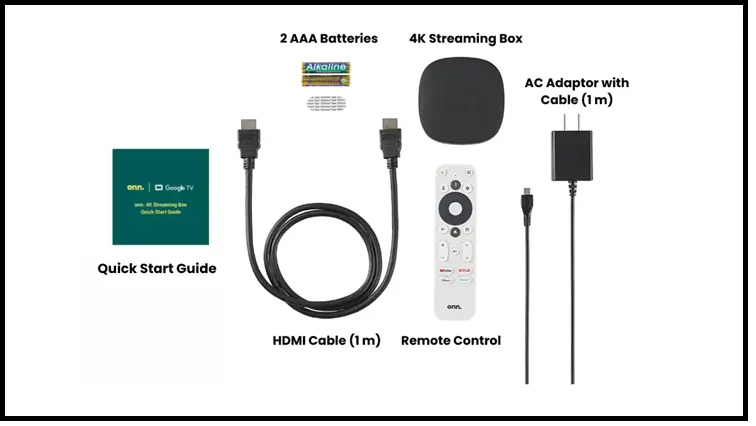
- 1 4K Streaming Box
- 1 Remote control (requires 2 AAA batteries, included)
- 1 HDMI cable 3.28 ft (1m)
- 1 AC adapter with cable 3.28 ft (1 m).
- 1 Quick Start Guide
What do you need for IPTV Streaming on onn. 4k Google TV Box?
- Onn. 4K Google TV Box – Includes cables, remote, and batteries.
- IPTV Player App
- IPTV Subscription
- High-Speed Internet
- VPN (Read: Surfshark VPN Detailed Review for IPTV)
Note: If you are not sure about how to choose the IPTV, learn – How to Choose the Right IPTV Service and Avoid Scams.
How to Stream IPTV on onn. 4K Google TV Box
Enjoy live TV, movies, and sports on your onn. 4K Google TV Box with IPTV! Follow these steps to set up and start streaming seamlessly.
1. Set up your onn. 4K Google TV Box
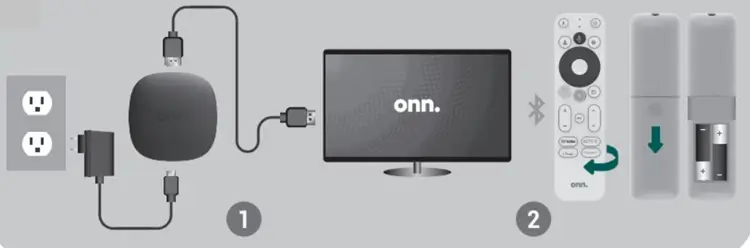
Step 1: Plug the HDMI cable from the streaming box into your TV’s HDMI port.
Step 2: Attach the power adapter to the box. A white LED means it’s powered on, while a red LED signals standby mode.
Step 3: Place 2 AAA batteries into the remote to activate it.
2. Set Up Your Google Account.
Step 1: Once the device is plugged in, it will turn on automatically.
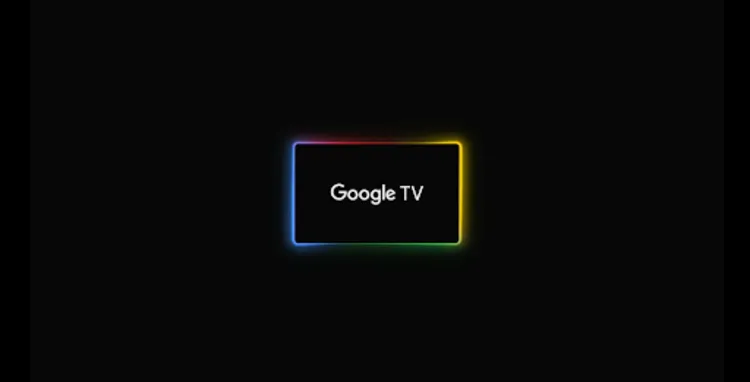
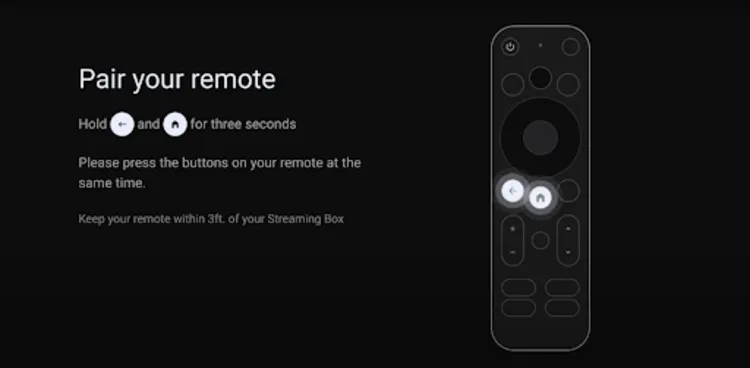
Step 2: Press and hold the Home and Back buttons on the remote together for 3 seconds to pair the remote.
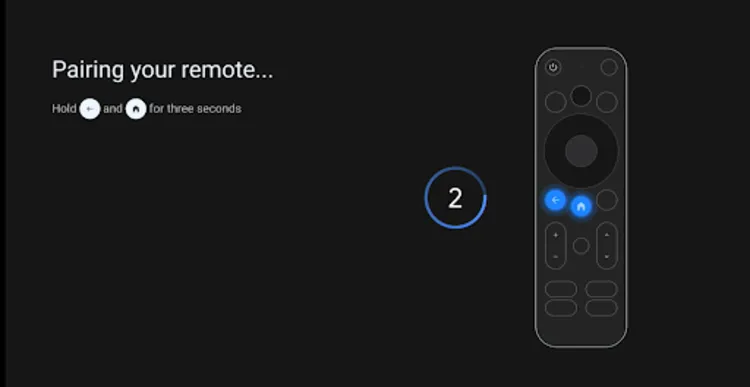
Step 3: The remote will begin pairing automatically.
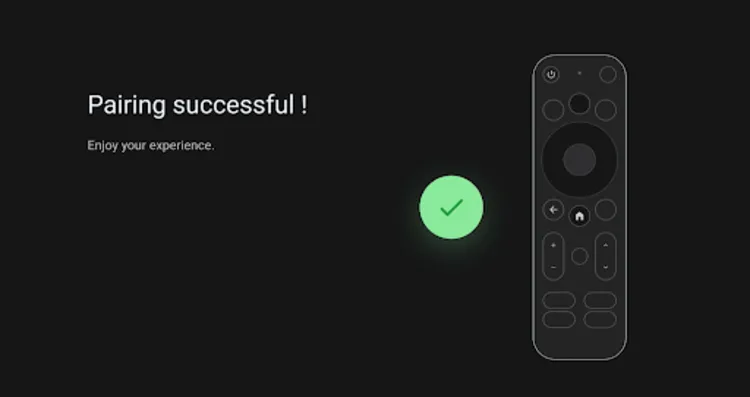
Step 4: Once paired, a confirmation will appear on the screen.
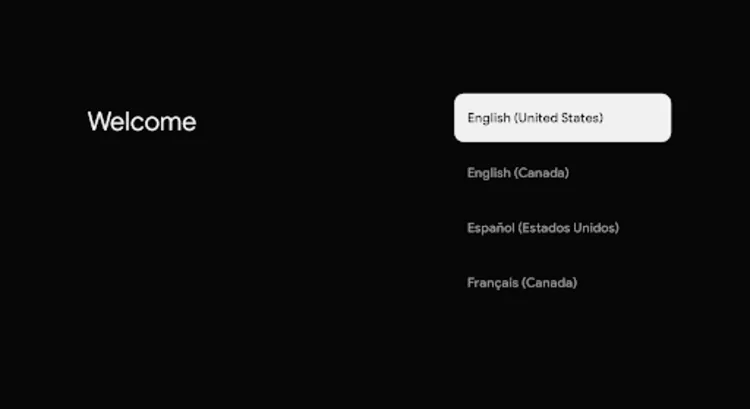
Step 5: Select your preferred language from the list.
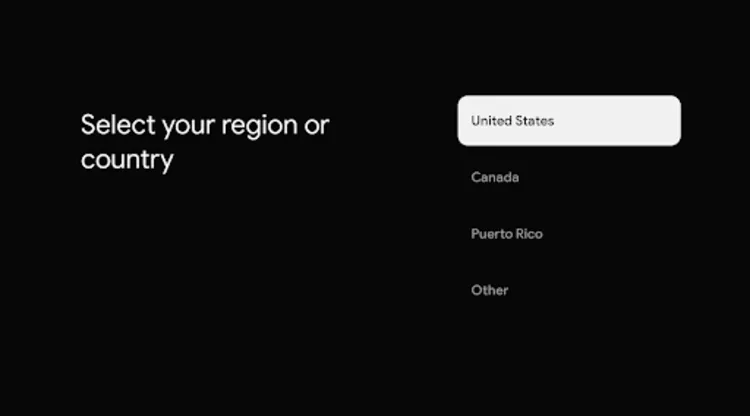
Step 6: Choose your region from the options provided.
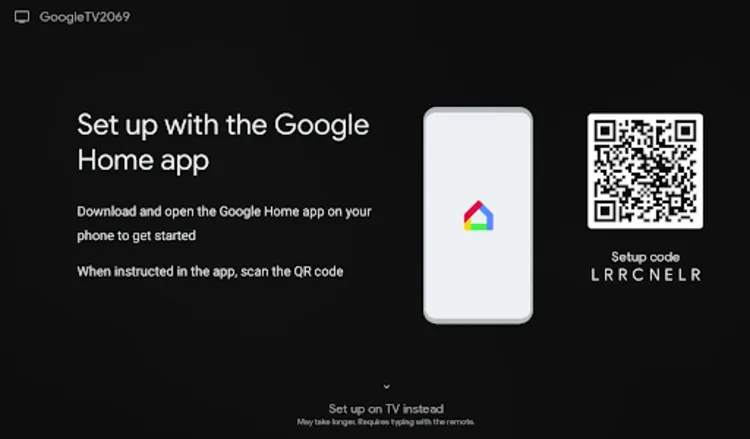
Step 7: You can set up your account by downloading the Google Home App on your phone, and scan the QR code displayed on the TV when instructed.
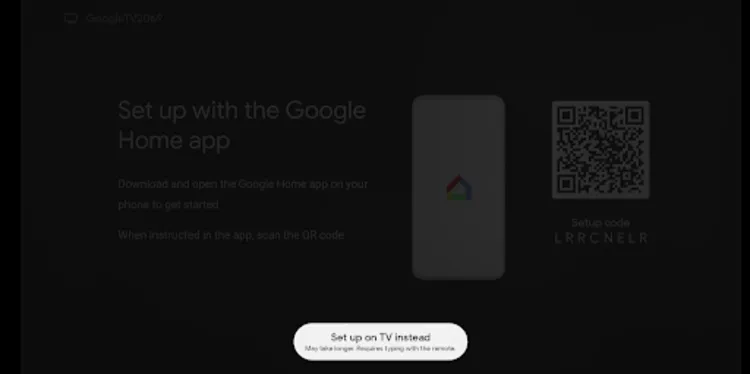
Step 8: Alternatively, you can choose the option ‘Set Up on TV’ instead.
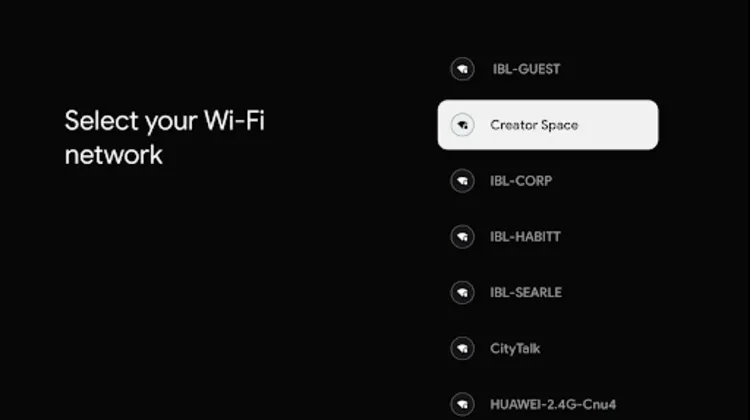
Step 9: Select your Wi-Fi network from the list.
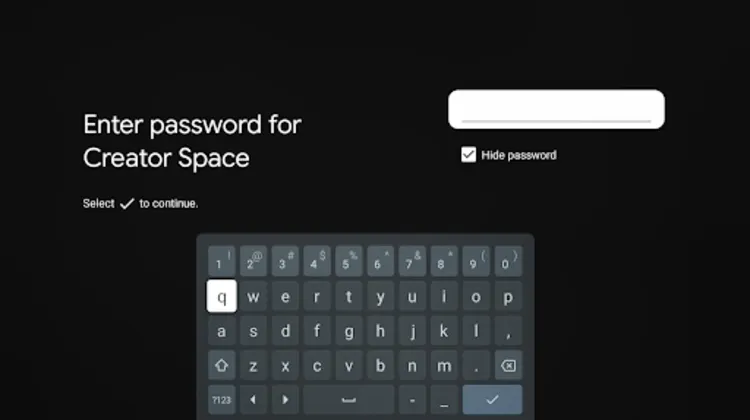
Step 10: Enter your Wi-Fi password to connect.
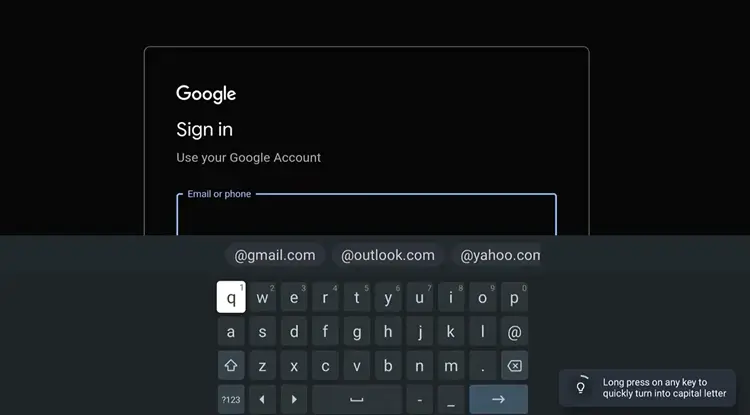
Step 11: Enter your Google account email.
Step 12: Enter the password for your Google account.
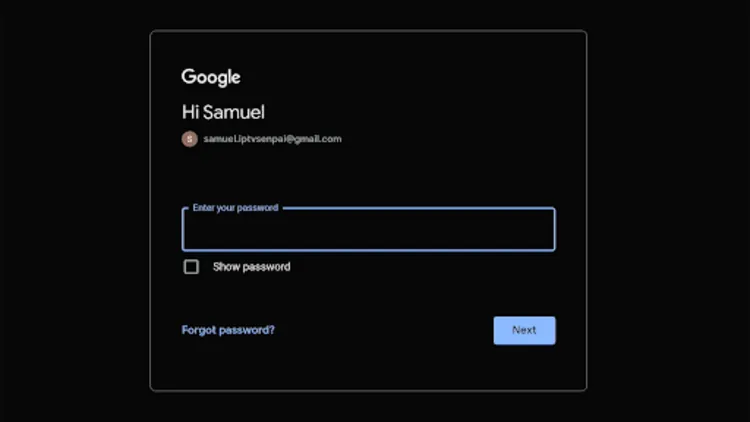
Step 13: Click Accept.
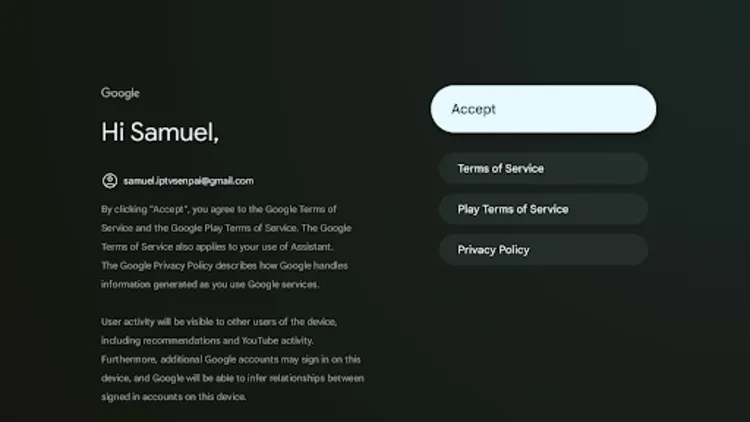
Step 13: Click Accept again to agree to the Google Settings.
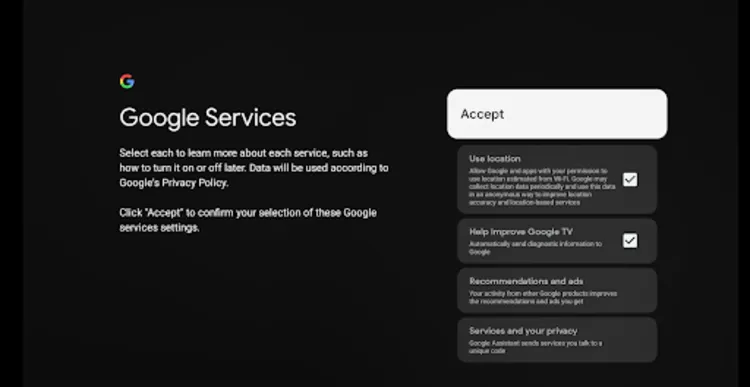
Step 14: Select your desired apps from the list and click Confirm.
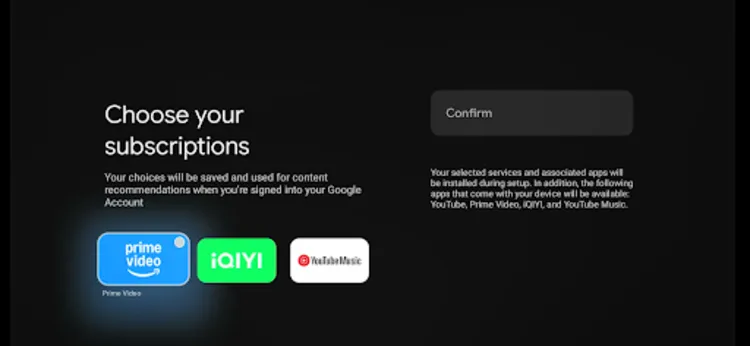
Step 15: Choose to ‘Set up your remote’ or skip this step by clicking ‘Not Now’.
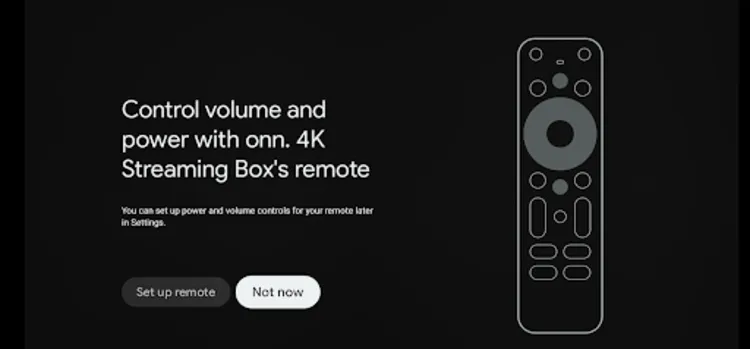
Step 16: Wait for Google TV to finish the setup process.
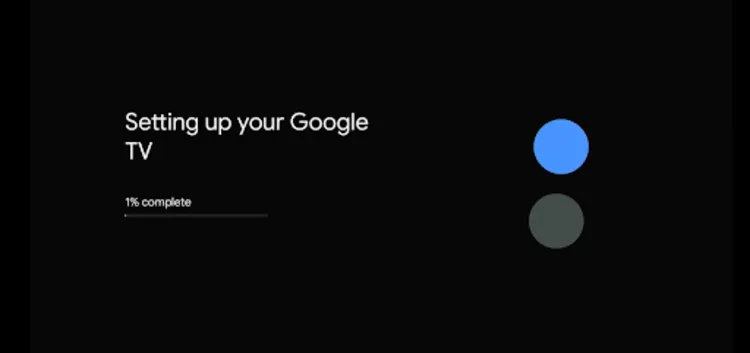
Step 17: Your Google TV is now ready to use!

3. Disable Play Protect
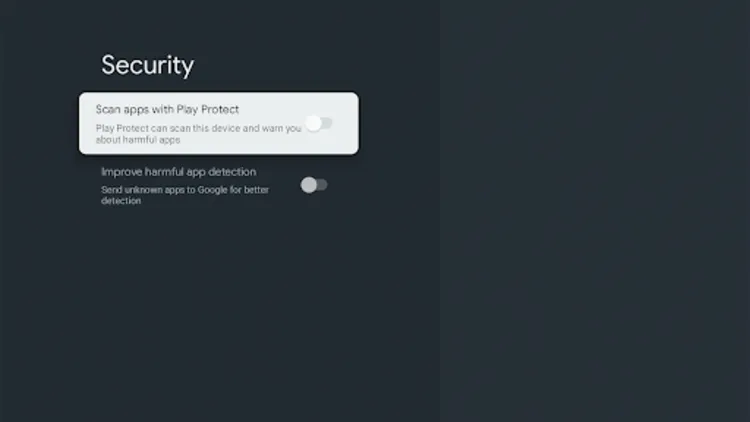
Before jailbreaking the Onn Google TV 4K Box, disable Play Protect in Settings to prevent it from blocking apps installed outside the Google Play Store.
Step 18: From the home screen or your remote, open Settings and select the Gear icon.
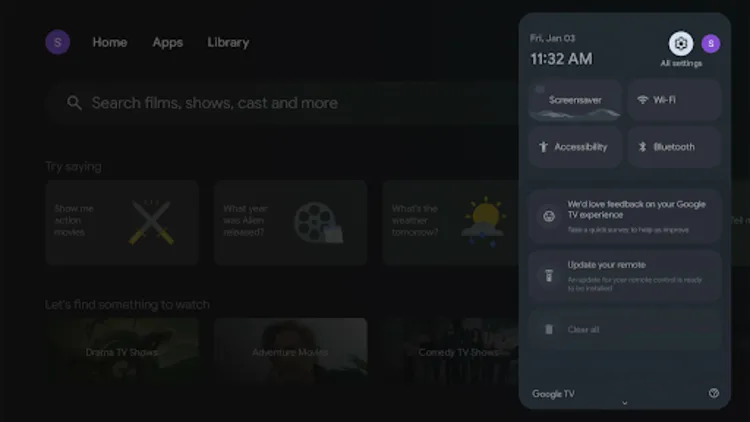
Step 19: Choose Apps.
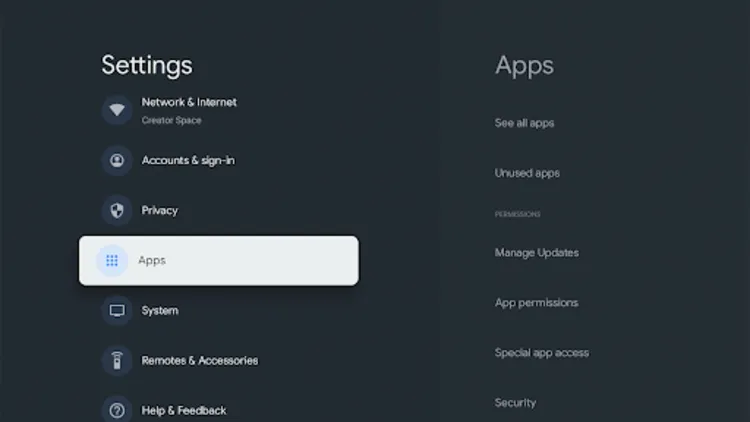
Step 20: Choose Security.
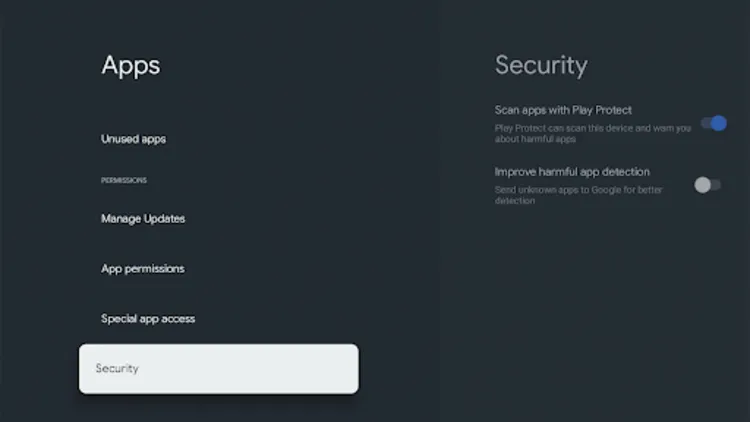
Step 21: Disable both ‘Scan apps with Play Protect’ and ‘Improve harmful app detection’ to allow app installations from outside the Google Play Store.
4. Install Downloader App & Enable Unknown Sources (Jailbreaking)
Now we will have to install the ‘Downloader App’ which allows for the sideloading of apps and APKs on the onn. Google TV 4K Android Box.
Step 22: Go to the Home Screen and Choose Apps.
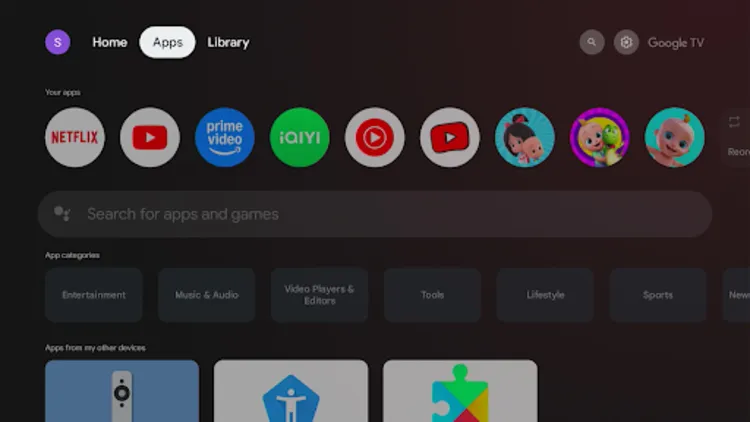
Step 23: Click on the Search Bar.
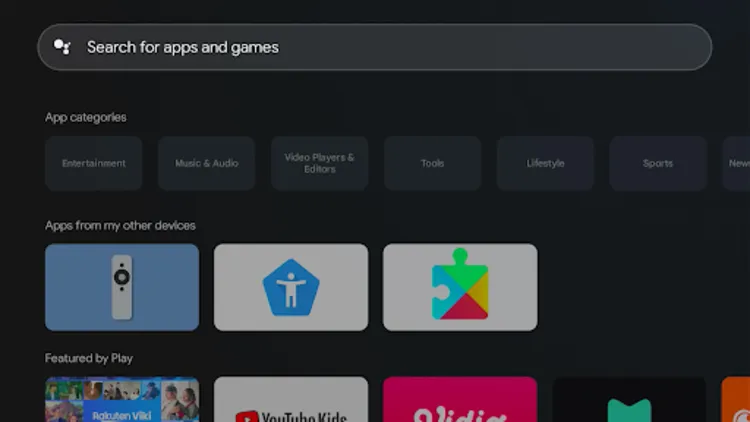
Step 24: Search for Downloader App.
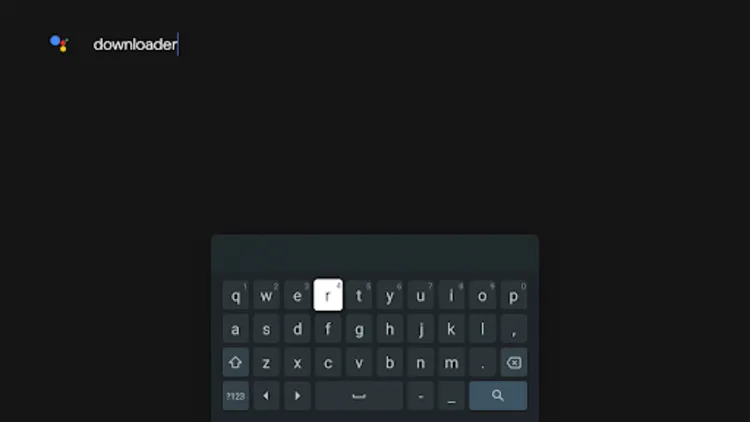
Step 25: Choose the Downloader App.

Step 26: Click Install.
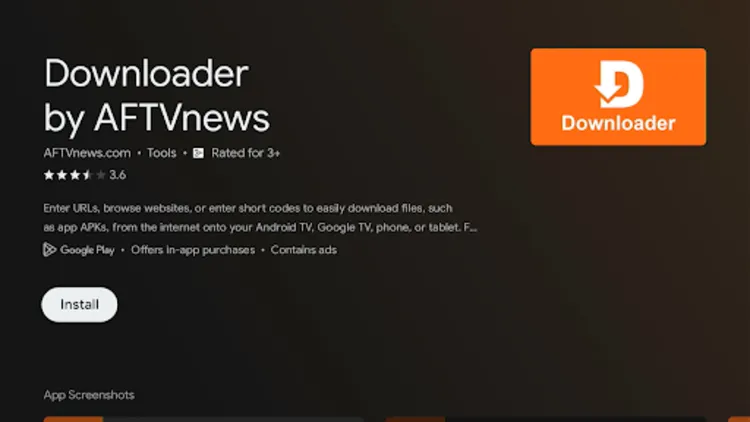
Step 27: Click Open.
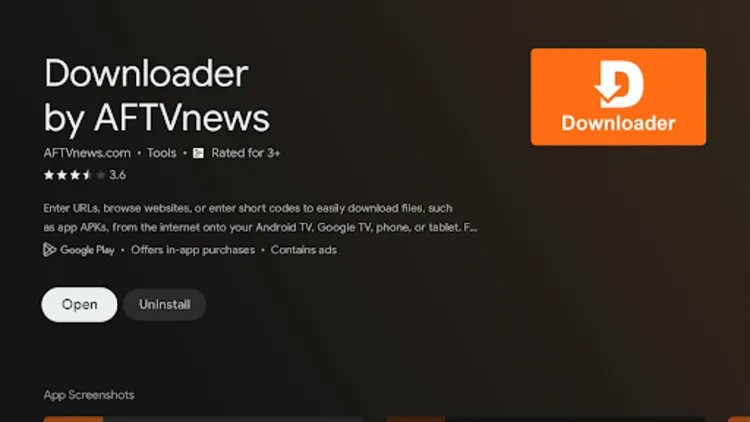
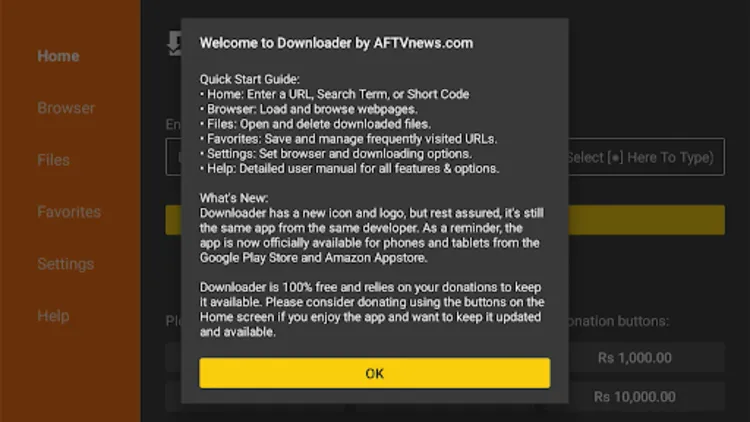
Step 28: Click OK.
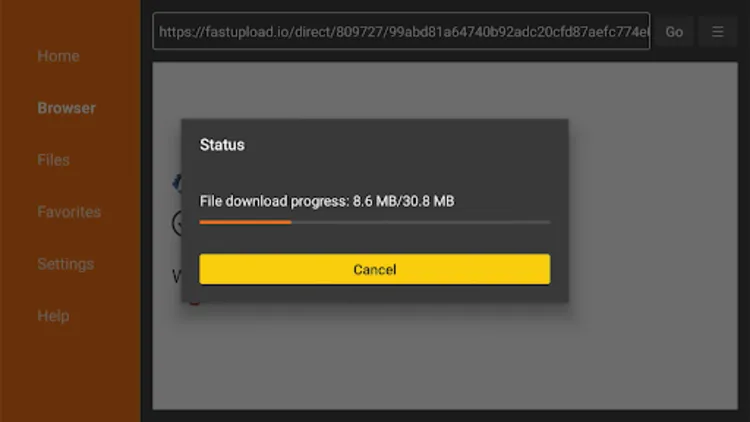
Step 29: Enter the desired Downloader Code OR URL. (e.g. 320571 for IPTV Smarters Pro)
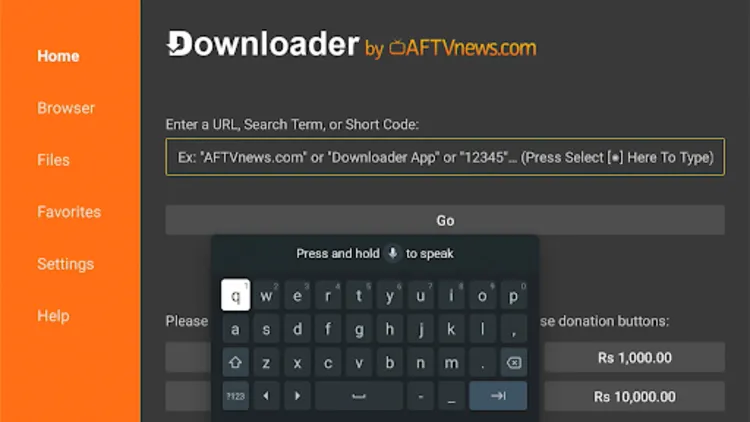 Step 30: The App will start downloading
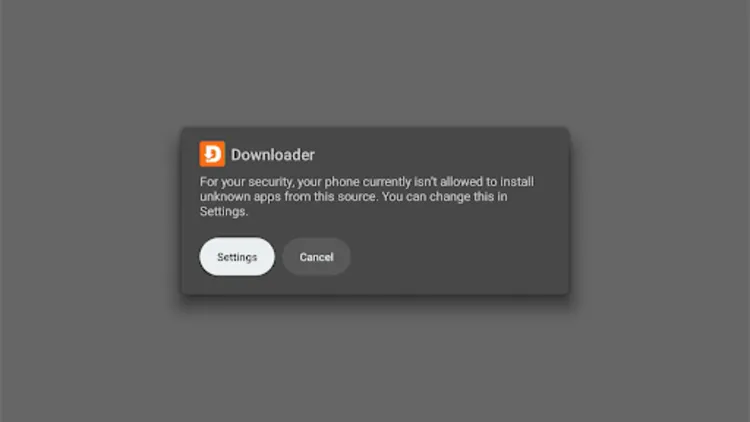
Step 31: You will be prompted to ‘Allow Unknown Sources’ for Downloader. Select Settings.
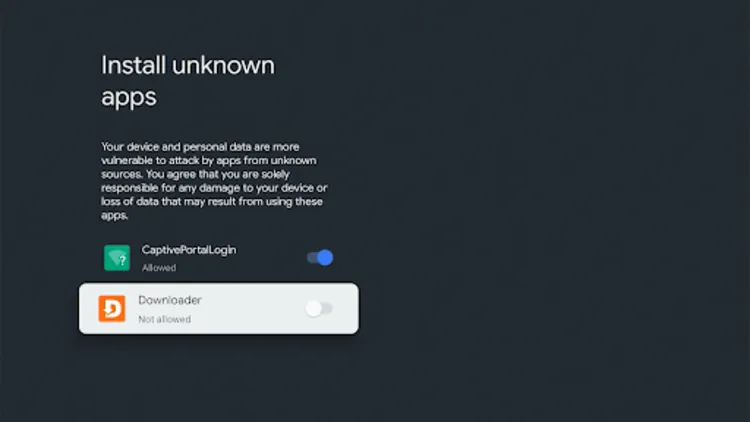
Step 32: Enable the toggle to allow Unknown Apps for the Downloader app
Step 33: Select Install.
Step 34: You have successfully installed the IPTV Smarters Pro App.
[Note: IPTV player apps do not include any content. To access content, you must enter the credentials provided by your IPTV service provider]
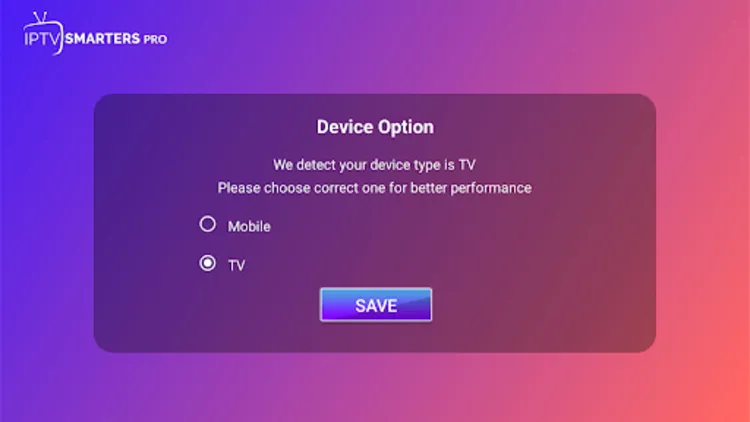
Step 35: Choose the format in which your IPTV Service Provider has provided you the credentials.
[Note: Service Providers usually provide you with M3U Link/XTREME CODES API or both]
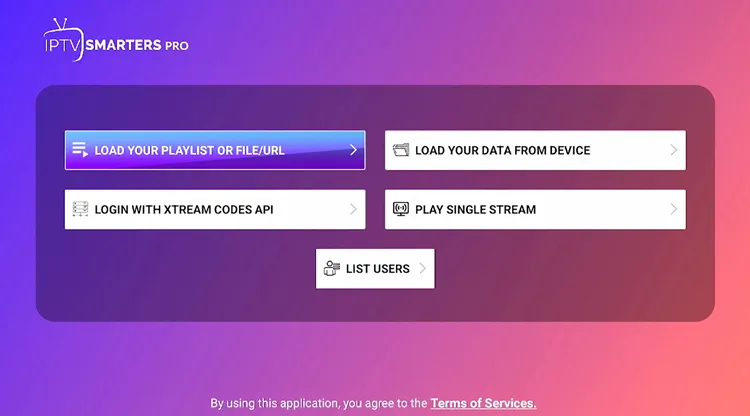
Step 36: Enter the Credentials.
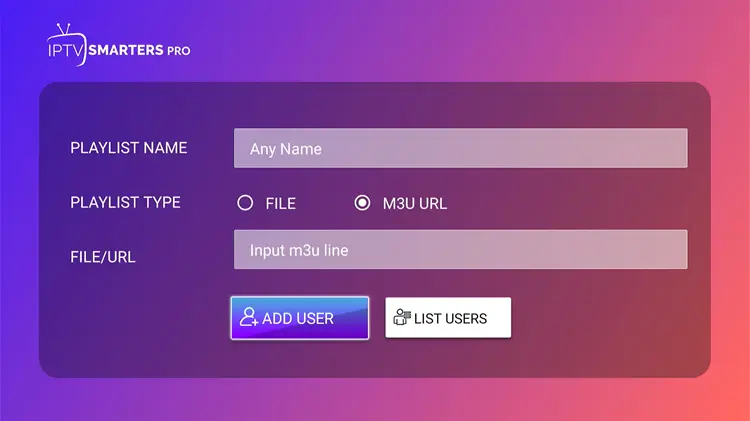
Step 37: Your IPTV will be Set up.
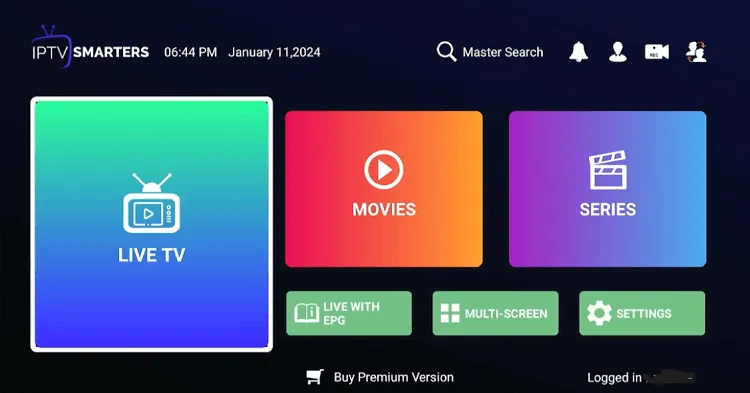
Step 38: Choose the Channel.
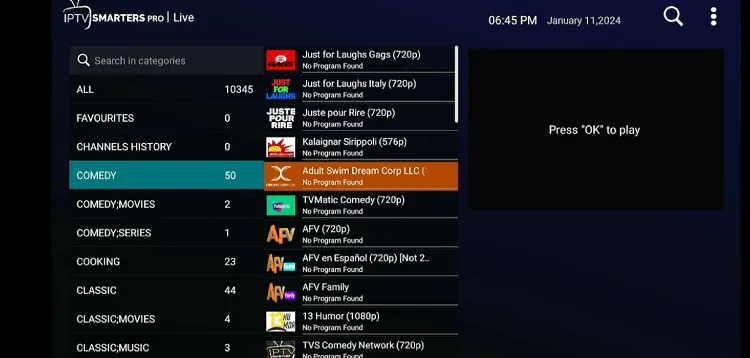
Step 39: Start Streaming!

Do you need a VPN with onn. 4K Google TV Box for IPTV Streaming?
If you’re using the onn. 4K Google TV Box and streaming verified content or services already available in your region, you likely don’t need a VPN.
However, for unverified IPTV services/links or geo-restricted services, I’d recommend pairing it with a VPN like Surfshark.
FAQs
How much does onn. Android TV Box cost?
The onn. Android TV Box currently costs $19.88 and is available at Walmart.
Is Jailbreaking an onn. Box Illegal?
Jailbreaking an onn. Google TV Android Box is legal, but streaming unofficial content might not be. Always use a VPN for safe streaming.
Is Google TV onn 4k streaming device worth it?
The 2023 box finds itself in an awkward spot. It’s not bad, it just got leapfrogged pretty quickly by its own successor devices like onn 4K Plus & onn 4K Pro.
Is the Onn. 4K Google TV Box: The Best Budget IPTV Option?
After using the Onn. 4K Google TV Box, I was honestly impressed by how much it offers for under $25.
Setting it up was quick and easy, and the Google TV interface made navigating apps like TiviMate and Netflix, effortless.
The 4K streaming quality was solid, and for IPTV, it worked better than expected. I tested apps like IPTV Smarters Pro and XCIPTV, and they ran smoothly with a stable internet connection.
That said, storage is very limited. With only 8GB, I had to uninstall apps frequently to keep things running smoothly. The remote also feels a bit flimsy, but it does the job. One of the letdowns is no Dolby Vision, but at this price, I wasn’t expecting premium features.

