


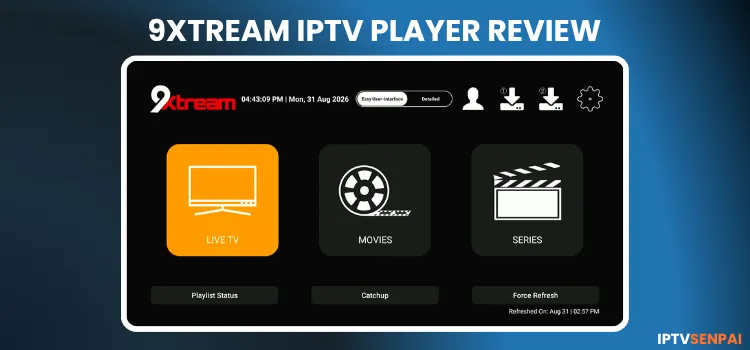
9Xtream Player is a versatile IPTV player designed to transform your screen into a high-performance streaming hub. It supports crisp 4K UHD playback, smooth frame rates, and multi-format audio decoders.
The player’s appeal is its flexibility, where users can easily select Xtream Codes, M3U URL, or Play 1 Stream. The player plays live TV, movies, and series from your own content sources.
For additional privacy, we highly recommend using a premium VPN like Surfshark to mask your IP address. This protects your privacy and prevents your ISP from throttling your internet speeds while streaming.
Recommended VPN for IPTV - Surfshark

Using IPTV without a VPN can put you at Big Risk! Your ISP, government and even IPTV providers can monitor your activity, throttle your speed, or block access altogether.
Plus, without encryption, your data is exposed to hackers and third parties. Take back your privacy with Surfshark!
Features:
✅ SAVE 87% + GET 3 EXTRA MONTHS FREE! ($0.06/day)
✅ Kill Switch Feature to protect you if VPN drops
✅ Lightweight app ensuring smooth performance on All IPTV Boxes
✅ Unlimited simultaneous connections (install on all household devices)
✅ 30-day risk-free money-back guarantee
✅ Strict no-logs policy, Secure & Untraceable
Is 9Xtream IPTV Player Free?
Yes, 9Xtream Player is free to download. Android and Apple versions offer ad-supported access with limited features, while Fire TV, Samsung Tizen, and LG webOS require a license after the free trial.
For users seeking an ad-free experience and full features, 9Xtream offers Premium upgrades on Android and Apple devices. As for Fire TV, Samsung, and LG licenses, they are purchased through its website. These upgrades do not include IPTV channels.
Key Features
Here is a quick overview of 9Xtream IPTV Player capabilities to fulfill your streaming needs.
- Pricing: Free with ads [Mobile], 5-Day Free Trial [Smart TVs], Premium [starts at $4.30/year]
- Playlist Support: Xtream Codes API, M3U URL, 1-Stream Panel API
- Video Quality: 4K UHD, Full HD (1080p), HD, HEVC/H.265
- Subtitles & Audio: Multi-audio track selection, internal & external subtitle track integration
- Device Compatibility: Android (Phones, Tablets, TV, Boxes), Fire TV & FireStick, Apple (iPhone, iPad, Apple TV, macOS), LG webOS, Samsung Tizen, Roku, and Windows
- Advanced Features: VOD media downloader, EPG, TV Catchup, parental control, category hiding, global search, favorites manager, custom decoder settings, and cross-device license transfer.
Pros & Cons
| Pros | Cons |
|---|---|
| ✓Supports Xtream Codes, M3U, and 1-Stream Panel API. | —Provides no channels or content; you need your own sources. |
| ✓Available across mobile, desktop, and TV platforms. | —Features and licensing vary by platform. |
| ✓Various features such as themes, parental controls, multi-screen viewing, EPG catch-up, etc. | —Some features require a Premium upgrade. |
| ✓Built-in internet speed test. | —Free Android and Apple versions include ads and feature limits. |
How to Install 9Xtream IPTV Player on FireStick/Android
9Xtream IPTV Player is not available on Google Play. You need to sideload its APK using the Downloader app on Fire TV Stick. Follow the steps below:
Step 1: Launch the Downloader app on your FireStick.
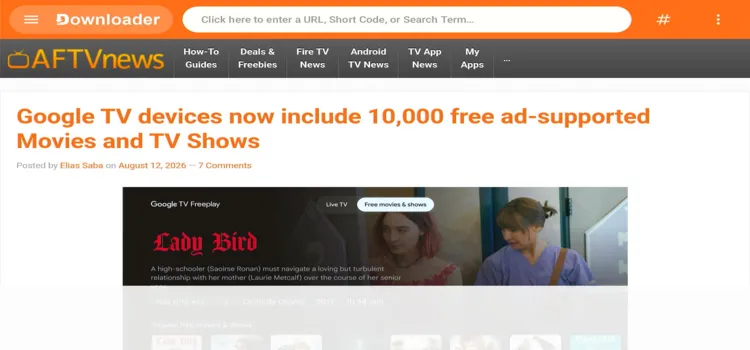
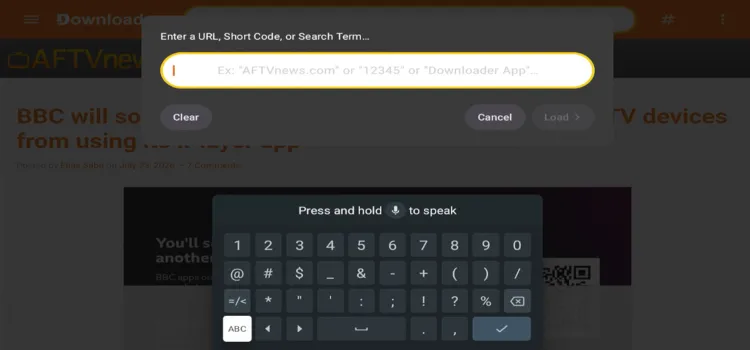
Step 2: Enter the 9Xtream APK code 5546232 in the search bar OR enter this URL [LINK] and click Go.
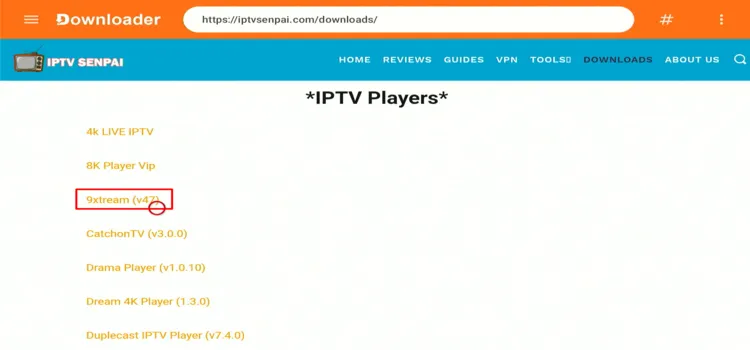
Step 3: Scroll down to the IPTV Players section, find the 9Xtream app, and tap on it to proceed further.
Step 4: A MediaFire page will open, click Download.
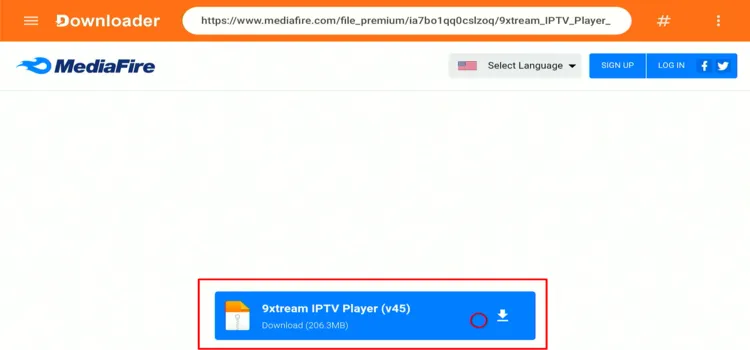
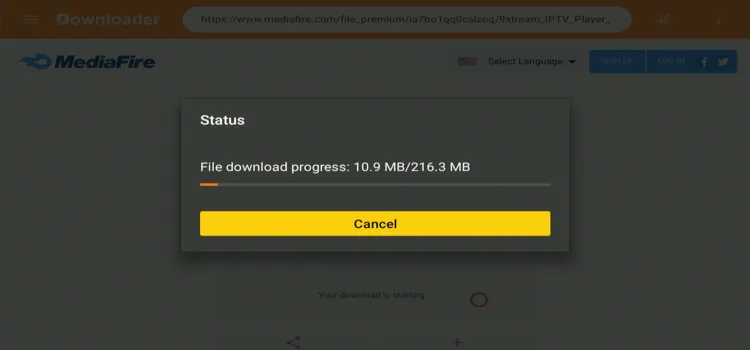
Step 5: Your APK file will automatically begin downloading.
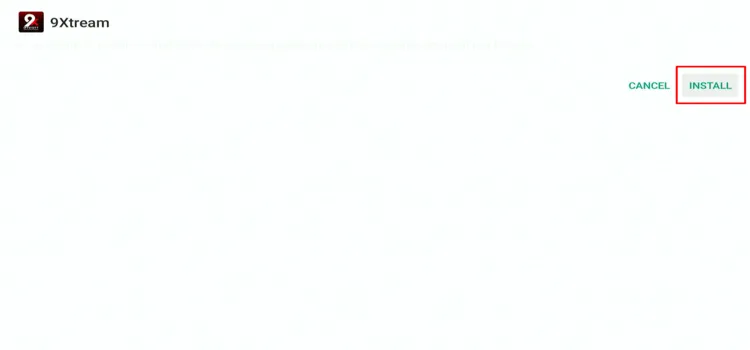
Step 6: Click Install.
Step 7: Click Done.

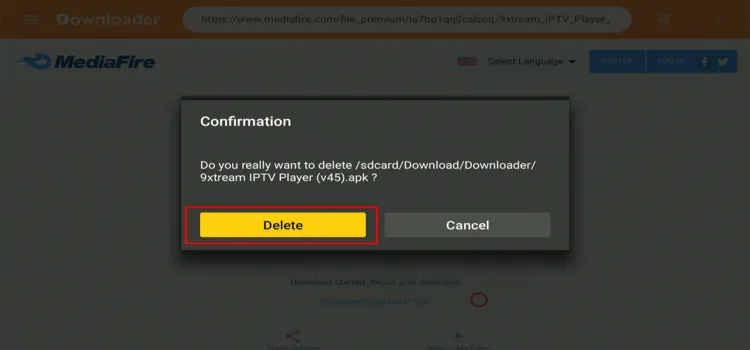
Step 8: Click Delete.
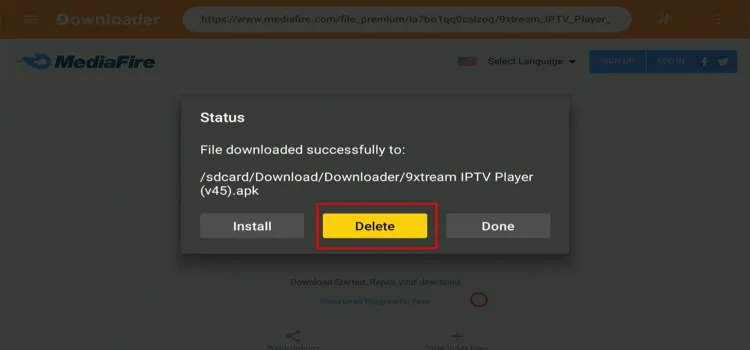
Step 9: Confirm by clicking Delete again.
How to Set Up 9Xtream IPTV Player for IPTV Streaming
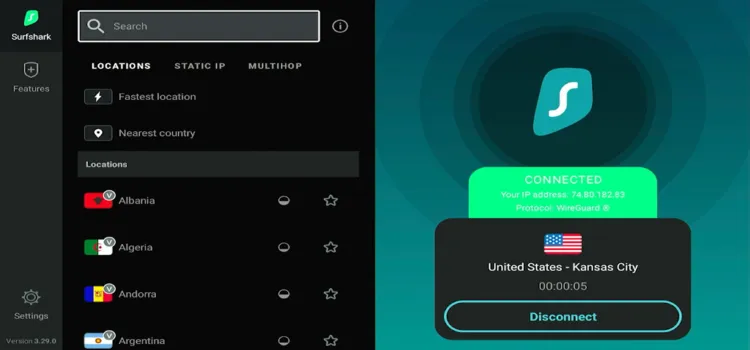
Before streaming any third-party link on your FireStick, always connect to a verified VPN such as Surfshark to protect your privacy and prevent ISP throttling.
Step 1: Open Surfshark and connect to any server.
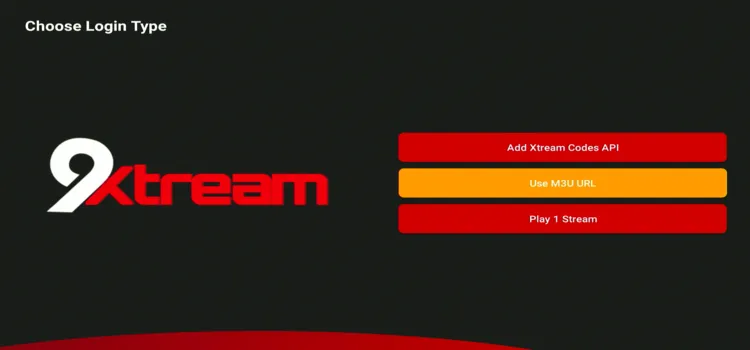
Step 2: Choose between M3U Link & Xtream Codes. (I chose M3U)
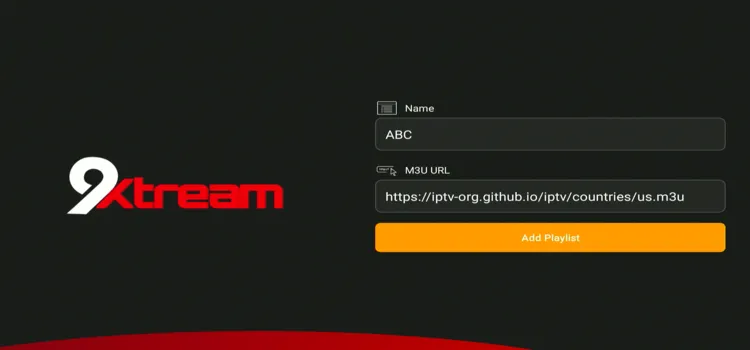
Step 3: Enter M3U URL. Click Add Playlist.
Step 4: Click on your playlist.
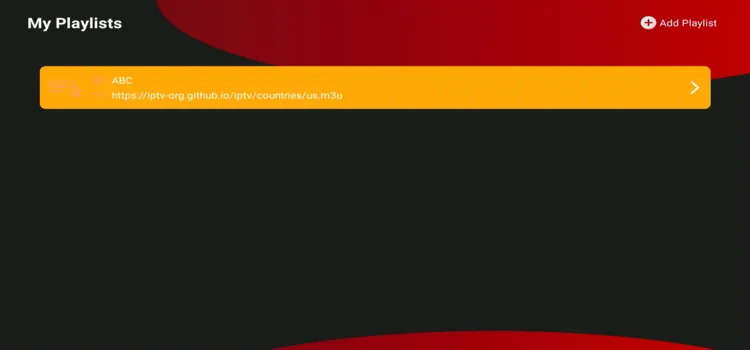
Step 5: 9Xtream has been successfully set up.
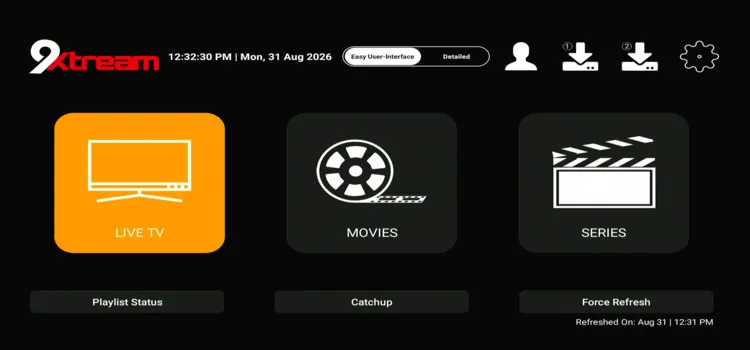
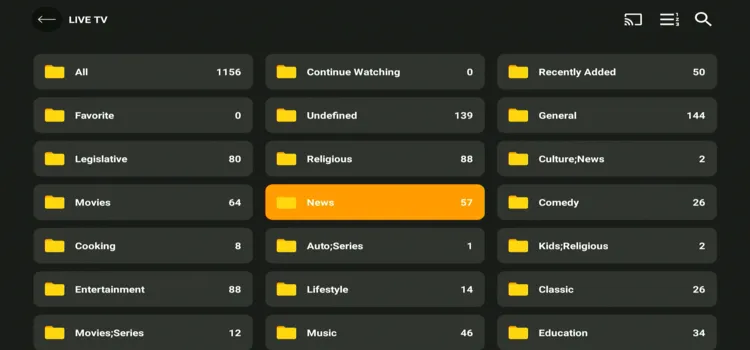
Step 6: Choose your desired category.
Step 7: Choose a channel of your choice.
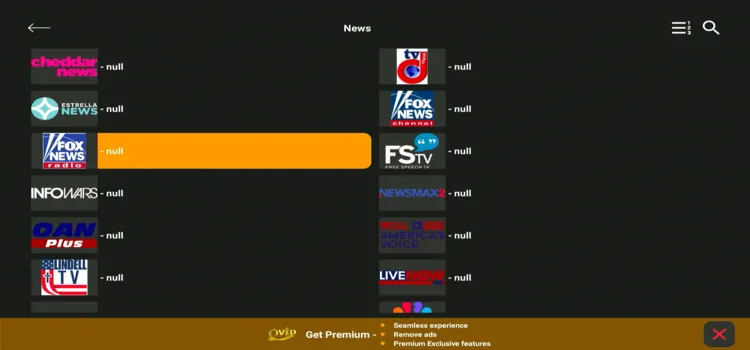
Step 8: Enjoy Streaming!

Best 9Xtream Features
9Xtream offers useful tools for managing playlists and browsing your TV guide. Here’s a closer look at all its features. Some of these features can be accessed after subscribing to a premium option.
1. Multi-Screen
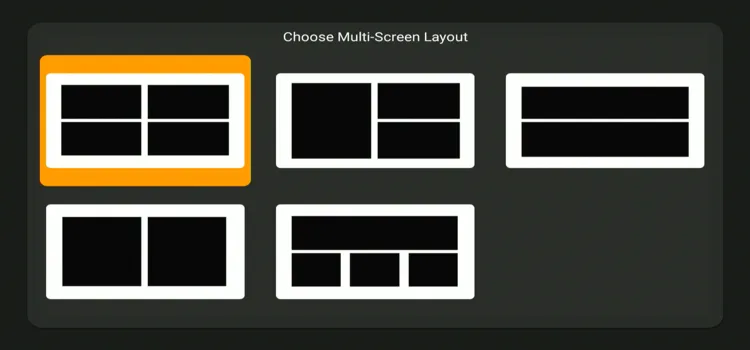
Multi-Screen lets you watch up to 2 to 4 live TV channels simultaneously using 5 different screen layouts.
2. Watch History
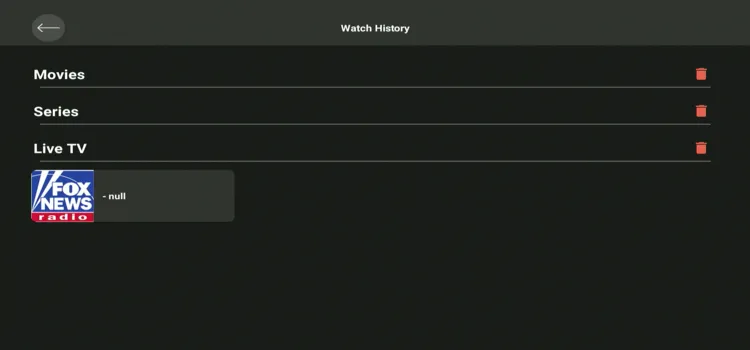
9Xtream keeps separate viewing histories for movies, series, and live TV. You can quickly resume previous content or delete individual history sections.
3. Lists Order
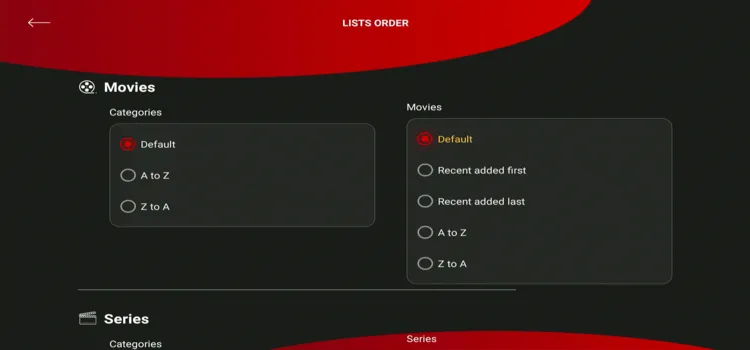
This option lets you arrange categories for movies, tv series and live tv alphabetically from A–Z or Z–A.
4. Language
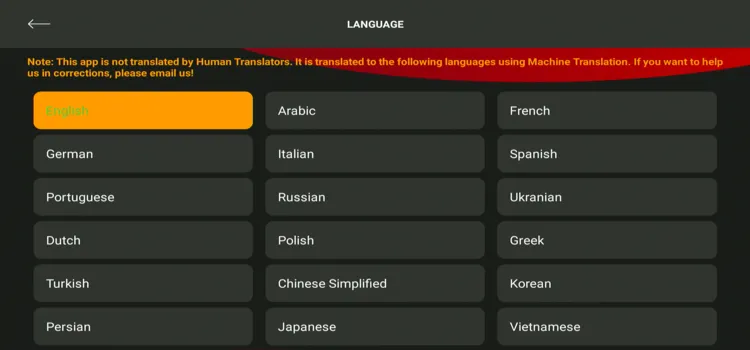
The player supports up to 28 interface languages, which is way more than other IPTV players out there
5. Radio
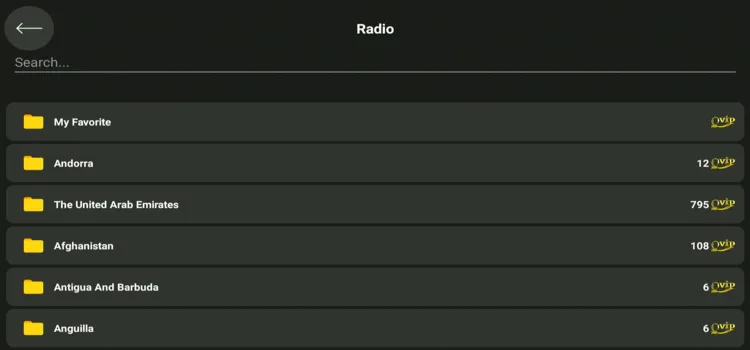
The Radio section organizes available stations into country-based categories.
6. External Players
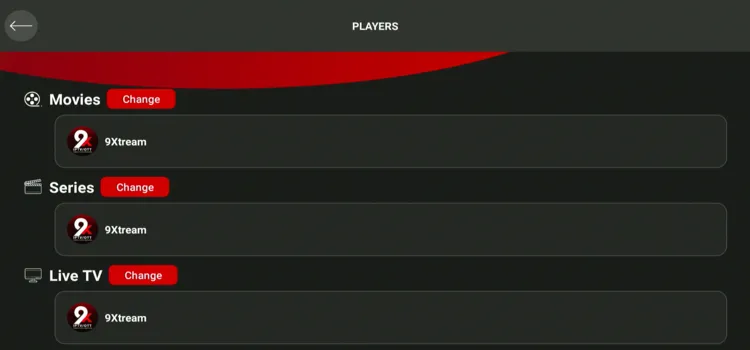
You can assign different media players to movies, series, live TV, and downloads.
7. General Settings
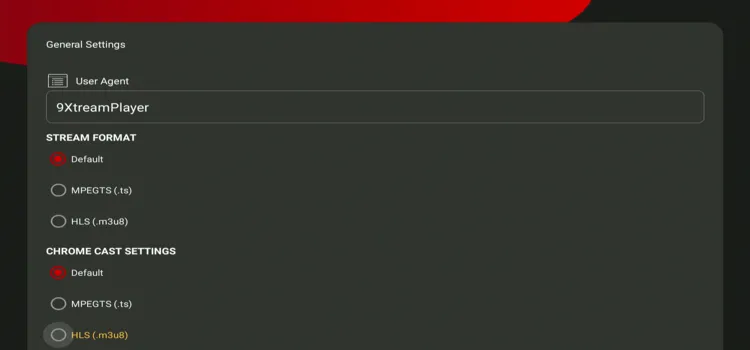
General Settings lets you choose between default, MPEGTS, and HLS stream formats. It also includes Chromecast format controls and an option to enable watch history.
8. Home Settings
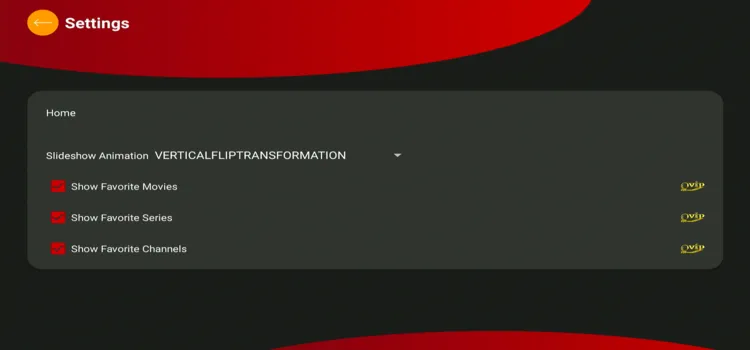
Home Settings lets you change the slideshow animation displayed on the main screen. You can also show or hide favorite movies, series, and channels.
9. Live TV Settings
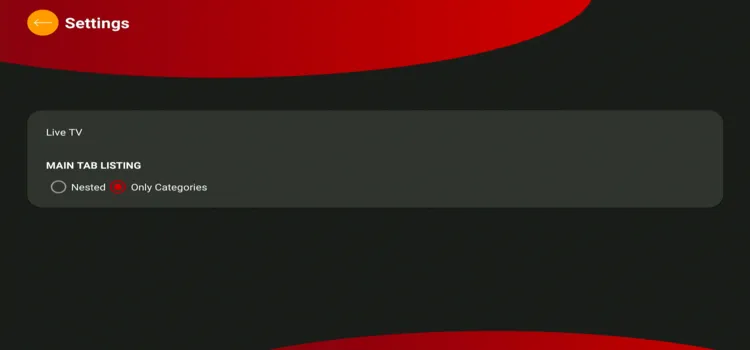
You can display Live TV content using a nested layout or category-only view. This makes browsing large channel playlists easier and more organized.
10. Movies Settings
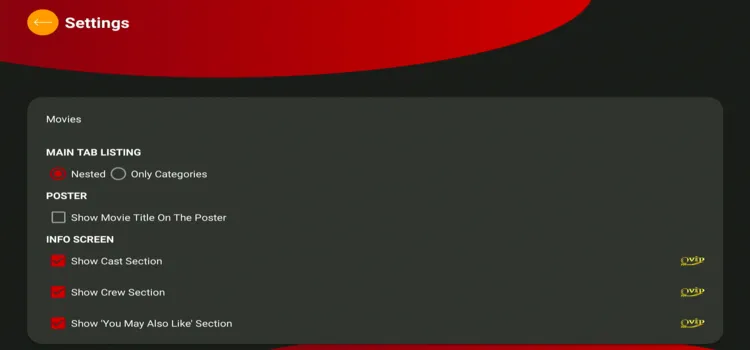
Movies Settings lets you choose a nested or category-only browsing layout. You can also enable an info screen featuring movie titles, cast details, crew information, and related recommendations.
11. TV Series Settings
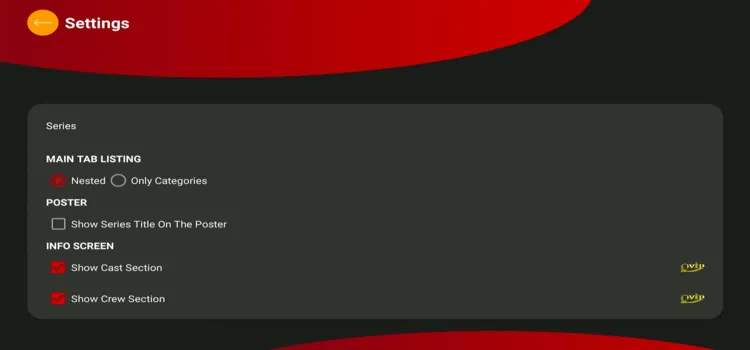
This section controls how TV series and their categories appear inside the app. It also lets you display series titles, cast details, and crew information.
12. Parental Controls
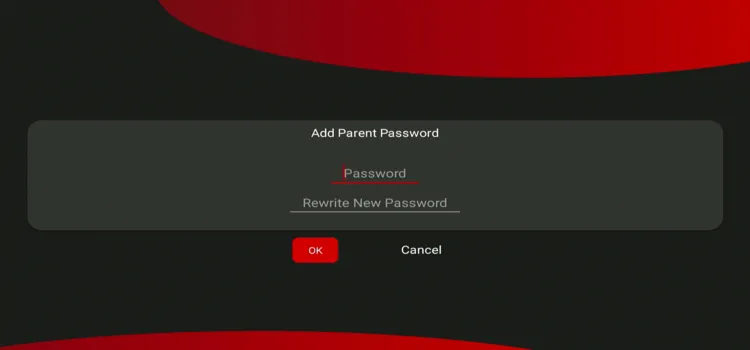
Parental Controls lets you create and confirm a password for restricted content. It helps prevent children or unauthorized users from accessing protected categories.
13. EPG
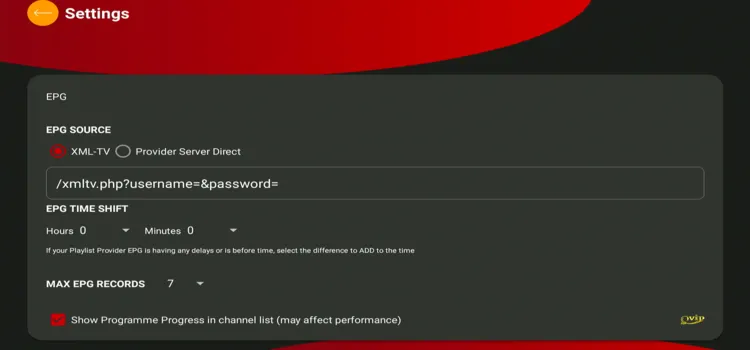
9Xtream supports XMLTV and direct provider-server EPG sources for programme information. You can also correct timing errors, limit EPG records, and display programme progress.
14. Player Settings
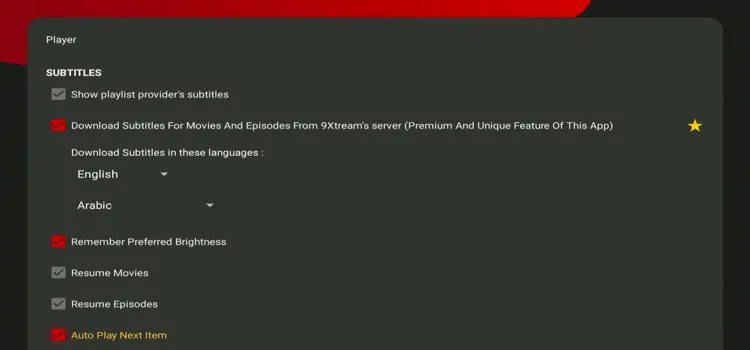
Player Settings provides controls for subtitles, preferred brightness, playback resume, autoplay, and audio synchronization. You can also download subtitles in selected languages for movies and TV episodes.
15. App Themes
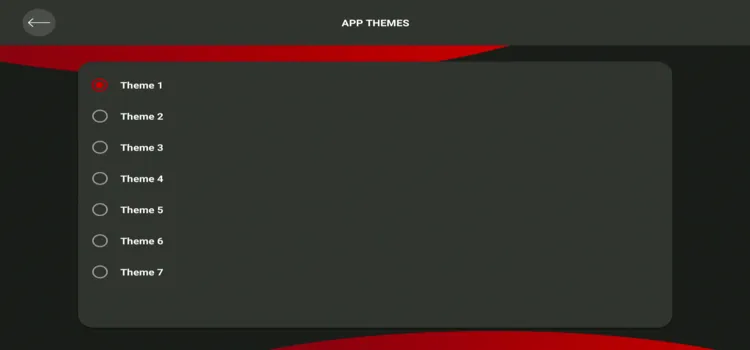
App Themes lets you customize the 9Xtream interface by choosing from 7 available themes. Select the theme that best matches your viewing preference.
16. Internet Speed
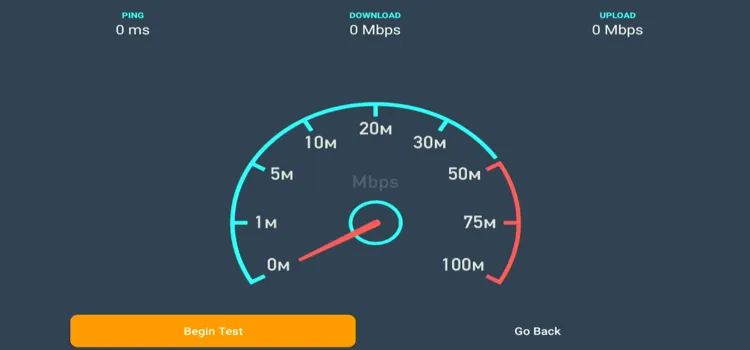
The built-in speed test measures your ping, download speed, and upload speed. It helps determine whether a slow or unstable internet connection may be causing buffering, freezing, or reduced video quality.
9Xtream Prices
9Xtream IPTV Player offers annual & lifetime subscription options. Here’s an overview of its subscription options for 2026.
| Plan | Pricing |
|---|---|
| 1 Year | $4.30 |
| 2 Years | $7.85 |
| One-Time Purchase | $19.00 |
Is 9Xtream IPTV Player Safe and Legal to Use?
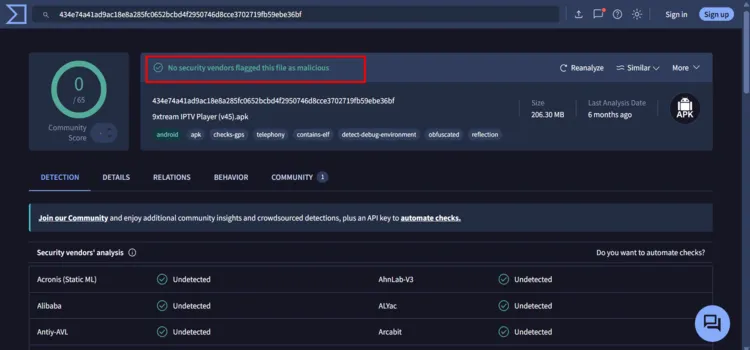
Yes, 9Xtream IPTV Player is safe and legal to use. After testing on VirusTotal, the 9Xtream IPTV Player (v45) APK received 0/65 detections, with no security vendors flagging it as malicious.
Unverified sources may carry legal and security risks. Therefore, I recommend Surfshark for privacy. It encrypts your connection and hides your streaming activity from your ISP.
9Xtream IPTV Player Alternatives
If 9Xtream does not suit your setup, check out these IPTV players:
FAQs
1. Does 9Xtream offer a free trial?
Android has no free trial. Fire TV offers one during activation, while LG and Samsung Tizen TVs automatically receive a 5-day free trial after installation.
2. What is Premium in 9Xtream?
Premium removes ads and unlocks all features. Other platforms like FireTV, LG SmartTV, and Samsung Tizen SmartTV require a website license after the trial.
3. How many devices can use one 9Xtream Premium purchase?
Android purchases cover all devices using the same Google account; Apple purchases cover devices using the same iCloud account. Fire TV, LG, and Samsung TVs need a separate license per device.
4. Does 9Xtream support EPG and catch-up?
Yes, 9Xtream supports EPG and catch-up. However, programme listings and previously aired content depend on what your IPTV provider supplies.
Conclusion
9Xtream IPTV Player is worth considering if you want playlist flexibility, catch-up, downloads, and content-management tools across several devices. However, features and licensing vary by platform, so check what your device supports before paying.
For additional privacy, Surfshark VPN can encrypt your connection and mask your IP address, therefore preventing a bad streaming experience due to ISP throttling.

