


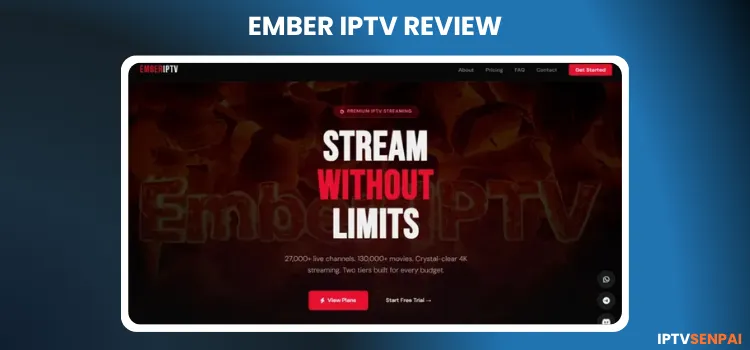
Ember IPTV is a fairly new IPTV service, which is less than 1 year old. It delivers live TV, on-demand content, and sports coverage across multiple devices in HD, FHD, and UHD (4K). The website has a user-friendly interface.
With a library boasting 28,000+ live TV, 130,000+ movies, and 17,000+ TV series, it positions itself as a solid entertainment option for cord-cutters worldwide. It offers a 24-hour free trial to users with a very friendly and helpful customer service.
That being said, Ember IPTV is an unverified IPTV provider, meaning its content licensing cannot be fully confirmed. No VPN is required, but taking precautions is always a smart move. No VPN beats Surfshark.
Recommended VPN for IPTV - Surfshark

Using IPTV without a VPN can put you at Big Risk! Your ISP, government and even IPTV providers can monitor your activity, throttle your speed, or block access altogether.
Plus, without encryption, your data is exposed to hackers and third parties. Take back your privacy with Surfshark!
Features:
✅ SAVE 87% + GET 3 EXTRA MONTHS FREE! ($0.06/day)
✅ Kill Switch Feature to protect you if VPN drops
✅ Lightweight app ensuring smooth performance on All IPTV Boxes
✅ Unlimited simultaneous connections (install on all household devices)
✅ 30-day risk-free money-back guarantee
✅ Strict no-logs policy, Secure & Untraceable
Official Website of Ember IPTV
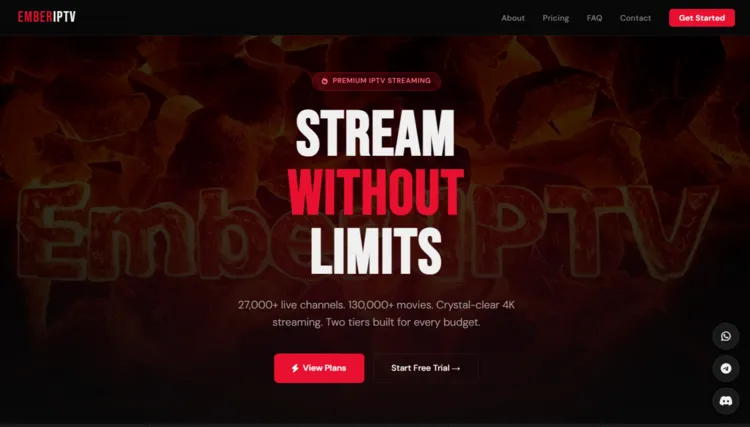
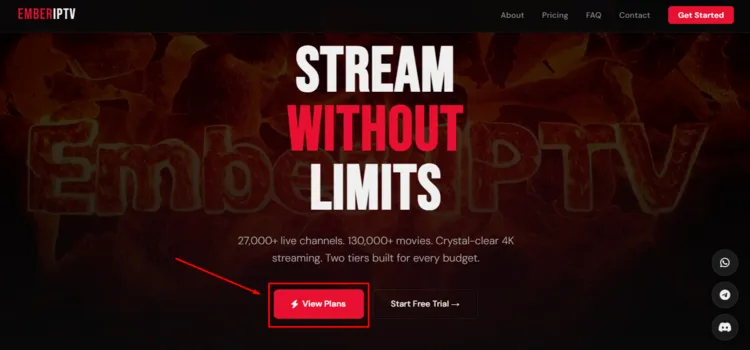
Ember IPTV has a clean, straightforward website. Before making any purchase, always verify the site’s layout using the screenshot above, as copycat websites do exist.
Double-check the URL and make sure that you are on the correct domain before entering any payment details. We do not share direct links for legal and safety reasons. To browse their plans and pricing, visit ’emberiptv.com’.
Does Ember IPTV Offer a Free Trial?
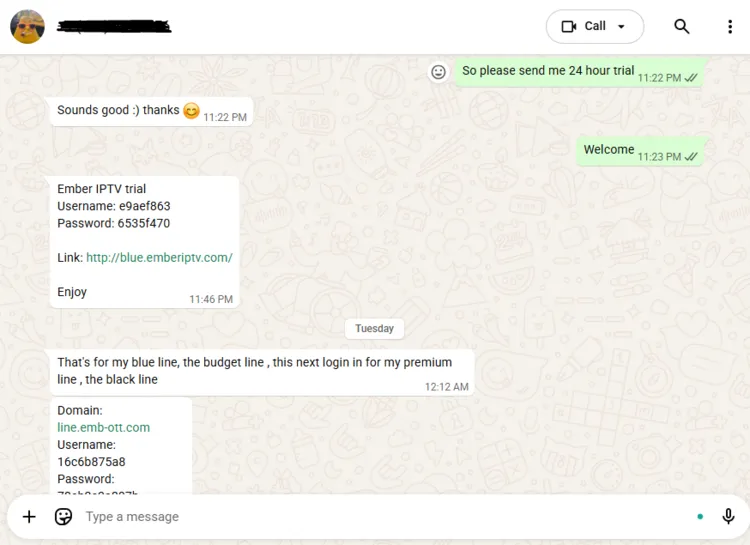
Yes, Ember IPTV does offer a 24-hour free trial for new users. The free trial was delivered to me within 2 hours.
To claim your free trial, visit their official website and reach out on WhatsApp. The support team will guide you through the process and send you login credentials through WhatsApp.
Ember IPTV Features
- Trial: 24-Hour Free Trial
- Pricing: $5/month
- Connections: 1 device (multi-device available on request)
- Live Channels: 28,000+ live TV channels.
- PPV: Yes
- VOD Library: 130,000+ Movies & 17,000+ TV Series.
- Streaming Quality: HD, FHD, UHD
- Payments: Credit/Debit Card, Cryptocurrency.
- Players Supported: Tivimate, IPTV Smarters Pro, Sparkle player
- Compatible Devices: Android, iOS, Firestick, Windows, macOS, Linux, tablets, smart TVs, and streaming boxes.
- Customer Support: WhatsApp, Telegram, Email, & Discord (WhatsApp is preferred)
Pros & Cons
| Pros | Cons |
|---|---|
| 24-hour free trial | Frequent buffering during live sports |
| Large live TV and VOD library | Limited Connections: 1 device at a time |
| Excellent Customer Service | |
| HD, FHD & UHD streaming resolution |
How to Get Ember IPTV
Follow the step-by-step guide to set up Ember IPTV on FireStick.
1. Sign Up for a Subscription Plan/Free Trial.
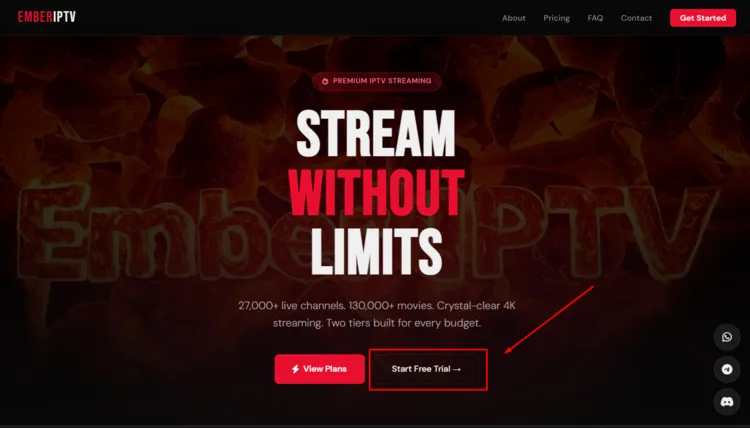
Step 1: Head over to emberiptv.com and click on Start Free Trial.
Step 2: A new window will open. Click on Continue to WhatsApp Web.
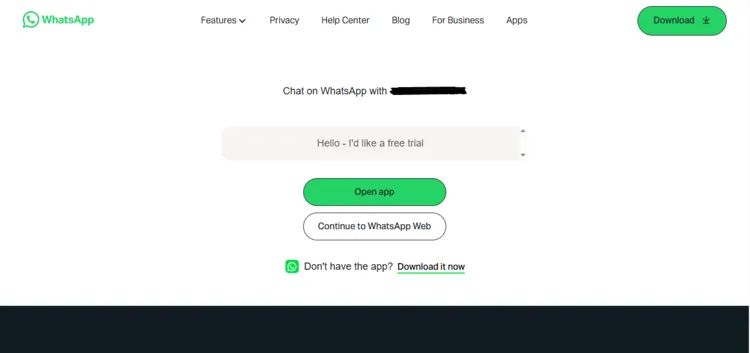
Step 3: Chat with the service provider and request a free trial. You will receive login
credentials (M3U or Xtream Codes) within 2 hours.
Step 4: To purchase a subscription plan, click on View Plans.
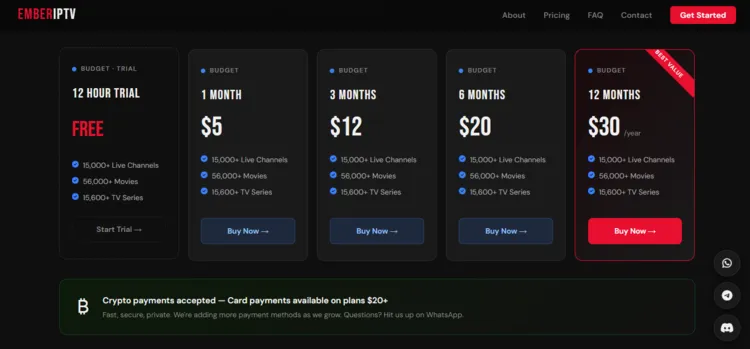
Step 5: Select a subscription plan of your choice by clicking on Buy Now.
Follow the remaining steps from Step 2 to Step 3.
2. Connect to VPN & Enter Login Credentials on your Player.
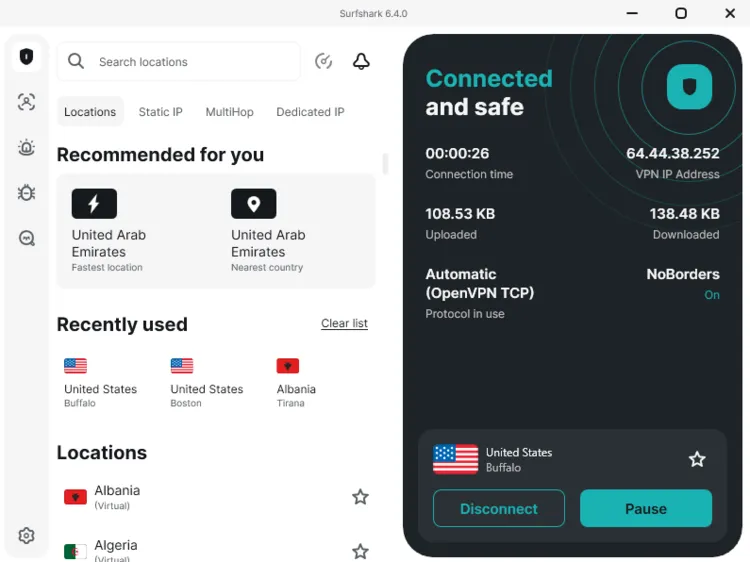
Step 1: Open Surfshark and connect to any server.
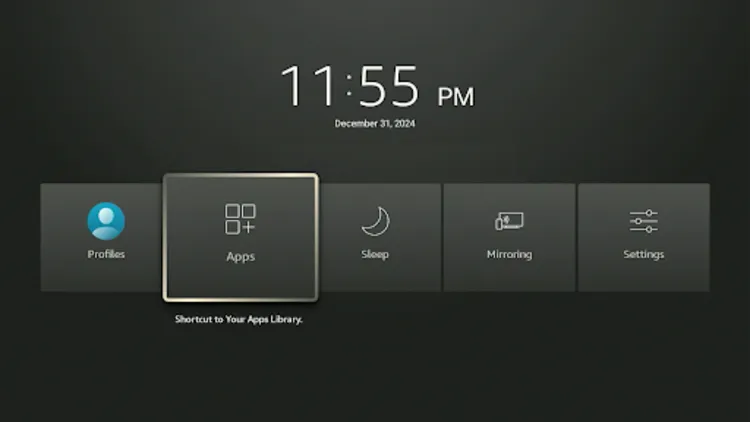
Step 2: Turn on your Fire TV Stick. Long-press the Home button, and click Apps.
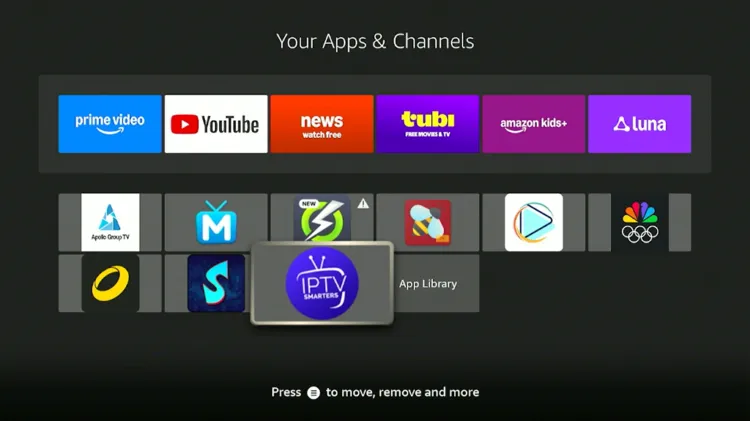
Step 3: Select IPTV Smarters Pro from your apps.
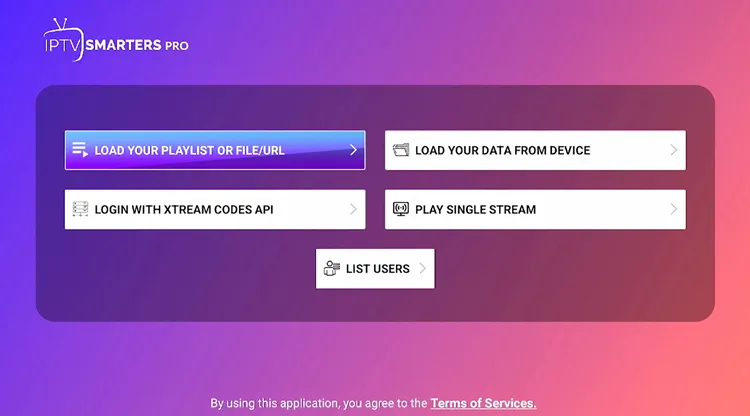
Step 4: Select Xtream Codes.
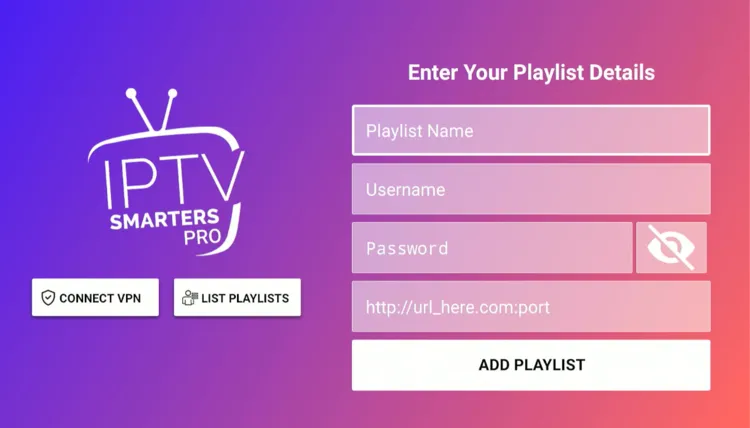
Step 5: Enter Playlist Name, Server address, Username, and Password. Then click on Add Playlist.
Step 6: Ember IPTV is now set up and ready to stream.
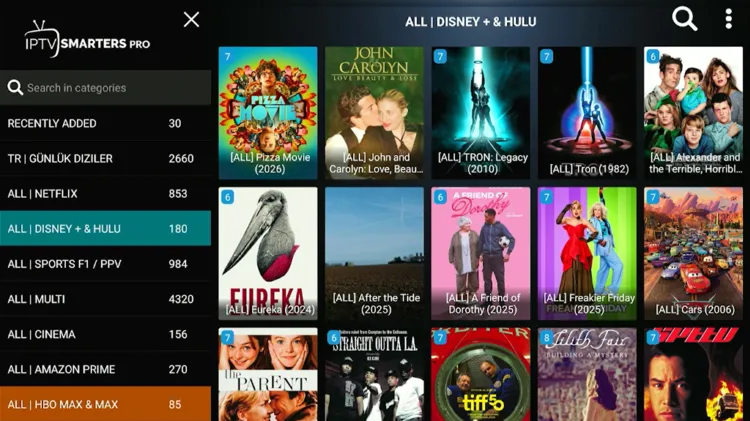
Step 7: Enjoy streaming!

What Can You Stream on Ember IPTV?
1. Live TV
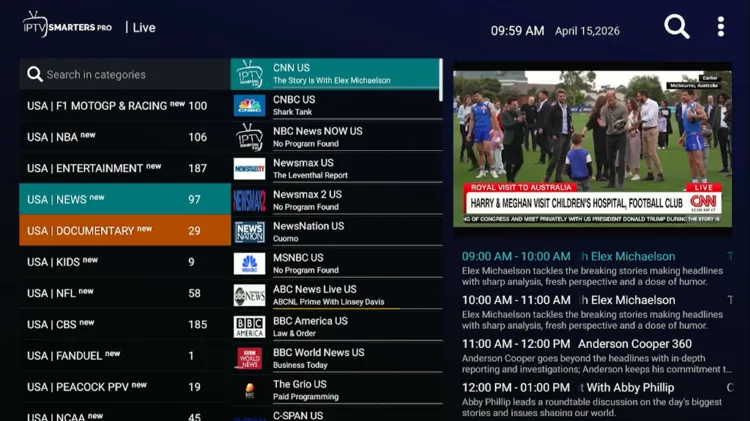
Ember IPTV carries an impressive lineup of 28,000+ live TV channels, with content from North America, Europe, and Asia in a variety of languages and genres. This makes it a versatile pick for households with diverse viewing habits.
The Electronic Program Guide (EPG) is well-organized and covers key markets including the USA, UK, and France across News, Entertainment, Sports, and Documentary categories. EPG support also extends to Spain, Italy, and Greece.
However, it is worth noting that some buffering issues have been observed during live TV streams, particularly during peak hours.
2. Live Sports
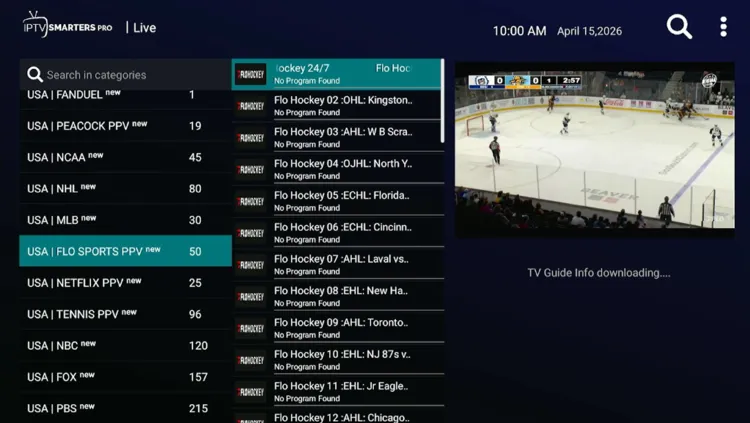
Sports fans will find a section covering popular sports, including Soccer, Football, Tennis, Ice Hockey, Wrestling, Golf, etc. The platform hosts major sports broadcasting networks such as Sky Sports, ESPN, TNT Sports, Bein Sports, Eurosport, etc.
Ember IPTV struggles the most in the sports section, as frequent buffering significantly disrupts the viewing experience, especially during live events. If uninterrupted sports streaming is a priority, then this is an important factor to consider before subscribing.
3. VOD
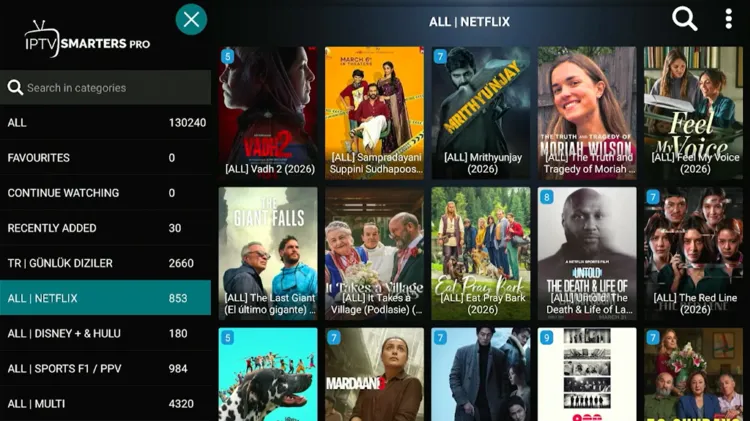
Ember IPTV’s VOD library features 130,000+ movies and 17,000+ TV series, as there is no shortage of content to explore. The library draws from top entertainment platforms, including Netflix, Disney+, Amazon Prime, HBO Max, Apple TV, etc.
Streaming VOD content is a noticeably smoother experience compared to live TV, with only minor buffering issues reported. The library is updated regularly, with new titles added weekly to keep the selection fresh.
How Much Does Ember IPTV Cost?
Ember IPTV offers 4 subscription plans, offering up to 1 connection (You can request extra connections if you need to use the service on more than one device). This includes total access to live TV, movies, TV series, and PPV Events.
The service also comes with a 24-hour free trial. I received a free trial within 2 hours.
For payments, Ember IPTV accepts Credit/Debit Card and Cryptocurrency.
Here are the pricing plans:
| Plan | Pricing |
|---|---|
| 24 Hour Trial | FREE |
| 1 Month | $10 |
| 3 Months | $24 |
| 6 Months | $40 |
| 12 Months | $60 |
Is Ember IPTV Legal and Safe?
Ember IPTV is an unverified streaming service. Its content licensing and legal standing
cannot be independently confirmed. Although VPN isn’t required, using an unverified streaming provider still poses privacy risks.
Your ISP can potentially monitor your streaming activity, and without proper encryption, your connection data could be exposed. To stay on the safe side, make sure your internet is routed through Surfshark servers as a reasonable precaution.
How good is Ember IPTV’s Customer Support?
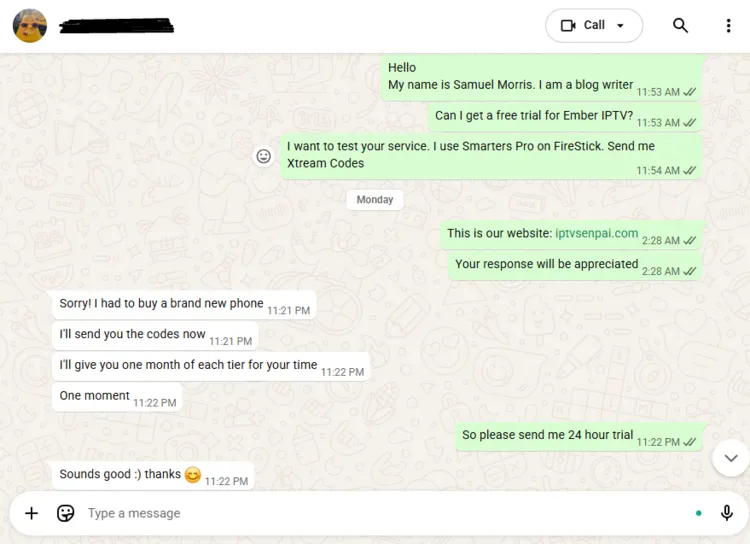
Ember IPTV handles customer inquiries through WhatsApp, Telegram, Discord, and email. The WhatsApp option is preferred. The support team is responsive, friendly, and helpful.
Ember IPTV Alternatives
FAQ’s
1. Does Ember IPTV offer a free trial?
Yes, Ember IPTV provides a 24-hour free trial that is typically delivered within 2 hours through WhatsApp.
2. How many simultaneous connections does a standard plan support?
Ember IPTV provides 1 device connection, though multi-device options can be provided upon request.
3. Which payment methods can I use to subscribe?
Ember IPTV accepts payments through Credit/Debit cards and various Cryptocurrencies.
4. How do I contact Ember IPTV customer support?
You can reach their support team through WhatsApp, Telegram, Discord, or Email, with WhatsApp being the preferred channel.
Should You Get Ember IPTV?
Ember IPTV is a near-solid option for streaming enthusiasts, offering 28,000+ live TV channels, a 147,000+ VOD library, and a 24-hour free trial to test the service. However, buffering, especially in the sports section, is a real downside.
As the service is unverified, its licensing cannot be confirmed. For better security and smoother streaming, consider using a premium VPN such as Surfshark to protect your privacy and reduce potential throttling.

