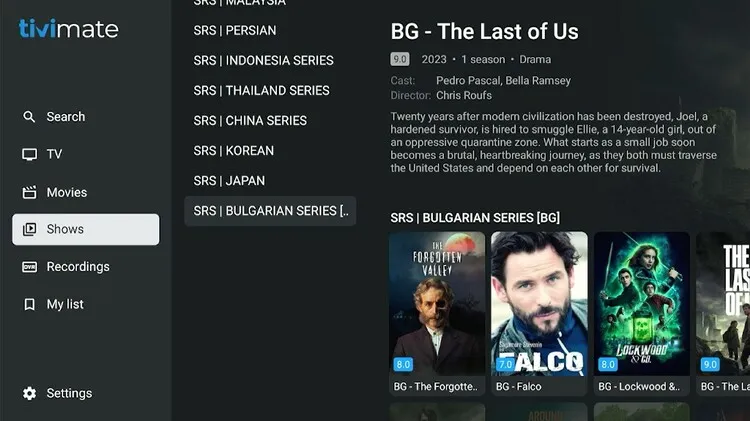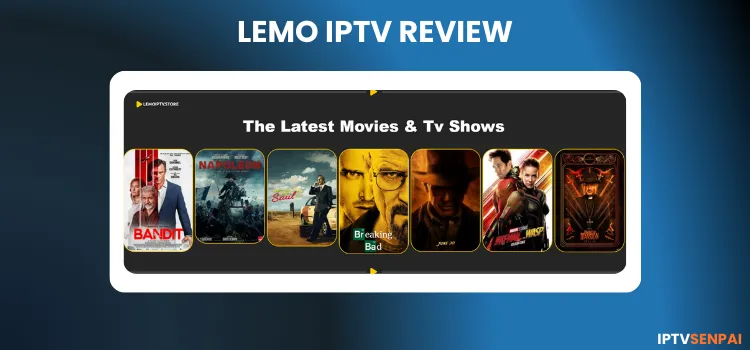
Lemo IPTV service is a fairly new IPTV service that has been operating for just over a year. Its large library features more than 135,000+ movies, 43,000+ TV series, and 27,000+ live TV channels.
Lemo IPTV features programming from America, Europe, and Asia, so you’re never short of options. To make sure you’re completely satisfied, they offer a 24-hour free trial as well.
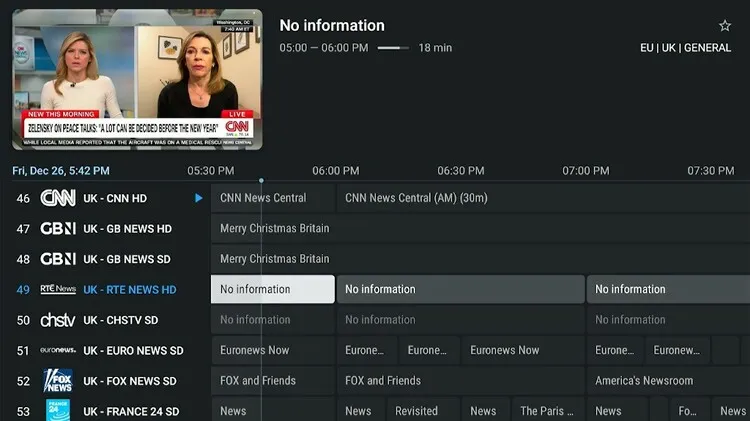
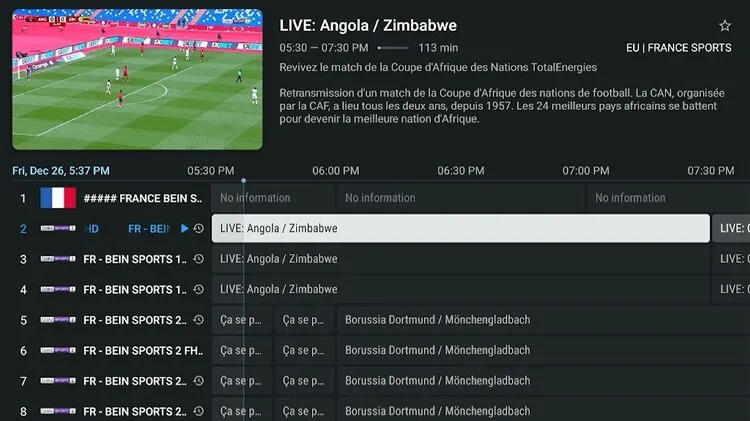
The service supports high-resolution streaming in HD, FHD, UHD, and 4K to its users. EPG is mostly available for English and French channels for news and sports channels.
However, like other IPTV providers, Lemo IPTV operates as an unverified service. For safe IPTV streaming, I recommend using a premium VPN like Surfshark.
Recommended VPN for IPTV - Surfshark

Using IPTV without a VPN can put you at Big Risk! Your ISP, government and even IPTV providers can monitor your activity, throttle your speed, or block access altogether.
Plus, without encryption, your data is exposed to hackers and third parties. Take back your privacy with Surfshark!
Features:
✅ SAVE 87% + GET 3 EXTRA MONTHS FREE! ($0.06/day)
✅ Kill Switch Feature to protect you if VPN drops
✅ Lightweight app ensuring smooth performance on All IPTV Boxes
✅ Unlimited simultaneous connections (install on all household devices)
✅ 30-day risk-free money-back guarantee
✅ Strict no-logs policy, Secure & Untraceable
Official Website of Lemo IPTV
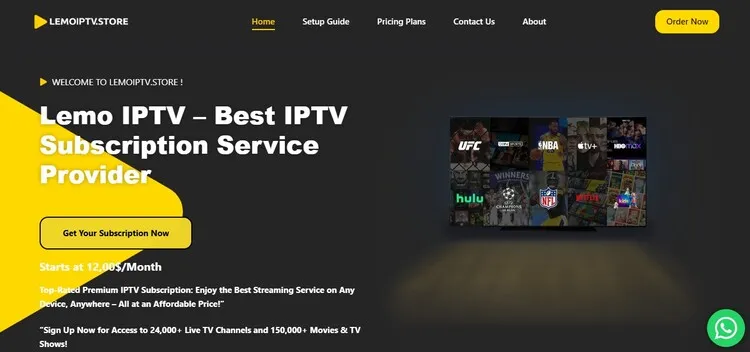
There are several clone websites of Lemo IPTV, and the one I’ve reviewed might not appear on the search engine. To access the same service I reviewed, visit lemoiptv.store directly, as I can’t share a direct hyperlink due to regulatory issues.
Also, verify the website layout with the screenshot above. Otherwise, you may end up on a fake/bogus or malicious site that could put your data or payment at risk.
Does Lemo IPTV offer a free trial?
Yes. Lemo IPTV indeed offers a 24-hour free trial. You can request it through WhatsApp by chatting with the service provider. They will send you the login credentials within an hour.
Lemo IPTV Features
- Trial: 24-Hour Free Trial.
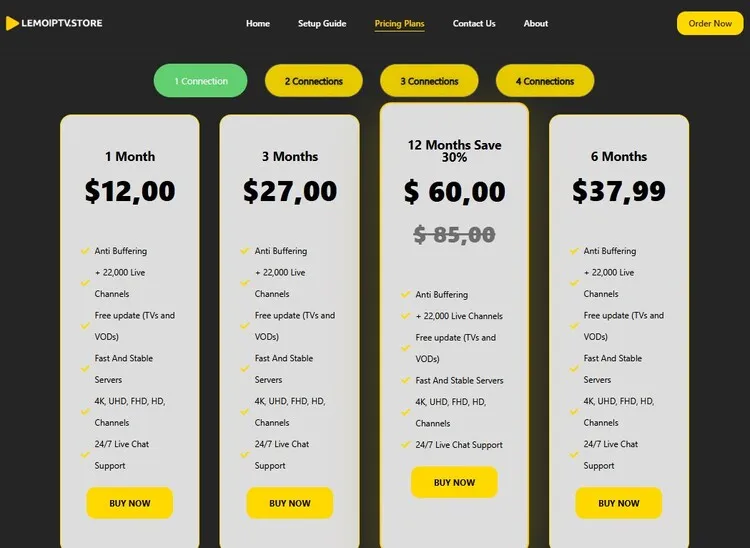
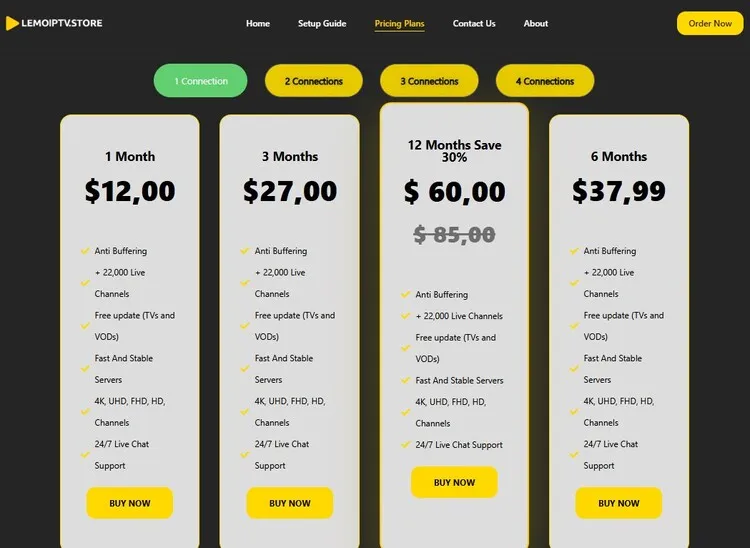
- Subscriptions: Starts at $12.00/month
- Connections: One connection only
- Live Channels: Over 27,000+ live channels
- PPV: Yes
- VOD Content: 135,000+ movies and 43,000+ series.
- Streaming Quality: HD, FHD, UHD, 4K
- Payment Methods: Skrill | Wise | Revolut | Remitly | Debit/Credit Card | Paypal
- Compatible Players: Tivimate, IPTV Smarters Pro, Sparkle player
- Compatible Devices: Smart TV (Samsung & LG), PC, Mac, Apple (iPhone, iPad, Apple TV 4 & 5), Amazon Firestick, IPTV box, Android phones, tablets, Android box, MAG, and STB Emulator.
- Customer Support: Very Responsive. (Available through Contact form, WhatsApp chat, email, and phone number)
Pros & Cons
| Pros | Cons |
|---|---|
| Huge library of live TV and VOD content. | Mostly uses wire transfer such as Skrill, Wise instead of PayPal, or Credit/Debit Cards. |
| High Resolution Streaming (HD, FHD, UHD, and 4K). | Website is hard to find. It has many clones |
| Great customer service |
How to Get Lemo IPTV
Follow the step-by-step guide on how to set up Lemo IPTV on your Amazon FireStick.
1. Sign Up for a Subscription Plan.
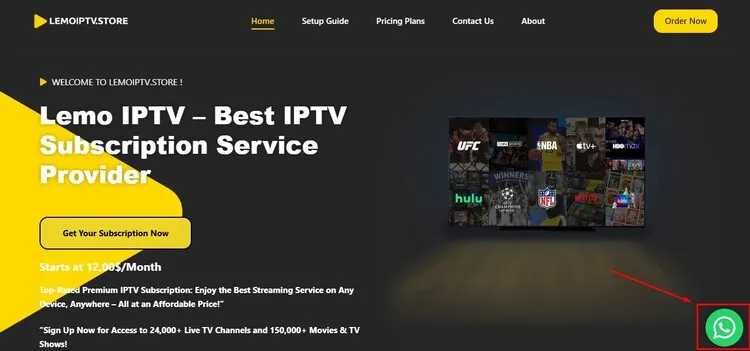
Step 1: Visit the official website at lemoiptv.store. Click on the WhatsApp chat support icon below, and request a free trial.
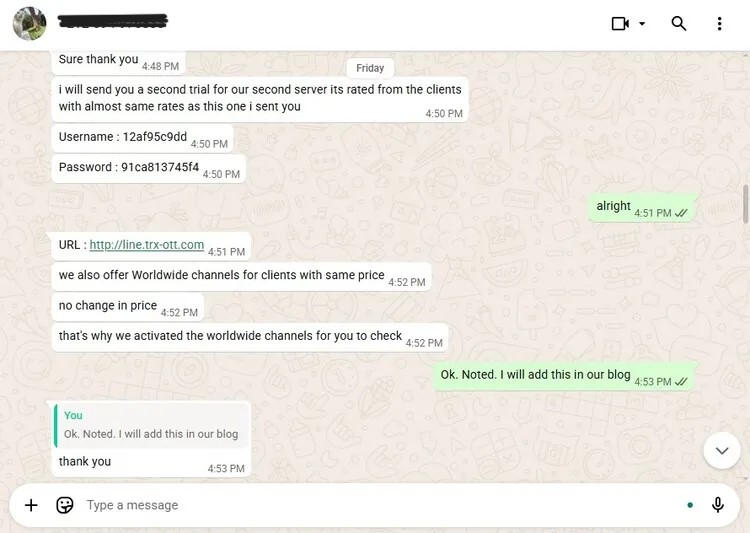
Step 2: Within an hour, you will receive a free trial. The support team will provide you M3U URL and Xtreme Codes to your WhatsApp.
Step 3: If you want to purchase a subscription, click on Pricing Plans from the top menu bar. Once you’ve found the package that suits your needs, simply click Buy Now.
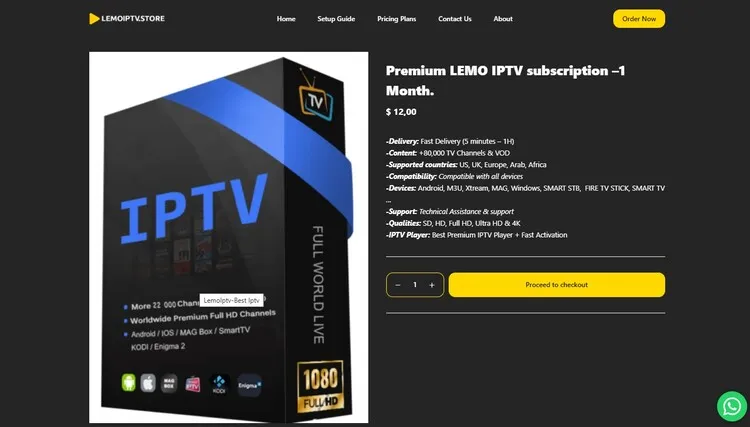
Step 4: A new window will open with the package information displayed. Click on Proceed to Checkout.
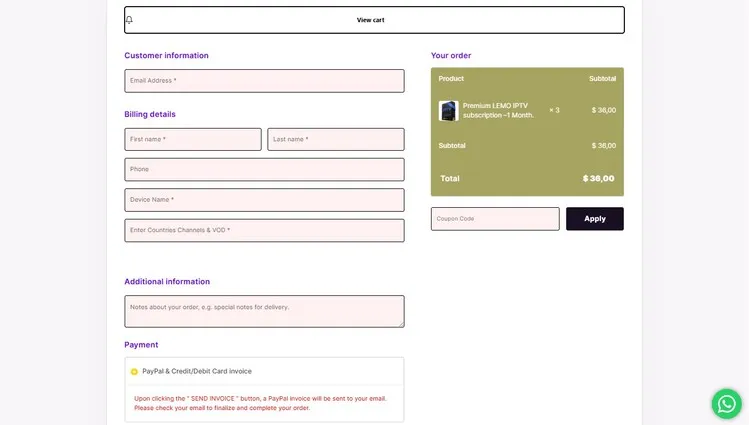
Step 5: Again, a new window will open. Enter the customer information and billing details. Click on Place Order.
2. Connect to VPN & Enter Login Credentials on your Player.
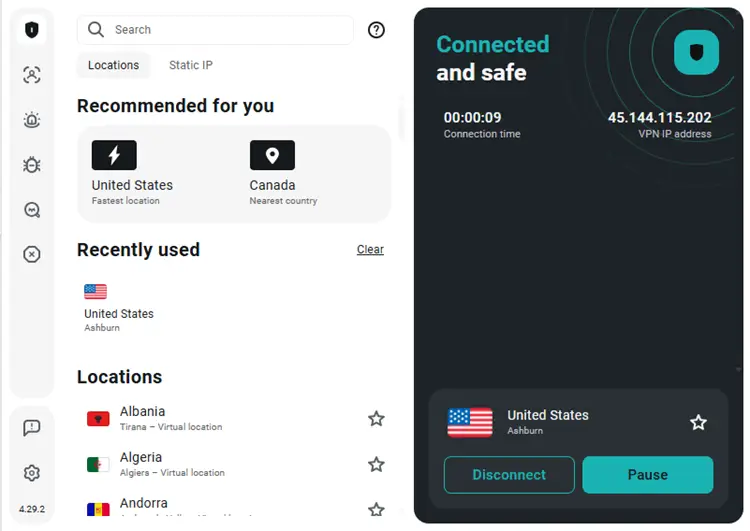
Step 1: Open the Surfshark app and connect to any Server.
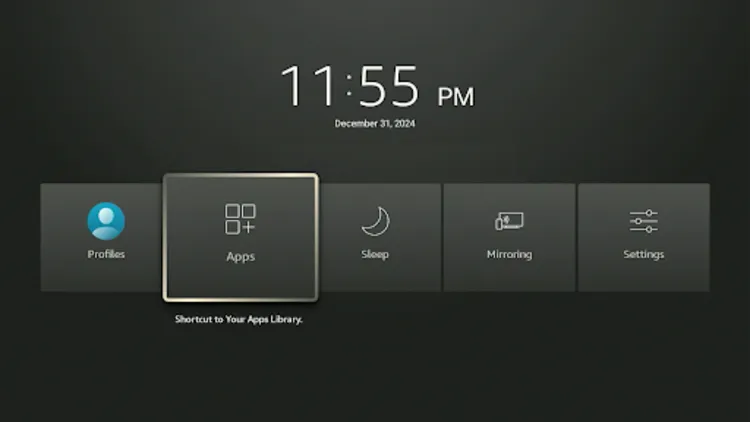
Step 2: Turn your Fire TV Stick on and long-press the Home button, and click Apps.
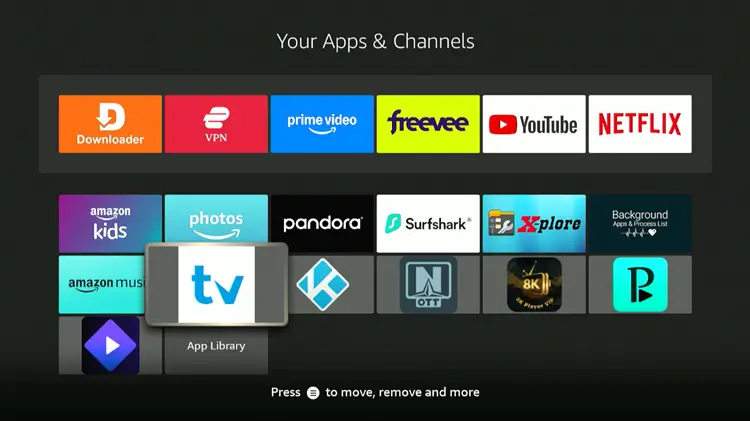
Step 3: Click on Tivimate Player.
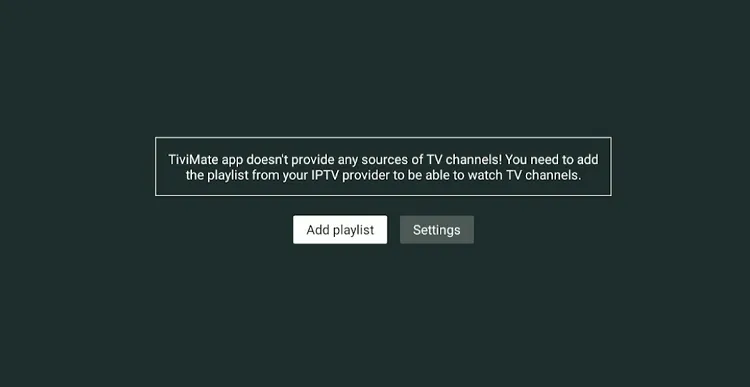
Step 4: Click Add Playlist.
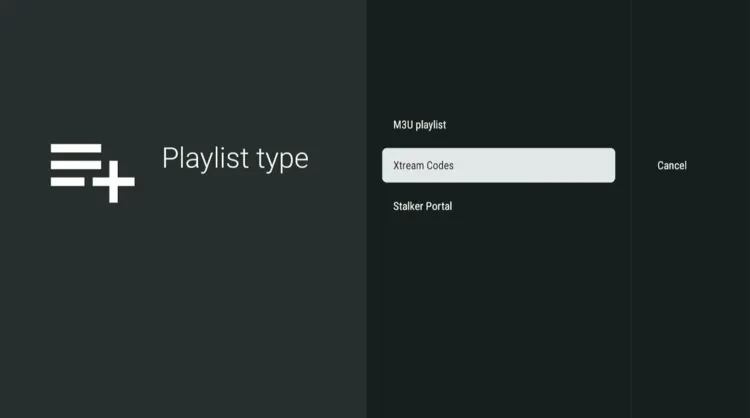
Step 5: Click on Xtreme Codes.
Step 6: Enter the Server address, Username, and Password provided by the service provider.
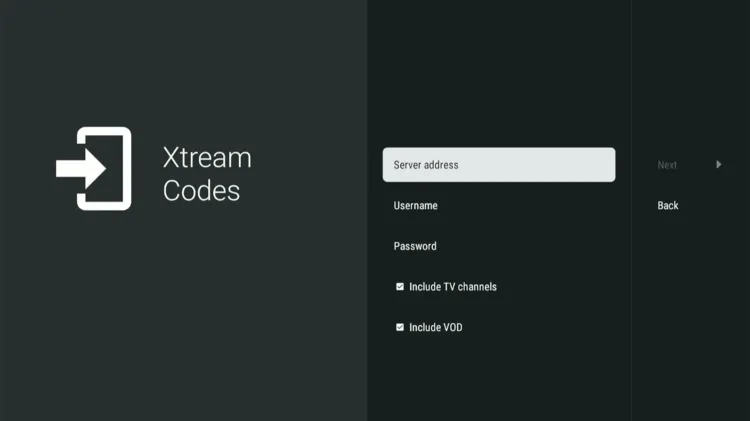
Step 7: Click Next. The playlist will be updated. Click Done.
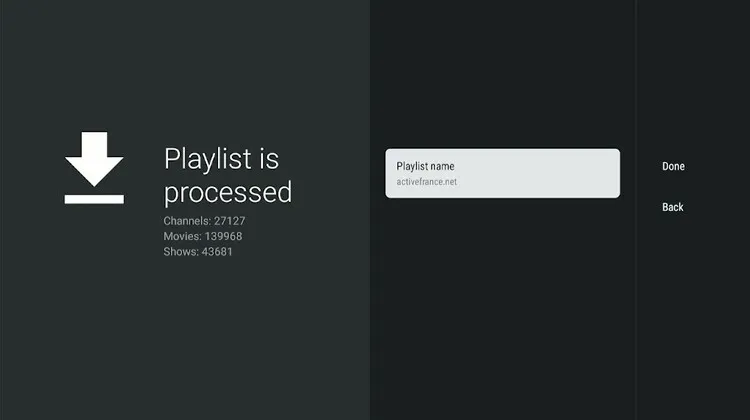
Step 8: Lemo IPTV has been successfully installed.
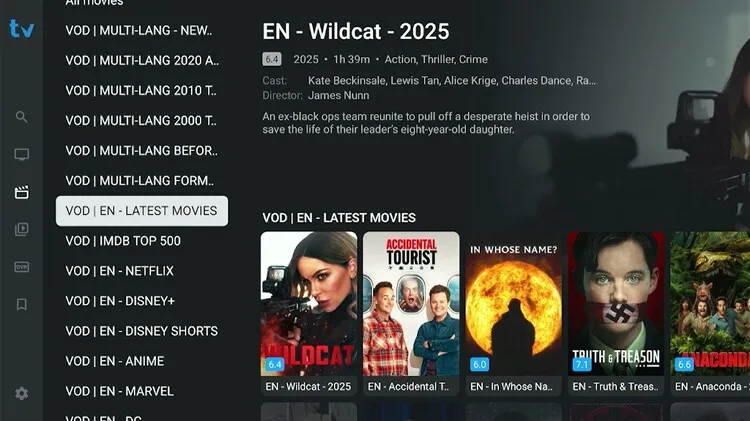
Step 9: Enjoy streaming!