


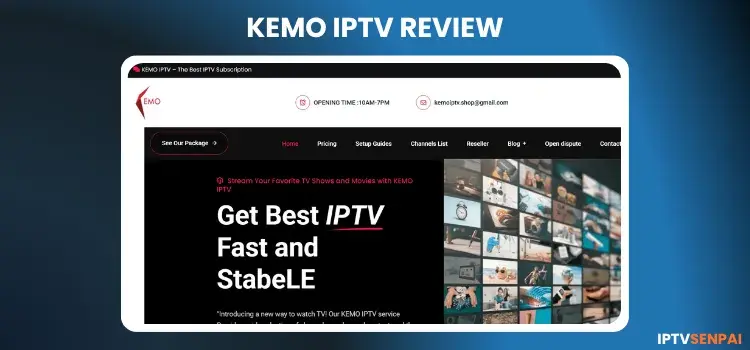
Kemo IPTV is an unverified IPTV service operating for 3+ years. Its library consists of 15,000+ live TV channels, 130,000+ movies and 30,000+ TV series, and PPV events in SD and Full HD resolutions. However, occasional buffering might occur. I re-tested the service in 2026, and it works fine.
Since Kemo IPTV operates as an unverified streaming service, I highly recommend using a trusted VPN. This protects your data privacy, prevents ISP throttling, and ensures seamless streams. The Surfshark is ideal for optimal, uninterrupted viewing performance.
Recommended VPN for IPTV - Surfshark

Using IPTV without a VPN can put you at Big Risk! Your ISP, government and even IPTV providers can monitor your activity, throttle your speed, or block access altogether.
Plus, without encryption, your data is exposed to hackers and third parties. Take back your privacy with Surfshark!
Features:
✅ SAVE 87% + GET 3 EXTRA MONTHS FREE! ($0.06/day)
✅ Kill Switch Feature to protect you if VPN drops
✅ Lightweight app ensuring smooth performance on All IPTV Boxes
✅ Unlimited simultaneous connections (install on all household devices)
✅ 30-day risk-free money-back guarantee
✅ Strict no-logs policy, Secure & Untraceable
Official Website of Kemo IPTV
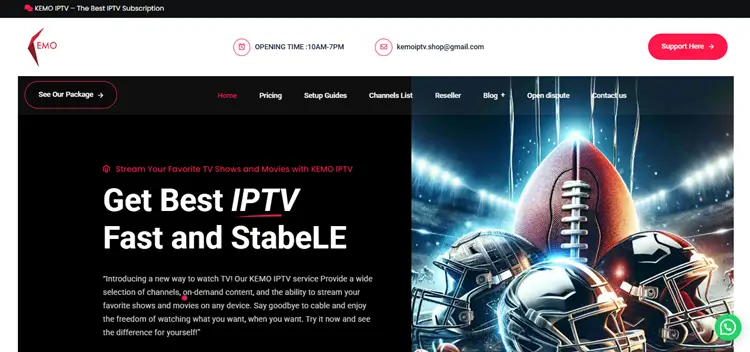
Many clone websites and similar names exist, trying to scam users. Therefore, always verify the site’s layout using a screenshot above before entering any personal or payment information. This ensures you are interacting with the genuine streaming platform.
To maintain top security, users should double-check the URL and directly visit the official website kemoiptv.shop. Direct hyperlinks are excluded here due to regulatory safety guidelines, so manually enter the address to stay safe.
Does Kemo IPTV Offer a Free Trial?
Yes, Kemo IPTV provides a 24-hour free trial giving you complete access to its live TV, VOD library, and PPV sections. This allows you to thoroughly evaluate the platform’s buffering and stream quality before purchasing a plan.
To claim this trial, visit their official website and submit the contact form with your email address. Upon requesting, I received my login details, including the M3U link, directly to my inbox within a few hours.
Quick Overview of Kemo IPTV
- Free Trial: Yes, 24-hour
- Subscriptions: Start at $14/month (1 device)
- Connections: Up to 5 devices (extra cost)
- Live Channels: 15,000+ live TV
- PPV: Included
- VOD Content: Movies & TV shows
- Streaming Quality: SD/HD available
- Payment Methods: Credit/Debit Card and PayPal
- Compatible Devices: FireStick, Android TV, Smart TVs, Onn. Box, Windows, iOS, and all M3U/Portal-supported devices
- Compatible Player: Works with TiviMate, Smarters Pro, and more
- Customer Support: Email & WhatsApp
Pros & Cons
| Pros | Cons |
|---|---|
| ✓Over 18,000 live channels with global coverage | —No live chat or chatbot support |
| ✓Includes PPV events without extra cost | —Pricing increases steeply with more devices |
| ✓Works with TiviMate, Smarters Pro, and more | —No dedicated Kemo app for any platform |
| ✓Organized channel layout with working EPG | —No bundled plans for multi-device users |
| ✓24-hour free trial available | —No refunds or service guarantee |
How to Set Up Kemo IPTV
To install Kemo IPTV on your streaming device, follow the instructions below. I am using FireStick.
1. Sign Up for a Free Trial/Subscription Plan.
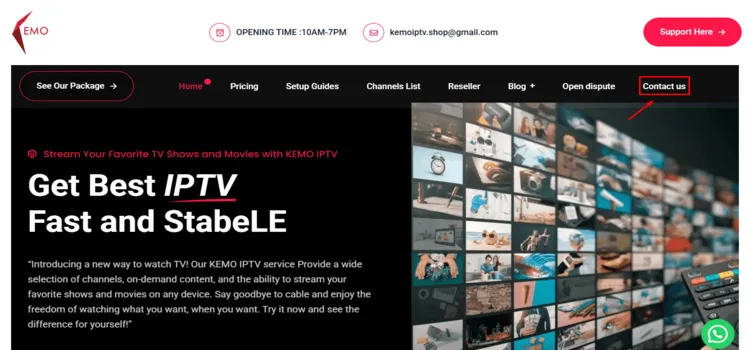
Step 1: Visit kemoiptv.shop and click “Contact Us”.
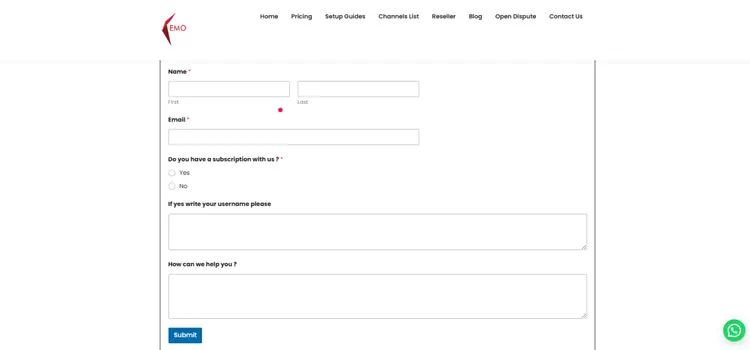
Step 2: Fill out the form with your name, email, and message for a free trial, or email kemoiptv.shop@gmail.com directly.
Step 3: You will receive your trial details, including the M3U link, via email shortly.
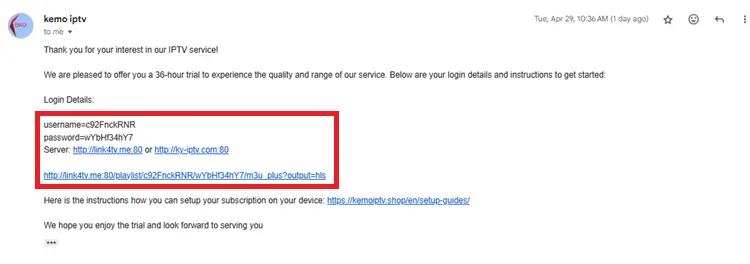
Step 4: To purchase a plan, scroll to the Pricing Section.
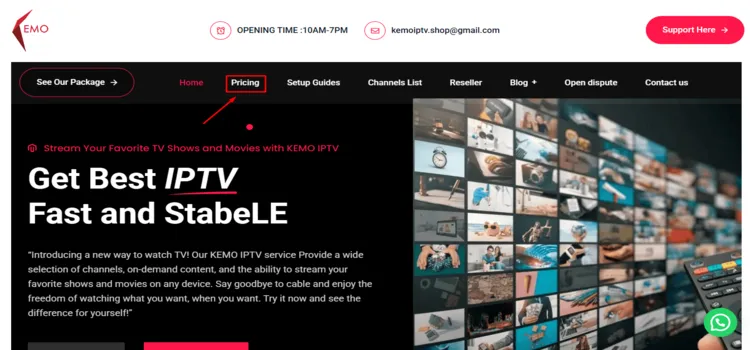
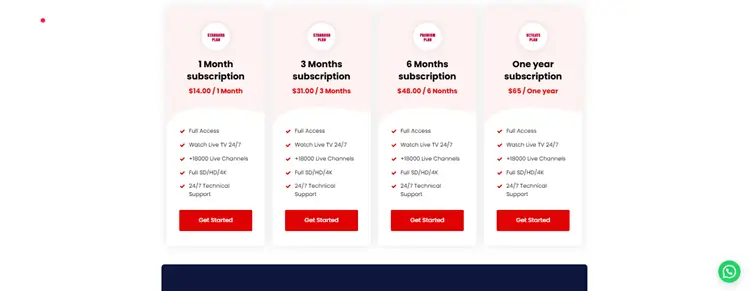
Step 5: Choose your preferred plan (1 month, 3 months, 6 months, or 1 year).
Step 6: Fill out the checkout form and submit your order. You will receive your login credentials.
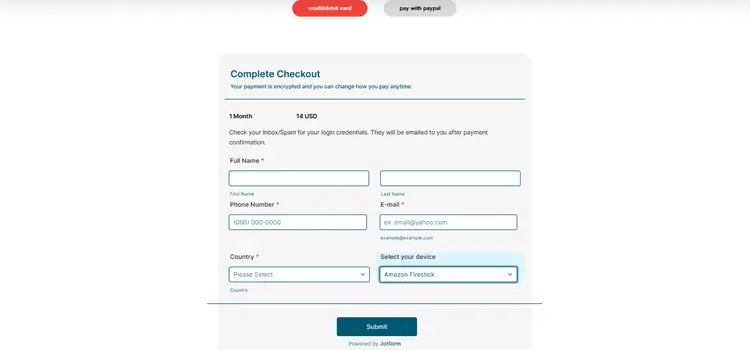
2. Connect to a VPN & Set Up Your Player
It works well on FireStick, Android, and iOS devices. Just enter the M3U URL or Xtream Codes you receive after subscribing to start watching. I am using Tivimate to test the service.
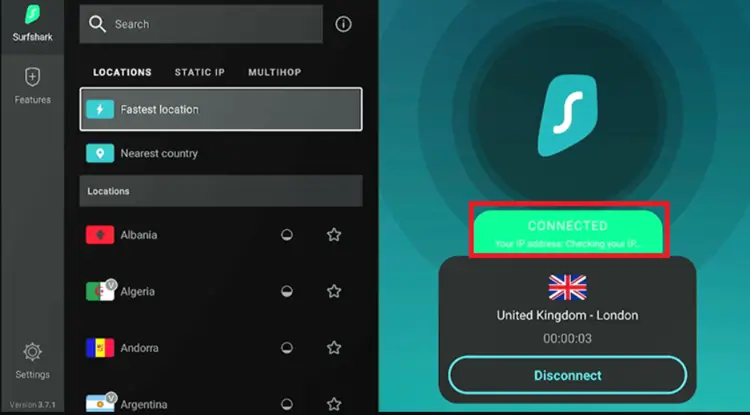
Step 1: Open the Surfshark app and connect to any server.
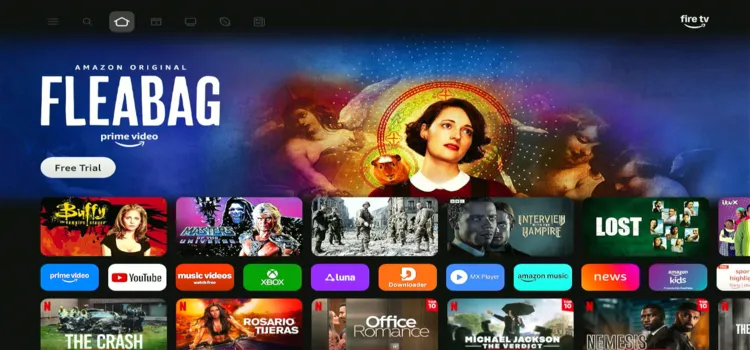
Step 2: Switch on your Fire TV Stick and press the home button. Your interface will be displayed.
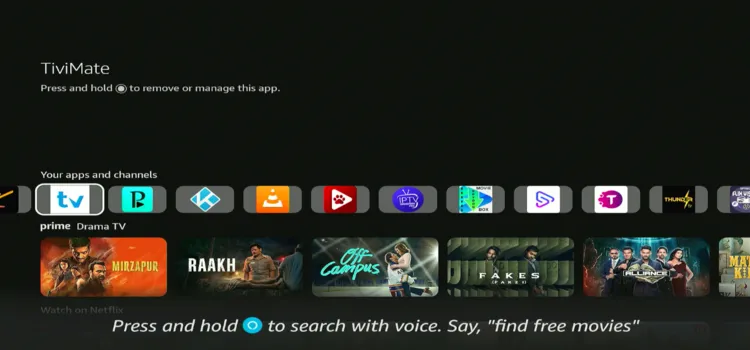
Step 3: Under your apps and channels, choose TiviMate Player app.
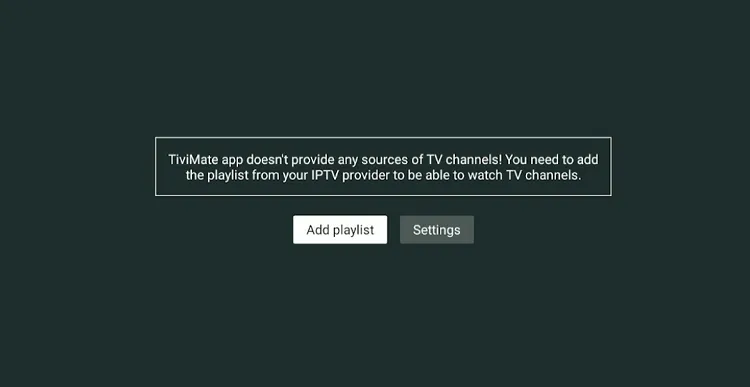
Step 4: Open TiviMate and click “Add Playlist” to begin setup.
Step 5: Select Xtream Codes login instead of M3U Playlist I tested both, and Xtream Codes worked best for Kemo IPTV.
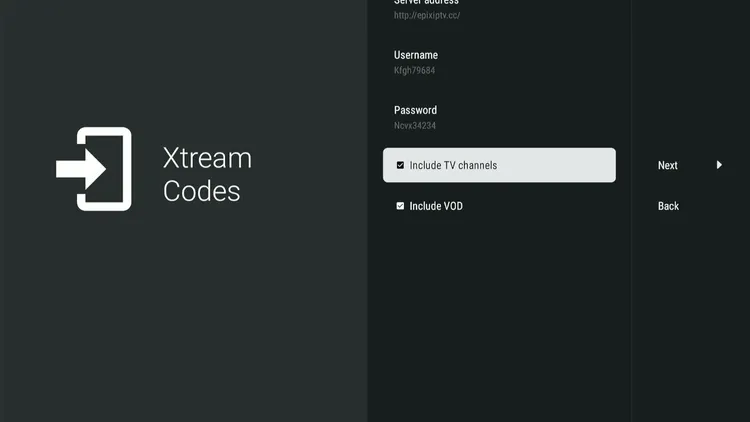
Step 6: Wait a few seconds while TiviMate processes and loads the playlist.
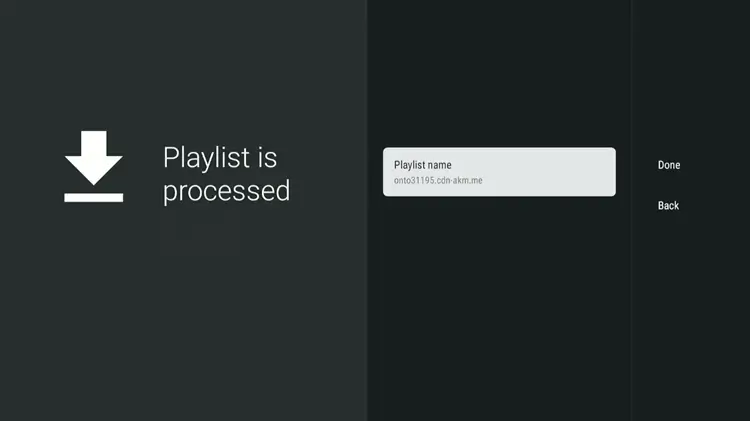
Step 7: Kemo IPTV is now successfully set up and ready to stream.
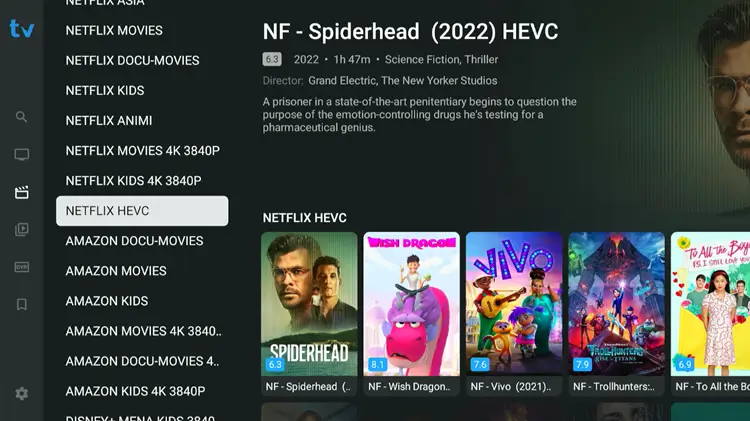
Step 8: Browse the channel list, select your content, and start streaming with Kemo IPTV.
What Can You Stream on Kemo IPTV?
1. Live TV (News & Entertainment)
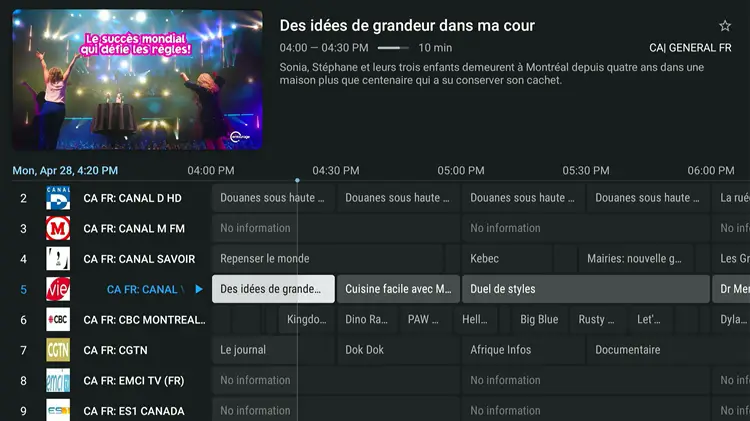
Kemo IPTV presents over 15,000+ live TV channels covering popular categories like news, sports, and entertainment. The content spans major regions including the US, UK, Canada, and Europe. Note that you may experience occasional buffering during live streams.
The service includes a neatly organized Electronic Program Guide (EPG). If you experience lag or geo-restrictions, connecting to a premium VPN like Surfshark can help stabilize your streams and enhance your viewing experience significantly
- Entertainment: AMC, FX, Bravo, Comedy Central, Adult Swim, and other leading networks.
- Movies & Premium: HBO, STARZ, SHOWTIME, Cinemax, and Hallmark.
- News: CNN, BBC News, Al Jazeera, CNBC, Fox News, and other trusted networks.
- Kids & Family: Cartoon Network, Nickelodeon, Disney Channel, and BabyTV.
- Music & Lifestyle: MTV, VH1, Trace Urban, HGTV, Food Network, and Discovery Life.
2. Live Sports
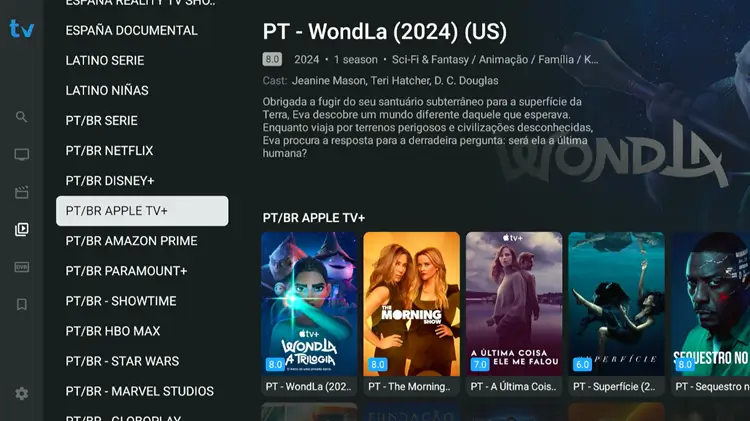
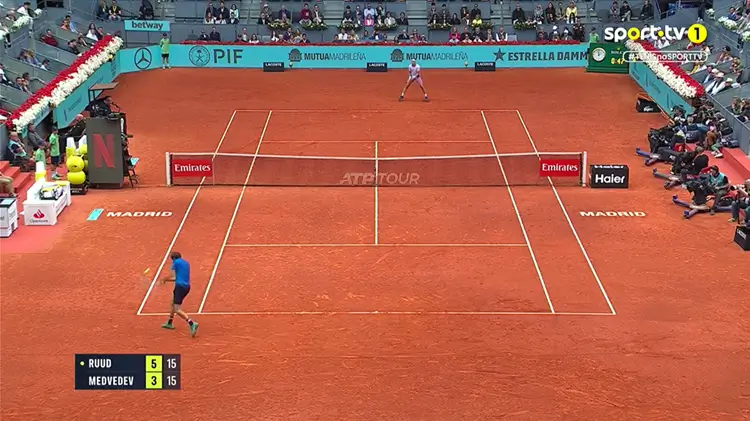
Sports fans get exceptional coverage with access to major networks. You can watch top sports including football, basketball, tennis, UFC, and motorsports live. The service also features an exclusive PPV section that activates during major live matchups.
Major international broadcasters like ESPN, beIN Sports, Sky Sports, and Eurosport are included. The sports commentary is available in multiple languages, making it incredibly accessible for global audiences looking to stream live events seamlessly
PPV
Kemo IPTV includes a dedicated PPV section for major events such as UFC, MMA, boxing, WWE, football, basketball, and other special events. These event-based channels only become active when a scheduled PPV begins; otherwise, they may appear inactive or display “No information.”
How Much Does Kemo IPTV Cost?
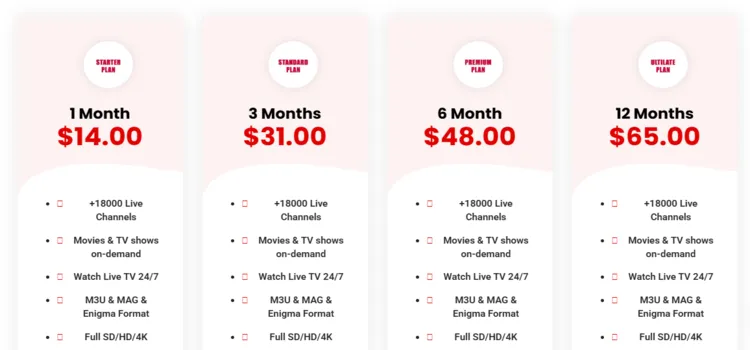
Kemo IPTV provides highly competitive pricing plans, starting at $14/month for a single device. Each subscription unlocks complete access to live channels, VOD content, and major PPV events. The platform also offers a 24-hour free trial and multi-device connections.
Users can expand their plan to support up to 5 connections at an extra cost. Payments are securely processed via Credit/Debit Cards and PayPal, offering a smooth and hassle-free checkout process.
| Plan | 1 Device | 2 Devices | 3 Devices | 4 Devices | 5 Devices |
|---|---|---|---|---|---|
| Starter Plan (1 Month) | $14.00 | $25.00 | $34.00 | $44.00 | $52.00 |
| Standard Plan (3 Months) | $31.00 | $58.00 | $71.00 | $81.00 | $95.00 |
| Premium Plan (6 Months) | $48.00 | $84.00 | $98.00 | $134.00 | $159.00 |
| Ultimate Plan (12 Months) | $65.00 | $115.00 | $135.00 | $155.00 | $185.00 |
Is It Safe to Use Kemo IPTV?
Kemo IPTV operates as an unverified IPTV service, meaning it lacks official licensing. While no malicious behavior was detected during testing, streaming via unregulated providers inherently carries data privacy risks and potential legal concerns regarding content broadcasting.
To protect your personal information, I highly recommend running a verified VPN. The Surfshark masks your IP address, completely encrypts your online data, and ensures you bypass ISP throttling safely while streaming.
How Is Kemo IPTV’s Customer Support?
Kemo IPTV delivers customer support primarily through their website’s contact form, email, and WhatsApp. While they do not feature a live chat, the support team is helpful. I received my free trial response within just a few hours.
Which Devices Support Kemo IPTV?
The Xtreme HD IPTV app is compatible with the following devices:
- Firestick
- Android Smartphones & Tablets
- Onn. Stream device
- Smart TV
- Web Browser
Kemo IPTV Alternatives
FAQS
1. How many devices can I use Kemo TV IPTV?
You can use up to 5 devices, but each device costs extra.
2. Does Kemo TV IPTV offer a free trial?
Yes, it offers a 24-hour free trial through email.
3. Does Kemo TV IPTV support EPG and catch-up?
It supports EPG but does not offer catch-up TV.
4. Which payment methods are accepted?
Payments can be securely made via Credit/Debit Cards and PayPal.
My Final Verdict for Kemo IPTV
After testing Kemo IPTV, I would like to say it holds up well for the price. You get access to a large library of live TV, VOD library, and working PPV sections. They offer a 24-hour free trial.
Because Kemo IPTV operates without official verification, security is paramount. Ensure your connection is safely encrypted by Surfshark to block trackers, secure your data, and prevent your ISP from throttling your internet speeds.

