ReviewsIPTV Nexus Review | 26K+ live TV, 180K+ Movies/Series

IPTV Nexus Review | 26K+ live TV, 180K+ Movies/Series

spot_img

IPTV-NEXUS-REVIEW-1 (1)

IPTV Nexus service is a new IPTV service that has been operating for less than a year. Its large library features more than 132,000+ movies, 53,000+ TV series, and 26,000+ live TV channels. 

Most of the IPTV Nexus programming is from North America, Europe, and Asia. The service offers a 24-hour free trial. The service supports high-resolution streaming in SD, HD, and FHD.

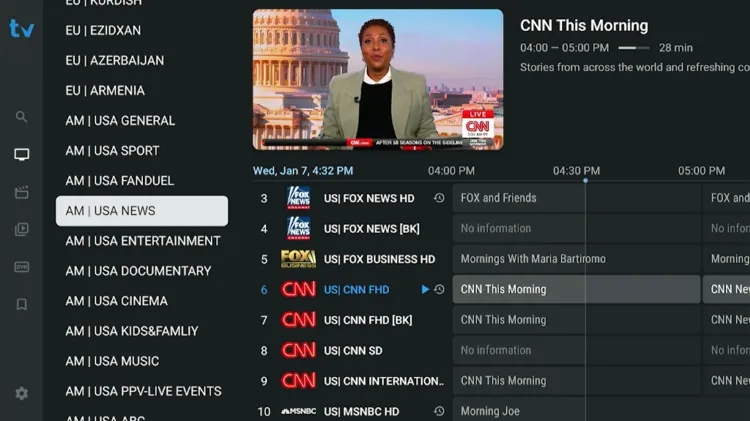
Electronic Program Guide (EPG) is mostly available for U.S and U.K channels for news and entertainment categories. It is mostly missing from sports categories.

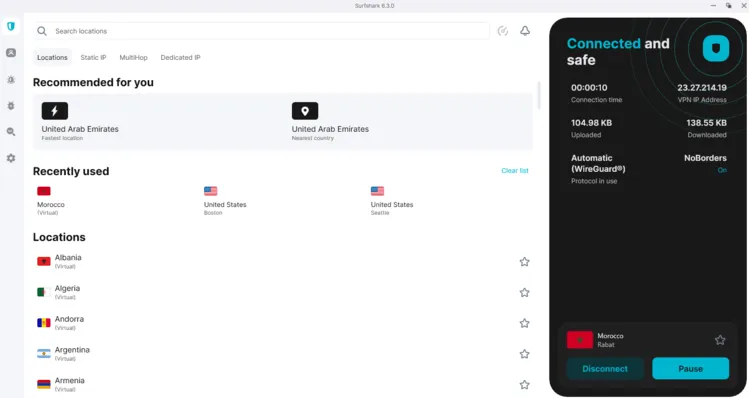
IPTV Nexus is an unverified service. Therefore, I don’t stream without Surfshark. Also, the service worked best when I connected to the Morocco server on Surfshark.

Surfsahrk warning

Using IPTV without a VPN can put you at Big Risk! Your ISP, government and even IPTV providers can monitor your activity, throttle your speed, or block access altogether.

Plus, without encryption, your data is exposed to hackers and third parties. Take back your privacy with Surfshark!

Features:

✅ SAVE 87% + GET 3 EXTRA MONTHS FREE! ($0.06/day)
✅ Kill Switch Feature to protect you if VPN drops
✅ Lightweight app ensuring smooth performance on All IPTV Boxes
✅ Unlimited simultaneous connections (install on all household devices)
✅ 30-day risk-free money-back guarantee

✅ Strict no-logs policy, Secure & Untraceable 

Get Surfshark

Official Website of IPTV Nexus

iptv-nexus-official-website

Unlike other IPTV services that have clone websites or have similar names, IPTV Nexus is easy to find on Google search. Due to regulatory and compliance reasons, I cannot provide a hyperlink to the website. Therefore, manually visit the website iptvnexus.tv.

Before making a purchase and for a safer transaction, verify the website layout with the service provider using the screenshot above. This will help avoid an IPTV Scam that could put your data or payment at risk.

Does IPTV Nexus offer a free trial?

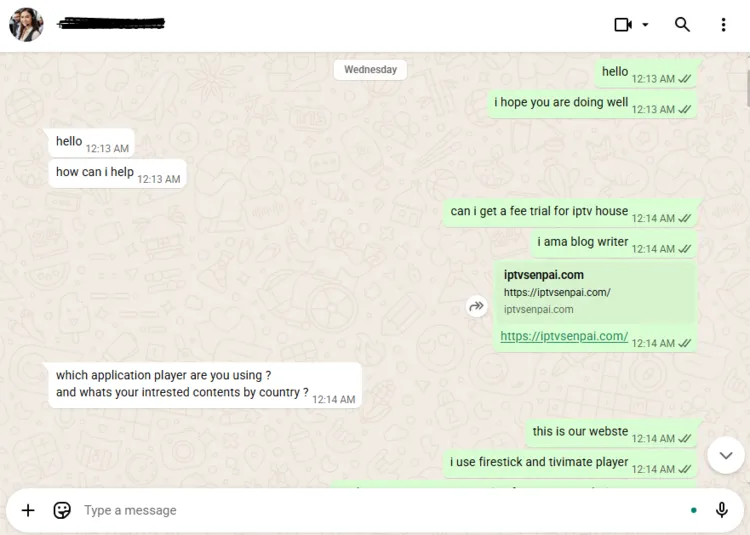
Yes. IPTV Nexus offers a 24-hour free trial. You can request it through WhatsApp by chatting with the service provider. They will send you the login credentials within few minutes.

IPTV Nexus Features

  • Trial: 24-Hour Free Trial.
  • Subscriptions: Starts at $35.00/3 months
  • Connections: Upto 5 devices depending on subscriptions
  • Live Channels: Over 26,000+ live channels
  • PPV: Yes
  • VOD Content: 132,000+ movies and 53,000+ series.
  • Streaming Quality: HD, FHD, UHD, 4K
  • Payment Methods: Debit/Credit Card | Paypal | Cryptocurrency
  • Compatible Players: Tivimate, IPTV Smarters Pro, Sparkle player
  • Compatible Devices: Smart TV, PC, Mac, Apple (iPhone, iPad, Apple TV), Amazon Firestick, IPTV box, Android phones, tablets, Android box, MAG, and STB Emulator.
  • Customer Support: Very Responsive. (Available through WhatsApp, Telegram and Email).

Pros & Cons 

ProsCons
Large VOD libraryTV Guide is mostly missing for sports
Multi device supportRegional Restrictions: Works best with Morocco server
Supports high quality resolutions (SD, HD, FHD, 4K).Little bit buffering for live TV channels
Fast Customer Service
Rarely any buffering for VOD content

How to Get IPTV Nexus

Follow the steps below to set up IPTV Nexus on your Amazon FireStick.

1. Sign Up for a Free Trial/Subscription Plan. 

Step 1: Visit the official website at iptvnexus.tv. Click on the WhatsApp chat support icon below on the right side, and request a free trial. 

iptv-nexus-WhatsApp-icon

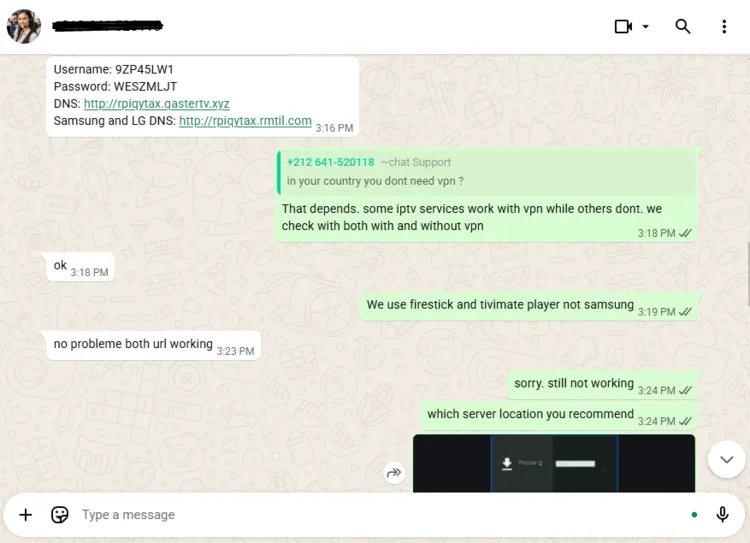
Step 2: Within few minutes, you will receive a free trial within a few hours. The support team will provide you M3U URL and Xtreme Codes to your WhatsApp. 
iptv-nexus-login credentials

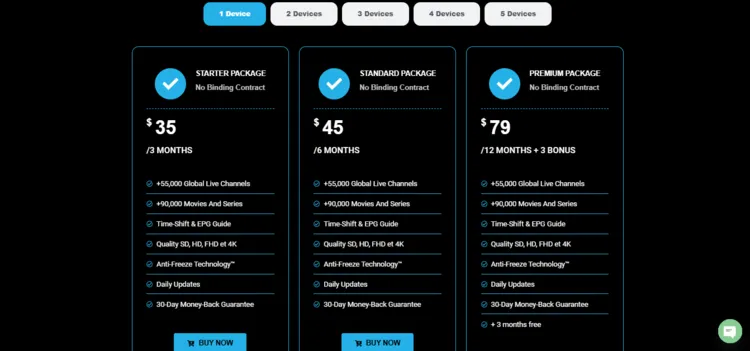
Step 3: If you want to purchase a subscription, scroll down the page until you see the Subscription Plans. Once you’ve found the package that suits your needs, simply click Buy Now.
iptv-nexus-pricing-plans

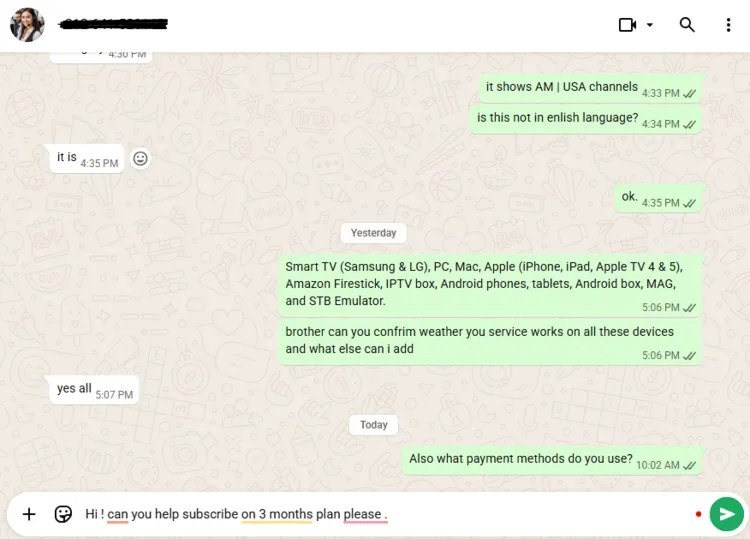
Step 4: A WhatsApp window will open. Chat with the service provider. The team will send you login credentials within minutes.
iptv-nexus-subscribtion-plan-step-4

2. Connect to VPN & Enter Login Credentials on your Player.

Step 1: Open the Surfshark app and connect to any Server.
IPTV-Nexus-morocco-server

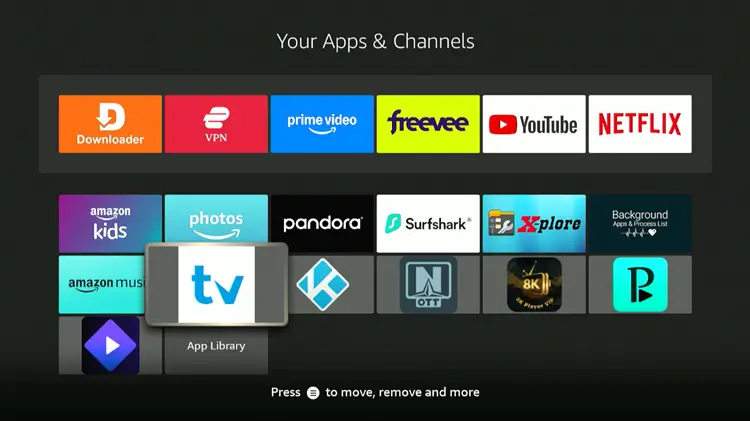
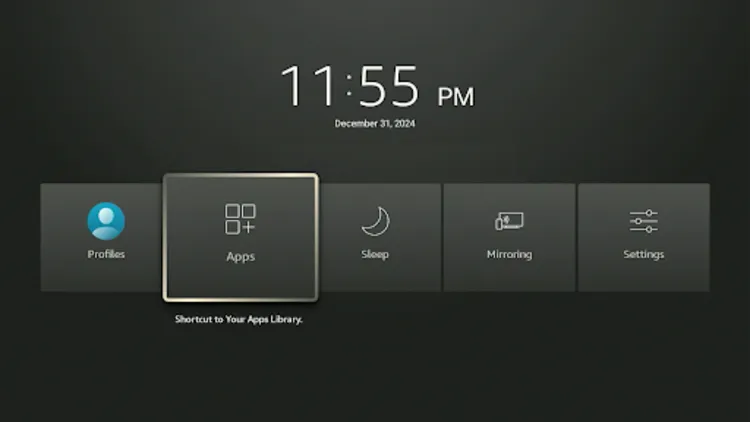
Step 2: Turn your Fire TV Stick on and long-press the Home button, and click Apps.
How-to-get-tivimate-live-iptv-3

Step 3: Click on Tivimate Player.

Tivimate-Player

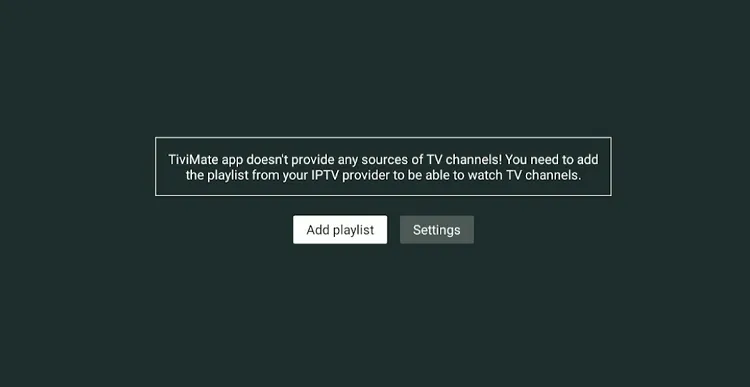
Step 4: Click Add Playlist.

Playlist-Tivistation-HD-IPTV-11

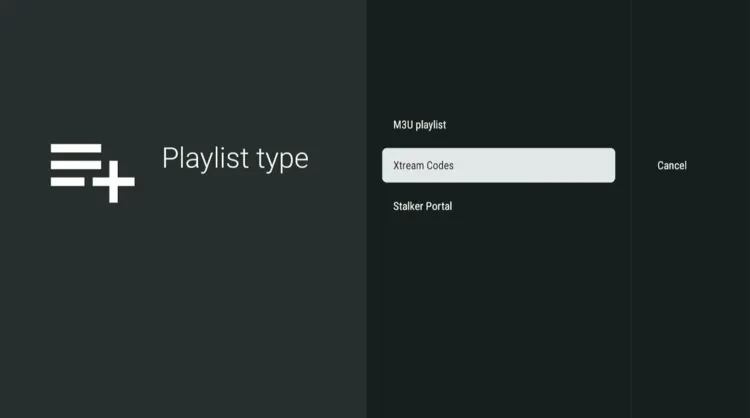
Step 5: Click on Xtreme Codes.

xtreme-codes-1

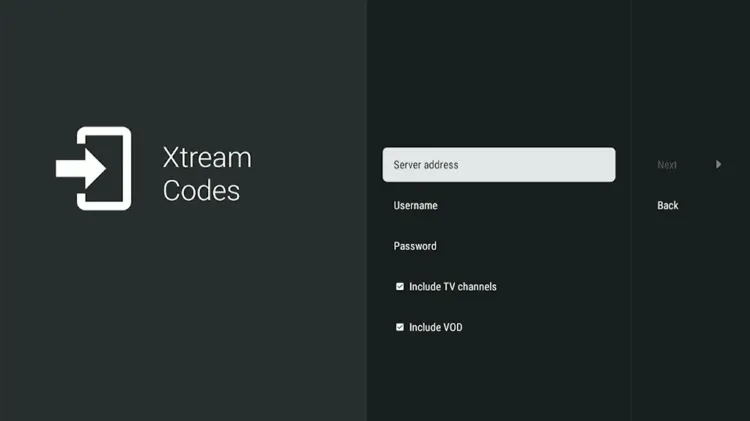
Step 6: Enter the Server address, Username, and Password provided by the service provider.
greatest-iptv-extreme-codes

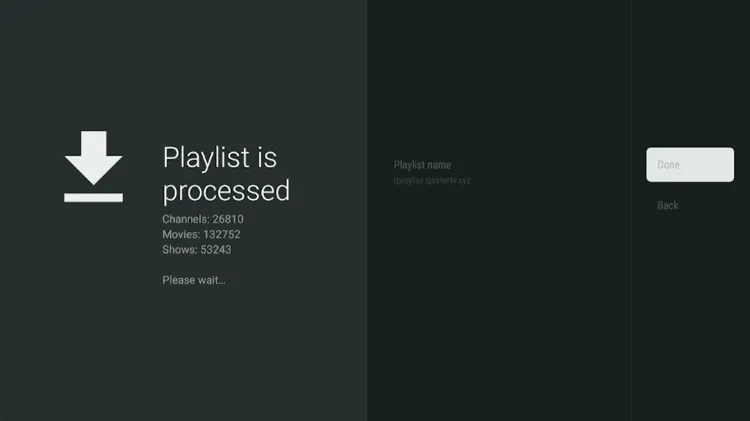
Step 7: Click Next. The playlist will be updated. Click Done.
iptv-nexus-playlist-has-updated

Step 8: IPTV Nexus has been successfully installed.
iptv-nexus-successfully-installed

Step 9: Enjoy streaming!

iptv-nexus-enjoy-streaming

Get Surfshark & Stay Private

1. Live TV

iptv-nexus-live-tv

IPTV Nexus offers over 26,000+ live TV channels to users. It features news, movies, TV series, sports, lifestyle, and entertainment.

The service specializes in high-quality programming from North America, Europe, and Asia, featuring major networks from the U.S, Europe, and the Middle East in multiple languages, mostly in English, Spanish and Arabic.

There were few buffering issues during streaming but not much. If it happens, use a premium VPN such as Surfshark asSurfshark is my #1 pick. because it secures data and optimizes connection for a smoother and buffer-free experience.

2. Live Sports 

iptv-nexus-live-sports

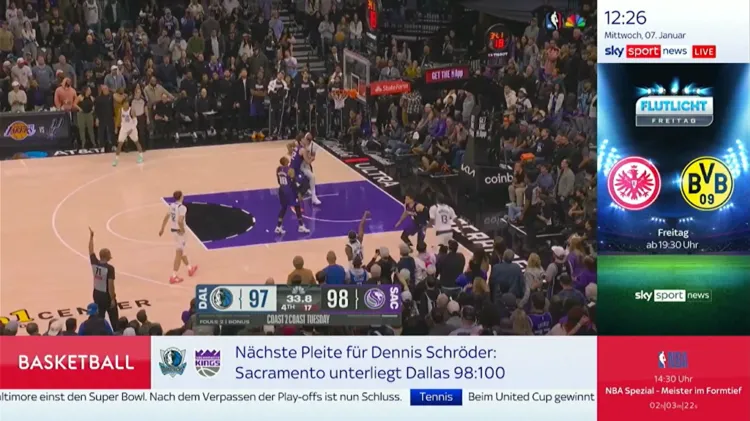
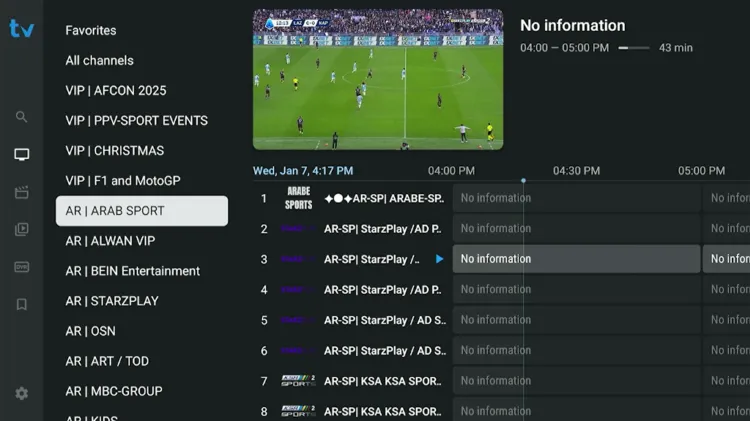
IPTV Nexus offers a wide range of live sports for a global audience. It coverage includes popular sports such as soccer, wrestling, racing, tennis, etc., with broadcasts available in multiple languages, mainly in English, Arabic, etc.

Their channel lineup features some of the top sports networks in the world, such as Starz Play, BeIN Sports, Fox Sports, NBC Sports, etc.

3. VOD 

iptv-nexus-vod

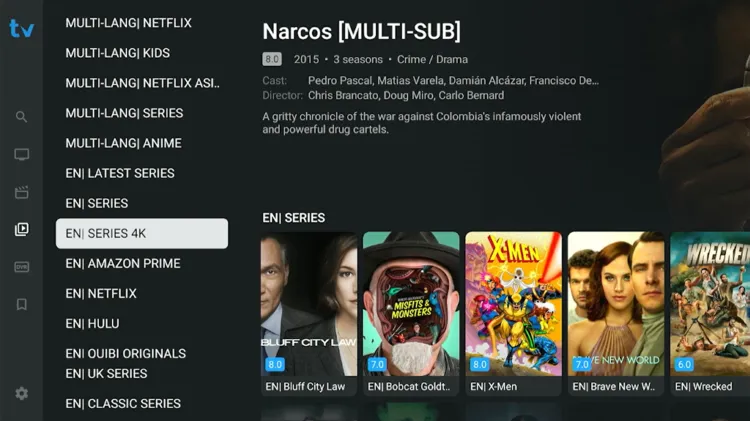
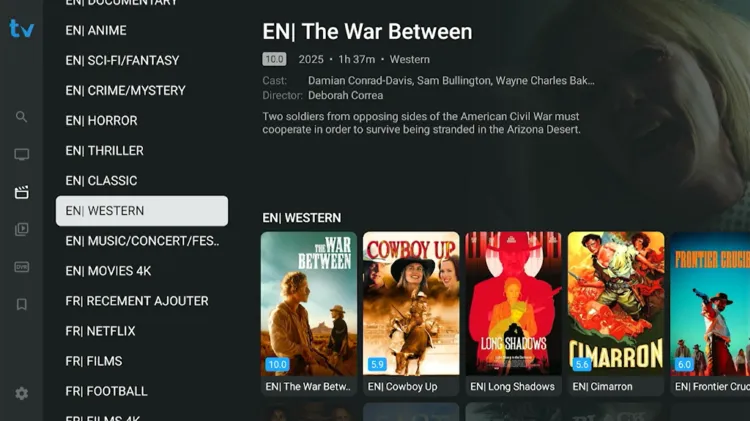
IPTV Nexus has a large VOD library with over 132,000+ movies and 53,000+ TV series, across different genres such as Action, Crime, Thriller, Horror, Drama, Romance etc. It rarely faced any buffering issues.
It also features documentaries from renowned channels like the Discovery Channel and National Geographic. The movies and TV series titles come from popular platforms such as Netflix, Disney+, HBO, Apple+, etc.

How much does IPTV Nexus Cost?

iptv-nexus-pricing-plans

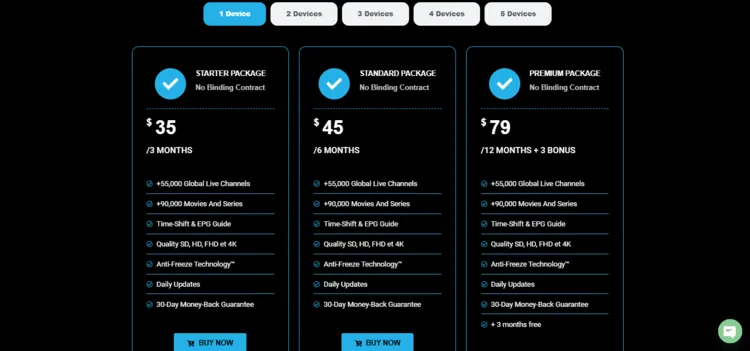
IPTV Nexus offers 3 subscription plans, offering up to 5 devices. All plans include access to live TV, VOD content, and PPV Events. The service offers a 24-hour free trial to new users.

Here are the pricing plans:

Plan DurationStarter PackageStandard PackagePremium Package
1 Device$35 / 3 Months$45 / 6 Months$79 / 12 Months + 3 Bonus
2 Devices$65 / 3 Months$79 / 6 Months$119 / 12 Months + 3 Bonus
3 Devices$79 / 3 Months$99 / 6 Months$149 / 12 Months + 3 Bonus
4 Devices$85 / 3 Months$110 / 6 Months$199 / 12 Months + 3 Bonus
5 Devices$99 / 3 Months$129 / 6 Months$249 / 12 Months + 3 Bonus

For payments, IPTV Nexus accepts Debit/Credit cards, PayPal and cryptocurrency.

IPTV Nexus is an unverified IPTV service. It’s important to use it cautiously because many countries are cracking down on unregulated streams due to regulatory and legal issues.

In order to protect your privacy, I recommend a premium VPN like Surfshark to users. It masks users’ IP addresses, encrypts data, protects their personal information from third parties, and helps safeguard their personal data while streaming.

To maintain total anonymity, I suggest using a premium VPN like Surfshark. It hides IP address and encrypts traffic, which prevents third parties from tracking user activity. It guarantees private and stable streaming for users.

Get Surfshark & Stay Private

How is IPTV Nexus Customer Support? 

iptv-nexus-customer-support

IPTV Nexus features a WhatsApp and Telegram chat support icon accessible at the bottom of its website. Their support team is known for quick and detailed responses. They will send you the free trial within a few minutes.

They have also provided an email on their website. It’s recommended to use an anonymous email for safe streaming.

IPTV Nexus Alternatives

FAQs

1. Is it compatible with my device?

IPTV Nexus is compatible on almost all devices, including Smart TV (Samsung, Sony, LG, etc.), Android devices (STB, phone), Apple TV, iPhone, STB emulator app, Fire Stick, etc.

2. How to install my IPTV subscription?

After making the payment for IPTV subscription, the team will send IPTV installation email with your access information and installation instructions for all types of devices and applications.

3. What are the payment options?

Users can pay using Debit/Credit Card, Paypal or cryptocurrency. There are no hidden fees.

My Final Verdict for IPTV Nexus

IPTV Nexus is a very good IPTV service in the streaming market that provides a large catalogue of movies, TV series, and live TV in multiple languages.

They offer 24-hour free trial. It provides highly responsive customer support through WhatsApp and Telegram. However, their EPG is mostly limited to U.S. and U.K. channels for news and entertainment, and it is largely missing from the sports categories.

Always use a premium VPN like Surfshark before streaming. This will protect your privacy from third parties, prevent ISP throttling, and secure a buffer-free streaming experience.

Samuel Morris
Samuel Morris
Hi, I’m Samuel Morris, creator of IPTV Senpai and founder of a thriving IPTV Reddit community. I test IPTV services, devices, and VPNs to help you stream smarter.

You might also like...