


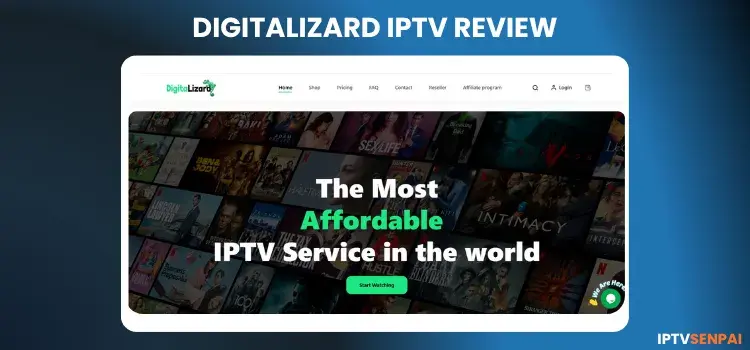
Digitalizard IPTV is a 3-year+ IPTV service offering over 27,000+ live TV, 150,000+ movies, and 60,000+ TV Series. It streams in FHD, HD, and SD quality. Since it is an unverified provider, users frequently report buffering issues and channels failing to load properly.
The free trial only lasts 2 hours, which is very short compared to other IPTV services. It supports Fire TV, Android, and Apple devices, making it easy to watch anywhere. In 2026, I re-tested the service. It still works fine.
Due to these performance inconsistencies and unverified status, caution is necessary. We strongly advise using Surfshark to protect your privacy. This premium VPN helps bypass geo-blocks, stops ISP throttling, and secures your connection while streaming online.
Using IPTV without a VPN can put you at Big Risk! Your ISP, government and even IPTV providers can monitor your activity, throttle your speed, or block access altogether. Plus, without encryption, your data is exposed to hackers and third parties. Take back your privacy with Surfshark! ✅ SAVE 87% + GET 3 EXTRA MONTHS FREE! ($0.06/day)Recommended VPN for IPTV - Surfshark

Features:
✅ Kill Switch Feature to protect you if VPN drops
✅ Lightweight app ensuring smooth performance on All IPTV Boxes
✅ Unlimited simultaneous connections (install on all household devices)
✅ 30-day risk-free money-back guarantee
✅ Strict no-logs policy, Secure & Untraceable
Recommended VPN for IPTV - Surfshark
Using IPTV without a VPN can put you at Big Risk! Your ISP, government and even IPTV providers can monitor your activity, throttle your speed, or block access altogether.
Plus, without encryption, your data is exposed to hackers and third parties. Take back your privacy with Surfshark!
Features:
✅ SAVE 87% + GET 3 EXTRA MONTHS FREE! ($0.06/day)
✅ Kill Switch Feature to protect you if VPN drops
✅ Lightweight app ensuring smooth performance on All IPTV Boxes
✅ Unlimited simultaneous connections (install on all household devices)
✅ 30-day risk-free money-back guarantee
✅ Strict no-logs policy, Secure & Untraceable
Official Website of DigitaLizard
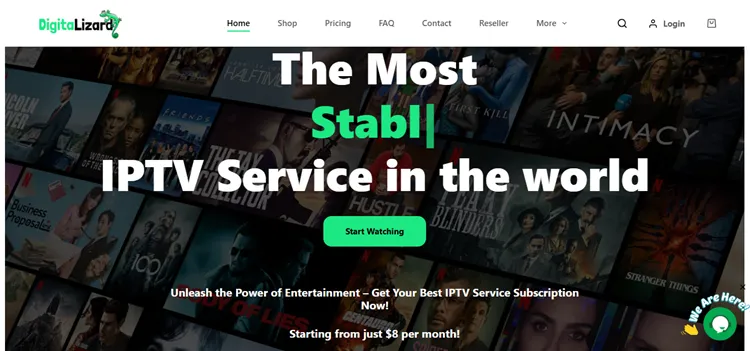
Like many unverified platforms, DigitaLizard IPTV has clones attempting to exploit its brand. Always verify the site’s layout by comparing it with our official screenshot before entering personal or payment information to avoid malicious scams.
For maximum security, carefully double-check the URL. Users should directly visit the official domain at digitalizard.com. For legal and regulatory reasons, we cannot provide direct hyperlinks to the service.
Does Digitalizard IPTV Offer a Free Trial?
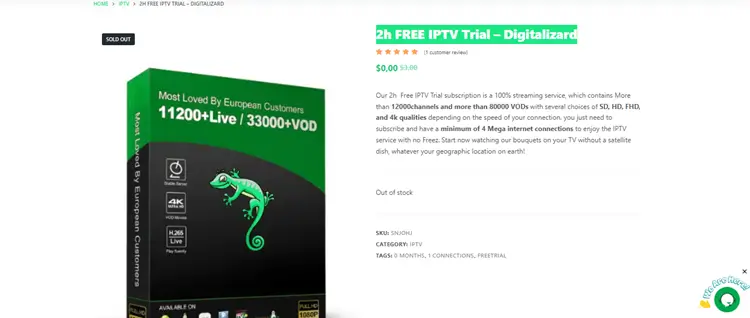
Yes, DigitaLizard IPTV provides a 2-hour free trial for new users. This allows you to thoroughly test the channel selection, features, and overall streaming quality before committing to a paid subscription plan.
Digitalizard IPTV Features
- Free Trial: 2-hour trial for new users
- Subscriptions: Plans start at $8/month.
- Live Channels: 27000+ live TV channels (local and international)
- VOD Content: 150,000+ movies and 60,000+ TV Series
- Streaming Quality: FHD, HD, SD
- Device Compatibility: Smart TVs, Android Box, Firestick, Apple TV, iOS, Android
- Connections: Multiple devices supported (plan dependent)
- VPN Usage: Not required unless IPTV is blocked; recommended for some regions during live sports
- Payment Methods: Credit/debit cards, cryptocurrency
- Customer Support: 24/7 live chat and email
- Additional Features: EPG, catch-up TV, PPV events
- Money-Back Guarantee: 3 to 7-day refund policy
- Activation: Instant or within a few hours after purchase
Pros and Cons
| Pros | Cons |
|---|---|
| ✓Huge channel and VOD library | —Occasional channel downtime. |
| ✓Flexible plans | —Expensive. |
| ✓Multiple Connections | |
| ✓Works with all major devices/Players | |
| ✓24/7 live chat support |
How to Get Digitalizard IPTV
Below are the steps on how to get a free trial for Digitalizard IPTV along with setup procedures. I set it up on a Fire TV Stick, and the process was simple.
1. Get a Free Trial
Step 1: Visit digitalizard.com, open the live chat, and request the free trial. Click the link they provide to get started.
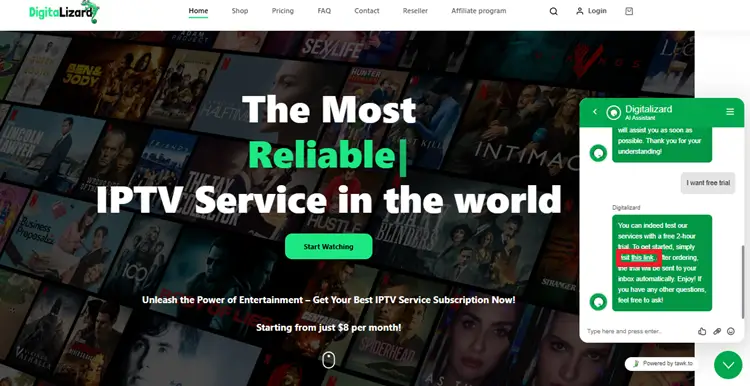
Step 2: After clicking the link provided in the live chat, you’ll be directed to the checkout page for the 2-hour free trial. Complete the checkout process to get started.
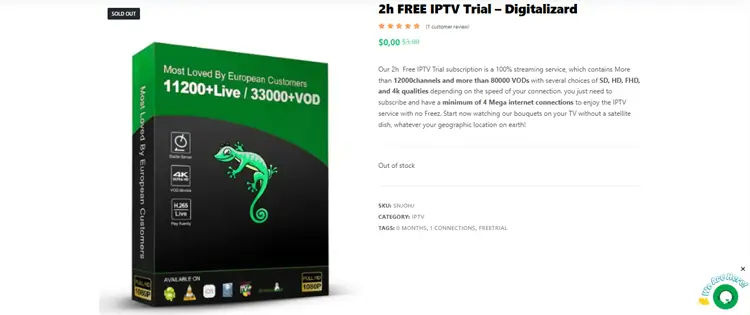
Step 3: If the free trial link says “Out of Stock,” visit the Contact Us page and submit a request for the trial. Support will help you get access.
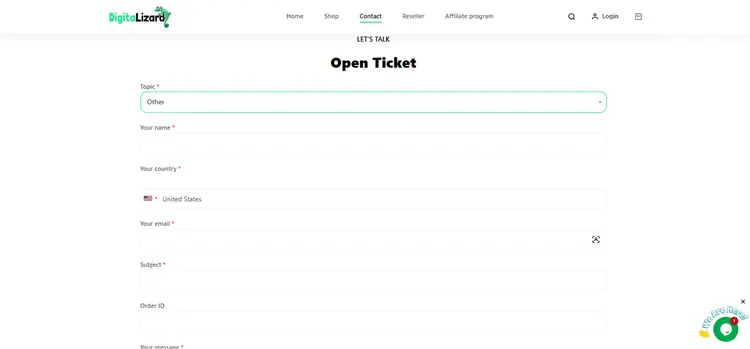
2. Select a Player & Enter Your Login Credentials
Digitalizard IPTV doesn’t have its own custom APK, so you can use any IPTV player. I am using my favorite TiviMate here.
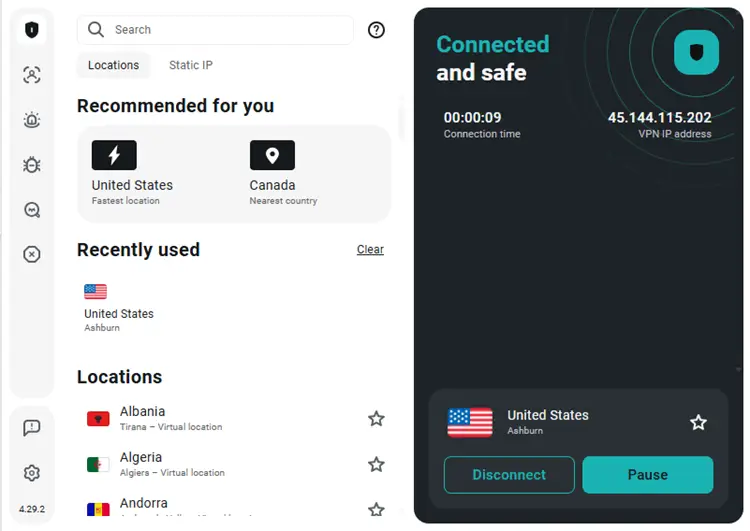
Step 4: Open your Surfshark VPN app and connect to any server.
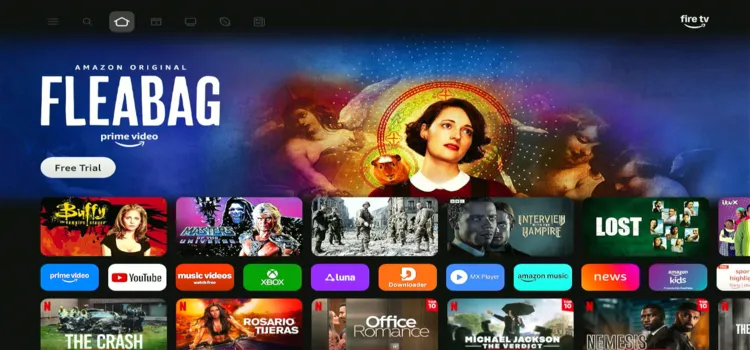
Step 5: Switch on your Fire TV Stick and press the home button. Your interface will be displayed.
Step 6: Under your apps and channels, choose TiviMate Player app.
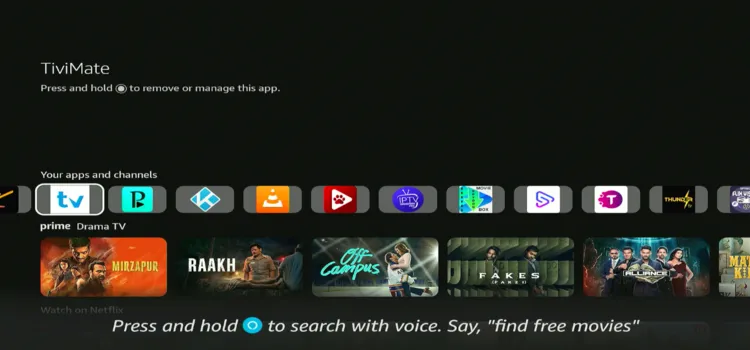
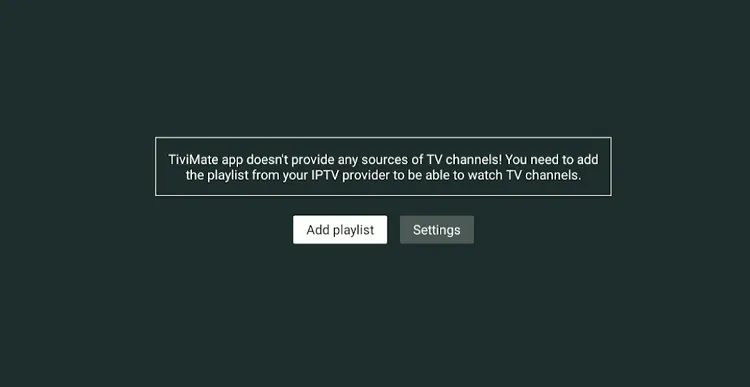
Step 7: Click Add Playlist.
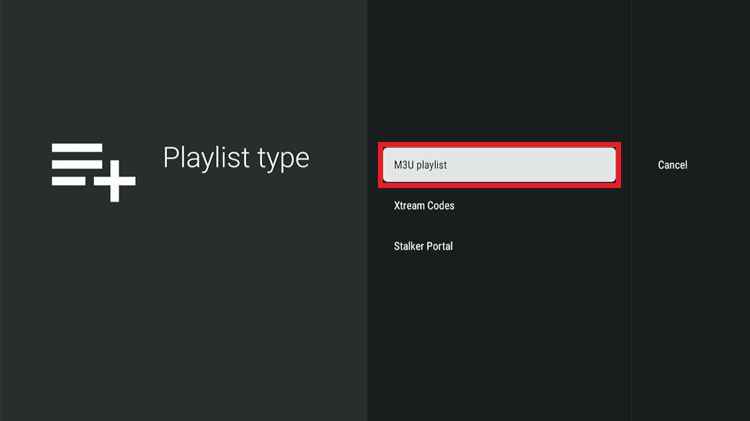
Step 8: Select M3U Playlist.
Step 9: Digitalizard IPTV is successfully set up and ready to stream.
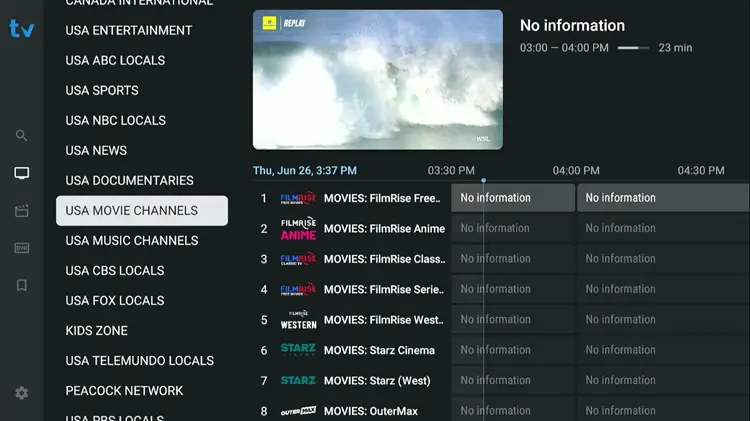
Step 8: Start streaming!

What Can I Watch on Digitalizard IPTV?
1. Live TV
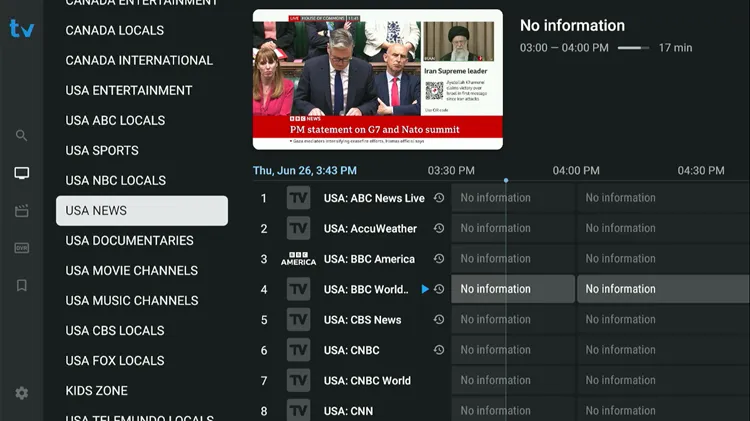
DigitaLizard IPTV grants access to over 27,000 live TV channels worldwide. You will find extensive coverage across North America, Europe, Asia, and the Middle East.
- News: CNN, BBC, Fox News, Al Jazeera
- Kids & Family: Disney, Cartoon Network, Nickelodeon
- Lifestyle: HGTV, Food Network, Travel Channel
- Documentaries: Nat Geo, Discovery, History, Animal Planet
- Sports: ESPN, Sky Sports, DAZN, and more
Channels are grouped by region and category, but many are mislabeled. For example, sports sections often contain entertainment channels, which can be confusing. Despite this large selection, users often experience buffering and failed channel loads.
2. Movies & TV Shows
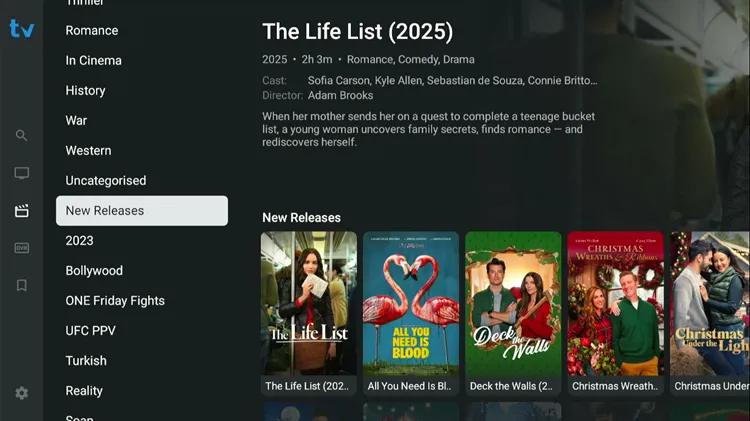
The platform’s VOD library boasts over 150,000+ movies and 60,000+ TV shows. This vast collection features classic films, recent releases, and regional content designed to cater to various entertainment preferences globally.
However, the VOD interface feels cluttered, and several titles are either outdated or fail to play entirely. Because of these playback issues, you might experience frustrating buffering when attempting to watch on-demand media.
3. Pay-Per-View (PPV)
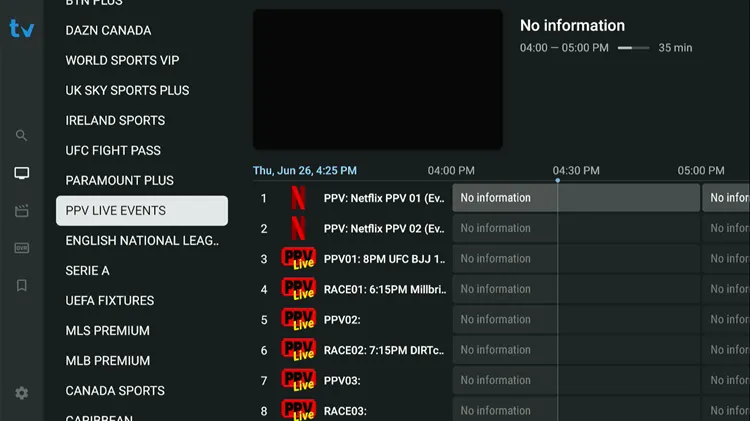
Digitalizard IPTV lists PPV events including UFC, major boxing, and wrestling matches, promising HD streaming and stable connections.
However, many PPV channels remain inactive until events go live, and some advertised events may not stream reliably or appear as scheduled.
DigitaLizard IPTV Pricing
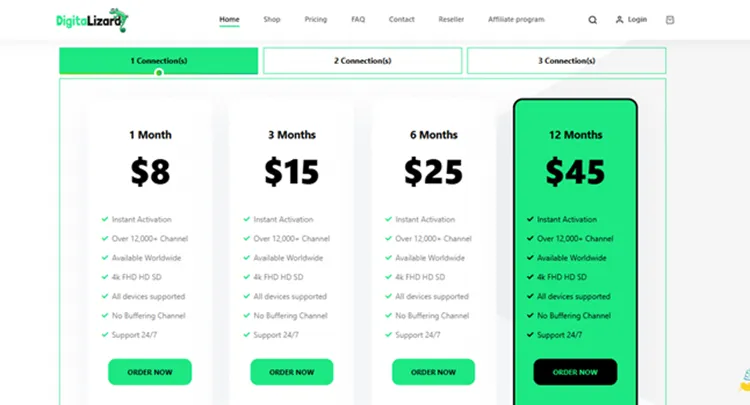
Digitalizard offers different plans; you can select your desired package based on subscription duration and number of connections.
| Subscription Plans | 1 Connection | 2 Connections | 3 Connections |
|---|---|---|---|
| 1 Month | $8 | $16 | $24 |
| 3 Months | $15 | $30 | $45 |
| 6 Months | $25 | $50 | $75 |
| 12 Months | $45 | $90 | $135 |
Is Digitalizard IPTV Legal & Safe to Use?
DigitaLizard IPTV is an unverified service lacking official licensing. Consequently, streaming through this platform could carry legal risks depending on your regional laws. Using unregulated providers can also expose your personal data to unwanted third parties.
To ensure your safety, we highly recommend routing your connection through Surfshark. A premium VPN encrypts your online traffic, masks your IP address, and prevents your ISP or government from tracking your streaming activities.
How Good is DigitaLizard IPTV Customer Support?
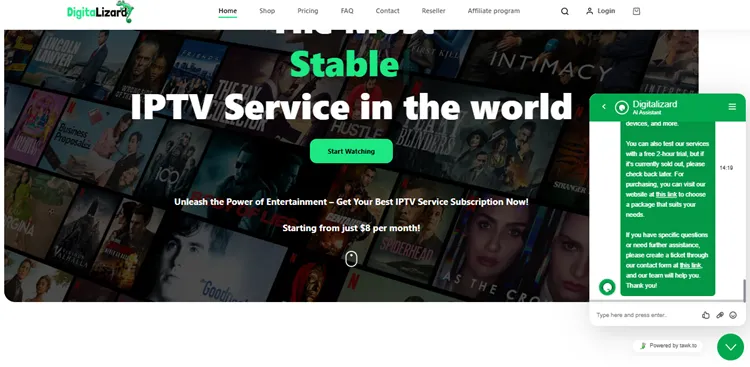 DigitaLizard IPTV provides customer support primarily through a 24/7 live chat feature for immediate assistance. You can also reach out via email if you have complex technical inquiries or billing questions.
For specific complaints or persistent technical problems, users are encouraged to fill out a formal complaint form. This dedicated system helps their support team streamline the resolution process more effectively.
Alternatives to Digita Lizard IPTV
FAQs
1. What devices can I use with Digitalizard IPTV?
Digitalizard IPTV works on Smart TVs, Android and iOS devices, Firestick, MAG boxes, Apple TV, PC, Mac, tablets, and more.
2. How do I fix buffering or playback issues on Digitalizard IPTV?
Ensure a stable, high-speed internet connection, keep your IPTV app updated, check server status, and restart your device if needed
3. Is a VPN required to use Digitalizard IPTV?
No, a VPN is not required for most users, but it is recommended in some regions or for added privacy during live sports events.
4. Does DigitaLizard IPTV offer a free trial?
Yes, new users can request a 48-hour free trial through the live chat feature.
Final Thoughts on DigitaLizard IPTV
DigitaLizard IPTV appeals to users seeking a massive library with 27,000+ live channels and 150,000+ movies and 60,000+ TV Series. However, the frequent buffering issues, mislabeled categories, and inconsistent PPV streams may severely frustrate dedicated streaming enthusiasts.
Because it is an unverified IPTV service, maintaining your security is essential. Always ensure your connection is protected by Surfshark to safeguard your privacy, bypass potential geo-restrictions, and potentially improve your overall streaming stability.

