


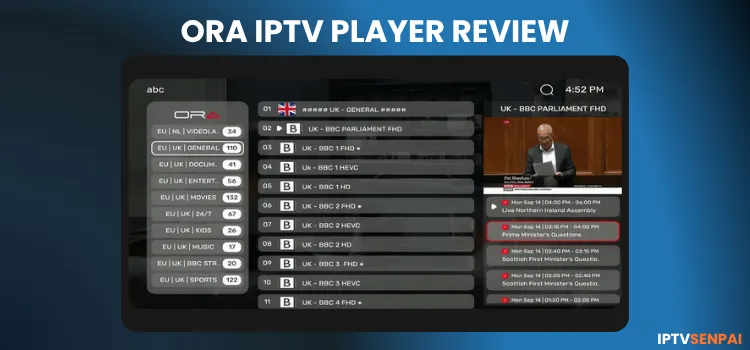
ORA IPTV Player is a lightweight IPTV player that lets you manage live TV, movies, and series using M3U, M3U8, or Xtream Codes. It is designed for Android and Android TV, with separate versions available for other platforms.
The player’s features include EPG, favorites, subtitles, etc which cover everyday streaming needs, although the developer does not clearly explain the difference between free and paid access. It does not offer content of its own. You need login credentials from an IPTV service provider.
For streaming privacy, Surfshark can encrypt traffic between your device and its VPN server by masking your IP address. It may also help you access your usual services while traveling.
Recommended VPN for IPTV - Surfshark

Using IPTV without a VPN can put you at Big Risk! Your ISP, government and even IPTV providers can monitor your activity, throttle your speed, or block access altogether.
Plus, without encryption, your data is exposed to hackers and third parties. Take back your privacy with Surfshark!
Features:
✅ SAVE 87% + GET 3 EXTRA MONTHS FREE! ($0.06/day)
✅ Kill Switch Feature to protect you if VPN drops
✅ Lightweight app ensuring smooth performance on All IPTV Boxes
✅ Unlimited simultaneous connections (install on all household devices)
✅ 30-day risk-free money-back guarantee
✅ Strict no-logs policy, Secure & Untraceable
Is ORA IPTV Player Free?
Yes, ORA IPTV Player is free to download and use for 7 days only. Once the trial ends, you must purchase a paid plan to continue using it. Its subscription plan consists of €5 for one year or €8 for the Lifetime plan, with the same features as the free version.
Key Features
- Pricing: Free [7 days only] + Premium [€5/year or €8/lifetime]
- Playlist Support: M3U & M3U8 (Website), Xtream Codes (App)
- Compatibility: Android, Samsung TV, LG TV, Roku, FireStick, Windows
- Video Quality: Up to 4K
- Electronic Program Guide: Yes.
- Favorites: Yes.
- Parental Controls: Password-protected.
- Subtitles: Yes
Pros & Cons
| Pros | Cons |
|---|---|
| ✓EPG, favourites, and subtitles | —APK flagged as riskware by 1 of 67 vendors |
| ✓Password-protected parental controls | —No permanent free version |
| ✓Customizable layouts and 14 languages | —M3U/M3U8 playlists require website setup |
| ✓7-day free trial | —Requires sideloading on compatible FireSticks |
| ✓Affordable plans: €5/year or €8/lifetime | —Start on Boot limited to Android 9 or earlier |
How to Install ORA IPTV Player
ORA IPTV Player is not available on the Amazon Appstore or Google Play Store. Users have to sideload it using the Downloader app. I am using FireStick and here’s how it is done.
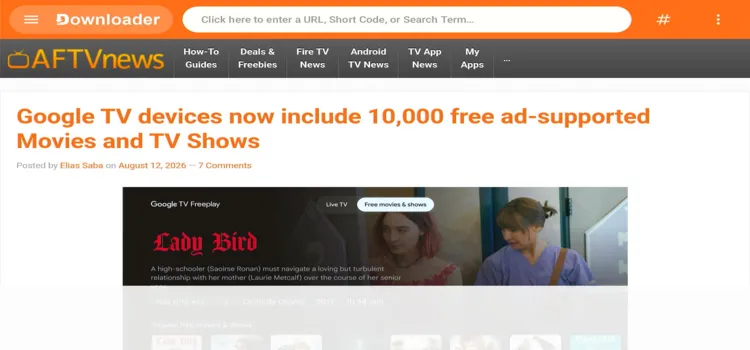
Step 1: Launch the Downloader app.
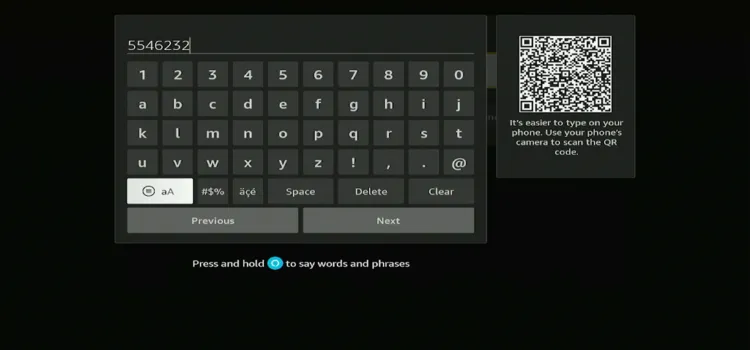
Step 2: Enter the ORA IPTV Player downloader code 5546232 in the search bar OR enter this URL bit.ly/43pEVWO and click Go.
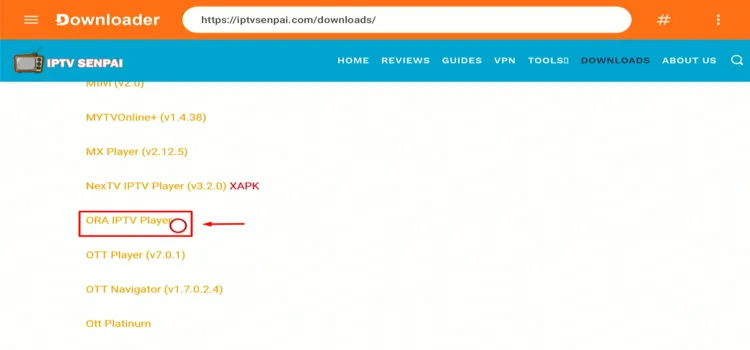
Step 3: Scroll down to the IPTV Players section, find the ORA IPTV Player, and tap on it to proceed.
Step 4: Click Download Icon.
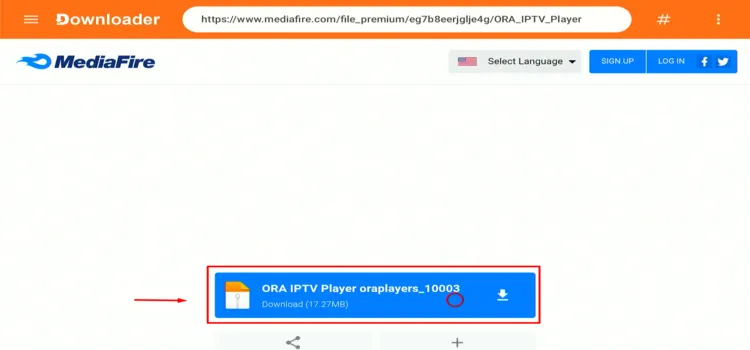
Step 5: Your APK file will start downloading.
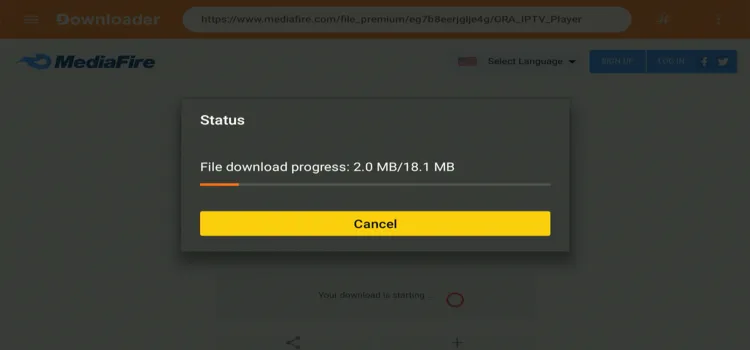
Step 6: Click Install.
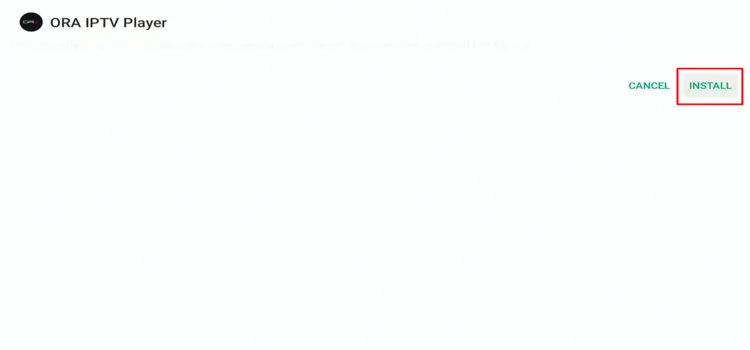
Step 7: Click Done.
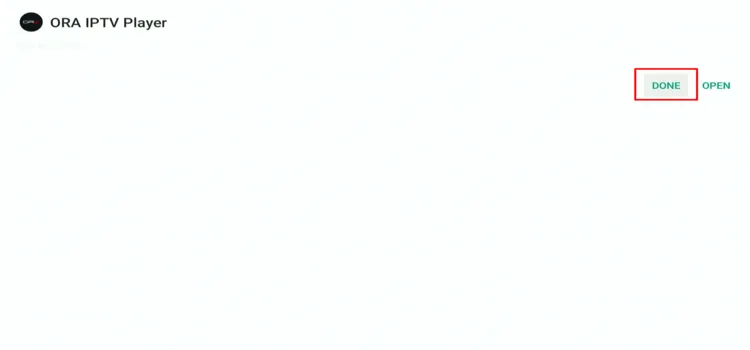
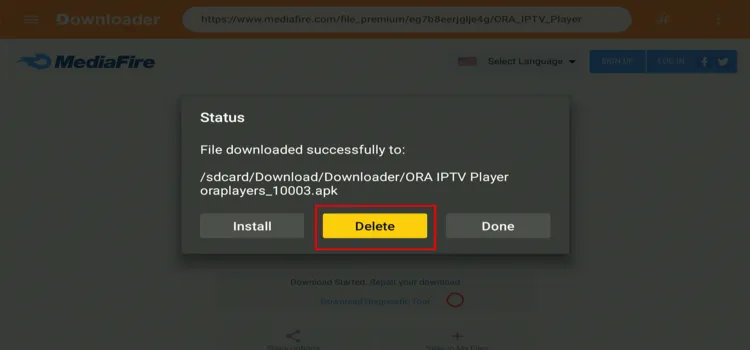
Step 8: Click Delete.
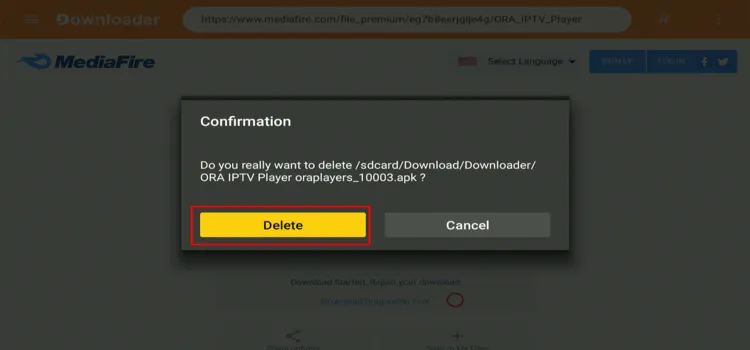
Step 9: A confirmation window will open. Click Delete Again.
How to Set Up ORA IPTV Player for IPTV Streaming
To protect yourself while using unverified IPTV services, use a trusted VPN such as Surfshark, which bypasses geo-restrictions. Also, it only supports Xtream Codes.
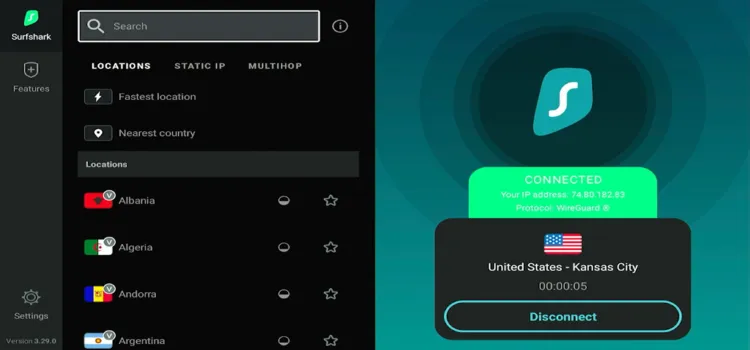
Step 1: Open your Surfshark app and connect to any server.
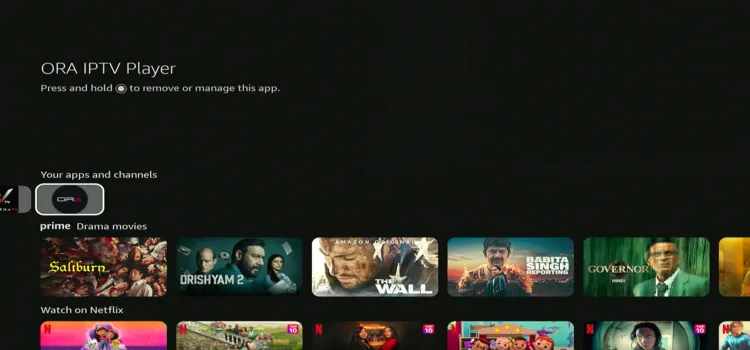
Step 2: Launch ORA IPTV Player.
Step 3: Click on Playlist.
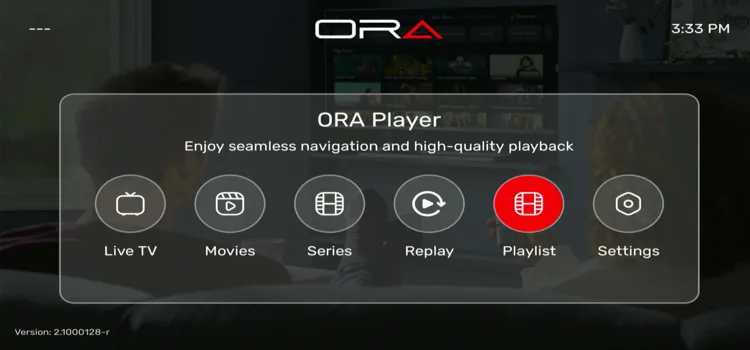
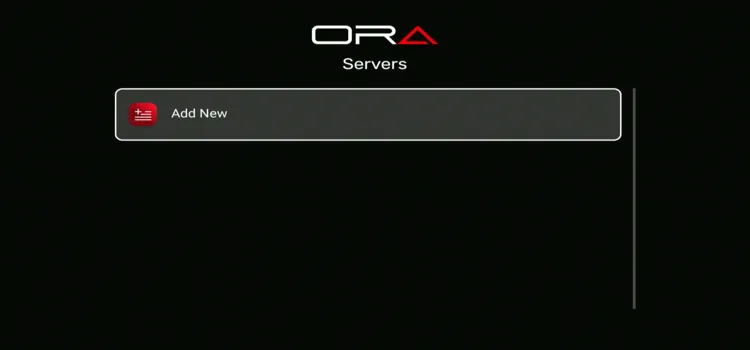
Step 4: Click Add New.
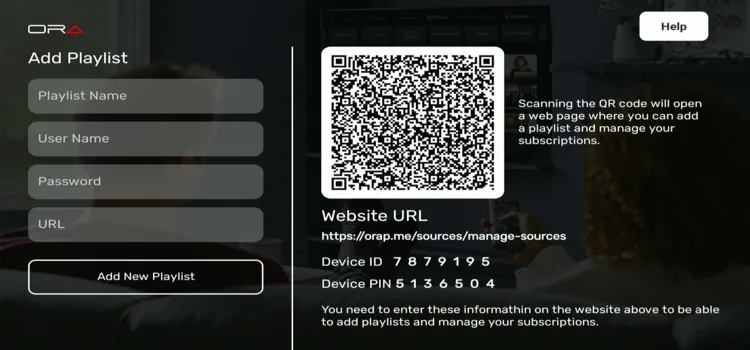
Step 5: Enter Playlist Name, Username, Password, and server URL. Click Add New Playlist.
Step 6: Your playlist has been successfully set up! Tap on your playlist.
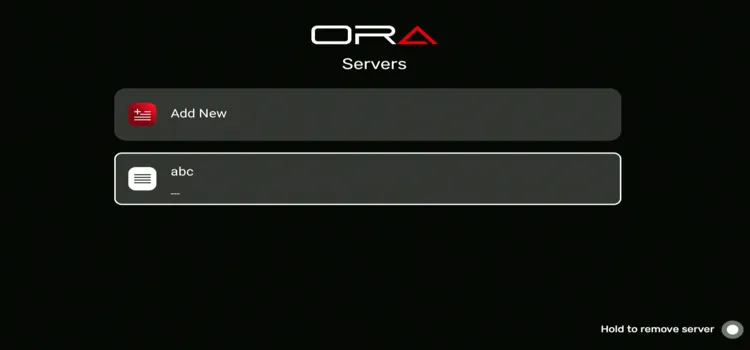
Step 7: The main interface will appear again, with the playlist uploaded.
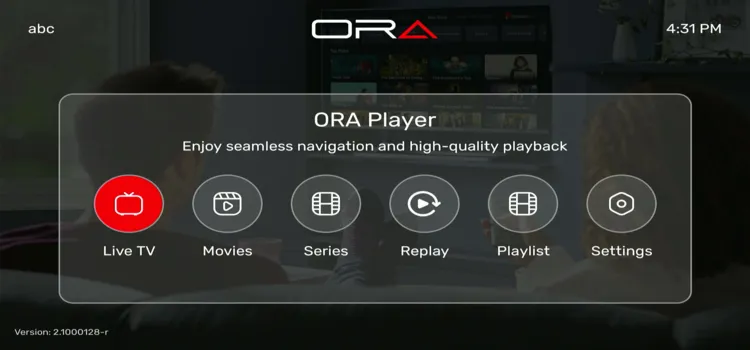
Step 8: Enjoy Streaming!

Best ORA IPTV Player Features
ORA IPTV Player offers useful settings for playback, parental controls, and interface customization. These features help you personalize the player and organize your live TV, movies, and series for easier browsing.
1. General Settings
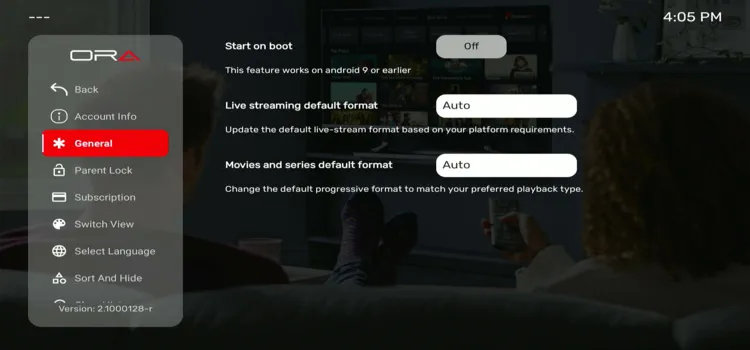
General Settings lets you adjust the default streaming formats for live TV, movies, and series. It also includes Start on Boot, which the app states works on Android 9 or earlier.
2. Parental Lock
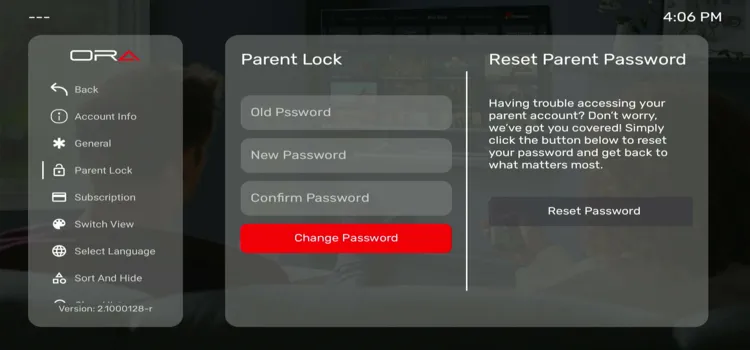
The Parent Lock section lets you change the password used for parental controls. Enter your old password, then set and confirm a new one. A Reset Password option is also available if you forget it.
3. Switch View
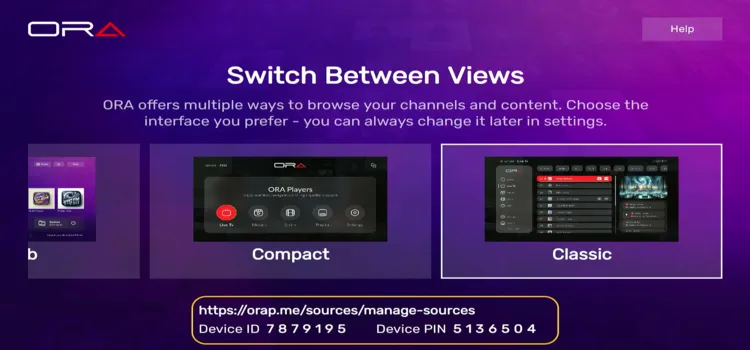
Switch View lets you choose different interface layouts, including Compact and Classic. You can select your preferred way to browse channels and content, then change it later through settings.
4. Language Selection
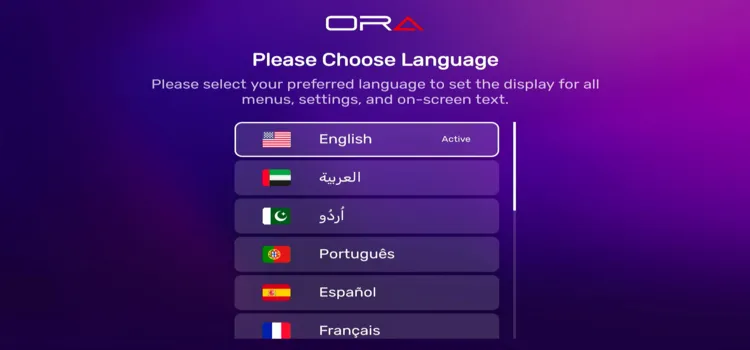
The Select Language option lets you change the language of menus, settings, and on-screen text. It supports 14 languages, including English, Arabic, Urdu, Portuguese, Spanish etc, so you can navigate the interface in your preferred language.
5. Sort and Hide
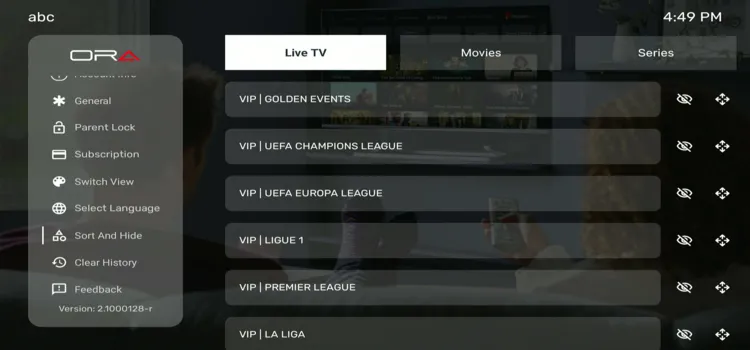
Sort and Hide lets you manage sorting and visibility separately for Live TV, Movies, and Series. This helps organize your library and reduce clutter when browsing different types of content.
6. Electronic Program Guide (EPG)
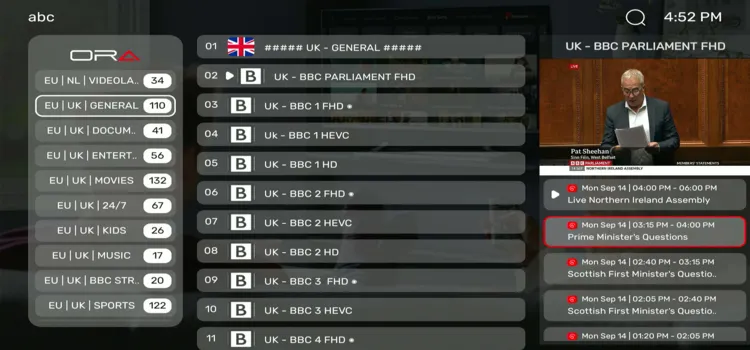
ORA’s EPG displays programme titles and broadcast times on the right, with a live channel preview above. Selecting a channel lets you check its schedule while keeping the channel list visible.
7. Favourites
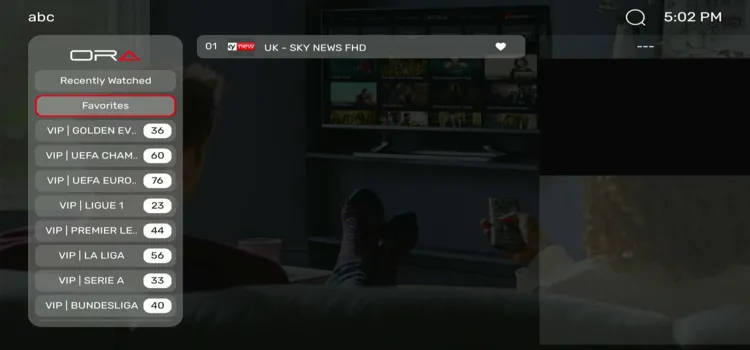
The player’s Favourites section keeps your saved channels in one place for quick access. Open Favorites from the left menu to view them.
Is ORA IPTV Player Safe and Legal to Use?
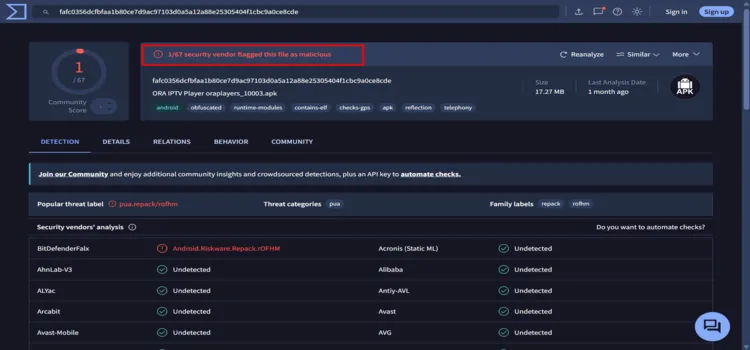
The ORA IPTV Player APK did not receive a fully clean VirusTotal result. In my scan, 1 of 67 security vendors flagged it as riskware, but since we are deleting the APK, you are good to go.
However, streaming legality depends on the content source you connect. Surfshark encrypts your connection and keeps streaming activity private from your ISP, but it does not make unsafe APKs safe or unauthorized streams legal.
ORA IPTV Player Alternatives
You can also compare ORA with these IPTV players:
FAQs
1. Is ORA IPTV Player completely free?
No. ORA IPTV Player is free for 7 days only. After the trial, you need a paid plan costing €5/year or €8 for lifetime access, with the same features available during the trial.
2. Does ORA IPTV Player include live TV channels?
No. ORA does not provide channels, movies, or series. You need to add your own IPTV provider’s credentials or playlist to stream content.
3. Can I install ORA IPTV Player on FireStick?
Yes, you can sideload its Android APK on compatible FireStick models using Downloader. It is not available through the Amazon Appstore.
4. Does ORA IPTV Player support M3U playlists?
M3U and M3U8 playlists are supported through ORA’s website. The app’s playlist setup only accepts Xtream Codes credentials, including your username, password, and server URL.
Conclusion
ORA IPTV Player has seamless navigation and playback. It offers useful everyday features, including EPG, favourites, subtitles, and parental controls etc, backed by helpful support. However, the app only accepts Xtream Codes, while M3U and M3U8 playlists must be added through its website.
The 7-day free trial gives you time to check the player’s performance and playlist compatibility before paying €5/year or €8 for lifetime access.
Before streaming with an unverified provider on ORA IPTV Player, connect to a premium VPN like Surfshark. It encrypts your traffic, bypasses geo-restrictions, and protects user privacy.
Rating: ⭐⭐⭐⭐ 3.5/5 – A simple IPTV player with useful everyday features, but limited playlist support and unclear pricing reduce its overall value.

