


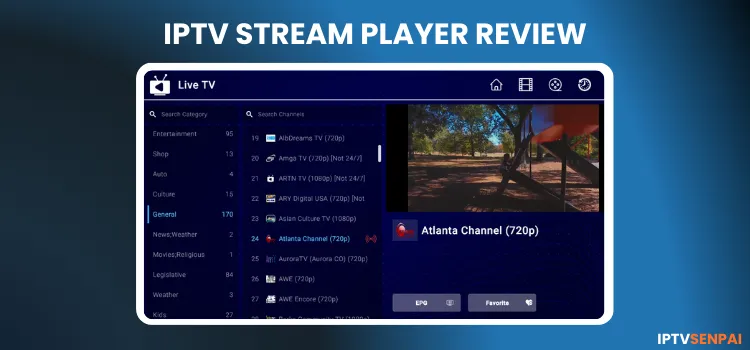
IPTV Stream Player is a Windows IPTV Player. The purple-themed interface is clean, simple, and lightweight, similar to IPTV Smarters Pro. However, it lags and has navigation issues.
Recommended VPN for IPTV - Surfshark

Using IPTV without a VPN can put you at Big Risk! Your ISP, government and even IPTV providers can monitor your activity, throttle your speed, or block access altogether.
Plus, without encryption, your data is exposed to hackers and third parties. Take back your privacy with Surfshark!
Features:
✅ SAVE 87% + GET 3 EXTRA MONTHS FREE! ($0.06/day)
✅ Kill Switch Feature to protect you if VPN drops
✅ Lightweight app ensuring smooth performance on All IPTV Boxes
✅ Unlimited simultaneous connections (install on all household devices)
✅ 30-day risk-free money-back guarantee
✅ Strict no-logs policy, Secure & Untraceable
IPTV Stream Player Features
- Free Trial: 7 days
- Pricing: $11.99/year | $17.99/lifetime
- Supported Formats: M3U/M3U8 Playlist.
- Device Compatibility: Android, iOS, Samsung, Roku, Smart TV, Windows Store, LG TV, Google Store (Coming Soon)
- Multi-Screen: No.
- Parental Control: Password-protected.
- Electronic Program Guide (EPG): Yes.
- Catch-Up TV: Yes.
- Subtitles: Yes
- Favorites: Yes
Pros & Cons
| Pros | Cons |
|---|---|
| Works better on Windows | Only 7 days free trial |
| 7 day Free Trial on Windows | Sometimes lags and loads on Android devices. |
| Catch TV, Subtitles and Parental Controls | Features navigation issues |
| Lightweight app | Doesn't support Xtream Codes |
| Doesn't delete old playlist unless you add new one |
Is IPTV Stream Player Free?
Yes, IPTV Stream Player is free to download and use, but it has some limitations. It allows users to stream live TV and VOD content by adding an IPTV playlist. The free version offers VOD streaming, multi-screen support, etc.
For a more comprehensive experience, the premium version starts at $11.99/year or $17.99/year, offering better functionality, such as ad-free streaming and advanced playback options for users who want a more complete IPTV streaming experience.
How to stream IPTV on IPTV Stream Player.
IPTV Stream Player is available for Android, iOS, and Windows devices. It works best with Windows devices.
Here is how you can install and stream IPTV on your laptop with IPTV Stream Player:
Step 1: Open your web browser and go to the official IPTV Stream Player page, and click on Download.
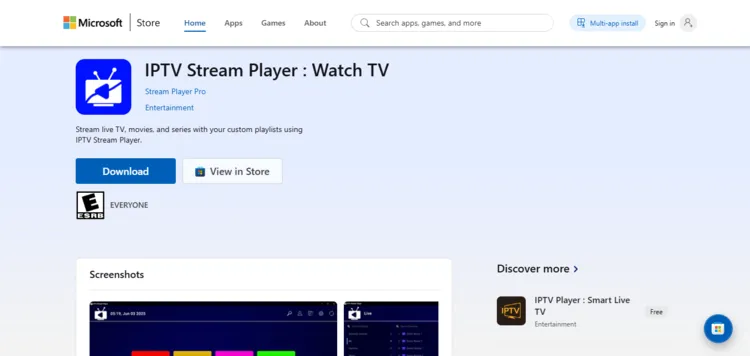
Step 2: Your installer will be saved in Downloads folder. Click on the file.
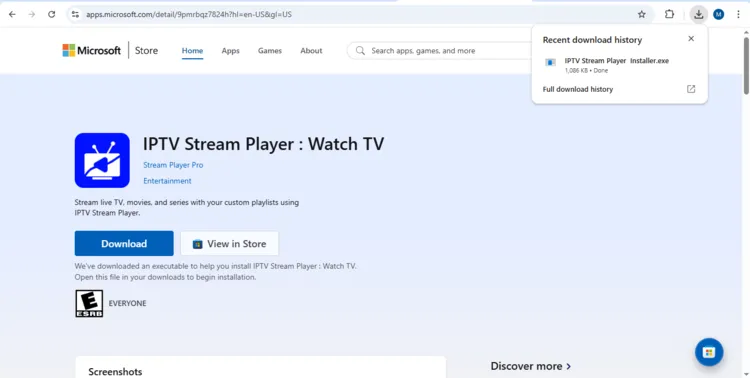
Step 3: This will redirect you to the Microsoft Store. Click on Get to download.
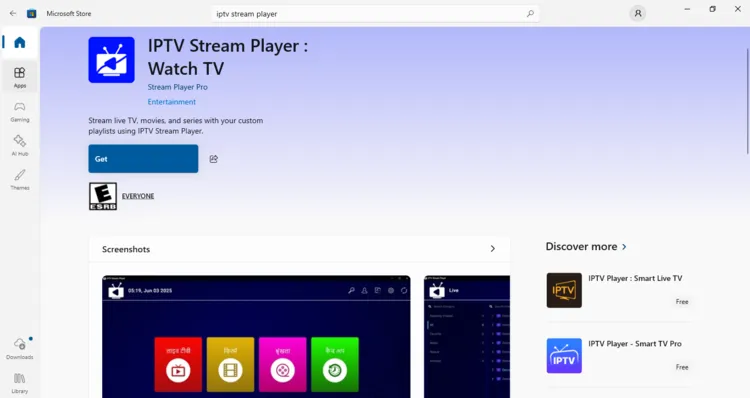
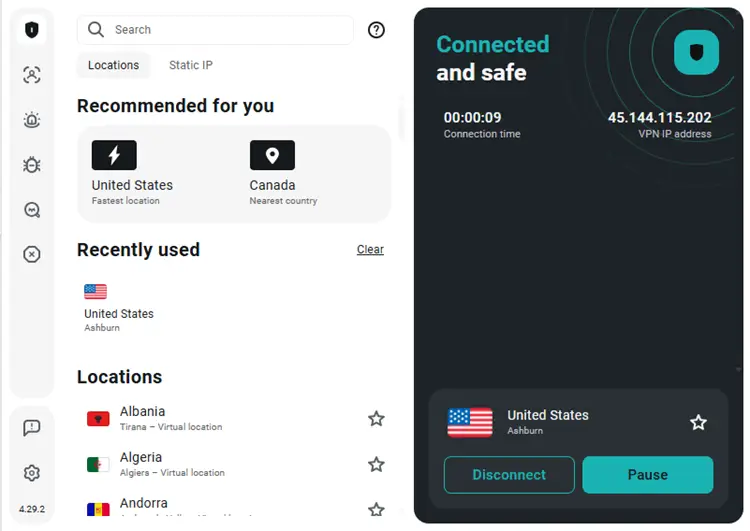
Step 4: After installation, click on Surfshark and select any server.
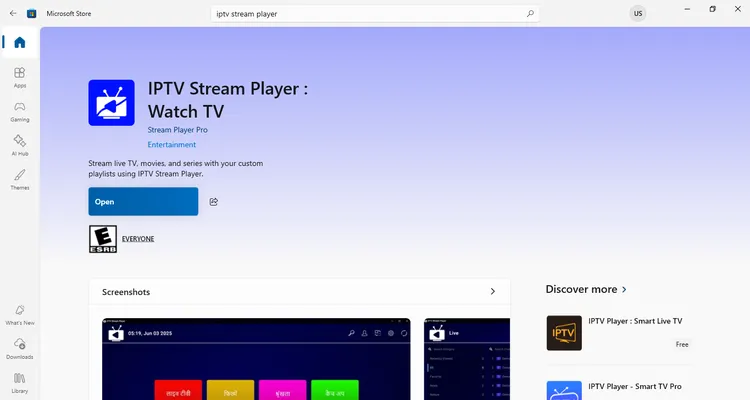
Step 5: Click Open to launch IPTV Stream Player app.
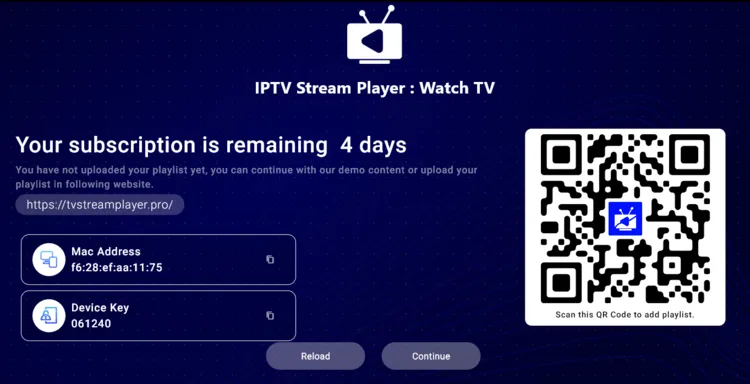
Step 6: Click on the Continue button.
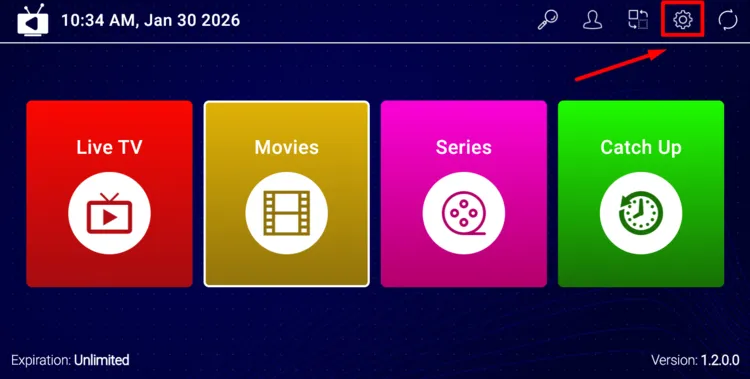
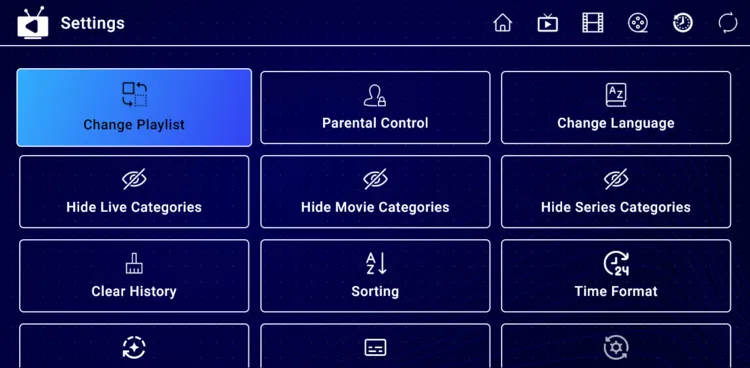
Step 7: Click on the Settings button in the top bar.
Step 8: Choose Change Playlist.
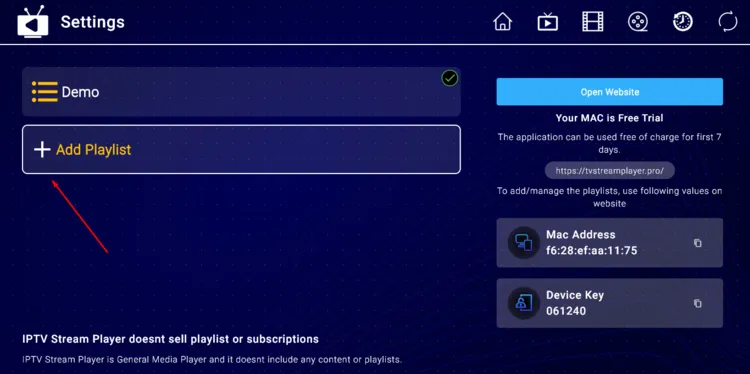
Step 9: Click on Add Playlist.
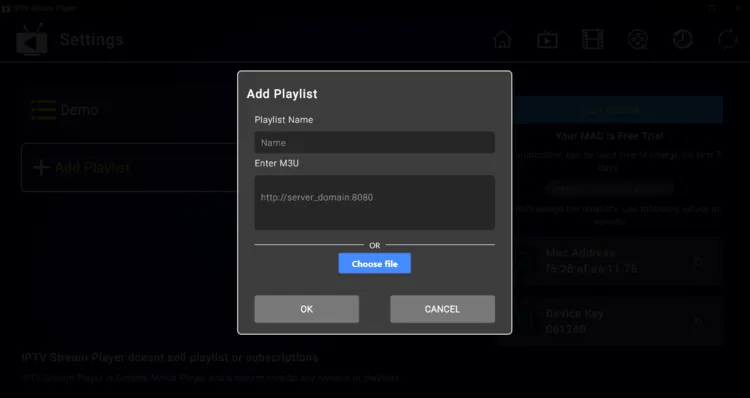
Step 10: Enter your M3U URL provided by the service provider. If you don’t have an M3U URL, you can try out some free M3U links.
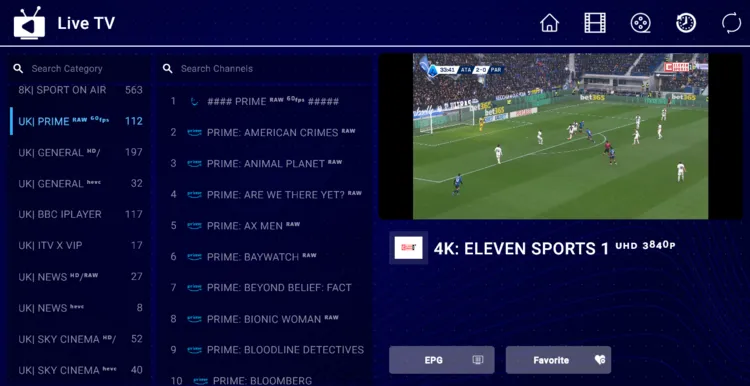
Step 11: Once the playlist is added, you can browse live TV and VOD content and start streaming directly.
IPTV Stream Player on Android TV/FireStick
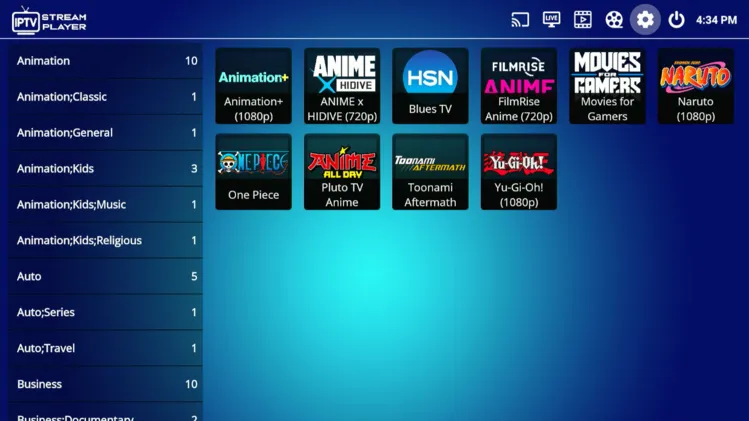
IPTV Stream Player Full Feature Breakdown
Let’s quickly explore the amazing features that IPTV Stream Player brings to your streaming setup. I am using a Windows laptop to demonstrate these features below.
1. Favorites
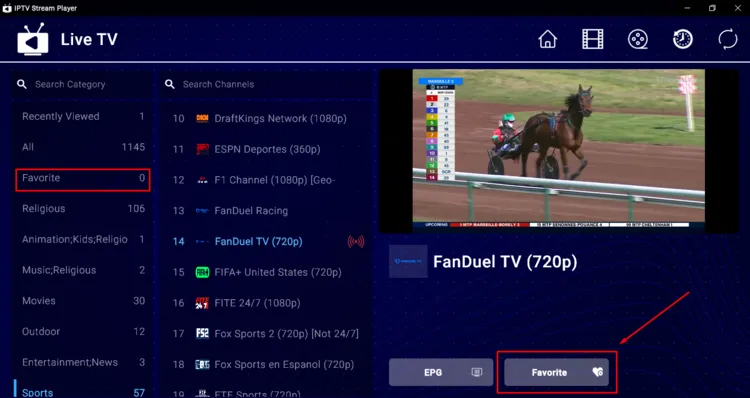
Users can easily curate their most-watched content by adding live TV, movies, or series to their dedicated Favorites list. This functionality allows users to bypass thousands of entries and jump straight into their preferred stream.
2. Electronic Program Guide (EPG)
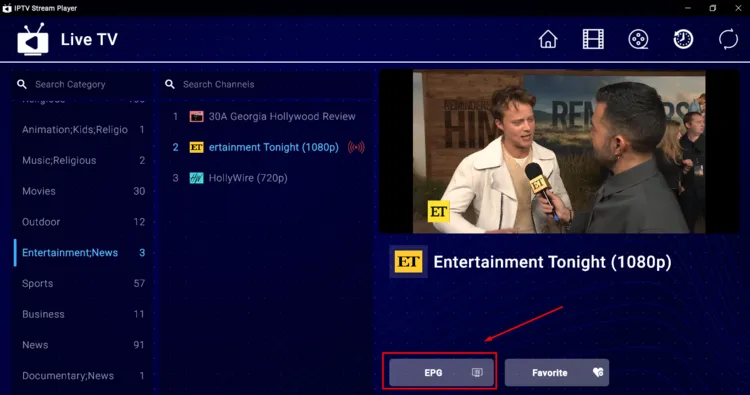
The Electronic Program Guide (EPG) provides a comprehensive schedule of upcoming shows and events directly within the interface. To access these listings, simply click the EPG button at the bottom right of each channel to view current and future programming.
3. Parental Control
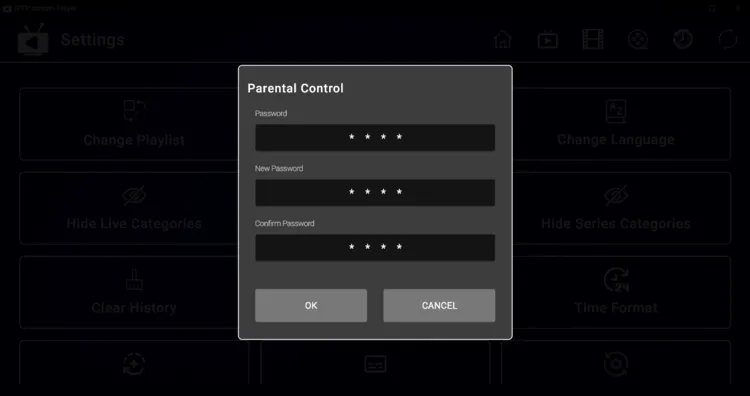
Users can secure their streaming environment by implementing a password-protected lock to block inappropriate content or specific categories. This is an essential tool for families and younger viewers so they can access age-appropriate channels and VODs.
4. Catch-Up TV
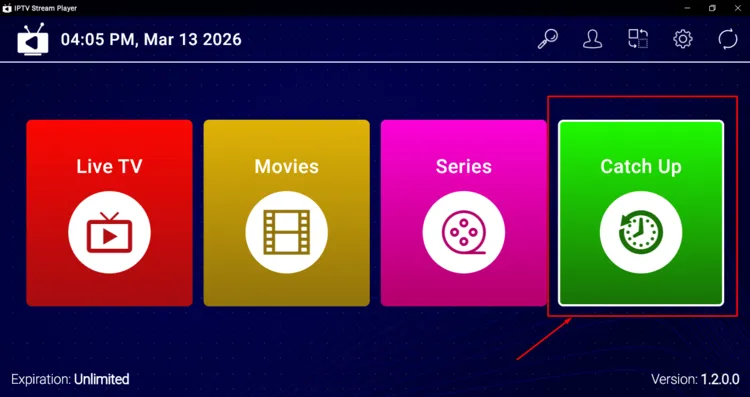
IPTV stream Player features Catch-Up functionality, so users will never miss a live broadcast. This allows users to stream previously aired streams at their convenience. However, its availability depends on the IPTV service provider.
5. Multiple Playlists Support
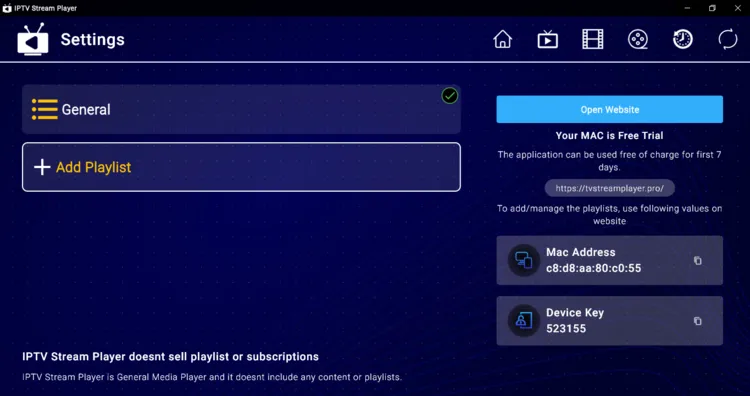
Users can manage various subscriptions simultaneously by importing multiple IPTV playlists through M3U URL’s only, as the Xtream Codes option is unavailable. This allows users to toggle between different providers within IPTV Stream Player.
6. Change Language
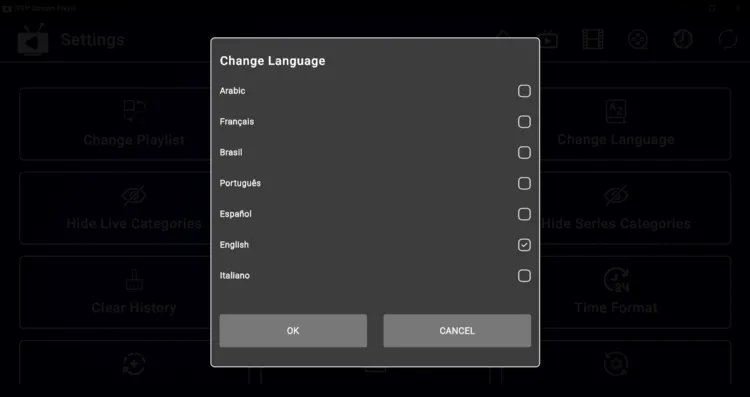
IPTV Stream Player features support for over 25 different languages. Users can navigate through Settings menu to select their preferred language, as interface is easy to understand.
7. Time Format
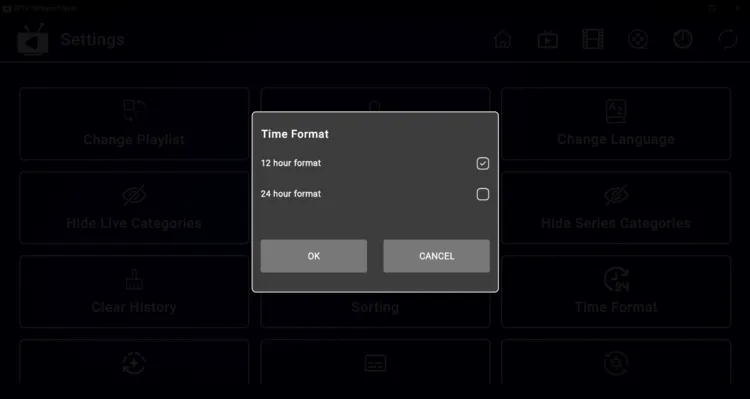
To customize your viewing experience, switch the display clock between 12-hour and 24-hour formats. This adjustment applies to the system clock and the EPG, helping users to track their showtimes according to their personal preference.
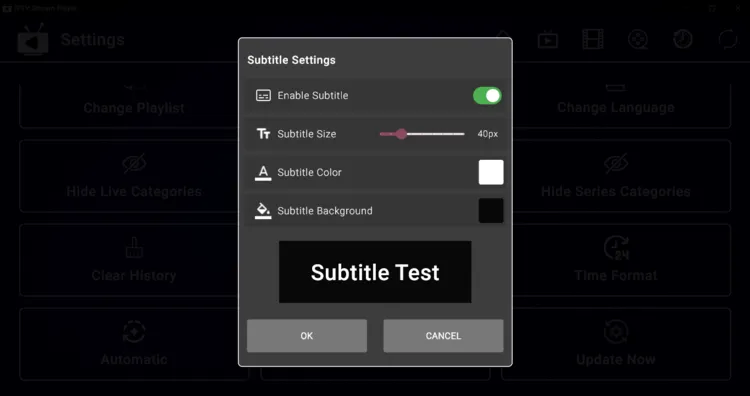
8. Subtitle Settings
9. Sorting
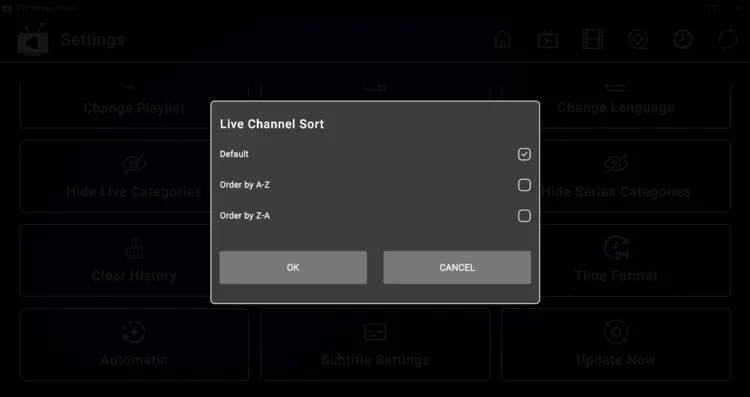
Users can organize massive channel lists effortlessly using the built-in sorting filters to arrange content alphabetically from A-Z or Z-A. This feature significantly reduces search time, allowing users to find specific content with ease.
10. Auto-Update
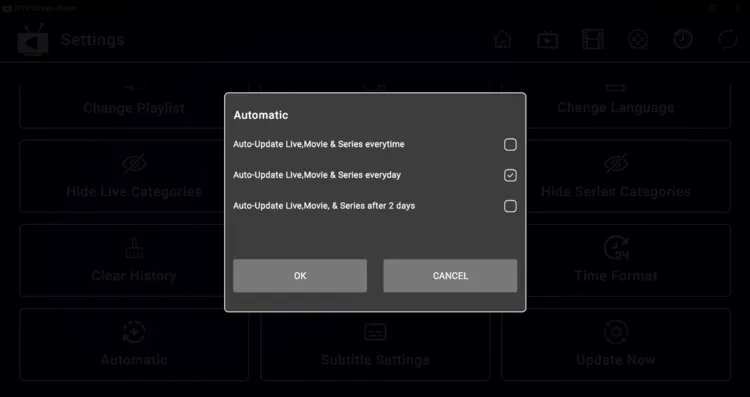
IPTV Stream Player has an auto-update feature to keep its content library up to date. It does this by automatically syncing the latest live TV, movies, and TV series from the service provider’s server. So there is no need for manual refresh.
IPTV Stream Player Alternatives
Here are some of the alternate IPTV players that you can try.
Conclusion
IPTV Stream Player is a decent choice for users looking for a lightweight and simple streaming experience. It works best for Windows devices.
The player is free to download for the first 7 days. After that, the premium version starts at $4.99 per month.
While the player supports essential features like EPG, Catch-Up TV, and subtitles, it occasionally suffers from lagging and navigation issues. The app works across various ecosystems such as Android, iOS, Windows etc.

