


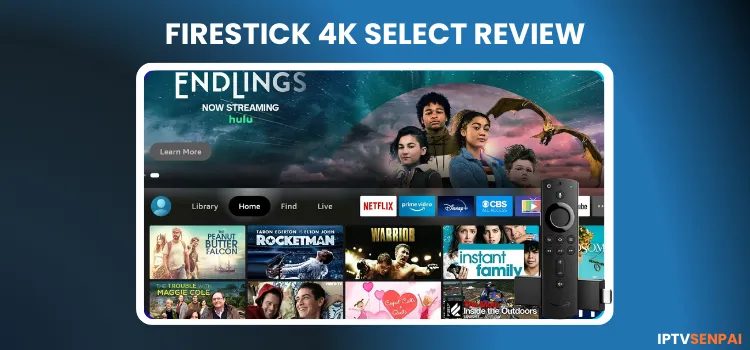
Amazon’s Fire TV Stick has long been known for IPTV streaming, but the new FireStick 4K Select completely changes the game. I went hands-on with the device and will jot down the detailed experience to determine its performance and suitability for IPTV.
So it’s 4K branding and $39.99 price is attractive that make the device a natural successor to the classic 4K models. However, the major catch is that Amazon has replaced the familiar Android-based Fire OS with a new Linux system called Vega OS.
And that’s a 180-degree shift. Because Vega OS has not just eliminated sideloading completely, but the availability of apps is also limited on the official Amazon App Store.
For IPTV users, FireStick 4K Select is not a genuine upgrade but a step backward. It could disrupt streaming like the older FireStick & Android devices.
FireStick 4K Select Specs
- Price: $39.99
- Operating System: Vega OS support
- Processor: 1.7 GHz quad-core CPU
- RAM: 1 GB
- Storage: 8GB
- Supported Picture Quality: 4K Ultra HD (2160p) @ 60 fps
- Supported Video Formats: HDR10, HDR10+, HLG
- Audio: Dolby-encoded audio (HDMI pass-through) only.
- Wi-Fi: Wi-Fi 5 (802.11ac)
- Bluetooth: Bluetooth 5.0
- Remote: Alexa Voice Remote
- Apps/ Services: Netflix, Disney+, Paramount+, Prime Video, Hulu, etc.
- Connectivity: HDMI + Micro-USB power.
What’s in the FireStick 4K Select?
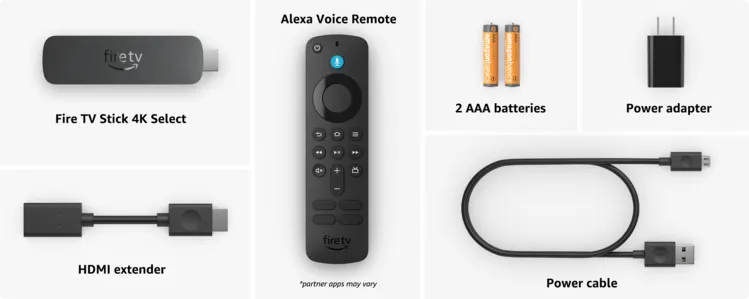
When you buy the Fire TV Stick 4K Select, you get these items:
- Fire TV Stick 4K Select
- Alexa Voice Remote (Updated version featuring a dedicated Peacock button)
- USB power cable and power adapter
- HDMI extender cable
- 2 AAA batteries
-
Quick Start Guide
Pros & Cons
| Pros | Cons |
|---|---|
| Affordable Pricing | No sideloading apps |
| 4K Resolution | No native VPN |
| Official App Support | No APK Support |
| Updated Remote | Only 1 GB RAM |
| Compact Design, Budget friendly price | Limited Storage |
| No Dolby Vision, Picture-in-Picture, or Alexa Home Theater. |
Why ‘FireStick 4K Select’ is a Dealbreaker for IPTV?
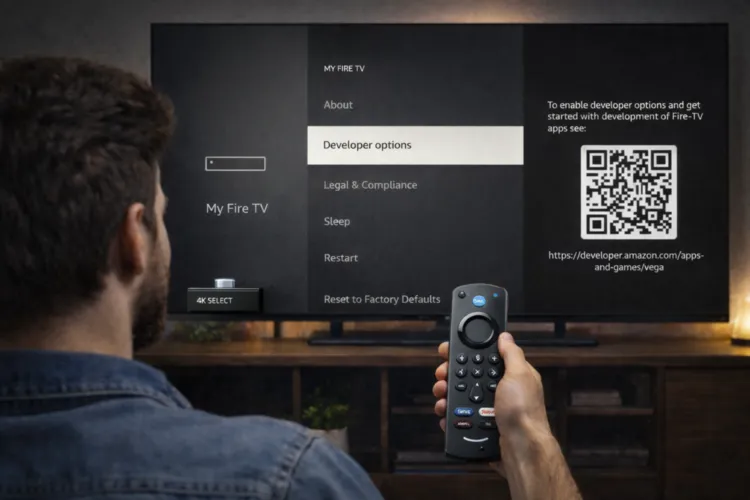
1. Absolute No Sideloading!
The new Vega OS entirely eliminates the installation of third-party APKs. You can’t use the Downloader App to sideload APKs, and you can’t “jailbreak” it to add your favorite IPTV players and free apks. The IPTV web players don’t work either.
Try using the built-in ‘Amazon Silk browser’. But, the overall platform restrictions, such as sideloading APKs and IPTV web players such as IPTV Smarters Pro are also blocked. So many apps must be rebuilt to work with Vega OS.
However, for IPTV users, Vega OS creates serious limitations. Most IPTV players are not supported. There is no web version of IPTV apps to use as a workaround.
2. No VPN
Vega OS is a proprietary operating system built from scratch. None of the premium VPN are available. A VPN like Surfshark is essential when streaming IPTV to bypass geo-restrictions, avoid ISP throttling, and hide your identity.
3. 1GB RAM is a JOKE!
1GB of RAM on the FireStick 4K Select is a massive red flag. You’ll likely see your apps crash or stutter because the device simply runs out of memory while trying to handle a live HD stream. It is slow.
4. 8GB Storage
8GB storage is available, out of which only 4.61 GB is usable by the user. This is quickly consumed by the massive EPG (TV Guide) data required for large IPTV playlists.
Unlike Android models, it lacks USB OTG for storage expansion and media browsing. To make matters worse, Vega OS removes ‘Clear all Application Cache button and ‘Auto Offload’ feature. This forces users to manually clear space individually.
5. IPTV Apps are Missing!
The Amazon Appstore on Vega OS offers a very limited selection for cord-cutters. Popular IPTV players like TiviMate and IPTV Smarters Pro are unavailable, leaving users with very limited options.
The App Store has roughly just over 1,000 apps compared to 30,000+ on Android Fire TVs. Official apps include Netflix, Disney+, Paramount+, Prime Video, and Hulu.
6. No Dolby Audio/Vision
Is there Any Way to use IPTV on Fire TV Stick 4K Select?
Users are strictly limited to the few legal or official players available directly in the new Vega OS Appstore.
Official Store Apps:
Better Alternatives for 2026
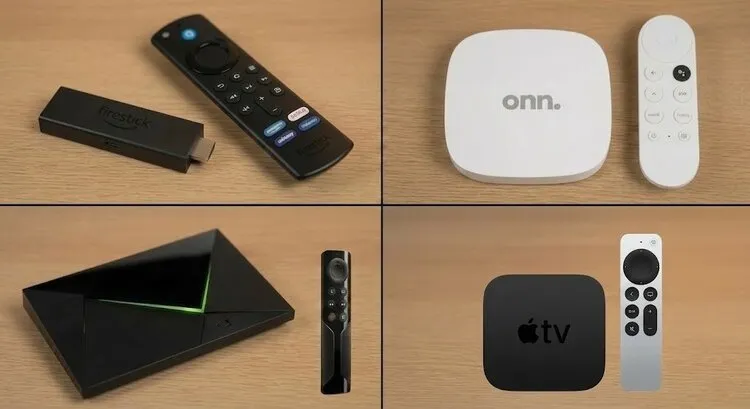
Here are the real upgrades for unrestricted streaming:
1. FireStick 4K Max (Gen 2)
2. Onn Google TV 4K Plus
3. NVIDIA Shield TV Pro
4. Apple TV 4K
Conclusion
The Fire TV Stick 4K Select works fine for viewers using verified streaming apps. However, for IPTV users, the move to Vega OS makes it a poor choice.
Users will lose the ability to sideload apps, manage large M3U playlists, and properly secure their internet connection. If you want full control and flexibility, it’s better to skip 4K Select and choose ONN 4K Pro or an older Android-based FireStick.

