


In my search for the best, free, and reliable VPN for IPTV, I tested Windscribe VPN. It offers up to 10 GB of free data/month, unlimited device connections, and access to premium features without payment.
The premium plan unlocks unlimited data for just $5.75/month. While it doesn’t quite match the raw performance offered by Surfshark or NordVPN, it firmly holds its ground in 2026.
In this detailed Windscribe VPN review, I have uncovered several features of Windscribe worth considering for streaming IPTV. Let’s break down exactly what it offers.
Quick Overview
- Server Network: 72 countries, 195 data centers, 139+ 10 Gbps locations.
- Device Compatibility: Windows, macOS, iOS, Android, Linux, FireStick, Apple TV, routers.
- Simultaneous Connections: Unlimited simultaneous devices.
- Customer Support: Chatbot, ticketing system & email support.
- Price: $5.75/month (annual plan) or Build-a-Plan from $3/month.
- Protocols Supported: WireGuard, OpenVPN, IKEv2, Stealth, and WStunnel.
- Security Features: AES-256 encryption or ChaCha20-Poly1305, RAM-only servers, Firewall Mode, R.O.B.E.R.T, no-identifying-logs policy, and Double Hop.
- Streaming Features: Split Tunneling, Netflix, BBC iPlayer, & Windflix servers.
Pros & Cons
| Pros | Cons |
|---|---|
| ✓10GB Free Data usage. | —No 24/7 live chat support |
| ✓Unlimited device connections. | —Smaller server network than top VPNs |
| ✓Strong privacy & open-source apps | —Only 10 countries on the free plan |
| ✓Custom Stealth protocol for bypassing blocks | —10 GB data cap limits heavy free streaming |
| ✓R.O.B.E.R.T. ad & malware blocker | —Canadian jurisdiction (Five Eyes) |
| ✓Build-A-Plan flexible pricing | —Complex desktop app interface for beginners |
| ✓No-logs policy with public transparency reports | —7-day money-back guarantee only |
How to Install Windscribe VPN on Your Device?
To install Windscribe VPN on your devices, you can easily follow either of these two reliable methods:
1. Official App Stores
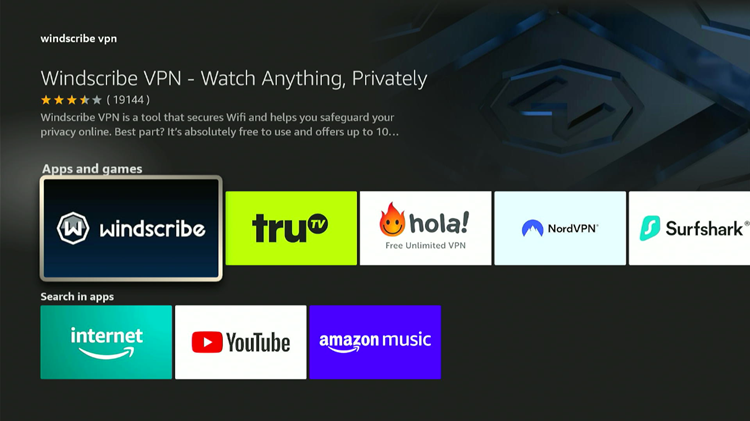
The Windscribe VPN app is readily available on the Amazon Appstore (Fire TV), Google Play Store, and Apple App Store (iOS & macOS). You can also download the latest version directly from the official website.
2. The APK Method
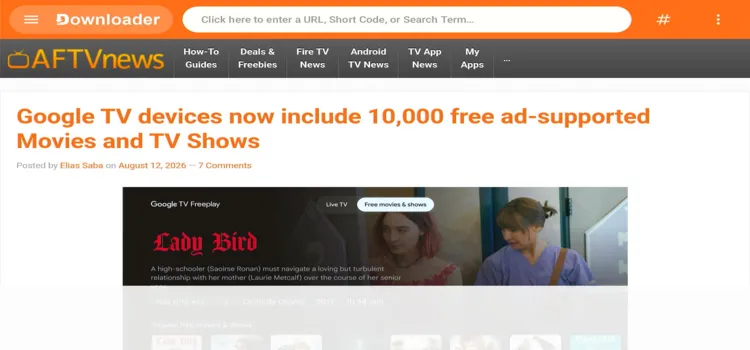
If the app is unavailable in your region, simply sideload it. Use the Downloader app and enter the Windscribe VPN downloader code 5546232 in the search bar OR enter this URL bit.ly/43pEVWO and click Go..
After installing Windscribe on your FireStick, open the app and log in to your account. Choose a fast server location, and tap Connect to secure and encrypt your IPTV streaming activity.
Note: Always ensure your VPN is connected and running before opening any third-party streaming applications to prevent IP leaks.
Why is Windscribe VPN a Great Free IPTV VPN?
Finding the right VPN for IPTV streaming can be tricky. However, Windscribe makes the decision incredibly easy by including premium-grade features directly within its free plan.
1. Free + Premium Servers
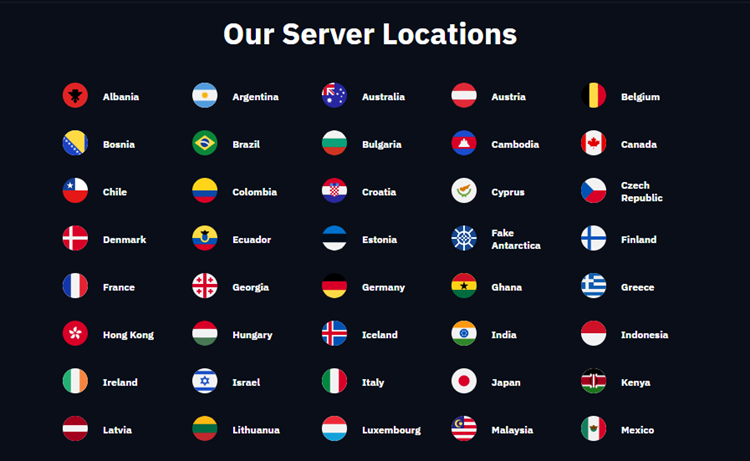
– 100% Free VPN Servers
Windscribe offers a highly generous free data limit that outperforms many paid competitors.
✅ Global Access: Enjoy free access to 10 countries, including the U.S., Canada, U.K., and France.
✅ Core Features Included: Key tools (WireGuard, limited R.O.B.E.R.T., unlimited personal connections) are included.
✅ Generous Data: Get up to 10 GB of data monthly by simply confirming your email address
– Quality Premium Server Network
For heavy IPTV streamers, Windscribe’s Premium Plan delivers massive network capacity using optimized physical hardware.
✅ Global Network: Access 195 data centers across 72 countries and 123 cities worldwide.
✅ 10 Gbps Bandwidth: High-speed 4K streaming is fully supported across 139+ upgraded 10 Gbps locations.
✅ Windflix Servers: Specially optimized server locations in US, UK, Canada, and Japan built for unblocking major streaming platforms and IPTV services.
Checkout our blog: IPTV Load review
2. Security & Privacy
Is Windscribe safe? That’s the question on many readers’ minds. Security is critical when using third-party streaming apps. Windscribe provides a solid privacy infrastructure to protect your identity and data.
✅ Verified Privacy: No tracking or storing of browsing activity, IP addresses, or sessions.
✅ Real-World Proof: Windscribe utilizes RAM-only (diskless) servers, making sure all user data is physically wiped upon every reboot. Eg: In 2021, Ukrainian authorities seized two Windscribe servers and found zero user data.
✅ Independent Audits: Their fully open-source desktop apps and extensions are audited by independent security experts
3. Speed & Performance

Fast and stable connections are the backbone of a great IPTV experience. Windscribe incorporates solid technologies to eliminate buffering.
✅ Unlimited Bandwidth: Enjoy zero data caps on paid plans with absolutely no ISP throttling.
✅ 10 Gbps Servers: High-capacity infrastructure effortlessly handles HD and 4K IPTV streaming without any noticeable lag.
4. R.O.B.E.R.T. Blocking Tool
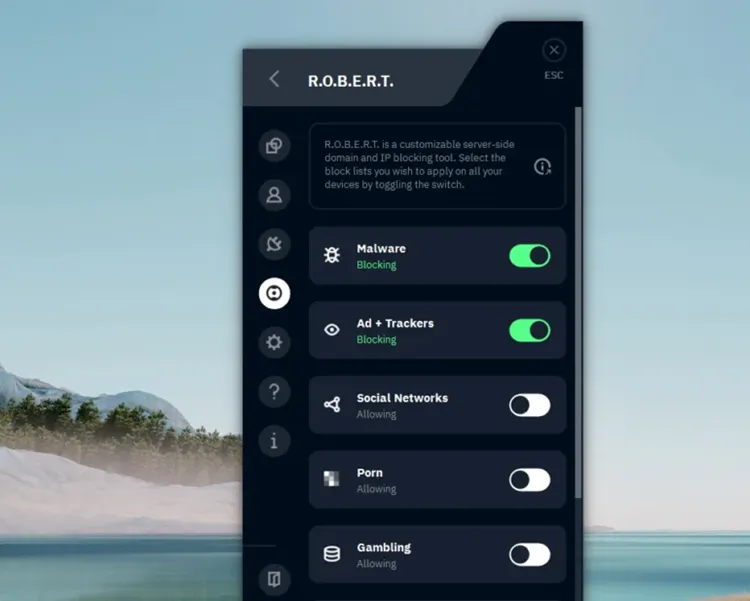
Windscribe’s R.O.B.E.R.T. tool is a game-changer for cleaner, faster, and safer IPTV streaming.
✅ DNS-Level Blocking: Stops ads, trackers, and malicious pop-ups before they load.
✅ Customizable Blocklists: Blocks entire content categories while whitelisting trusted IPTV links.
✅ Faster IPTV Performance: Reduces buffering and data usage by eliminating background junk.
5. Windscribe Firewall Mode
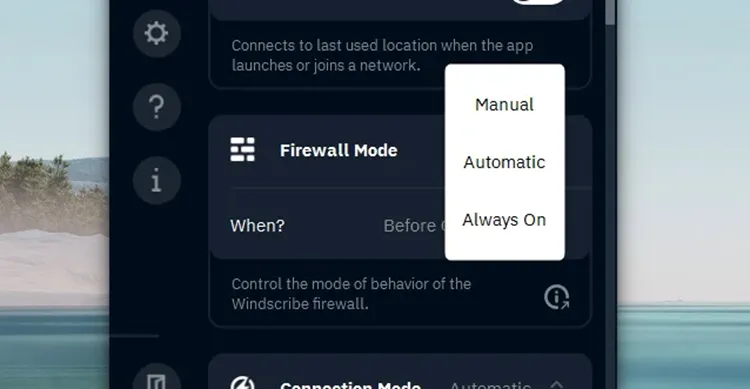
Unlike typical kill switches that react after a disconnect, Windscribe offers a proactive Firewall Mode that blocks all traffic outside the VPN tunnel, with no leaks, no exceptions.
✅ Always-Protected Streaming: Prevents IP leaks if the VPN drops or the app crashes.
✅ Three Flexible Modes (Desktop): Features Automatic, Manual, and Always-On configurations.
✅ Mobile Protection: Provides equivalent leak protection using native Always-On VPN settings.
6. Encryption

Maintains top-tier military-grade encryption across all supported platforms.
✅ Multi-Layer Security: By combining SHA-512 authentication with a 4096-bit RSA key handshake, your connection stays secure from hackers, ISPs, and surveillance.
✅ Protocol-Specific Encryption: Utilizes the ultra-fast ChaCha20-Poly1305 suite for maintaining secure, high-speed streaming.
7. Two-Factor Authentication
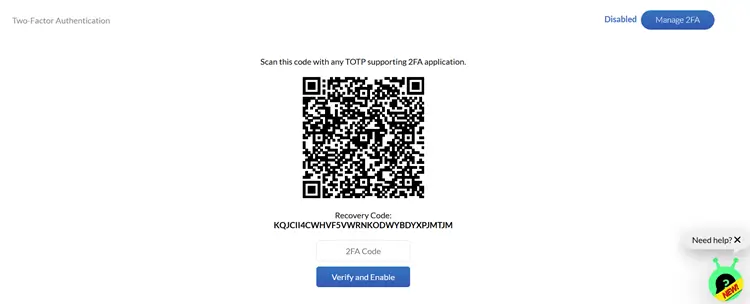
For added account security, Windscribe supports Two-Factor Authentication (2FA) to keep unauthorized users out.
✅ Easy Setup: Enable 2FA directly from your account dashboard for an extra layer of protection.
✅ Double-Lock Security: Restricts the account without the 2FA verification code.
8. Protocols
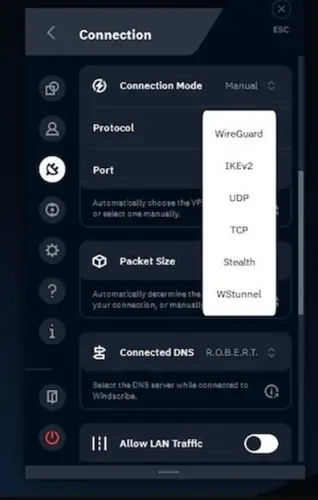
Windscribe offers a wide range of tunneling protocols, giving users the flexibility to balance speed, security, and accessibility depending on their needs.
✅ WireGuard: Fast, secure, and efficient. Supported across Windows, macOS, Linux, Android, and iOS with minimal buffering.
✅ OpenVPN: Provides TCP for maximum security and UDP for better speed.
✅ IKEv2/IPsec: Default mobile protocol offering stable speeds but easily blocked by networks.
✅ WStunnel & StealthVPN: Helps bypass censorship in restrictive regions like China or Iran. They disguise VPN traffic as regular HTTPS traffic but may slow your connection.
9. Double Hop

Double Hop is Windscribe’s advanced privacy feature that routes your connection through two separate VPN servers instead of just one.
✅ Extra Anonymity Layer: Masks your location by routing traffic through two separate VPN servers.
✅ Easy Activation: Requires using the desktop app and a browser extension (Chrome, Firefox, or Opera).
10. No Logs Or Monitoring

When it comes to privacy, the Windscribe logging policy offers reassurance through its verified no-logs approach and real-world proof to back it up.
✅ Full Transparency: Issues live transparency reports and maintains open-source code.
✅ Autonomous Payments: Accepts Bitcoin, gift cards, and PaymentWall.
11. Split Tunneling & Unlimited Devices
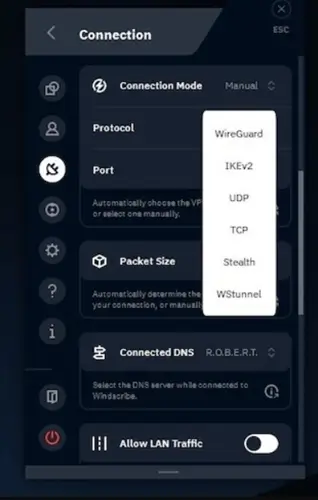
Windscribe can perfectly customize your specific streaming setup across multiple household screens.
✅ Optimized Streaming: Routes IPTV through the VPN while keeping other activities direct.
✅ Unlimited Connections: Secure an unlimited number of devices simultaneously under a single affordable subscription. Works on Fire TV, Android, iOS, Windows, macOS, Linux, and routers.
✅ Desktop Interface: Feature-packed but highly dense with advanced configurations.
✅ Mobile Interface: Clean, intuitive, and highly user-friendly.
Pricing Plans
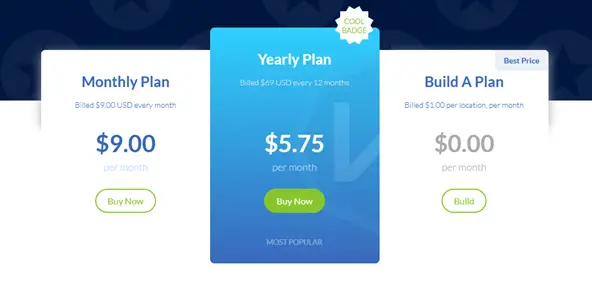
Windscribe’s standard monthly plan currently costs $9.00 per month. However, their annual subscription drops the price to a highly affordable $5.75/month.
For extreme flexibility, their unique Build-A-Plan model starts at just $3/month. You can cheaply customize your subscription by adding specific server locations for just $1 each.
Payment Methods: Credit cards, PayPal, Bitcoin, and gift cards.
How Good Is Windscribe’s Customer Support?
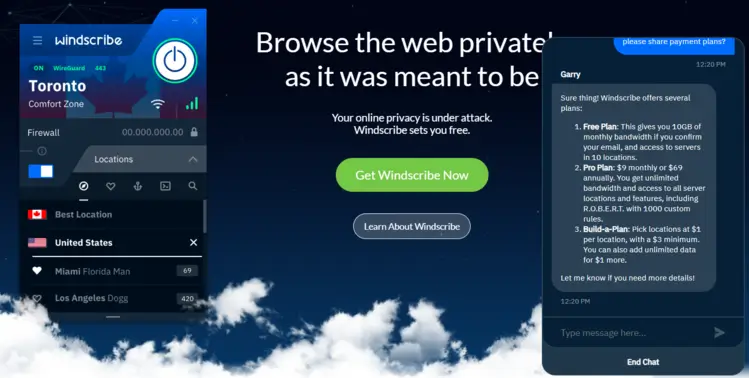
Windscribe relies on a custom chatbot named “Garry,” a comprehensive knowledge base, Reddit forums, and an email ticketing system. While the chatbot can handle basic questions, complex issues may take up to 24- 48 hours for a ticket response.
Note: The lack of 24/7 live chat might occasionally frustrate less tech-savvy users who demand immediate troubleshooting assistance.
Supported Devices
Here are the supported devices:
| Device Type | Supported Platforms |
|---|---|
| Desktop | Windows, macOS, Linux, Chrome OS |
| Mobile | Android, iPhone, Huawei |
| Browser | Chrome, Firefox, MS Edge |
| Streaming Devices | Apple TV, Fire TV, Onn. Stream 4K Box |
| Routers | Asus, Belkin, Linksys, DD-WRT |
| F-Droid | Available for users who prefer open-source platforms |
Windscribe VPN Alternatives
Here are some of the great VPN alternatives that you can try:
FAQs
1. Does Windscribe block ads and trackers?
Yes. Windscribe features a highly customizable tool called R.O.B.E.R.T. that effectively blocks ads, trackers, and malware. This greatly enhances your privacy and overall security while streaming.
2. How can I stream geo-restricted content using Windscribe?
Connect to a Windscribe server where the specific content is legally broadcast (e.g: a UK server). Windscribe actively supports major streaming services like Netflix and BBC iPlayer.
3. How do I increase my streaming speeds with Windscribe VPN?
For the fastest speeds, switch your connection protocol to WireGuard, connect to the closest available 10 Gbps server, and enable Split Tunneling solely for your IPTV application.
4. Does Windscribe VPN help reduce IPTV buffering?
Yes. The built-in R.O.B.E.R.T. tool stops background data-tracking, while the encrypted VPN tunnel prevents your ISP from throttling your internet connection during heavy streaming.
Final Thoughts
Windscribe is a well-rounded VPN with a sharp focus on privacy. It offers transparent policies, strong encryption, and a generous free plan that makes testing easy.
You get access to advanced features like the R.O.B.E.R.T. tool, Firewall Mode, and WireGuard right on the free tier. This adds immense value for users needing control and protection for IPTV streaming across multiple devices.
While it may not beat top-tier VPNs like ExpressVPN or Surfshark in speed or streaming access. If you want privacy, 10 Gbps performance, and fair pricing in 2026, Windscribe is a strong choice worth considering.

