


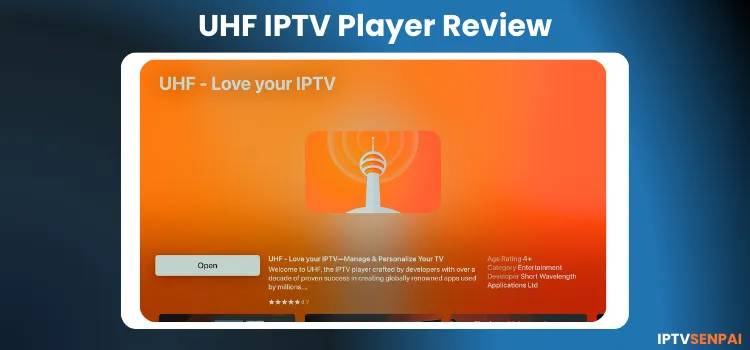
UHF IPTV Player is one of the best IPTV players built exclusively for Apple devices, including iPhone, iPad, Mac, and Apple TV. It’s fast, clean, and designed to match the Apple ecosystem’s look and feel.
The player supports all essential features, including EPG, Live TV, and VOD, playlist management, favourites, player customisation, etc
There’s a free version to get started, and UHF Pro if you want more. The Pro plan removes ads and watermarks, allows unlimited EPG customization, and instant cross-device syncing.
Also, it has a built-in VPN, but if you’re using unofficial IPTV playlists, buffering can still happen. Pairing it with a premium IPTV VPN like Surfshark helps protect your identity and avoid ISP throttling while streaming.
Recommended VPN for IPTV - Surfshark

Using IPTV without a VPN can put you at Big Risk! Your ISP, government and even IPTV providers can monitor your activity, throttle your speed, or block access altogether.
Plus, without encryption, your data is exposed to hackers and third parties. Take back your privacy with Surfshark!
Features:
✅ SAVE 87% + GET 3 EXTRA MONTHS FREE! ($0.06/day)
✅ Kill Switch Feature to protect you if VPN drops
✅ Lightweight app ensuring smooth performance on All IPTV Boxes
✅ Unlimited simultaneous connections (install on all household devices)
✅ 30-day risk-free money-back guarantee
✅ Strict no-logs policy, Secure & Untraceable
Easy Set Up Video for UHF IPTV Player on Mac
UHF Features
Pricing: Free version available. Premium (UHF PRO) starts at $1.99/month.
Supported Formats: M3U8, Xtream Codes API, Manifest, Stremio Add-ons, and Trakt integration.
Device Compatibility: Works on iPhone, iPad, Apple TV, and Mac.
VPN: Built-in VPN ‘Angel VPN’
Multi-Screen Support: Yes, upto 4 channels at once.
Recording & Catch Up: DVR (UHF Server app). Provides access to catch-up.
EPG: EPG with time-shift, fast search, and custom alerts (Unlimited EPG requires PRO).
Parental Controls: PIN, Touch ID, or Face ID lock for specific categories.
Subtitles & Audio: Supports multiple audio tracks, closed captions, automatic subtitle fetching through subtitle websites.
Extra Premium Features: Zero ads and watermarks, instant cross-device sync, unlimited EPG navigation, built-in VPN, and offline VOD downloads.
Pros and Cons
| Pros | Cons |
|---|---|
| Clean, user-friendly interface | Unstable or illegal playlists can cause buffering |
| Works smoothly on iPhone, iPad, Mac & Apple TV | Limited EPG customization on the free plan |
| Supports M3U, Xtream & Stremio playlists | Many features require the Pro version |
| EPG, subtitles, PiP, catch-up & DVR support | Free version shows a large watermark |
| Fast performance and quick loading | |
| Has built-in Angel VPN |
Is UHF Player Free?
Yes, the UHF IPTV Player is free to use. But the free version includes ads, a watermark, lacks cross-device sync, and has full EPG support
There’s also a Pro version available. It costs US $0.99/month to US $9.99/year. This is ad-free, includes all premium features, and receives support from the developer.
How to Stream IPTV on UHF Player
UHF IPTV Player is only available on the App Store. Also, you cannot download it separately since the UHF IPTV Player does not come in APK format. I use a MacBook. Here’s how you can install and watch IPTV on UHF.
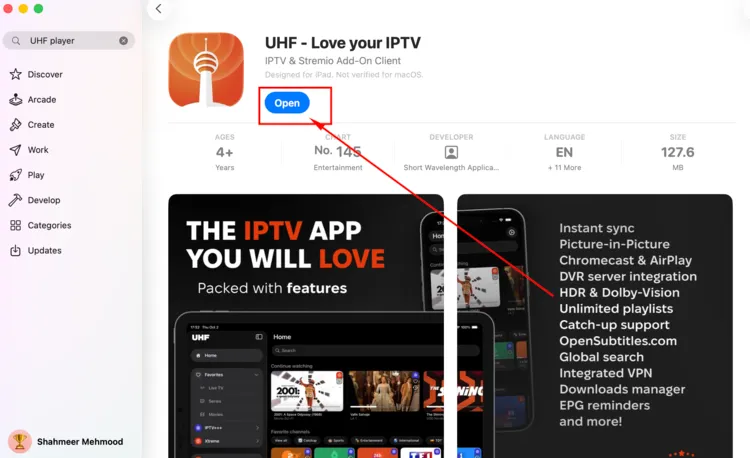
Step 1: Download the UHF Player from Apple Store and open the app.
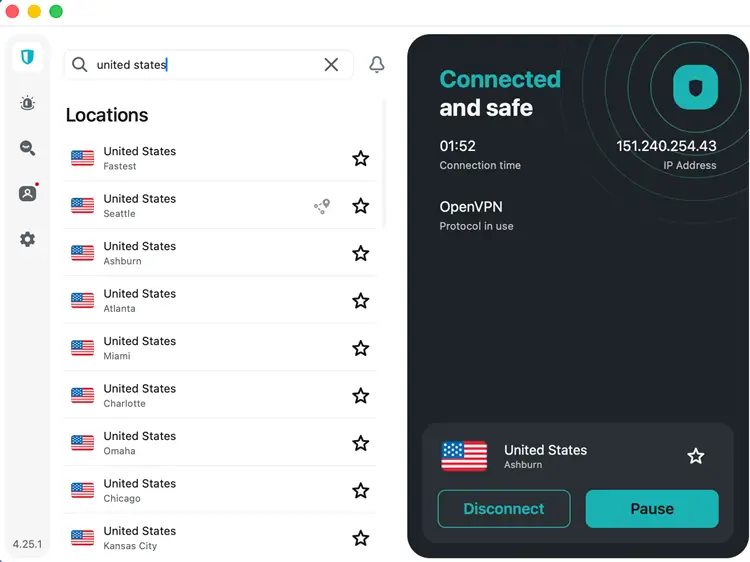
Step 2: Connect to a VPN. Surfshark is my #1 pick.
Step 3: Then go to ‘Home’ in UHF Player.
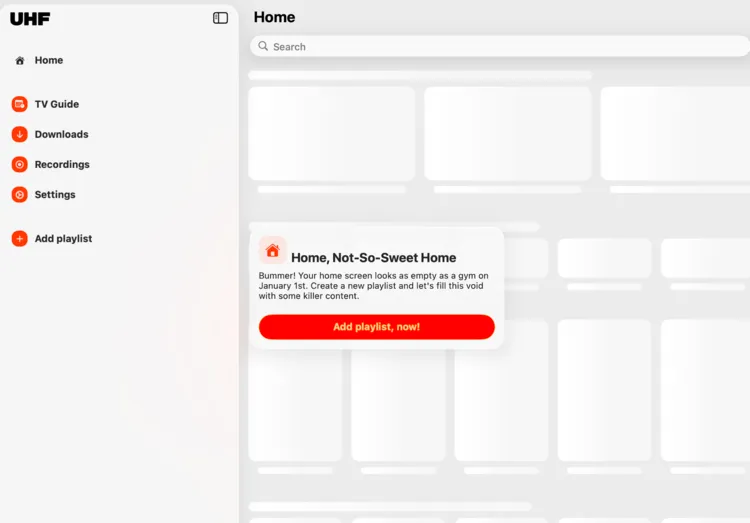
Step 4: Click ‘Add Playlist’ and select the format of your choice.
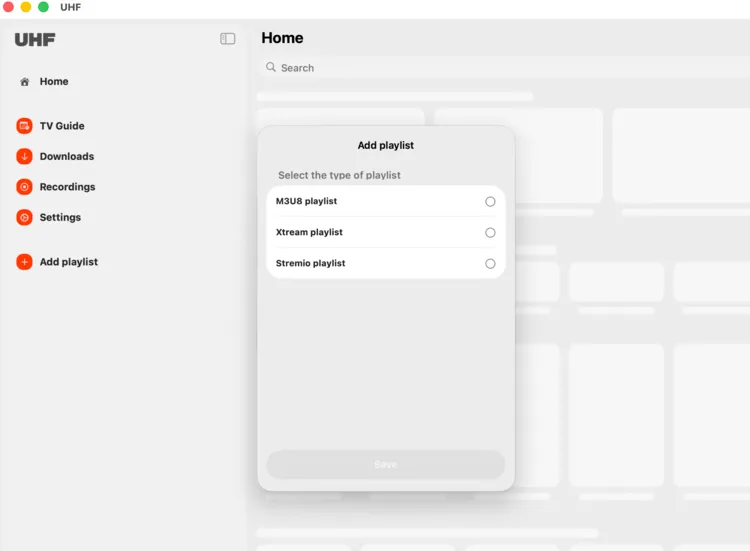
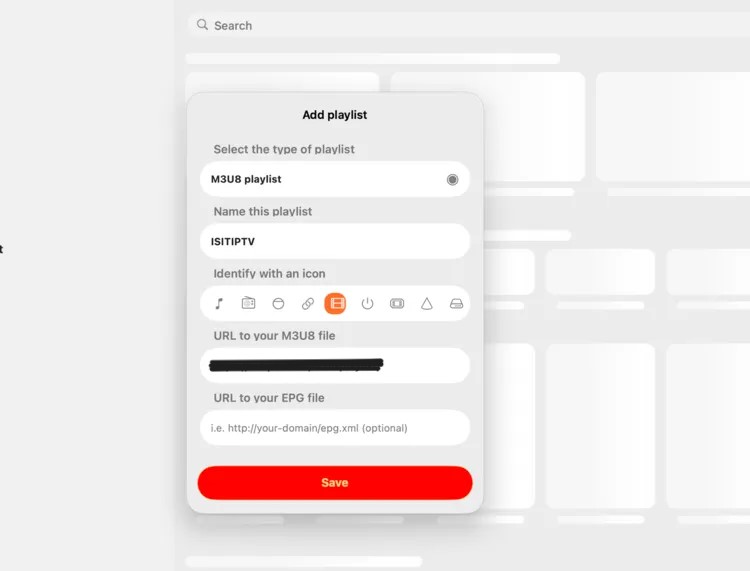
Step 5: I chose ‘M3U8‘. Add the M3U8 link in the URL section. Click ‘Save‘.
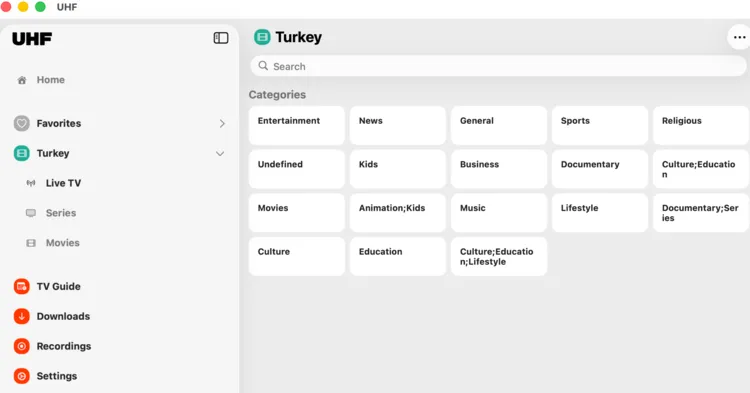
Step 6: Your playlist will be displayed on screen. Choose Movies, TV Series or Live TV.
Features of UHF IPTV Player
1. Playlist support (M3U8/ Xtream Codes /Stremio):
UHF IPTV Player supports multiple file formats, including M3U8, Xtream, and Stremio playlists. Choose one of these provided to you by the IPTV service provider.
It also includes multiple playlist customisation options like category renaming, cross-device playlist syncing (PRO), and manual channel reordering.
2. EPG support
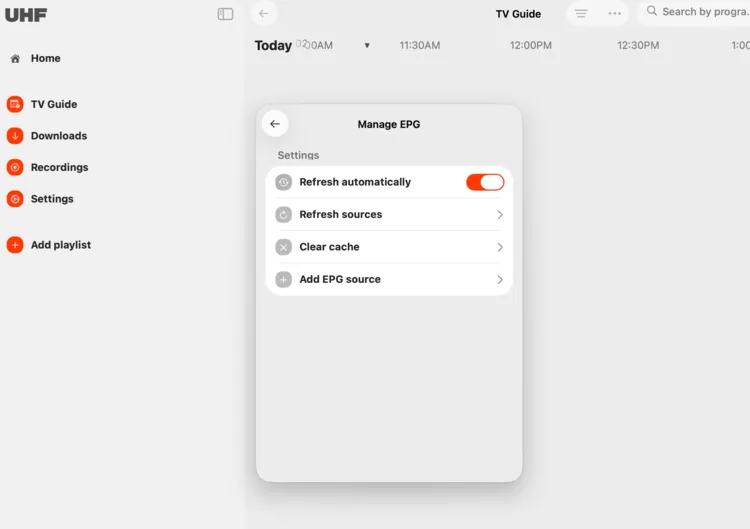
UHF includes an EPG (electronic programme guide) which provides a clean and organised live TV schedule. You can customise this section by refreshing sources, adding epg source, and clearing the cache.
3. Live TV & VOD
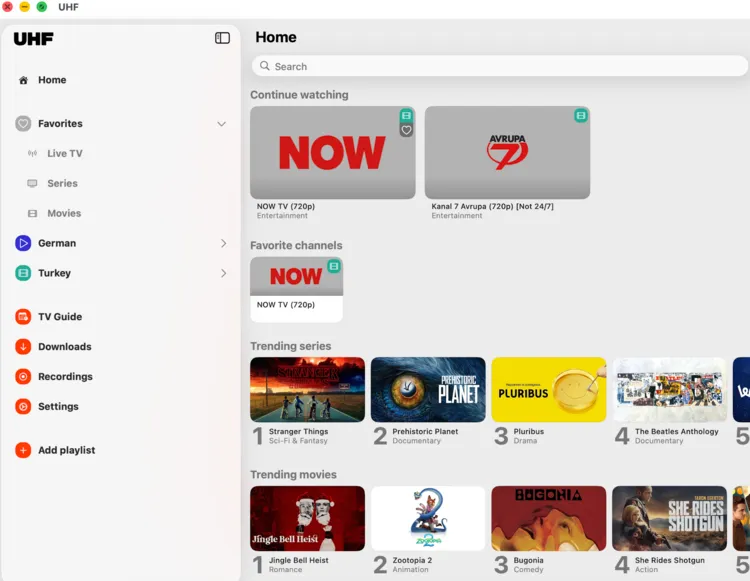
You can stream Live TV & VOD content such as Movies and TV shows on the UHF player.
4. Picture‑in‑Picture Mode (PIP)
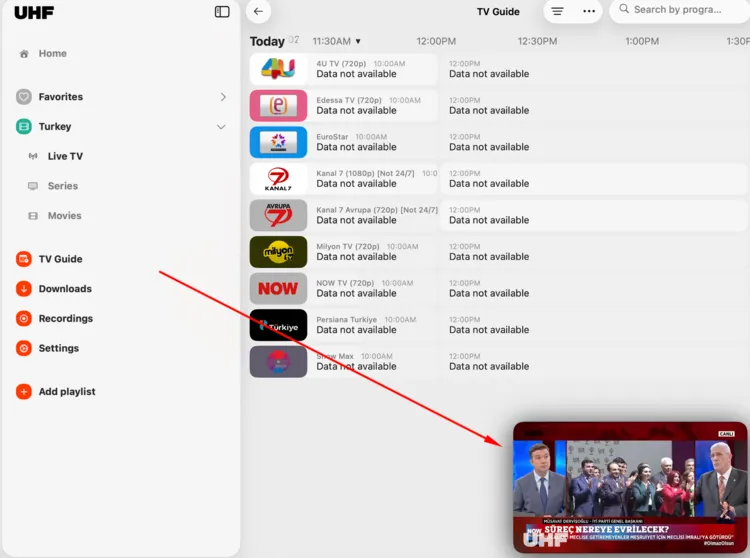
UHF allows users to play video in a smaller and resizable window while using other applications or navigating inside the app.
4. Device Compatibility

UHF Player is built exclusively for Apple devices, including iPhone, iPad, and Apple TV. Recordings can be managed separately through UHF Server on Windows and Linux, allowing control outside the Apple ecosystem.
5. Player Settings
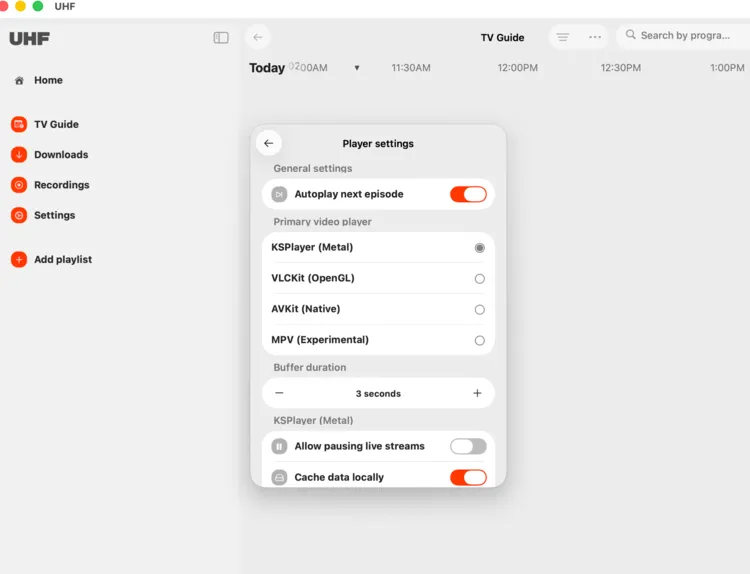
Go to Settings. The Player Settings window will open. Tweak the settings that suit you best.
6. Built-in VPN
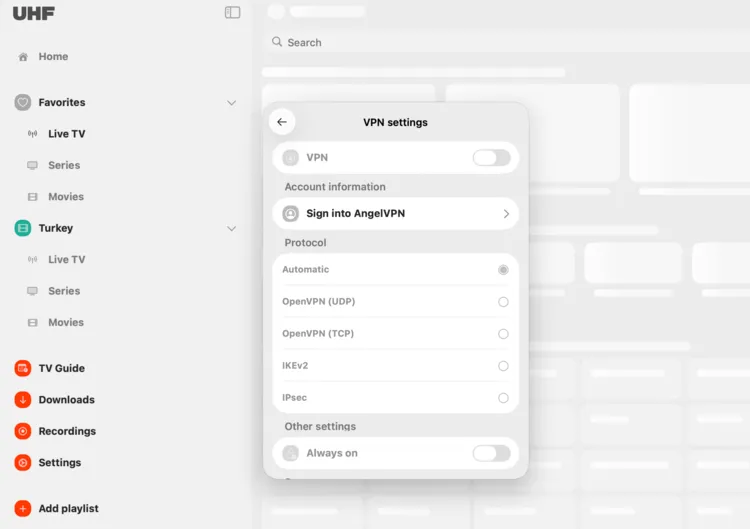
In the Settings menu, open VPN Settings and toggle ON Angel VPN, the built-in VPN available inside UHF. It encrypts your streaming traffic and helps protect your IP without requiring a separate VPN app.
7. Favourites
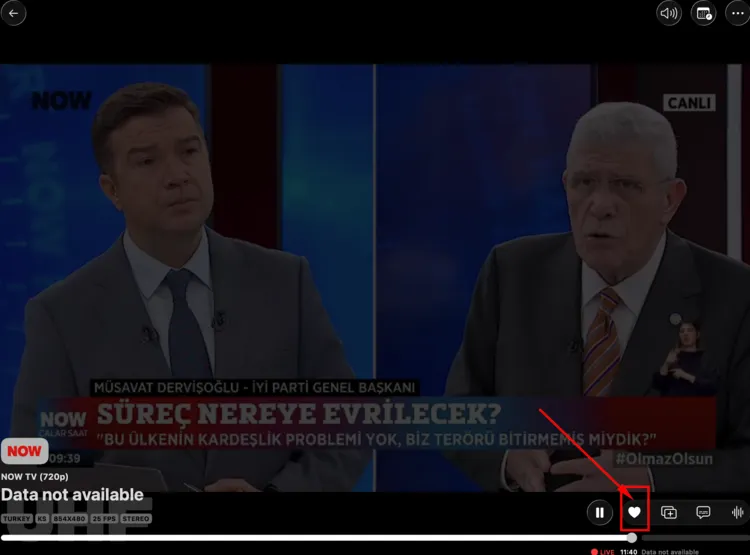
Click on the heart-shaped button on the bottom right of the video. This will add your stream to favourites.
Alternatives to UHF IPTV Player for Apple Devices
FAQs
1. What devices does UHF IPTV Player Support?
UHF functionality is exclusively integrated within the Apple ecosystem. It provides support for devices including iPhone, iPad, macOS (Mac), and tvOS (Apple TV).
2. Does UHF come with built‑in TV channels?
No. UHF IPTV Player itself doesn’t supply any channels or content. User must subscribe to an IPTV service just like other services out there.
3. Does UHF has streaming issues?
Steaming problems may arise if the source file is unreliable or unauthorised.
4. What Devices Are Compatible with a UHF IPTV Player?
UHF IPTV Player offer maximum flexibility, which is designed for seamless compatibility across various devices. This includes iOS: Smart TVs, PCs and Laptops.
Conclusion
UHF IPTV Player is the best player for streaming content on Apple devices. The platform can work with many kinds of IPTV playlists (M3U8, Xtream Codes, and Stremio).
For a smooth and uninterrupted experience, it is highly recommended to use a premium VPN like Surfshark. VPN secures users’ connections by encrypting their identities and protecting their privacy.

