


IPTV gives you access to thousands of channels, live sports, and movies at your fingertips. But along with the freedom comes real risks; your privacy, payments, and personal data can all be exposed if you’re not careful.
The truth is, most IPTV users don’t think about security until it’s too late. With the right tools and habits, you can avoid those mistakes and stream without any problem.
In this guide, I’ll share the smartest ways to stay safe from the best anonymous emails and virtual cards to IPTV VPNs and malware checks so your IPTV experience is private, secure, and worry-free.
Recommended VPN for IPTV - Surfshark

Using IPTV without a VPN can put you at Big Risk! Your ISP, government and even IPTV providers can monitor your activity, throttle your speed, or block access altogether.
Plus, without encryption, your data is exposed to hackers and third parties. Take back your privacy with Surfshark!
Features:
✅ SAVE 87% + GET 3 EXTRA MONTHS FREE! ($0.06/day)
✅ Kill Switch Feature to protect you if VPN drops
✅ Lightweight app ensuring smooth performance on All IPTV Boxes
✅ Unlimited simultaneous connections (install on all household devices)
✅ 30-day risk-free money-back guarantee
✅ Strict no-logs policy, Secure & Untraceable
Best Ways to Keep Your IPTV Streaming Safe and Secure
IPTV is easy to use, but without protection, your data, payments, and privacy are always at risk. Taking a few smart steps keeps your streaming safe and stress-free.
1. Create an Anonymous Email Address

An anonymous email is a separate inbox you use only for IPTV. It hides your real identity and keeps streaming sign-ups away from your personal email.
With tools like ProtonMail, your identity stays hidden, you avoid spam, and your streaming accounts won’t get flagged.
Read full guide: How to Send an Anonymous Email with IPTV (ProtonMail Setup)
2. Fake Email Generator
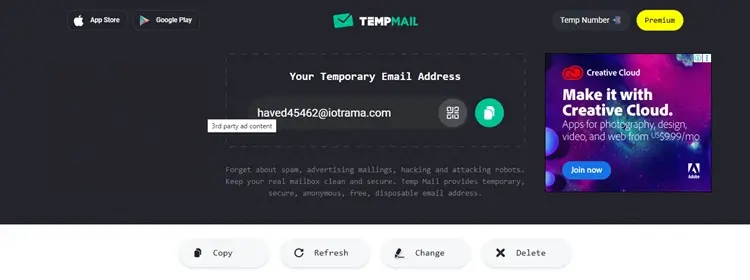
A fake email is simply a temporary, disposable address used in place of your actual one. It works for free trials or short sign-ups, then disappears.
How to use it:
Step 1: Go to Temp Mail or 10-Minute-Mail
Step 2: Copy the email address they give you and use it when signing up for IPTV
Step 3: Once you’re done, the email disappears
This way, your real inbox stays clean, you avoid spam, and no one can link that email back to you. Easy, safe, and perfect for testing an IPTV service.
3. Regularly Monitor Your Email Accounts/Enable Two-Factor Authentication
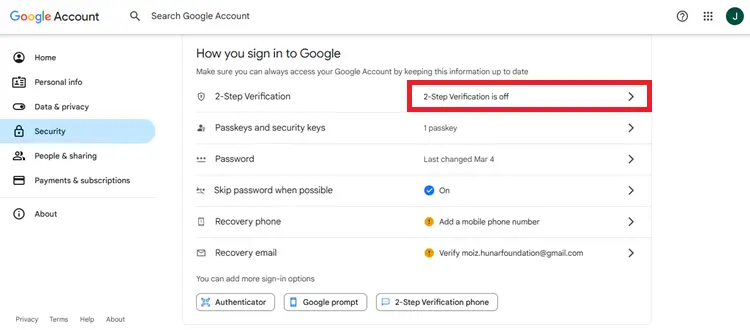 Two-factor authentication (2FA) is like adding a second lock to your email. Along with your password, you’ll need a code sent to your phone or backup email. This makes it much harder for anyone else to break in.
To use it, just go to your email settings, turn on 2FA, and add your phone number or backup email. After 2FA, every login will need both your password and a code.
4. Purchase With Virtual Cards

A virtual card is a digital version of your bank card that works only online. It comes with a card number, expiry date, and CVV, but no physical plastic. You load money onto it and use it just like a normal card.
For IPTV, it’s safer because your real bank details stay hidden. Even if the provider isn’t reliable, they can’t touch your main account. You only risk the amount you put on the card, making payments safe and controlled.
5. Malware Detection Tool for IPTV Apps
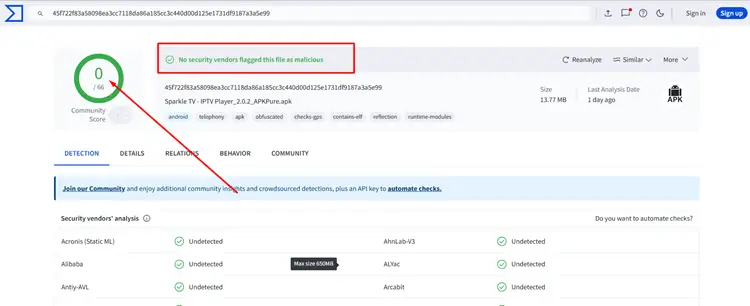
When you download IPTV apps from outside the app store, you don’t really know if the file is safe. Some APK files may carry malware that harms your device or secretly watches your activity.
A quick scan with a tool like VirusTotal makes sure the app is safe before you install it. Just upload the APK file, and in seconds, you’ll know if the app is safe to use, keeping your device clean and your streaming worry-free.
6. Utilize Antivirus and Anti-Malware Software
An antivirus protects your device from harmful viruses, while anti-malware stops newer threats like apps that spy on you. Together, they act as security guards for your IPTV device, blocking any dangerous content.
Tools like Malwarebytes and Avast can scan your device, warn you about bad files, and remove dangerous apps. With these in place, your privacy, data, and payments stay safe while you stream IPTV.
7. Use a Premium VPN
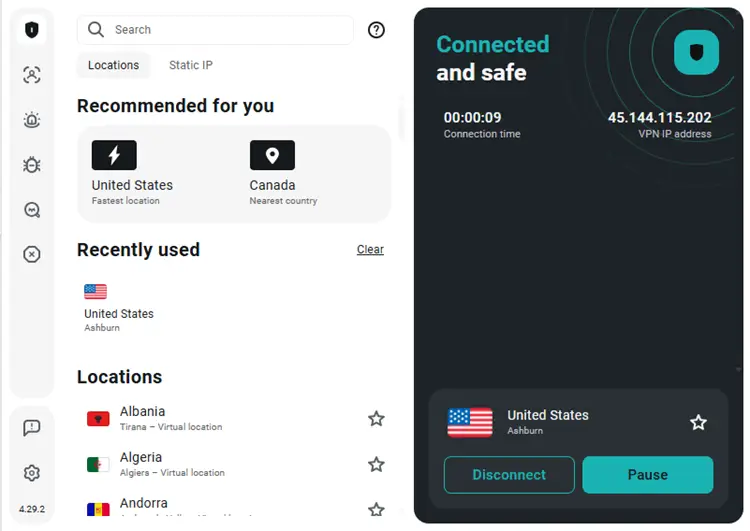
A VPN (Virtual Private Network) hides your real IP address and makes your internet activity private. Without it, your ISP (internet provider) can see what you’re streaming, slow down your speed, or even block IPTV.
I’ve tested many, but Surfshark is my #1 pick. because it’s fast, secure, and works perfectly with IPTV. It’s one of the best value options, giving you safe and smooth streaming without limits.
8. Avoid Jailbroken or Modified Devices

A jailbroken device is unlocked to add apps outside the store, while a modified device is often sold with preloaded IPTV apps. Both remove built-in protections and can hide malware.
Stick to official devices like Fire TV Stick or Android TV and only use trusted sources. This way, your data stays safe and your streaming runs smoothly.
Most Common Mistake That You Should Avoid While Streaming IPTV!
Many IPTV users skip using a VPN, sign up with their personal email, or download apps from unsafe sources. These mistakes expose your privacy, payment details, and even your device to big risks.
Avoiding these simple errors and following the right steps will keep your streaming safe and worry-free.
Conclusion
Keeping your IPTV safe isn’t hard; it just takes a few smart steps like using an anonymous email, a VPN, and tools that protect your device. These small changes give you peace of mind while streaming.
If you ever face issues like buffering or app errors, there are simple fixes that make IPTV smoother. Learning how to set up an EPG also helps organize your channels and makes the whole experience easier.
And don’t forget, a VPN like Surfshark isn’t just about privacy. In 2026, it remains the best way to unlock blocked content, stop throttling, and stream IPTV without limits.

