


In a world of IPTV, G2G serves as a versatile marketplace worth visiting like Z2U, Alibaba, and Made in China. This marketplace provides access to various IPTV services at very affordable prices.
However, users should exercise caution when selecting a specific IPTV service. Since the platform hosts many independent sellers, some might be more trustworthy than others. Therefore, always check profile ratings before purchasing a service.
Also, IPTV services found on G2G are unverified. This presents certain risks related to privacy and performance. Surfshark fixes that. by protecting users’ personal data and offering a smooth viewing experience.
Using IPTV without a VPN can put you at Big Risk! Your ISP, government and even IPTV providers can monitor your activity, throttle your speed, or block access altogether. Plus, without encryption, your data is exposed to hackers and third parties. Take back your privacy with Surfshark! ✅ SAVE 87% + GET 3 EXTRA MONTHS FREE! ($0.06/day)Recommended VPN for IPTV - Surfshark

Features:
✅ Kill Switch Feature to protect you if VPN drops
✅ Lightweight app ensuring smooth performance on All IPTV Boxes
✅ Unlimited simultaneous connections (install on all household devices)
✅ 30-day risk-free money-back guarantee
✅ Strict no-logs policy, Secure & Untraceable
What is G2G?
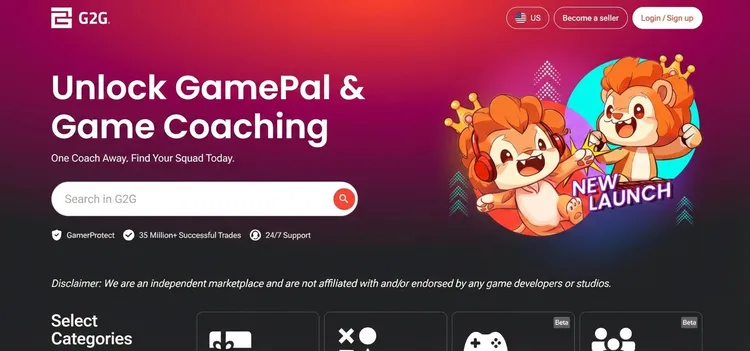
G2G is an affordable online marketplace that includes IPTV Services, Subscriptions, and Gaming Accounts. The platform is similar to marketplaces like Z2U or Alibaba.
Various IPTV services are available here, offered by third parties at smaller prices in HD, FHD, UHD, and 4K resolution along with thousands of channels.
How to Get IPTV on G2G Marketplace
1. Register on G2G
Step 1: Go to g2g.com and click Login/Sign Up on the top right.
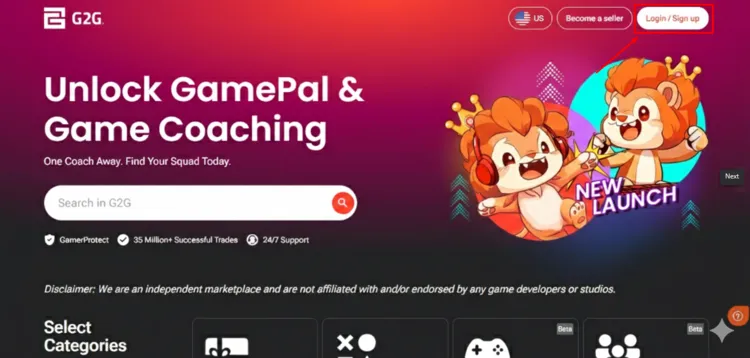
Step 2: A new window will open. Click on Sign Up below.

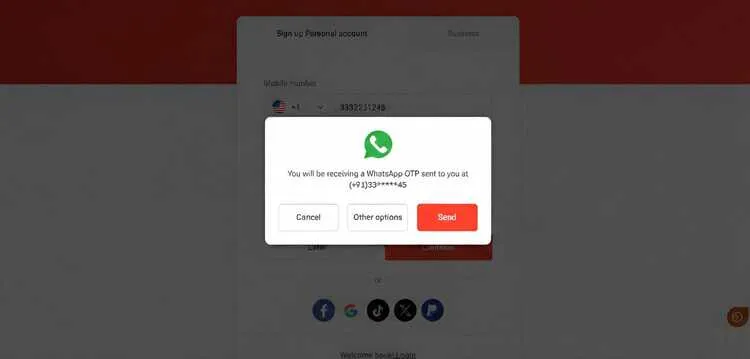
Step 3: Enter your mobile number and click continue.
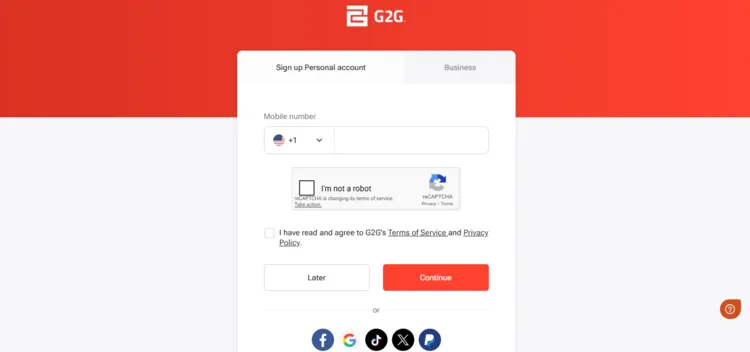
Step 4: You will recieve verification code on your WhatsApp. If this doesn’t work, then choose other options and select SMS.
Step 5: A new window will open. Enter your Personal Information below and click Create Account.
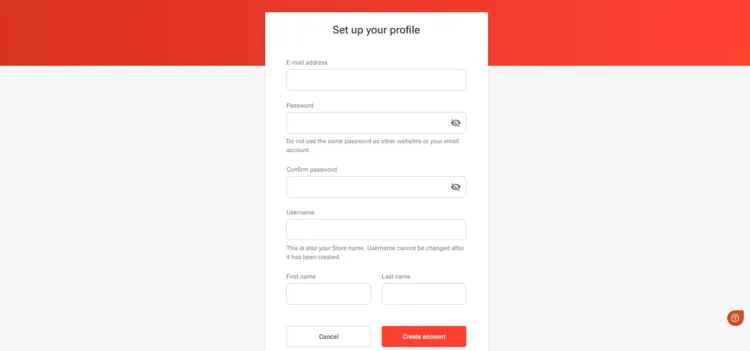
Step 6: Your account has been successfully registered on the G2G website.
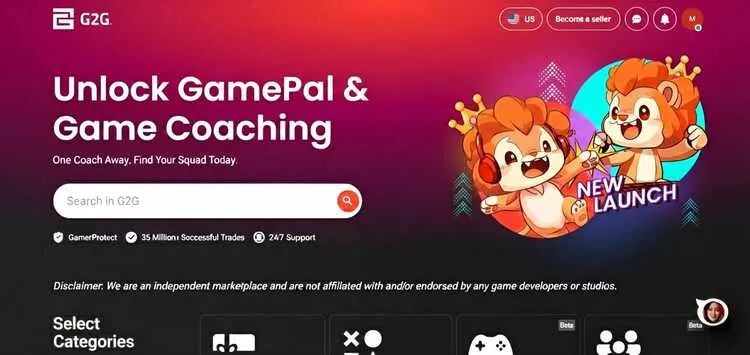
2. Search for an IPTV services
Step 1: On the G2G homepage, enter IPTV in the search bar.
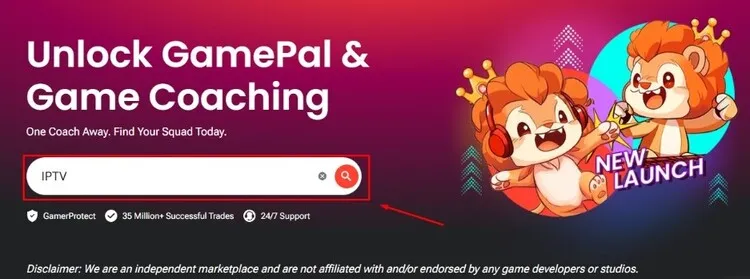
Step 2: A new window will appear where IPTV services will be displayed. Choose the service of your choice.
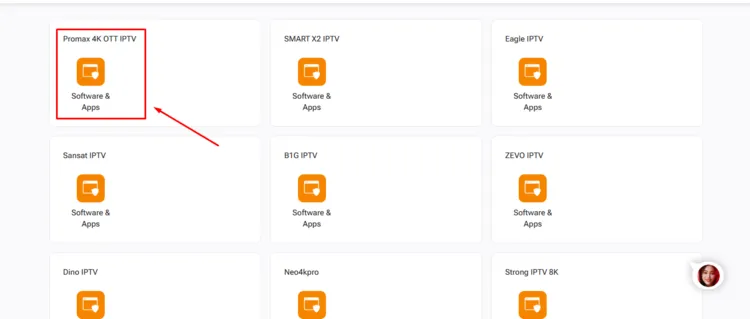
Step 3: A new window will open, where different sellers are offering specific IPTV service. Choose the service of your choice.
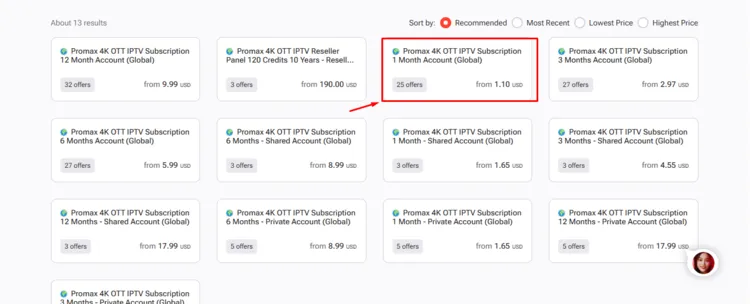
Step 4: A new window will open where the service’s details, along with the seller’s profile icon, will be displayed at the bottom right of the page.
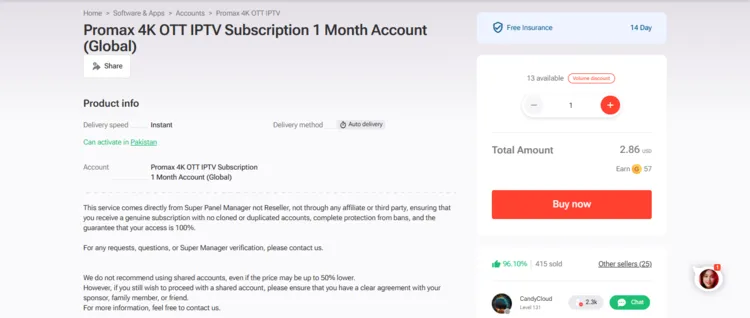
3. Request a Trial or Subscription
Step 1: Check the seller’s profile icon on the bottom right.
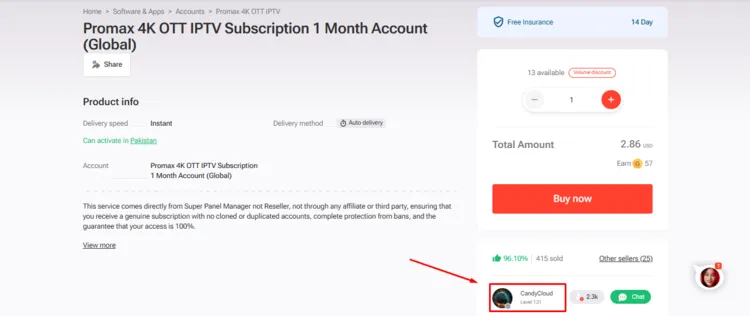
Step 2: A new window will open where all the services sold by the seller, along with the seller’s profile, will be displayed. Click on Reviews on the left side.
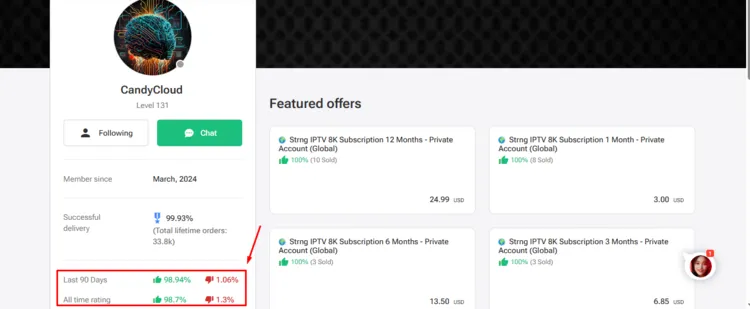
Step 3: Reviews popup will be displayed on the screen.
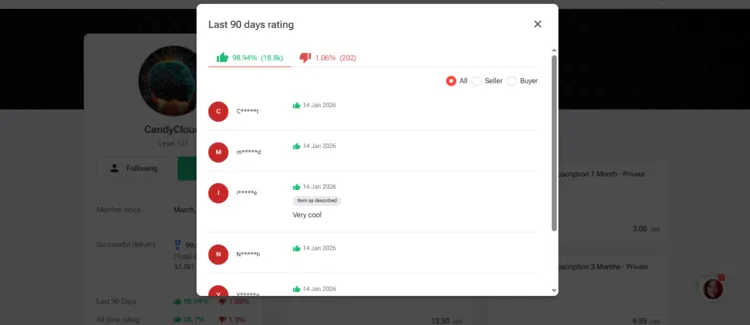
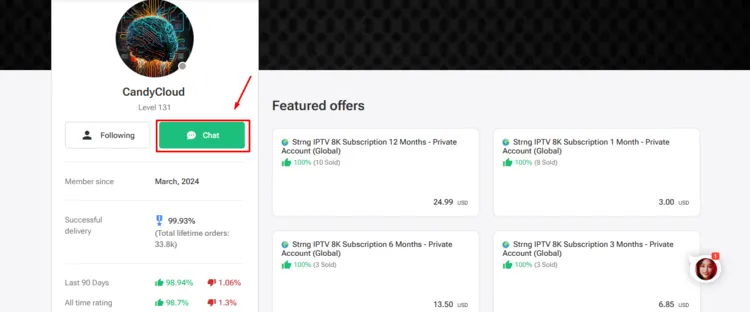
Step 4: After being satisfied with the reviews, click on Chat icon on the top right.
Step 5: Chat with the seller and request a free trial.
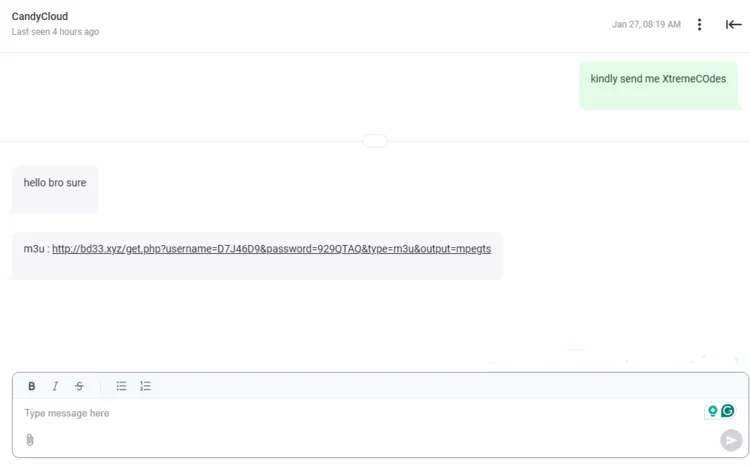
4. Connect to VPN & Enter Login Details on the Player.
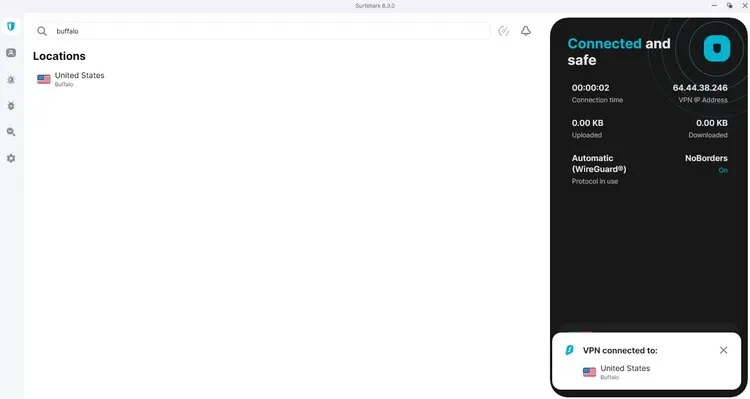
Step 1: Open Surfshark app and connect to any server.
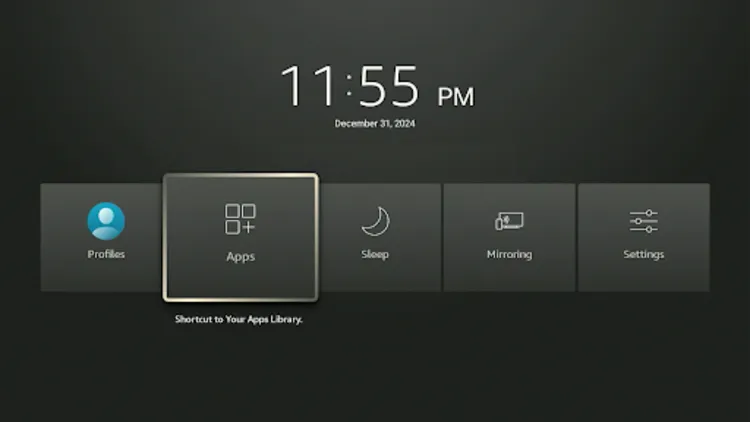
Step 2: Turn on your Fire TV Stick and long-press the Home button, and click Apps.
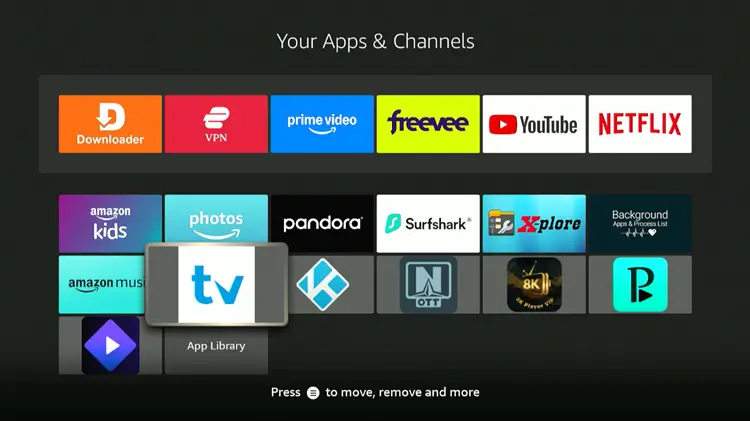
Step 3: Click in Tivimate Player
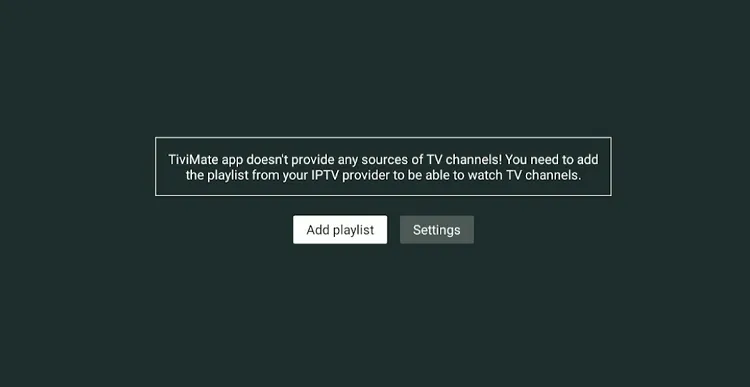
Step 4: Click Add Playlist.
Step 5: Select Xtream Codes.
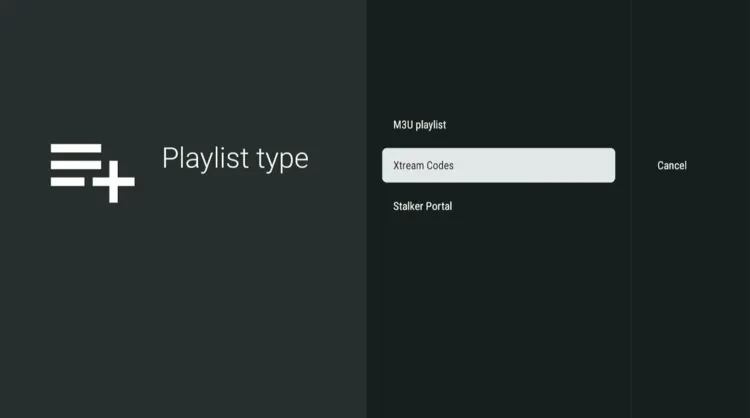
Step 6: Enter the Server address, Username, and Password.
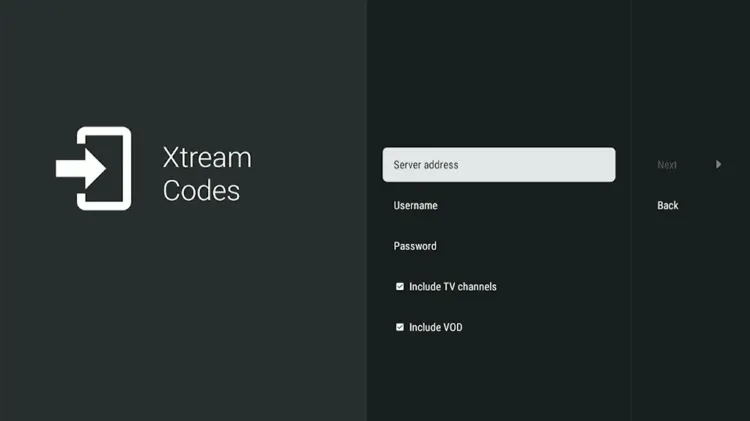
Step 7: Click Next. Your playlist will be processed. Click Done.
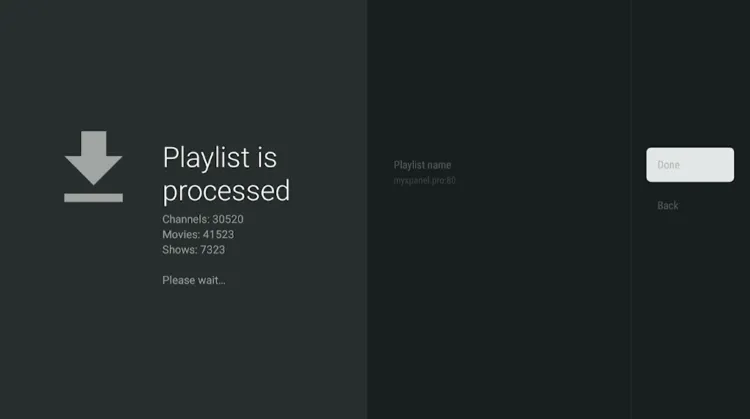
Step 8: Your IPTV service has been successfully installed.
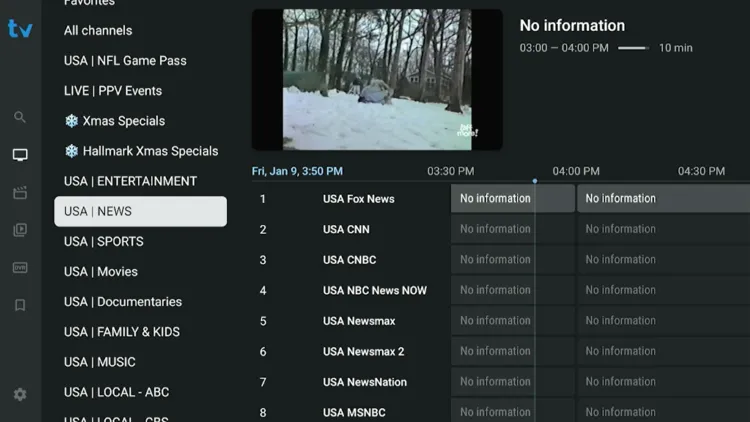
Step 9: Enjoy streaming!
How Much Does IPTV on G2G Cost?
Pricing on G2G is highly competitive:
-
Monthly: $3 to $10
-
Yearly: $30 to $40
Accepted Payment Methods: Credit/Debit Cards, Google Pay, Apple Pay, PayPal, and Cryptocurrency.
Is a VPN required while using IPTV from G2G?
Yes, using a premium VPN such as Surfshark is recommended when buying IPTV services from G2G, as all the IPTVs sold on these platforms are unverified.
VPN protects user privacy, prevents ISP throttling, protects against malware, and offers a smooth streaming experience to users.
Using IPTV without a VPN can put you at Big Risk! Your ISP, government and even IPTV providers can monitor your activity, throttle your speed, or block access altogether. Plus, without encryption, your data is exposed to hackers and third parties. Take back your privacy with Surfshark! ✅ SAVE 87% + GET 3 EXTRA MONTHS FREE! ($0.06/day)Recommended VPN for IPTV - Surfshark
Features:
✅ Kill Switch Feature to protect you if VPN drops
✅ Lightweight app ensuring smooth performance on All IPTV Boxes
✅ Unlimited simultaneous connections (install on all household devices)
✅ 30-day risk-free money-back guarantee
✅ Strict no-logs policy, Secure & Untraceable
FAQ’s
1. How do I know if a seller is trustworthy?
Conclusion
G2G stands out as a budget-friendly marketplace for anyone looking to explore IPTV services, with resolutions available up to 4K at an affordable cost. It provides an excellent opportunity for users to save money while accessing premium content.
Since this marketplace hosts independent sellers, it’s important to check their reputation and order history before purchasing a service. To minimise the risk, always request a free trial to test the IPTV service’s stability.
Most IPTV services are unverified. Using a premium VPN like Surfshark is highly recommended to protect users’ privacy, avoid potential scams, and prevent ISP throttling.

